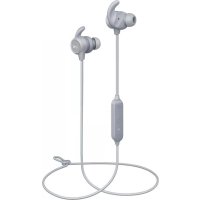
EPB60 - Earplug Aukey - Free user manual and instructions
Find the device manual for free EPB60 Aukey in PDF.
Download the instructions for your Earplug in PDF format for free! Find your manual EPB60 - Aukey and take your electronic device back in hand. On this page are published all the documents necessary for the use of your device. EPB60 by Aukey.
USER MANUAL EPB60 Aukey
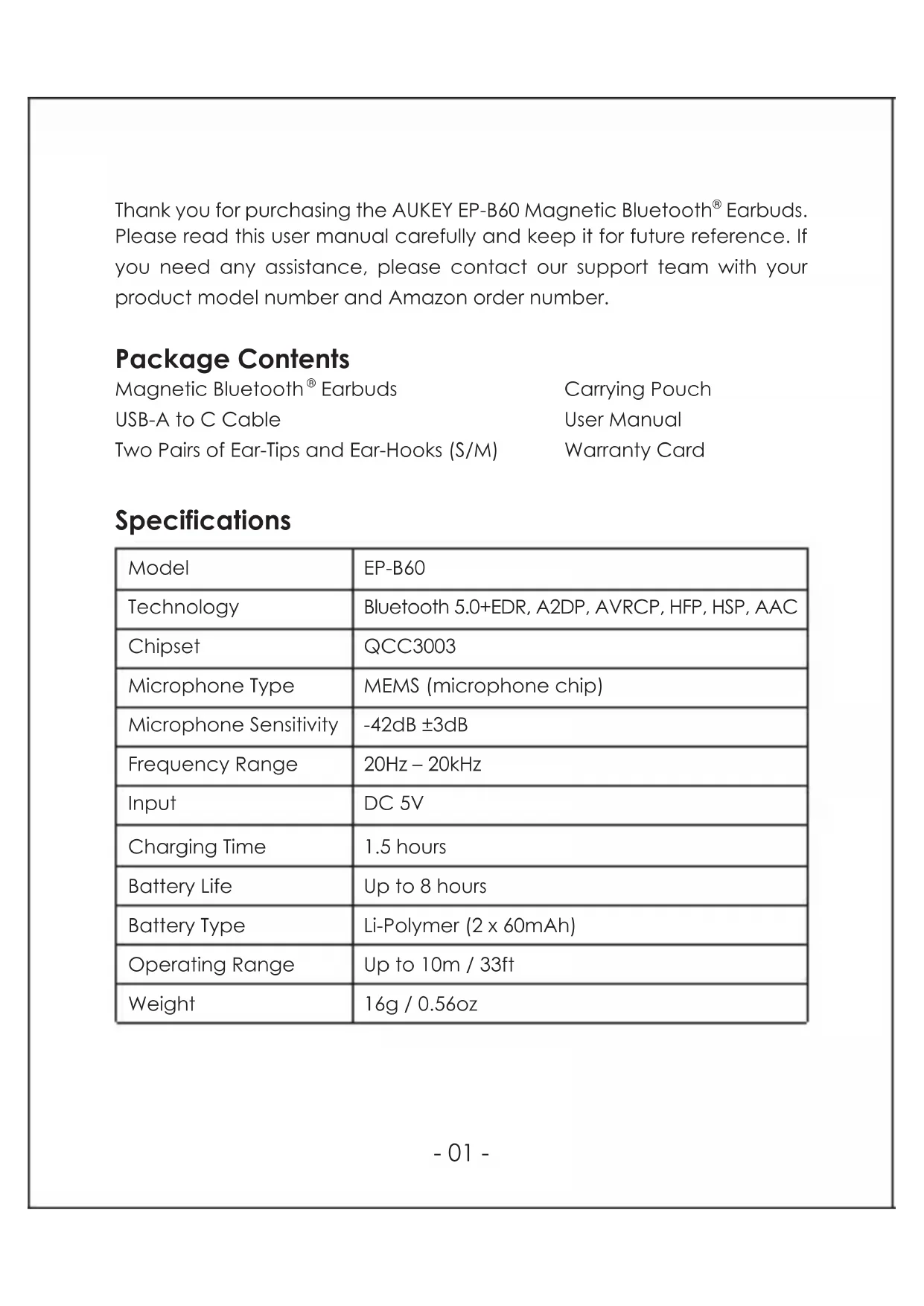
Earbuds. Please read this user manual carefully and keep it for future reference. If you need any assistance, please contact our support team with your product model number and Amazon order number. Package Contents Magnetic Bluetooth
Earbuds USB-A to C Cable Two Pairs of Ear-Tips and Ear-Hooks (S/M) Specifications Model Technology Chipset Microphone Type Microphone Sensitivity Frequency Range Input Charging Time Battery Life Battery Type Operating Range Weight EP-B60 Bluetooth 5.0+EDR, A2DP, AVRCP, HFP, HSP, AAC QCC3003 MEMS (microphone chip) -42dB ±3dB 20Hz – 20kHz DC 5V
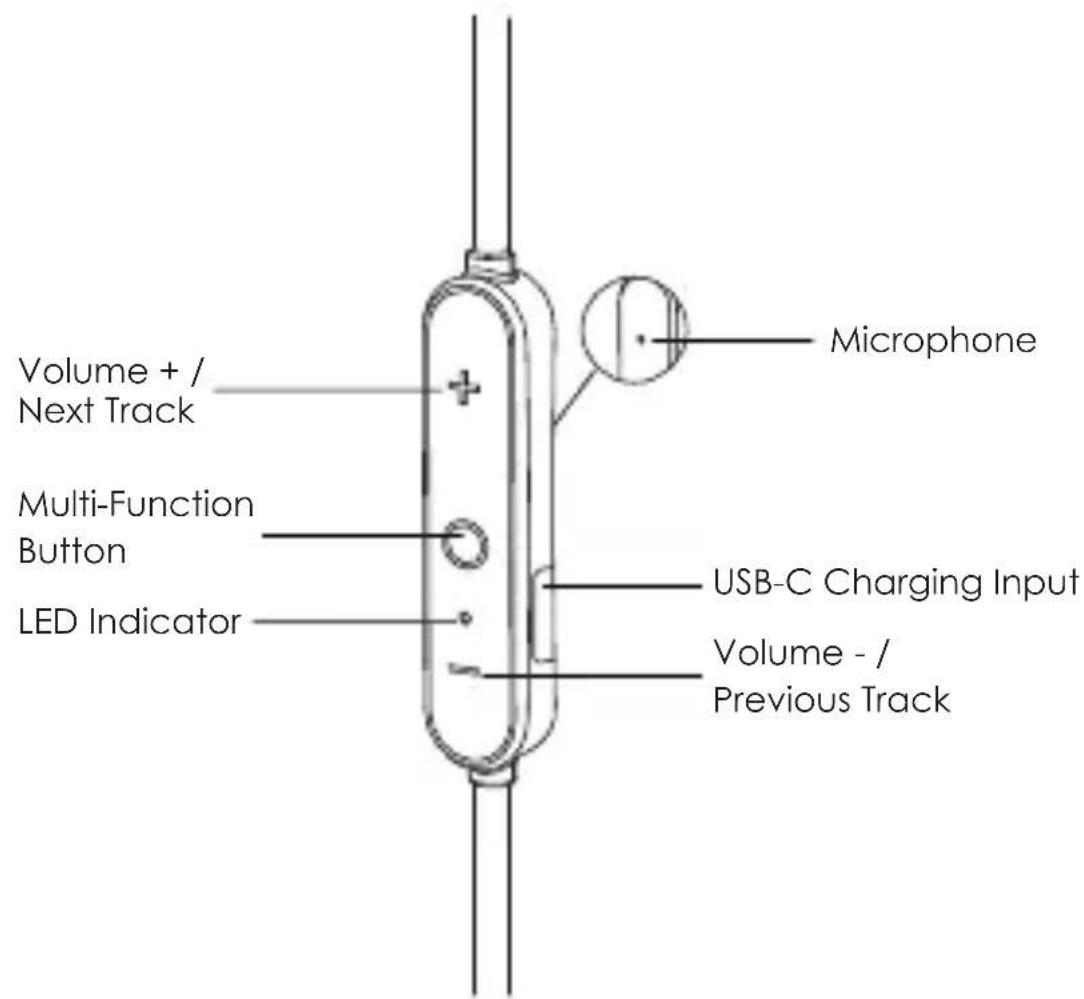
Up to 8 hours Li-Polymer (2 x 60mAh) Up to 10m / 33ft 16g / 0.56oz Carrying Pouch User Manual Warranty Card- 02 - Product Diagram Volume + / Next Track LED Indicator Multi-Function Button Volume - / Previous Track USB-C Charging Input MicrophonePairing Starting with the earbuds magnetically connected:
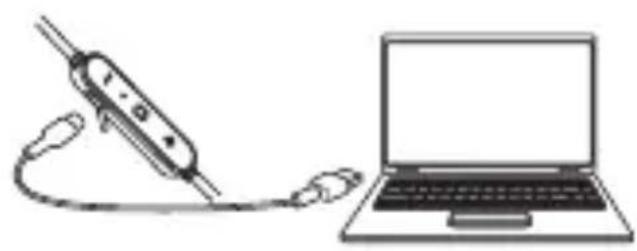
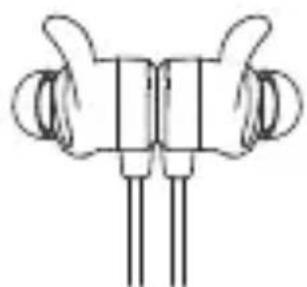
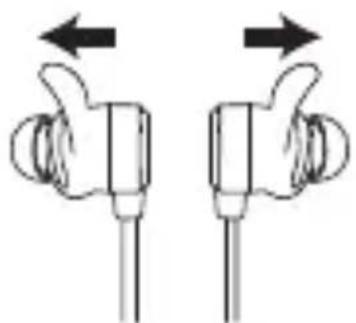
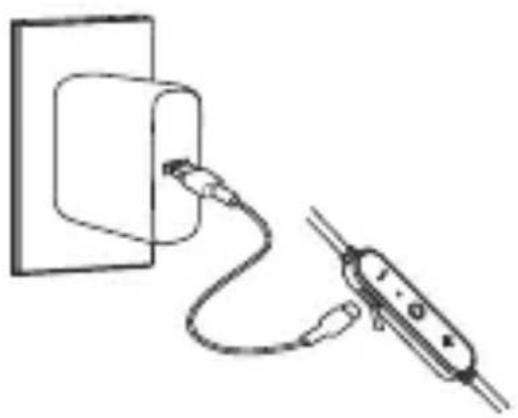
Getting Started Charging Fully charge your earbuds before first use. Before charging, make sure the earbuds are turned off. To charge, simply connect one end of the USB-A to C cable to a USB charging port and the other end to the input port on the earbuds. When the green LED indicator light turns off, your earbuds are fully charged and ready for use. Charging takes around 1.5 hours. Turning On / Off Turn On Turn Off Music and Calls Control Streaming Audio Once paired, you can wirelessly stream audio from your device to your earbuds. Music will automatically pause when you receive an incoming phone call, and resume once the call has ended. Making Calls Once paired with your smartphone, making and answering calls can be managed via the in-line remote. Magnetically connect the earbuds. The LED indicator will light up green for 2 seconds and you'll hear a descending tone Separate the earbuds. The LED indicator will light up white for 2 seconds and you'll hear an ascending tonePairing Starting with the earbuds magnetically connected:
Separate the earbuds. The EP-B60 will turn on and automatically enter pairing mode Turn on Bluetooth on the device you want to pair with the earbuds In the list of available devices, find and select “AUKEY EP-B60” If a code or PIN is required for pairing, enter “0000” To clear the pairing list, power on the earbuds and then hold volume + and volume - simultaneously for 5 seconds until the LED lights up green and white. Once the pairing list is cleared, you will hear a tone and the earbuds will automatically enter pairing mode The earbuds will automatically shut down after 5 minutes in pairing mode if no devices are paired If your paired device is turned off or manually disconnected, the earbuds LED indicator will flash white twice every 5 seconds and the earbuds will shut down after 5 minutes Double-press the multi-function button after turning off Bluetooth on a connected device to enter pairing mode. The LED indicator will flash white and green alternately for 3 minutes. If no devices are paired, the earbuds will enter standby mode The maximum wireless operating range is 10m (33ft). If you exceed this range, the earbuds will disconnect from your paired device and you will hear a tone. The connection will be re-established once you re-enter the wireless range within 5 minutes. The earbuds will automatically reconnect to the last-paired device. To connect with other devices, repeat the previous “Pairing” steps Music and Calls Control Streaming Audio Once paired, you can wirelessly stream audio from your device to your earbuds. Music will automatically pause when you receive an incoming phone call, and resume once the call has ended. Making Calls Once paired with your smartphone, making and answering calls can be managed via the in-line remote.Pairing Starting with the earbuds magnetically connected:
Music and Calls Control Streaming Audio Once paired, you can wirelessly stream audio from your device to your earbuds. Music will automatically pause when you receive an incoming phone call, and resume once the call has ended. Making Calls Once paired with your smartphone, making and answering calls can be managed via the in-line remote. Answer or end a call Redial last-called number Reject an incoming call Switch mic Play or pause Adjust volume Skip to next or previous track Press the multi-function button once Press volume + or - Press and hold the volume + or - for 2 seconds Press the multi-function button once. If there’s a second incoming call, press the multi-function button once to answer the second call and end the first call; or press and hold the multi-function button for 2 seconds to answer the second call and put the first call on hold Double-press the multi-function button when your device is connected (but not playing music) Double-press the multi-function button During a call, press and hold the volume + for 2 seconds to switch between the earbuds and your phone for talking Use Siri or other voice assistants When your device is connected, press and hold the multi-function button for 2 seconds and you’ll hear a toneTYPE. DISPOSE OF USED BATTERIES ACCORDING TO THE INSTRUCTIONS. Excessive sound pressure from earphones and headphones can cause hearing loss. Shenzhen AUKEY E Business Co., Ltd. declares that the radio equipment type (Bluetooth
Headphones, EP-B60) is in compliance with Directive 2014/53/EU. The full text of the EU declaration of conformity is available at the following internet address: www.aukey.com. Notice: This device may be used in each member state of the EU. Trademark The Bluetooth
word mark and logos are registered trademarks owned by Bluetooth SIG, Inc. and any use of such marks by Shenzhen AUKEY E Business Co., Ltd. is under license. Other trademarks and trade names are those of their respective owners. Notice for the US Changes or modifications not expressly approved by the party responsible for compliance could void the user’s authority to operate the equipment. FCC Rules This device complies with Part 15 of the FCC Rules. Operation is subject to the following two conditions:
NOTE: This equipment has been tested and found to comply with the limits for a Class B digital device, pursuant to Part 15 of the FCC Rules. These limits are designed to provide reasonable protection against harmful interference in a residential installation. This equipment generates, uses, and can radiate radio frequency energy and, if not installed and used in accordance with the instructions, may cause harmful interference to radio communications. However, there is no guarantee that interference will not occur in a particular installation. If this equipment does cause harmful interference to radio or television reception, which can be determined by turning the equipment off and on, the user is encouraged to try to correct the interference by one or more of the following measures:
LED Indicator White & green flashing alternately White flashing twice every 5 seconds White flashing once every 5 seconds White flashing once every second Green flashing twice every 5 seconds Green Green off (after charging) Status Pairing mode Standby mode / Disconnected Connected / Playing music In call Low battery Charging Fully charged FAQ The earbuds are on but not connecting to my device For the earbuds and your device to establish a connection, you need to put them both in pairing mode. Please follow the instructions in the “Pairing” section of this manual. I’ve established a connection with my smartphone but can’t hear any sound Double-check the volume level on your smartphone and the earbuds. Some smartphones require you to set up the earbuds as an audio output device before the audio can be transmitted. If you’re using a music player or other device, please make sure it supports the A2DP stereo music profile. The sound isn’t very clear or the caller can’t hear my voice clearly Adjust the volume on your smartphone and the earbuds. Try getting closer to your smartphone to rule out the possibility of interference or wireless range-related issues. What is the wireless range of the earbuds? The maximum range is 10m (33ft). However, the actual range will depend on environmental factors. For optimal performance, keep your devices connected with the earbuds within a 15ft–33ft range and make sure that there are no major obstacles (like reinforced steel walls) between the earbuds and your devices. My earbuds won’t turn on Try charging the earbuds for a while. If the earbuds still won’t power on, please contact our support team at the address below. Product Care & Use ● Keep away from liquids and extreme heat ● Don’t use the earbuds at high volume for extended periods, as this may cause permanent hearing damage or loss Warranty & Customer Support For questions, support, or warranty claims, contact us at the address below that corresponds with your region. Please include your Amazon order number and product model number. Amazon US orders: support.us@aukey.com Amazon EU orders: support.eu@aukey.com Amazon CA orders: support.ca@aukey.com Amazon JP orders: support.jp@aukey.com Amazon AU orders: support.au@au key.com *Please note, AUKEY can only provide after sales service for products purchased directly from AUKEY. If you have purchased from a different seller, please contact them directly for service or warranty issues.
This equipment complies with FCC RF radiation exposure limits set forth for an uncontrolled environment. IC Statement This device complies with Industry Canada licence-exempt RSS standard(s). Operation is subject to the following two conditions:
CE Statement Max RF power level: BT classic (2402–2480MHz): 2.1dBm RF exposure assessment has been performed to prove that this unit will not generate the harmful EM emission above the reference level as specified in EC Council Recommendation (1999/519/EC). CAUTION: RISK OF EXPLOSION IF BATTERY IS REPLACED BY AN INCORRECTTYPE. DISPOSE OF USED BATTERIES ACCORDING TO THE INSTRUCTIONS. Excessive sound pressure from earphones and headphones can cause hearing loss. Shenzhen AUKEY E Business Co., Ltd. declares that the radio equipment type (Bluetooth
Headphones, EP-B60) is in compliance with Directive 2014/53/EU. The full text of the EU declaration of conformity is available at the following internet address: www.aukey.com. Notice: This device may be used in each member state of the EU. Trademark The Bluetooth
word mark and logos are registered trademarks owned by Bluetooth SIG, Inc. and any use of such marks by Shenzhen AUKEY E Business Co., Ltd. is under license. Other trademarks and trade names are those of their respective owners. Notice for the US Changes or modifications not expressly approved by the party responsible for compliance could void the user’s authority to operate the equipment. FCC Rules This device complies with Part 15 of the FCC Rules. Operation is subject to the following two conditions:
NOTE: This equipment has been tested and found to comply with the limits for a Class B digital device, pursuant to Part 15 of the FCC Rules. These limits are designed to provide reasonable protection against harmful interference in a residential installation. This equipment generates, uses, and can radiate radio frequency energy and, if not installed and used in accordance with the instructions, may cause harmful interference to radio communications. However, there is no guarantee that interference will not occur in a particular installation. If this equipment does cause harmful interference to radio or television reception, which can be determined by turning the equipment off and on, the user is encouraged to try to correct the interference by one or more of the following measures:
FAQ The earbuds are on but not connecting to my device For the earbuds and your device to establish a connection, you need to put them both in pairing mode. Please follow the instructions in the “Pairing” section of this manual. I’ve established a connection with my smartphone but can’t hear any sound Double-check the volume level on your smartphone and the earbuds. Some smartphones require you to set up the earbuds as an audio output device before the audio can be transmitted. If you’re using a music player or other device, please make sure it supports the A2DP stereo music profile. The sound isn’t very clear or the caller can’t hear my voice clearly Adjust the volume on your smartphone and the earbuds. Try getting closer to your smartphone to rule out the possibility of interference or wireless range-related issues. What is the wireless range of the earbuds? The maximum range is 10m (33ft). However, the actual range will depend on environmental factors. For optimal performance, keep your devices connected with the earbuds within a 15ft–33ft range and make sure that there are no major obstacles (like reinforced steel walls) between the earbuds and your devices. My earbuds won’t turn on Try charging the earbuds for a while. If the earbuds still won’t power on, please contact our support team at the address below. Product Care & Use ● Keep away from liquids and extreme heat ● Don’t use the earbuds at high volume for extended periods, as this may cause permanent hearing damage or loss Warranty & Customer Support For questions, support, or warranty claims, contact us at the address below that corresponds with your region. Please include your Amazon order number and product model number. Amazon US orders: support.us@aukey.com Amazon EU orders: support.eu@aukey.com Amazon CA orders: support.ca@aukey.com Amazon JP orders: support.jp@aukey.com Amazon AU orders: support.au@au key.com *Please note, AUKEY can only provide after sales service for products purchased directly from AUKEY. If you have purchased from a different seller, please contact them directly for service or warranty issues.
This equipment complies with FCC RF radiation exposure limits set forth for an uncontrolled environment. IC Statement This device complies with Industry Canada licence-exempt RSS standard(s). Operation is subject to the following two conditions:
CE Statement Max RF power level: BT classic (2402–2480MHz): 2.1dBm RF exposure assessment has been performed to prove that this unit will not generate the harmful EM emission above the reference level as specified in EC Council Recommendation (1999/519/EC). CAUTION: RISK OF EXPLOSION IF BATTERY IS REPLACED BY AN INCORRECTTYPE. DISPOSE OF USED BATTERIES ACCORDING TO THE INSTRUCTIONS. Excessive sound pressure from earphones and headphones can cause hearing loss. Shenzhen AUKEY E Business Co., Ltd. declares that the radio equipment type (Bluetooth
Headphones, EP-B60) is in compliance with Directive 2014/53/EU. The full text of the EU declaration of conformity is available at the following internet address: www.aukey.com. Notice: This device may be used in each member state of the EU. Trademark The Bluetooth
word mark and logos are registered trademarks owned by Bluetooth SIG, Inc. and any use of such marks by Shenzhen AUKEY E Business Co., Ltd. is under license. Other trademarks and trade names are those of their respective owners. Notice for the US Changes or modifications not expressly approved by the party responsible for compliance could void the user’s authority to operate the equipment. FCC Rules This device complies with Part 15 of the FCC Rules. Operation is subject to the following two conditions:
NOTE: This equipment has been tested and found to comply with the limits for a Class B digital device, pursuant to Part 15 of the FCC Rules. These limits are designed to provide reasonable protection against harmful interference in a residential installation. This equipment generates, uses, and can radiate radio frequency energy and, if not installed and used in accordance with the instructions, may cause harmful interference to radio communications. However, there is no guarantee that interference will not occur in a particular installation. If this equipment does cause harmful interference to radio or television reception, which can be determined by turning the equipment off and on, the user is encouraged to try to correct the interference by one or more of the following measures:
FAQ The earbuds are on but not connecting to my device For the earbuds and your device to establish a connection, you need to put them both in pairing mode. Please follow the instructions in the “Pairing” section of this manual. I’ve established a connection with my smartphone but can’t hear any sound Double-check the volume level on your smartphone and the earbuds. Some smartphones require you to set up the earbuds as an audio output device before the audio can be transmitted. If you’re using a music player or other device, please make sure it supports the A2DP stereo music profile. The sound isn’t very clear or the caller can’t hear my voice clearly Adjust the volume on your smartphone and the earbuds. Try getting closer to your smartphone to rule out the possibility of interference or wireless range-related issues. What is the wireless range of the earbuds? The maximum range is 10m (33ft). However, the actual range will depend on environmental factors. For optimal performance, keep your devices connected with the earbuds within a 15ft–33ft range and make sure that there are no major obstacles (like reinforced steel walls) between the earbuds and your devices. My earbuds won’t turn on Try charging the earbuds for a while. If the earbuds still won’t power on, please contact our support team at the address below. Product Care & Use ● Keep away from liquids and extreme heat ● Don’t use the earbuds at high volume for extended periods, as this may cause permanent hearing damage or loss Warranty & Customer Support For questions, support, or warranty claims, contact us at the address below that corresponds with your region. Please include your Amazon order number and product model number. Amazon US orders: support.us@aukey.com Amazon EU orders: support.eu@aukey.com Amazon CA orders: support.ca@aukey.com Amazon JP orders: support.jp@aukey.com Amazon AU orders: support.au@au key.com *Please note, AUKEY can only provide after sales service for products purchased directly from AUKEY. If you have purchased from a different seller, please contact them directly for service or warranty issues.
This device may not cause harmful interference. This device must accept any interference received, including interference that may cause undesired operation. Reorient or relocate the receiving antenna. Increase the separation between the equipment and receiver. Connect the equipment into an outlet on a circuit different from that to which the receiver is connected. Consult the dealer or an experienced radio/TV technician for help. This device may not cause harmful interference, and This device must accept any interference received, including interference that may cause undesired operation. l'appareil ne doit pas produire de brouillage, et l'utilisateur de l'appareil doit accepter tout brouillage radioélectrique subi, même si le brouillage est susceptible d'en compromettre le fonctionnement.
This equipment complies with FCC RF radiation exposure limits set forth for an uncontrolled environment. IC Statement This device complies with Industry Canada licence-exempt RSS standard(s). Operation is subject to the following two conditions:
CE Statement Max RF power level: BT classic (2402–2480MHz): 2.1dBm RF exposure assessment has been performed to prove that this unit will not generate the harmful EM emission above the reference level as specified in EC Council Recommendation (1999/519/EC). CAUTION: RISK OF EXPLOSION IF BATTERY IS REPLACED BY AN INCORRECTTYPE. DISPOSE OF USED BATTERIES ACCORDING TO THE INSTRUCTIONS. Excessive sound pressure from earphones and headphones can cause hearing loss. Shenzhen AUKEY E Business Co., Ltd. declares that the radio equipment type (Bluetooth
Headphones, EP-B60) is in compliance with Directive 2014/53/EU. The full text of the EU declaration of conformity is available at the following internet address: www.aukey.com. Notice: This device may be used in each member state of the EU. Trademark The Bluetooth
word mark and logos are registered trademarks owned by Bluetooth SIG, Inc. and any use of such marks by Shenzhen AUKEY E Business Co., Ltd. is under license. Other trademarks and trade names are those of their respective owners. Notice for the US Changes or modifications not expressly approved by the party responsible for compliance could void the user’s authority to operate the equipment. FCC Rules This device complies with Part 15 of the FCC Rules. Operation is subject to the following two conditions:
NOTE: This equipment has been tested and found to comply with the limits for a Class B digital device, pursuant to Part 15 of the FCC Rules. These limits are designed to provide reasonable protection against harmful interference in a residential installation. This equipment generates, uses, and can radiate radio frequency energy and, if not installed and used in accordance with the instructions, may cause harmful interference to radio communications. However, there is no guarantee that interference will not occur in a particular installation. If this equipment does cause harmful interference to radio or television reception, which can be determined by turning the equipment off and on, the user is encouraged to try to correct the interference by one or more of the following measures:
FAQ The earbuds are on but not connecting to my device For the earbuds and your device to establish a connection, you need to put them both in pairing mode. Please follow the instructions in the “Pairing” section of this manual. I’ve established a connection with my smartphone but can’t hear any sound Double-check the volume level on your smartphone and the earbuds. Some smartphones require you to set up the earbuds as an audio output device before the audio can be transmitted. If you’re using a music player or other device, please make sure it supports the A2DP stereo music profile. The sound isn’t very clear or the caller can’t hear my voice clearly Adjust the volume on your smartphone and the earbuds. Try getting closer to your smartphone to rule out the possibility of interference or wireless range-related issues. What is the wireless range of the earbuds? The maximum range is 10m (33ft). However, the actual range will depend on environmental factors. For optimal performance, keep your devices connected with the earbuds within a 15ft–33ft range and make sure that there are no major obstacles (like reinforced steel walls) between the earbuds and your devices. My earbuds won’t turn on Try charging the earbuds for a while. If the earbuds still won’t power on, please contact our support team at the address below. Product Care & Use ● Keep away from liquids and extreme heat ● Don’t use the earbuds at high volume for extended periods, as this may cause permanent hearing damage or loss Warranty & Customer Support For questions, support, or warranty claims, contact us at the address below that corresponds with your region. Please include your Amazon order number and product model number. Amazon US orders: support.us@aukey.com Amazon EU orders: support.eu@aukey.com Amazon CA orders: support.ca@aukey.com Amazon JP orders: support.jp@aukey.com Amazon AU orders: support.au@au key.com *Please note, AUKEY can only provide after sales service for products purchased directly from AUKEY. If you have purchased from a different seller, please contact them directly for service or warranty issues.
This device may not cause harmful interference. This device must accept any interference received, including interference that may cause undesired operation. Reorient or relocate the receiving antenna. Increase the separation between the equipment and receiver. Connect the equipment into an outlet on a circuit different from that to which the receiver is connected. Consult the dealer or an experienced radio/TV technician for help. This device may not cause harmful interference, and This device must accept any interference received, including interference that may cause undesired operation. l'appareil ne doit pas produire de brouillage, et l'utilisateur de l'appareil doit accepter tout brouillage radioélectrique subi, même si le brouillage est susceptible d'en compromettre le fonctionnement.
This equipment complies with FCC RF radiation exposure limits set forth for an uncontrolled environment. IC Statement This device complies with Industry Canada licence-exempt RSS standard(s). Operation is subject to the following two conditions:
CE Statement Max RF power level: BT classic (2402–2480MHz): 2.1dBm RF exposure assessment has been performed to prove that this unit will not generate the harmful EM emission above the reference level as specified in EC Council Recommendation (1999/519/EC). CAUTION: RISK OF EXPLOSION IF BATTERY IS REPLACED BY AN INCORRECTTYPE. DISPOSE OF USED BATTERIES ACCORDING TO THE INSTRUCTIONS. Excessive sound pressure from earphones and headphones can cause hearing loss. Shenzhen AUKEY E Business Co., Ltd. declares that the radio equipment type (Bluetooth
Headphones, EP-B60) is in compliance with Directive 2014/53/EU. The full text of the EU declaration of conformity is available at the following internet address: www.aukey.com. Notice: This device may be used in each member state of the EU. Trademark The Bluetooth
word mark and logos are registered trademarks owned by Bluetooth SIG, Inc. and any use of such marks by Shenzhen AUKEY E Business Co., Ltd. is under license. Other trademarks and trade names are those of their respective owners. Notice for the US Changes or modifications not expressly approved by the party responsible for compliance could void the user’s authority to operate the equipment. FCC Rules This device complies with Part 15 of the FCC Rules. Operation is subject to the following two conditions:
NOTE: This equipment has been tested and found to comply with the limits for a Class B digital device, pursuant to Part 15 of the FCC Rules. These limits are designed to provide reasonable protection against harmful interference in a residential installation. This equipment generates, uses, and can radiate radio frequency energy and, if not installed and used in accordance with the instructions, may cause harmful interference to radio communications. However, there is no guarantee that interference will not occur in a particular installation. If this equipment does cause harmful interference to radio or television reception, which can be determined by turning the equipment off and on, the user is encouraged to try to correct the interference by one or more of the following measures:
FAQ The earbuds are on but not connecting to my device For the earbuds and your device to establish a connection, you need to put them both in pairing mode. Please follow the instructions in the “Pairing” section of this manual. I’ve established a connection with my smartphone but can’t hear any sound Double-check the volume level on your smartphone and the earbuds. Some smartphones require you to set up the earbuds as an audio output device before the audio can be transmitted. If you’re using a music player or other device, please make sure it supports the A2DP stereo music profile. The sound isn’t very clear or the caller can’t hear my voice clearly Adjust the volume on your smartphone and the earbuds. Try getting closer to your smartphone to rule out the possibility of interference or wireless range-related issues. What is the wireless range of the earbuds? The maximum range is 10m (33ft). However, the actual range will depend on environmental factors. For optimal performance, keep your devices connected with the earbuds within a 15ft–33ft range and make sure that there are no major obstacles (like reinforced steel walls) between the earbuds and your devices. My earbuds won’t turn on Try charging the earbuds for a while. If the earbuds still won’t power on, please contact our support team at the address below. Product Care & Use ● Keep away from liquids and extreme heat ● Don’t use the earbuds at high volume for extended periods, as this may cause permanent hearing damage or loss Warranty & Customer Support For questions, support, or warranty claims, contact us at the address below that corresponds with your region. Please include your Amazon order number and product model number. Amazon US orders: support.us@aukey.com Amazon EU orders: support.eu@aukey.com Amazon CA orders: support.ca@aukey.com Amazon JP orders: support.jp@aukey.com Amazon AU orders: support.au@au key.com *Please note, AUKEY can only provide after sales service for products purchased directly from AUKEY. If you have purchased from a different seller, please contact them directly for service or warranty issues.
This equipment complies with FCC RF radiation exposure limits set forth for an uncontrolled environment. IC Statement This device complies with Industry Canada licence-exempt RSS standard(s). Operation is subject to the following two conditions:
ManualGo.com