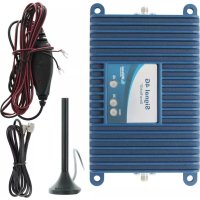
weBoost Signal 4G - TV signal amplifier Wilson - Free user manual and instructions
Find the device manual for free weBoost Signal 4G Wilson in PDF.


User questions about weBoost Signal 4G Wilson
0 question about this device. Answer the ones you know or ask your own.
Ask a new question about this device
Download the instructions for your TV signal amplifier in PDF format for free! Find your manual weBoost Signal 4G - Wilson and take your electronic device back in hand. On this page are published all the documents necessary for the use of your device. weBoost Signal 4G by Wilson.
USER MANUAL weBoost Signal 4G Wilson
Installation Instructions for the Following weBoost Signal Booster:
Signal 4G™ SmarTech® Signal Booster
Model #470019 FCC ID: PWO460019 IC: 4726A-460019
The term "IC" before the radio certification number only signifies that Industry Canada technical specifications were met.
Contents
Package Contents 3
Optional Accessories 3
Before Getting Started 3
Quick Installation 3
Installation Diagram 5
Additional FAQ. 5
Warnings and Recommendations 6
Signal Booster Specifications 7
Warranty 8
Package Contents
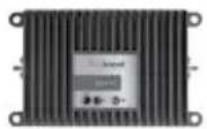
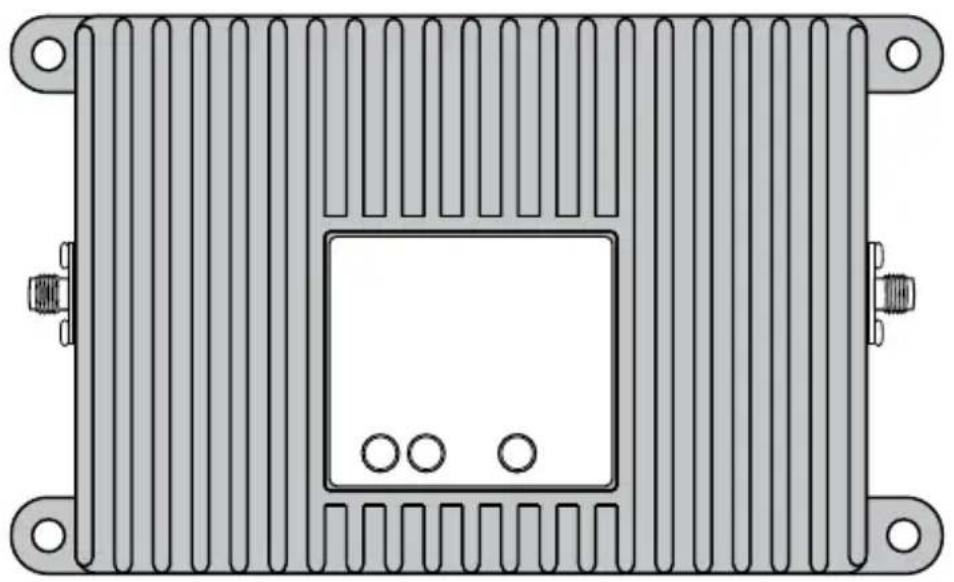
Signal 4GTM (470019)
Mini-Mag Outside Antenna (301126)
5V/2.5A Power Supply (859948)
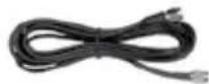
3' RG174 w/ SMA Male to SMA Male (951151)
Optional Accessories and Antennas
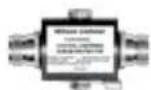
Lightning Surge Protector (859902)
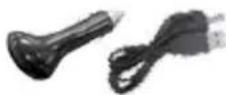
DC Plug-In 5.5V/2A Power Supply & USB Cable (2D9910 / 359940)
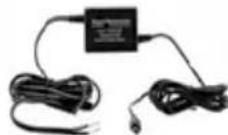
5V/1.5A DC Hardwire Power Supply (859989)
Appearance of device and accessories may vary. (This product is not marketed by Verizon Wireless or AT&T).
Before Getting Started
Before you install your Signal 4G booster and start enjoying improved cellular reception, please do the following:
- Read through all the installation steps. This will help you know what to expect from start to finish.
- Watch the YouTube video demonstrating the Signal 4G installation at: weboost.com/us/ signal4Gvideo
- Familiarize yourself with all materials in your product package. This will allow you to know which pieces are referenced in the instructions.
Quick Installation
You can install your Signal 4G booster using the following steps.
NOTE: Before completing your installation, create a "soft" installation by putting the components of your Signal 4G booster in place and testing the operation before mounting equipment.
-
Install the Outside Antenna. Select a location on top of the structure that is:
-
At least 12 inches from any other antennas.
Free of obstructions. - At least 8 inches from any people.
The Outside Antenna must be installed vertically on a metallic surface.
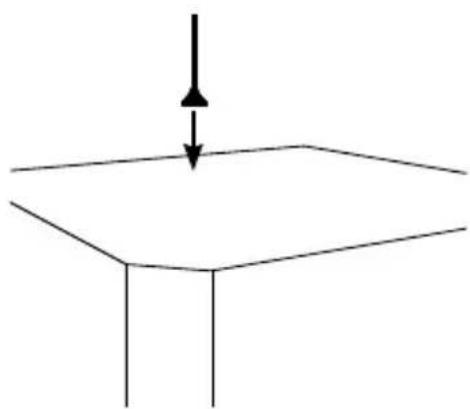
- Select a location to install the Signal Booster that is away from excessive heat, direct sunlight, moisture and that has proper ventilation. Do not place the Signal Booster in an air-tight enclosure.
- Run the Outside Antenna cable to the Signal Booster and attach it to the connector labeled "Outside Antenna."
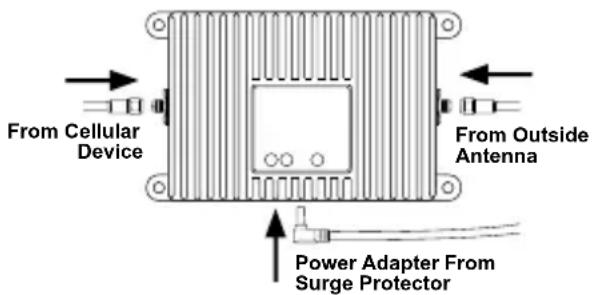
- An external adapter may be needed to connect the cellular device to the Signal Booster. The external adapter plugs into the included antenna extension cable and directly into a socket on the cellular device. Run the extension cable from the external adapter and attach it to the connector labeled "cell phone or data card" on the Signal Booster.
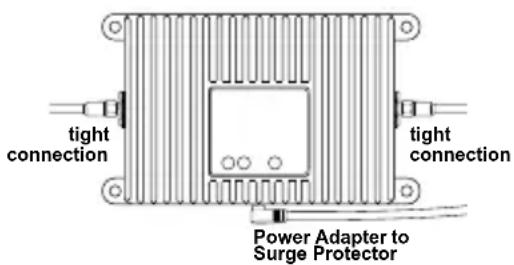
Note: Be careful when plugging the connector in so as not to bend the center pins on the connectors. Ensure all cables have a tight connection. - Before powering up the Signal Booster verify that connections are tight. An AC surge protector is recommended for all installations (not included).
Troubleshooting & Understanding the Light
The Signal Boost includes a indicator light on the side of the Signal 4G. The indicator light will either be green or red.
Green indicates that the booster is powered and operating at maximum gain.
SolidRed indicates that the booster has shut off on the associated frequencies to prevent oscillation (feedback).
Green/redBlinking indicates that the booster is operating at a reduced gain to prevent oscillation (feedback).
Fixing Red Light Issues
If one or more lights on the Signal Boost are red:
- Make sure all connections are tight.
- Increase the distance between the outside antenna and the Signal 4G, by moving them horizontally and/or vertically farther apart until the light change to green. Remember to keep the antenna at least 6 inches from any window or sunroof.
- Follow the same steps for a green/red blinking light until the light goes solid green.
- If more separation is not possible and the coverage of the booster is too small with a green/red blinking light indicating reduced gain, contact the weBoost Customer Support Team for assistance: 866-294-1660.
Lights Off
- Check connections on the power supply to see that it is firmly plugged into both the Signal 4G and the power source.
- If using a DC power supply in your vehicle, ensure the power supply is properly inserted. Then check the 12 volt power from the car socket and the fuse. Replace the fuse if necessary.
- If using a power strip in a building, ensure the power strip is plugged in and turned on and that power is coming from the outlet.
Installation Diagram (Figure 1)
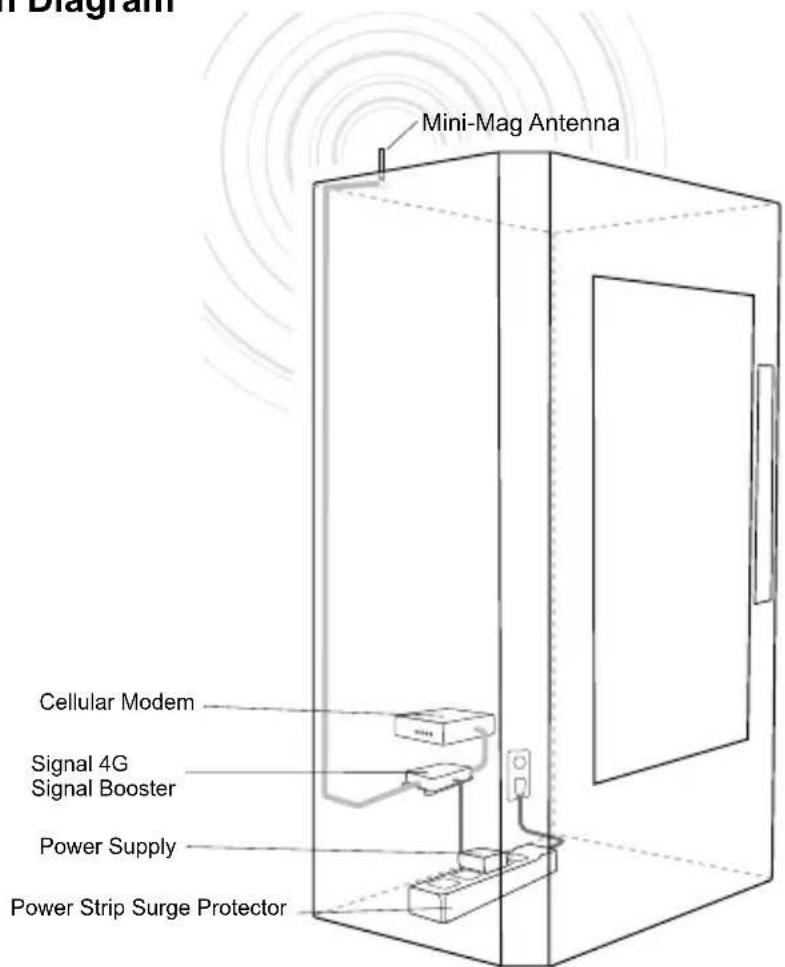
Additional FAQ:
What hours can I contact customer support?
Customer Support can be reached from 7:00am to 6:00pm MST, by calling (866-294-1660), or by email, at support@weboost.com.
How does weather affect the performance of my Outside Antenna?
Water vapor (e.g. rain, fog, snow or other precipitation) creates an effective filter to cellular signal. In times of heavy precipitation, you may see less performance.
What's the difference between the 800 MHz and the 1900 MHz bands? How do I know which MHz band my cell phone uses?
The Signal 4G booster works with all major North American cellular providers. Traditionally, 800/1900MHz are associated with voice and 3G data; while 700MHz and 1700/2100MHz are associated with 4G data.
Carrier Frequency Use
We recommend visiting www.wirelessadvisor.com (United States) or http://bit.ly/1mQf2GI (Canada) for information regarding the frequency band used by your cell service provider in a specific geographical location.
Warnings and Recommendations

WARNING:
Verify that both the Outside Antenna and the adapter extension cable are connected to the Signal Booster before powering up the Signal Booster.

WARNING:
Use only the power supply provided in this package. Use of a non-weBoost products may damage your equipment.

WARNING:
The Outside Antenna must be installed no higher than 10 meters (31'9") above ground.

RF SAFETY WARNING: Any antenna used with this device must be located at least 8 inches from all persons.
This is a CONSUMER device.
BEFORE USE, you MUST REGISTER THIS DEVICE with your wireless provider and have your provider's consent. Most wireless providers consent to the use of signal boosters. Some providers may not consent to the use of this device on their network. If you are unsure, contact your provider.
You MUST operate this device with approved antennas and cables as specified by the manufacturer. Antennas MUST be installed at least 20~cm (8 inches) from any person.
You MUST cease operating this device immediately if requested by the FCC or a licensed wireless service provider.
WARNING. E911 location information may not be provided or may be inaccurate for calls served by using this device.
This device complies with Part 15 of FCC rules. Operation is subject to two conditions: (1) This device may not cause harmful interference, and (2) this device must accept any interference received, including interference that may cause undesired operation. Changes or modifications not expressly approved by weBoost could void the authority to operate this equipment.
Mobile Antennas
Mini-Mag
301126 w/ 12.5 RG174 cable-SMA
12" Mag Mount w/ 12.5' RG174
311125
311128
314202
311703
Trucker antenna w/10.5' RG58
311101
311701
Trucker antenna w/13.5' RG58
311119
311133
NMO Antenna's w/ RG174
Kit 311104-17410
800/1900 NMO antenna
- 10' RG174 cable
Kit 31112-17410
800/1900 NMO antenna
- 10' RG174 cable
Kit 314203-17410
800/900/1900 NMO antenna
- 10' RG174 cable
Marine Antenna w/RG58
Kit 311130-5810
- Marine Antenna
- 10' RG58 cable
Glass Mount w/14' RG58 cable
311102
NMO Antenna's w/ RG58
Kit 311104-5810
800/1900 NMO antenna
- 10' RG58 cable
Kit 311112-5810
800/1900 NMO antenna
- 10' RG58 cable
Kit 314203-5810
800/900/1900 NMO antenna
- 10' RG58 cable
Outside Fixed Antennas
50 Ohm Outside Antenna Kits
Kit 314453-5825
- 50 Ohm Pole Mount Panel Antenna
- 25' RG58 Cable
Kit 314411-5825
- 50 Ohm Wide Band Direction
- 25' RG58 Cable
Kit 301111-5850
- Yagi Directional Antenna
- 50' RG58 Cable
Kit 311129-5840
- 800 MHz Yagi Directional
- 40' RG58 Cable
Kit 311203-5820
- Omni-Directional antenna
- 20' RG58 Cable
Kit 311124-5830
1900 MHz Yagi Antenna
- 30' RG58 Cable
Kit 314411-40075
- 50 Ohm Wide Band Directiona
- 75' LMR400 Cable
Kit 311203-40020
- Omni-Directional antenna
- 20' LMR400 Cable
Kit 301111-400170
- Yagi Directional w/N-Female
170LMR400
Kit 311124-400100
1900 MHz Yagi Directional
100' LMR400 Cable
Kit 311129-400100
800 MHz Yagi Antenna
- 100' LMR400 Cable
Kit 314453-40075
- 50 Ohm Pole Mount Panel Antenna
- 75' LMR400 Cable
75 Ohm Outside Antenna Kits
Kit 301111-0675
Yagi Directional Antenna
- 75' RG6 Cable
N-Male to F-Female adapter
Kit 311201-0620
- Omni Directional w/F-Female
- 20' RG6 Cable
Kit 311129-0660
800 MHz Yagi Directional
- 60' RG6 Cable
N-Male to F-Female adapter
Kit 311124-0650
1900 MHz Yagi Directional
- 50' RG6 Cable
866-294-1660

N-Male to F-Female adapter
Kit 314473-0640
- 75 Ohm Pole Mount
Panel Antenna - 40° RG6 Cable
Kit 314475-0630
-
75 Ohm Wide
Band Directional -
30' RGB Cable
Kit 311141-0620
- 75 Ohm Grey Brick Antenna
- 20° RG6 Cable
Kit 301111-11140
- Yagi Directional Antenna
- 140' RG11 Cable
N-Male to F-Female adapter
Kit 311201-1120
- Omni Directional
w/F-Female - 20' RG11 Cable
Kit 311129-11110
800 MHz Yagi Directional
- 110' RG11 Cable
N-Male to F-Female adapter
Kit 311124-1180
1900 MHz Yagi Directional
- 80' RG11 Cable
N-Male to F-Female adapter
Kit 314473-1175
- 75 Ohm Pole Mount
Panel Antenna - 75' RG11 Cable
Kit 314475-1175
75 Ohm Wide
Band Directional
- 75' RG11 Cable
Kit 311141-1120
- 75 Ohm Grey Brick Antenna
- 20' RG11 Cable
Signal Booster Specifications
| Signal 4G | |||||
| Model Number 470019 | |||||
| Connectors SMA | |||||
| Antenna Impedance 50 Ohms | |||||
| Frequency 698-716 MHz, 746-787 MHz, 824-894 MHz, 1850-1995 MHz, 1710-1755/2110-2155 MHz | |||||
| Passband Gain (typical) | 700MHz Band12/17 | 700MHz Band13 | 800MHz | 1700/2100MHz | 1900MHz |
| 11.8 | 11.0 | 10.0 | 7.1 | 8.6 | |
| 20 dB Bandwidth (MHz) | 700MHz Band12/17 | 700MHz Band13 | 800MHz | 1700/2100MHz | 1900MHz |
| Typical | 29.5 | 31.6 | 38.4 | 81.8 | 75.4 |
| Maximum | 33.9 | 33.9 | 40.6 | 85.4 | 77.4 |
| Power output for single cell phone (Uplink) dBm | 700MHz Band12/17 | 700MHz Band13 | 800MHz | 1700MHz | 1900MHz |
| 24.7 | 24.9 | 25.0 | |||
| Power output for single cell phone (Downlink) dBm | 700MHz Band12/17 | 700MHz Band13 | 800MHz | 2100MHz | 1900MHz |
| -6.3 | -6.5 | -6.5 | -7.7 | -5.8 | |
| Power output for multiple received channels (Uplink) dBm | |||||
| No. Tones | 700MHz Band12/17 | 700MHz Band13 | 800MHz | 1700MHz | 1900MHz |
| 2 | 26.1 | 25.8 | 21.3 | ||
| 3 | 22.6 | 22.3 | 17.5 | ||
| 4 | 20.1 | 19.8 | 15.0 | ||
| 5 | 18.1 | 17.8 | 13.0 | ||
| 6 | 16.5 | 16.3 | 11.5 | ||
| Power output for multiple received channels (Downlinklink) dBm | |||||
| No. Tones | 700MHz Band12/17 | 700MHz Band13 | 800MHz | 2100MHz | 1900MHz |
| 2 | -6.0 | -5.9 | -5.7 | -6.8 | -6.0 |
| 3 | -9.5 | -9.4 | -9.2 | -10.3 | -9.5 |
| 4 | -12.0 | -11.9 | -11.7 | -12.8 | -12.0 |
| 5 | -14.0 | -13.9 | -13.7 | -14.7 | -14.0 |
| 6 | -15.5 | -15.4 | -15.2 | -16.3 | -15.5 |
| Noise Figure 5 dB nominal | |||||
| Isolation | >40 dB | ||||
| Power Requirements | 5.5 V 2 A | ||||
Each Signal Booster is individually tested and factory set to ensure FCC compliance. The Signal Booster cannot be adjusted without factory reprogramming or disabling the hardware. The Signal Booster will amplify, but not alter incoming and outgoing signals in order to increase coverage of authorized frequency bands only. If the Signal Booster is not in use for five minutes, it will reduce gain until a signal is detected. If a detected signal is too high in a frequency band, or if the Signal Booster detects an oscillation, the Signal Booster will automatically turn the power off on that band. For a detected oscillation the Signal Booster will automatically resume normal operation after a minimum of 1 minute. After 5 (five) such automatic restarts, any problematic bands are permanently shut off until the Signal Booster has been manually restarted by momentarily removing power from the Signal Booster. Noise power, gain, and linearity are maintained by the Signal Booster's microprocessor.
The manufacturer's rated output power of this equipment is for single carrier operation. For situations when multiple carrier signals are present, the rating would have to be reduced by 3.5 dB, especially where the output signal is re-radiated and can cause interference to adjacent band users. This power reduction is to be by means of input power or gain reduction and not by an attenuator at the output of the device.
2-Year Warranty
weBoost Signal Boosters are warranted for two (2) years against defects in workmanship and/or materials. Warranty cases may be resolved by returning the product directly to the reseller with a dated proof of purchase.
Signal Boosters may also be returned directly to the manufacturer at the consumer's expense, with a dated proof of purchase and a Returned Material Authorization (RMA) number supplied by weBoost. weBoost shall, at its option, either repair or replace the product. weBoost will pay for delivery of the repaired or replaced product back to the original consumer if located within the continental U.S.
This warranty does not apply to any Signal Boosters determined by weBoost to have been subjected to misuse, abuse, neglect, or mishandling that alters or damages physical or electronic properties.
Failure to use a surge protected AC Power Strip with at least a 1000 Joule rating will void your warranty.
RMA numbers may be obtained by contacting Customer Support at 866-294-1660.
Disclaimer: The information provided by weBoost is believed to be complete and accurate. However, no responsibility is assumed by weBoost for any business or personal losses arising from its use, or for any infringements of patents or other rights of third parties that may result from its use.
Copyright © 2015 weBoost. All rights reserved.
weBoost products covered by U.S. patent(s) and pending application(s)
For patents go to: weboost.com/us/patents
Support Technique 866-294-1660
Lun.-Ven.Horaires:de7:00a18:00
weBoost products covered by U.S. patent(s) and pending application(s) For patents go to: weboost.com/us/patents