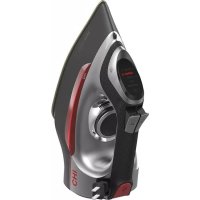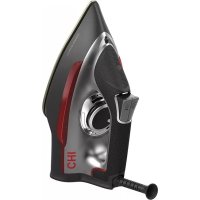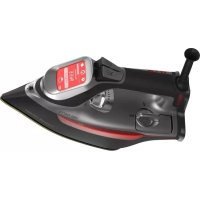
13103 - Iron CHI - Free user manual and instructions
Find the device manual for free 13103 CHI in PDF.



| Product Type | Steam Iron |
| Brand | CHI |
| Model | 13103 |
| Power Supply | 120 V ~ 60 Hz |
| Weight | Approximately 1.5 kg |
| Dimensions (L x W x H) | Approximately 30 x 15 x 20 cm |
| Soleplate | Titanium Ceramic |
| Water Tank | With MAX fill line and internal tab |
| Tank Capacity | Approximately 200 ml (estimate) |
| Main Functions | Dry ironing, steam ironing, spray, self-cleaning, variable steam control |
| Temperature Control | Touch screen with fabric selection, care tag or temperature |
| Auto Shutoff | Yes, with adjustable duration (5/10/15/30/45 min or off) |
| Motion Detection | Yes, auto shutoff based on position (soleplate, side, heel) |
| Anti-Drip | Yes |
| Spray/Steam | Spray and steam buttons |
| Display | Home touch screen with language selection (English, French, Portuguese, Spanish) |
| Sound Alarm | Yes, for ready status and auto shutoff |
| Temperature Units | Fahrenheit or Celsius |
| Maintenance | Self-cleaning function after each steam use |
| Soleplate Cleaning | Preheat on linen setting and iron over damp cotton cloth |
| Safety | Polarized plug, auto shutoff, do not immerse |
| Warranty | 2 years (USA and Canada) |
| Customer Service (USA) | 1 844 882-9038 or www.chisteam.com |
| Intended Use | Household only |
Frequently Asked Questions - 13103 CHI
User questions about 13103 CHI
0 question about this device. Answer the ones you know or ask your own.
Ask a new question about this device
Download the instructions for your Iron in PDF format for free! Find your manual 13103 - CHI and take your electronic device back in hand. On this page are published all the documents necessary for the use of your device. 13103 by CHI.
USER MANUAL 13103 CHI
Before operating the iron, please read these instructions carefully and keep them for future reference.
When using electrical appliances, basic safety precautions should always be followed to reduce the risk of fire, electric shock, and/or injury to persons, including the following:
- Read all instructions.
- This appliance is not intended for use by persons (including children) with reduced physical, sensory, or mental capabilities, or lack of experience and knowledge, unless they are closely supervised and instructed concerning use of the appliance by a person responsible for their safety.
- Close supervision is necessary when any appliance is used by or near children. Children should be supervised to ensure that they do not play with the appliance.
- Only use an iron for its intended use.
- To avoid the risk of electric shock, do not immerse the iron in water or other liquids.
- Always turn the iron to OFF (↓) before plugging or unplugging the iron from the electrical outlet. To unplug, grasp the plug and pull from the outlet. Never pull from the power cord.
- Do not let the cord touch hot surfaces. Let the iron cool completely before putting the iron away. Coil the cord loosely around the iron when storing.
-
Always disconnect the iron from the electrical outlet before filling the iron with water, emptying the water from the iron, and when the iron is not in use.
-
Do not operate the iron with a damaged cord or in the event the iron has been dropped or damaged or there are visible signs of damage or it is leaking. To avoid the risk of electric shock, do not disassemble the iron. Supply cord replacement and iron repairs must be conducted by a qualified serviceman or the manufacturer. Incorrect assembly might result in a risk of electric shock when the iron is used after reassembly.
- The iron must be used and rested on a stable surface.
- When placing the iron on its stand, ensure that the surface on which the stand is placed is stable.
- Do not leave the iron unattended while the iron is connected or on an ironing board.
- Burns can occur from touching hot metal parts, hot water, or steam. Use caution when you turn a steam iron upside down—there might be hot water in the water reservoir.
- To avoid a circuit overload, do not operate an iron on the same circuit with another high-wattage appliance.
- If an extension cord is absolutely necessary, a cord with an ampere rating equal to or greater than the maximum rating of the iron shall be used. A cord rated for less amperage can result in a risk of fire or electric shock due to overheating. Care shall be taken to arrange the cord so that it cannot be pulled or be tripped over.
SAVE THESE INSTRUCTIONS
Other Consumer Safety Information
This appliance is intended for household use only.
WARNING Electrical Shock Hazard: This appliance is provided with a polarized plug (one wide blade) to reduce the risk of electric shock. The plug fits only one way into a polarized outlet. Do not defeat the safety purpose of the plug by modifying the plug in any way or by using an adapter. If the plug does not fit fully into the outlet, reverse the plug. If it still does not fit, have an electrician replace the outlet.
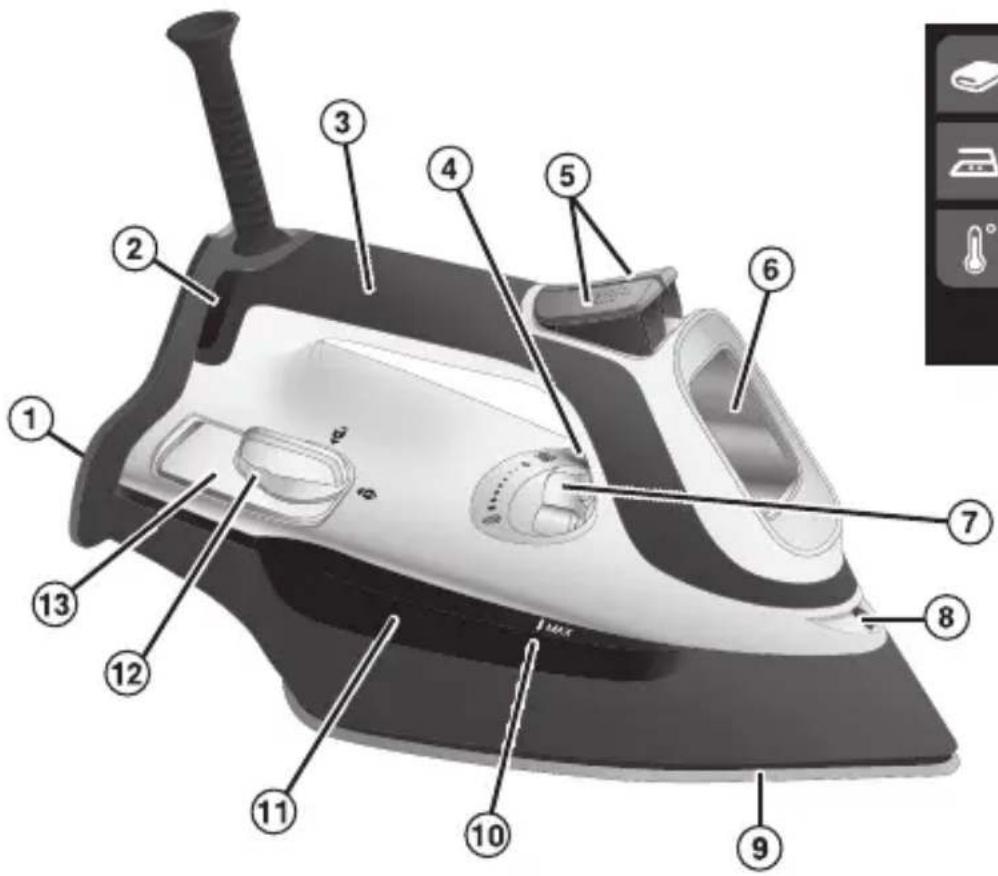
Parts and Features
- Heel Rest
- Power Indicator Light
- Handle
- Self-Clean Button (not shown)
- Spray (☐) and Steam (☐) Buttons
-
Touch Screen Control Panel
-
Adjustable Steam Lever
- Spray Nozzle
- Titanium Ceramic Soleplate
- MAX Fill Line
- Water Reservoir Window
- Water Fill Door
- MAX Fill Tab (inside)
Home Screen
text_image
Labeled diagram of a steam iron with numbered parts for identification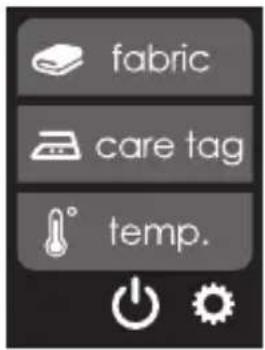
text_image
fabric care tag temp.Iron Settings
When first plugged in, "CHI" will show for 2 seconds. Then, the display will show the "fabric" screen.
text_image
CHI®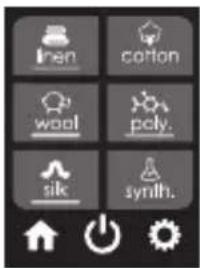
text_image
Iran cotton wool poly. sik synth.There are options to change your settings for auto off, language, temperature units, and sound.
If you wish to change any of the settings:
-
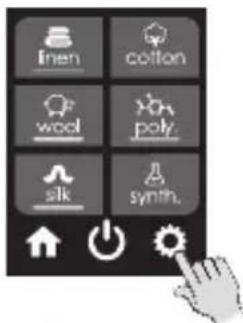
Touch the 📄 to view settings selections. You will be taken to the Settings menu.
-
Touch the buttons to scroll through choices for each setting.
- Touch when finished making a selection, and from Settings menu to return to the Home screen.
Auto Off
- Choose the time that you would like to have your iron shut off when not in use.
- Make your selection from 5, 10, 15, 30, or 45 minutes, or select "off" to make the iron stay on until you unplug it.
- At the end of the time selected, the iron alarm will beep and "auto shutoff enabled" will flash.
text_image
linen cotton wool poly silk synth.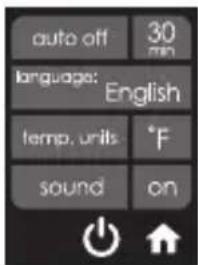
text_image
auto off 30 min language: English temp. units °F sound on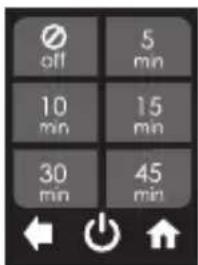
text_image
off 5 min 10 min 15 min 30 min 45 min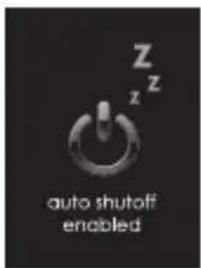
text_image
Z z auto shutoff enabledLanguage
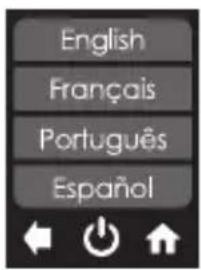
Select English, French, Portuguese, or Spanish.
text_image
English Français Português EspañolTemperature Units
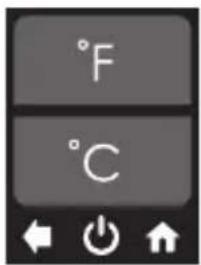
Select Fahrenheit °F or Celsius °C.
text_image
°F °CSound
Select "ON" or "OFF" to hear or turn off tones. Auto-off and ready tones will remain when "OFF" is selected.
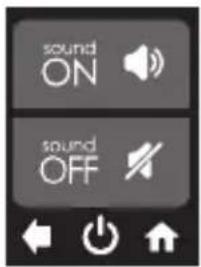
text_image
sound ON sound OFFTouch to return to the Home screen.
text_image
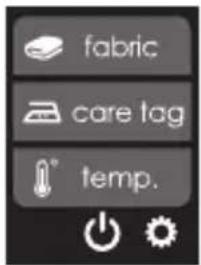
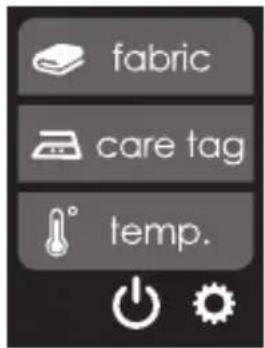
fabric care tag temp.Ironing Selection
The CHI® Touch Screen Iron takes the guesswork out of ironing. If not on the Home screen, touch or to get to ironing selections.
If you know the type of fabric, choose it from the "fabric" screen.
Don't know the fabric type? Check the care label on your garment and look for the iron symbol with dots. Match that symbol on the "care tag" screen.
Need a specific temperature for crafting? Choose it from the "temp." screen.
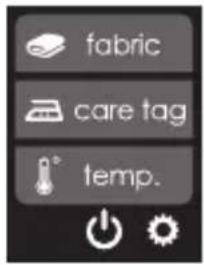
text_image
fabric care tag temp.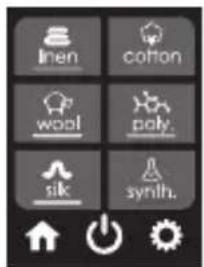
text_image
Inen cotton wool poly. sik synih.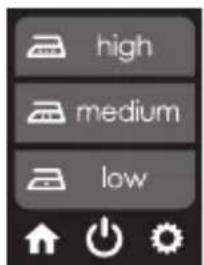
text_image
high medium low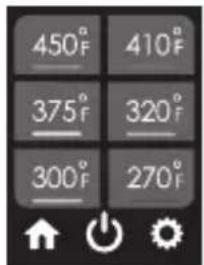
text_image
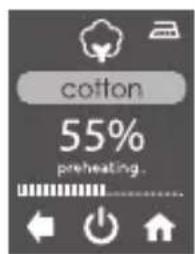
450°F 375°F 300°F 410°F 320°F 270°FOnce a selection is made, the display will show whether the iron is preheating, cooling, or ready. See "Ironing Tips" on page 11.
text_image
cotton 55% preheating.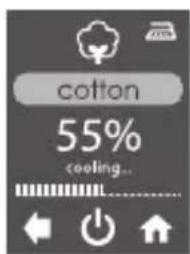
text_image
cotton 55% cooling...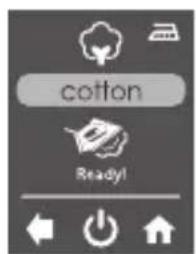
text_image
cotton Ready!Dry or Steam Iron
⚠️ CAUTION Burn Hazard: Attempting to steam iron on a lower temperature setting or failing to allow the iron to preheat for 2 minutes can result in hot water dripping from the soleplate.
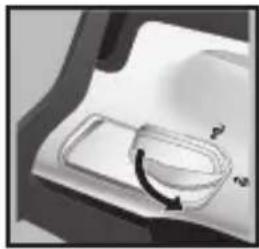
- To Steam Iron: Unplug iron. If you have extremely hard water, alternate between tap water and distilled water for use in the iron. Unlock and open Water Fill Door to fill water reservoir to MAX tab inside or the MAX line on water reservoir window. Plug iron into outlet. Refer to "Ironing Selection" to set iron temperature. Wait until preheat is complete and "Ready!" screen is displayed before using iron. Set Adjustable Steam Lever to desired amount of steam.
To Dry Iron: Plug into outlet. Set Adjustable Steam Lever to Dry Iron).
- Touch Ⓤ to shut off iron. Unplug.
natural_image
Simple line drawing of a toilet with a curved arrow indicating rotation (no text or symbols)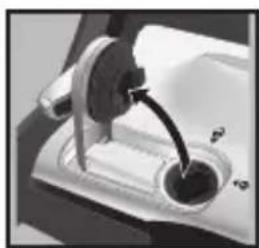
natural_image
Close-up of a mechanical device with a lever and circular component (no visible text or symbols)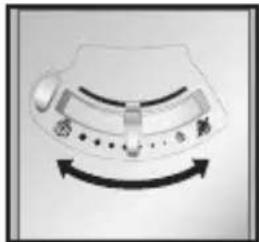
natural_image
Diagram of a device with directional arrows indicating rotation or movement (no text or symbols)Ironing Chart
NOTE: To avoid garment damage, check garment label for fabric composition and ironing instructions.
| Steam Setting | Fabric/Temp/Care Tag Ironing Instructions | ||
 Dry Iron Dry Iron | OFF OFFSynthetics | Low | Dry iron using spray if necessary. |
| Polyester | LowMedium | Iron while still damp, or pre-moisten using a spray bottle or spray button on your iron. | |
| Silk, Wool | Medium | Iron silk on wrong side. | |
| [AYXS]Steam Range | Cotton,Linen | High | For cotton, iron while still damp, or use spray. For linen, iron fabric on wrong side. |
Position Sensing/Auto Shutoff
The iron will turn off automatically when left in the following positions. The Auto Shutoff time varies based on the iron's position.
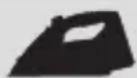
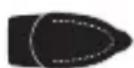
Iron Position Motionless Time
Resting on soleplate 1 min
Resting on either side 1 min
Resting on heel 0-45 min
to setting)
Ironing Tips
- Always iron with a lengthwise motion. Ironing in a circular motion may stretch fabric.
- Natural fibers such as cotton and linen should be ironed slightly damp for faster, easier ironing. If they are completely dry, use maximum steam while ironing or mist them with water prior to ironing.
- Any portion of a garment that has two layers of fabric such as pockets, seams, collars, and cuffs should be ironed inside out first.
- To press a collar, iron from the points in using small strokes of the iron. After wrinkles are removed, crease the collar into place by hand. Treat French cuffs similarly, gently creasing by hand after ironing.
- To speed up cooling when switching from a hotter to cooler setting, the steam button (💡) may be pressed. Wait 5 seconds between blasts until iron has cooled to the selected temperature.
Care and Cleaning
- Unplug and allow iron to cool.
- To empty water from iron: With iron in a horizontal position, unlock and open Water Fill Door and pour out water over a sink until empty.
- Store iron on the Heel Rest. NOTE: Use the Self-Clean function following each use of the steam function to keep the steam vents clear of any mineral buildup. Add water to the iron. Preheat to highest temperature. Unplug. Hold the iron over a sink. Press and hold the Self-Clean Button until steam no longer comes from the vents on the soleplate. Allow iron to cool before storing.
Soleplate Care
The Self-Clean function cleans the steam holes, but will not remove residue from the flat surface of the soleplate. To clean an iron's soleplate, preheat the iron to the linen setting and iron over a damp, 100% cotton cloth. This creates heavy steam that transfers residue from the soleplate to the cloth.
NOTES:
- Care should be used while cleaning; steam can burn.
- Never iron over zippers, pins, metal rivets, or snaps since these may scratch the soleplate.
- Do not use abrasive cleansers or metal scouring pads.
- Do not use hot iron cleaner on the soleplate.
Troubleshooting
Iron won't heat.
- Plug iron into a working outlet.
- Select a temperature.
- Move or tilt the iron to reset.
Water is leaking.
- Too much water is in the Water Reservoir.
- Steam button (has been pressed while the iron was cold. Select a temperature and let the iron preheat for 2 minutes. Allow 5 seconds between Steam button (presses for best performance.
- If dry ironing, make sure the Adjustable Steam Lever is in the (Dry Iron) position.
Iron won't steam.
- Ensure there is water in the Water Reservoir.
- Move the Adjustable Steam Lever to the ⏻(Steam) position.
- Allow iron to reach temperature by waiting until "Ready!" is displayed.
- Anti-drip feature will not allow steam when temperature setting is too low.
This warranty applies to products purchased and used in the U.S. and Canada. This is the only express warranty for this product and is in lieu of any other warranty or condition.
This product is warranted to be free from defects in material and workmanship for a period of two (2) years from the date of original purchase. During this period, your exclusive remedy is repair or replacement of this product or any component found to be defective, at our option; however, you are responsible for all costs associated with returning the product to us and our returning a product or component under this warranty to you. If the product or component is no longer available, we will replace with a similar one of equal or greater value.
This warranty does not cover glass, filters, wear from normal use, use not in conformity with the printed directions, or damage to the product resulting from accident, alteration, abuse, or misuse. This warranty extends only to the original consumer purchaser or gift recipient. Keep the original sales receipt, as proof of purchase is required to make a warranty claim. This warranty is void if the product is used for other than single-family household use or subjected to any voltage and waveform other than as specified on the rating label (e.g., 120 V \~ 60 Hz).
We exclude all claims for special, incidental, and consequential damages caused by breach of express or implied warranty. All liability is limited to the amount of the purchase price. Every implied warranty, including any statutory warranty or condition of merchantability or fitness for a particular purpose, is disclaimed except to the extent prohibited by law, in which case such warranty or condition is limited to the duration of this written warranty. This warranty gives you specific legal rights. You may have other legal rights that vary depending on where you live. Some states or provinces do not allow limitations on implied warranties or special, incidental, or consequential damages, so the foregoing limitations may not apply to you.
To make a warranty claim, do not return this appliance to the store. Please call CHI Garment Care 1.844.882.9038 in the U.S. or visit www.chisteam.com in the U.S. For faster service, locate the model, type, and series numbers on your appliance.
PRÉCAUTIONS IMPORTANTES
text_image
Labeled diagram of a steam iron with numbered parts for identification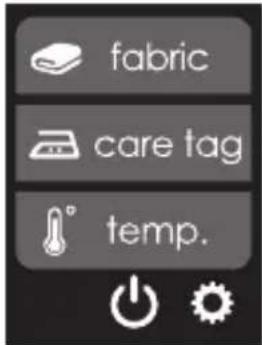
text_image
fabric care tag temp.Réglages du fer
text_image
linen cotton wool poly silk synth.text_image
Inen cotton wool poly silk synth.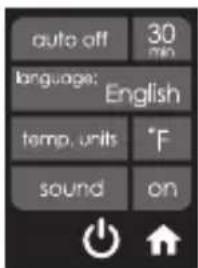
text_image
auto off 30 min language: English temp. units °F sound onArrêt automatique
text_image
linen cotton wool poly. sik synth.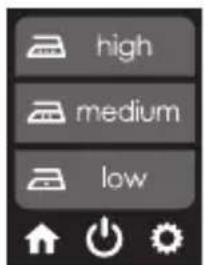
text_image
high medium low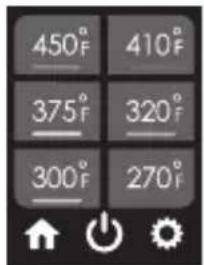
text_image
450°F 375°F 300°F 410°F 320°F 270°Ftext_image
cotton 55% preheating.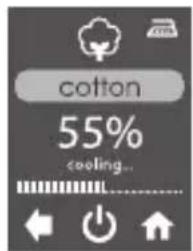
text_image
cotton 55% cooling...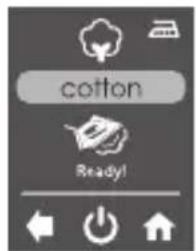
text_image
cotton Ready!natural_image
Close-up of a mechanical component with a curved arrow indicating rotation (no text or symbols)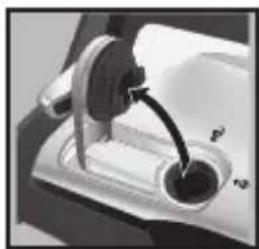
natural_image
Close-up of a mechanical lever mechanism with a curved handle and circular base (no visible text or symbols)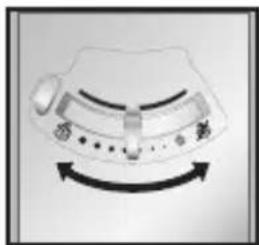
natural_image
Diagram of a mechanical component with curved arrows indicating rotational motion (no text or symbols)text_image
Labeled diagram of a steam iron with numbered parts for identificationPantalla Inicio
text_image
fabric care tag temp.text_image
inen cotton wool poly. silk synth.text_image
auto off 30 min language: English temp. units °F sound onApagado automático
text_image
linen cotton wool poly. silk synh.text_image
high medium lowtext_image
cotton 55% preheating_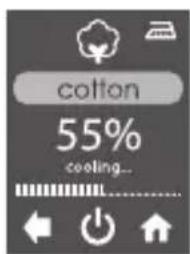
text_image
cotton 55% cooling...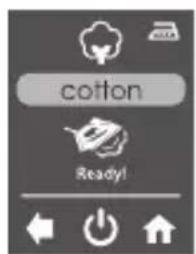
text_image
cotton Ready!natural_image
Simple line drawing of a container with a curved arrow indicating rotation (no text or symbols)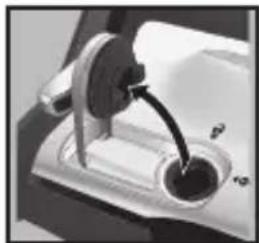
natural_image
Close-up of a mechanical lever mechanism with a curved arrow indicating motion (no text or symbols visible)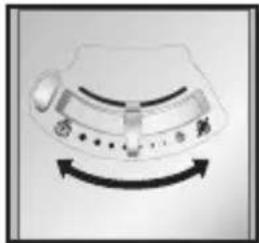
natural_image
Diagram of a device with directional arrows indicating rotation or movement (no text or symbols)Tabla de planchado
Distributed by CHI® Garment Care 4421 Waterfront Drive, Glen Allen, VA 23060
840296402
08/18