KDTE334G - Dishwasher KITCHENAID - Free user manual and instructions
Find the device manual for free KDTE334G KITCHENAID in PDF.



User questions about KDTE334G KITCHENAID
0 question about this device. Answer the ones you know or ask your own.
Ask a new question about this device
Download the instructions for your Dishwasher in PDF format for free! Find your manual KDTE334G - KITCHENAID and take your electronic device back in hand. On this page are published all the documents necessary for the use of your device. KDTE334G by KITCHENAID.
USER MANUAL KDTE334G KITCHENAID
INSTALLATION INSTRUCTIONS UNDERCOUNTER DISHWASHER STAINLESS STEEL TUB
Table of Contents....2
Indice....27
natural_image
Simple line drawing of a rectangular frame with no text or symbolsTABLE OF CONTENTS
DISHWASHER SAFETY 3
INSTALLATION REQUIREMENTS......4
Tools and Parts 4
Location Requirements....6
Product and Cabinet Opening Dimensions 7
Drain Requirements 8
Water Supply Requirements 8
Electrical Requirements....8
INSTALLATION INSTRUCTIONS....9
Prepare Cabinet Opening – New Utilities ......9
Install Optional Moisture Barrier 9
Electrical Connection....10
Prepare Dishwasher....11
Remove Access Panel....11
Connect Water Line to Fill Valve 12
Connect Fill Hose to Fill Valve 13
Drain Hose Connection 13
Power Cord Connection 14
Install Door Handle 16
Place Diswasher in Cabinet....16
Custom Panel Installation....17
Choose Anchor Attachment Method....17
Final Installation Check....18
Secure Dishwasher in Cabinet Opening 19
Direct Wire Connection....20
Connect Water Line to House Shutoff Valve....22
Connect Drain Hose 22
Complete Installation....24
Install Access Panel....25
Check Operation....26
If Dishwasher Does Not Operate 26
Additional Tips....26
Your safety and the safety of others are very important.
We have provided many important safety messages in this manual and on your appliance. Always read and obey all safety messages.

This is the safety alert symbol.
This symbol alerts you to potential hazards that can kill or hurt you and others.
All safety messages will follow the safety alert symbol and either the word "DANGER" or "WARNING."
These words mean:
DANGER
You can be killed or seriously injured if you don't immediately follow instructions.
WARNING
You can be killed or seriously injured if you don't follow instructions.
All safety messages will tell you what the potential hazard is, tell you how to reduce the chance of injury, and tell you what can happen if the instructions are not followed.
WARNING
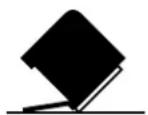
Tip Over Hazard
Do not use dishwasher until completely installed.
Do not push down on open door.
Doing so can result in serious injury or cuts.
You Need to:
■Slowly open dishwasher door while someone grasps the rear of the dishwasher. Remove shipping materials and drain hose. Close dishwasher door until latched.
NOTE: Each dishwasher is tested at the factory and may contain some residual water in the tub as a result of the test.
■Observe all governing codes and ordinances.
■Install this dishwasher as specified in these instructions.
■Installation should be performed by a qualified service technician.
■The dishwasher must be installed to meet all electrical and plumbing national and local codes and ordinances.
Care shall be exercised when the appliance is installed or removed, to reduce the likelihood of damage to the power cord.
WARNING: To reduce the risk of electric shock, fire, or injury to persons, the installer must ensure that the dishwasher is completely enclosed at the time of installation.
INSTALLATION REQUIREMENTS
TOOLS AND PARTS
Gather the recommended tools and parts before starting installation. Read and follow the instructions provided with any tools listed here.
All Installations
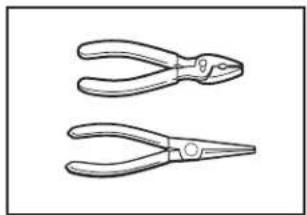
Tools Needed:
natural_image
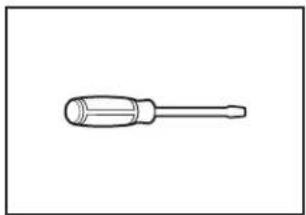
Two line drawings of pliers with different lengths and angles (no text or symbols)Pliers Flat-blade screwdriver
natural_image
Line drawing of a screwdriver with a flat head and threaded shaft (no text or symbols)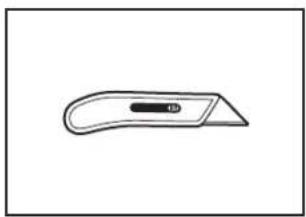
natural_image
Simple line drawing of a flat tool with a handle and central slot (no text or symbols)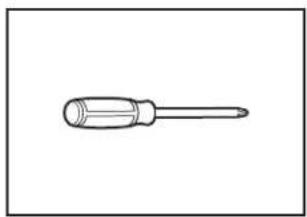
natural_image
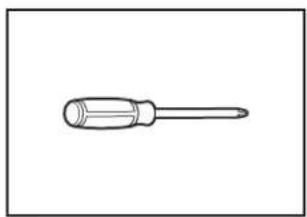
Simple line drawing of a screwdriver (no text or symbols)Phillips screwdriver Utility knife
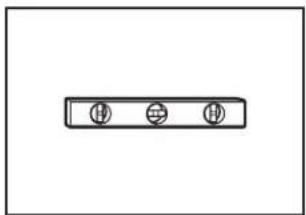
natural_image
Simple diagram with three circular symbols inside a rectangular box (no text or labels)Small level
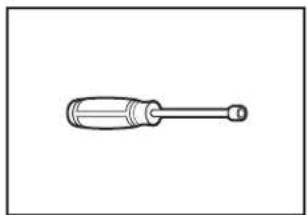
natural_image
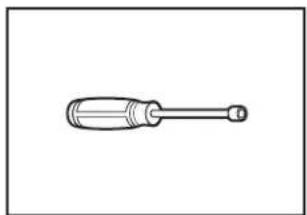
Simple line drawing of a screwdriver with a handle and shaft (no text or symbols)^5/16 " and ^1/4 " nut drivers or hex sockets
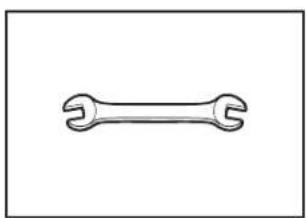
natural_image
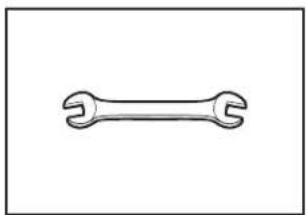
Simple line drawing of a double-ended wrench (no text or symbols)^5/_8 " open-end wrench
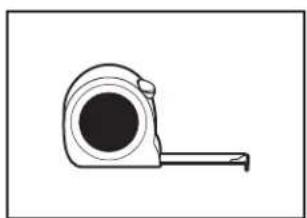
natural_image
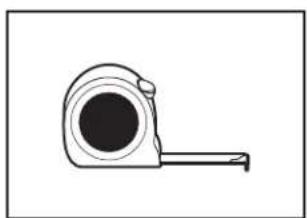
Simple line drawing of a tape measure (no text or symbols)Measuring tape or ruler
natural_image
Simple line drawing of a screwdriver (no text or symbols)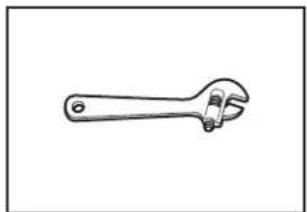
natural_image
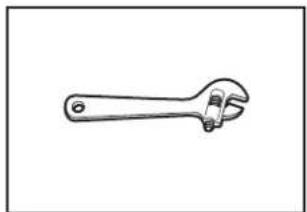
Line drawing of an adjustable wrench (no text or symbols)10" adjustable wrench that opens to 1^1/8 " (29 mm)
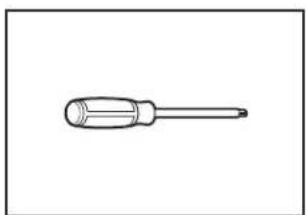
Torx ^® T20 ^® and, if installing custom front panels, Torx ^® T15 ^® screwdrivers
Other Useful Items You May Need:
natural_image
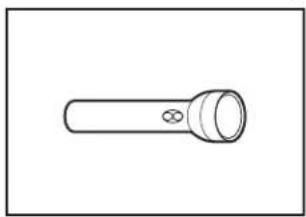
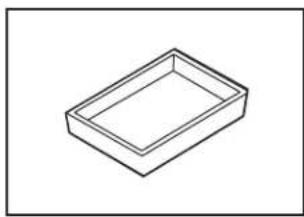
Simple line drawing of a flashlight with a bulb and handle (no text or symbols)Flashlight Shallow pan
natural_image
Simple line drawing of a rectangular tray or container (no text or symbols)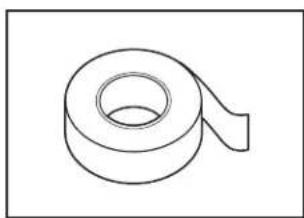
natural_image
Simple line drawing of a rolled-up adhesive tape (no text or symbols)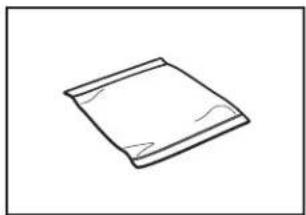
natural_image
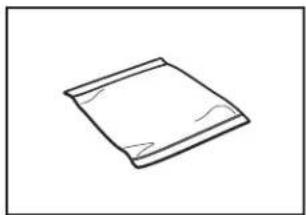
Simple line drawing of a folded paper or sheet (no text or symbols)Bath towel Masking or duct tape
Parts Supplied:
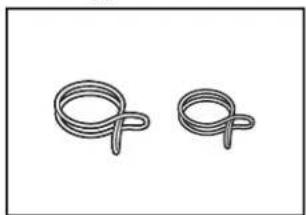
natural_image
Two coiled spring-like shapes with no text or symbolsDrain hose clamps (2) (1 large/red and 1 small/green)
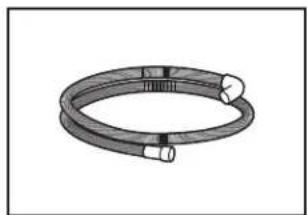
natural_image
Illustration of a coiled cable or hose with two connectors (no text or symbols)Drain hose
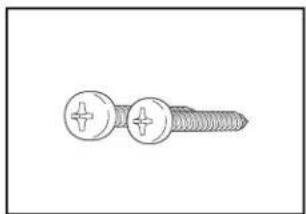
natural_image
Illustration of a screw with two circular heads and threaded shaft (no text or symbols)10 x 12 " Phillips-head screws (2)
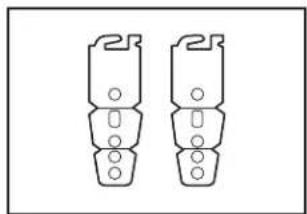
natural_image
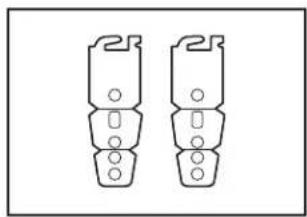
Two identical mechanical component diagrams with mounting holes and threaded ends (no text or symbols)Undercounter mounting brackets (2)
Make sure all these parts are included in the literature package. If parts are not included, call us at our toll-free number or visit our website listed in the User Guide.
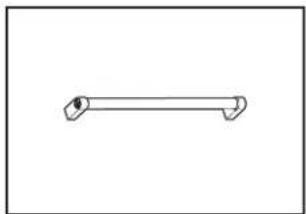
natural_image
Simple line drawing of a horizontal tool or rod with two curved ends (no text or symbols)Door handle (on some models)
Other Parts Needed (not provided):
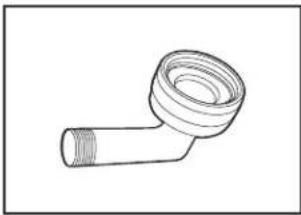
natural_image
Line drawing of a mechanical pipe fitting with threaded ends (no text or symbols)^3/8 " Compression x ^3/4 " Hose Fitting with rubber seal and 90° elbow (required to properly connect household water line to the dishwasher) (Whirlpool Part Number W10685193)
natural_image
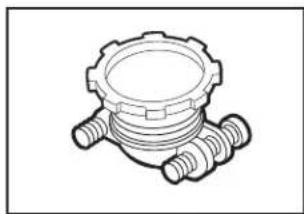
Technical line drawing of a mechanical component with threaded ends and a central circular feature (no text or symbols)Household Wiring (Metallic) Strain Relief to fit 7/8" (22 mm) hole (required to properly secure household wiring to the dishwasher terminal box) (Whirlpool Part Number 4396672)
NOTE: Use only UL Listed/CSA Approved part.
natural_image
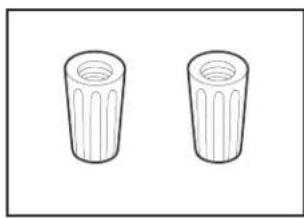
Two identical cylindrical objects with fluted lids, shown side by side (no text or symbols)Twist-On Wire Connectors
NOTES:
■Confirm proper size for connecting your gauge of household wiring to the 16-gauge wiring in the dishwasher.
■Use only UL Listed/CSA Approved parts.
Call us at our toll-free number, visit our website listed in the User Guide for part numbers above, or see local electrical/plumbing supply retailer for equivalent.
Optional Accessory Parts Available:
natural_image
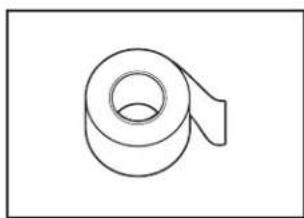
Simple line drawing of a rolled-up adhesive tape (no text or symbols)Moisture Barrier Tape
NOTE: Moisture barrier tape is an optional, added level of protection if installing a dishwasher under a wooden countertop. (Whirlpool Part Number 4396277)
natural_image
Simple geometric diagram with a square inside a rectangle (no text or symbols)Side Panel Kit
For enclosing the side of the dishwasher when installing it at the end of your cabinetry (Whirlpool Part Number varies with color.)
Call us at our toll-free number or visit our website listed in the User Guide for part numbers above.
First-Time Installations
Check local codes. Check existing electrical supply. See the "Electrical Requirements" section. It is recommended that electrical connections be made by a licensed electrical installer.
Additional Tools Needed:
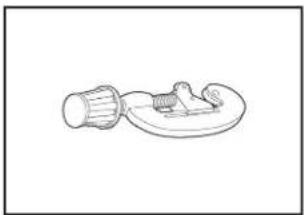
natural_image
Simple line drawing of a mechanical component with a cylindrical shaft and attached base plate (no text or symbols)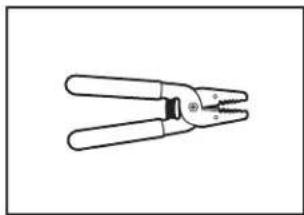
natural_image
Line drawing of a pair of pliers with metal fasteners (no text or symbols)Small tubing cutter Wire stripper
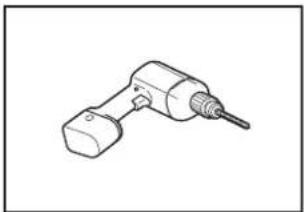
natural_image
Line drawing of a handheld electric drill bit (no text or symbols)Cordless drill with 12 ", 34 ", and 112 " hole saw bits
Additional Parts Needed (not provided):
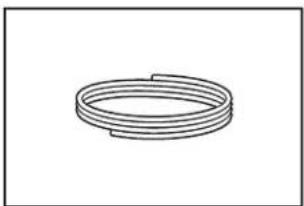
natural_image
Simple line drawing of a coiled spring or pipe (no text or symbols)Copper Tubing ( ^3/8 " O.D. suggested) or Flexible Braided Water Supply Line Kit (Whirlpool Part Number W10278635RP). Kit includes braided hose and ^3/8 " compression x ^3/_4 " hose fitting.
natural_image
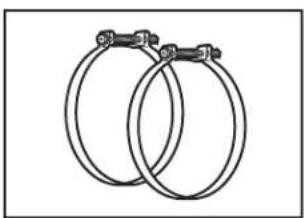
Two interlocked metal rings with clips attached (no text or symbols)Screw-Type Clamps 1 ^1/2 "-2" (38-50 mm) (3 maximum)
natural_image
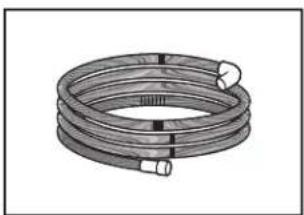
Coiled industrial hose with flanged ends and connectors (no text or symbols visible)Optional-Longer Drain Hose Maximum length 12 ft (3.7 m) (Whirlpool Part Number 3385556)
NOTE: Must meet AHAM/IAPMO test standards, fit 1" (25 mm) drain connection, and be resistant to heat and detergent
Call us at our toll-free number, visit our website listed in the User Guide for part numbers above, or see local plumbing supply retailer for equivalent.
NOTE: If using a flexible braided hose, replace inlet hose after 5 years to reduce the risk of hose failure. Record hose installation or replacement dates on the hose for future reference.
For Direct Wire For Power Cord
natural_image
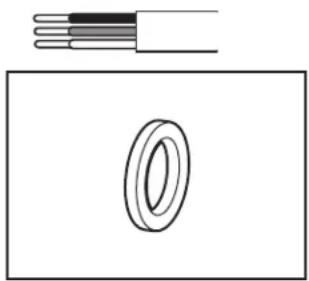
Diagram showing a cable with three insulation layers above a rectangular frame containing a ring (no text or symbols)Cabinet Grommet
For 1 ^1/2 " (38 mm) hole in cabinet. (Whirlpool Part Number 302797)
NOTE: Required for metal cabinets
natural_image
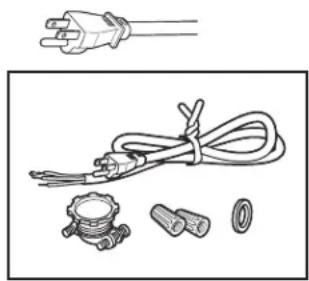
Illustration of electrical plug, coiled cable, and various connectors (no text or symbols)Power Cord Kit
Kit typically includes power cord, metallic strain relief, grommet, and twist-on wire connectors. (Whirlpool Part Number 4317824)
Call us at our toll-free number, visit our website listed in the User Guide for part numbers above, or see local electrical supply retailer for equivalent.
LOCATION REQUIREMENTS
Dishwasher must be fully enclosed (top, sides, back, and floor) upon installation. A side panel kit is available from your dealer for installing your dishwasher at the end of your cabinetry.
An optional moisture barrier accessory is also available for installing underneath a wooden countertop. See the "Tools and Parts" section at the front of the guide for part details and orders.
Check location where dishwasher will be installed. The location must provide:
■Convenient access for loading and unloading dishes. Corner locations require a 2" (51 mm) minimum clearance between the side of the dishwasher door and the wall or cabinet.
■Easy access to water, electricity, and drain:
■Grounded electrical supply is required.
■This dishwasher has a water heating feature and also requires a connection to a hot water supply line.
■Make sure pipes, wires and drain hose are within the shaded area shown in the “Product and Cabinet Opening Dimensions” section.
■ Do not run drain lines, water lines, or electrical wiring where they can interfere with or contact dishwasher motor or legs.
■Shelter dishwasher and water lines leading to dishwasher against freezing. Damage from freezing is not covered by the warranty.
NOTE: If dishwasher will be left unused for a period of time or in a location where it may be subject to freezing, have it winterized by authorized service personnel.
■If installed in new construction, flush the water supply line of debris before connecting it to the fill valve. If it is not flushed, debris from the water supply could plug the fill valve screen.
■A square opening for proper operation and appearance
■The cabinet front to be perpendicular to floor
■A level floor
Helpful Hint: If floor at front of opening is not level with floor at rear of opening, shims may be used to level dishwasher.
NOTE: To avoid shifting during dishwasher operation, shims must be securely attached to the floor.
■The location where the dishwasher will be installed must provide clearance between motor and flooring. Motor should not touch the floor.
■Do not install dishwasher over carpeted flooring.
Product and Cabinet Opening Dimensions
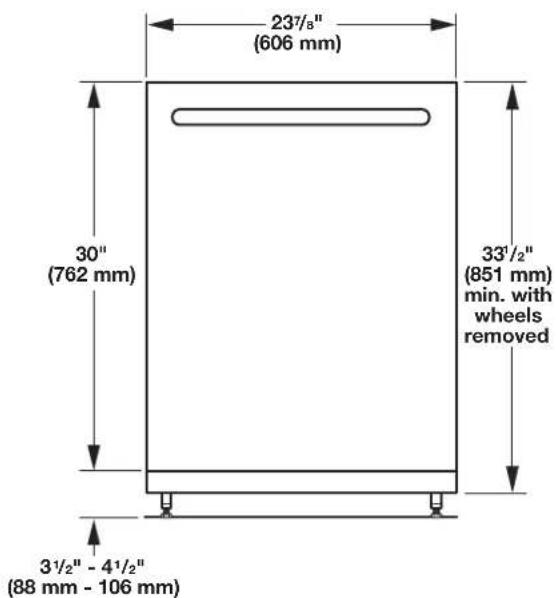
text_image
23½" (606 mm) 30" (762 mm) 33½" (851 mm) min. with wheels removed 3½" - 4½" (88 mm - 106 mm)For 4" (100 mm) toe kick, height of cabinet opening is 34 ^1/2 " (863 mm).
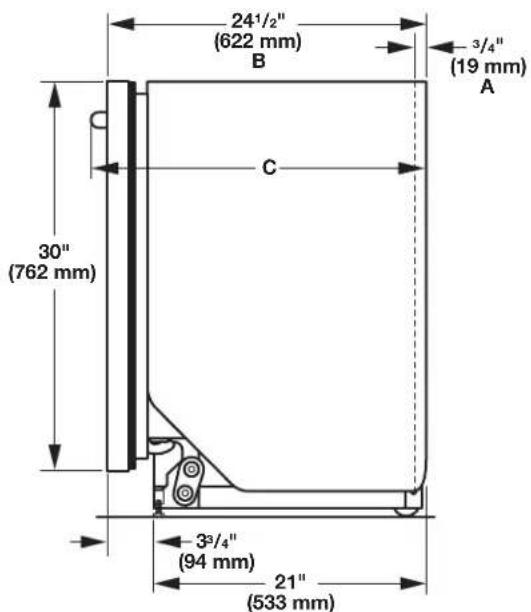
text_image
24½" (622 mm) B 3/4" (19 mm) A C 30" (762 mm) 3³/4" (94 mm) 21" (533 mm)A. Insulation may be compressed (not used on all models).
B. For panel-ready models, dishwasher depth is 24" (610 mm), not including the 3/4'' (19 mm) custom door panel.
C. Door handles may protrude forward of the face of the dishwasher, varies by model.
Check that all surfaces have no protrusions that would prohibit dishwasher installation.
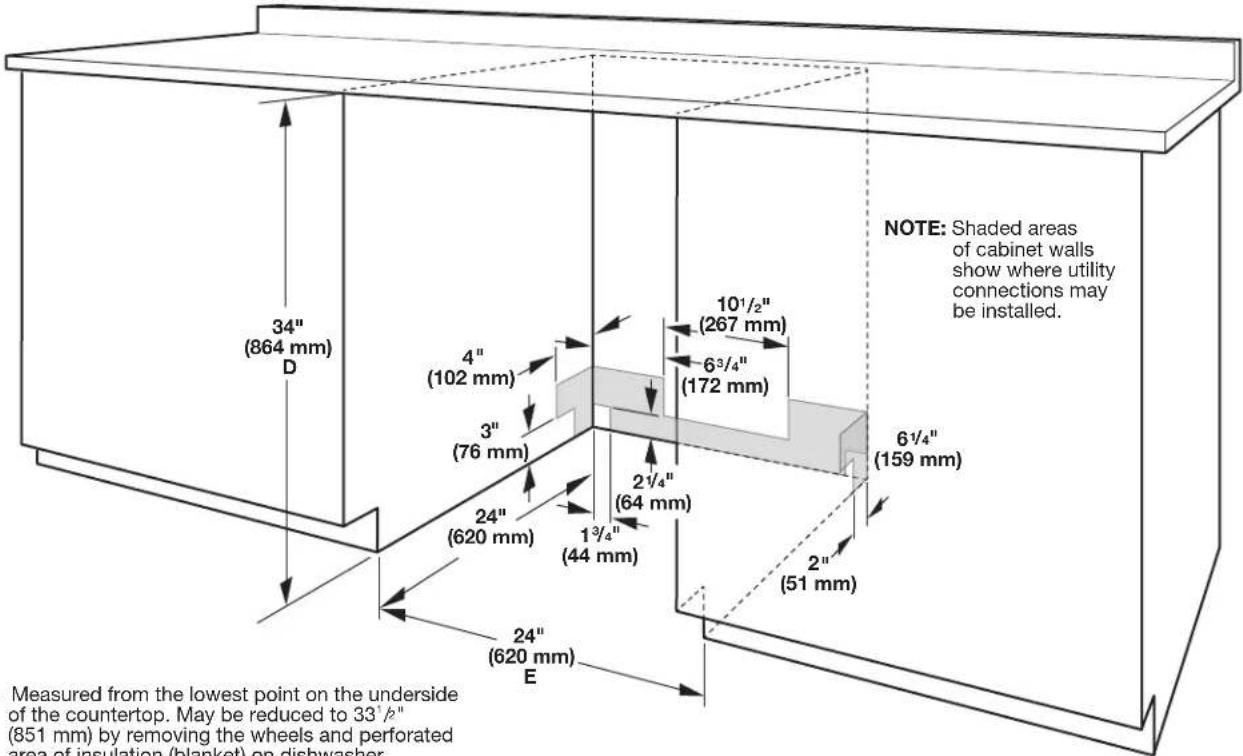
text_image
NOTE: Shaded areas of cabinet walls show where utility connections may be installed. 34" (864 mm) D 4" (102 mm) 3" (76 mm) 24" (620 mm) 24" (620 mm) E 10¹/₂" (267 mm) 6³/₄" (172 mm) 6¹/₄" (159 mm) 2¹/₄" (64 mm) 1³/₄" (44 mm) 2" (51 mm) Measured from the lowest point on the underside of the countertop. May be reduced to 33°/p" (851 mm) by removing the wheels and perforated area of insulation (blanket) on dishwasher.D. Measured from the lowest point on the underside of the countertop. May be reduced to 33 ^1 /p" (851 mm) by removing the wheels and perforated area of insulation (blanket) on dishwasher.
E. Minimum, measured from narrowest point of opening
DRAIN REQUIREMENTS
■A new drain hose is supplied with your dishwasher. If drain hose is not long enough, use a new drain hose with a maximum length of 12 ft (3.7 m) that meets all current AHAM/IAPMO test standards, is resistant to heat and detergent, and fits the 1" (25 mm) drain connector of the dishwasher. See the "Tools and Parts" section at the front of the guide for part details and orders.
NOTE: Do not connect multiple drain hoses together.
■Make sure to connect drain hose to waste tee or disposer inlet above drain trap in house plumbing and 20" (508 mm) minimum above the floor. It is recommended that the drain hose either be looped up and securely fastened to the underside of the counter or be connected to an air gap.
■Make sure to use an air gap if the drain hose is connected to house plumbing lower than 20" (508 mm) above subfloor or floor.
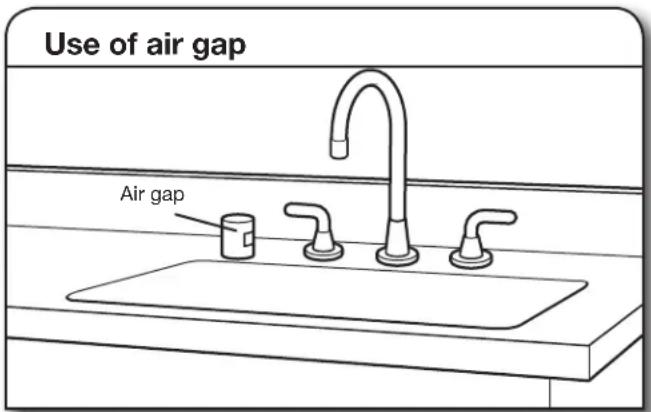
text_image
Use of air gap Air gap■If required, the air gap should be installed in accordance with the air gap installation instructions. When you are connecting the air gap, a rubber hose (not provided) will be needed to connect to the waste tee or disposer inlet.
■Use ^1/2 " minimum I.D. drain line fittings.
WATER SUPPLY REQUIREMENTS
■This dishwasher has a water heating feature and also requires a connection to a hot water supply line.
■A hot water line with 20 to 120 psi (138 to 862 kPa) water pressure can be verified by a licensed plumber.
■120°F (49°C) water at dishwasher
18 " O.D. copper tubing with compression fitting or flexible braided water supply line. See the "Tools and Parts" section at the front of the guide for part details and orders.
NOTE: ^1/2 " minimum plastic tubing is not recommended.
■A 90° elbow with ^3/4 " hose connection with rubber washer. See the "Tools and Parts" section at the front of the guide for part details and orders.
■Do not solder within 6" (152 mm) of the water inlet valve.
■If installed in new construction, make sure the house water supply lines have been flushed prior to connecting the dishwasher to remove any debris that may exist in the supply line.
NOTE: If replacing an existing dishwasher, it is recommended to install a new water line (see the “Tools and Parts” section at the front of the guide for part details) and drain hose (supplied) with the new dishwasher.
ELECTRICAL REQUIREMENTS
Be sure that the electrical connection and wire size are adequate and in conformance with the National Electrical Code, ANSI/NFPA 70 - latest edition, and all local codes and ordinances.
A copy of the above code standards can be obtained from:
National Fire Protection Association
1 Batterymarch Park
Quincy, MA 02169-7471
You Must Have:
■120-volt, 60 Hz, AC-only, 15- or 20-amp, fused electrical supply
■Copper wire only
■A maximum of 2 field wiring supply conductors (12 AWG largest size) plus 1 grounding conductor are permitted in the terminal box.
We Recommend:
■A time-delay fuse or circuit breaker
■A separate circuit
If Connecting Dishwasher with a Power Cord:
■Use UL Listed power cord kit marked for use with dishwasher. See the "Tools and Parts" section at the front of the guide for part details and orders.
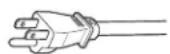
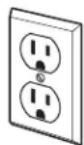
■Plug into a grounded 3 prong outlet. Outlet must meet all local codes and ordinances.
If Connecting Dishwasher with Direct Wiring:
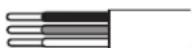
■Use flexible, armored, or nonmetallic sheathed copper wire with grounding wire that meets the wiring requirements for your home and local codes and ordir
■Use a UL Listed/CSA Approved metallic strain relief. See the "Tools and Parts" section at the front of the guide for part details and orders.
INSTALLATION INSTRUCTIONS
WARNING

Electrical Shock Hazard
Disconnect electrical power at the fuse box or circuit breaker box before installing dishwasher.
Failure to do so can result in death or electrical shock.
1. Disconnect power
Disconnect electrical power at the fuse box or circuit breaker box before installing dishwasher.
2. Shut off water supply
Shut off the water supply to the dishwasher.
PREPARE CABINET OPENING – NEW UTILITIES
3. Drill hole locations - new construction
text_image
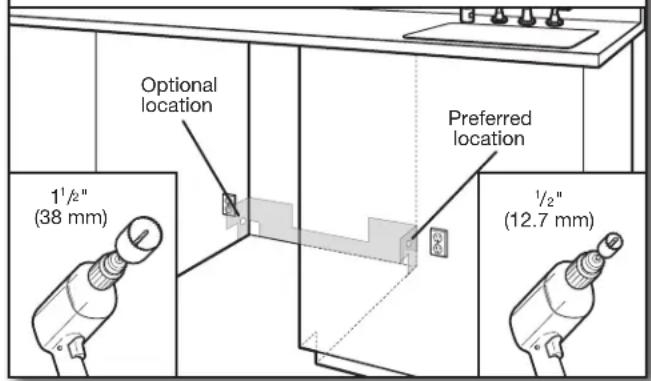
Optional location 1½" (38 mm) Preferred location ½" (12.7 mm)NOTE: Refer to the "Product and Cabinet Opening Dimensions" section for the correct hole placement and dimensions of the shaded area.
Drill a 1^1/2 " (38 mm) drain hose hole in the side or rear of cabinet, depending on location of drain hose routing and drain hose connection location.
Drill a 12 " (12.7 mm) water supply hose hole in the side or rear of cabinet, depending on location of water supply routing and connection location
Drill a 1^1/2 " (38 mm) electrical conduit hole in the right-hand side or rear of cabinet.
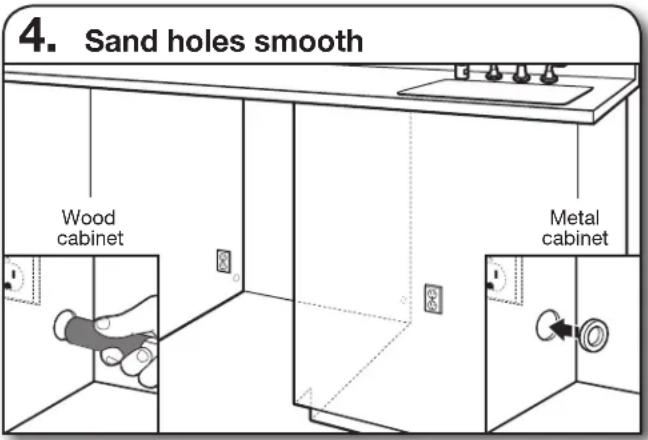
text_image
4. Sand holes smooth Wood cabinet Metal cabinetWood cabinet: Sand the hole until smooth.
Metal cabinet: Cover edges of hole with grommet included with power cord kit. See the "Tools and Parts" section at the front of the guide for part details.
Helpful Tip: Wiring the dishwasher will be easier if you route the cable into the cabinet opening from the right-hand side.
INSTALL OPTIONAL MOISTURE BARRIER - RECOMMENDED FOR WOOD COUNTERTOPS
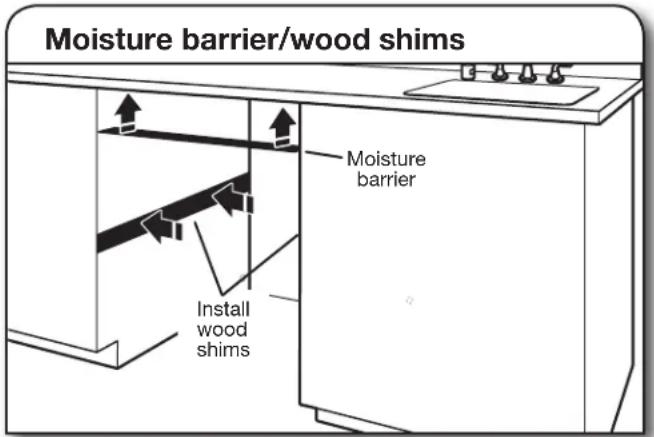
text_image
Moisture barrier/wood shims Moisture barrier Install wood shimsSee the “Tools and Parts” section at the front of the guide for part details and orders. Make sure the area under the cabinet is clean and dry for installation of the moisture barrier. Remove the backing of the moisture barrier, and apply to underside of the countertop along the front edge of the counter.
NOTE: Install wood shims if side anchoring and the gap between the sides of the cabinet and sides of the dishwasher are greater than 12 " (12.7 mm) on each side or are greater than the length of the side anchor screws.
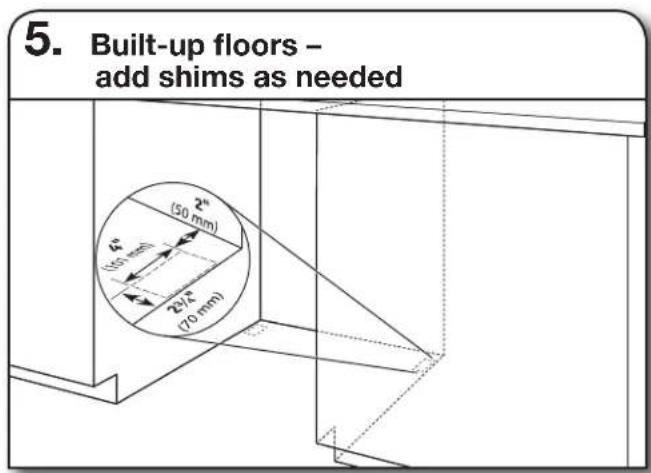
text_image
5. Built-up floors - add shims as needed (50 mm) (50 mm) (70 mm)Built-up floors: If the kitchen floor is higher than the cabinet opening's floor - for example, the kitchen floor tile does not extend into the cabinet opening - add shims, as needed, in the area shown to bring the dishwasher up to 34" (864 mm) below the countertop.
NOTE: Shims must be securely attached to floor to avoid movement when the dishwasher is in use.
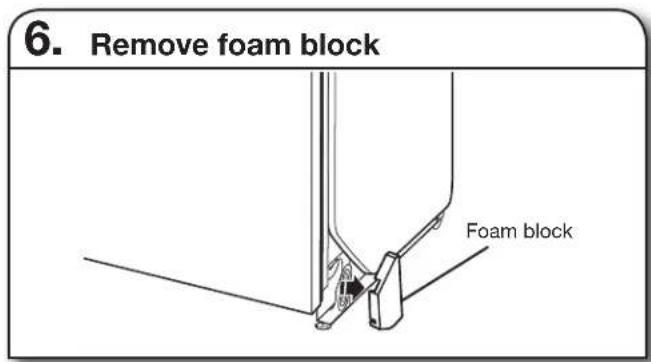
text_image
6. Remove foam block Foam blockRemove and discard the foam blocks (if blocks are present; not all models have them) located above the front legs on each side of the dishwasher. The blocks cover the rope/link pulleys on the dishwasher.
text_image
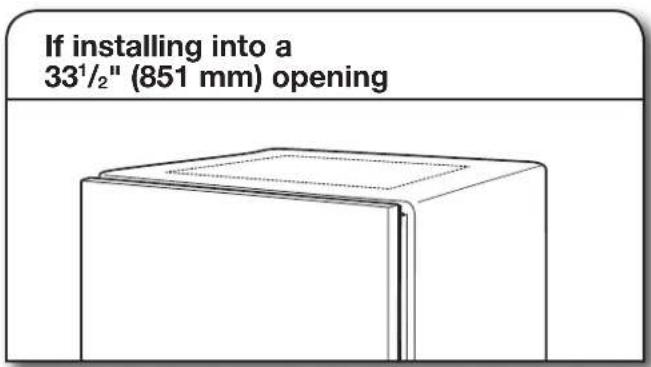
If installing into a 33¹/²" (851 mm) openingCut insulation blanket along perforation for cabinet opening height of 33^1/2 " (851 mm). For other cabinet opening heights, do not cut the insulation blanket.
ELECTRICAL CONNECTION
- For Direct Wire, begin with Step 7
- For Power Cord, wait until Step 22
text_image
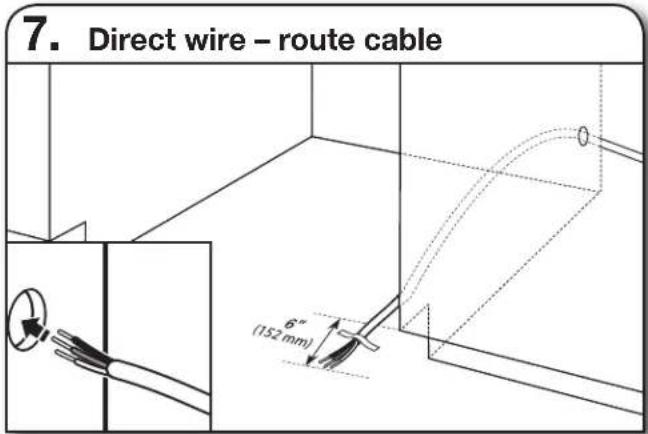
7. Direct wire - route cable 6" (152 mm)If installing with direct wire, route the cable as shown.
Route cable from power supply through cabinet hole. (Cable must extend to the right front side of cabinet opening.) Tape cable to the floor in area shown. This will prohibit cable from moving when dishwasher is moved into cabinet opening.
NOTE: If removing a previous dishwasher with a power cord, you will need to transfer the power cord to the new dishwasher.
PREPARE DISHWASHER
WARNING
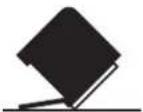
Tip Over Hazard
Do not use dishwasher until completely installed.
Do not push down on open door.
Doing so can result in serious injury or cuts.
WARNING
Excessive Weight Hazard
Use two or more people to move and install dishwasher.
Failure to do so can result in back or other injury.
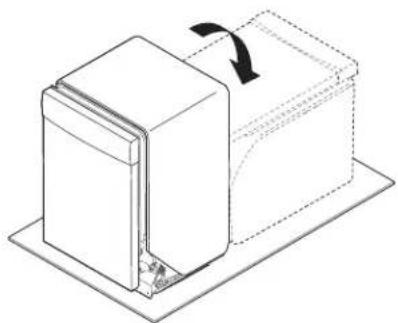
8. Put dishwasher on its back
natural_image
Diagram of a mechanical assembly with a rectangular block and a curved arrow indicating rotation (no text or symbols)Helpful Tip: Place cardboard under dishwasher until installed in cabinet opening to avoid damaging floor covering.
Using 2 or more people, grasp sides of dishwasher door frame, and place the dishwasher on its back.
Do not use the door panel as a worktable without first covering it with a towel to avoid scratching the door panel.
NOTE: On some models, once the dishwasher is on its back, pull on the door handle to remove it from the access panel.
REMOVE ACCESS PANEL
- For Plastic Access Panels, go to Step 9
-
For Metal Access Panels, go to Step 10
-
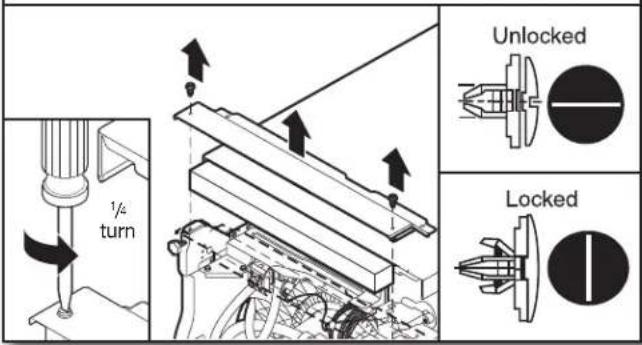
Plastic panel
text_image
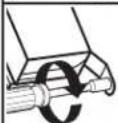
1/4 turn Unlocked LockedUsing a flat-blade screwdriver, turn the plastic fasteners ^1/4 turn counterclockwise to unlock them. Remove panel. Do not remove tech sheet from access panel. Go to Step 11.
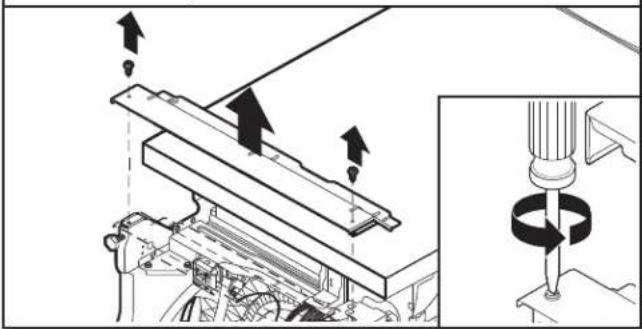
- Metal panel
natural_image
Mechanical assembly diagram showing a rotating shaft and mounting base with directional arrows indicating motion (no text or symbols)Using a 14 " nut driver or Phillips screwdriver, remove 2 screws attaching access panel to dishwasher. Do not remove tech sheet from access panel.
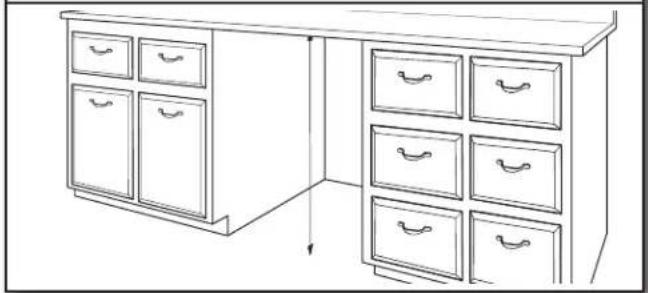
- Measure cabinet opening
natural_image
Line drawing of a cabinet with multiple drawers and drawers, no text or symbols presentMeasure height of cabinet opening from underside of countertop to floor where dishwasher will be installed. Be sure to measure the lowest point on the underside of the countertop and the highest point on the floor.
Dishwasher Height Adjustment Chart
| Cabinet opening height | Front legs height | Wheel position | Insulation blanket |
| 33 ^1/_2 " (851 mm) | ^3/_8 " (9.8 mm) | Removed Cut | |
| 34" (864 mm) | ^9/_16 " (14 mm) 1 | No Cut | |
| 34 ^1/_4 " (871 mm) | ^13/_16 " (21 mm) 2 | No Cut | |
| 34 ^1/_2 " (876 mm) | ^11/_16 " (27 mm) 3 | No Cut |
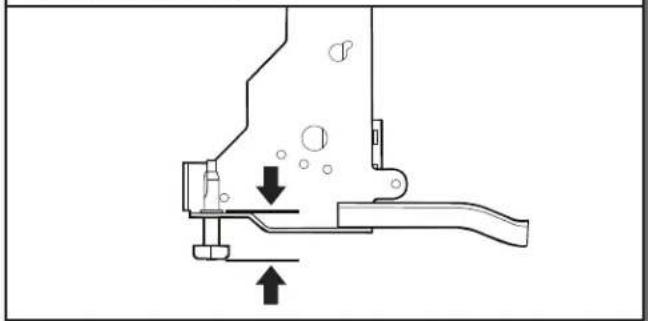
Front legs - A
natural_image
Mechanical assembly diagram showing a lever mechanism with arrows indicating motion (no text or symbols)Adjust both front leveling legs to the same height. Put the rear wheels in the correct position according to the "Dishwasher Height Adjustment Chart."
NOTE: If the minimum cabinet opening height is less than 34" (864 mm), the rear wheels can be removed for additional clearance.
This will allow the dishwasher to fit into a 33^1/2 (851 mm) high cabinet opening, but the dishwasher will be more difficult to move. Measurements are approximate.
- Adjust wheels and legs
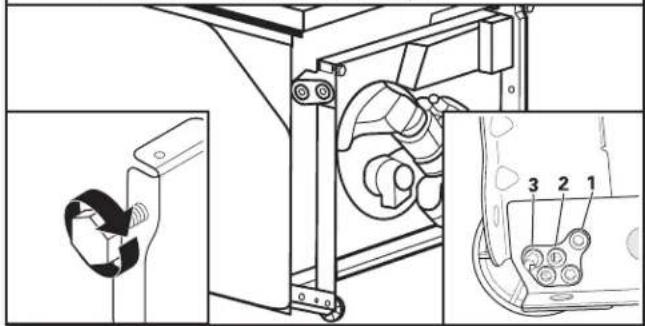
text_image
Technical diagram showing mechanical assembly with labeled parts and a close-up inset view of a component detail.Refer to the "Dishwasher Height Adjustment Chart" for wheel position and for height of front legs needed for your cabinet opening height.
- Remove plastic rail cover (only on certain models)
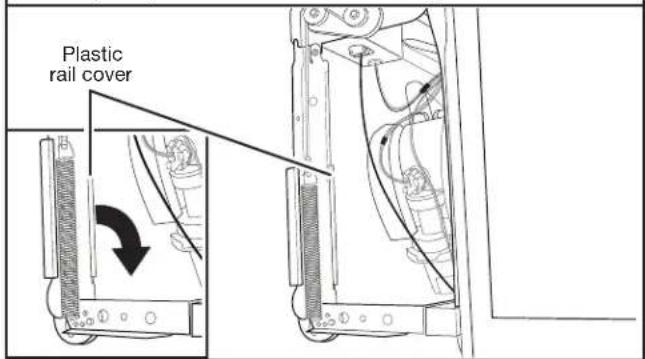
text_image
Plastic rail coverRemove and discard the plastic rail cover on each side of the dishwasher frame. To remove the plastic rail cover, push upward and back to unsnap it from the dishwasher frame.
CONNECT WATER LINE TO FILL VALVE
- For Copper line, begin with Step 14
- For Flexible line, begin with Step 16
- Copper water line
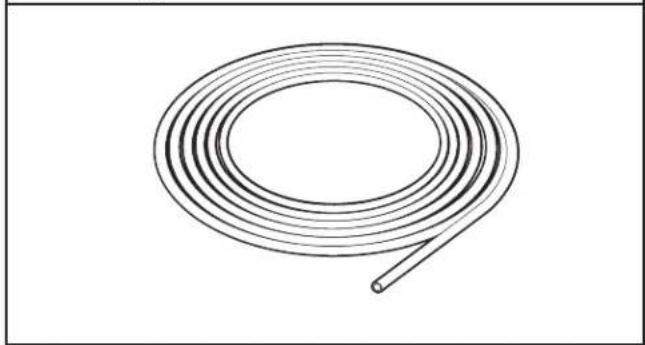
natural_image
Line drawing of a coiled wire or tube with a looped end (no text or symbols)If using copper tubing, measure overall length of copper tubing required to reach the water supply, cut to length, and attach with compression fittings.
15. Slide nut and ferrule onto tubing (copper tubing only)
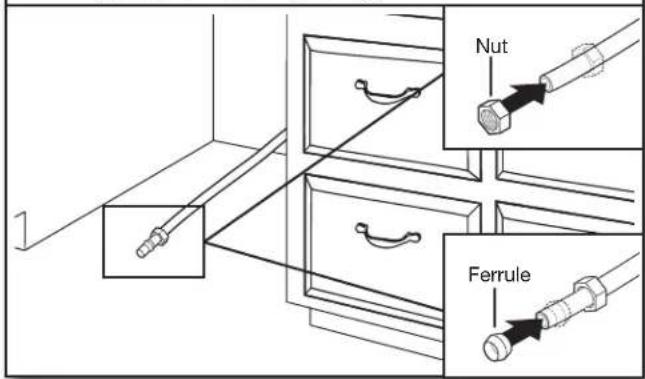
text_image
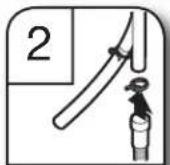
Nut FerruleCopper tubing only: Put the tubing into the 90° elbow fitting as far as it will go. (The copper tubing bends and kinks easily.) Slide the nut and ferrule forward and start the nut onto the elbow threads.
NOTE: To avoid vibration during operation, route the water supply line so that it does not touch the dishwasher base, frame, or motor. Go to Step 17.
16. Flexible line
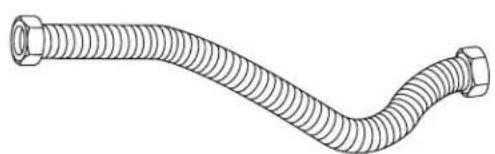
natural_image
Line drawing of a flexible hose with threaded ends and a flanged end (no text or symbols)Flexible braided line: Confirm the flexible braided line is long enough. See the "Tools and Parts" section at the front of the guide for part details and orders.
17. Add 90° elbow fitting to the water supply line
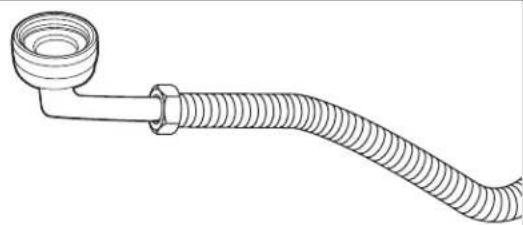
natural_image
Line drawing of a coiled hose with a flanged end (no text or symbols)Get ^3/8 " compression x ^3/4 " hose fitting with 90° elbow. See the "Tools and Parts" section at the front of the guide for part details and orders. Connect the ^3/8 " compression fitting of the 90° elbow fitting to the water supply line. Attach such that the ^3/4 " connection is facing upward as shown above.
CONNECT FILL HOSE TO FILL VALVE
18. Tighten 90° elbow fitting to valve
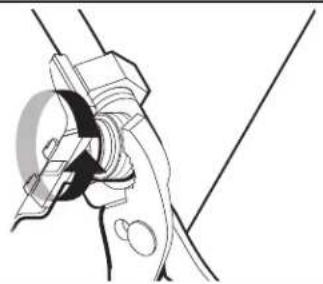
natural_image
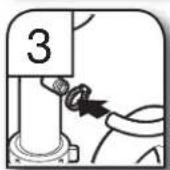
Line drawing of a hand gripping a cable with a circular component, no text or symbols presentBe sure rubber washer is properly seated in fitting. Slide the 34 " fitting of the 90° elbow up to the valve and hand tighten to avoid cross-threading. Hand tighten until the coupling is tight. Using pliers, check the tightness of the coupling. An additional 14 to 12 turn may be required to seal the rubber gasket. Route fill hose out the rear left side of unit.
NOTES:
■Do not use Teflon® tape with compression fittings.
■Do not over-tighten. Damage to the coupling can result.
DRAIN HOSE CONNECTION
19. Connect drain hose
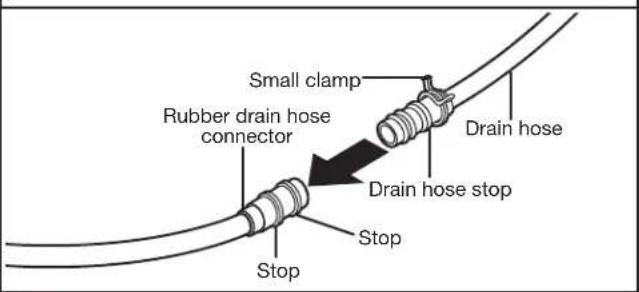
text_image
Small clamp Rubber drain hose connector Drain hose Drain hose stop Stop StopPlace towel under drain hose to catch any water in drain hose. Place the small (green) drain hose clamp onto the small end of the drain hose. Push the new drain hose into the rubber drain hose connector up to the drain hose stop.
20. Slide clamp onto connector
text_image
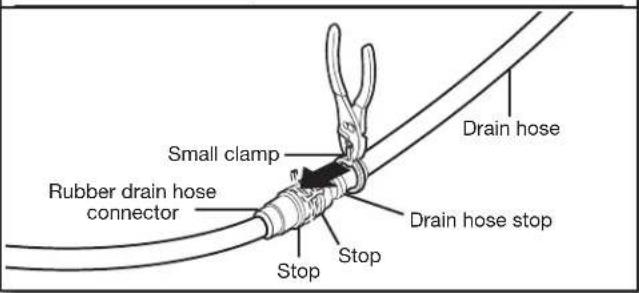
Small clamp Rubber drain hose connector Stop Stop Drain hose Drain hose stopUsing pliers, squeeze open the small drain hose clamp and slide it onto the connector between stops.
text_image
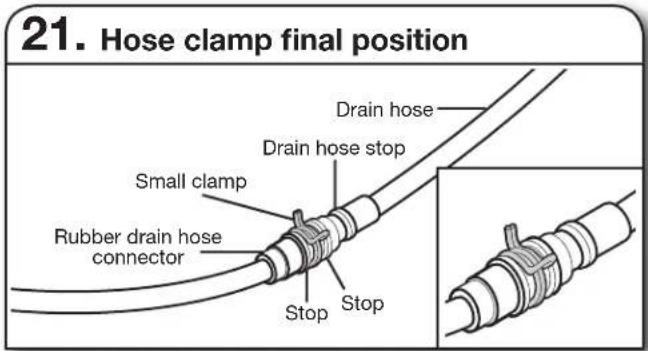
21. Hose clamp final position Drain hose Drain hose stop Small clamp Rubber drain hose connector Stop StopNOTE: Route drain hose out the rear of the dishwasher.
POWER CORD CONNECTION
NOTE: If removing a previous dishwasher with a power cord, you will need to transfer the power cord to the new dishwasher.
text_image
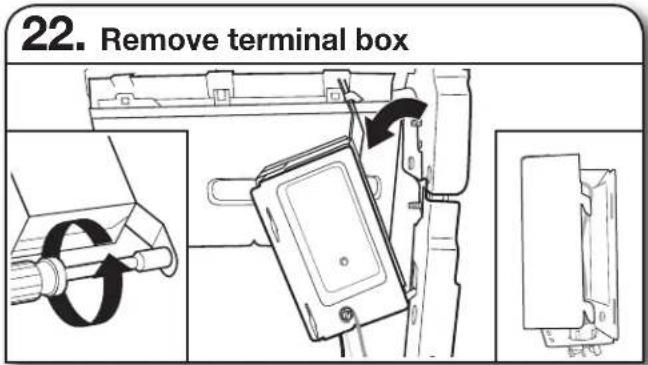
22. Remove terminal boxUse a 1 / 4 " nut driver or 1 / 4 " hex head socket wrench to remove the screw that holds the terminal box to the cross brace. Then, tilt the terminal box, free the tab, and lift the terminal box away from the crossbar.
text_image
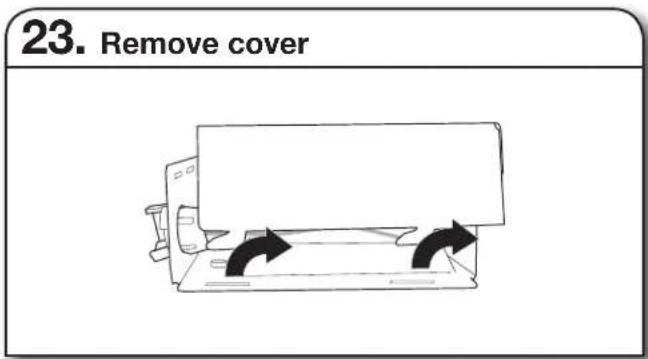
23. Remove coverRemove the cover by sliding it up and lifting its hooks out of the slot. Retain cover for later use.
text_image
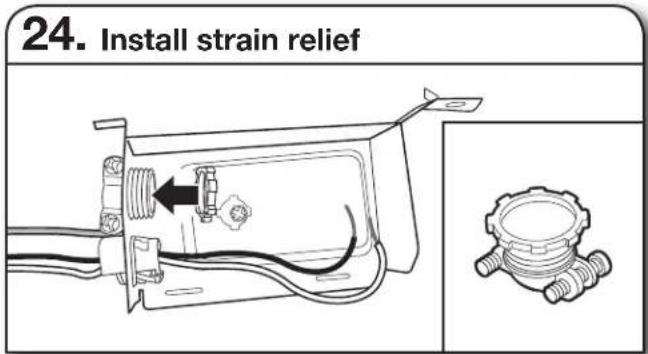
24. Install strain reliefInstall a UL Listed/CSA Approved metallic strain relief. Make sure screw heads are facing up when tightening conduit nut. Strain relief is provided with the power cord kit. See the "Tools and Parts" section at the front of the guide for part details and orders.
text_image
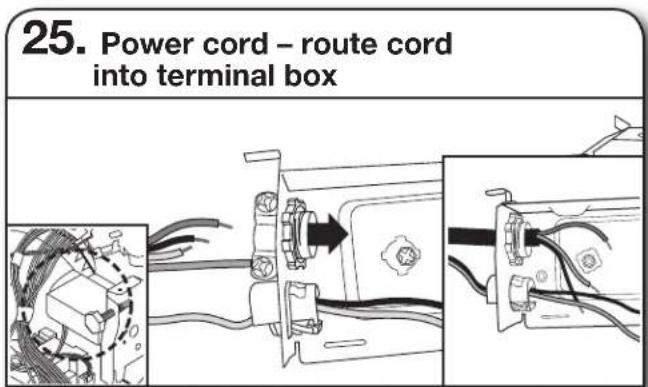
25. Power cord – route cord into terminal boxRoute cord so that it does not touch dishwasher motor or lower part of dishwasher tub. Pull cord through strain relief in terminal box.
NOTE: A maximum of 2 power cord supply conductors (12 AWG largest size) plus 1 grounding conductor are permitted in the terminal box.
WARNING
Electrical Shock Hazard
Electrically ground dishwasher.
Connect ground wire to green ground connector in terminal box.
Do not use an extension cord.
Failure to follow these instructions can result in death, fire, or electrical shock.
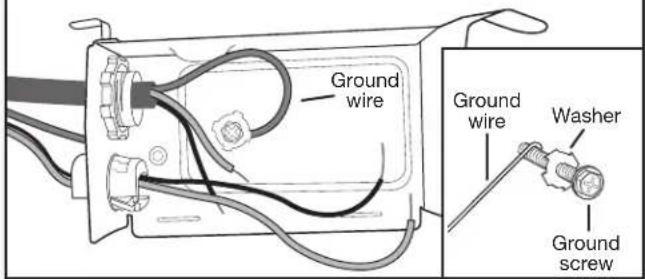
26. Power cord - connect ground wire
text_image
Ground wire Ground wire Washer Ground screwRemove the ground connector screw on the raised floor inside the box and place it through the ring terminal of the green ground wire of power cord. Reattach and tighten the ground connector screw to the raised floor of the box.
27. Power cord – connect remaining wires
natural_image
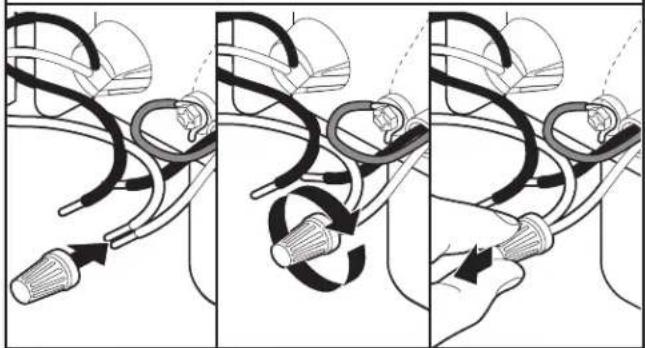
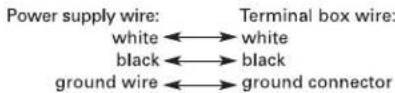
Three-panel diagram showing a hand holding a tool with curved wires and connectors, illustrating a mechanical or electrical process (no text or symbols present)Select UL Listed/CSA Approved twist-on wire connectors of the proper size. See the "Tools and Parts" section at the front of the guide for part details. Connect wires, black-to-black and white-to-white, using the twist-on wire connectors.
NOTE: Do not pre-twist stranded wire. Twist on wire connector. Gently tug on wires to be sure both are secured.
Wiring configuration
28. Power cord – secure cord on strain relief
natural_image
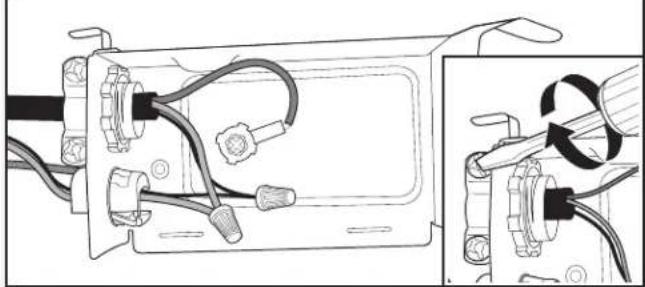
Technical diagram showing wiring connections inside a device frame, with an inset view of a mechanical component (no text or symbols present)Tighten strain relief screws to secure cord.
29. Power cord – reinstall terminal box cover and wires
natural_image
Simple line drawing of a computer monitor with two curved arrows indicating rotation or movement (no text or symbols)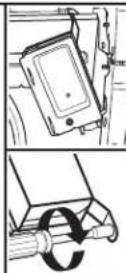
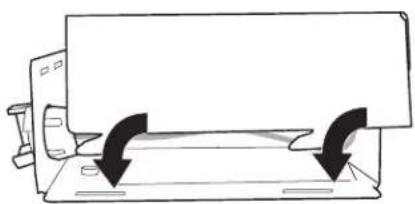
Place wires inside terminal box. Replace the cover by inserting the hooks of the terminal cover into the slots in the floor of the terminal box and sliding the cover tight against the back wall where wires come in. Make sure wires are tucked inside the box and not pinched by the cover.
Put the terminal box back on the crossbar with the tab in place. Use a 14 " nut driver and the screw removed in Step 22 to secure the terminal box to the crossbar.
Once the terminal box has been remounted on the dishwasher, tuck any excess length or slack over nearby components or clip them back into the nearby clips to help keep them off the floor.
NOTE: Route power cord out the rear of the dishwasher. Do not plug cord into an outlet until instructed to do so.
INSTALL DOOR HANDLE (ON SOME MODELS)
- Install door handle
text_image
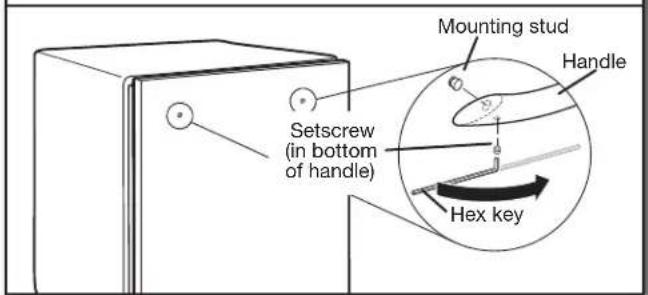
Mounting stud Handle Setscrew (in bottom of handle) Hex keyIMPORTANT: Do not scratch the front panel during this procedure. If door panel has a protective film, peel film back past the point of the handle studs before installing handle. Handle is easiest to install while unit is on its back.
Remove the door handle and hex key from the packaging. Setscrews are already installed in the handle. Place handle on mounting studs with the setscrews facing down. Push the door handle tightly against the door. Insert the short end of the hex key into the setscrews. Tighten the setscrews 14 turn past snug.
Retain hex key with Installation Instructions.
PLACE DISHWASHER IN CABINET
WARNING
Excessive Weight Hazard
Use two or more people to move and install dishwasher.
Failure to do so can result in back or other injury.
- Stand dishwasher upright

natural_image
Isometric line drawing of a mechanical component with a rotating arrow indicating rotation (no text or symbols)Using 2 or more people, stand the dishwasher up.
NOTE: Do not install kick plate until instructed to do so.
IMPORTANT: If wheels were removed, cover the floor when moving the dishwasher. Slowly move dishwasher completely into cabinet opening. Do not kink or pinch water line, drain hose, power cord, or direct wire between dishwasher and cabinet. Remove cardboard from under dishwasher.
It is all right if dishwasher fits tightly into cabinet opening. Do not remove insulation blanket – the blanket reduces the sound level.
NOTE: Route water supply, drain hose, and power cord out the rear of the dishwasher.
- Move dishwasher close to cabinet opening
text_image
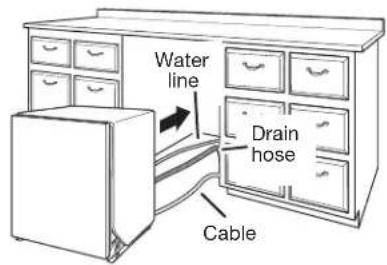
Water line Drain hose CableRoute the utilities through the holes in the cabinet, and pull the slack out at the same time as the dishwasher is pushed into the cabinet.
- Route power cord
natural_image
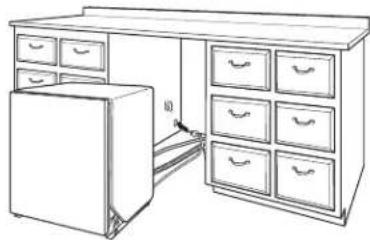
Line drawing of a refrigerator with drawers placed inside and outside (no text or symbols)If using a power cord, make sure to route end through hole in cutout before sliding dishwasher into cabinet opening.
- Secure insulation blanket
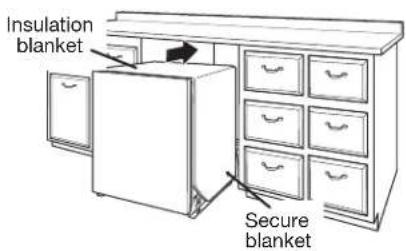
text_image
Insulation blanket Secure blanketNOTE: Make sure insulation blanket is secured at both left and right rear corners before pushing into cabinet opening to keep the blanket from bunching up in a tight fitting cabinet.
35. Move dishwasher all but 6" (152 mm) into cabinet opening
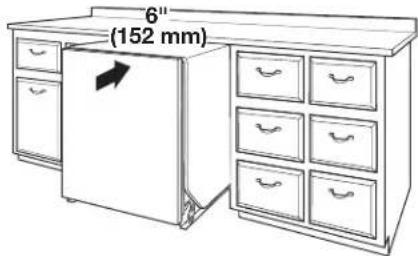
text_image
6" (152 mm)NOTE: Leave unit about 6" (152 mm) out from cabinet in order to install anchor brackets and adjust door tension if needed.
Countertop Attachment:
37. Insert bracket
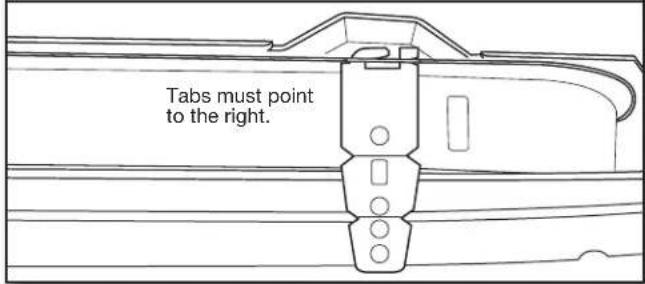
text_image
Tabs must point to the right.Remove the brackets from the package, and insert into the open slots on the left- and right-hand top of the dishwasher collar as shown. Go to Step 41.
36. Pull slack from utilities
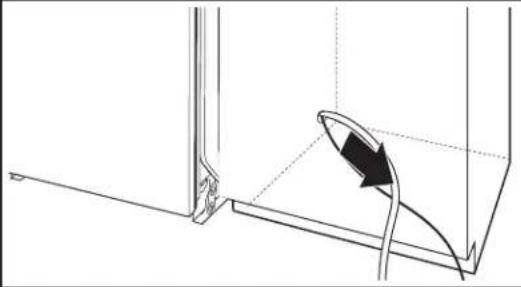
natural_image
Technical line drawing of a mechanical component with a curved arrow indicating direction (no text or symbols)NOTE: Pull slack out of utilities at the same time the dishwasher is pushed into the cabinet opening to avoid any kinks.
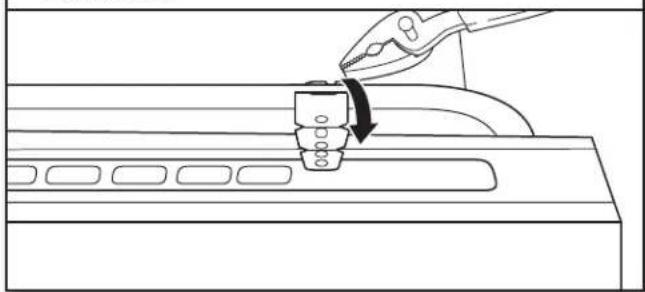
Bend tab
natural_image
Line drawing of a mechanical assembly with a tool and component, no text or symbols presentUsing pliers, bend/twist tab to lock the brackets in place.
CUSTOM PANEL INSTALLATION
(CUSTOM PANEL MODELS ONLY)
For custom panel installation, refer to the Custom Panel Installation Instruction Sheet (Part Number W10750117A). Complete custom panel installation before proceeding to the "Choose Anchor Attachment Method" section.
CHOOSE ANCHOR ATTACHMENT METHOD
IMPORTANT: The dishwasher must be secured to the cabinet as one of the final steps. Prepare the dishwasher for this by attaching the 2 brackets found in the parts bag to the dishwasher.
- For countertops that are wood, laminate or another similar surface, use Countertop Attachment: go to Step 37.
- For countertops that are marble, granite, or another hard surface, use Side Attachment: go to Step 38.
NOTE: If the gap between the top of the door and the underside of the counter top is tight (less than 14 " [6,35 mm]), we suggest using Side Attachment to keep from scratching the User Interface or console with the anchor screws.
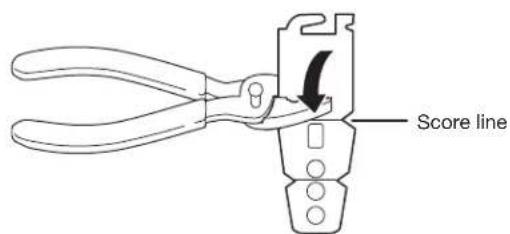
38. Break end of bracket
text_image
Score lineBreak off the end of the bracket along the scored line using pliers.
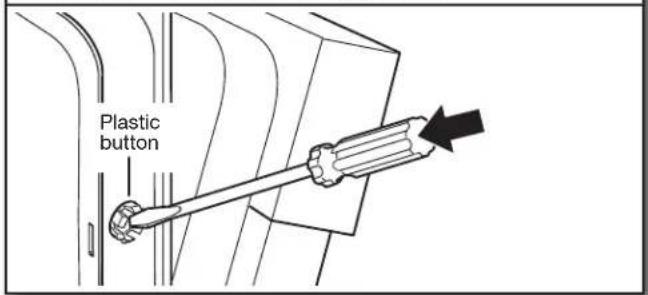
- Remove plastic buttons
text_image
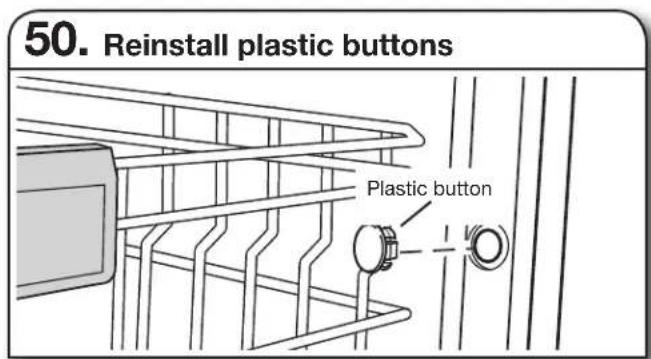
Plastic buttonPush the plastic buttons out of the side of the tub.
NOTE: Save the buttons to cover the holes after dishwasher is installed.
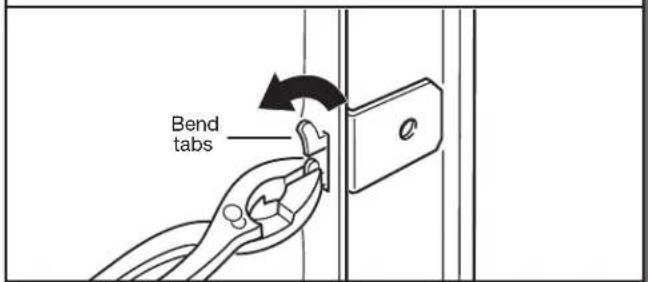
- Install bracket
text_image
Bend tabsPush bracket into slot on the side of dishwasher, and bend tab in toward the side of the dishwasher so that it keeps the bracket in place. Repeat this step for the other side of the dishwasher.
NOTE: Install wood shims to the inside of the cabinets if the gap between the sides of the cabinet and the sides of the dishwasher are greater than 12 " (13 mm) on each side.
NOTE: Do not attach the dishwasher. This will be done later.
FINAL INSTALLATION CHECK
- Open and close door
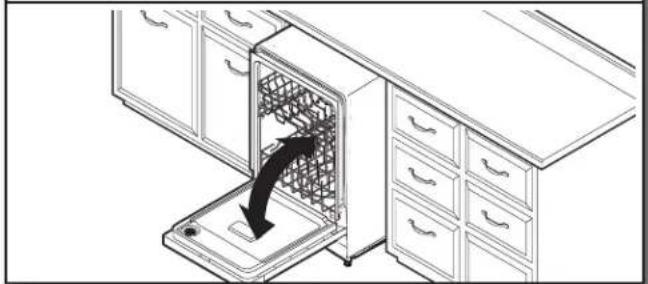
natural_image
Line drawing of a kitchen appliance with a drawer and drawer stack, showing a black arrow indicating direction (no text or symbols)- Door spring tension adjustment
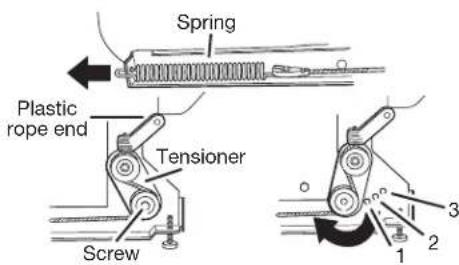
text_image
Spring Plastic rope end Tensioner Screw 1 2 3If door closes too quickly or falls, open and adjust spring tension.
To adjust the door spring tension, remove the white plastic rope end attached to the door hinge. Using a 516 " nut driver or hex socket, remove the screw from the tensioner. The screw can be put into one of 3 holes (1, 2, 3) in the front leg of the dishwasher.
If the door closes by itself: Move the tensioner to a lower-numbered hole and replace the screw. Reattach the white plastic rope end to the door hinge.
If the door opens by itself: Move the tensioner to a higher numbered hole and replace the screw. Reattach the white plastic rope end to the door hinge.
NOTE: Tensioners on both sides of dishwasher should be secured at same holes.
- Align front of dishwasher with front of cabinet doors
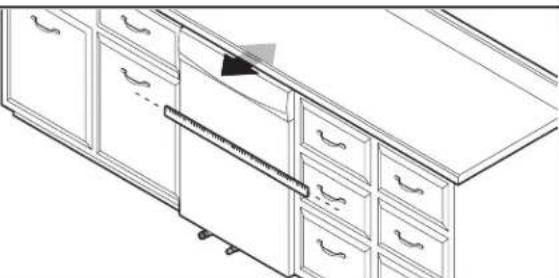
natural_image
Line drawing of a cabinet with drawers and drawers, showing internal compartments and a handle (no text or symbols)Align front of dishwasher door panel with front of cabinet doors. You may need to adjust alignment to be even with your cabinets.
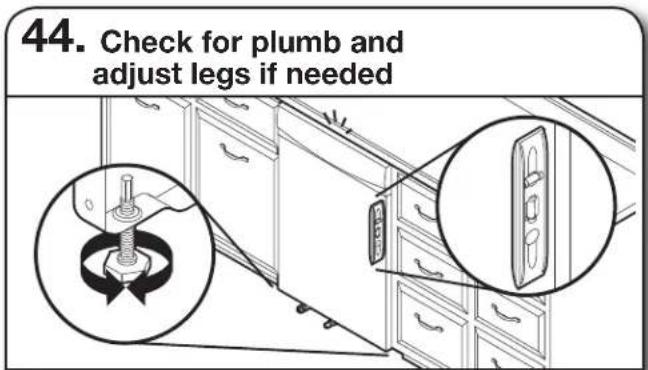
text_image
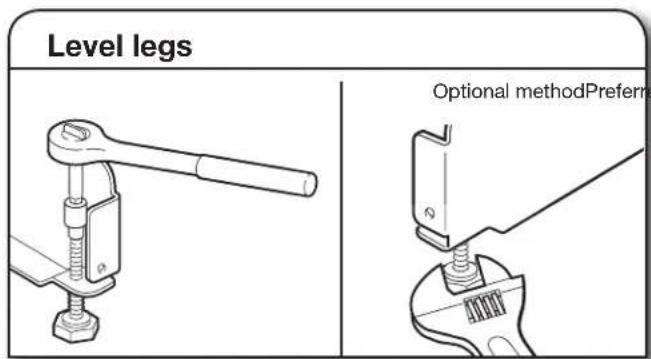
44. Check for plumb and adjust legs if neededCheck that leveling legs are firmly against the floor. Close and latch the door and place level against the front panel. Check that dishwasher is centered from front to back in the opening. If needed, adjust leveling leg until dishwasher is plumb. Repeat for other side of dishwasher.
Helpful Tip: Push up on front of dishwasher to raise dishwasher off the ground to adjust front legs. With some installations, it may be easier to adjust the front leg using a 316 " hex head socket or adjustable wrench. If the gap between the top of the door and the underside of the counter top is tight (less than 14 " [6 mm]), we suggest side anchoring to keep from scratching the User Interface or console.
text_image
Level legs Optional methodPreferme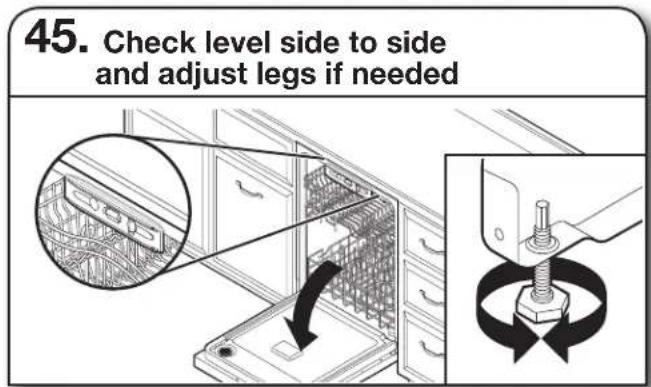
text_image
45. Check level side to side and adjust legs if neededPlace level against top front opening of tub. Check that dishwasher is level from side to side. If dishwasher is not level, adjust front legs up or down until dishwasher is level.
SECURE DISHWASHER IN CABINET OPENING
text_image
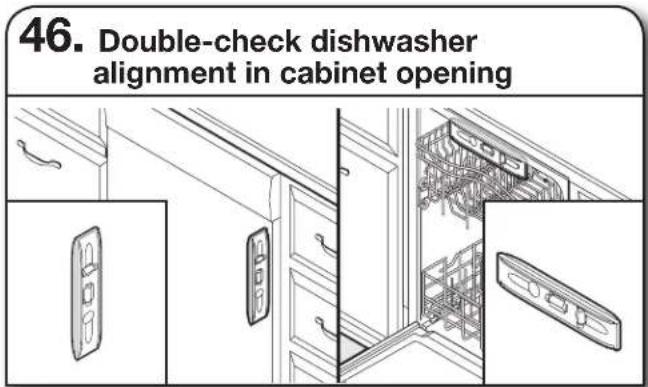
46. Double-check dishwasher alignment in cabinet openingCheck that dishwasher is still level front to back and side-to-side in the cabinet opening.
Open dishwasher door and place towel over pump assembly and spray arm of dishwasher. This will keep screws from falling into pump area when you are securing dishwasher to cabinet.
text_image
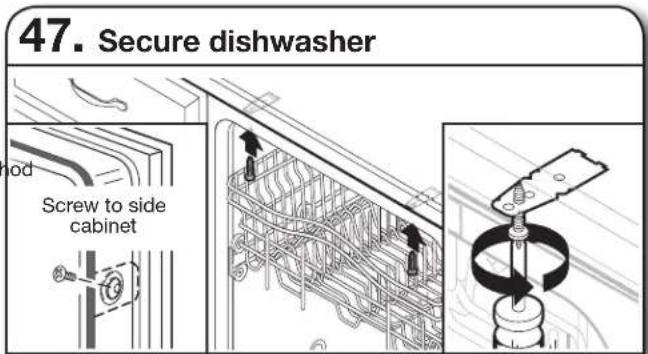
47. Secure dishwasher Screw to side cabinetOpen dishwasher door to prepare for securing the dishwasher to the countertop or side cabinet.
NOTES:
■The dishwasher must be secured to keep it from shifting when the door is opened or closed.
■Do not drop screws into bottom of dishwasher.
■Locate brackets installed in the "Choose Anchor Attachment Method" section, either on top or on the sides of the dishwasher.
■ If countertop anchoring: Secure dishwasher to the countertop with two #10 x 12 " Phillips-head screws (included).
■ If side anchoring: Drill pilot holes in cabinet to avoid splitting the wood. Secure dishwasher to cabinet with two #10 x ^1/2 " Phillips-head screws (included). Remove upper rack for easier access. See the Use and Care Guide for instructions how to remove the upper rack if needed.
text_image
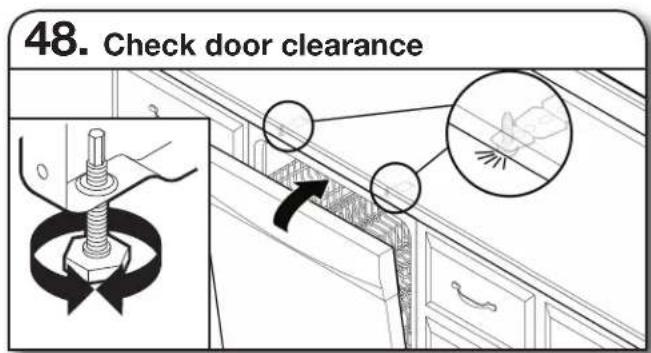
48. Check door clearanceIMPORTANT: Check that top of door does not contact screws, brackets, or countertop. If it does, adjust leveling legs or use the side attachment option.
text_image
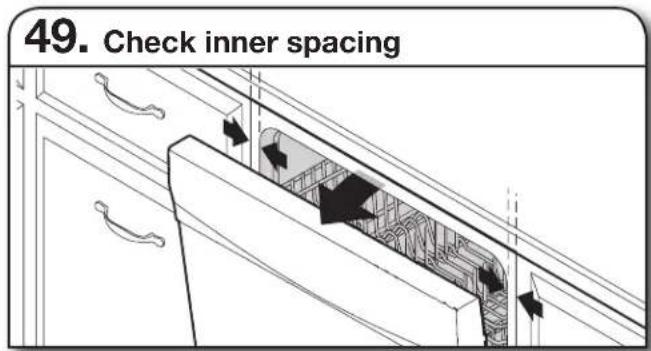
49. Check inner spacingOpen door and check that space between dishwasher cabinet opening and tub is equal on both sides. If spacing is not equal, loosen bracket screws and shift tub. Tighten bracket screws.
text_image
50. Reinstall plastic buttons Plastic buttonIf side attachment method was used, reinstall the gray plastic buttons removed in Step 39 to hide the screw holes.
DIRECT WIRE CONNECTION
text_image
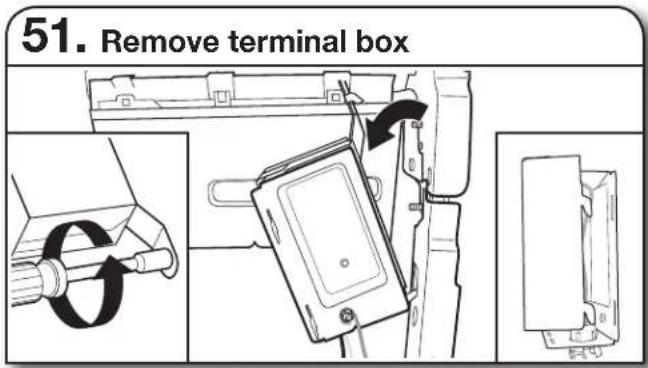
51. Remove terminal boxUse a ^1/4 " nut driver or ^1/4 " hex head socket wrench to remove the screw that holds the terminal box to the cross brace. Then, tilt the terminal box, free the tab, and lift the terminal box away from the crossbar.
text_image
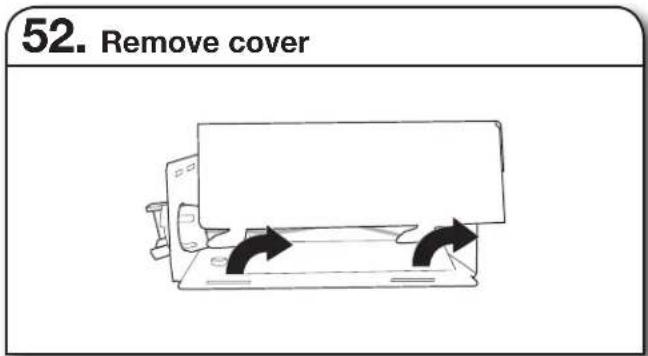
52. Remove coverRemove the cover by sliding it up and lifting its hooks out of the slots. Retain cover for later use.
text_image
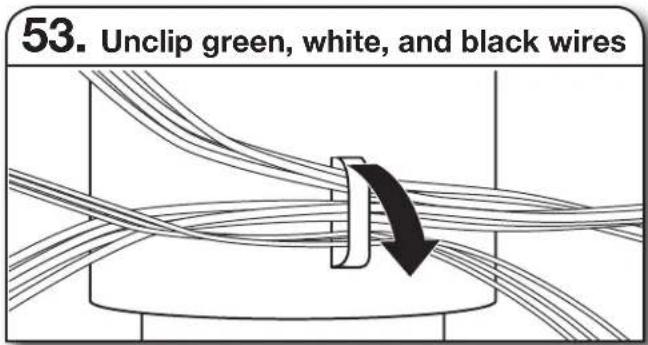
53. Unclip green, white, and black wiresThere should be adequate length in the wires to pull the terminal box out from under the dishwasher. Lift the wires off of the nearby clips or components to extend the length of wire harness for easier access.
- Install strain relief
natural_image
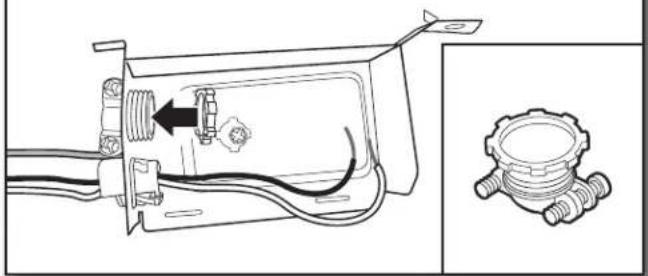
Technical line drawing of a mechanical assembly with wiring and a separate inset showing a gear-shaped component (no text or symbols)Install a UL Listed/CSA Approved metallic strain relief. See the "Tools and Parts" section at the front of the guide for part details and orders.
WARNING

Electrical Shock Hazard
Electrically ground dishwasher.
Connect ground wire to green ground connector in terminal box.
Do not use an extension cord.
Failure to follow these instructions can result in death, fire, or electrical shock.
- Direct wire – connect ground wire
text_image
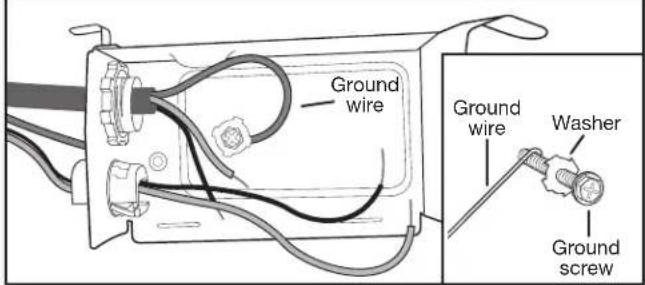
Ground wire Ground wire Washer Ground screwForm bare ground wire into a U-shaped hook. Wrap ground wire hook clockwise around the ground connector screw on the raised floor inside the box and under the dishwasher. Securely tighten ground connector.
- Direct wire – connect remaining wires
natural_image
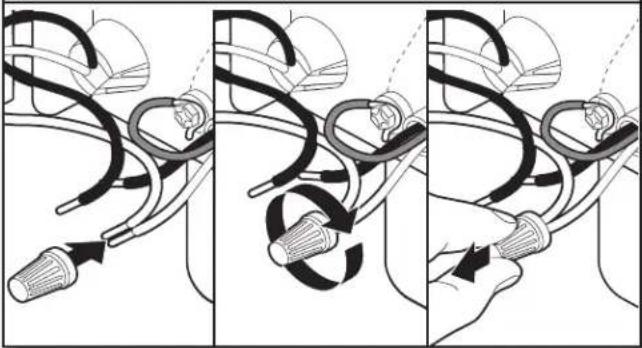
Three-panel illustration showing a hand holding a connector with cable routing, illustrating a mechanical or electrical process (no text or symbols)Select UL Listed/CSA Approved twist-on wire connectors of the proper size. See the "Tools and Parts" section at the front of the guide for part details. Connect wires, black-to-black and white-to-white, using the twist-on wire connectors.
NOTE: Do not pre-twist stranded wire. Twist on wire connector. Gently tug on wires to be sure both are secured.
- Direct wire – reinstall terminal box cover and wires
natural_image
Simple line drawing of a mechanical device with two curved arrows indicating motion or force (no text or symbols)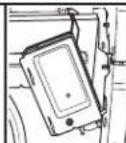
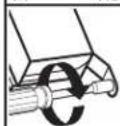
Place wires inside terminal box. Replace the cover by inserting the hooks of the terminal cover into the slots in the floor of the terminal box and sliding the cover tight against the back wall where wires come in. Make sure wires are tucked inside the box and not pinched by the cover.
Put the terminal box back on the crossbar with the tab in place. Use a 14 " nut driver and the screw removed in Step 51 to secure the terminal box to the crossbar.
Once the terminal box has been remounted on the dishwasher, tuck any excess length or slack over nearby components or clip them back into the nearby clips to help keep them off the floor.
CONNECT WATER LINE TO HOUSE SHUT-OFF VALVE
NOTE: If using a flexible braided hose, replace inlet hose after 5 years to reduce the risk of hose failure. Record hose installation or replacement dates on the hose for future reference.
- Attach water supply line
natural_image
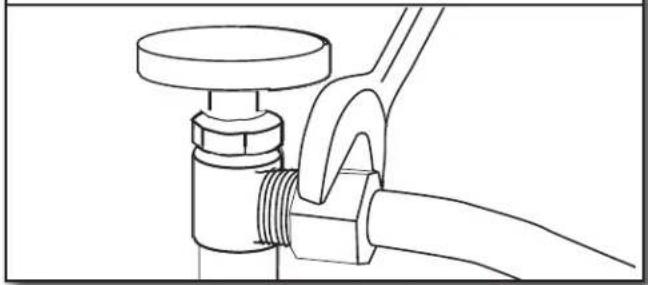
Line drawing of a pipe fitting with a valve and hose (no text or symbols)Attach the water supply line (copper tubing or flexible braided line) to the hot water line using a connection configuration that is in compliance with local codes and ordinances. The water supply to the dishwasher should have a manual shut-off valve located under the sink.
CONNECT DRAIN HOSE
59. Connect drain hose
Connect drain hose to waste tee or waste disposer using one of the following options:
■Option A: Waste disposer – no air gap
■Option B: No waste disposer – no air gap
■Option C: Waste disposer – with air gap
■Option D: No waste disposer – with air gap
IMPORTANT: The drain hose connection of the disposer or a waste tee must be made before the drain trap and at least 20" (508 mm) above the floor where the dishwasher will be installed.
Helpful Tip: To reduce vibration of the hose, keep the hose away from the floor.
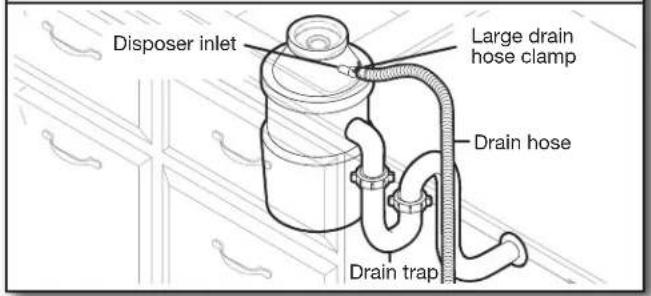
Option A: Waste disposer – no air gap
text_image
Disposer inlet Large drain hose clamp Drain hose Drain trapHelpful Tip: Remove disposer knockout plug.
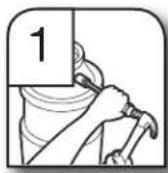
- Using a hammer and screwdriver, knock plug into disposer.
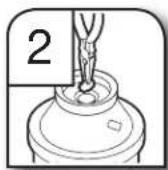
- Use needle-nose pliers to remove plug.
- Attach drain hose to disposer inlet with large drain hose clamp (provided). Use pliers to squeeze clamp open and move into position.
Option B: No waste disposer – no air gap
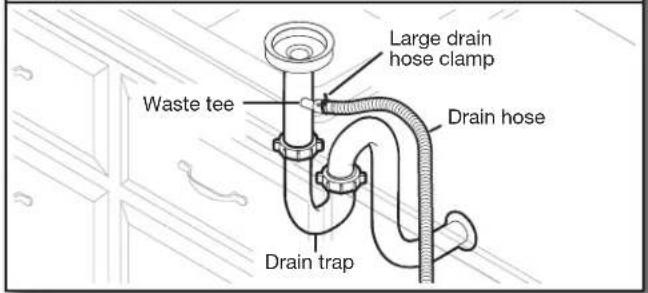
text_image
Large drain hose clamp Waste tee Drain hose Drain trap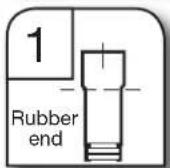
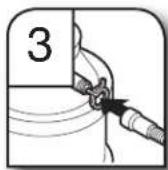
- Fit rubber end of drain hose to waste tee and cut if needed.
NOTE: Do not cut ribbed section.
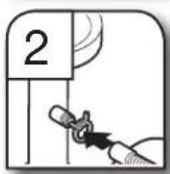
- Attach rubber end of drain hose to waste tee with a large drain hose clamp (provided). Use pliers to squeeze clamp open and move into position. If the drain hose was cut, use a 1 ^1/2 " to 2" (38 to 50 mm) screw-type clamp (not provided).
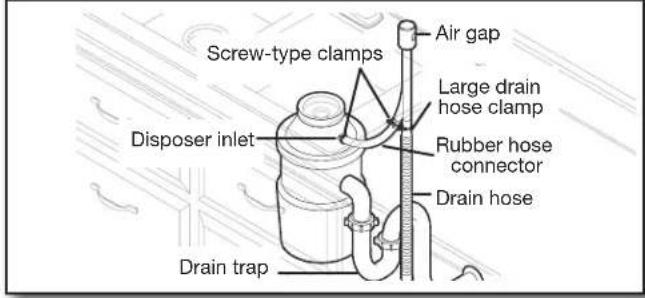
Option C: Waste disposer – with air gap
text_image
Screw-type clamps Air gap Large drain hose clamp Disposer inlet Rubber hose connector Drain hose Drain trapHelpful Tip: Remove disposer knockout plug.
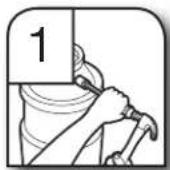
- Using a hammer and screwdriver, knock plug into disposer.
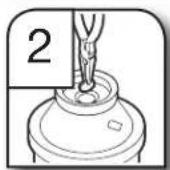
- Use needle-nose pliers to remove plug.
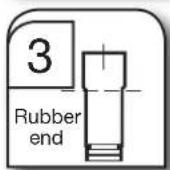
- Connect rubber end of drain hose to air gap and cut if needed.
NOTE: Do not cut ribbed section.
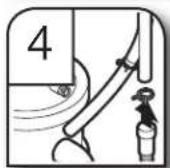
- Attach drain hose to air gap with large drain hose clamp (provided). Use pliers to squeeze clamp open and move into position. If the drain hose was cut, use a 1 ^1/2 " to 2" (38 to 50 mm) screw-type clamp (not provided).
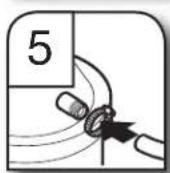
- Use a rubber hose (not provided) with screw-type clamps (not provided) to connect from air gap to disposer inlet.
Option D: No waste disposer – with air gap
text_image
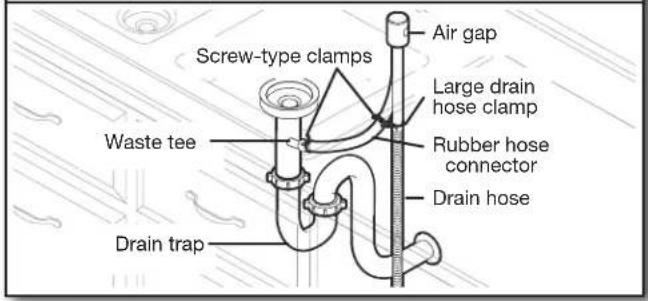
Screw-type clamps Air gap Large drain hose clamp Waste tee Rubber hose connector Drain hose Drain trap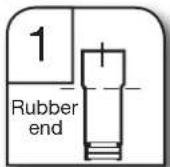
- Connect rubber end of drain hose to air gap and cut if needed.
NOTE: Do not cut ribbed section.
-
Attach drain hose to air gap with large drain hose clamp (provided). Use pliers to squeeze clamp open and move into position. If the drain hose was cut, use a 1½" to 2" (38 to 50 mm) screw-type clamp (not provided).
-
Use a rubber hose (not provided) with screw-type clamps (not provided) to connect from waste tee to air gap.
COMPLETE INSTALLATION
Check that the power supply wire or cord does not touch dishwasher motor or the lower part of the dishwasher tub.
WARNING

Electrical Shock Hazard
Plug into a grounded 3 prong outlet.
Do not remove ground prong.
Do not use an adapter.
Do not use an extension cord.
Failure to follow these instructions can result in death, fire, or electrical shock.
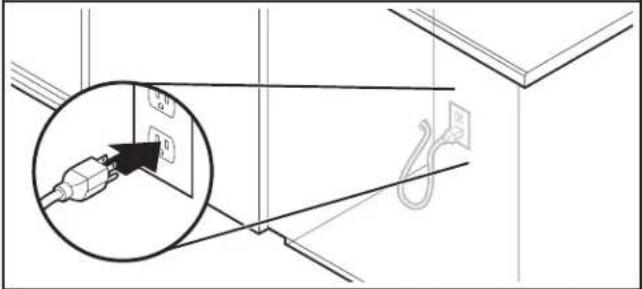
- Power supply cord – Plug into a grounded 3 prong outlet
text_image
Diagram showing electrical wiring connections with a magnified inset of an electrical plug, including labels and symbols.Plug into a grounded 3 prong outlet.
61. Reconnect power
Reconnect electrical power at the fuse box or circuit breaker box.
NOTE: With the access panel off, start the dishwasher and allow it to complete the shortest wash cycle. After the first 2 minutes, unlatch door, wait 5 seconds, then open door. Check that there is water in the bottom of the dishwasher tub. Check that dishwasher is working properly.
INSTALL ACCESS PANEL
- For Plastic: Begin with Step 62
- For Metal: Begin with Step 65
Plastic Panel:
- Reinstall access panel and fasteners
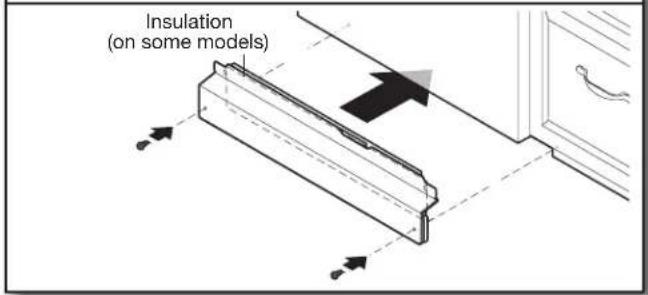
text_image
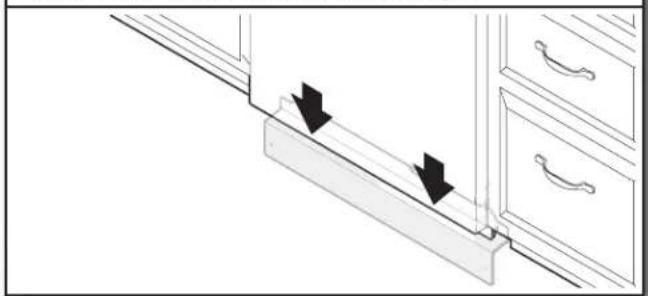
Insulation (on some models)Place the plastic access panel against the dishwasher leg. Make sure insulation does not interfere with the float assembly.
- Check access panel edge
natural_image
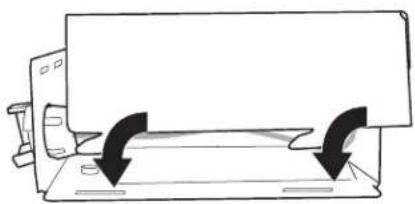
Diagram showing two arrows pointing downward on a wooden shelf with drawers (no text or symbols)Check that the lower edge of the access panel touches the floor. Adjust if necessary.
- Tighten fasteners
text_image
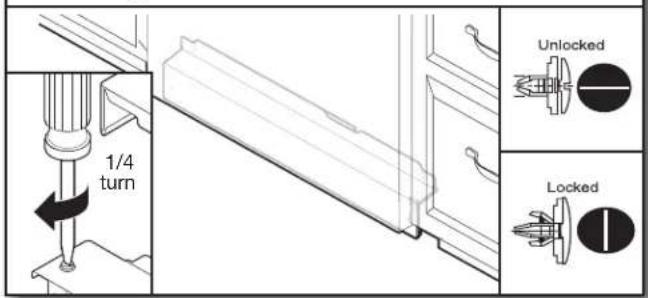
1/4 turn Unlocked LockedUsing a flat-blade screwdriver, turn the fasteners 14 turn clockwise to lock into place. The fastener slot will be straight up and down when properly locked. Go to Step 67.
Metal Panel:
- Reinstall access panel
natural_image
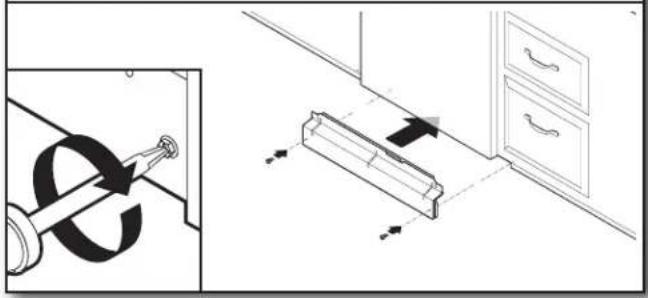
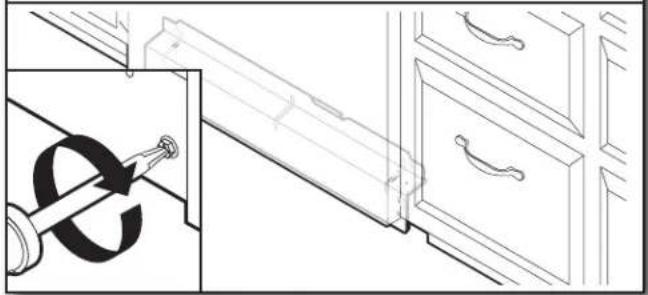
Diagram showing a door lock mechanism and a cabinet with directional arrows, no text or symbols present.Place the panel against dishwasher legs. Using a Phillips screwdriver or 14 " nut driver, reinstall the screws through the holes in the access panel.
- Check lower panel edge
natural_image
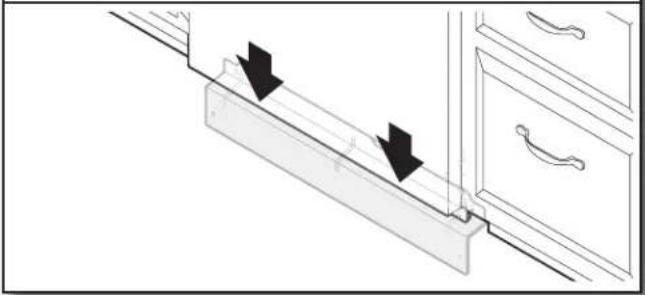
Diagram of a cabinet handle with arrows indicating movement or force direction (no text or symbols)Check that the lower edge of the access panel touches the floor. Adjust if necessary.
- Tighten screws
natural_image
Line drawing of a cabinet interior with drawers and drawers, showing a close-up of a hand holding a tool (no text or symbols present)Tighten access panel screws.
CHECK OPERATION
- Read the dishwasher User Guide that came with your dishwasher.
■Check that all parts have been installed and no steps were skipped. Check that you have all tools used.
If the dishwasher is not working properly, disconnect power or unplug dishwasher and refer to the “If Dishwasher Does Not Operate” section.
IF DISHWASHER DOES NOT OPERATE
First try the solutions suggested here to possibly avoid the cost of a service call.
■Has the circuit breaker tripped or the house fuse blown?
■Is the door closed tightly and latched?
■Has the cycle been set correctly to start the dishwasher?
■Is the water turned on?
If none of these possible solutions work, please see the User Guide for service contact information.
ADDITIONAL TIPS
Expect longer wash times. Your new dishwasher will average 2-5 hours per load but use nearly 40% less energy than older models. Designed with a low wattage, low energy consumption motor, your dishwasher washes longer to ensure exceptional cleaning. Certain models are equipped with an optical water sensor, so the first cycle will run longer to calibrate to optical sensor. Selecting certain options could increase cycle time past 3.5 hours.
Rinse Aid is necessary for good drying results:
This dishwasher is designed to be used with rinse aid for good drying performance and controlling hard water deposit buildup. Energy efficient dishwashers use less water and energy, so they depend on the water sheeting action of rinse aid for good drying performance.
Start/Resume light may flash:
When pressing Start/Resume, you must make sure the door is closed within 3 seconds. If you do not close the door within 3 seconds, the Start/Resume light will flash until you press it again. (You must also do this when adding a dish during the middle of a cycle.)
ÍNDICE
natural_image
Two line drawings of pliers, no text or symbols present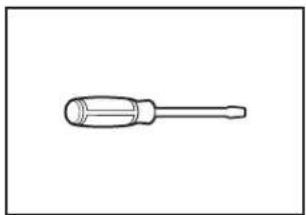
natural_image
Simple line drawing of a screwdriver (no text or symbols)Alicates Destornillador de hoja plana
natural_image
Simple line drawing of a screwdriver (no text or symbols)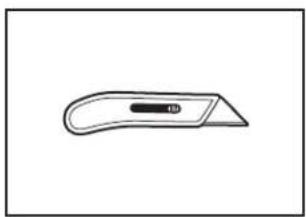
natural_image
Simple line drawing of a flat tool with a handle and central slot (no text or symbols)Destornillador Phillips Cuchillo para uso general
natural_image
Simple line drawing of a screwdriver with a handle and shaft (no text or symbols)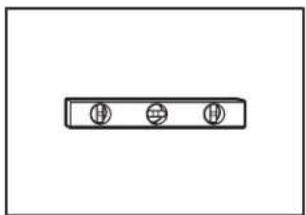
natural_image
Simple diagram with three circular symbols inside a rectangular box (no text or labels)natural_image
Simple line drawing of a tape measure (no text or symbols)Nivel pequeño
natural_image
Simple line drawing of a double-ended wrench (no text or symbols)natural_image
Line drawing of an adjustable wrench (no text or symbols)natural_image
Simple line drawing of a screwdriver (no text or symbols)Destornilladores Torx® T20® y, si se instalan paneles frontales a la medida, Torx® T15®
natural_image
Simple line drawing of a flashlight with a bulb and handle (no text or symbols)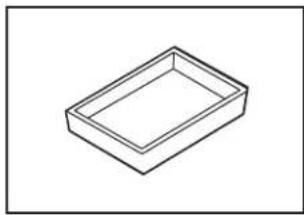
natural_image
Simple line drawing of a rectangular tray or container (no text or symbols)Linterna Bandeja Ilana
natural_image
Simple line drawing of a folded paper or document (no text or symbols)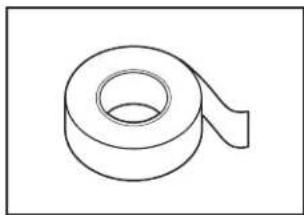
natural_image
Simple line drawing of a rolled-up adhesive tape (no text or symbols)natural_image
Two coiled spring-like shapes, no text or symbols present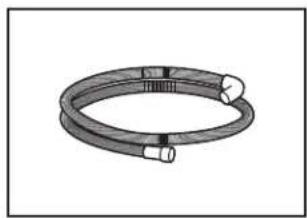
natural_image
Coiled cable or hose component with two connectors (no text or symbols visible)natural_image
Illustration of a screw with two threaded fasteners (no text or symbols)Tornillos Phillips (2) n.° 10 x 1/2"
Manguera de desagüe
natural_image
Two identical mechanical component diagrams with mounting holes and threaded ends (no text or symbols)natural_image
Simple line drawing of a horizontal rod with rounded ends and a small circular end (no text or symbols)natural_image
Line drawing of a pipe fitting with a coiled tube (no text or symbols)natural_image
Technical line drawing of a mechanical component with threaded ends and a central circular feature (no text or symbols)natural_image
Two identical line-drawn cylindrical objects with ridged surfaces, no text or symbols present.natural_image
Simple line drawing of a rolled-up adhesive tape (no text or symbols)natural_image
Simple geometric diagram with a square inside a rectangle (no text or symbols)Kit de panel lateral
natural_image
Simple line drawing of a mechanical component with a cylindrical shaft and attached lever (no text or symbols)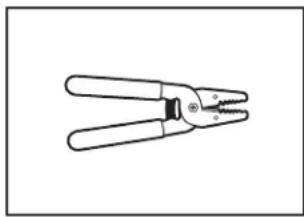
natural_image
Line drawing of a pair of pliers with metal fasteners (no text or symbols)natural_image
Line drawing of a handheld electric drill bit (no text or symbols)Taladro inalámbrico con fresas de 1/2" (12,7 mm), 3/4" (19 mm), y 1^1/2" (38 mm).
natural_image
Simple line drawing of a coiled spring or rope (no text or symbols)natural_image
Two interlocked rings with metal clips (no text or symbols)natural_image
Coiled industrial hose with two connectors (no text or symbols visible)natural_image
Diagram of a coaxial cable with a circular ring, shown above and below (no text or symbols)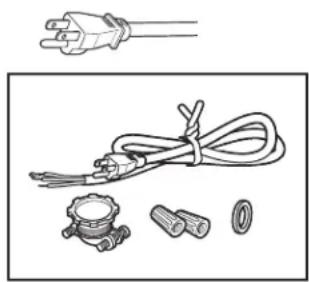
natural_image
Illustration of electrical plug, coiled cable, and mechanical components (no text or symbols)Pasacables de gabinete
National Fire Protection Association
1 Batterymarch Park
Quincy, MA 02169-7471
Se requiere:
natural_image
Diagram of a mechanical component with an arrow indicating rotation, no text or symbols presentnatural_image
Mechanical assembly diagram showing a rotating shaft and mounting bracket with directional arrows indicating motion (no text or symbols)natural_image
Line drawing of a cabinet with multiple drawers, no text or symbols presentnatural_image
Mechanical assembly diagram showing a lever mechanism with arrows indicating motion (no text or symbols)text_image
Technical diagram showing mechanical assembly with labeled parts and a worker inspecting a componentnatural_image
Simple line drawing of a coiled tube or pipe with no text or symbolsnatural_image
Line drawing of a coiled pipe with two hexagonal connectors (no text or symbols)natural_image
Line drawing of a flexible hose with a flanged cap and bolted end (no text or symbols)natural_image
Line drawing of a mechanical clamp or grip assembly (no text or symbols)natural_image
Technical line drawing showing mechanical assembly with a rotating component and a close-up of its side view (no text or symbols)natural_image
Simple line drawing of a printer with two curved arrows indicating rotation or movement (no text or symbols)natural_image
Technical line drawing of a mechanical assembly with no visible text or symbolsnatural_image
Technical diagram showing wiring connections between electrical components, with no visible text or symbolsnatural_image
Three-panel diagram showing a hand holding a connector with coiled wires, illustrating a mechanical or electrical process (no text or symbols present)natural_image
Technical diagram showing wiring connections inside a device frame, with an inset close-up of a mechanical component (no text or symbols visible)natural_image
Diagram showing a mechanical device with rotating arrows and a close-up inset of its internal components (no text or symbols)natural_image
Diagram of a device with a rectangular block and a curved arrow indicating rotation (no text or symbols)natural_image
Line drawing of a refrigerator with drawers and an open refrigerator (no text or symbols)natural_image
Technical line drawing of a mechanical assembly with a curved arrow indicating direction (no text or symbols)natural_image
Line drawing of a cabinet interior with drawers and drawers, showing a handle and drawer (no text or symbols)natural_image
Line drawing of a kitchen appliance with a screwdriver and a door, showing internal components (no text or symbols)natural_image
Diagram showing a server rack with a close-up view of the rack and its mechanical assembly (no text or symbols)natural_image
Line drawing of a cabinet interior with door covers and storage racks (no text or symbols)text_image
Technical diagram showing a mechanical assembly with magnified detail and labeled components, including a bolt and cleaning tool.natural_image
Architectural diagram of a cabinet with drawers and doorways, showing structural components (no text or labels)natural_image
Technical diagram showing mechanical assembly with inset views of a component (no text or symbols)natural_image
Simple line drawing of a device with two curved arrows indicating rotation or movement (no text or symbols)natural_image
Pure diagram of fluid flow around a pipe with directional arrow, no text or symbols presentnatural_image
Technical line drawing of a mechanical assembly with no visible text or symbolsnatural_image
Three-panel diagram showing a hand holding a connector with curved wires and connectors, no text or symbols present.natural_image
Simple line drawing of a mechanical component with two curved arrows indicating rotation or force direction (no text or symbols)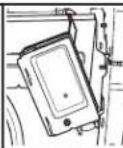
natural_image
Line drawing of a pipe fitting with a valve and hose (no text or symbols)natural_image
Diagram showing a cable installation with an electrical plug inserted into a wall, and a hook attached to the right wall (no text or symbols present)natural_image
Diagram showing two black arrows pointing downward on a wooden shelf with drawers (no text or symbols)natural_image
Diagram showing a door lock mechanism and a cabinet lock assembly with directional arrows (no text or symbols)natural_image
Diagram of a kitchen drawer with arrows indicating direction of movement or force (no text or symbols present)natural_image
Line drawing of a kitchen drawer with a hand tool inserted, showing a close-up of the handle (no text or symbols)INSTRUCTIONS D'INSTALLATION....59
natural_image
Two line drawings of pliers, no text or symbols presentnatural_image
Line drawing of a screwdriver with a flat head and threaded shaft (no text or symbols)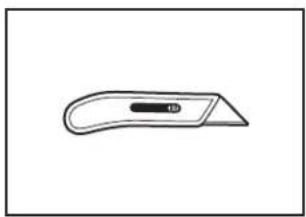
natural_image
Simple line drawing of a flat tool with a handle and central slot (no text or symbols)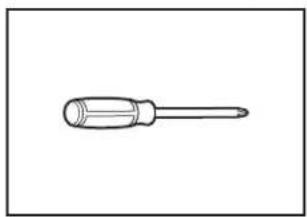
natural_image
Simple line drawing of a screwdriver (no text or symbols)natural_image
Simple line drawing of a screwdriver with a handle and shaft (no text or symbols)natural_image
Simple diagram with three circular symbols inside a rectangular box (no text or labels)Petit niveau
natural_image
Simple line drawing of a tape measure (no text or symbols)natural_image
Simple line drawing of a double-ended wrench (no text or symbols)5/8"
natural_image
Line drawing of an adjustable wrench (no text or symbols)natural_image
Simple line drawing of a screwdriver (no text or symbols)natural_image
Simple line drawing of a flashlight with a bulb and handle (no text or symbols)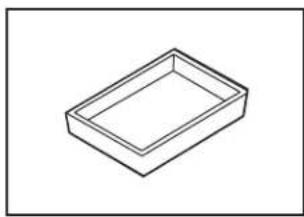
natural_image
Simple line drawing of a rectangular tray or container (no text or symbols)natural_image
Simple line drawing of a folded paper or sheet (no text or symbols)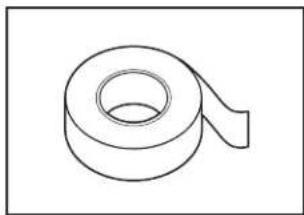
natural_image
Simple line drawing of a rolled-up adhesive tape (no text or symbols)natural_image
Two coiled spring-like shapes, no text or symbols present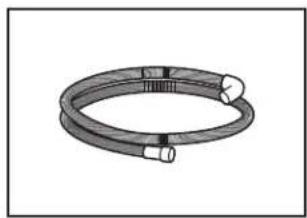
natural_image
Coiled cable or hose component with two connectors (no text or symbols visible)natural_image
Illustration of a screw with two threaded fasteners (no text or symbols)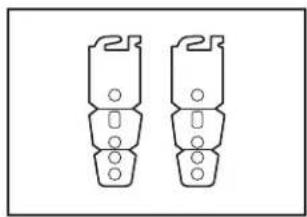
natural_image
Two identical mechanical component diagrams with mounting holes and threaded ends (no text or symbols)natural_image
Simple line drawing of a horizontal rod with two ends and a central hole (no text or symbols)natural_image
Line drawing of a pipe fitting with a flanged end (no text or symbols)natural_image
Technical line drawing of a mechanical component with threaded ports and a central circular feature (no text or symbols)natural_image
Two identical cylindrical objects with fluted lids, shown side by side (no text or symbols)natural_image
Simple line drawing of a rolled-up tape or tape (no text or symbols)natural_image
Simple geometric diagram with a square inside a rectangle (no text or symbols)natural_image
Simple line drawing of a mechanical component with a cylindrical shaft and base (no text or symbols)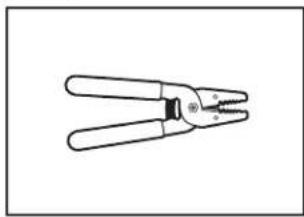
natural_image
Line drawing of a pair of pliers with metal fasteners (no text or symbols)natural_image
Line drawing of a handheld electric drill bit (no text or symbols)natural_image
Simple line drawing of a coiled spring or rope (no text or symbols)natural_image
Two interlocked metal rings with clamps (no text or symbols)natural_image
Illustration of a coiled industrial hose with two connectors (no text or symbols)natural_image
Simple line drawing of a rectangular box with a circular ring on the bottom, above a cylindrical cable (no text or symbols)natural_image
Illustration of electrical plug, coiled cable, and various components (no text or symbols)text_image
24½" (622 mm) B 3/4" (19 mm) A C 30" (762 mm) -3¾" (94 mm) 21" (533 mm)National Fire Protection Association
1 Batterymarch Park
Quincy, MA 02169-7471
Il vous faut :
natural_image
Diagram of a device with a rectangular block and a curved arrow indicating rotation (no text or symbols)natural_image
Technical diagram showing mechanical assembly with arrows indicating motion, no text or symbols presentnatural_image
Line drawing of a cabinet with multiple drawers and drawers, no text or symbols presentnatural_image
Technical diagram of a mechanical assembly with arrows indicating motion or force (no text or symbols)text_image
Technical diagram showing mechanical assembly with labeled parts and a close-up of a tool interacting with a bracket.natural_image
Diagram of a coiled wire or filament with a single end cap (no text or symbols)natural_image
Line drawing of a flexible hose with threaded ends and two bolts (no text or symbols)natural_image
Line drawing of a flexible hose with a flanged end (no text or symbols)natural_image
Technical line drawing of a mechanical clamp or bracket assembly (no text or symbols)natural_image
Technical diagram showing mechanical assembly with zoomed-in detail (no text or symbols)natural_image
Simple line drawing of a computer monitor with two curved arrows indicating rotation or movement (no text or symbols)natural_image
Technical line drawing of a mechanical assembly with no visible text or symbolsnatural_image
Technical line drawing showing wiring connections and component assembly (no text or symbols)natural_image
Three-panel diagram showing a hand holding a connector with curved wires and connectors, no text or symbols present.natural_image
Technical diagram showing wiring connections inside a device frame, with an inset view of a mechanical component (no text or symbols visible)natural_image
Simple line drawing of a printer or printer with two curved arrows indicating rotation or movement (no text or symbols)