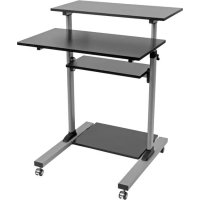
WorkWise WWSSRC - Adjustable Desk Tripp Lite - Free user manual and instructions
Find the device manual for free WorkWise WWSSRC Tripp Lite in PDF.


| Product Type | Mobile height-adjustable standing desk/workstation |
| Brand | Tripp Lite |
| Model | WorkWise WWSSRC |
| Use | Indoor use only |
| Maximum Load Capacity | Estimated: 70 kg (check manual for exact value) |
| Height Adjustment | Yes, mechanical (crank) |
| Mobility | Adjustable casters |
| Materials | Steel, composite panels |
| Color | Dark gray/black (typical) |
| Dimensions (assembled) | Estimated: 120 x 60 cm (check manual) |
| Product Weight | Estimated: 25 kg |
| Power Supply | None (mechanical) |
| Warranty | 5-year limited |
| Assembly Required | Yes, with included tools |
| Package Contents | Desk parts, screws, hex keys, casters |
| Maintenance | Clean with a soft, dry cloth; check screws every 3 months |
| Safety | Do not exceed maximum load; use on stable floor; do not use outdoors |
| Spare Parts | Contact Tripp Lite customer service |
| Repairability | Possible through manufacturer for mechanical parts |
| Country of Origin | Not specified |
Frequently Asked Questions - WorkWise WWSSRC Tripp Lite
User questions about WorkWise WWSSRC Tripp Lite
0 question about this device. Answer the ones you know or ask your own.
Ask a new question about this device
Download the instructions for your Adjustable Desk in PDF format for free! Find your manual WorkWise WWSSRC - Tripp Lite and take your electronic device back in hand. On this page are published all the documents necessary for the use of your device. WorkWise WWSSRC by Tripp Lite.
USER MANUAL WorkWise WWSSRC Tripp Lite
Height-Adjustable Mobile Stand-Up Desk/Workstation
Model: WWSSRC
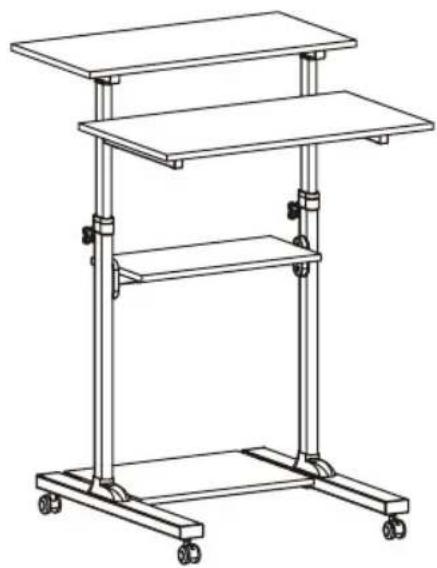
natural_image
Line drawing of a multi-tiered office chair with wheels and legs (no text or symbols)Español 13 • Français 25 • Русский 37 • Deutsch 49
PROTECT YOUR INVESTMENT!
Register your product for quicker service and ultimate peace of mind.
You could also win an ISOBAR6ULTRA surge protector—a \$100 value!
www.tripplite.com/warranty


Manufacturing Excellence.
1111 W. 35th Street, Chicago, IL 60609 USA • www.tripplite.com/support
Copyright © 2018 Tripp Lite. All rights reserved.
NOTE: Read the entire instruction manual before you start assembly and installation.

WARNING
- Do not begin the installation until you have read and understood the instructions and warnings contained in this manual. If you have any questions regarding any of the instructions or warnings, please visit www.triplite.com/support
- This workstation was designed to be installed and utilized ONLY as specified in this manual. Improper installation of this product may cause damage or serious injury.
- This product should only be installed by someone of good mechanical ability, with basic building experience and a full understanding of this instruction manual.
- Make sure that the unit can safely support the combined load of the equipment and all attached hardware and components.
- Always use an assistant or mechanical lifting equipment to safely lift and position equipment.
- This product is intended for indoor use only. Using this product outdoors could lead to product failure and personal injury.
Warranty and Product Registration
5-Year Limited Warranty
Seller warrants this product, if used in accordance with all applicable instructions, to be free from original defects in material and workmanship for a period of 5 years from the date of initial purchase. If the product should prove defective in material or workmanship within that period, Seller will repair or replace the product, in its sole discretion.
THIS WARRANTY DOES NOT APPLY TO NORMAL WEAR OR TO DAMAGE RESULTING FROM ACCIDENT, MISUSE, ABUSE OR NEGLECT. SELLER MAKES NO EXPRESS WARRANTIES OTHER THAN THE WARRANTY EXPRESSLY SET FORTH HEREIN. EXCEPT TO THE EXTENT PROHIBITED BY APPLICABLE LAW, ALL IMPLIED WARRANTIES, INCLUDING ALL WARRANTIES OF MERCHANTABILITY OR FITNESS, ARE LIMITED IN DURATION TO THE WARRANTY PERIOD SET FORTH ABOVE; AND THIS WARRANTY EXPRESSLY EXCLUDES ALL INCIDENTAL AND CONSEQUENTIAL DAMAGES. (Some states do not allow limitations on how long an implied warranty lasts, and some states do not allow the exclusion or limitation of incidental or consequential damages, so the above limitations or exclusions may not apply to you. This warranty gives you specific legal rights, and you may have other rights which vary from jurisdiction to jurisdiction).
WARNING: The individual user should take care to determine prior to use whether this device is suitable, adequate or safe for the use intended. Since individual applications are subject to great variation, the manufacturer makes no representation or warranty as to the suitability or fitness of these devices for any specific application.
PRODUCT REGISTRATION
Visit www.triplite.com/warranty today to register your new Tripp Lite product. You'll be automatically entered into a drawing for a chance to win a FREE Tripp Lite product!*
* No purchase necessary. Void where prohibited. Some restrictions apply. See website for details.
Tripp Lite has a policy of continuous improvement. Specifications are subject to change without notice.
Component Checklist
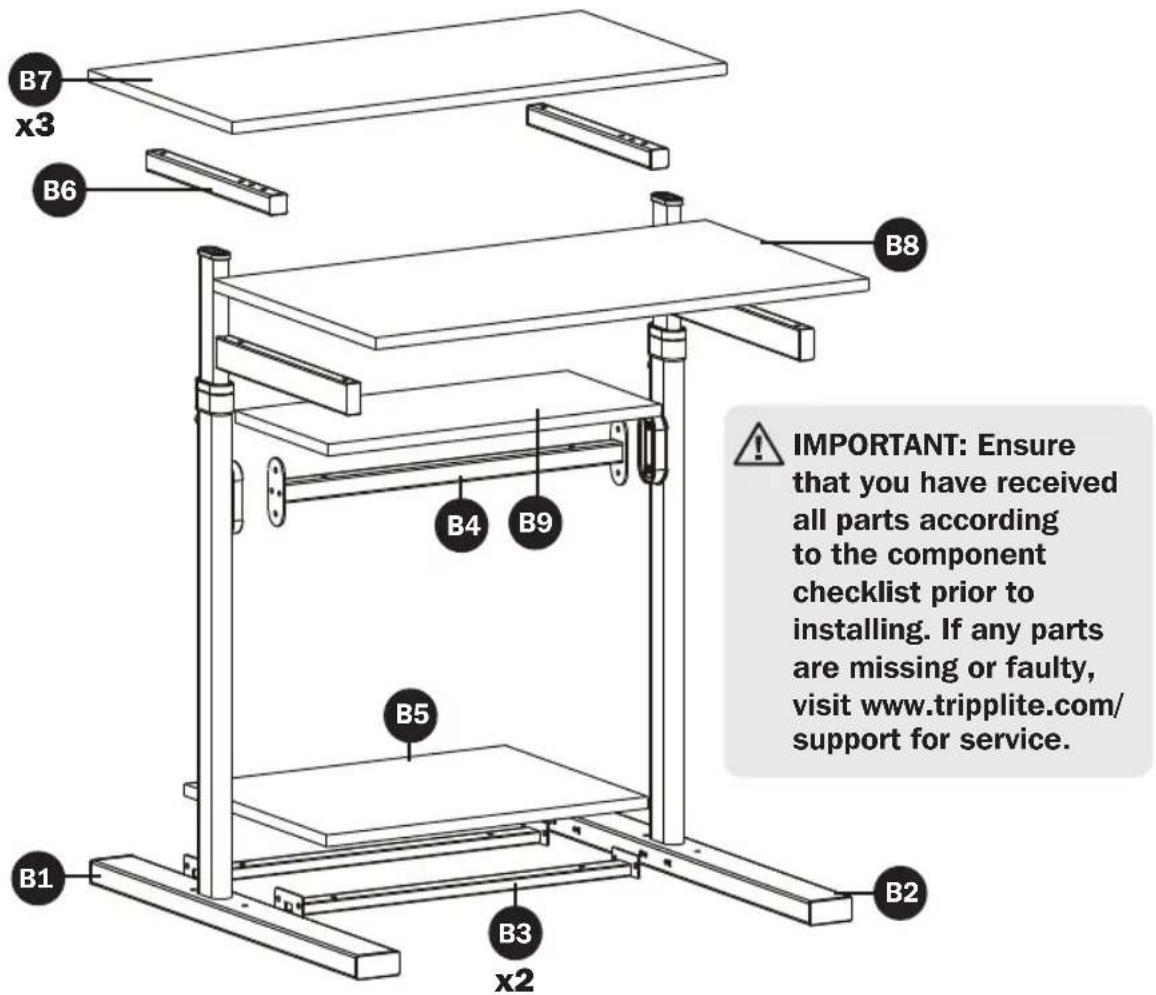
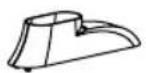

x2


x2


x2


x2


x2
Packet A


M6 x 12
x12
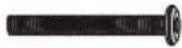

M6 x 50
x4


M6 x 25
x4
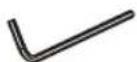

Hex Key
x1
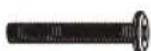

M6 x 40
x4


Wrench
x1
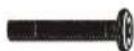

M6 x 35
x6
Assembly
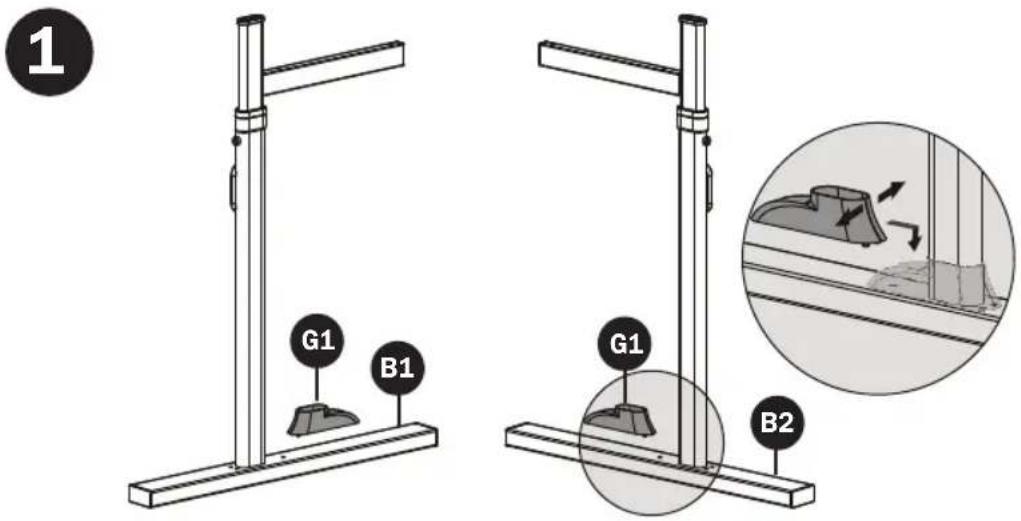
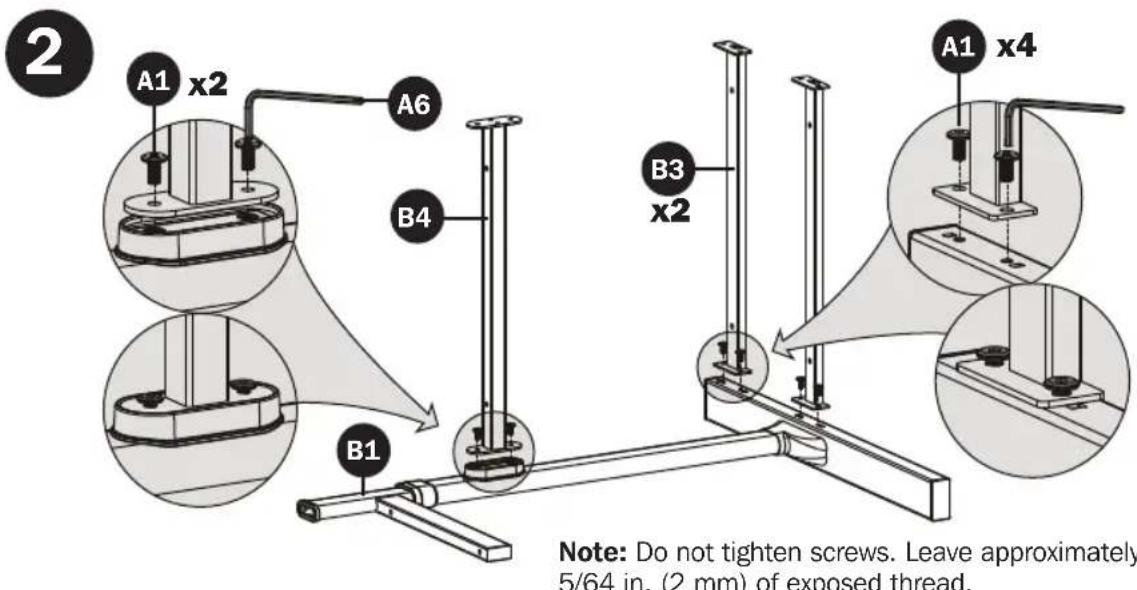
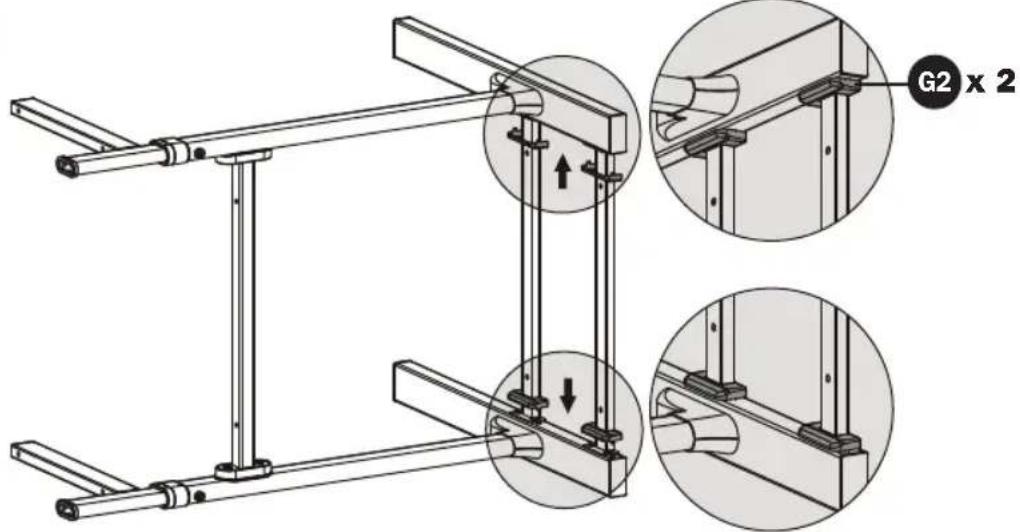
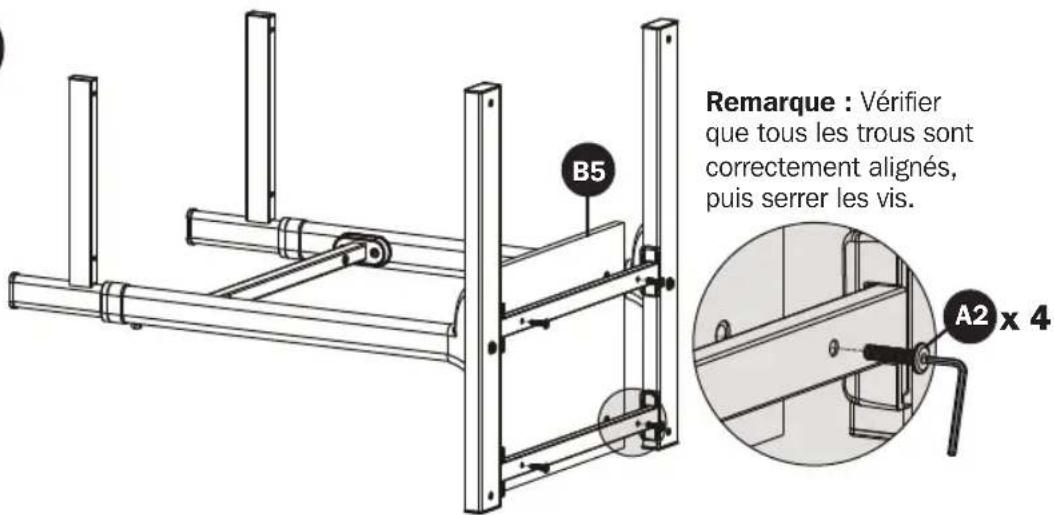
Note: Do not tighten screws. Leave approximately 5/64 in. (2 mm) of exposed thread.
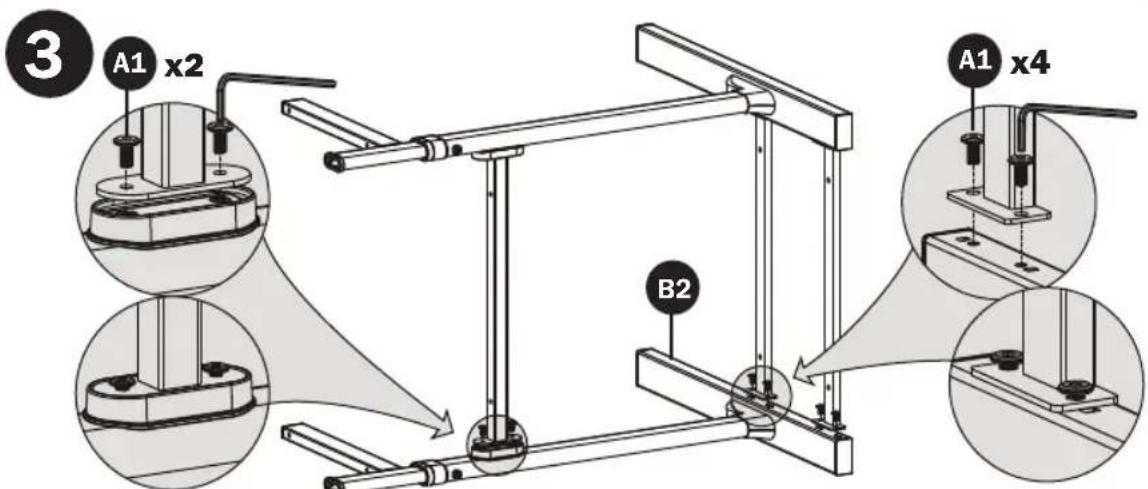
Note: Do not tighten screws. Leave approximately 5/64 in. (2 mm) of exposed thread.
Assembly
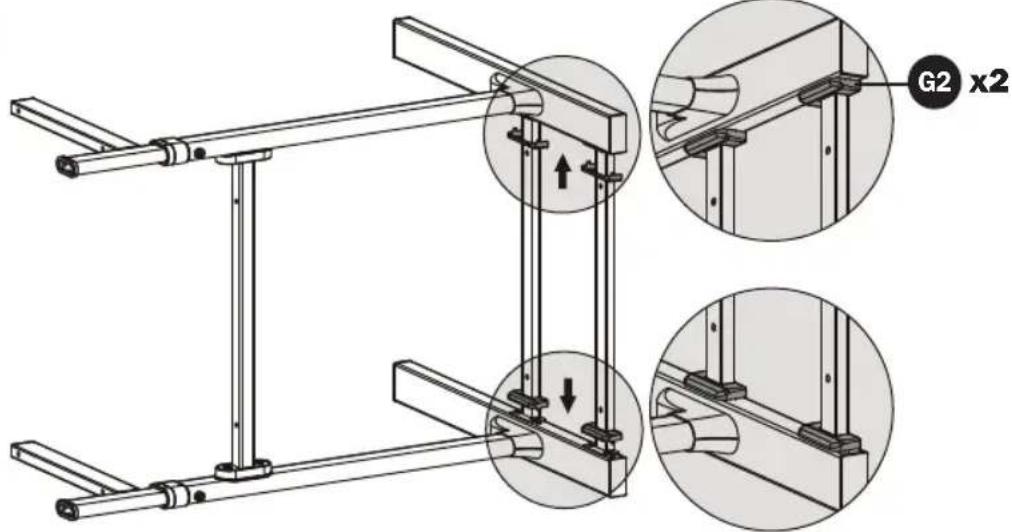
4
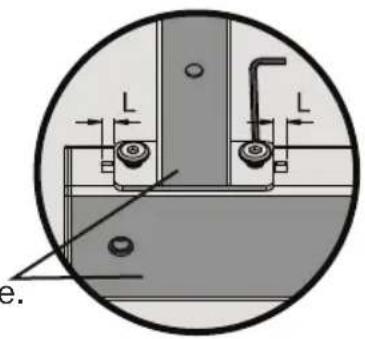
“L” Dimensions should be equal.
Keep the same plane.
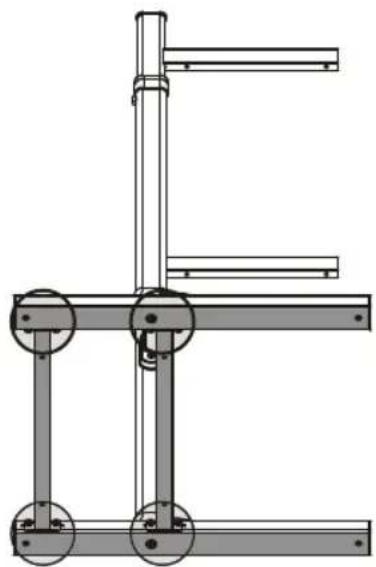
natural_image
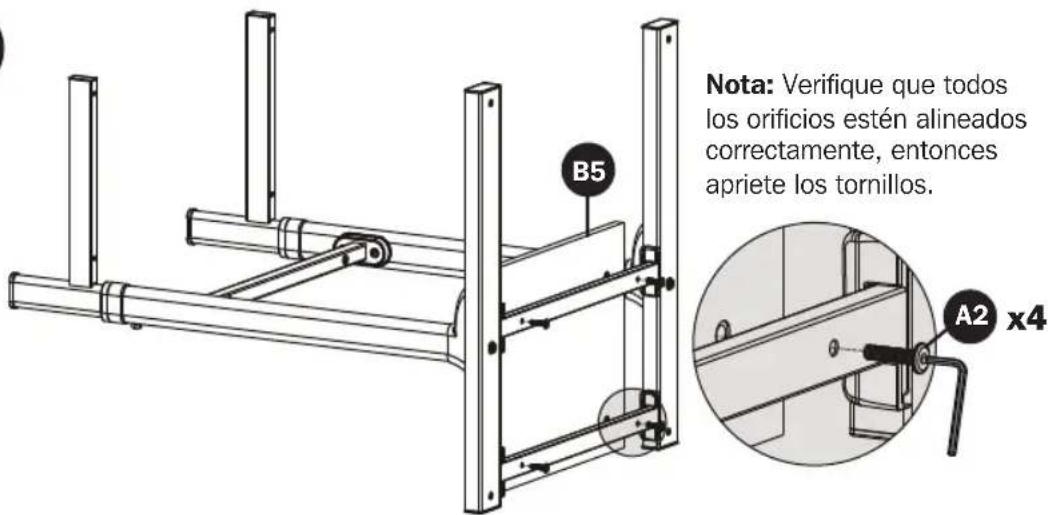
Technical line drawing of a mechanical frame assembly (no text or symbols)5
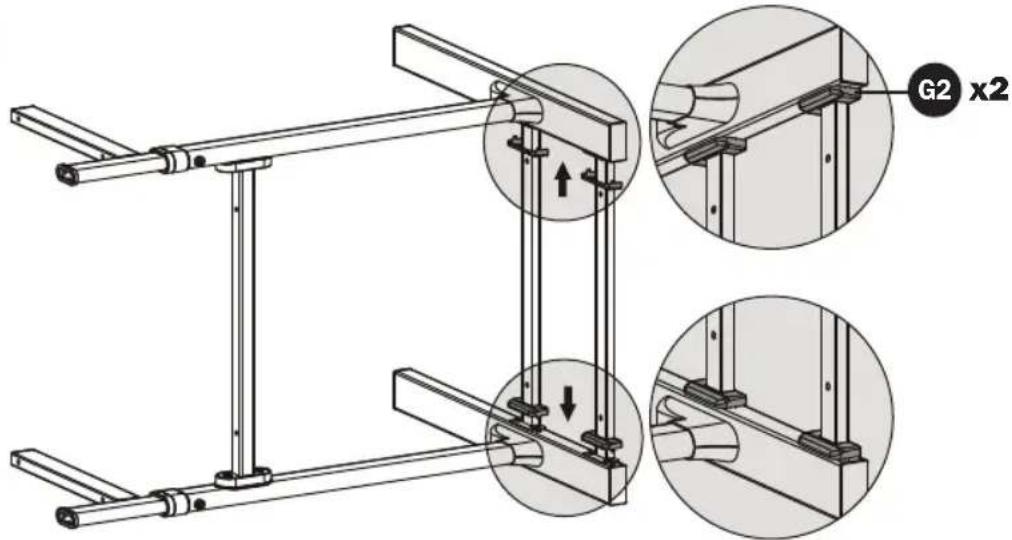
6
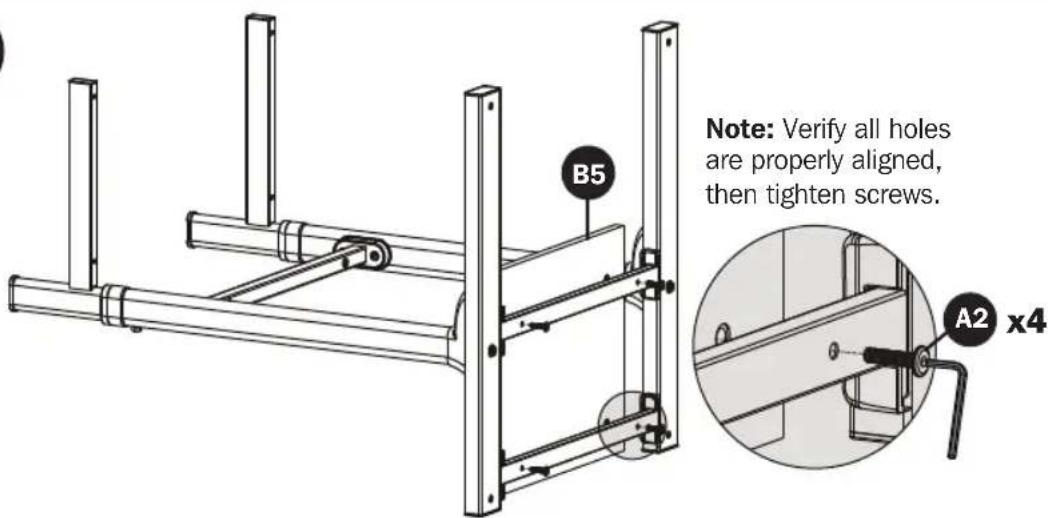
Assembly
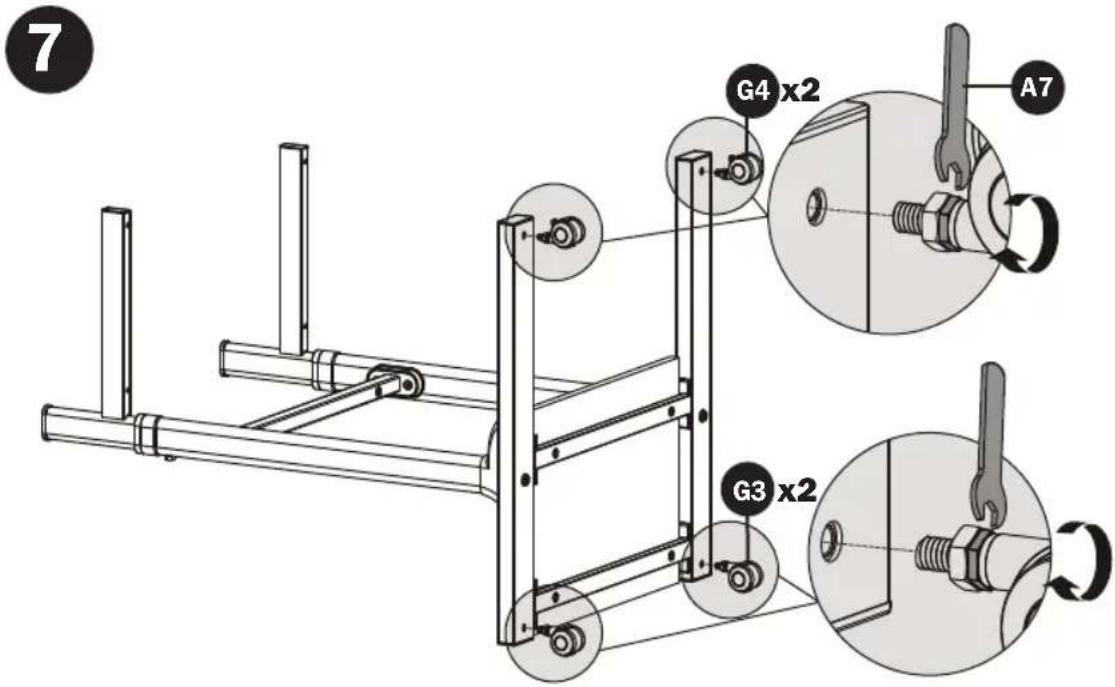

Assembly

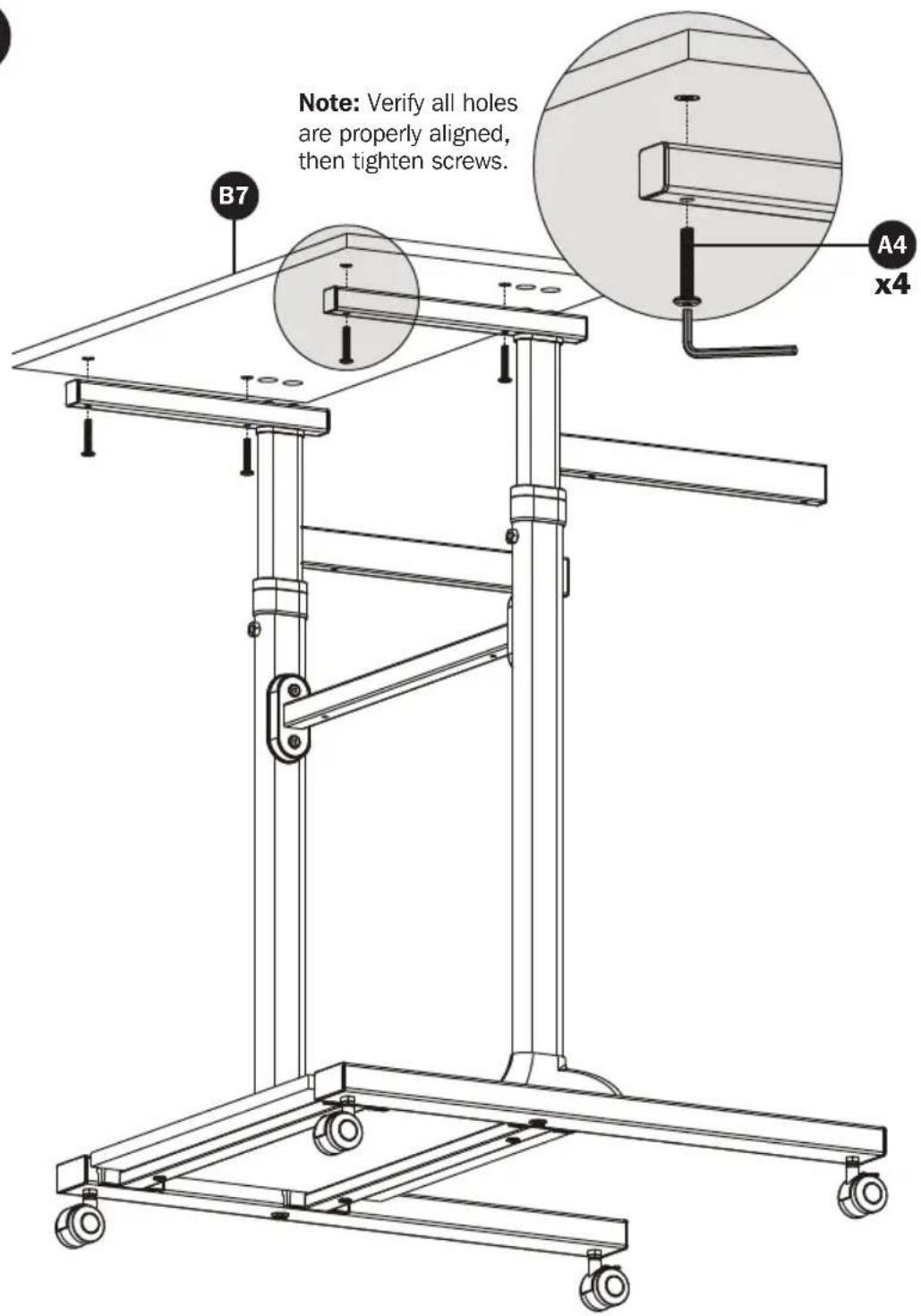
Assembly
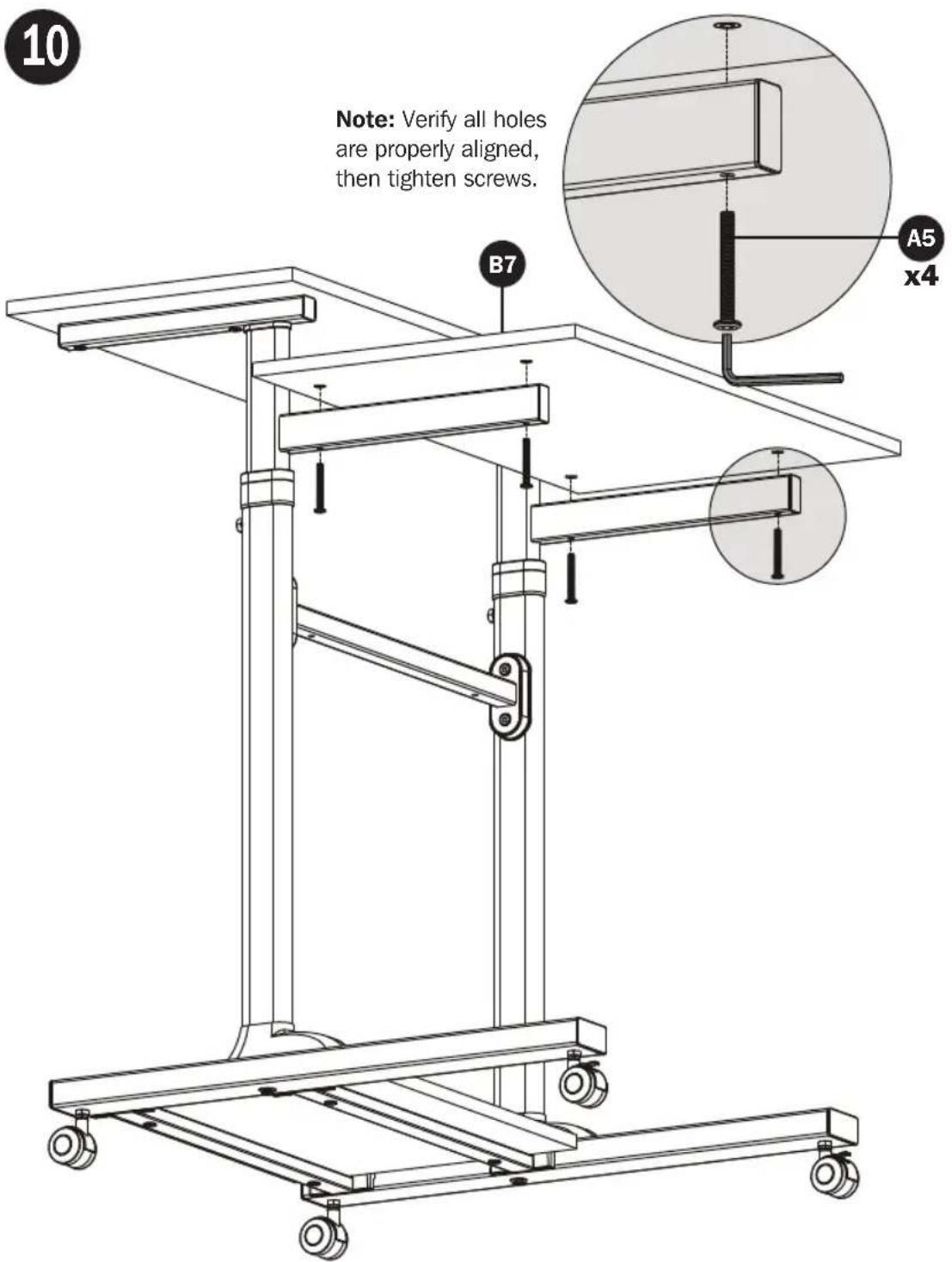
Assembly
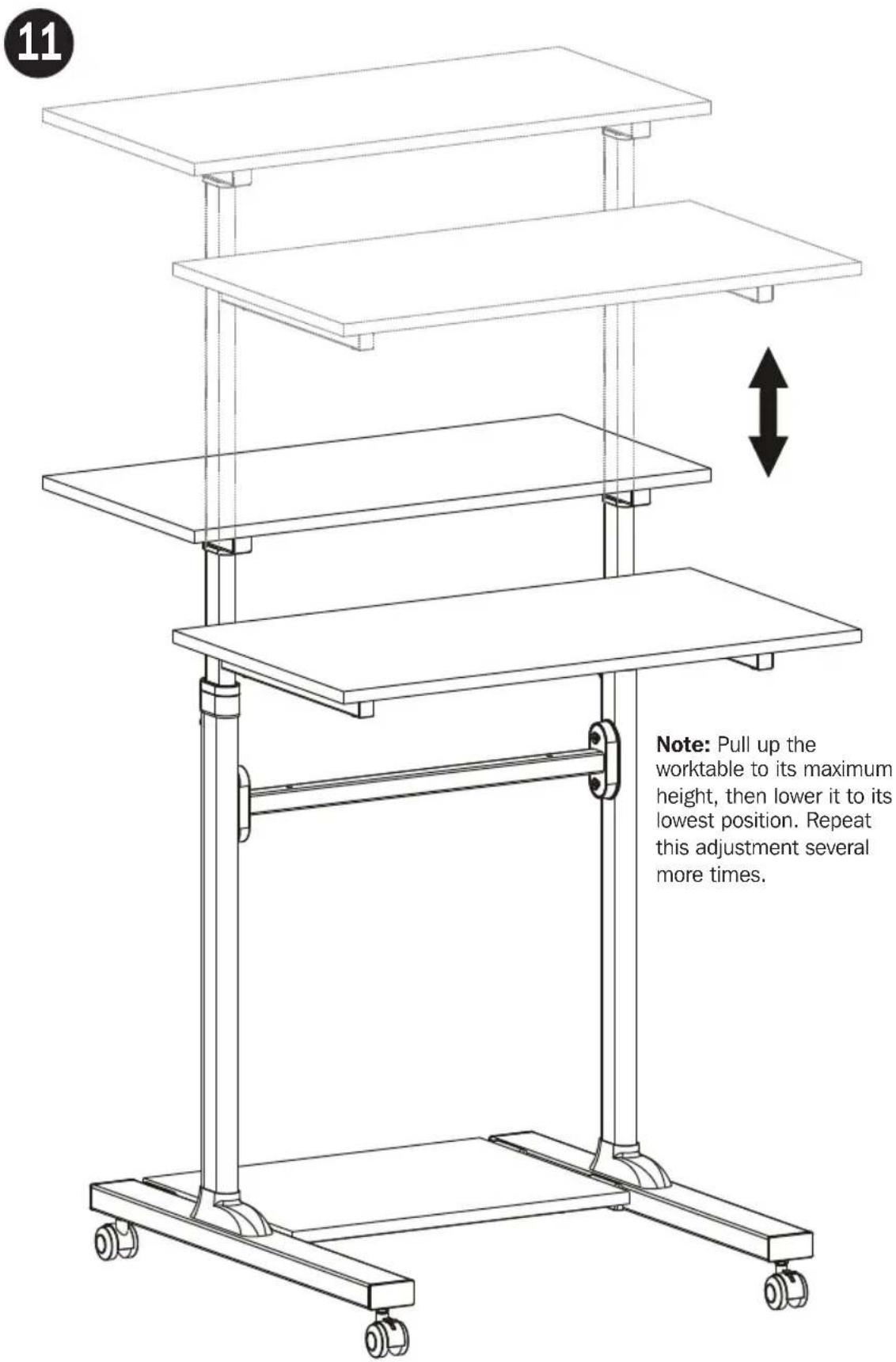
Assembly
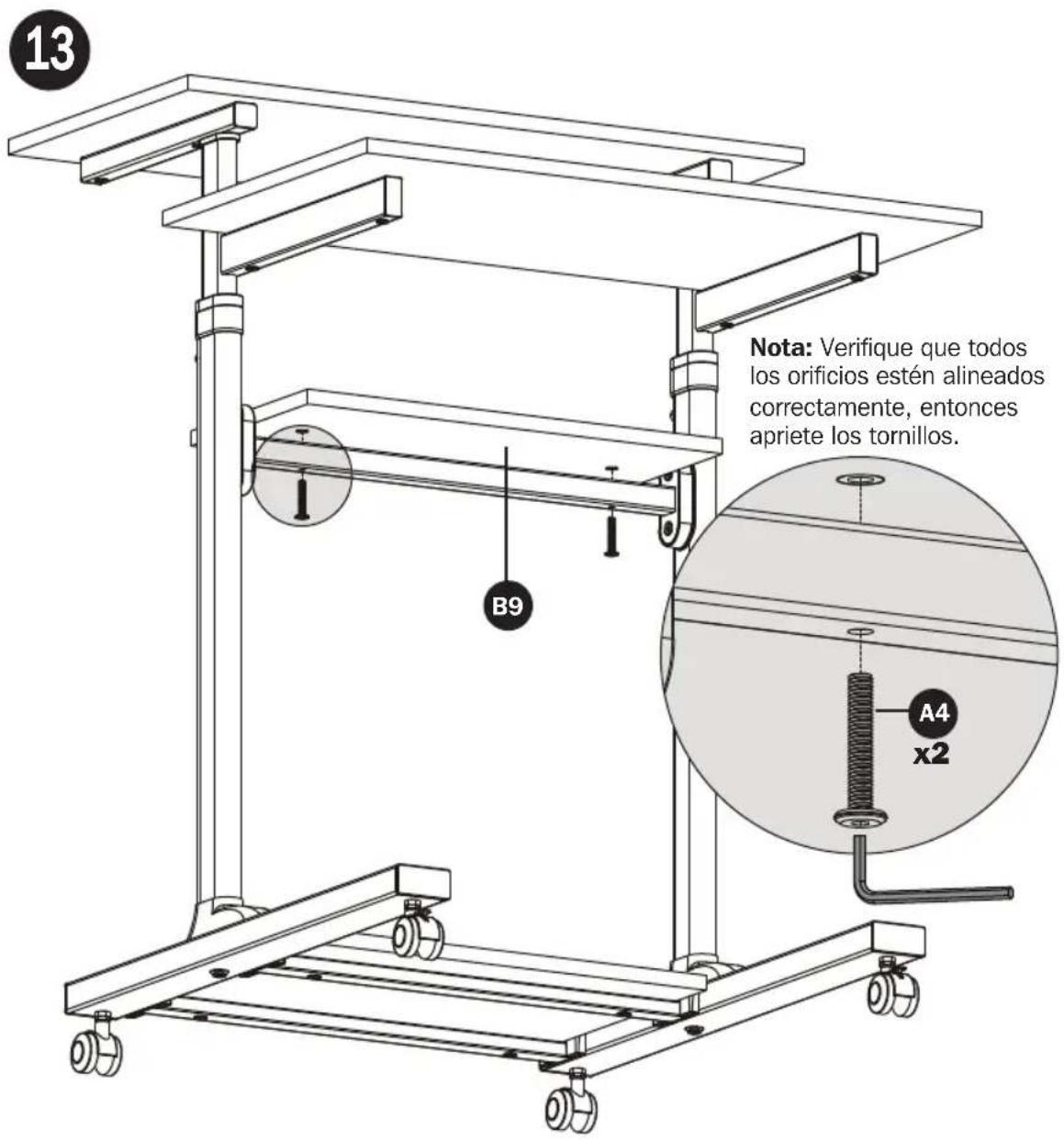
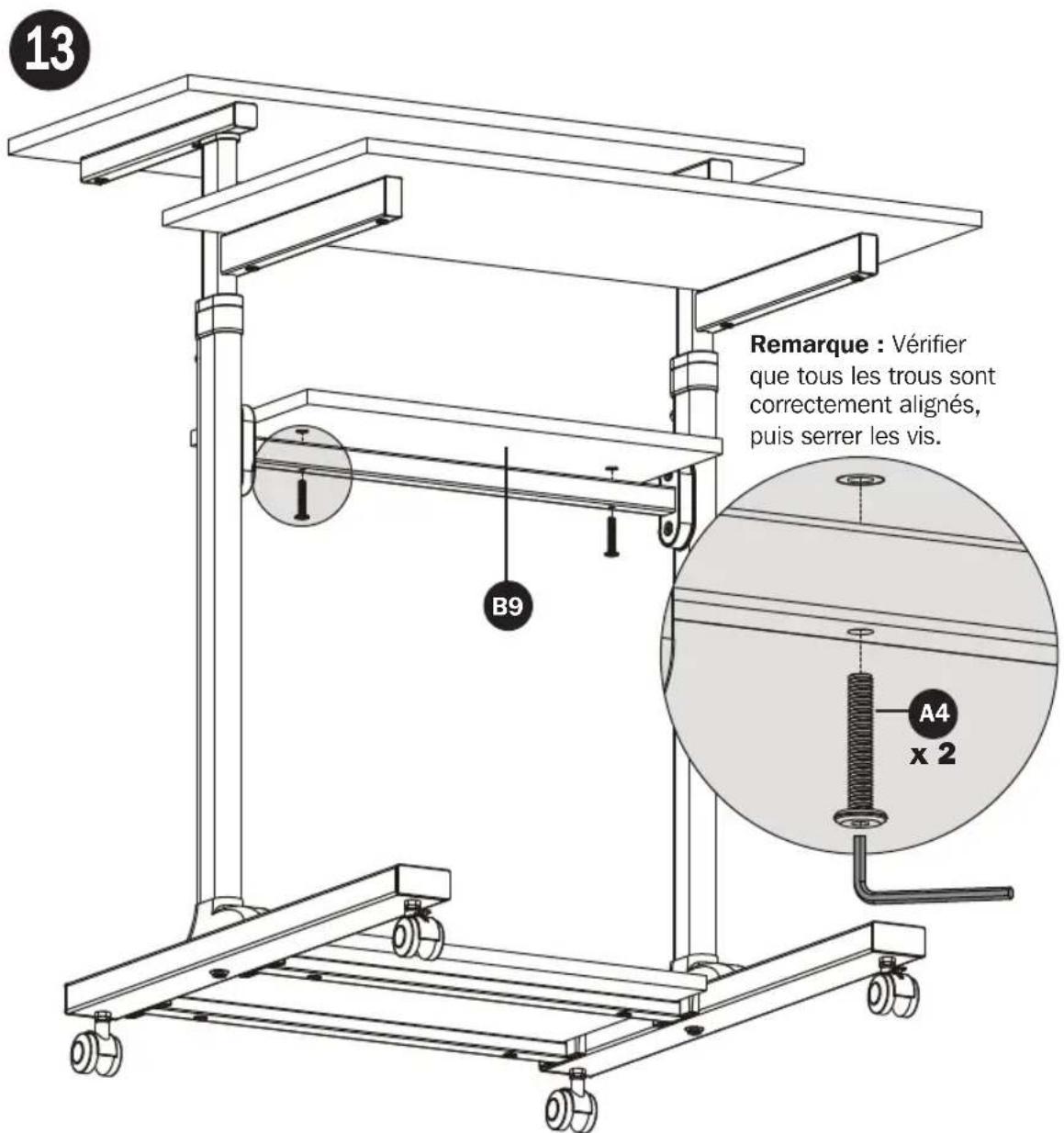
12
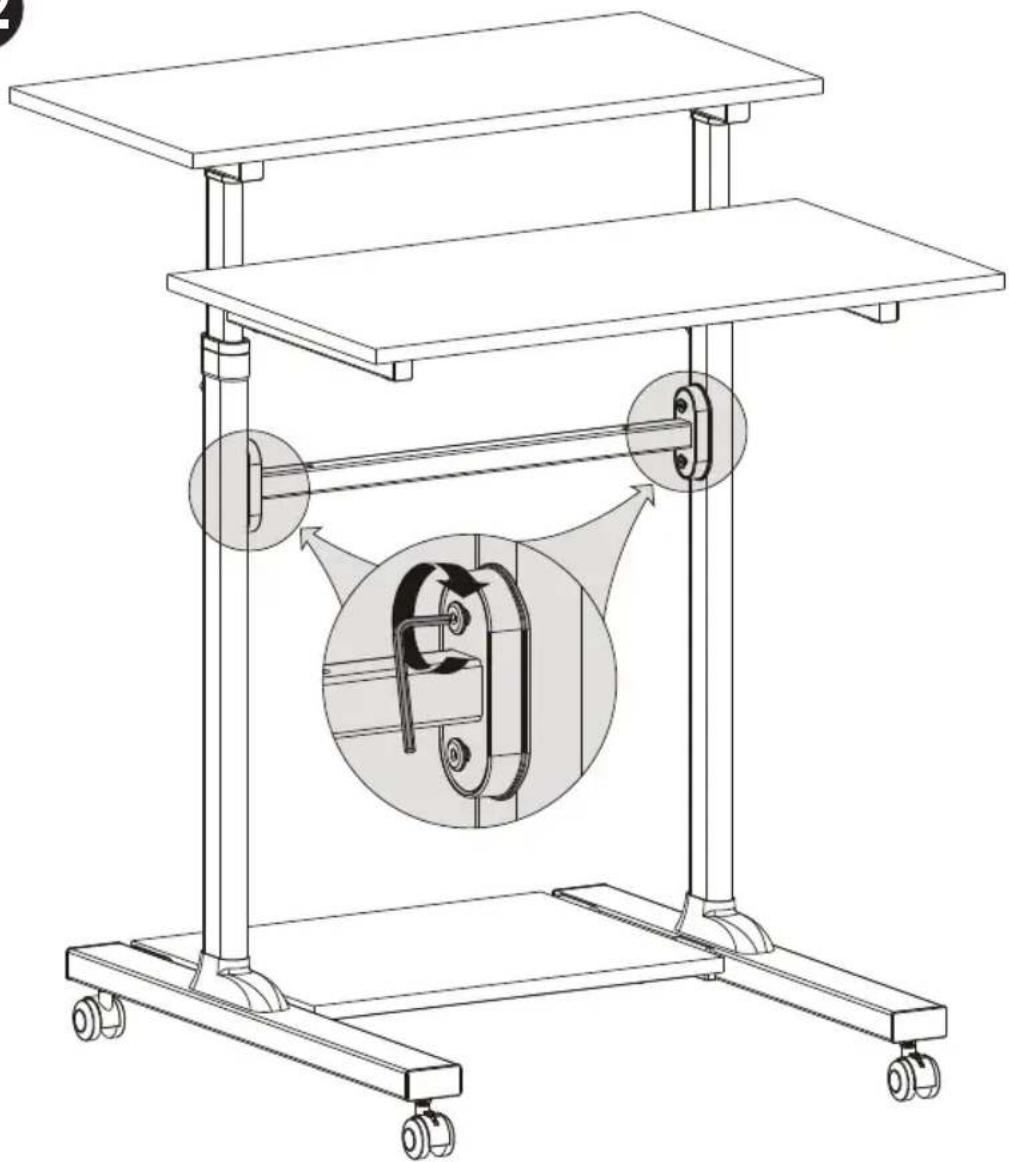
natural_image
Technical line drawing of a multi-level mechanical device with wheels and a central rotating component (no text or symbols)Assembly
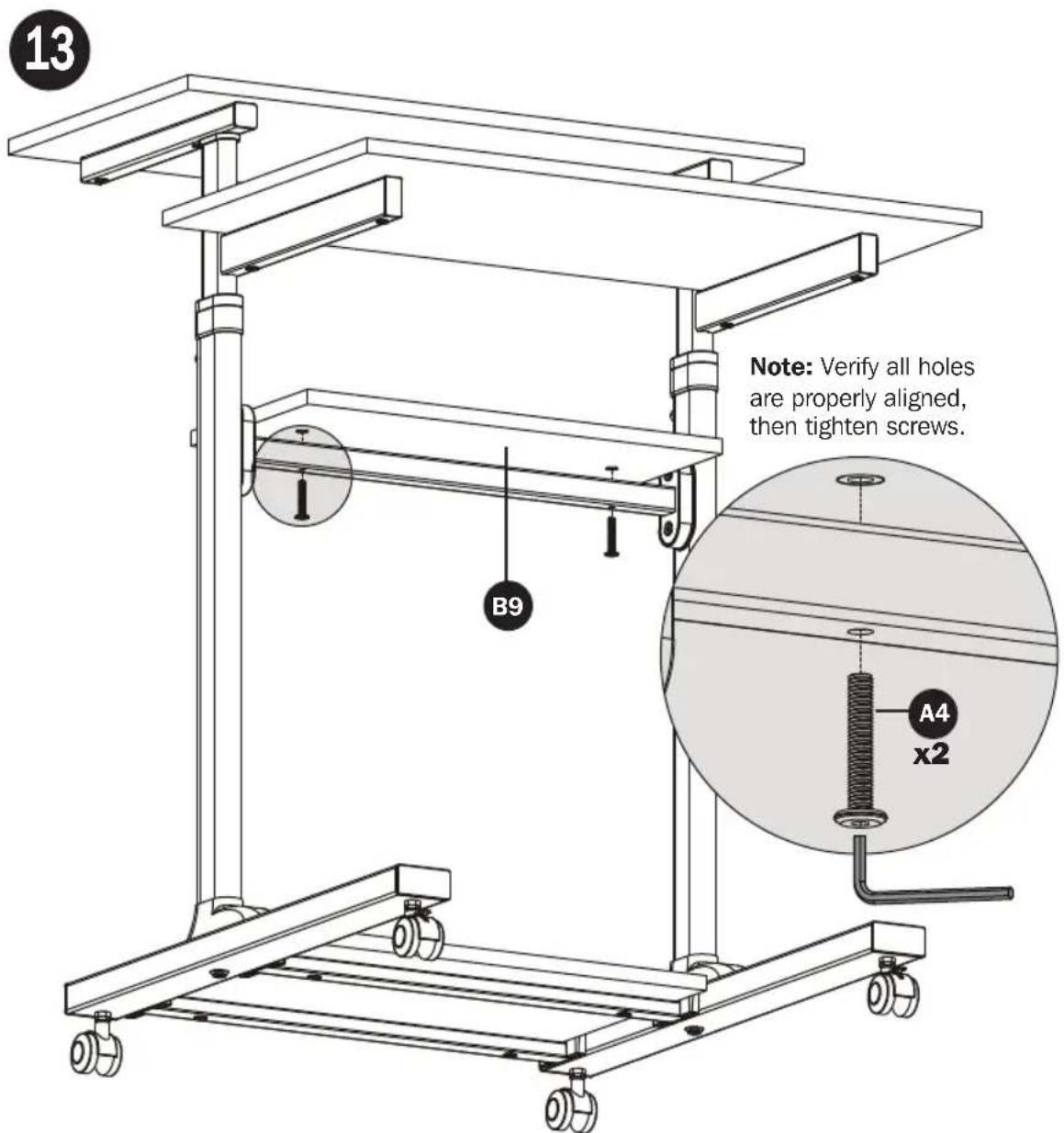
Assembly
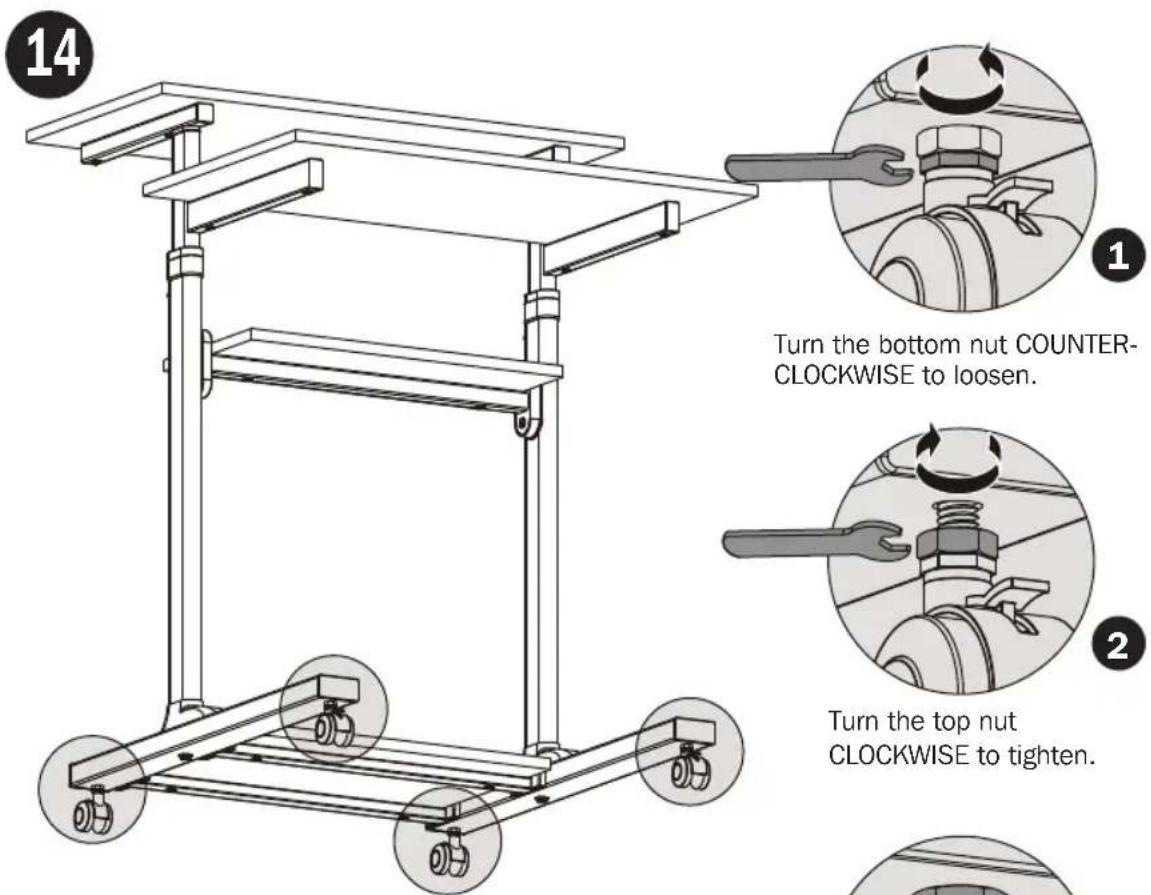
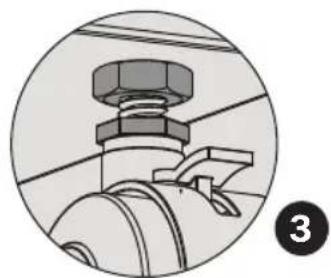
Note: Make sure all casters are at the same height. If the casters are not at the same height, one or two of the casters can be adjusted as shown in figure 1, 2 and 3.
natural_image
Close-up of a mechanical component with a hexagonal bolt and pipe fitting (no visible text or symbols)Maintenance
- Check that the workstation is secure and safe to use at regular intervals (at least every three months).
- Please visit www.tripplite.com if you have any questions.


Manufacturing Excellence.
1111 W. 35th Street, Chicago, IL 60609 USA • www.tripplite.com/support
natural_image
Line drawing of a multi-tiered office chair with wheels and legs (no text or symbols)English 1 • Français 25 • Русский 37 • Deutsch 49


1111 W. 35th Street, Chicago, IL 60609 EE. UU. • www.tripplite.com/support
natural_image
Technical diagram of a mechanical assembly with two circular components and dimension lines (no text or symbols)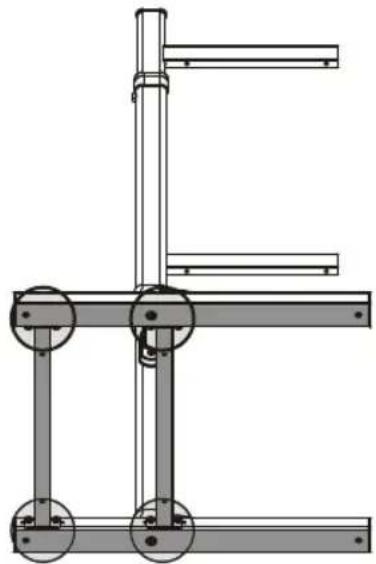
natural_image
Technical line drawing of a mechanical frame assembly (no text or symbols)5
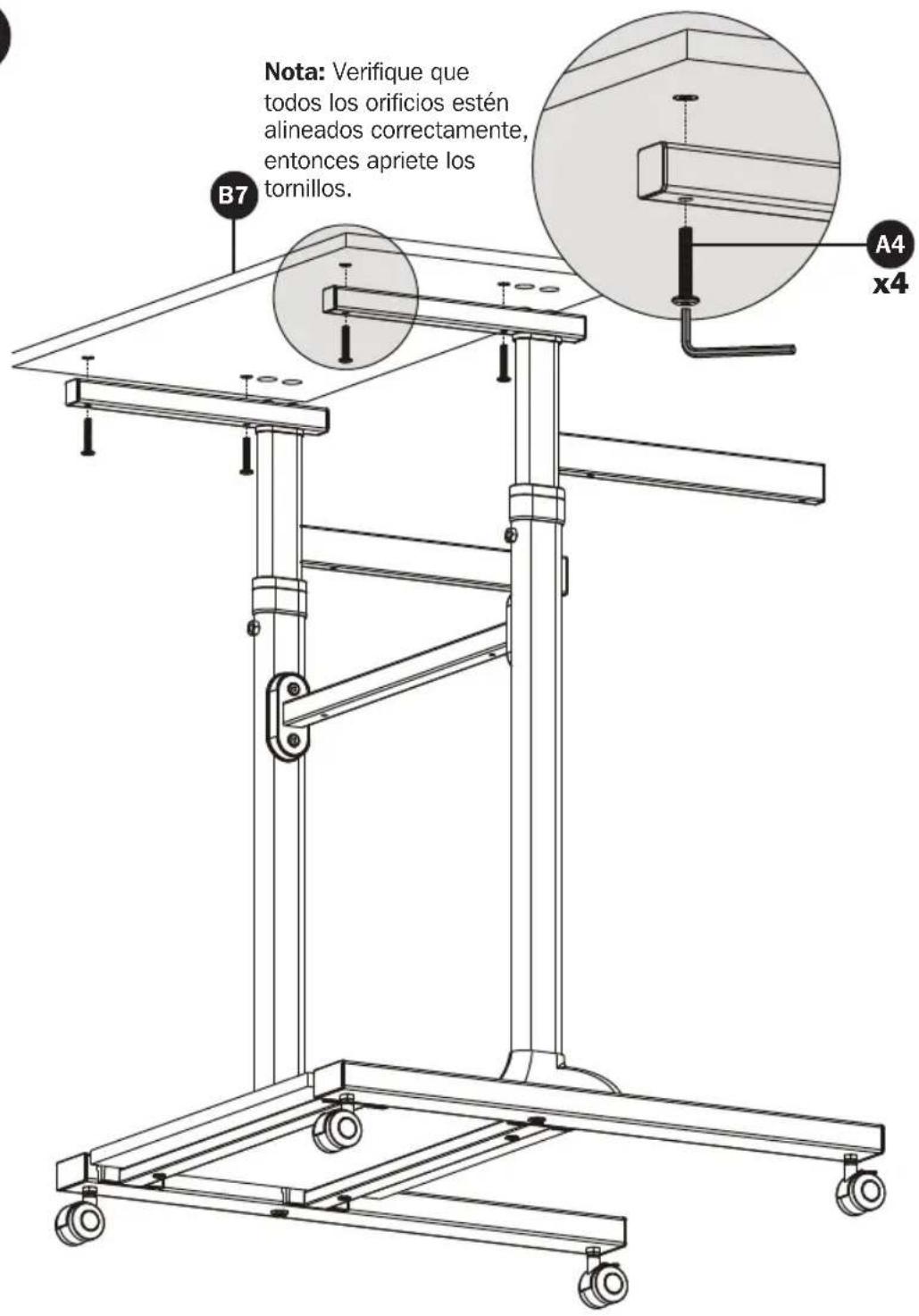
6
Ensamble

natural_image
Technical line drawing of a multi-level mechanical device with wheels and a central rotating component (no text or symbols)Ensamble
natural_image
Close-up of a mechanical component with a hexagonal bolt and pipe fitting (no visible text or symbols)Mantenimiento
natural_image
Line drawing of a multi-tiered office chair with wheels and legs (no text or symbols)English 1 • Español 13 • Русский 37 • Deutsch 49


1111 W. 35th Street, Chicago, IL 60609 USA • www.tripplite.com/support
natural_image
Technical diagram of a mechanical assembly with two vertical components and a circular cross-section (no text or symbols)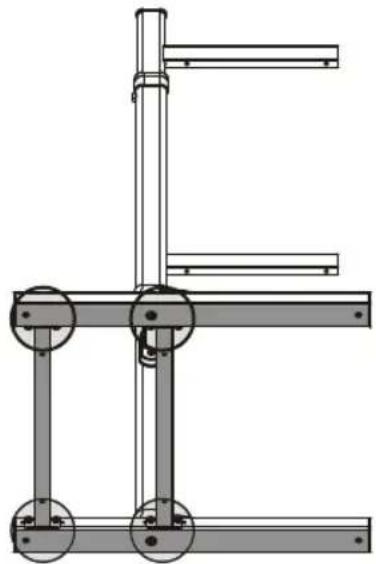
natural_image
Technical line drawing of a mechanical frame assembly (no text or symbols)5
6
natural_image
Technical line drawing of a multi-level mechanical device with wheels and a central rotating component (no text or symbols)Assemblage
natural_image
Close-up of a mechanical component with a hexagonal bolt and threaded fastener (no text or symbols visible)Entretien
1111 W. 35th Street, Chicago, IL 60609 USA • www.tripplite.com/support
natural_image
Line drawing of a multi-tiered office chair with wheels and legs (no text or symbols)English 1 • Español 13 • Français 25 • Deutsch 49


1111 W. 35th Street, Chicago, IL 60609 USA • www.tripplite.com/support
natural_image
Technical diagram of a mechanical assembly with two vertical components and dimension lines (no text or symbols)
natural_image
Technical line drawing of a mechanical frame assembly (no text or symbols)5
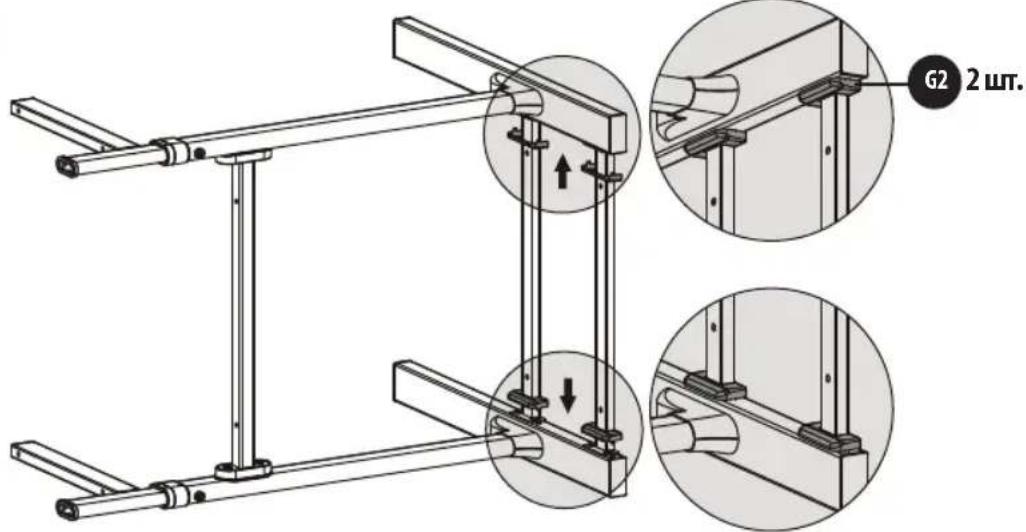
6
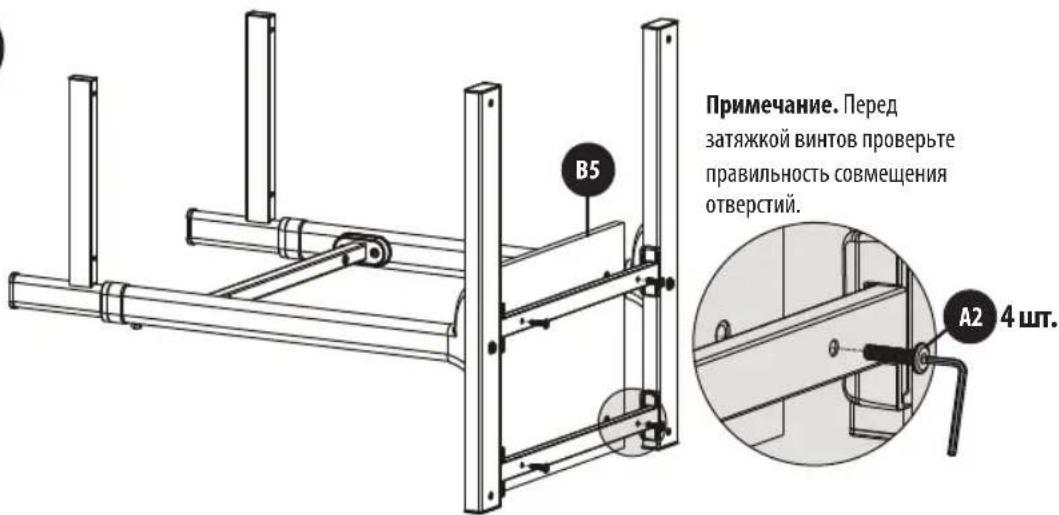
natural_image
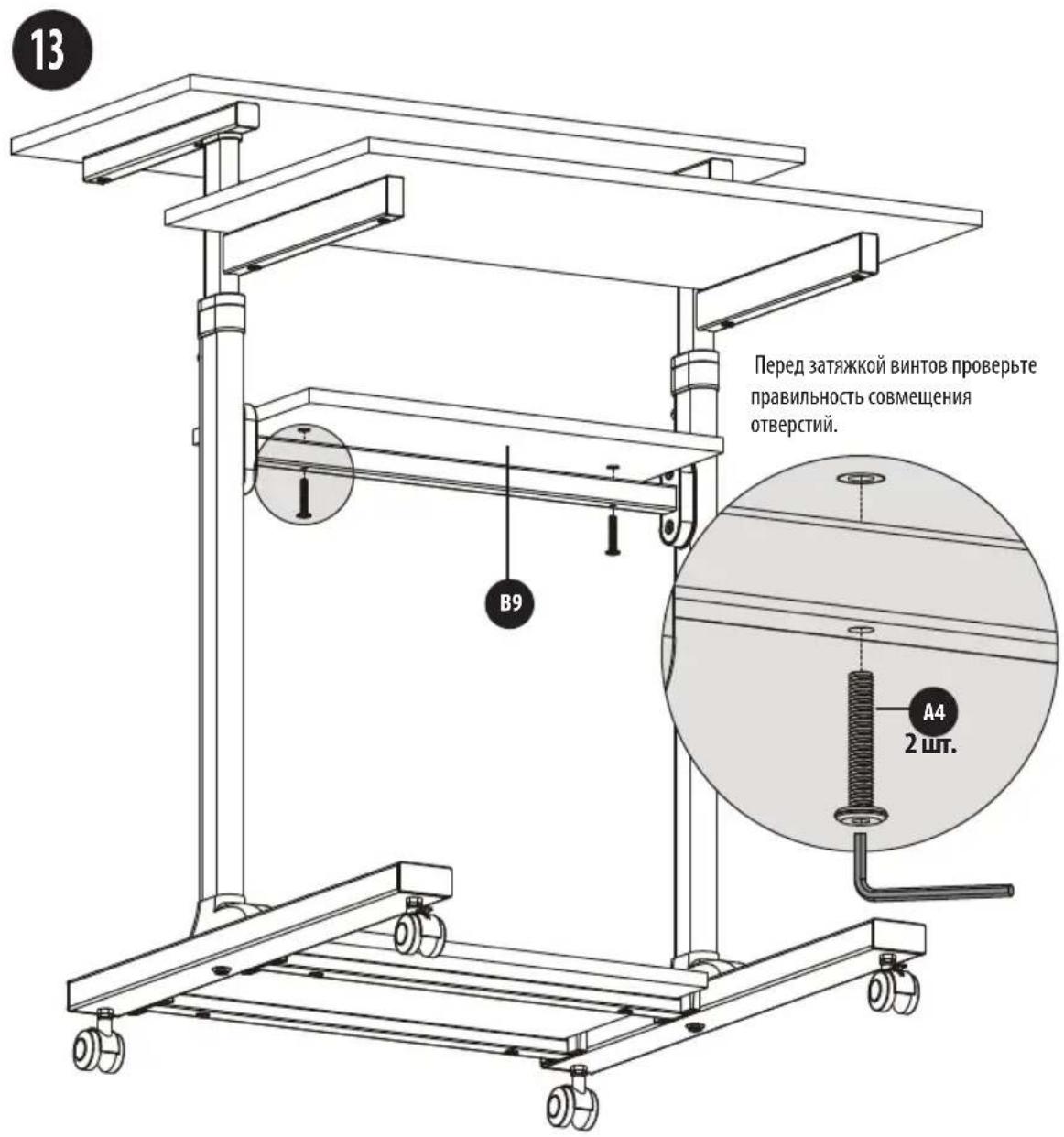
Technical line drawing of a mechanical device with wheels and a central rotating component (no text or symbols)Порядок сборки
natural_image
Close-up of a mechanical component with a hexagonal bolt and lever, no visible text or symbolsУход за изделием

1111 W. 35th Street, Chicago, IL 60609 USA • www.tripplite.com/support
Bedienungsanleitung
TRIPP·LITE
WorkWise™
natural_image
Line drawing of a multi-tiered office chair with wheels and legs (no text or symbols)English 1 • Español 13 • Français 25 • Русский 37


1111 W. 35th Street, Chicago, IL 60609 USA • www.tripplite.com/support
natural_image
Technical line drawing of a mechanical frame assembly (no text or symbols)5
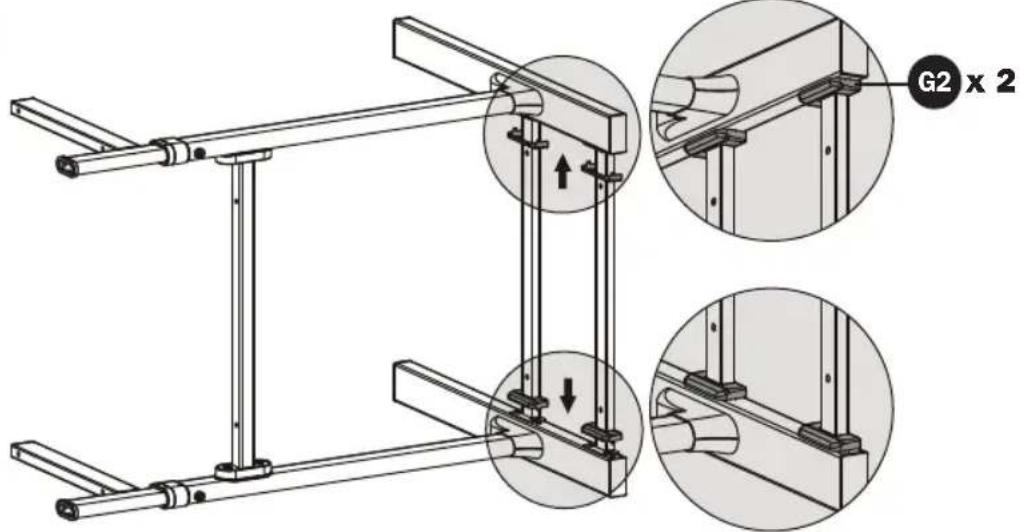
6
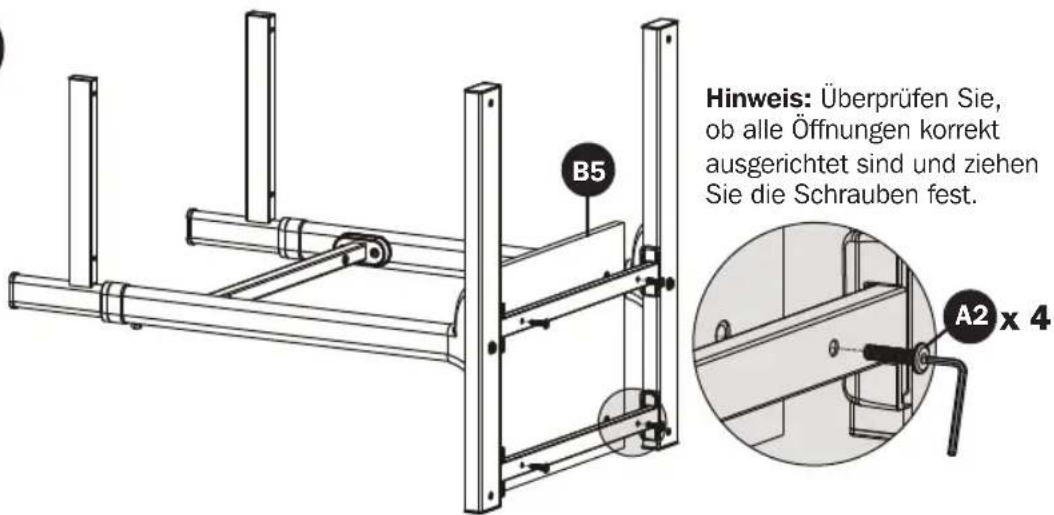
natural_image
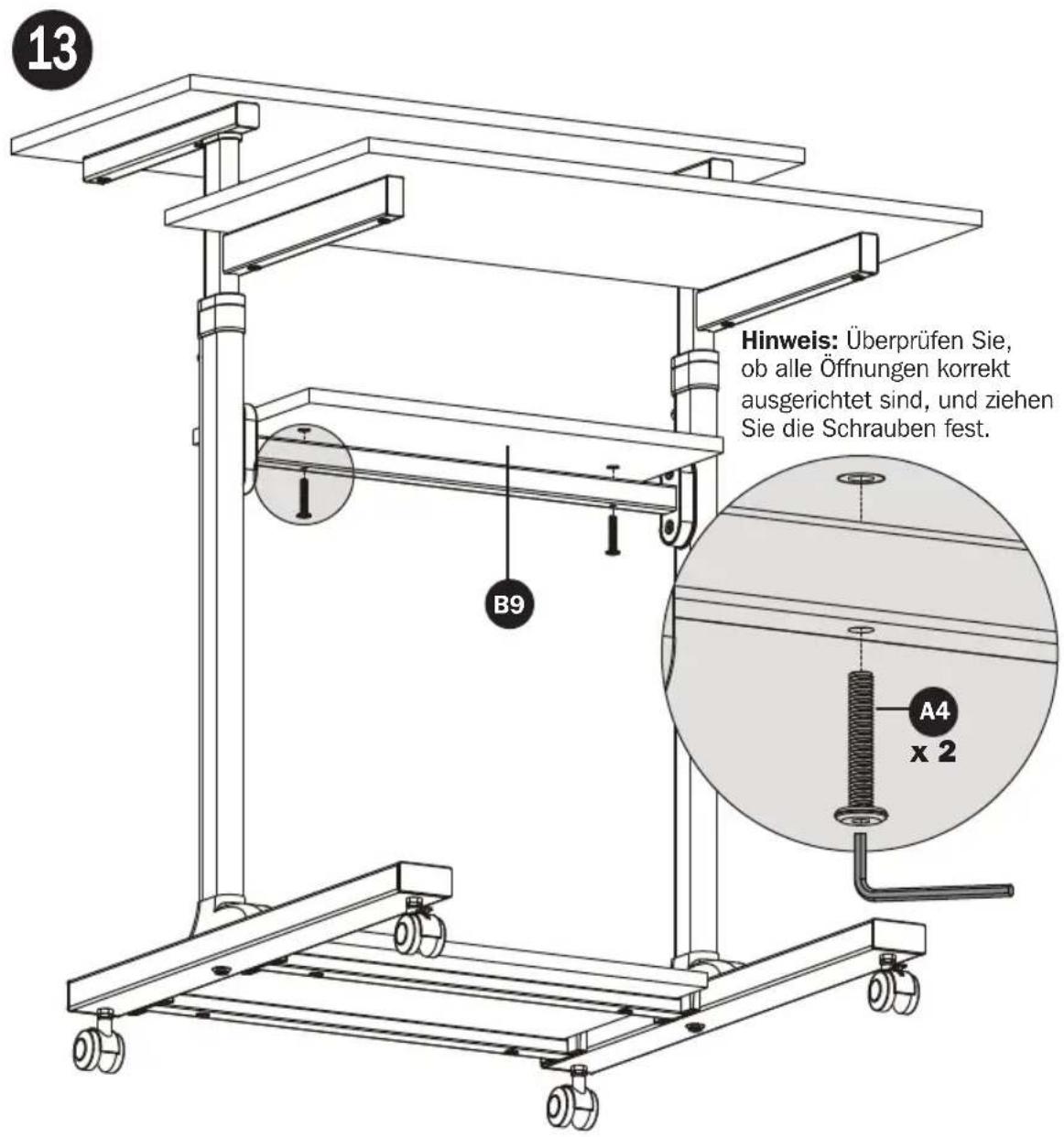
Technical line drawing of a multi-level mechanical device with wheels and a central rotating component (no text or symbols)Montage
natural_image
Close-up of a mechanical component with a hexagonal bolt and pipe fitting (no visible text or symbols)Wartung

Manufacturing Excellence.
1111 W. 35th Street, Chicago, IL 60609 USA • www.tripplite.com/support
- Height-Adjustable Mobile Stand-Up Desk/Workstation
- PROTECT YOUR INVESTMENT!
- WARNING
- Warranty and Product Registration
- 5-Year Limited Warranty
- PRODUCT REGISTRATION
- Assembly
- 4
- 5
- 6
- Maintenance
- Ensamble
- Mantenimiento
- Assemblage
- Entretien
- Порядок сборки
- Уход за изделием
- Bedienungsanleitung
- Montage
- Wartung
Brand : Tripp Lite
Model : WorkWise WWSSRC
Category : Adjustable Desk