
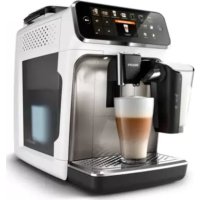
PHILIPS 5400 Series EP5443 - Coffee maker

5400 Series EP5443 - Coffee maker PHILIPS - Free user manual and instructions

Find the device manual for free 5400 Series EP5443 PHILIPS in PDF.

📄 598 pages English EN Download 💬 AI Question 10 questions ⚙️ Specs
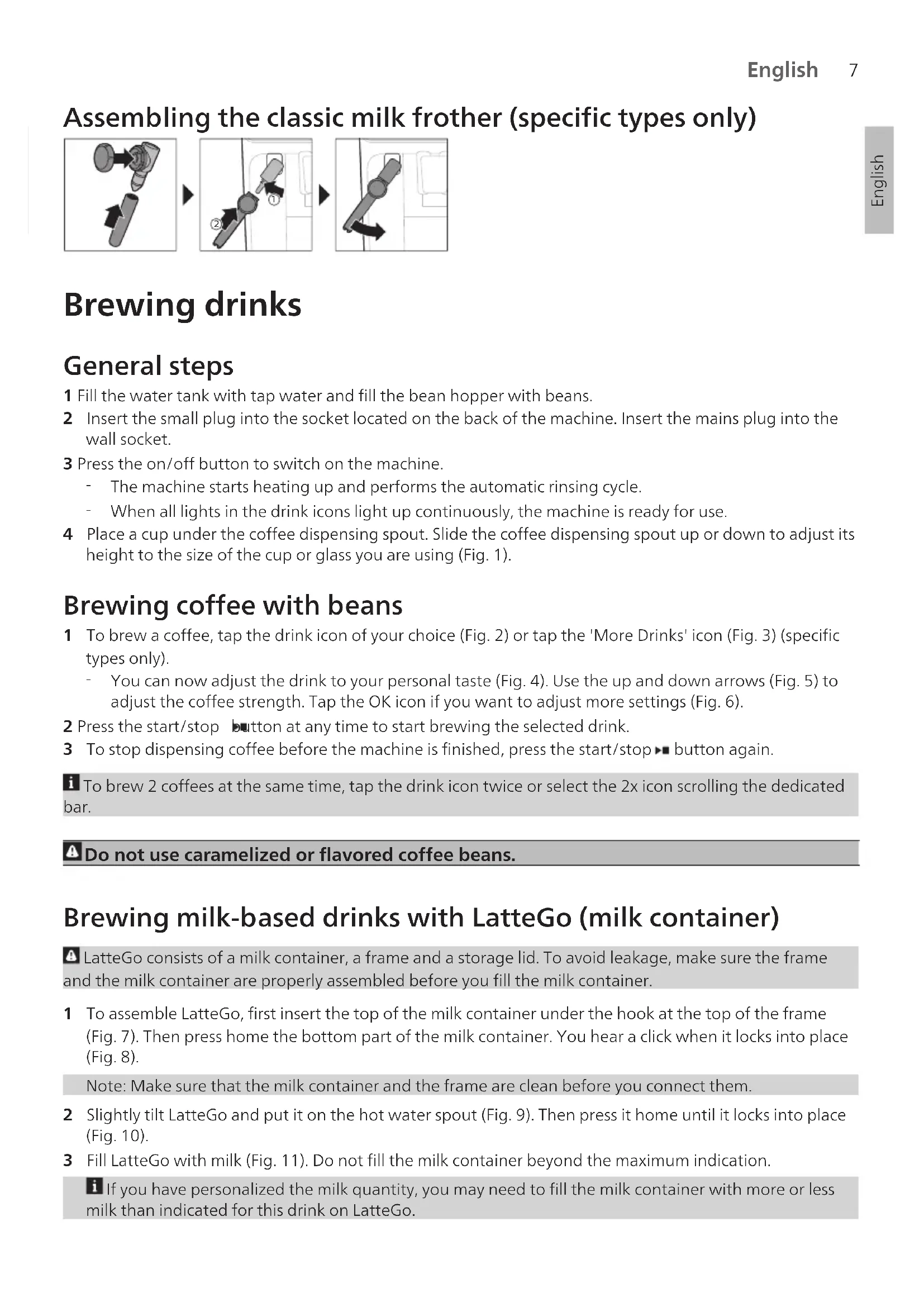
Notice PHILIPS 5400 Series EP5443 - page 7
Pick your language and provide your email: we'll send you a specifically translated version.
Product type Automatic espresso machine
Brand Philips
Model 5400 Series EP5443
Color Black
Dimensions (H x W x D) 43.3 x 24.6 x 37.4 cm
Weight 9.5 kg
Power supply 220-240 V, 50-60 Hz
Power 1500 W
Water tank capacity 1.8 L
Bean hopper capacity 275 g
Coffee grounds container capacity 15 servings
Pump pressure 15 bar
Heating system Stainless steel thermoblock
Main functions Espresso, long coffee, latte macchiato, cappuccino, hot water, hot milk
Milk frothing system Classic Milk Frother (steam wand)
Grinder 100% adjustable ceramic grinder
Settings Grind fineness, temperature, coffee length, ground coffee amount
Programmability Yes, 3 user profiles
Water filter AquaClean (compatible up to 5000 cups without descaling)
Maintenance and cleaning Descaling cycle, automatic cleaning, dishwasher-safe removable parts
Safety Automatic shut-off, child safety (panel lock)
Spare parts and repairability Repairability index: 8.5/10 (according to manual)
General information Color TFT touchscreen, ambient lighting, adjustable cup height (up to 16 cm)

Frequently Asked Questions - 5400 Series EP5443 PHILIPS

How to descale my Philips 5400 Series EP5443 machine?
Use the automatic descaling program. Fill the tank with 1.5 L of water and a Philips descaling sachet (or a 1:3 mixture of water and white vinegar). Follow the on-screen instructions. The cycle takes about 30 minutes. Then rinse with clear water.
What to do if the coffee is too cold or too hot?
Adjust the temperature via the 'Settings' menu > 'Coffee temperature'. You can choose between low, medium and high. If the coffee remains cold, check that the cups are preheated and that the machine has finished its heating cycle.
How to clean the steam wand after use?
Wipe the wand with a damp cloth immediately after use. For deep cleaning, disassemble the tip and soak it in warm soapy water. Use a needle to unclog the openings if necessary.
Why does the machine show 'Coffee grounds container full' when it is not?
The grounds container may be incorrectly positioned. Remove it, empty it, rinse it and put it back correctly. If the message persists, check the container switch and clean the area.
How to adjust the grind fineness?
Open the bean hopper lid and turn the adjustment dial (located inside) between 1 (fine grind) and 12 (coarse grind). Make one or two trials to achieve the desired flow rate. Do not force if the mechanism jams.
Can I use milk other than cow's milk?
Yes, you can use soy, almond or oat milk. However, the froth texture may vary. For best results, choose a milk with high protein content.
What to do if the machine does not turn on?
Check that the power cord is properly plugged in and that the main switch (at the back) is on. If the screen remains black, unplug the machine for 30 seconds then plug it back in.
How to replace the AquaClean filter?
Remove the old filter from the water tank. Activate a new filter by immersing it in water for 10 seconds. Insert it into the tank. Follow the on-screen instructions to confirm replacement and reset the counter.
How to program a personalized beverage?
Place a cup, then press and hold the beverage button (e.g. coffee) until the screen shows 'Program'. Choose the length and strength. The setting will be saved for future use.
Why is there foam in the coffee?
A light foam is normal during extraction, especially for espressos. If the foam is excessive, try coarser grind or a darker roast coffee. Also check that the steam wand is properly closed.

User questions about 5400 Series EP5443 PHILIPS

0 question about this device. Answer the ones you know or ask your own.

Ask a new question about this device

The email remains private: it is only used to notify you if someone responds to your question.

No questions yet. Be the first to ask one.

Download the instructions for your Coffee maker in PDF format for free! Find your manual 5400 Series EP5443 - PHILIPS and take your electronic device back in hand. On this page are published all the documents necessary for the use of your device. 5400 Series EP5443 by PHILIPS.

USER MANUAL 5400 Series EP5443 PHILIPS

Manual assistant
Powered by Anthropic
Waiting for your message
Product information

Brand : PHILIPS

Model : 5400 Series EP5443

Category : Coffee maker