ManualGo.com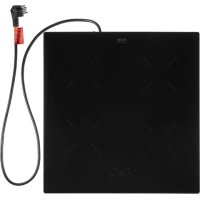
KIV354RVS - Cooker ETNA - Free user manual and instructions
Find the device manual for free KIV354RVS ETNA in PDF.



Download the instructions for your Cooker in PDF format for free! Find your manual KIV354RVS - ETNA and take your electronic device back in hand. On this page are published all the documents necessary for the use of your device. KIV354RVS by ETNA.
USER MANUAL KIV354RVS ETNA
Technical specifications
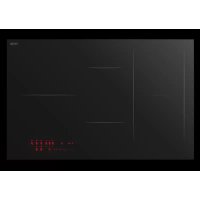
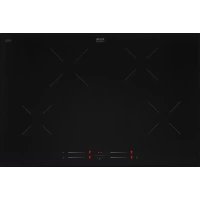
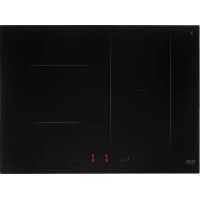
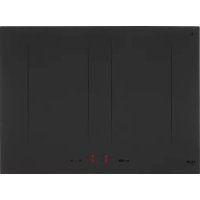
Environmental aspects Disposal of packaging and appliance 24EN 4 Introduction This hob has been designed for the real lover of cooking. Cooking on an induction hob has a number of advantages. It is easy, because the hob reacts quickly and can also be set to a very low power level. Because, moreover, it can also be set to a high power level, it can bring dishes to the boil very quickly. The ample space between the cooking zones makes cooking comfortable. Cooking on an induction hob is different from cooking on a traditional appliance. Induction cooking makes use of a magnetic field to generate heat. This means that you cannot use just any pan on it. The pans section gives more information about this. For optimum safety the induction hob is equipped with several temperature protections and a residual heat indicator, which shows which cooking zones are still hot. This manual describes how you can make the best possible use of the induction hob. In addition to information about operation, you will also find background information that can assist you in using this product. You will also find cooking tables and maintenance tips. Read the manual thorougly before using the appliance, and store these instructions in a safe place for future reference. The manual also serves as reference material for service technicians. The installation instructions are included separate. Enjoy your cooking! YOUR HOBEN 5 YOUR HOB Induction hob
3. Cooking zone left front Ø 16 cm / 1400 W - 1850 W (boost)
4. Cooking zone right front Ø 18 cm / 1400 W - 2100 W (boost)
6. Selection key cooking zone
▷ Power indication ▷ Residual heat indicator ▷ Point for active cooking timer indication
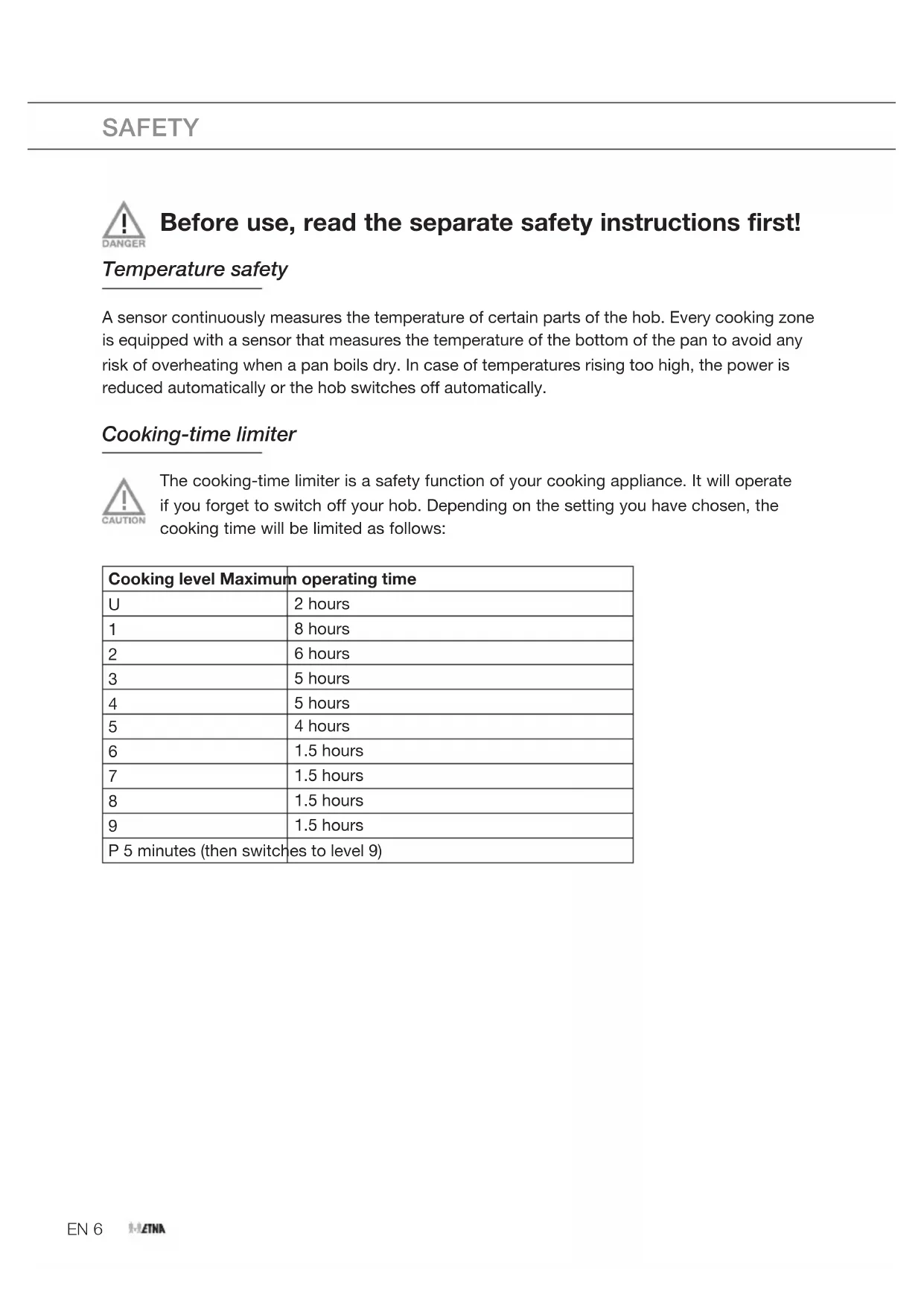
117 7EN 6 SAFETY Before use, read the separate safety instructions first! Temperature safety A sensor continuously measures the temperature of certain parts of the hob. Every cooking zone is equipped with a sensor that measures the temperature of the bottom of the pan to avoid any risk of overheating when a pan boils dry. In case of temperatures rising too high, the power is reduced automatically or the hob switches off automatically. Cooking-time limiter The cooking-time limiter is a safety function of your cooking appliance. It will operate if you forget to switch off your hob. Depending on the setting you have chosen, the cooking time will be limited as follows: Cooking level Maximum operating time
P 5 minutes (then switches to level 9)EN 7 USE Induction noises A ticking sound
- This is caused by the capacity limiter on the left and right zones. Ticking can also occur at lower settings. Pans are making noise
- Pans can make some noise during cooking. This is caused by the energy flowing from the hob to the saucepan. At high settings this is perfectly normal for some pans. It will not damage either the pans or the hob. The fan is making noise
- To enlarge the lifespan of the electronics, the appliance is equipped with a fan. If you use the appliance intense, the fan is activated to cool down the appliance and you will hear a buzzing sound. The fan runs on for several minutes after the hob has been switched Off. Pans
- Always place a pan in the middle of a cooking zone.
- Induction cooking requires a particular quality of pan.
- Only use pans that are suitable for electric and induction cooking with: ▷ a thick base (minimum 2.25 mm); ▷ a clean and flat base.
- The best are pans with the ‘Class Induction’ quality mark. Pans that have already been used for cooking on a gas hob are no longer suitable for use on an induction hob. You can check for yourself whether your pans are suitable using a magnet. A pan is suitable if the base of the pan is attracted by the magnet. Suitable Unsuitable Special stainless steel pans Earthenware Class Induction Stainless steel Hard-wearing enamelled pans Porcelain Enamelled cast-iron pans Copper / Aluminium / PlasticEN 8 USE Be careful with enamelled sheet-steel pans! The enamel may chip (the enamel comes loose from the steel), if you switch the hob On at a high setting when the pan is (too) dry. The base of the pan may warp - due, for example, to overheating or to the use of too high a power level.
- Never use pans with a misshapen base. A hollow or rounded base can interfere with the operation of the overheating protection, so that the appliance becomes too hot. This may lead to the glass top cracking and the pan base melting.
- Damage arising from the use of unsuitable pans or from boiling dry is excluded from the guarantee. Minimum pan diameter
- The diameter of the bottom of the pan must be at least 12 cm.
- You will achieve the best results by using a pan with the same diameter as the zone. If a pan is too small the cooking zone will not work. Pressure cookers
- Induction cooking is very suitable for cooking in pressure cookers. The cooking zone reacts very quickly, and so the pressure cooker is quickly up to pressure. As soon as you switch a cooking zone Off, the cooking process stops immediately. Switching of the power
- A feature of this induction hob is the ‘switching’ of the power with settings lower than 8. It seems as if a cooking zone switches on and off, but that is not the case. The zone switches the power on and off continuously; the zone remains on and at the indicated setting. The two small zones switch to a lesser degree than the two large zones. This switching is normal for this induction hob and cannot do any damage. It is not a defect of your induction hob.EN 9 Indications in the display In display Status Power setting cooking zone; 1 = low setting / 9 = high setting Boost-function active Child proof lock function selected No (suitable) pan on cooking zone (pan detection symbol) Keep warm function selected Automatic heat-up function selected Residual heat indicator; The hob has a residual heat indicator for each cooking zone to show those which are still hot. Although the hob is switched off, the indicator ‘H’ will remain on for as long as the cooking zone is hot! Avoid touching them when this indicator is lit. Danger! Risk of burns. Fault code; See ‘Troubleshooting table’ Fault code; See ‘Troubleshooting table’ Cooking settings Because the settings depend on the quantity and composition of the contents and the used pan, the table below is intended as a guideline only. Use setting ‘boost’ to:
- bring the food or liquid to the boil quickly;
- wok. Use setting 9 to:
- fry boiled potatoes;
- deep fry foods. USEEN 10 USE Use setting 7 and 8 to:
- fry thick slices of breaded meat;
- cook through pasta; Use setting 4-6 to:
- complete the cooking of large quantities;
- defrost hard vegetables;
- fry thin slices of (breaded) meat; Use settings 1-3 to:
- melt cheese.EN 11 Start cooking Use of the touch keys Put the tip of your finger flat on the touch key. Do not apply pressure. The touch keys react to a light fingertip touch. Only operate the touch keys with your finger. The touch key gives a short audio signal when it engages.
1. Touch and hold the On/off key until you hear an audio signal.
▷ You will hear a single beep and a ‘0’ will appear in the display next to each cooking zone. The point of the ‘0’ will flash. ▷ If no further action is taken, the hob will automatically switch off after 20 seconds.
2. Place a suitable pan on the cooking zone.
▷ Make sure the bottom of the pan and the surface of the cooking zone are clean and dry.
3. Press the key of the cooking zone you want to switch on to activate the cooking zone.
▷ The power levels of the cooking zones that are not activated will be dimmed in the display and the points will disappear.
4. Press the - or + key to set the desired power level.
▷ The cooking zones have 9 available heat settings, a keep warm setting and a boost setting. Consult the overview of cooking settings to choose the correct mode. ▷ When you select the – key directly, the cooking zone will switch on at power level 9. ▷ The set power level appears in the display. After a few seconds, all power levels will be brightly lit again and the cooking zone will switch on. OPERATIONEN 12
- If you want to switch On another cooking zone, press the key of the cooking zone you want to switch On to activate it.
- The power levels of the cooking zones that are not activated will be dimmed in the display. The power levels of the activated zones will also dim.
- Set the desired power level using the – or + key.
- The set power level appears in the display. After a few seconds, all power levels will be brightly lit again and the cooking zone will switch On. When the pan detection symbol flashes:
- you have not placed a pan on the correct cooking zone;
- the pan you’re using is not suitable for induction cooking;
- the pan is too small or not properly centered on the cooking zone. ▷ No heating takes place unless there is a suitable pan on the cooking zone. ▷ The display will automatically turn Off after 2 minutes if no suitable pan is placed on it. If the hob is not used for 20 seconds, it will shut Off automatically. Note! Not all 4 zones can be set to a high (setting 9 or boost, depending on the model) at the same. The 4 zones can be set to a maximum of setting 8 or 9 at the same time (depending on the model). Another zone needs to be reduced or switched off first if a higher setting is desired. The set power level in the display will start to flash. You should then set the zones to a lower setting! OPERATIONEN 13 Finish cooking
1. Set the cooking power level to zero (0) to turn Off the cooking zone. You can also press the
– key and the + key simultaneously to turn Off the cooking zone.
2. Turn the induction hob Off by touching the On/off key.
Symbol H will appear in the display of the cooking zone which is too hot to touch. It will disappear when the surface has cooled down to a safe temperature. It can also be used as an energy saving function if you want to heat other pans, use the cooking zone that is still hot. Switching on ‘boost’ You can use the ‘boost’ function to cook at the highest power level for 5 minutes. After the boost time, the power will be automatically set to setting 9.
1. Place a pan on a cooking zone.
2. Press the On/off key.
3. Press the key of the cooking zone you want to switch on to activate the cooking zone.
4. Press the – key to set the power level to ‘9’.
▷ Power level ‘9’ appears in the display.
5. Then immediately press the + key to select ‘boost’.
▷ ‘P’ appears in the display. After a few seconds, all power levels will be brightly lit again and the cooking zone will switch On at the highest power level. OPERATIONEN 14 Child proof lock Your induction hob is equipped with a child proof lock that lets you lock the appliance. It prevents the cooking zones being switched On unintentionally. Activating the child lock
1. Press the On/off key.
▷ A ‘0’ appears in the display for each cooking zone.
2. Press the key for the left rear cooking zone and the – key simultaneously for a minimum of
three seconds. ▷ An ‘L’ will appear in the display for each cooking zone for a few seconds to show that the child proof lock has now been activated. Deactivating the child proof lock
1. Press the On/off key.
▷ An ‘L’ appears in the display for each cooking zone.
2. Press the key for the left rear cooking zone and the – key simultaneously for a minimum of
three seconds. ▷ A ‘0’ will appear in the display for each cooking zone for a few seconds to show that the child proof lock has now been deactivated. Cooking-timer/minute minder
- A cooking-timer can be set for each active cooking zone.
- The hob also has a minute minder. Both the cooking-timer as well as the minute minder can be set for a maximum of 99 minutes.
- The minute minder works in the same way as the cooking-timer, but is not linked to a cooking zone. When the hob is switched off the minute minder continues.
- The minute minder can only be switched off or adjusted when the hob is switched On. OPERATIONEN 15 Select the desired function:
- Cooking-timer — the timer is linked to a active cooking zone. After the set time has elapsed, the cooking zone will switch off automatically.
- Minute minder — no cooking zone will be switch Off after the set time has elapsed. Only an alarm will sound. ▷ Press any key to stop the alarm. Using the minute minder
1. Switch On the hob.
2. Press the – and + keys simultaneously.
▷ The time setting ‘0 0’ is displayed in the top two displays. The bottom two displays have been switched Off.
3. Press the - or + key to set the desired time.
▷ When you first press the - key, the time will immediately be set to 30 minutes. ▷ If you keep the - or + key pressed, the time will run higher or lower at an increasingly faster rate. ▷ The time setting is visible for a few seconds; then two flashing points indicate that the timer is counting down. ▷ After the set time has elapsed, ‘0 0’ will flash in the display. Furthermore, you will hear a repeated short beep. Switch off the timer and beep signal by pressing a random key. If you don’t do this, the signal will switch Off automatically after 2 minutes. OPERATIONEN 16 Using the cooking timer
1. Select a cooking zone that is switched On with a power setting.
2. Press the – and + keys simultaneously.
▷ The time setting ‘0 0’ of the activated cooking zone is displayed in the top two displays. At the cooking zone itself, a flashing point indicates that the timer can be set for that cooking zone.
3. Press the - or + key to set the desired time.
▷ When you first press the - key, the time will immediately be set to 30 minutes. ▷ If you keep the - or + key pressed, the time will run higher or lower at an increasingly faster rate. ▷ The time setting is visible for a few seconds; then all set power levels are displayed, and at the cooking zone for which a timer has been set, a point is displayed. ▷ After the set time has elapsed, ‘0 0’ will flash in the display, as well as the timer’s point. The cooking zone switches Off. Furthermore, you will hear a repeated short beep. Press any key to switch Off the audible signal. If you don’t do this, the signal will switch Off automatically after 2 minutes. Note! If no cooking zone has been activated and you press the - and + keys simultaneously, the time setting of the timer is displayed (no points will flash at a cooking zone)! By again pressing the - and + keys simultaneously (multiple times), the time setting of a cooking zone that is switched On is displayed (the point flashes at the relevant cooking zone). Tip Check the remaining time by pressing the - and + keys simultaneously (multiple times). The time that appears in the display is either from the cooking zone that is switched On (with flashing point) or from the minute minder (no point flashes). Adjust the cooking time as needed using the – or + key. OPERATIONEN 17 Keep warm function The keep warm function is intended to keeping food warm at a certain temperature. When activating the keep warm function an ‘u’ appears in the display. Switch On the keep warm function
1. Place a pan on a cooking zone.
2. Press the On/off key.
3. Press the key of the cooking zone you want to switch On to activate the cooking zone.
4. Press the + key to set the power level to setting ‘1’.
5. Press the - key to select the keep warm function.
▷ An ‘u’ will appear in the display. Switch Off the keep warm function
1. Set the cooking power level to zero (0) to turn Off the cooking zone.
2. Turn the induction hob Off by touching the On/off key.
OPERATIONEN 18 Cleaning Set the child lock before you start cleaning the hob. We recommend that you clean the appliance after each use. This prevents that over cooked food can damage the glass surface. Daily cleaning
1. Use a damp cloth and a mild cleaning agent (washing-up liquid) to clean the appliance.
2. Dry the appliance with a paper towel or a cloth.
Heavily polluted glass
1. Immediately remove any food remains, burned grease, sugar or stubborn stains from the
glass ceramic hob using a scraper, even if the hob is still hot! Sugar and/or other food related remains may permanently damage the glass ceramic surface. ▷ Hold the scraper at the correct angle (45° to 60°) in relative to the glass. Gently press the scraper against the glass and slide it over the surface to remove the dirt. Make sure the plastic handle of the scraper (in some models) does not come into contact with a hot cooking zone. ▷ Do not press the scraper perpendicularly against the glass. ▷ Do not scratch the hob surface with the tips of the scraper blade. This can cause permant scratches in the glass.
2. After you have removed the stubborn stains from the glass, use the steps of the daily
cleaning to clean the hob.
3. If the cleaning result is not at your satisfaction you can repeat the above cleaning steps as
often as needed. Do not use abrasive cleaning agents, because they can cause scratches. Do not use steelwool, scourers or any type of sharp objects to clean the appliance. The hob can be still very hot due to the cooking process! Do not touch the surface directly. If desired use gloves to prevent burning while cleaning directly after cooking. MAINTENANCEEN 19 General If you notice a crack in the glass top (however small), switch the hob off immediately, unplug the hob, turn off the (automatic) fuse switch(es) in the meter cupboard or, in the event of a permanent connection, set the switch in the power supply lead to zero.) Contact the service department. Troubleshooting table If the appliance does not work properly, this does not always mean that it is defective. Try to deal with the problem yourself first by checking the points mentioned below or check for more information the website ‘www.etna.nl/www.etna.be’. Symptom Possible cause Solution The fan runs on for several minutes after the hob has been switched off. The hob is cooling down. Normal operation. A slight smell is noticeable the first few times the hob is used. The new appliance is heatingup. This is normal and will disappear once it has been used a few times. Ventilate the kitchen. You can hear a ticking sound inyour hob. Ticking can also occur at lowersettings. Normal operation. The pans make a noise while cooking. This is caused by the energy flowing from the hob to the saucepan. At high settings this is perfectly normal for some pans. It will not damage either the pans or the hob. You have switched a cooking zone on but the display keeps flashing. A pan detection symbol (u) will appear in thedisplay. The pan you are using is not suitable for induction cooking or has a diameter that is toosmall. Use a correct pan. Error code The control panel is dirty or has water lying on it. Clean the control panel. You have touched two or more keys at the same time. Do not operate more than one key at the same time. A cooking zone suddenly stops working and you hear a signal. The preset time has ended. Switch off the signal by pushing a random key. TROUBLESHOOTINGEN 20 Symptom Possible cause Solution The hob is not working and nothing appears in the display. There is no power supply due to a defective cable or a faulty connection. Check the fuses or the electric switch (if there is noplug). A fuse blows as soon as the hob is switched on. The appliance is incorrectly connected. Check the electrical connections. Error code ER03. The control panel is dirty or has water on it. Clean the control panel. You held a key too long pressed. Do not press and hold the key toolong. Error code E3. Unsuitable pan used. Use a pan suitable for induction cooking. Error code E2. Appliance over heated. The appliance has been switched off because of overheating. Error code E5 / E6. The appliance has been connected incorrectly and/or the mains voltage is too high. Have your connection changed. Other error code. Defective generator. Contact the service department. TROUBLESHOOTINGEN 21 INSTALLATION First, read the separate safety instructions before installing the device!
KIV360WIT KIV254RVS / KIV354RVS
Model KIV360WIT and KIV354RVS are connected to the mains as a 2 phase cooking group. Despite the fact that this is the most commonly used connection, the local connection situation may still differ. Therefore always consult the separate installation instructions! If the appliance does not work, have a recognized installer adjust the perilex wall socket.Kookgroep aansluiting!2-2N 230V 50Hz 2x 16A
- Install the hob on a flat, stable and horizontal base.• Keep a free space of at least 2,5 cm around the hob.• After installation, the socket must always be accessible.
- The walls and the worktop surrounding the appliance must be heat resistant up to at least 85 ˚C. Even though the appliance itself does not get hot, the heat of the hot pan could discolour or deform the wall.• Ensure that the power cord will not come in contact with parts that can become hot.• Do not place any inflammable or deformable objects directly beneath the hob.• This appliance must be connected to a earthed power socket.EN 22 TECHNICAL SPECIFICATIONS This appliance meets all relevant CE guidelines. Hob type KIV360WIT KIV354RVS KIV254RVS Induction x x x Connection 230V 50/60Hz 230V 50/60Hz 230V 50/60Hz Number of phases 2 2 1 Plug Perilex Perilex Schuko Maximum power cooking zones and diameters in cm Front left 1.85 kW (Ø 16 cm) 1.85 kW (Ø 16 cm) 1.85 kW (Ø 16 cm) Rear left 3.0 kW (Ø 20 cm) 3.0 kW (Ø 20 cm) 2.1 kW (Ø 18 cm) Rear right 1.85 kW (Ø 16 cm) 1.85 kW (Ø 16 cm) 1.85 kW (Ø 16 cm) Front right 2.1 kW (Ø 18 cm) 2.1 kW (Ø 18 cm) 2.1 kW (Ø 18 cm) Connected load Total connected load 7360 W 7360 W 3680 W Dimensions Appliance width x depth 60 x 56 cm 54 x 56 cm 54 x 56 cm Information according regulation (EU) 66/2014 Measurements according EN60350-2 Model identification KIV360WIT KIV354RVS Type of hob Induction hob Number of electric cooking zones and/or areas 4 Heating technology Induction cooking zones For circular electric cooking zones: diameter of useful surface area per electric heated cooking zone in cm 20 2x
Energy consumption per cooking zone or area calculated perkg (EC electric hob ) in Wh/kg
Energy consumption for the hob calculated per kg (EC electric hob ) in Wh/kg 180.25EN 23 Model identification KIV254RVS Type of hob Induction hob Number of electric cooking zones and/or areas 4 Heating technology Induction cooking zones For non-circular cooking zones or areas: lenght and width of useful surface area per electric heated cooking zone or area L/W in cm 2 x 16 2x 18 Energy consumption per cooking zone or area calculated perkg (EC electric hob ) in Wh/kg
Energy consumption for the hob calculated per kg (EC electric hob ) in Wh/kg
Tips for energy-efficient cooking with hobs
- Always use the right size of pan for the amount of food you are cooking.
- Put just enough water in the pan to cover vegetables.
- Choose the right size of burner or ring for the pan.
- Always put lids on pans to keep the heat in.
- Turn down or turn off the cooking zone/area or burner once the cooking temperature or state is reached.
- Use a steamer to cook vegetables, that way you can layer a number of vegetables on top of each other and still use one ring, or use a pan with a divider.
- Use a pressure cooker for cooking pulses, and even joints of meat, whole meals, or stews. It speeds up the cooking process.
- If you’re using an electric hob, choose flat-bottomed pans so the pan is in full contact with the ring. TECHNICAL SPECIFICATIONSEN 24 ENVIRONMENTAL ASPECTS Disposal of packaging and appliance In the manufacturing of this appliance durable materials were used. Make sure to dispose of this equipment responsibly at the end of its lifecycle. Ask the authorities for more information regarding this. The appliance packaging is recyclable. The following may have been used:
- CFC-free polystyrene (PS hard foam). Dispose of these materials in a responsible manner and in accordance with government regulations. As a reminder of the need to dispose of household appliances separately, the product is marked with the symbol of a crossed-out wheeled dustbin. This means that at the end of its working life, the product must not be disposed of as urban waste. It must be taken to a special local authority differentiated waste collection centre or to a dealer providing this service. Disposing of a household appliance separately avoids possible negative consequences for the environment and health deriving from inappropriate disposal and enables the constituent materials to be recovered to obtain significant savings in energy and resources. Declaration of conformity We declare that our products meet the applicable European Directives, Decisions and Regulations and the requirements listed in the standards referenced.FR 3 SOMMAIRE Votre plaque de cuisson Introduction 4 Plaque de cuisson à induction 5 Sécurité Sécurité antisurchauffe 6 Limiteur de temps de cuisson 6 Utilisation Bruits de l'induction 7 Casseroles 7 Indications dans l'affichage 9 Réglages de cuisson 9 Lancer la cuisson 11 Fonctionnement Finir la cuisson 13 Activer la fonction Boost 13 Sécurité enfant 14 Minuteur de cuisson/bip minute 14 Fonction Maintien au chaud 17 Entretien Nettoyage 18 Diagnostic des pannes Généralités 19 Tableau de dépannage 19 Installation Dimensions Spécifications techniques