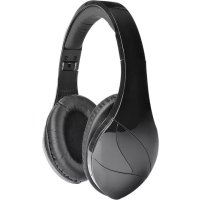
vFree - Headphones VELODYNE - Free user manual and instructions
Find the device manual for free vFree VELODYNE in PDF.

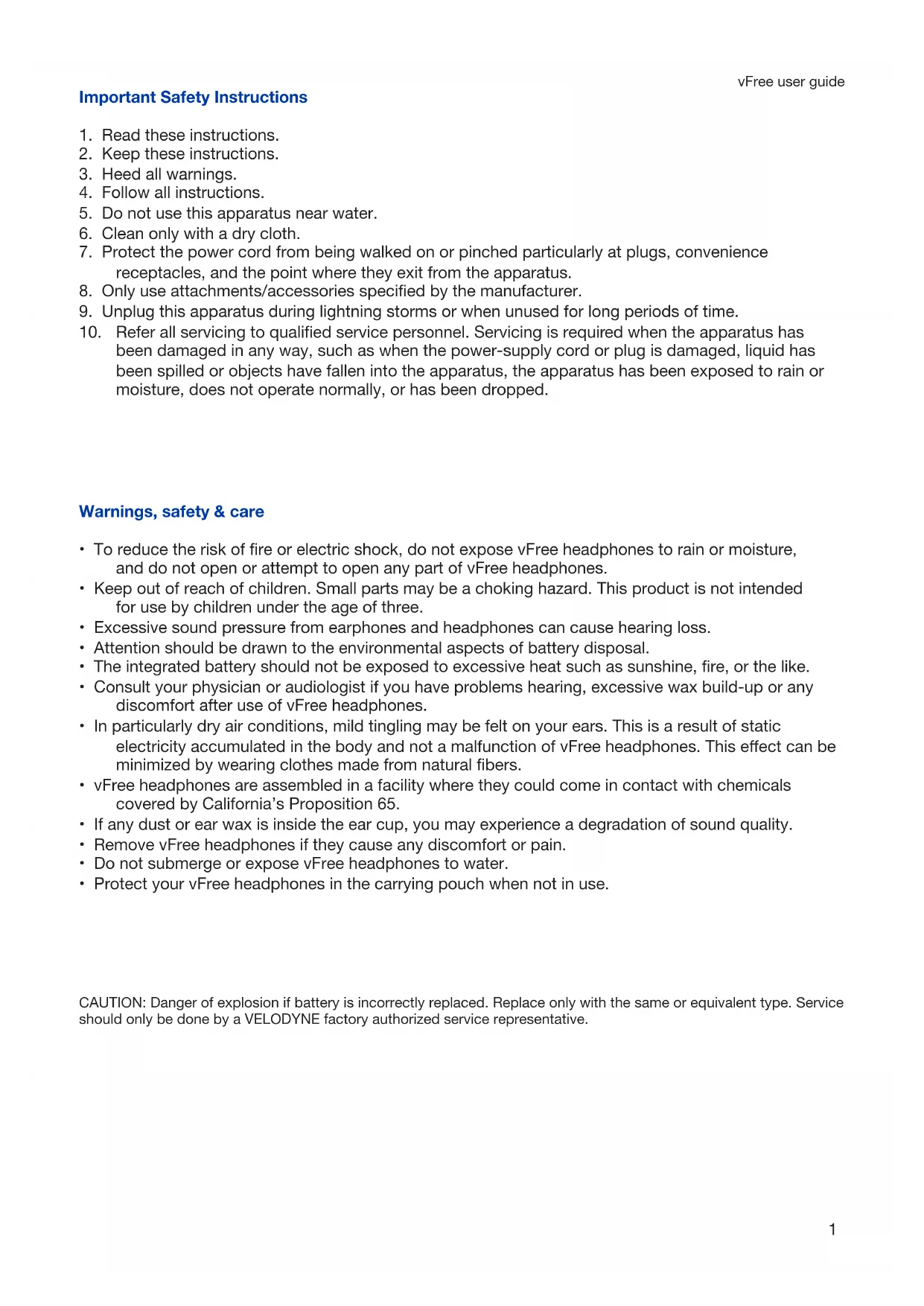

| Product type | Bluetooth over-ear headset |
| Brand | Velodyne |
| Model | vFree |
| Speaker diameter | 34 mm |
| Frequency response | 20 Hz - 20 kHz |
| Sensitivity | 98 dB at 1 kHz/1 mW |
| Impedance | 32 Ω |
| Bluetooth version | 2.1 + EDR |
| Bluetooth profiles | A2DP v1.2, AVRCP v1.0, HSP v1.2, HFP v1.6 |
| Audio codecs | SBC, AAC, apt-X |
| Bluetooth range | Up to 10 meters |
| Battery type | Lithium-ion polymer, 3.7 V / 430 mAh |
| Talk time | Up to 10 hours |
| Music playback time | Up to 10 hours |
| Standby time | Up to 100 hours |
| Charging time | Approximately 1.5 hours |
| Audio cable included | Yes, 3.5 mm jack |
| Charging cable included | USB to micro-USB |
| Carrying pouch included | Yes |
| Earpad cleaning | With a dry cloth, do not wet the speakers |
| Safety | Do not expose to water, respect sound levels |
| Warranty | 1 year (subject to conditions) |
Frequently Asked Questions - vFree VELODYNE
1. Reset of paired devices list: turn off the headset, then press and hold the power and volume - buttons until the LED flashes quickly red and blue.
2. Hardware reset (if headset is stuck): plug in the charging cable, then press and hold the power and volume + buttons.
- Rapid red/blue: pairing mode.
- Flashing blue every 5 seconds: paired.
- Flashing red every 10 seconds: low battery.
- Solid red during charging, solid green when charged.
- Rapid blue x2: incoming/outgoing call.
Refer to the manual for the full list.
User questions about vFree VELODYNE
0 question about this device. Answer the ones you know or ask your own.
Ask a new question about this device
Download the instructions for your Headphones in PDF format for free! Find your manual vFree - VELODYNE and take your electronic device back in hand. On this page are published all the documents necessary for the use of your device. vFree by VELODYNE.
USER MANUAL vFree VELODYNE
Charging & pairing 5
LED indications 6
Warranty 9
Important Safety Instructions
- Read these instructions.
- Keep these instructions.
- Heed all warnings.
- Follow all instructions.
- Do not use this apparatus near water.
- Clean only with a dry cloth.
- Protect the power cord from being walked on or pinched particularly at plugs, convenience receptacles, and the point where they exit from the apparatus.
- Only use attachments/accessories specified by the manufacturer.
- Unplug this apparatus during lightning storms or when unused for long periods of time.
- Refer all servicing to qualified service personnel. Servicing is required when the apparatus has been damaged in any way, such as when the power-supply cord or plug is damaged, liquid has been spilled or objects have fallen into the apparatus, the apparatus has been exposed to rain or moisture, does not operate normally, or has been dropped.
Warnings, safety & care
- To reduce the risk of fire or electric shock, do not expose vFree headphones to rain or moisture, and do not open or attempt to open any part of vFree headphones.
- Keep out of reach of children. Small parts may be a choking hazard. This product is not intended for use by children under the age of three.
- Excessive sound pressure from earphones and headphones can cause hearing loss.
- Attention should be drawn to the environmental aspects of battery disposal.
- The integrated battery should not be exposed to excessive heat such as sunshine, fire, or the like.
- Consult your physician or audiologist if you have problems hearing, excessive wax build-up or any discomfort after use of vFree headphones.
- In particularly dry air conditions, mild tingling may be felt on your ears. This is a result of static electricity accumulated in the body and not a malfunction of vFree headphones. This effect can be minimized by wearing clothes made from natural fibers.
- vFree headphones are assembled in a facility where they could come in contact with chemicals covered by California's Proposition 65.
- If any dust or ear wax is inside the ear cup, you may experience a degradation of sound quality.
- Remove vFree headphones if they cause any discomfort or pain.
- Do not submerge or expose vFree headphones to water.
- Protect your vFree headphones in the carrying pouch when not in use.
CAUTION: Danger of explosion if battery is incorrectly replaced. Replace only with the same or equivalent type. Service should only be done by a VELODYNE factory authorized service representative.
For traffic safety, do not use vFree headphones while driving or cycling. Do not wear vFree headphones while operating machinery. Adhere to local laws regarding the use of headphones.
Listening with vFree headphones at high volumes may affect your hearing, including causing permanent damage. Ringing in your ears or other discomfort can indicate that the volume is too high.
Hearing health is critical to enjoyment and the quality of life. Protect your hearing by listening with your vFree headphones in a responsible manner that protects your long term hearing health. Velodyne Acoustics, Inc. is not responsible for hearing loss or damage resulting from the use of this product.
| Sound Noise Level (dB) Effect | ||
| Normal breathing 10 Just audible | ||
| Whisper 30 Very quiet | ||
| Normal conversation 50-65 Comfortable hearing levels are under | 60 dB | |
| Vacuum cleaner, hair dryer 70 Intrusive; interferes with telephone conversation | ||
| Average city traffic 80 Annoying; interferes with conversation; | constant exposure may cause damage | |
| Lawnmower, food blender 85-90 85 dB is the level at which hearing damage (8 hrs) begins | ||
| Garbage truck, cement mixer 100 No more than 15 minutes of unprotected exposure recommended for sounds between 90-100 dB | ||
| Stereos (over 100 watts), thunderclap (near) | round over 100 dB of more than one minute risks permanent hearing loss | |
| Jet engines (near) 140 Threshold of pain begins around 125 dB | ||
*Information obtained from http://www.nidcd.nih.gov/health/education/teachers/pages/common_sounds.aspx
Cleaning
Ear cups should be cleaned regularly for sanitary reasons and to prolong the life of your ear cups.
With a dry cloth or paper towel, thoroughly clean the ear cups.
Specifications
Driver size: 34 mm
Frequency response: 20Hz - 20kHz
Sensitivity: 98 dB/1 kHz/1 mW
Impedance: 32 Ω
Frequency range: 2.4GHz - 2.4835GHz
Transmission range: up to 10m (33')
Power: lithium-ion polymer battery, 3.7 V / 430 mAh
(rechargeable)
Operating temperature: 0^ - 40^
Supports Bluetooth v2.1 + EDR, A2DP v1.2, AVRCP
v1.0,HSP v1.2,HFP v1.6
Support codes: SBC, AAC, apt-X
*Design and specifications are subject to change without notice
Button functions
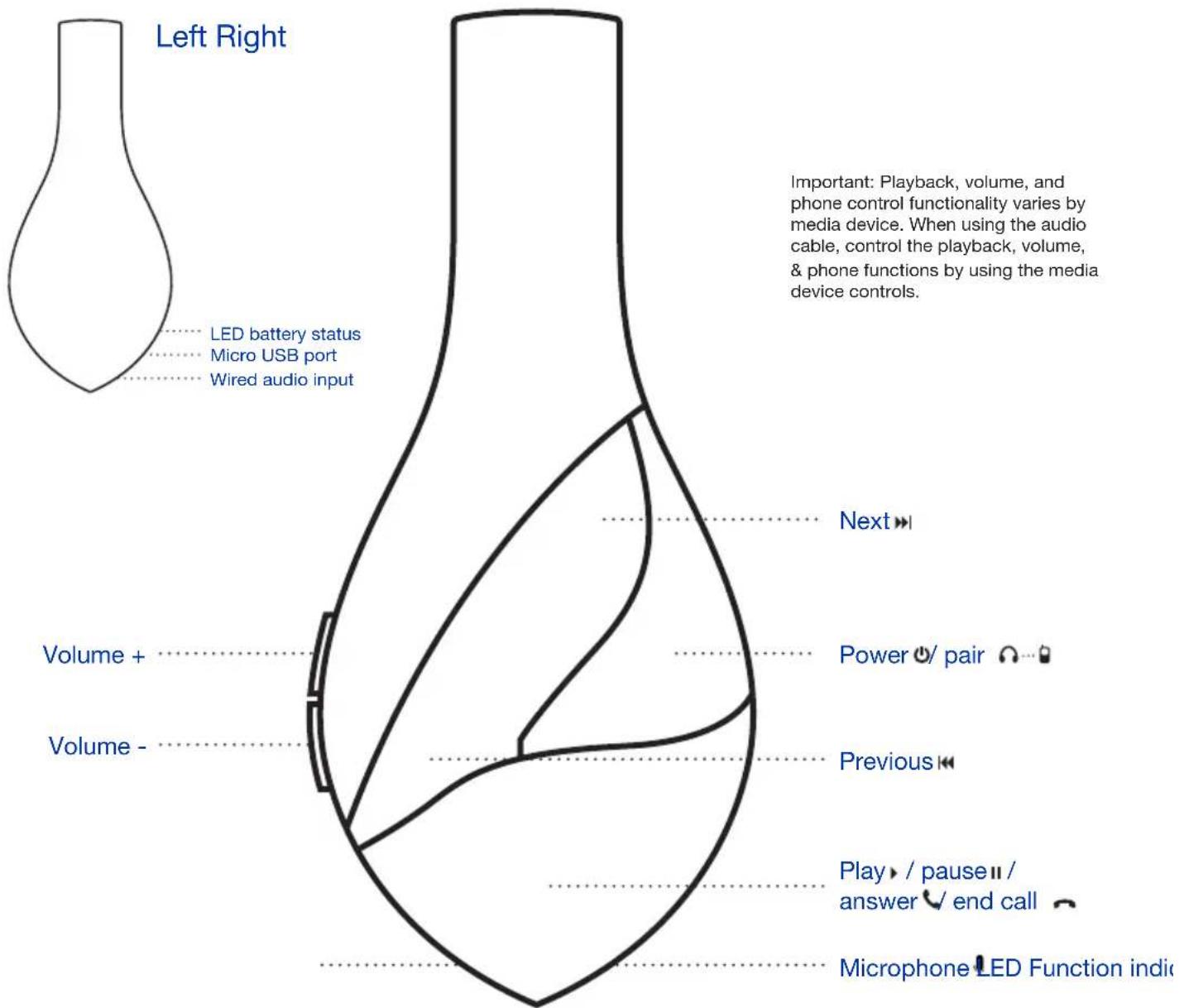
| Button Function | |
| Power ON / pair Long press (3 seconds) - power on | Long press while off (5 seconds) - pairingPress and hold > 3 seconds - power off |
| Play / pause II / answer V end call Short press - play/pauseShort press (while calling) - answer/end call | play/pauseShort press (while calling) - answer/end call |
| Volume up (+) Increase volume (max level indicated by beep sound) | by beepsound) |
| Volume down (-) Decrease volume | |
| Next Press once to go to next track | Press and hold to fast forward |
| Previous Press once to go to previous track | Press and hold to rewind |
Charging headphones
Charging the vFree before using for the first time is recommended in order to maximize battery life. Low battery is indicated by the LED status indicator flashing red approximately every 10 seconds.
To begin charging, connect the USB cable (micro USB end) to the port at the bottom of the left ear cup. Connect the other end of the USB cable to any charge capable USB port or a USB-style charger. Your vFree headphones will begin charging, as represented by the red LED status indicator. Once charging is complete, the LED status indicator will illuminate green.
| Charge time About 1.5 hours | |
| Talk time Up to 10 hours | |
| Music playback time Up to 10 hours | |
| Standby time Up to 100 hours |
Pairing headphones
- Make sure vFree headphones and pairing device are within 1 meter of each other when pairing
- Enable Bluetooth function on pairing device
- Press and hold the power button on vFree until the LED flashes blue and red repeatedly
- Search for Bluetooth devices on pairing device
- Select Velodyne vFree from the "Devices Found" list on the pairing device (if you do not see Velodyne vFree, repeat from step 1)
- After successful pairing, the LED indicator will flash blue every 5 seconds
Audio cable
When using the audio cable, the audio signal is applied directly to the headphone speakers and all electronics are bypassed. No function of the headphones will work when using the audio cable other than simply playing the audio signal.
Fold your headphones
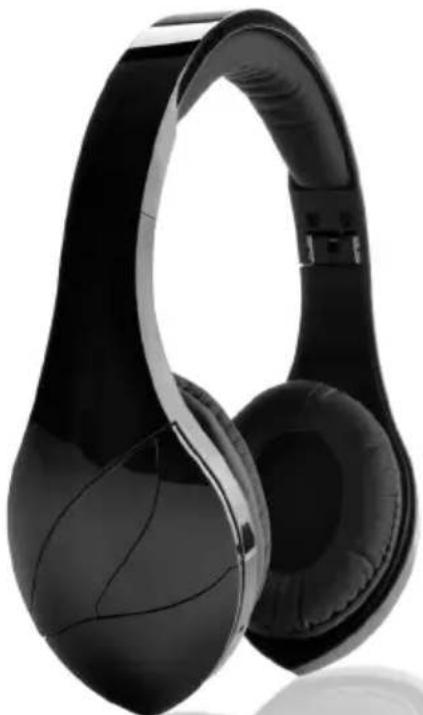
vFree headphones can fold for easier storage. To fold, remove any cables attached to the headphone and push each ear cup inward towards the inside of the band.
Reset functions
| Software reset (paired device list reset) In off mode | press and hold the power and volume down (-) keys > 8 seconds. The LED indicator will flash quickly alternating red and blue. |
| Hardware reset (use if the headset malfunctions and is unresponsive) | While charging the headset press both the power and volume up (+) keys. |
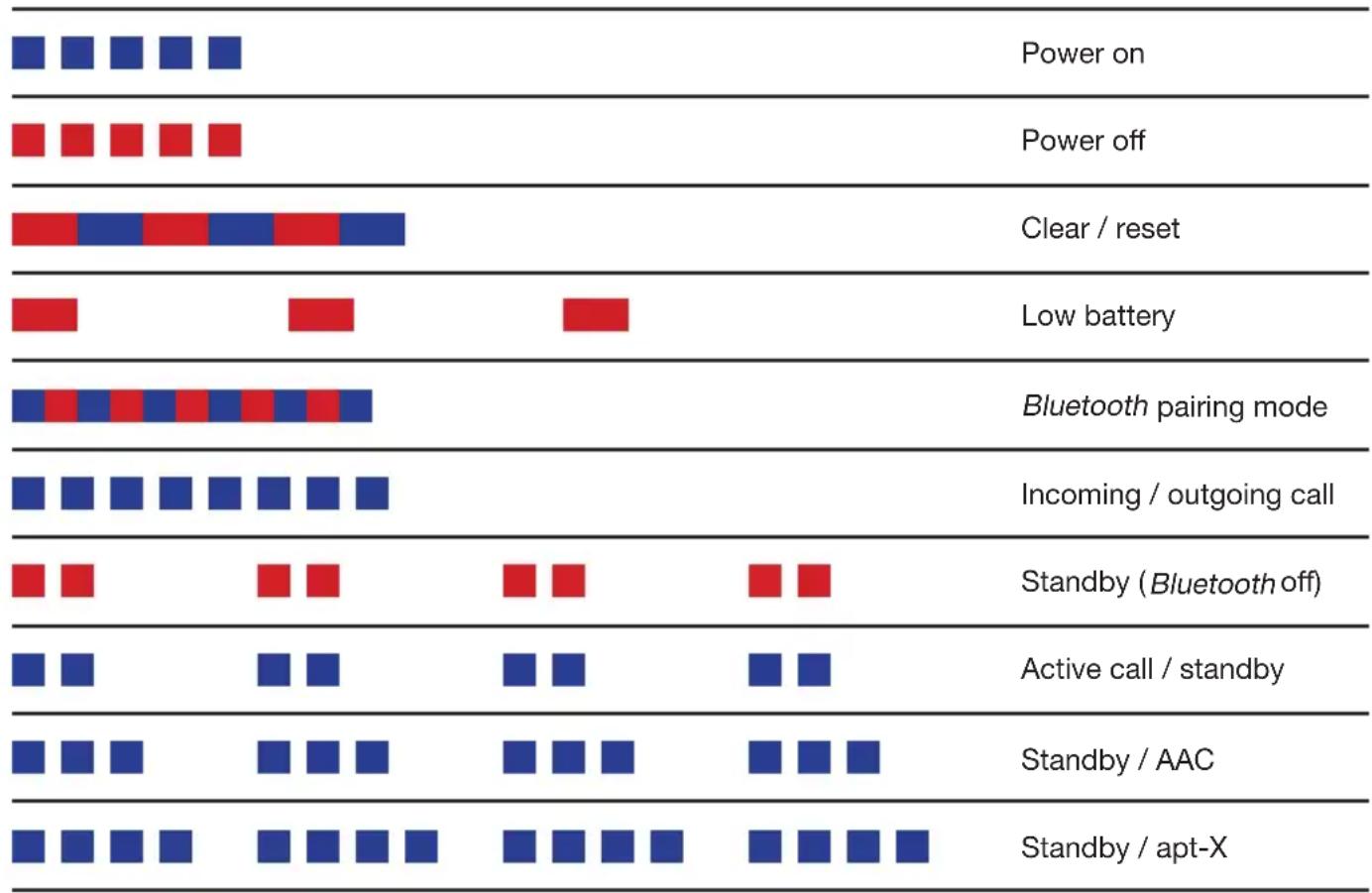
| LED Activity Function | |
| Fast flashing (blue) x 5 Power on | |
| Fast flashing (red) x 5 Power off | |
| Fast flashing (red/blue) Pairing | |
| Flashing (red) every 10 seconds Low battery | |
| Flashing (blue) x 2 every 5 seconds Paired | |
| Flashing (red) x 2 every 5 seconds Standby ( | Bluetooth off) |
| Alternating (red/blue) flashing x 3 Clear setting / reset | |
| Flashing (blue) x 2 A2DP active with SBC codec | |
| Flashing (blue) x 3 A2DP active with AAC codec | |
| Flashing (blue) x 4 A2DP active with apt-X codec | |
| Fast flashing (blue) Incoming / outgoing call | |
| Fast flashing (blue) x 2 Active call | |
| When charging (red) Charging | |
| When charging (green) Full charge |
Product recycling
Producing vFree headphones required the extraction and use of natural resources, and they may contain hazardous substances. Do not dispose of vFree headphones with your other household waste. Instead, take them to a designated collection point for the recycling of electronic equipment. The separate collection and recycling of your electronic waste equipment at the time of disposal will help to conserve natural resources and ensure that it is recycled in a manner that protects human health and the environment. For information about where you can drop off your waste equipment for recycling, contact your local city government or your household waste disposal service.
This device complies with Part 15 of FCC Rules. Operation is subject to the following two conditions: (1) This device may not cause harmful interference, and (2) This device must accept any interference received, including interference that may cause undesired operation. Changes or modification not expressly approved by the party responsible for compliance could void the user's authority to operate the equipment.
This equipment has been tested and found to comply with the limits for Class B digital device, pursuant to Part 15 of the FCC Rules. These limits are designed to provide reasonable protection against harmful interference in a residential installation. This equipment generates, uses and can radiate radio frequency energy and, if not installed and used in accordance with the instructions, may cause harmful interference to radio communications. However, there is no guarantee that interference will not occur in a particular installation. If this equipment does cause harmful interference to radio or television reception, which can be determined by turning the equipment off and on, the user is encouraged to try to correct the interference by one or more of the following measures:
- Reorient or relocate the receiving antenna.
- Increase the separation between the equipment and receiver.
- Connect the equipment into an outlet on a circuit different from that to which the receiver is connected.
- Consult the dealer or an experienced radio/TV technician for help.
Europe - EU Declaration of Conformity
The equipment complies according to the Radio Equipment and Telecommunications Terminal Equipment Directive 1999/5/EC.
This equipment meets the following conformance standards:
| Safety EN 60065/A 12:2011 |
| Health EN 62479:2010 |
| EMC EN 301 489-1 V1.9.2EN 301 489-17 V2.2.1EN 55013:2001+A1:2003+A2:2006EN 55020:2007+A11:2011 |
| Radio EN 300 328 V1.7.1 |
Limited Warranty (U.S. Only)
Velodyne Acoustics, Inc. ("Velodyne") warrants this product for a period of one (1) year from the date of purchase against defects in materials and workmanship and agrees to repair or, at Velodyne's option replace with a like or comparable model, any defective unit without charge.
This warranty is void if any repairs or service covered by the terms of this warranty are made to this product by anyone other than a Velodyne factory authorized service representative.
This warranty is void if this product is damaged due to a defect in the device to which it was connected, such as a battery leak or electrical fault.
- Velodyne is not responsible for damage caused by ordinary wear and tear, cosmetic damage, incorrect connection, accidents, abuse, misuse, negligence, natural or personal disaster or unauthorized modification.
This warranty is limited to products purchased from authorized Velodyne dealers and finalized within authorized dealer locations.
Proof of purchase is required. A proof of purchase is a receipt with the product and date of purchase listed from an authorized dealer.
- This warranty is void if this product is sold or transferred to another party.
To obtain service
Information regarding service may be obtained from the dealer from whom you purchased the unit, or by contacting Velodyne customer service. Warranty service must be performed by a Velodyne factory authorized service representative within the warranty period set forth above. Shipment of defective units to Velodyne for repair or replacement will be at the customer's own risk and expense. Velodyne will assume return shipping cost for all units repaired or replaced under warranty for US shipping addresses, and for units that were directly purchased and shipped from Velodyne.
Customer service contact information:
Toll free number: 855-219-4717
Technical support: 408-465-2851
Email: service@velodyne.com
*International warranty information - Please contact your local dealer for information on internationally warranty.
Velodyne vFree
Contenu de la boite
This device complies with Part 15 of FCC Rules. Operation is subject to the following two conditions: (1) This device may not cause harmful interference, and (2) This device must accept any interference received, including interference that may cause undesired operation. Changes or modification not expressly approved by the party responsible for compliance could void the user's authority to operate the equipment.
This equipment has been tested and found to comply with the limits for Class B digital device, pursuant to Part 15 of the FCC Rules. These limits are designed to provide reasonable protection against harmful interference in a residential installation. This equipment generates, uses and can radiate radio frequency energy and, if not installed and used in accordance with the instructions, may cause harmful interference to radio communications. However, there is no guarantee that interference will not occur in a particular installation. If this equipment does cause harmful interference to radio or television reception, which can be determined by turning the equipment off and on, the user is encouraged to try to correct the interference by one or more of the following measures:
- Reorient or relocate the receiving antenna.
- Increase the separation between the equipment and receiver.
- Connect the equipment into an outlet on a circuit different from that to which the receiver is connected.
- Consult the dealer or an experienced radio/TV technician for help.
Europe - EU Declaration of Conformity
The equipment complies according to the Radio Equipment and Telecommunications Terminal Equipment Directive 1999/5/EC.
This equipment meets the following conformance standards:
| Safety EN 60065/A 12:2011 |
| Health EN 62479:2010 |
| EMC EN 301 489-1 V1.9.2EN 301 489-17 V2.2.1EN 55013:2001+A1:2003+A2:2006EN 55020:2007+A11:2011 |
| Radio EN 300 328 V1.7.1 |
Register your headphones velodyne.com/warranty-registration
Follow Velodyne Acoustics, Inc.
velodyne.com
twitter.com/velodyneaudio
facebook.com/velodyne
thevelodyneblueroom.com
Velodyne®
©2013 Velodyne Acoustics, Inc.
345 Digital Drive
Morgan Hill CA 95037