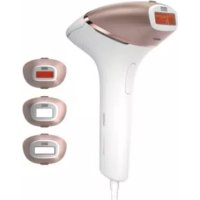
Lumea Prestige BRI948 - Epilator PHILIPS - Free user manual and instructions
Find the device manual for free Lumea Prestige BRI948 PHILIPS in PDF.


| Product type | Intense Pulsed Light (IPL) hair removal device Philips Lumea Prestige BRI948 |
| Technology | Intense Pulsed Light (IPL) with integrated UV filter and SmartSkin sensor |
| Included accessories | Body attachment, underarm attachment, bikini attachment, face attachment |
| Number of light intensities | 5 levels (1 to 5) |
| Treatment modes | Position & flash and glide & flash (continuous mode) |
| SmartSkin sensor | Measures skin tone, prevents flashes on too dark skin, suggests appropriate intensity |
| Power supply | Power adapter 100-240 V, 50/60 Hz, 1.5 A; output 19.5 V, 3.33 A, 65 W |
| Adapter reference | AD2069x20020HF (x varies by plug) |
| Pulse duration | 1 - 2.5 milliseconds |
| Interval between flashes | 1 to 3.5 seconds |
| Optical exposure (attachments) | Body: 2.5-5.6 J/cm²; Underarm: 2.5-6.5 J/cm²; Bikini: 2.5-6.5 J/cm²; Face: 2.4-5.9 J/cm² |
| Compatible hair colors | Dark to dark brown hair (absorbs light), ineffective on blonde, red, gray or white hairs |
| Compatible skin types | Skin type I to V (Fitzpatrick), not for type VI |
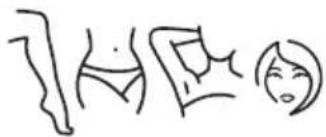
| Areas of use | Body (legs, arms, underarms, bikini, face below cheekbones), not around eyes or on mucous membranes |
| Recommended treatment frequency | Initial phase: 1 session every 2 weeks (4 sessions); touch-up: 1 session every 4 weeks |
| Operating temperature | 5 °C to 35 °C |
| Storage temperature | -25 °C to 70 °C |
| Allowable humidity | Up to 90% relative humidity without condensation |
| Cleaning | Unplug, let cool, clean flash window and attachments with a damp cloth; not washable |
| Safety | Integrated safety system (no flash without skin contact), UV filter, SmartSkin detection, automatic shut-off on too dark skin |
| Warranty | International warranty (see leaflet) |
| Protection rating | IP22 (adapter) and IP30 (device) |
Frequently Asked Questions - Lumea Prestige BRI948 PHILIPS
User questions about Lumea Prestige BRI948 PHILIPS
0 question about this device. Answer the ones you know or ask your own.
Ask a new question about this device
Download the instructions for your Epilator in PDF format for free! Find your manual Lumea Prestige BRI948 - PHILIPS and take your electronic device back in hand. On this page are published all the documents necessary for the use of your device. Lumea Prestige BRI948 by PHILIPS.
USER MANUAL Lumea Prestige BRI948 PHILIPS
natural_image
Product photo of a modern laser brush with a digital display and brand name 'Sdunha' visible (no text-heavy elements)
natural_image
Simple line drawing of an open book with a grid on the left and a closed page on the right (no text or symbols)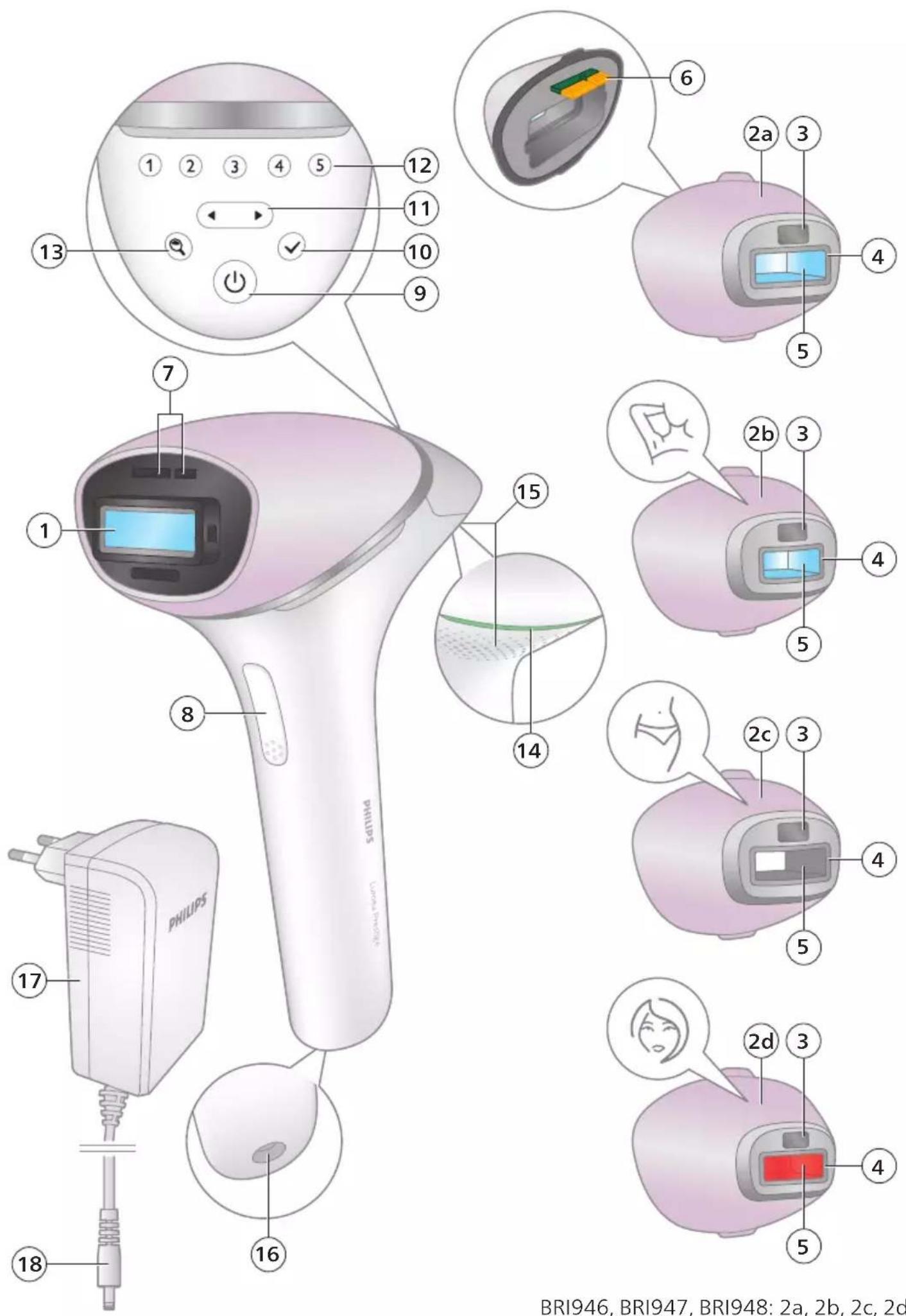
BRI946, BRI947, BRI948: 2a, 2b, 2c, 2d
BRI944, BRI945: 2a, 2d
BRI940: 2a
English 6
Français 30
55 العربية
78 فارس
Contents
Welcome 6
Device overview 7
Contraindications 7
Important safety instructions 9
How IPL works 11
Recommended treatment schedule 12
What to expect ____ 13
How to use your Lumea Prestige ____ 13
Learning more about your Lumea Prestige 19
Attachments 19
SmartSkin sensor 20
Selecting the light intensity 20
Two treatment modes: Stamp & Flash and Slide & Flash 21
Using your Lumea Prestige before and after tanning ____ 22
Traveling with the device 22
After use ____ 23
Troubleshooting 24
Warranty and support 26
Recycling 26
Technical specifications 27
Electromagnetic compatibility - Compliance information 27
Explanation of symbols 27
Welcome
Welcome to the world of Philips Lumea Prestige! You are only a few weeks away from silky-smooth skin.
Lumea Prestige uses Intense Pulsed Light (IPL) technology, known as one of the most effective methods to continuously prevent hair growth. In close collaboration with expert scientists and dermatologists, we adapted this light-based technology, originally used in professional beauty salons, for easy and effective use in the comfort of your home. Lumea Prestige is gentle and offers convenient and effective treatment at a light intensity that you find comfortable. Unwanted hairs are finally a thing of the past.
Lumea Prestige has been designed and developed for women, but may be suitable for use by men.
To fully benefit from the support that Philips offers, register your product at www.philips.com/support. For further information, please go to www.philips.com/Lumea to find our experts' advice, tutorial videos and FAQs and make the most of your Lumea.
Note: Keep these instructions with your product at all times.
Device overview
1 Light exit window with integrated UV filter
2 Attachments
a Body attachment
b Underarm attachment (BRI946, BRI947, BRI948)
c Bikini attachment (BRI946, BRI947, BRI948)
d Facial attachment (BRI944, BRI945, BRI946, BRI947, BRI948)
3 SmartSkin sensor
4 Integrated safety system
5 Reflector inside the attachment
6 Electronic contacts
7 Opening for electronic contacts
8 Flash button
9 On/off button
10 Confirmation button
11 Toggle buttons
12 Intensity lights
13 SmartSkin button
14 'READY to flash' light
15 Air vents
16 Device socket
17 Adapter
18 Small plug
19 Pouch (not shown)
20 Cleaning cloth (not shown)
Contraindications
Conditions
Never use the device:
- If you are under the age of 18 years or above 65 years.
- If you have skin type VI (you rarely to never sunburn, very close), this case you run a high risk of developing skin reactions, such hyperpigmentation and hypopigmentation, strong redness or burns.
- If you are pregnant or breastfeeding as the device was not to pregnant or breastfeeding women.
- If you have any active implants such as a pacemaker, neurostim pump, etc.
Medications/History
Never use the device if you take any of the medications listed below:
- If your skin is currently being treated with or has recently been treated in the past week with Alpha-Hydroxy Acids (AHAs), Beta-Hydroxy Acids (BHAs), topical tretinoin and azelaic acid.
- If you have taken any form of isotretinoin Accutane or Roaccutane in the last six months. This treatment can make skin more susceptible to tears, wounds and irritations.
- If you are taking photosensitizing agents or medications, check the package insert of your medicine and never use the device if it is stated that it can cause photo-allergic reactions, photo-toxic reactions or if you have to avoid sun when taking this medicine.
- If you take anticoagulation medications, including heavy use of aspirin, in a manner which does not allow for a minimum 1-week washout period prior to each treatment.
Never use the device:
- If you have received radiation therapy or chemotherapy within the past 3 months.
- If you are on painkillers which reduce the skin's sensitivity to heat.
- If you take immunosuppressive medications.
Pathologies/Disorders
Never use the device:
- If you have diabetes or other systemic or metabolic diseases.
- If you have congestive heart disease.
- If you have a disease related to photosensitivity, such as polymorphic light eruption (PMLE), solar urticaria, porphyria, etc.
- If you have a history of collagen disorder, including a history of keloid scar formation or a history of poor wound healing.
- If you have epilepsy with flashlight sensitivity.
- If your skin is sensitive to light and easily develops a rash or an allergic reaction.
- If you have a skin disease such as active skin cancer, you have a history of skin cancer or any other localized cancer in the areas to be treated.
- If you have a history of vascular disorder, such as the presence of varicose veins or vascular ectasia in the areas to be treated.
- If you have any bleeding disorder.
- If you have a history of immunosuppressive disease (including HIV infection or AIDS).
- If you have a skin pigmentation disorder such as vitiligo.
Skin conditions
Never use the device:
- If you have infections, eczema, burns, inflammation of hair follicl lacerations, abrasions, herpes simplex (cold sores), wounds or lesic haematomas (bruises) in the areas to be treated.
- On irritated (red or cut), sunburned, recently tanned or fake-tanr
- On the following areas: on moles, freckles, large veins, darker p areas, scars, skin anomalies without consulting your doctor. This a burn and a change in skin color, which makes it potentially identify skin-related diseases.
- On the following areas: warts, tattoos or permanent make-up.
Location/Areas
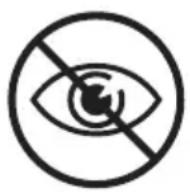
Never use the device on the following areas:
- Around the eyes and on or near the eyebrows. Use the device the cheekbones.
- On the lips, scalp, perineum, nipples, areolas, labia minora, vagin the inside of the nostrils and ears.
- If you have had surgery in the areas to be treated.
- Men must not use the device on the face and neck including growing areas, nor on the whole genital area.
- On areas where you use long-lasting deodorants. This can result reactions.
- Over or near anything artificial like silicone implants, subcutaneous ports (insulin dispenser) or piercings.
Note: This list is not exhaustive. If you are not sure whether you device, we advise you to consult your doctor.
Important safety instructions
Warnings
Please read and follow these instructions to optimize the use of prevent/minimize the risk of injury, skin reactions and side effects.
- Before you use Lumea, you should clean your skin and make hair-free, entirely dry and free from any lotion or gel.
- Keep the device and the adapter dry.
- The device is not washable. Never immerse the device in water rinse it under the tap.
-
Water and electricity are a dangerous combination. Do not use appliance in wet surroundings (e.g. near a filled bath, a running filled swimming pool). Moisture can damage the device and lead potential safety hazard.
-
Always check the device before you use it. Do not use the device or adapter if it is damaged. Always replace a damaged part with one of the original type.
- If the device or adapter is broken or damaged, do not touch any inner part to avoid electric shock.
- Do not use the device if the UV filter of the light exit window and/or attachment is broken, as safe operation cannot be guaranteed under these circumstances.
- Do not attempt to open or repair your device. Opening Philips Lumea may expose you to dangerous electrical components and to pulsed light energy, either of which may cause bodily and/or eye injury.
- Always return the device to a service center authorized by Philips for examination or repair. Repair by unqualified people could cause an extremely hazardous situation for the user.
- No modification of this equipment is allowed. Do not modify, override or cut off any part of the device (e.g. adapter or the cord), as this causes a hazardous situation.
- Do not look at the flash while using the device. Use the device in a well-lit room so that the light is less glaring to your eyes. While not necessary for safety, you may wear sunglasses or goggles for your convenience if you find the light uncomfortable or too bright.
- Do not flash the same spot multiple times during a treatment. The surface of the attachment should overlap the previous spot to make sure you flash the complete skin area, but treating the same area multiple times does not increase efficacy.
- For hygienic reasons, the device should only be used by one person.
- Do not use hair removal creams in the area (to be) treated with the device, as chemicals may cause skin reactions.
- Do not use any pencil or pen to mark the areas to be treated. This may cause burns on your skin.
- The device can be stored at a temperature between -25 °C and 70 °C. Use the device at a temperature between 5 °C and 35 °C. The device will not work properly outside of this temperature range. This may cause burns on your skin.
- Hair removal by intense pulsed light sources can cause increased hair growth in some individuals. Based upon currently available data, the highest risk groups for this response are females of Mediterranean, Middle Eastern, and South Asian heritage treated on the face and neck.
- If you experience skin irritation or skin redness after treatment, wait until it disappears before applying any product to your skin. If you experience skin irritation after applying a product to your skin, wash it off with water. If you still get skin reactions, stop using the device and consult your doctor.
- If shaving, epilating or waxing causes skin irritation, we advise you not to use the device until the skin irritation has disappeared.
- This device is not intended for use by persons with reduced physical, sensory or mental capabilities, or lack of experience and knowledge, unless they have been given supervision or instruction concerning use of the device by a person responsible for their safety.
- Children should be supervised to ensure that they do not play device. Supervision is required to avoid potential risks such as the light output, electrocution, strangulation from the cables or the attachments.
- Tanning with natural or artificial sunlight might influence the set color of your skin. Perform a skin test to determine the appro intensity setting.
- After each treatment, wait at least 48 hours before tanning to skin reaction has been resolved.
- If you notice a skin tone change since the last treatment, we perform a skin test and to wait 24 hours before your next tr
- Always check the device before you use it. Make sure that the sensor window is clean when using the device, to avoid improvement (see 'D Clean & store after treatment').
- The adapter, light exit window and the filter of the attachment very hot (>210°C) during usage. Always let the adapter, the lig window as well as the glass filter and inner parts of the atta down before you touch them.
- This device has a detachable power supply unit. Only use the provided with this device. Do not use an extension cord. The number (AD2069x20020HF) can be found on your device. The 'x number refers to the plug type for your country.
- Follow the recommended treatment schedule. Increasing the frequent especially in the initial phase, can increase the risk of skin reaction
How IPL works
natural_image
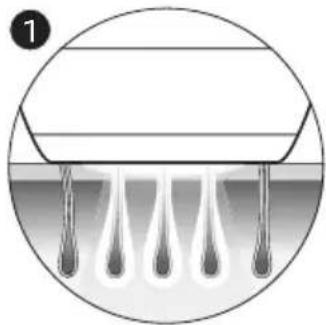
Diagram of a droplet formation process inside a circular container (no text or symbols)With Intense Pulsed Light technology, gentle pulses of light are ap skin and absorbed by the hair root. The lighter the skin and the the better the pulses of light are absorbed.
natural_image
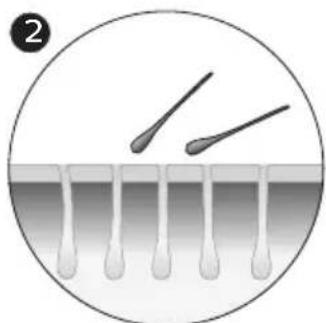
Diagram showing two droplets approaching a surface with droplets, no text or symbols presentThe pulses of light stimulate the hair follicle to go into a resting consequence, the hair sheds naturally and hair growth is prevented
natural_image
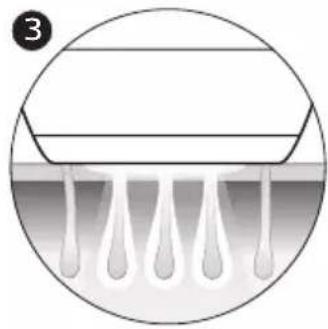
Diagram of a medical or laboratory procedure showing liquid droplets entering a container (no text or symbols)The cycle of hair growth consists of different phases. IPL technology effective when the hair is in its growing phase. Not all hairs are i phase at the same time. This is why we recommend you to follow treatment phase (4 treatments, every treatment 2 weeks apart) and t follow-up treatment phase (touch-ups every 4 weeks) to make sure a effectively treated in the growing phase.
Tip: To assure long lasting hair removal, touch-ups every 4 weeks are recommended.
Suitable body hair colors
Treatment with Lumea is not effective if you have light blond, grey, hairs as hairs with these colors do not absorb enough light.
Note: To check if your body hair color allows usage of the device, hair color table on the foldout page.
Recommended treatment schedule
Initial phase
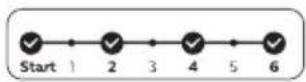
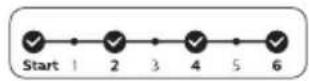
To achieve effective hair reduction, follow the initial treatment schedule Initial treatment schedule
For the first 4 treatments, use Lumea once every 2 weeks to ensure are treated.
- Perform a treatment within 3 days before or after the planned tre date.
- If you have not treated yourself within 3 days before or after the treatment date, restart the initial phase. Plan in 4 treatments, 1 trea every 2 weeks.
Note: If you do not restart the initial phase, you may not see effect reduction.
Note: Replacing one of the IPL treatments with another hair removal (waxing, epilating, etc.) will not help to reach the desired hair reduc
If you want to remove hairs in between the Lumea treatments, you normal hair removal method (excluding hair removal creams).
Touch-up phase
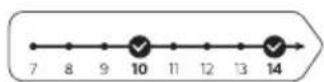
After the initial phase (4 treatments), we recommend touch-ups every
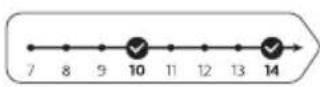
Touch-up treatment schedule
Perform a treatment every 4 weeks. Repeat this 8 times to achieve reduction. This is to maintain results and enjoy smooth skin for r
- We advise you to perform a treatment within 4 days before or planned treatment date.
- The results may vary based on your individual hair growth and different body areas.
- If you have completed the touch-up phase and you see the n treatment (hair starts coming back), we advise you to restart th phase.
Note: Using the device more often does not enhance the effective
Tip: Mark the treatment schedule on your calendar to remind you planned treatments.
What to expect
After initial phase
- After the first treatment, it can take 1 to 2 weeks for the hand the first weeks following the initial treatments, you still see some growing. These are likely to be hairs that were not in their groups during the first treatments.
- After 2-3 treatments, you should see a noticeable reduction in However, to effectively treat all hairs, it is important to keep according to the recommended treatment schedule.
- After 4 treatments, you should see a significant reduction of ha the areas that you treated with Lumea. A reduction of hair de visible as well.
During touch-up phase
- Keep on treating with frequent touch-ups (every 4 weeks) to m result.
How to use your Lumea Prestige
A Remove hair & clean your skin

natural_image
Illustration of a hand using a tool to brush through droplets on a surface (no text or symbols)1 Remove hair before every treatment as long as hair is still visible either shave, epilate or wax. Make sure you start to treat before visible on your skin. If you choose to wax, wait 24 hours before Lumea.
natural_image
Illustration of a human hand and foot in contact, showing anatomical positioning (no text or symbols)2 Clean and dry your skin. Make sure that it is free from any lot
B Test skin
24 hours before treatment
1 Test your skin to find the correct light setting:
- For every new body area.
- After recent tanning.
natural_image
Illustration of a hand holding a connector with an arrow indicating rotation (no text or symbols)2 Select the correct attachment to test your skin (see 'Attachments').
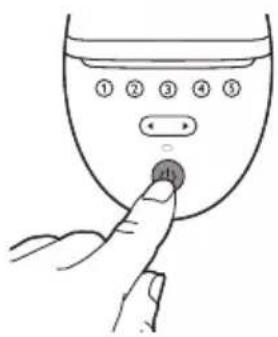
3 Press the on/off button to turn on the device.
natural_image
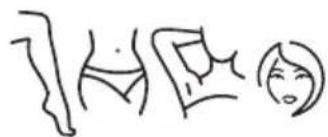
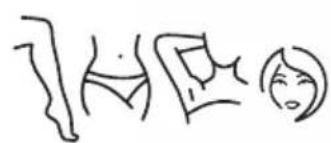
Simple line drawings of three abstract human figures (no text or symbols)4 Choose an area for your skin test.

5 Press the device firmly onto your skin and hold it in place.
The integrated safety system prevents unintentional flashing without skin contact.
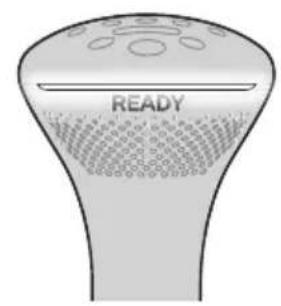
6 Confirm that the 'READY to flash' light lights up white to ens full contact with your skin.
- If the 'READY to flash' light is orange, your skin is too dark Lumea on a lighter body area.
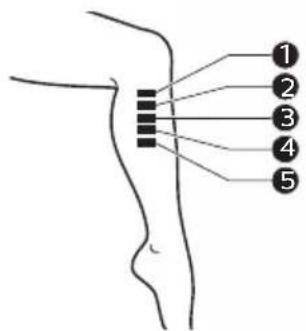
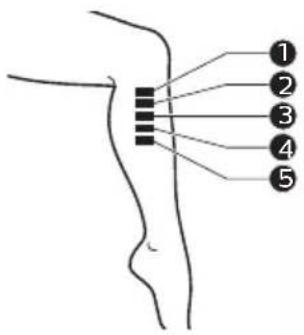
7 Try each setting on your skin and find your comfortable setting. If the flash feels uncomfortable and you experience pain, lower
- When the 'READY to flash' light is white, press the flash button handle once, to treat one spot with setting ①.
The device makes a soft popping sound. The flash gives you a sensation.
- You will see a flash of light.
Note: You can toggle through the light intensity settings by pre toggle button.
- Move to next area. Treat one spot with setting ②
- Move to next area. Treat one spot with setting ③
- Move to next area. Treat one spot with setting ④
- Move to next area. Treat one spot with setting ⑤
natural_image
Simple clock icon with an arrow indicating rotation (no text or symbols)24 hours

C Treatment
8 Wait 24 hours.
Note: Even though you found your comfortable setting during the it may occur that skin reactions show within 24 hours after usage.
9 Check your skin for any reactions (e.g. redness, irritation, rash). If there are no skin reactions after 24 hours, start the treatment highest comfortable setting.
If the highest comfortable setting resulted in a skin reaction, choo setting that did not result in any skin reactions.
If you did not test a lower setting, repeat the skin test.
IMPORTANT: First finish sections A (Remove hair & clean your skin) a skin 24 hours before treatment).
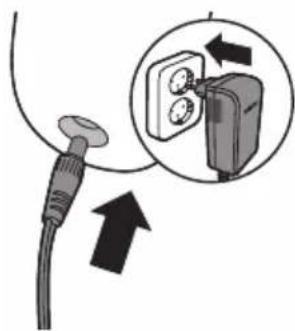
1 Connect the power adapter to the device and plug into a power
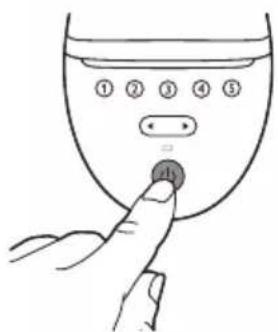
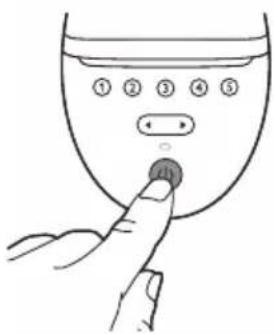
2 Press the on/off button to turn on the device.
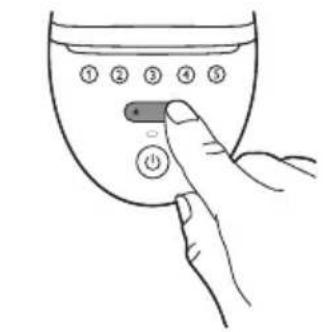
3 Choose the setting you selected after the skin test (section B,
natural_image
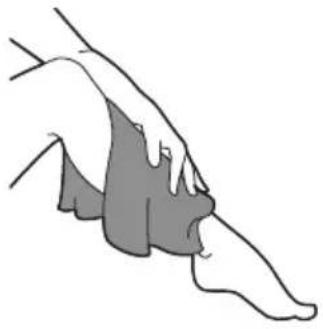
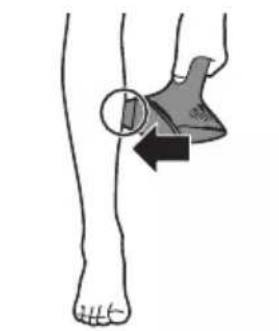
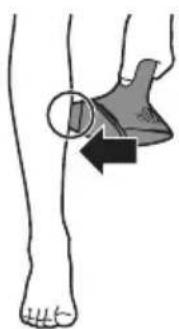
Illustration of a human foot and ankle joint with a shaded area indicating movement or pressure (no text or symbols)4 Press the device firmly onto your skin and hold it in place. T flash' light should light up white.
natural_image
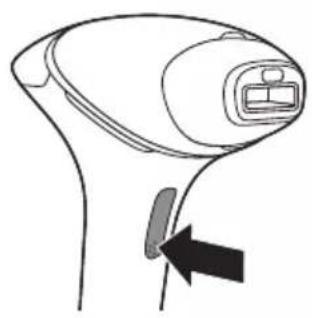
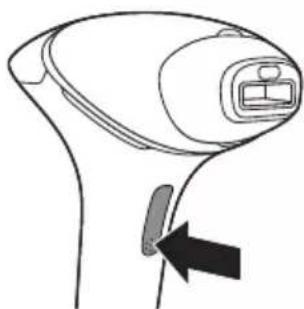
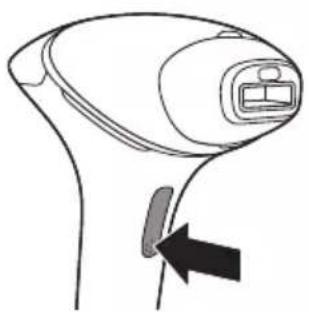
Line drawing of a handheld device with a black arrow pointing to a button (no text or symbols)5 Press the flash button to release a flash on your skin. The flash in that spot.
The device makes a soft popping sound. The flash gives you a sensation.
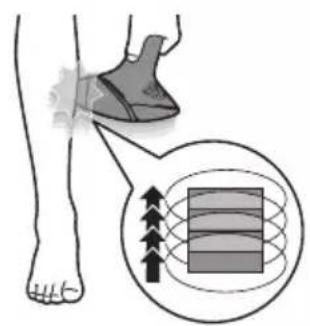
After each flash, it takes up to 3.5 seconds until the device i again. You can release a flash when the 'READY to flash' light white.
6 Move to an adjacent spot and press the flash button again. The attachment that is in contact with your skin is slightly large light exit window. The surface of the attachment should overlap previous spot to make sure you flash the complete skin area.
DO NOT flash the same spot multiple times during a treatment of the attachment should overlap the previous spot to make su the complete skin area, but treating the same area multiple tim increase efficacy.
7 Continue until you have treated the full area. There are two 1 modes (see 'Two treatment modes: Stamp & Flash and Slide &
8 Turn off the device when you finished the treatment.
9 Remove hair before every next treatment, as long as hair is st
Note: Do not try the device on difficult or sensitive areas (ankle
D Clean & store after treatment
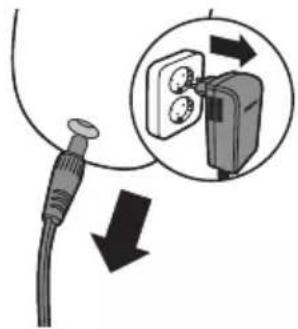
1 Unplug the device from the power outlet.
2 Let the device cool down.
natural_image
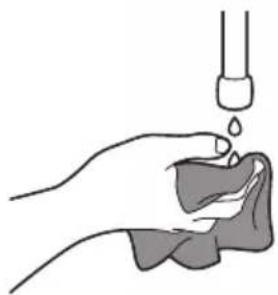
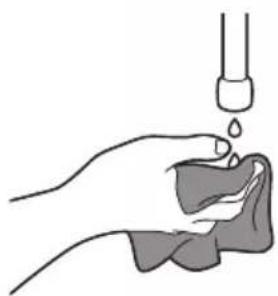
Illustration of a hand holding a small object with liquid being poured into it (no text or symbols)3 Moisten the soft cloth supplied with a few drops of water.
natural_image
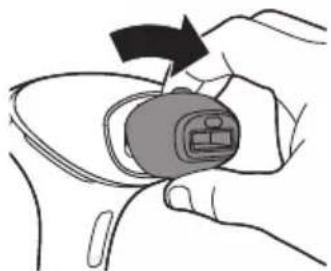
Illustration of a hand holding a small electronic component with an arrow indicating rotation (no text or symbols)4 Take the attachment off the device.

5 Clean the light exit window of the device (A).
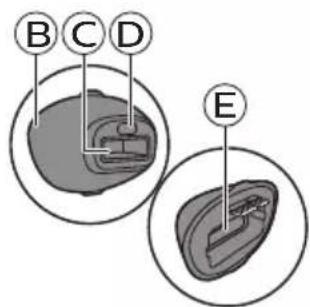
6 Clean all surfaces of the attachment, including the metal reflector window of the attachment (parts B, C, D, E).
7 Let all parts dry thoroughly.
8 Store in a dust-free place at room temperature.
Learning more about your Lumea Prestige
Attachments
For optimal results, it is important to use the correct attachment intended for the specific body area you want to treat. Lumea offers full-body treatment with several attachments designed for use on specific body areas. SenseIQ technology adapts the treatment program when a different attachment is connected.
Note: The device may not work anymore and show an error when there is dirt on the attachment connector. Clean the contact leads when this occurs.
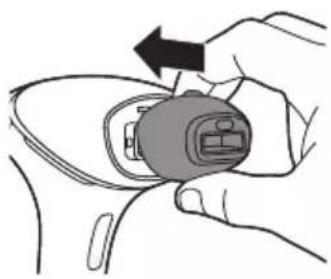
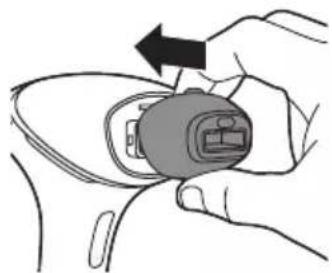
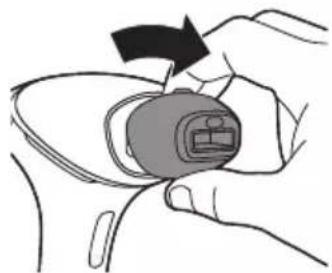
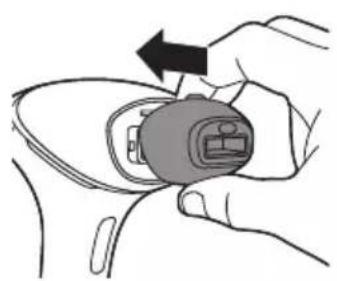
To place the attachment, simply snap it onto the light exit window.
natural_image
Illustration of a hand holding a small electronic device with an arrow indicating rotation (no text or symbols present)To remove the attachment, pull it off the light exit window.
natural_image
Illustration of a hand holding a small electronic device with a black arrow indicating rotation (no text or symbols)Body attachment
The body attachment has the largest treatment window and a curved-in design to effectively cover and treat areas below the neckline, especially large areas such as legs, arms and stomach.
Facial attachment (BRI944, BRI945, BRI946, BRI947, BRI948)

natural_image
Simple line drawing of a stylized human face inside a circle (no text or symbols)The facial attachment has a precise flat design with extra integrated red glass filter for safe and precise treatment on the sensitive skin above the upper lip, chin and sideburns. The device is only intended for removing unwanted body hair from areas below the cheekbones. When you use the device on areas with sharp contours like the jawline and chin, it may be difficult to establish full skin contact and release a flash.
Tip: Place your tongue between your upper lip and your teeth or puff out your cheeks to make the treatment easier.
Underarm attachment (BRI946, BRI947, BRI948)
natural_image
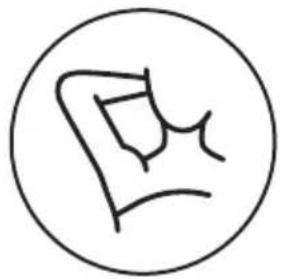
Simple line drawing of a stylized object inside a circle (no text or symbols)The underarm attachment has a specifically curved-out design to treat underarm hairs that might be hard to reach.
Bikini attachment (BRI946, BRI947, BRI948)
natural_image
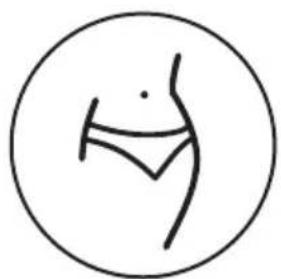
Simple line drawing of a human figure inside a circle (no text or symbols)The bikini attachment has a specialized design for effective treatment of the bikini area. It has a curved-out design and has a higher light intensity compared to body attachment. Hair in this area tends to be thicker and stronger than leg hair.
SmartSkin sensor
Lumea offers SenseIQ technology for a personalized hair removal treatment. The integrated SmartSkin sensor measures the skin tone at the start of each session and during the session. This provides two features:
1 The SmartSkin sensor prevents you to treat areas of your skin that are too dark: if it detects a skin tone that is too dark for treatment with Lumea, the 'READY to flash' light starts blinking orange. It does not flash when you press the flash button. The device automatically disables. This prevents you from developing skin reactions.
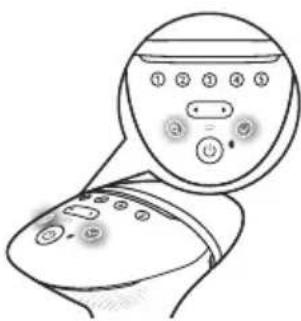
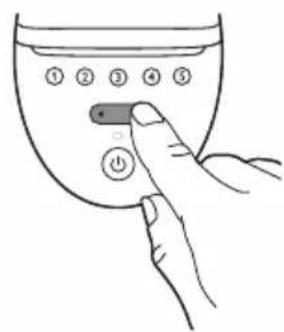
2 The SmartSkin sensor will help you to select the light intensity setting that is comfortable for your skin. For this you can use the SmartSkin button Ⓞ.
Selecting the light intensity
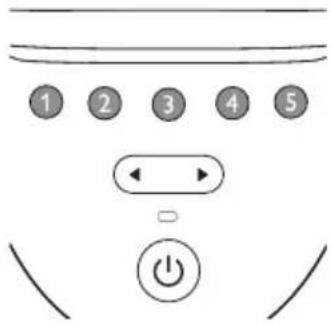
Lumea provides 5 different light intensities, you will always be able to change to a light intensity setting you find comfortable.
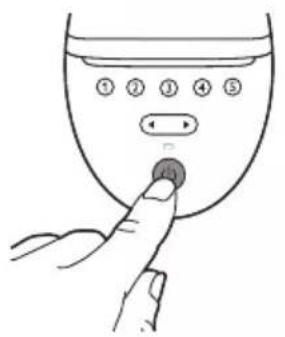
1 Press the on/off button to turn on the device. The device starts to operate at light intensity setting 1.
natural_image
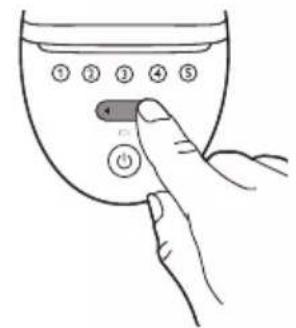
Line drawing of a medical device with a circular inset showing internal components (no text or symbols)Note: To adjust the light intensity setting manually without using SmartSkin button, use the toggle button until you have reached setting. The corresponding intensity light level lights up white.
2 Press the SmartSkin button and put the device to your skin.
3 After the device has scanned your skin, the light intensity indicates white to indicate which intensities are most comfortable based on tone.
4 Press the confirmation button to confirm that you want to use indicated setting.
Lumea automatically uses the highest indicated intensity, which is a blinking intensity indicator.
Lumea gives you the freedom to select the light intensity that comfortable. Skin sensitivity can differ per person. Therefore, the the most important guide for selecting your light intensity setting Test skin 24 hours before treatment').
5 Using Lumea should never be uncomfortably painful. If you expedi discomfort, reduce the light intensity setting. You can do this b toggle buttons.
Note: The device is automatically disabled when your skin tone (dark, according to the skin tone table), to prevent you from reactions. The 'READY to flash' light will blink orange to indicate tone is too dark.
6 After moving to another body area or after recent tanning (see Lumea Prestige before and after tanning'), perform a skin test in a comfortable light intensity setting. To re-activate the setting in feature, press the SmartSkin button.
Note: Perform a skin test before you start to treat another bo a skin tone change. Determine the light intensity setting for ea separately.
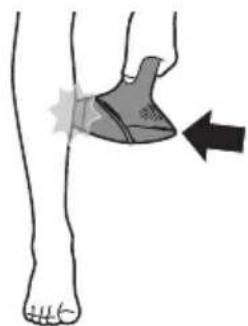
Two treatment modes: Stamp & Flash and Flash
natural_image
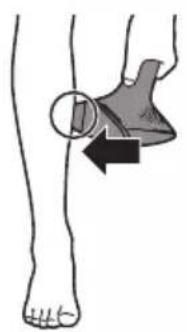
Illustration of a human leg with a shaded knee joint and an arrow indicating movement or force (no text or symbols)Your Philips Lumea has two treatment modes for more convenient different body areas:
- The Stamp & Flash mode is ideal to treat small or curvy areas underarms. Simply press and release the flash button to release a flash.
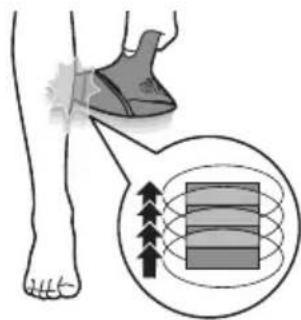
- The Slide & Flash mode offers convenient use on larger areas like the flash button pressed while you slide the device over your skin several flashes in a row.
Using your Lumea Prestige before and after tanning
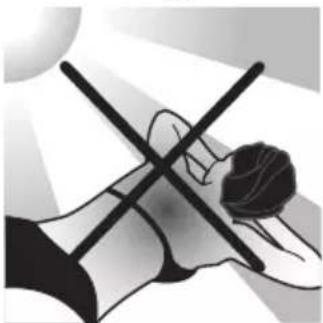
Tanning with natural or artificial sunlight
natural_image
Illustration of a person holding a medical device with a cross symbol (no text or labels)Intentionally exposing your skin to natural or artificial sunlight with the developing a tan influences the sensitivity and color of your skin. The following is important:
- After each treatment, wait at least 48 hours before tanning. Even hours, make sure that the treated skin does not show any redne treatment anymore.
- If you expose your skin to the sun (without tanning intentionally) hours after treatment, use a sunblock SPF 50 on the treated areas period, you can use a sunblock SPF 50 for two weeks.
- After tanning, wait at least 2 weeks before you use Lumea and p skin test. This is to determine the appropriate light intensity setting Test skin 24 hours before treatment').
- Do not use Lumea on sunburned body areas.
Note: Occasional and indirect sun exposure does not qualify as tar
Tanning with creams
If you have used an artificial tanning lotion, wait until the artificial completely gone before you use the device.
Traveling with the device
When you travel with the device, check with the airplane carrier to the device can be carried and/or used on the airplane.
After use
Aftercare
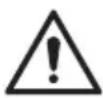
After use, you can apply lotions, creams, deodorant, moisturizer or cosmetics to the treated areas.
Warning: If you experience skin irritation or skin redness after treatment, wait until it disappears before applying any product to your skin. If you experience skin irritation after applying a product to your skin, wash it off with water. If you still get skin reactions, stop using the device and consult your doctor.
Common skin reactions
Your skin may show slight redness and/or may prickle, tingle or feel warm. This reaction disappears quickly.
Dry skin and itching may occur due to shaving or a combination of shaving and light treatment. You can cool the area with an ice pack or a wet face cloth. If dryness persists, you can apply a non-scented moisturizer on the treated area.
Rare side effects
- Burns, excessive redness (e.g. around hair follicles) and swelling: these reactions occur rarely. They are the result of using a light intensity that is too high for your skin tone. If these reactions do not disappear within 3 days, we advise you to consult a doctor. Wait with the next treatment until the skin has healed completely and make sure you use a lower light intensity.
- Skin discoloration: this occurs very rarely. Skin discoloration manifests itself as either a darker patch (hyperpigmentation) or a lighter patch (hypopigmentation) than the surrounding area. This is the result of using a light intensity that is too high for your skin tone. If the discoloration does not disappear within 2 weeks, we advise you to consult a doctor. Do not treat discolored areas until the discoloration has disappeared and your skin has regained its normal skin tone.
- Skin infection is very rare but is a possible risk following a (micro)wound, a skin burn, skin irritation, etc.
- Epidermal heating (a sharply defined brownish area which often occurs with darker skin tones and is not accompanied with skin dryness): this reaction occurs very rarely. In case this reaction does not disappear within 1 week, we advise you to consult a doctor. Wait with the next treatment until the skin has healed completely and make sure you use a lower light intensity.
-
Blistering (looks like small bubbles on the surface of the skin): this occurs very rarely. In case this reaction does not disappear within 1 month or when the skin gets infected, we advise you to consult a doctor. Wait with the next treatment until the skin has healed completely and make sure you use a lower light intensity.
-
Scarring: often the secondary effect of a burn, which can take longer than a month to heal.
- Folliculitis (swelling around hair follicles combined with pustule formation): this reaction occurs very rarely and is the result of bacteria penetrating the damaged skin. In case this reaction occurs, we advise you to consult a doctor as folliculitis may need antibiotic ointment.
- Pain: this can occur during or after treatment if you use the device on skin that is not hair-free, if you use the device at a light intensity that is too high for your skin tone, if you flash the same area more than once and if you use the device on open wounds, inflammations, infections, tattoos, burns, etc.
Troubleshooting
Problem Possible cause Solution
| The device/adapter becomes warm during use. | It is normal for the device and adapter to become warm (but not too hot to touch) during use. | Use the device in a slightly cooler environment and/ or let it cool down before continuing use. |
| The fan is not working. Check if the attachment is well connected. Clean the connectors on the attachment if needed. In case the attachment is well connected and it is possible to produce flashes with the device, contact the Consumer Care Center in your country, your Philips dealer or a Philips service center. | ||
| The cooling airflow of the fan is blocked by hands or a towel. | Make sure the cooling airflow of the fan is unblocked. | |
| When I place the device on the skin, it does not release a flash. The 'READY to flash' light blinks orange. | Your skin tone in the area to be treated is too dark. | Treat other body areas with lighter skin tones with Lumea. |
| The 'READY to flash' light blinks orange and all 5 intensity lights blink as well. | The device needs to be reset. | To reset the device, take the plug out of the socket, wait for 30 minutes to let the device cool down. The device should function normally again. In case it does not work again, contact the Consumer Care Center in your country. |
| The 'READY to flash' light does not light up white. | The device is not completely in contact with your skin. | Place the device at a 90 degree angle on the skin so that the integrated safety system in in contact with your skin. |
Problem Possible cause Solution
| The device produces a strange smell. | The light exit window or the SmartSkin sensor is dirty. | Clean the light exit window and the SmartSkin sensor carefully. |
| You have not removed the hairs on the area to be treated properly. These hairs may get burned and can cause the smell. | Pretreat your skin before you use Lumea. | |
| The device does not flash, the fan is not switched on and all 5 intensity lights blink. | The attachment is not attached properly. | Make sure you attach the attachment completely. If necessary, clean the electronic contacts on the attachment. |
| The skin feels more sensitive than usual during treatment. I experience discomfort when I use the device. | The light intensity setting you use is too high. | Check if you have selected a comfortable light intensity setting. If necessary, select a lower setting. |
| You did not remove the hairs on the areas to be treated. | Pretreat your skin before you use Lumea. | |
| The UV filter of the light exit window is broken. | If the UV filter is broken, do not use the device anymore. Contact the Consumer Care Center in your country, your Philips dealer or a Philips service center. | |
| You treated an area for which the device is not intended. | Never use the device on irritated (red or cut), sunburned, recently tanned or fake-tanned skin. Never use the device if you have infections, eczema, burns, inflammation of hair follicles, open lacerations, abrasions, herpes simplex (cold sores), wounds or lesions and haematomas (bruises) in the areas to be treated. Never use the device on the following areas: on moles, freckles, large veins, darker pigmented areas, scars, skin anomalies without consulting your doctor. Never use the device on warts, tattoos or permanent make-up, around the eyes and on or near the eyebrows, on the lips, perineum, scalp, nipples, areolas, labia minora, vagina, anus and the inside of the nostrils and ears. Men must not use it on the face and neck including all beard growing areas and whole genital area. This can result in a burn and a change in skin color, which makes it potentially harder to identify skin-related diseases. | |
| There is no glass window in my attachment. | This is normal. No action required: there is no glass window in the body and underarm attachments. Only the facial attachment has a red glass filter. The precision and bikini attachments have a transparent glass window. | |
Problem Possible cause Solution
| The skin reaction after treatment lasts longer than usual. | You have used a light intensity setting which is too high for you. | Select a lower intensity next time (see 'Selecting the light intensity'). |
| The flash is very bright to my eyes. Do I need to wear goggles? | No, Philips Lumea does not hurt your eyes. | The scattered light produced by the device is harmless to your eyes. Do not look at the flash while using the device. It is not necessary to wear goggles during use. Use the device in a well-lit room so that the light is less glaring to your eyes. Be sure to make good skin contact to avoid scattered light. |
| The results of the treatment are not satisfactory. | You have used a light intensity setting which is too low for you. | Select a higher setting next time. |
| You did not cover all areas to be treated. | The surface of the attachment should overlap the previous spot to make sure you flash the complete skin area, but treating the same area multiple times does not increase efficacy. | |
| The device is not effective on your body hair color. | If you have light blond, grey, red or white hair, the treatment is not effective. | |
| You do not use the device as often as recommended. | To remove all hairs successfully, we advise you to follow the recommended treatment schedule. You can reduce the time between treatments, but do not treat more often than once every two weeks. | |
| You respond more slowly to IPL treatment. | Continue using the device for at least 6 months, as hair growth can still decrease over the course of this period. |
Warranty and support
If you need information or support, please visit www.philips.com/support or read the international warranty leaflet.
Recycling
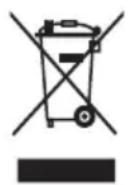
- This symbol means that this product shall not be disposed of with normal household waste (2012/19/EU).
- Follow your country's rules for the separate collection of electrical and electronic products. Correct disposal helps prevent negative consequences for the environment and human health.
Technical specifications
| Transport and storage conditions | Lumea remains operational within its specification in NORMAL USE after transport or storage in the following environmental conditions: -25 °C to 70 °C up to 90 % RH, non-condensing, 700 hPa to 1060 hPa |
| Operating conditions Lumea complies with its specifications when operated in NORMAL USE under the following environmental operating conditions: 5 °C to 35 °C up to 90 % RH, non-condensing, 700 hPa to 1060 hPa | |
| Emitted wavelengths 565 to 1400 nm | |
| Pulse duration 1–2.5 milliseconds, for all settings | |
| Flash interval Between 1–3.5 seconds depending on battery/mains connected use | |
| Optical exposure Body attachment: 2.5–5.6 J/cm2 Underarm attachment: 2.5–6.5 J/cm2 Bikini attachment: 2.5–6.5 J/cm2 Facial attachment: 2.4–5.9 J/cm2 | |
| Adapter input 100 - 240 V 50/60 Hz 1.5A | |
| Adapter output 19.5 V 3.33 A 65.0W | |
| Average active efficiency ≥88.0 % | |
| Efficiency at low load (10 %) | ≥79.0 % |
| No-load power consumption | <0.21 W |
| Adapter type number The reference number (AD2069x20020HF) can be found on your device. The letter 'x' denotes type of plug, it can be: 0, 1, 2, 3, 5, 7, 9, or H. | |
Electromagnetic compatibility - Compliance information
This device complies with all applicable standards and regulations regarding exposure to electromagnetic fields.
Explanation of symbols
The warning signs and symbols are essential to ensure that you use this product safely and correctly and to protect you and others from injury. Below you find the meaning of the warning signs and symbols on the label and in the user manual.

This symbol identifies the manufacturer of the product: Philips Consumer Lifestyle B.V., Tussendiepen 4, 9206 AD Drachten, The Netherlands.
 | This symbol means that you have to read the user manual carefully before you Save the user manual for future reference. |
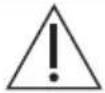 | This symbol means that the user should consult the instructions for use for important information such as cautions that cannot, for a variety of reasons, be presented or itself. |
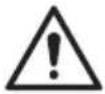 | This symbol means that the user should consult the instructions for use for important information such as contraindications and warnings that cannot, for a variety of re-presented on the device itself. |
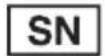 | This symbol indicates the manufacturer's serial number. |
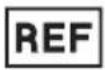 | This symbol identifies the manufacturer's catalogue number. |
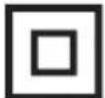 | This symbol identifies that the equipment meets the safety requirements specified for equipment. |
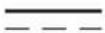 | This symbol indicates that the equipment is suitable for direct current only. |
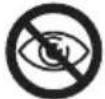 | This symbol indicates that the device should not be used around the eyes and o eyebrows. |
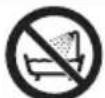 | This symbol means: 'Do not use this device in a bathtub, shower or water-filled |
 | This symbol means that the transformer is designed to be short-circuit proof. |
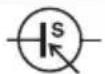 | This symbol means that the transformer is considered a Switch Mode Power Suppl |
 | This symbol means that the device is designed for indoor use. |
 | This symbol indicates the rated maximum ambient temperature at which the transfc be operated continuously under normal conditions of use. |
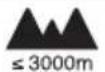 | This symbol indicates that the appliance is intended to be usable up to the max 3000 m. |
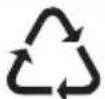 | A recycling symbol to identify the material of which an item is made, to facilitate other reprocessing. The symbol may include a number and/or abbreviation. |
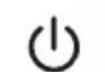 | This symbol identifies the switch or switch position by means of which part of t switched on in order to bring it into the stand-by condition, and to identify the to or to indicate the state of low power consumption. |
| IP22 | This symbol indicates the protection against ingress of solid foreign objects ≥12.5 against harmful effects due to the ingress of vertical dripping water when tilted |
| IP30 | This symbol indicates the protection against ingress of solid foreign objects ≥2.5 in there is no protection for harmful effects due to the ingress of water. |
 | This symbol indicates the energy efficiency level. |
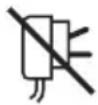 | This symbol indicates that the adapter should not be used if the plug pins are used |
 | This symbol means an object is capable of being recycled - not that the object or will be accepted in all recycling collection systems. |
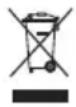 | This symbol indicates WEEE, waste electrical and electronical equipment. Electrical products should not be disposed of with household waste. Please recycle where Check with your local authority or retailer for recycling advice (see 'Recycling'). |
 | The symbol for the Green Dot ('Der Grüne Punkt' in German). The Green Dot symbol of a European network of industry-funded systems for recycling the pack materials of consumer goods. |
 | Symbol applied to products to indicate that they conform with relevant EU dire health and safety or environmental protection. |
 | Symbol applied to products to indicate that they conform with the relevant Mc requirements on product safety. |
Sommaire
Bienvenue 30
natural_image
Diagram of a container with liquid droplets inside, no text or symbols presentnatural_image
Diagram showing two droplets approaching a surface with liquid droplets (no text or symbols)natural_image
Diagram of a mechanical component with liquid droplets and a circular outline (no text or symbols)natural_image
Illustration of a hand using a tool to spray liquid droplets onto a surface (no text or symbols)natural_image
Illustration of a human hand and foot with shaded areas indicating pressure or movement (no text or symbols)natural_image
Illustration of a hand holding a small electronic device with an arrow indicating rotation (no text or symbols present)natural_image
Simple line drawings of three human figures in different poses (no text or symbols)natural_image
Illustration of a human leg with a shaded area and arrow indicating movement or pressure point (no text or symbols)natural_image
Line drawing of a handheld device with a black arrow pointing to a button (no text or symbols)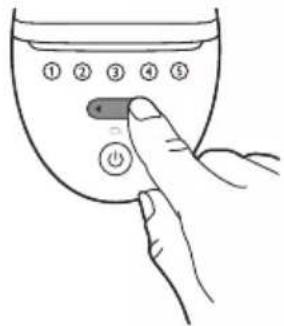
natural_image
Simple clock icon with an arrow indicating rotation (no text or symbols)24 hours

natural_image
Line drawing of a handheld device with a black arrow pointing to a cable or connector (no text or symbols)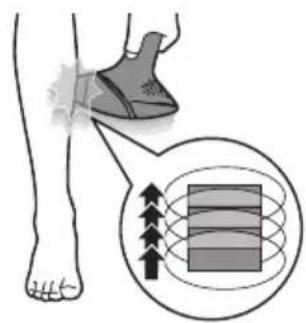
natural_image
Illustration of a hand holding a small object with a droplet above, next to a pipette (no text or symbols)et rangement
natural_image
Illustration of a hand holding a small electronic device with an arrow indicating rotation (no text or symbols)natural_image
Illustration of a hand holding a small electronic component with an arrow indicating rotation (no text or symbols present)natural_image
Illustration of a hand holding a small electronic device with an arrow indicating rotation (no text or symbols)Embout corps
natural_image
Simple line drawing of a stylized human face inside a circle (no text or symbols)natural_image
Simple line drawing of a stylized object inside a circle (no text or symbols)natural_image
Simple line drawing of a human torso inside a circle (no text or symbols)natural_image
Line drawing of a medical device with a circular dial and control buttons, no text or symbols presentnatural_image
Illustration of a foot and ankle with a shaded area indicating a specific area, no text or symbols present.natural_image
Illustration of a person holding a stringed object with a cross mark, no text or symbols present.AD Drachten, The Netherlands
natural_image
Illustration of a person holding a cross-shaped object with a curved line, possibly a musical instrument or tool (no text or symbols present)natural_image
Line drawing of a medical device with a magnified view showing internal components (no text or symbols)natural_image
Illustration of a human leg with a shaded knee joint and an arrow indicating movement or force (no text or symbols)"فرکت " و فلش"
natural_image
Simple line drawing of a chair inside a circle (no text or symbols)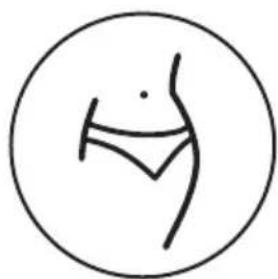
natural_image
Simple line drawing of a human torso inside a circle (no text or symbols)(BRI948, BRI947, BRI946) سر مخصوص زیر بغل
natural_image
Illustration of a hand holding a small electronic device with an arrow indicating rotation (no text or symbols present)natural_image
Illustration of a hand holding a device with an arrow indicating rotation (no text or symbols)natural_image
Simple line drawing of a stylized human face inside a circle (no text or symbols)natural_image
Illustration of a human foot and ankle joint with a shaded area indicating movement or pressure (no text or symbols)4d
رنگ سفید روشن شود.
natural_image
Line drawing of a handheld device with a black arrow pointing to a button (no text or symbols)- کند
6ست
کنید.9
[NO TEXT]
دلعيد.
- رگزینید
6.امل
با پوست است.
natural_image
Line drawing of a handheld device with a black arrow pointing to a button (no text or symbols)- نيد
natural_image
Simple clock icon with an arrow indicating rotation (no text or symbols)- نيد
natural_image
Illustration of a hand holding a connector with an arrow indicating rotation (no text or symbols)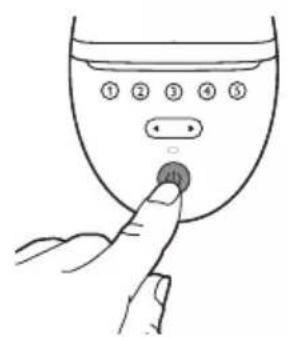
natural_image
Simple line drawings of three abstract human figures (no text or symbols)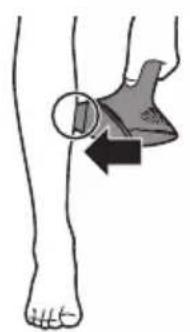
natural_image
Illustration of a human foot and ankle joint with a shaded area indicating movement or pressure (no text or symbols)natural_image
Illustration of a hand using a tool to spray liquid droplets onto a surface (no text or symbols)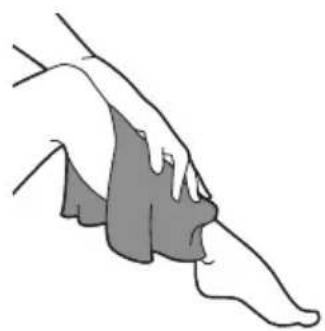
natural_image
Illustration of a human foot and ankle joint (no text or symbols)- تُد
موهای مناسب بدن
natural_image
Diagram of a mechanical component with droplets and a central body, enclosed in a circular frame (no text or symbols)natural_image
Diagram showing two droplets approaching a surface with droplets, no text or symbols presentوَنْد فُولِيْكُولُهَاي مَوْ بَهْ حَالَتْ استراِحَتْ بَرُونَد. در نَتَيْجَهٌ مُوهَا بَهْ طَورٍ طَبِيعى
natural_image
Diagram of a droplet formation process inside a circular container (no text or symbols)natural_image
Illustration of a person holding a cross-shaped object with a circular object inside, against a bright background (no text or symbols)natural_image
Line drawing of a medical device with a circular dial and control panel (no text or symbols)يير كثافة الضوع
natural_image
Illustration of a human leg with a shaded knee joint and directional arrow (no text or symbols)natural_image
Simple line drawing of a stylized human face inside a circle (no text or symbols)(BRI944, BRI945, BRI946, BRI947, BRI948) مرفق الإوجه
natural_image
Simple line drawing of a stylized object inside a circle (no text or symbols)natural_image
Simple line drawing of a human figure inside a circle (no text or symbols)natural_image
Illustration of a hand holding a small electronic device with an arrow indicating rotation (no text or symbols present)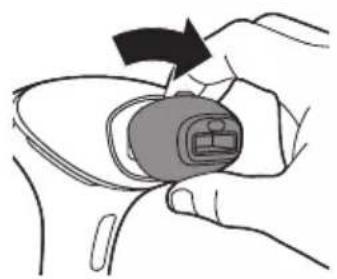
natural_image
Illustration of a hand holding a small electronic device with an arrow indicating rotation (no text or symbols)- اقة
2.ja
3.(9
natural_image
Illustration of a human foot and ankle joint with a shaded area indicating a specific area (no text or symbols present)4" نى
باللثون الأبيض.
natural_image
Line drawing of a handheld device with a black arrow pointing to a button (no text or symbols)- قة
natural_image
Simple clock icon with an arrow indicating rotation (no text or symbols)24 hours

سترى وميض من الضوع.
[NO TEXT]
3.ja
natural_image
Simple line drawings of human figures in various poses (no text or symbols)- تك
natural_image
Illustration of a human foot and ankle joint with a shaded area indicating movement or pressure (no text or symbols)5.انه
natural_image
Line drawing of a handheld device with a black arrow pointing to a button (no text or symbols)natural_image
Illustration of a hand using a tool to spray particles onto a surface (no text or symbols)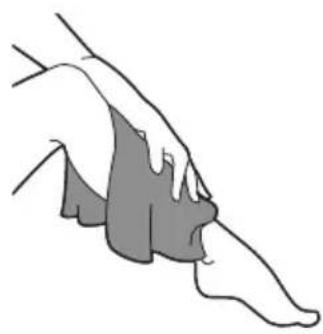
natural_image
Illustration of a human hand and foot with shaded areas indicating areas of interest (no text or symbols)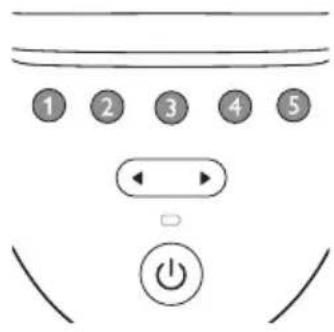
natural_image
Illustration of a hand holding a small electronic device with an arrow indicating rotation (no text or symbols present)natural_image
Diagram of a mechanical or fluidic component with droplets and a central structure, no text or symbols present.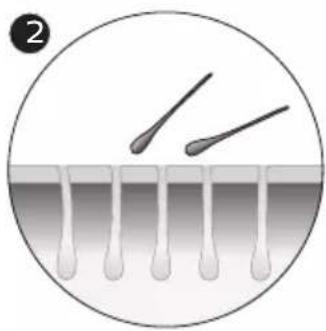
natural_image
Diagram showing three droplets approaching a surface with liquid droplets (no text or symbols)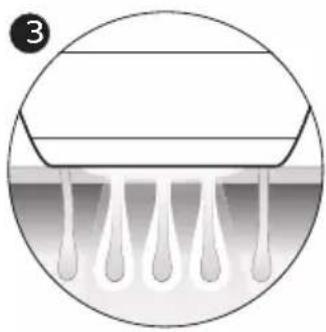
natural_image
Diagram of a droplet formation inside a circular container, showing liquid droplets and a horizontal plate (no text or symbols)


- Contents
- Welcome
- Device overview
- Contraindications
- Conditions
- Medications/History
- Pathologies/Disorders
- Skin conditions
- Location/Areas
- Important safety instructions
- Warnings
- How IPL works
- Suitable body hair colors
- Recommended treatment schedule
- Initial phase
- Touch-up phase
- Touch-up treatment schedule
- What to expect
- After initial phase
- During touch-up phase
- How to use your Lumea Prestige
- A Remove hair & clean your skin
- B Test skin
- hours before treatment
- C Treatment
- D Clean & store after treatment
- Learning more about your Lumea Prestige
- Attachments
- Body attachment
- Facial attachment (BRI944, BRI945, BRI946, BRI947, BRI948)
- Underarm attachment (BRI946, BRI947, BRI948)
- Bikini attachment (BRI946, BRI947, BRI948)
- SmartSkin sensor
- Selecting the light intensity
- Two treatment modes: Stamp & Flash and Flash
- Using your Lumea Prestige before and after tanning
- Tanning with natural or artificial sunlight
- Tanning with creams
- Traveling with the device
- After use
- Aftercare
- Common skin reactions
- Rare side effects
- Warranty and support
- Recycling
- Electromagnetic compatibility - Compliance information
- Explanation of symbols
- Sommaire
- et rangement
- Embout corps
- "فرکت " و فلش"
- (BRI948, BRI947, BRI946) سر مخصوص زیر بغل
- يير كثافة الضوع
- (BRI944, BRI945, BRI946, BRI947, BRI948) مرفق الإوجه
Brand : PHILIPS
Model : Lumea Prestige BRI948
Category : Epilator