
HAPE300 - Air purifier HAIER - Free user manual and instructions
Find the device manual for free HAPE300 HAIER in PDF.
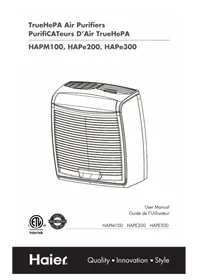


| Brand | Haier |
| Model | HAPE300 |
| Product Type | Portable Air Purifier |
| Filtration Technology | Activated Carbon Pre-Filter + TrueHEPA Filter |
| Maximum Coverage Area | 264 sq ft (≈ 24.5 m²) |
| Fan Speeds | 3 (Low, Medium, High) |
| Display | Electronic LCD Screen |
| Remote Control | Yes (included) |
| Filter Life Counters | Yes, for pre-filter and HEPA filter |
| Pre-Filter Lifespan | ~4000 hours (≈ 6 months) |
| HEPA Filter Lifespan | ~8000 hours (≈ 1 year) |
| Power Supply | 115 V, 60 Hz |
| Exterior Cleaning | Soft, damp cloth |
| Front Grille Cleaning | Washable with soapy water (remove pre-filter) |
| Safety | Shut off if front grille is not closed properly; polarized plug |
| Child Lock | Yes (keyboard lock) |
| Replacement Filter Pack | F200 (1 HEPA filter + 2 carbon pre-filters) |
| Warranty | 12 months parts and labor (see conditions) |
Frequently Asked Questions - HAPE300 HAIER
User questions about HAPE300 HAIER
0 question about this device. Answer the ones you know or ask your own.
Ask a new question about this device
Download the instructions for your Air purifier in PDF format for free! Find your manual HAPE300 - HAIER and take your electronic device back in hand. On this page are published all the documents necessary for the use of your device. HAPE300 by HAIER.
USER MANUAL HAPE300 HAIER
TrueHEPA Air Purifiers
TrueHEPA Air Purifiers
HAPM100, HAPe200, HAPe300
Intertek

User Manual
Read all of the instructions before using this appliance. When using this appliance, always exercise basic safety precautions, including the following:
- This air purifier is designed for use on a flat level floor and may not work properly on an uneven floor. ALWAYS place the air purifier on a firm level floor. ALWAYS place the air purifier at least six (6) inches away from heat sources such as stoves, radiators, or heaters.
- Place the air purifier in an area that is out of reach of children.
- Before using the air purifier, extend the power cord and inspect for any signs of damage. DO NOT use the product if the cord has been damaged.
- This product has a polarized plug (one blade is wider than the other) as a safety feature. This plug will fit into a polarized outlet only one way. If the plug does not fit fully into the outlet, reverse the plug. If the plug still does not fit, contact a professional electrician. DO NOT attempt to defeat or override this safety feature.
- ALWAYS UNPLUG the air purifier while it is being cleaned.
- DO NOT move or tilt the air purifier while it is operating. Turn off and unplug before moving.
- DO NOT immerse the air purifier in water at any time because permanent damage will occur. To properly clean your air cleaner, follow the instructions in the Maintenance section of this manual.
SAVE THESE INSTRUCTIONS
Thank you for using our Haier product. This easy-to-use manual will guide you in getting the best use of your air purifier.
Remember to record the model and serial number. They are on a label in the rear of the air purifier.
Model number
Serial number
Date of purchase
Staple your receipt to your manual. You will need it to obtain warranty service.
Table Of Contents
P
Safety Precautions .... 1
Introduction 3
Description of Air Filtration System 4
How the Air Purifier Works ....4
Air Purifier Components 4
Display and Control Keys ....5
Operation 6
Initial Operation 6
Basic Operation....6
Filter Life Counters....7
Programming......8
Locking / Unlocking the Keypad 8
Child Lock 8
Resetting the Air Cleaner 8
Air Purifier Maintenance....9
Cleaning your Air Purifier 9
Changing the Pre-Filter 10
Changing the Filter....11
Replacement Filter Value Packs 12
Troubleshooting
Problems and Solutions 13
Warranty Information....14
Introduction
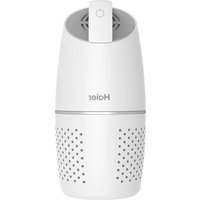
Thank you for purchasing Haier's TrueHEPA portable air purifier. This unit is designed and engineered to purify the air you and your family breathe, using superior filter systems and convenient technologies.
- High Particulate Efficiency: The HEPA filter will remove 99.97% of airborne particles down to a particle size of 0.3 microns.
- Odor Removal: The activated carbon pre-filter helps remove odors such as cooking, smoke, and pet smells from the air. It also traps lint, hair, and other large particles to help extend the life and performance of the HEPA filter.
- Quiet: The air purifier has been designed to operate quietly and efficiently. You can choose among three speeds to best meet your needs at different times.
- Filter Counters: Filter maintenance is critical to the performance of the air purifier. To help you determine when to change the filters, the pre-filter and HEPA filter, the unit has built-in life counters that keep track of the life remaining of each filter.
Air Purification Coverage:
• HAPM100: 107 Sq Ft Coverage • HAPE200: 200 Sq Ft Coverage • HAPE300: 264 Sq Ft Coverage
- Mechanical Controls: HAPM100 • Digital Controls: HAPE200, HAPE300 • Full Featured Remote Control - Models HAPE300
- Convenient front grill hand grip for opening front grill.
- Aroma Compartment: Models HAPE200, HAPE300. Pleasant Valley Aroma Gel Canisters Sold at Home Centers.
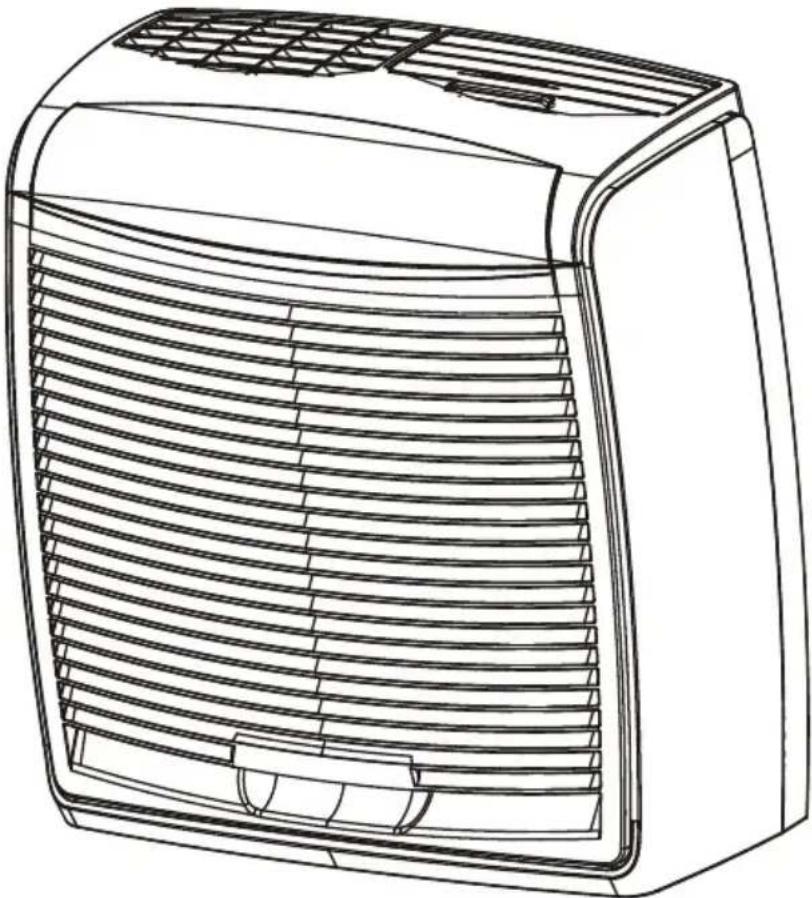
- 45° air outlet (fig. 2)
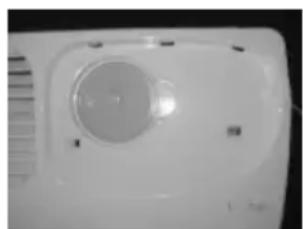
fig. 2 fig. 1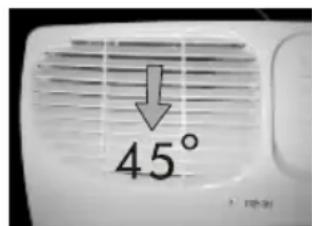
Description of Air Filtration System
How the Air Purifier Works
As the air is pulled into the purifier, the activated carbon pre-filter absorbs odors and catches large particles. Then, the air travels through the HEPA filter where the smaller particles are collected. Finally, the clean purified air is released back into the room.
fig. 3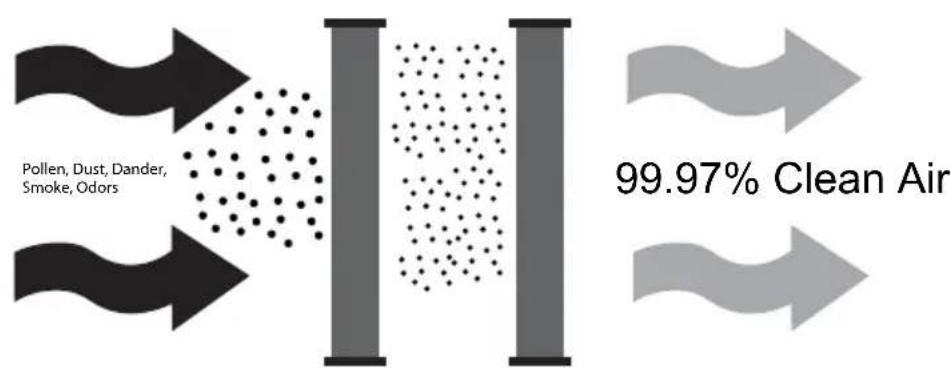
Air Purifier Components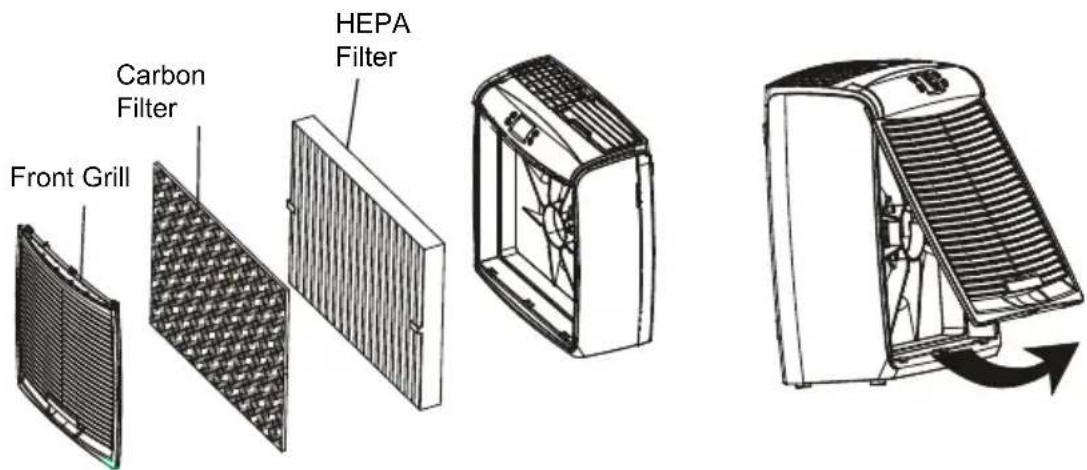
Fig. 4
Display and Control Keys
The display and control keys allow for easy operation of the air purifier.
UP / DOWN KEYS: Adjusts the blower speed and turns the unit on and off.

- PRE-FILTER RESET: Resets the Carbon Pre-Filter Life Counter.
FILTER RESET: Resets the HEPA filter Life Counter.
REMOTE CONTROL RECEIVER: Model HAPE300

ON/OFF BUTTON: Model HAPE300
fig. 5 - Air Purifier Control Panels
HAPM100:

HAPE200:


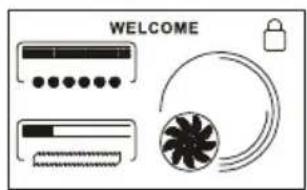

On Button, and fan speed INCREASE

Off Button, Fan Speed DECREASE when fan speed Level 1
HAPE300:


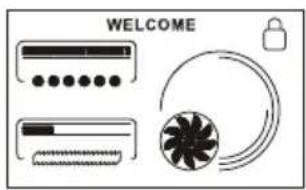

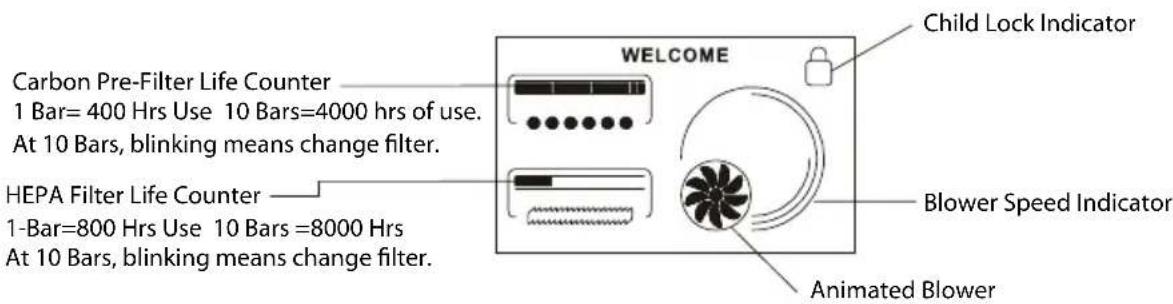
fig. 6 - LCD Electronic Display
For Models HAPE200, HAPE300
Operation
Initial Operation
This section provides basic instructions on the use of your air purifier. After following these initial directions, please review the entire Use & Care Guide, to familiarize yourself with the more advanced features of your air purifier.
Basic Operation of the Air Purifier:
- Take the air purifier out of the box and remove the clear plastic protective bag. Place the unit on a firm level floor or table.
- Before turning on the air purifier, you need to confirm that the filters are firmly in place and have not become loose during shipping. To check the filters, first open the front grill. Release the front grill by placing your fingers in the recess on the bottom of the grill and pull forward.
- Next, check the HEPA filter by pressing firmly on all four corners of the filter to ensure that it is fully inserted into the filter opening.
- The carbon pre-filter is mounted inside the front grill with velcro tape. Confirm that it properly covers the grill vents. You may notice a few black particles coming off the pre-filter. Those particles are part of the odor-removing activated carbon and will be collected on the filter during use.
- Place the front grill back onto the unit. First, line up the tabs on the top of the front grill with the slots inside the front of the air purifier. Then push the bottom of the grill forward until it is closed. NOTE: This unit will not operate unless the grill is in the correct position. This is a safety feature.
- Plug the unit into a 115V electrical outlet and press the key for model HAPE200, the Power Button ⏻ for Model HAPE300, or slide the switch for HAPM100 to turn on your air purifier.
- Use the +/− keys to adjust the blower speed to the desired level. (1 circle=Low, 2 circles=Medium, 3 circles=High) See fig. 7.
Model HAPE200: How To Turn Off The Unit
Lower the fan speed to Level 1. Then press the - key, and the unit will turn off.
fig. 7 - LCD Electronic Control Panel![graph LR A["WELCOME"] --> B["WELCOME"] B --> C["WELCOME"]](/content/2026/03/527893/images/436b103b155272f3145468476b53c315b474d146dbcfd803906b14181da0e5a6.jpg)
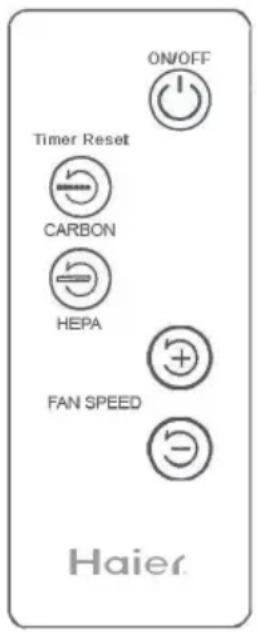
fig. 8 - Remote Control: Model HAPE300
Remote control must be used in direct line of sight with air purifier. Basic functions can be conveniently operated with the remote control, except initializing the Child Lock Keypad feature. This must be done manually on the unit.
IMPORTANT: You must pull the small paper insert out of the remote control at bottom, for remote control to work. You may throw away this insert after removing.
Filter Life Counters
The carbon pre-filter and TrueHEPA filters are essential components for the long term effectiveness of your air purifier. Your air purifier has two Filter Life Counters, one for each filter type. These filter counters will monitor the percentage of useful life your filter has left, and notify you when it is time to change your filters. The exact useful life of your filters depends on your environment, but the table below gives typical life span of filters.
| Filter Type Typical Usage | |
| Active Carbon Pre-Filter 4000 Hours | |
| TrueHEPA Filter 8000 Hours |
The display shows the percentage of life used since the counter was reset. NOTE: The percentage level increases in 10% increments.
The filter life function stores data in the air purifier's memory. The unit may be unplugged and moved or stored without losing the Pre-Filter and Filter Counter values.
To properly track filter usage, the Carbon Pre-Filter and HEPA Filter Life Counters should be reset each time the filters are changed. Refer to Changing the Pre-Filter or Changing the Filter for instructions on how to reset counters.
Programming
Locking / Unlocking the Keypad
Models HAPE200, HAPE300
Once you enter the desired speed, you may want to lock the keypad to prevent accidental changing of the speed. When the keypad is locked, all keys will be disabled. If you press a key, the Keypad Locked Indicator will be displayed on the screen for 1-2 seconds.
Child Lock Keypad Feature:
- To lock the keypad, press and hold the /+ keys simultaneously for 2-3 seconds. The Keypad Locked Indicator will appear on the display. Refer to Fig. 8 and 9.
- To unlock the keypad, press and hold the /+ keys simultaneously for 2-3 seconds. The Keypad Locked Indicator will start blinking. Touch any key, and the unit will revert to allowing controls to be operated.
fig. 8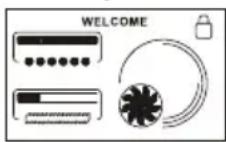
fig. 9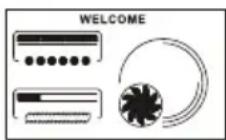
Resetting the Air Purifier
In the unusual situation that the unit or the display is exhibiting erratic behavior, you may want to reset the air purifier. If you still have problems after resetting the air purifier, please contact Haier for additional assistance.
To Reset the Air Purifier
- Unplug the unit for at least 30 seconds.
- Plug the unit back in.
Air Purifier Maintenance
Cleaning Your Air Purifier
Proper maintenance of your Air Purifier will help ensure years of trouble-free service.
Follow these steps to properly maintain your air purifier:
- Approximately every 90 days, the outside of the unit should be cleaned with a soft, damp cloth.
- If needed, the front grill can be removed from the unit and cleaned with soapy water. Simply remove the pre-filter before exposing the grill to water.
- Follow the instructions for Changing the Pre-Filter and Changing the Filter to determine when and how to replace the filters.
NOTES:
- The air purifier must be unplugged during the cleaning process.
- Be sure the unit is completely dry before plugging in and using.
- Never immerse unit in water.
Changing The Carbon Pre-Filter
When the Pre-Filter exceeds 4000 hours, the Pre-Filter Life Counters will display 100% life used and you should replace the pre-filter. To maintain proper odor-removing capability and overall filtration performance, the pre-filter should be changed every 4000 hours (approximately 6 months of use). If necessary, the pre-filter can be changed more often. Proper maintenance of the pre-filter will help extend the life of the HEPA filter. Refer to Replacement Filter Value Pack, for importance associated with replacing filters regularly.
How To Change The Pre-Filter and Reset The Pre-Filter Life Counter:
- First, turn off and unplug the air purifier.
- Next, remove the front grill. Place your fingers in the hand recess located on the bottom of the grill and pull firmly.
- The pre-filter is attached to the inside of the grill with hook tape. Pull gently on the pre-filter to remove it.
- If needed, use a soft damp cloth to wipe off the grill.
- Install the new pre-filter by placing it in the grill and pressing gently on the pre-filter so that it adheres to the hook tape. You may notice a few black particles coming off the pre-filter. Those particles are part of the odor-removing activated carbon and will be collected on the filter during regular use.
- Install the grill back onto the unit. First, insert the top grill tabs into their mating slot holes on inside edge of the front of the unit, and then push the grill forward until it engages with the bottom of the unit, as shown in fig 4.
- Plug in the air purifier.
NOTE: This unit will not operate unless the grill is in the correct position. This is a safety feature.
- Finally, reset the Pre-Filter Life Counter by pressing the ⏻ key for 2 seconds. The Pre-Filter Counter will return to 0%.
Changing The HEPA Filter
When the filter exceeds 8000 hours (approximately 1 year of use), the Filter Life Counter will display 100% life used and the Filter indicator will flash. This is a reminder that you should check the filter and replace if necessary. The proper time to change the filter depends on usage and the environment.
- If you notice a decrease in air output or an increase in noise at any time during normal operation, the filter may be clogged. Replace the filter to return to normal operation.
To change the filter and reset the Filter Life Counter:
- First, turn off and unplug the air purifier.
- Next, remove the front grill. Place your fingers in the recess on the bottom of the grill and pull firmly.
- Gently pull on the filter tabs to remove the HEPA filter from the unit. Please note that the taped side of the filter is pointed towards the outside. The new filter must be installed with the same orientation. Once removed, the used filter should be discarded.
- Remove the new filter from its wrapping. Install the filter with tapes pointing towards the outside. Press the filter firmly in the air purifier. To avoid damaging the filter media, you should press on the frame of the filter only.
- Reinstall the grill by first inserting the top tabs into their mating top slot holes on inside edge of the front of the unit, and then push the bottom of the grill inward until it closes by engaging with the bottom edge of the air purifier.
- Plug in the unit.
NOTE: This unit will not operate unless the grill is in the correct position. This is a safety feature.
- To reset the filter counter, press the ⏻ key for 2 seconds. The Filter Life Counter will return to 0%.
Replacement Filter Value Packs
To maintain proper odor removal and overall filter performance, the carbon prefilter should be replaced at least every six months. If the air purifier is used in heavy smoke or high pollen count areas, the manufacturer suggests replacing filters more frequently.
While replacing the pre-filter, notice the color of the HEPA filter. If the HEPA filter is dark or discolored, the HEPA should be replaced with a new HEPA filter. Depending on the location and use of the air purifier, the HEPA filter can last a full year before needing replacement.
The Replacement Filter Value Pack comes with 1 True HEPA filter that should last one year under typical interior room air conditions, and 2 carbon pre-filters, each of which lasts six months. These replacement filters are available at the retailer where you purchased your Haier Air Purifier.
F100 Replacement Filter Value Pack
1 Year Supply
For Model HAPM100
F200 Replacement Filter Value Pack
1 Year Supply
For Models HAPE200, HAPE300
Troubleshooting
No display or operation:
- Confirm that the unit is plugged in.
- Check the installation of the front grill.
- Reset the air purifier.
Keypad does not work:
- Keypad has been locked to prevent accidental changes to the programs.
Erratic Display or Operation:
- Reset the air purifier.
Filter and/or Pre-Filter Indicator display 100%:
- The Filter and/or Pre-Filter Life Counters have reached the estimated usage times. Check and replace filters if needed.
Unit has reduced air flow or increased noise:
- The filter is clogged and should be changed.
Limited Warranty
What is covered and for how long?
This warranty covers all defects in workmanship or materials for a period of:
12 months labor (carry in only)
12 months parts (carry in only)
5 years sealed system (carry in only)
The warranty commences on the date the item was purchased and the original purchase receipt must be presented to the authorized service center before warranty repairs are rendered.
EXCEPTIONS: Commercial or Rental Use warranty
90 days labor (carry-in only)
90 days parts
No other warranty applies
What is covered.
- The mechanical and electrical parts, which serve as a functional purpose of this appliance, are covered for a period of 12 months. This includes all parts except finish and trim.
- The components of the sealed system, e.g., fan motor, are covered from manufacturing defects for a period of 5 years from the date of purchase. Any damages to such components caused by mechanical abuse, improper handling, or shipping will not be covered.
What will be done?
- We will repair or replace, at our discretion, any mechanical or electrical part which proves to be defective in normal usage during the warranty period specified.
- There will be no charge to the purchaser for parts and labor on any covered items during the initial 12-month period. Beyond this period, only parts are covered in the remaining warranty. Labor is not provided and must be paid by the customer.
- Contact your nearest authorized service center. For the name of the nearest service center, please call 1-877-337-3639.
THIS WARRANTY COVERS APPLIANCES WITHIN THE CONTINENTAL UNITED STATES, PUERTO RICO AND CANADA. IT DOES NOT COVER THE FOLLOWING:
Damages from improper installation. Damages in shipping.
Defects other than manufacturing.
Damage from misuse, abuse, accident, alteration, lack of proper care and maintenance, or incorrect current or voltage.
Damage from other than household use.
Damage from service by other than an authorized dealer or service center.
Decorative trims or replaceable light bulbs.
Transportation and shipping. Labor (after the initial 12 months). THIS LIMITED WARRANTY IS GIVEN IN LIEU OF ALL OTHER WARRANTIES, EXPRESSED OR IMPLIED, INCLUDING THE WARRANTIES OF MERCHANTABILITY AND FITNESS FOR A PARTICULAR PURPOSE. The remedy provided in this warranty is exclusive and is granted in lieu of all other remedies.
This warranty does not cover incidental or consequential damages, so the above limitations may not apply to you. Some states do not allow limitations on how long an implied warranty lasts, so the above limitations may not apply to you.
This warranty gives you specific legal rights, and you may have other rights which vary from state to state.
Haier America
New York, NY 10018
SAFETY INSTRUCTIONS
fig. 2 fig. 1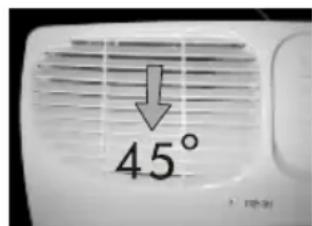
The display and control keys allow for easy operation of the air purifier.
![graph LR A["Device 1: Air Condition"] --> B["Device 2: fan with fan"] B --> C["Device 3: fan with fan"] C --> D["Device 4: fan with fan"] D --> E["Device 5: fan with fan"] E --> F["Device 6: fan with fan"] F --> G["Device 7: fan with fan"] G --> H["Device 8: fan with fan"] H --> I["Device 9: fan wit…](/content/2026/03/527893/images/45d043a82fb23b9684dc04a87e9c61baf99f733d02dea036c4cfa80e9118aec6.jpg)
If you have a problem with this product, please contact the
"Customer Satisfaction Center" at 1-877-337-3639.
DATED PROOF OF PURCHASE REQUIRED FOR WARRANTY SERVICE
IMPORTANT


- TRUEHEPA AIR PURIFIERS
- HAPM100, HAPE200, HAPE
- SAVE THESE INSTRUCTIONS
- TABLE OF CONTENTS
- SAFETY PRECAUTIONS
- INTRODUCTION
- DESCRIPTION OF AIR FILTRATION SYSTEM
- OPERATION
- PROGRAMMING
- AIR PURIFIER MAINTENANCE
- TROUBLESHOOTING
- WARRANTY INFORMATION
- AIR PURIFICATION COVERAGE
- HOW THE AIR PURIFIER WORKS
- DISPLAY AND CONTROL KEYS
- INITIAL OPERATION
- BASIC OPERATION OF THE AIR PURIFIER
- FILTER LIFE COUNTERS
- LOCKING / UNLOCKING THE KEYPAD
- CHILD LOCK KEYPAD FEATURE
- RESETTING THE AIR PURIFIER
- TO RESET THE AIR PURIFIER
- CLEANING YOUR AIR PURIFIER
- NOTES
- CHANGING THE CARBON PRE-FILTER
- HOW TO CHANGE THE PRE-FILTER AND RESET THE PRE-FILTER LIFE COUNTER
- CHANGING THE HEPA FILTER
- REPLACEMENT FILTER VALUE PACKS
- NO DISPLAY OR OPERATION
- KEYPAD DOES NOT WORK
- ERRATIC DISPLAY OR OPERATION
- FILTER AND/OR PRE-FILTER INDICATOR DISPLAY
- UNIT HAS REDUCED AIR FLOW OR INCREASED NOISE
- LIMITED WARRANTY
- WHAT IS COVERED AND FOR HOW LONG
- EXCEPTIONS: COMMERCIAL OR RENTAL USE WARRANTY
- NO OTHER WARRANTY APPLIES
- WHAT IS COVERED
- WHAT WILL BE DONE
- THIS WARRANTY COVERS APPLIANCES WITHIN THE CONTINENTAL UNITED STATES, PUERTO RICO AND CANADA. IT DOES NOT COVER THE FOLLOWING
- SAFETY INSTRUCTIONS
- IMPORTANT
Brand : HAIER
Model : HAPE300
Category : Air purifier