ManualGo.com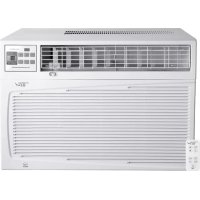
CWH12A - Air Conditioning HAIER - Free user manual and instructions
Find the device manual for free CWH12A HAIER in PDF.


Download the instructions for your Air Conditioning in PDF format for free! Find your manual CWH12A - HAIER and take your electronic device back in hand. On this page are published all the documents necessary for the use of your device. CWH12A by HAIER.
USER MANUAL CWH12A HAIER
You can be killed or seriously injured if you don't immediately You can be killed or seriously injured if you don't follow All safety messages will tell you what the potential hazard is, tell you how to reduce the chance of injury, and tell you what can We have provided many important safety messages in this manual and on your appliance. Always read and obey all safety messages. This is the safety alert symbol. This symbol alerts you to potential hazards that can kill or hurt you and others. All safety messages will follow the safety alert symbol and either the word "DANGER" or "WARNING ." These words mean:follow instructions.instructions. DANGER WARNING
To reduce the risk of fire, electrical shock or injury when using your air conditioner, follow these basic precautions:
SAVE THESE INSTRUCTIONS
Unplug air conditioner before servicing. Use two or more people to move and install air conditioner. Plug into a grounded 3 prong outlet. Do not remove ground prong. Do not use an adapter. Do not use an extension cord. You safety and the safety of others are very important. Before throwing the device, it is necessary to pull back the battery cells and get rid of them safety for recycling reasons. When you need to disposal of the unit consult our dealer. If pipes are removed incorrectly, refrigerant may blow out andplease recycle or dispose of the packaging material for product in an environmentally responsible manner.Never store or ship the air conditioner upside down or sideways to avoid damage to the compressor . The appliance is not intended for use by young children or infirm persons without supervision: young children should be
DISPOSING OF THE UNIT
come into contact with your skin, causing injury. Releasing refrigerant into the atmosphere also damages the environments. supervised to ensure that they do not play with the appliance.Parts supplied Check that all parts are included in parts package. NOTE: Installation parts are supplied for double-hung windows up to 40" (101.6 cm) wide. INSTALLATION REQUIREMENTS Tools and Parts Gather the required tools and parts before starting installation. Read and follow the instructions provided with any tools listed here. Tools Needed Through-the-Wall Installation: In addition to the tools listed above, the following tools are needed for through-the-wall installation. ■ Phillips screwdriver■ Level■ ¹⁄₄" wrench■ Tape measure ■ Cordless drill and ¹⁄₈" or smaller bit ■ Pencil■ Scissors■ Saw■ Wood preservative■ Caulk ■ 1" (2.5 cm) or thicker lumber ■ 1" wood screws (7) G.3/4"Screws (10)E.1/4" Nuts (2)F.1/4"Screws (23)O.Side Curtain Clamp (2)I.Lock Washers (2)J.Washer (14)Q.Angle Brackets (2)H.Lock Washers (4)K.Washer(2)D.1/5” Nuts (4)A.Foam Seal (1)B. Side curtains RH (1)Side curtains LH (1)C.1/2"x1/5” Bolts (4) Q R L.Adhesive Seal (1)M.Top Channel (1)N.Top Channel Seal (1)P.Bottom Channel (1)R.Left and Right Suppert Brackets (2)
(It is only used for CWH12A)Location Requirements IMPORTANT: Observe all governing codes and ordinances. Check the location where air conditioner will be installed. Proper installation is your responsibility. Make sure you have everything necessary for correct installation. The location should provide: ■ Grounded electrical outlet within 4 ft (122 cm) of where the power cord exits the air conditioner. NOTE: Do not use an extension cord. ■ Free movement of air in room to be cooled. ■ A large enough opening for the air conditioner. ■ Adequate wall support for weight of air conditioner. Air conditioner weighs between NOTE: Cabinet louvers must not be obstructed. Air must be able to pass freely through the cabinet louvers. Window Installation Window opening measurements: Through-the-Wall Installation The wall opening measurements should be: ■ Width: 23" (58.4 cm) plus twice thickness of wood used to build frame. ■ Height: 16" (40.6 cm) plus twice thickness of wood used to build frame. ■ Depth: Dimension for depth depends on the wall thickness and the type of molding. A. Cabinet louversA.16" (40.6 cm)B. 23"(58.4 cm)C. Wood thicknessD. Depth
CWH24AOpening widthOpening heightA (minimum)B (minimum) 28 " to 40" (72.4 to 101.6 cm) 17¹⁄4" (43.8 cm) ¹⁄2 28 " (72.4 cm)
¹⁄4 " (43.8 cm) ¹⁄2 28 " to 42" (71 to 106.7 cm) 19" (48.3 cm) 28 " (71 cm) 19 " (43.8 cm) 30" to 43" (76.2 to 109.2 cm) 19¹⁄8" (48.6 cm) 30 " (76.2 cm)
¹⁄8 " (48.6 cm) CWH12A ■ Width: 26 " (66.7 cm) plus twice thickness of wood used to build frame. ■ Height: 18 " (47.6 cm) plus twice thickness of wood used to build frame. ■ Depth: Dimension for depth depends on the wall thickness and the type of molding. ¹⁄4 ⁄4 CWH1 A
■ Width: 26 " (67.9 cm) plus twice thickness of wood used to build frame. ■ Height: 18 " (47.6 cm) plus twice thickness of wood used to build frame. ■ Depth: Dimension for depth depends on the wall thickness and the type of molding.
CWH12A5 and 115 lbs (43.1 to 52.2kg)110 and 130 lbs (49.9 to 59 kg)CWH18ACWH24A145 and 200 lbs (65 to 96 kg)
Electrical Requirements Ground wire must be connected to the ground screw located in the lower right corner of the air conditioner when the air conditioner is in the cabinet. The electrical ratings for your air conditioner are listed on the model and serial number label. The model and serial number label is located on the right-hand side of the air conditioner cabinet. Specific electrical requirements are listed in the chart below. Follow the requirements for the type of plug on the power supply cord. Recommended Grounding Method This air conditioner must be grounded. This air conditioner is equipped with a power supply cord having a grounded 3 prong plug. To minimize possible shock hazard, the cord must be plugged into a mating, grounded 3 prong outlet, grounded in accordance with all local codes and ordinances. If a mating outlet is not available, it is the customer's responsibility to have a properly grounded 3 prong outlet installed by a qualified electrical installer. It is the customer's responsibility:
To contact a qualified electrical installer.
To assure that the electrical installation is adequate and in conformance with National Electrical Code, ANSI/NFPA 70 - latest edition, and all local codes and ordinances. Copies of the standards listed may be obtained from: National Fire Protection Association One Batterymarch Park Quincy, MA 02269 Power Supply Cord NOTE: Your air conditioner’s device may differ from the ones shown. This room air conditioner is equipped with a power supply cord required by UL. This power supply cord contains state-of-the-art electronics that sense leakage current. If the cord is crushed, the electronics detect leakage current and power will be disconnected in a fraction of a second. Power Supply Cord Wiring Requirements
Use on single outlet circuit only.
Use on single outlet circuit only.
Use on single outlet circuit only.
Use on single outlet circuit only. Electrical Shock Hazard Plug into a grounded 3 prong outlet. Do not remove ground prong. Do not use an adapter. Do not use an extension cord. Failure to follow these instructions can result in death, fire, or electrical shock. WARNING ¹⁄₄"(0.6 cm)¹⁄₂"(1.3 cm) A. Test button B. Reset button TEST TEST RESETRESET
To test your power supply cord:
1. Plug the power supply cord into a grounded 3 prong outlet.
2. Press RESET (on some devices, a green light will turn on).
3. Press TEST (listen for click; Reset button will trip, and on
some devices, a green light will turn off).
4. Press and release RESET (listen for click; Reset button will
latch, and on some devices, a green light will turn on). The power supply cord is ready for operation. NOTES: ■ The Reset button must be pushed in for proper operation. ■ The power supply cord must be replaced if it fails to trip when the test button is pressed or fails to reset. ■ Do not use the power supply cord as an off/on switch. The power supply cord is designed as a protective device. ■ A damaged power supply cord must be replaced with a new power supply cord obtained from the product manufacturer and must not be repaired. ■ The power supply cord contains no user serviceable parts. Opening the tamper-resistant case voids all warranty and performance claims. INSTALLATION INSTRUCTIONS Unpack the Air Conditioner Remove packaging materials ■ Remove and dispose of/recycle packaging materials. Remove tape and glue residue from surfaces before turning on the air conditioner. Rub a small amount of liquid dish soap over the adhesive with your fingers. Wipe with warm water and dry. ■ Do not use sharp instruments, rubbing alcohol, flammable fluids, or abrasive cleaners to remove tape or glue. These products can damage the surface of your air conditioner. ■ Handle the air conditioner gently.
1. Remove the air conditioner from the carton and place it on
2. Remove the screws that attach the front panel to the air
conditioner cabinet on both sides of the air conditioner.
Remove the screws that attach the air conditioner cabinet to the base on both sides of the air conditioner.
4. Remove the front panel from the air conditioner .
6. Remove the ground screw and ground wire from the front of
the air conditioner. Save the ground screw. Electrical Shock Hazard Plug into a grounded 3 prong outlet. Do not remove ground prong. Do not use an adapter. Do not use an extension cord. Failure to follow these instructions can result in death, fire, or electrical shock. WARNING WARNING Excessive Weight Hazard Use two or more people to move and install air conditioner. Failure to do so can result in back or other injury. A. Green ground wireB. Ground screw
5. Disconnet conneting wire and set the front panel aside.
Connecting wire WARNING A. Screw locations A. Screw locations
Remove the screws inside the front panel that attach
- CWH18A: the cabinet to the base on both sides.
screw through the top hole in the curtain. Using a ¹⁄₄" screw, screw the curtain to the top hole in the air conditioner cabinet. NOTE: This screw is required to correctly attach the curtain (top to bottom) to the air conditioner cabinet.
3. While the right-hand curtain is still extended, insert ¹⁄₄" screws
through the other three holes in the curtain. Screw the curtain to all four holes in the air conditioner cabinet.
4. Slide the curtain housing into the curtain guides as far as it
A. Curtain housing B. Curtain guides
A. Curtain housing B. Curtain guides
7. Pull on the handle to slide the air conditioner out of the
cabinet. Place the air conditioner on cardboard.
NOTE: Do not lift, push, pull or remove any expanded polystyrene (foam) from inside the air conditioner. It is not packing material. A. Handle CWH12A
CWH18A Add two foam inserts to holes in top of cabinet where shipping screws were removed from the air conditioner cabinet.
A.¹⁄₄" screws B. Top channel
" screws8 Window Installation-Position Cabinet in window NOTE: Windows come in a styles. Therefore, it may be necessary to modify or improve your particular installation. variety of different
1. Open window and mark center of window stool.
3. Place cabinet in window with bottom stool angle
firmly seated over window stool as shown . Bring window down temporarily behind top angle to hold cabinet in place.
4. Shift cabinet left or right as needed to line up
center of cabinet on center line marked on stool.
5. Fasten cabinet to window stool with (2 )
into holes(you may wish to pre_drill pilot holes). 3/4" screws
2. Cut the seal strip to fit the underside of the bottom
window sash. Remove the peel-off backing on the seal and attach it to this sash.
A. Window SashB.Window Sash Sealing Strip A.CabinetB.StoolC.Lower ChannelA.Window SashB.SealB."L" Shaped Mounting Channel A.3/4" Screws (2) Place Cabinet In Window Install Support Brecket
1. Hold each support bracket flush against outside of
sill,and tight to bottom of cabinet as shown. Mark brackets at top level of sill,and remove. MARKF
Attach Side Curtains to Window
1. Pull the left-hand curtain out until it fits into the window
2. Use ¹⁄₈" drill bit to drill a starter hole through the hole in the
side curtain and window sash.
3. Insert one of the ³⁄₄" screws through the left-hand curtain and
into the window sash.
5. Use ¹⁄₈" drill bit to drill a starter hole through the hole in the
shutter clamp and windowsill.
6. Insert one of the ³⁄₄" screws through the hole in the side
curtain clamp and into the windowsill.
7. Repeat for right-hand curtain.
Windowsill View Complete Window Installation Insert foam seal behind the top of the lower window sash and against the glass of the upper window. A. Window sash B. Hole in side curtain
A. Side curtain B. " screwC. Side curtain clamp A. Top of lower window sash B. Foam seal
2. Assemble sill angle bracket to support brackets at
the marked position as shown. Hand tighten, but allow for any changes later.
3. Install support brackets (with sill angle brackets
attached) to correct hole in bottom of cabinet as shown.
5. Check to make sure that the cabinet is slanted
slightly downward on the outside. If necessary, re-adjust support bracket.
4. Tighten all 6 bolts securely.
A.½" Screws A.½” Screws B.WashersC.Lock WashersD.1/5” NutsE.Right Supoort BracketsF.Right Supoort BracketsG.Angle BracketsH.WasherI.Lock WasherJ.1/4" Nuts10 Through-the-Wall Cabinet Installation NOTES: ■ Handle the air conditioner gently. ■ Be sure your air conditioner cabinet does not fall out of the opening during installation or removal. ■ The location where the power cord exits the air conditioner should be no more than 4 ft (122 cm) from a grounded 3 prong outlet. ■ Do not block the louvers on the front panel. ■ Do not block the louvers on the outside of the air conditioner. ■ It is the customer's responsibility and obligation to have this product installed by a qualified technician familiar with through-the-wall room air conditioner installations. Option 1-Wood, metal or plastic molding When using a wood, metal or plastic molding, the wood frame should line up with the inside wall as shown. Option 2-Plastered wall with no molding If the plastered wall is to be flush with the cabinet and no molding is used, the wood frame must be set ¹⁄₂" (13 mm) into the inside wall. Install Wood Frame
2. Measure the outside width and height of the frame to
determine the wall opening dimensions.
3. Cut the opening through the wall. Remove and save the
insulation. NOTES: ■ Dimension for depth depends on the wall thickness and the type of molding. ■ Do not block louvers in the air conditioner cabinet. ■ Use 1" (2.5 cm) or thicker lumber for the wood frame.
4. Apply the wood preservative to the outside exposed surface.
5. Insert the frame in the wall opening. Square and level the
6. Attach the frame securely to the wall.
Install Cabinet into Wood Frame
1. Insert the cabinet into the framed wall opening.
2. Use a level to check that the cabinet is level side to side.
3. Check that the air conditioner cabinet is tilted to the outside
so that water will run to the outside. Complete Through-the-Wall Installation
1. Reuse the insulation to seal opening between the cabinet and
2. Use the existing holes and six 1" (2.5 cm) wood screws (not
provided) to attach the cabinet to the frame. NOTE: Do not overtighten the screws or the cabinet will distort and provide a poor air seal between the cabinet and the air conditioner.
3. Caulk all outside wall openings around the cabinet.
A CB A. Outside widthB. Outside heightC. DepthA. TrimA. Level
A11 Complete Installation NOTE: Handle the air conditioner gently.
1. Make sure the free end of the ground wire is outside of the
2. Insert the air conditioner into cabinet.
NOTE: Make sure the free end of the ground wire is outside of the cabinet.
3. Connect the green ground wire to the ground screw.
Position the ground wire pointing straight up. Put the excess ground wire between the coil and the air conditioner cabinet.
4. Reinstall the two screws that attach the cabinet to the base.
5. Push the front panel straight on and then lower it slightly to
6. Reinstall the two screws to attach the front panel to the air
conditioner cabinet. NOTE: For through-the-wall installations, if needed, install the molding around the room side of cabinet.
7. Plug into a grounded 3 prong outlet.
8. Press RESET on the power supply cord. See "Electrical
Requirements". A. Ground wire outside of the cabinet A. Green ground wireB. Ground screw WARNING Excessive Weight Hazard Use two or more people to move and install air conditioner. Failure to do so can result in back or other injury.
WARNING Electrical Shock Hazard Connect green ground wire to ground screw. Failure to do so can result in death or electrical shock.
Electrical Shock Hazard Plug into a grounded 3 prong outlet. Do not remove ground prong. Do not use an adapter. Do not use an extension cord. Failure to follow these instructions can result in death, fire, or electrical shock. WARNING12
Operating your air conditioner properly helps you to obtain the best possible results. This section explains proper air conditioner operation. IMPORTANT:
If you turn off the air conditioner, wait at least 3 minutes before turning it back on. This prevents the air conditioner from blowing a fuse or tripping a circuit breaker. ■ Do not try to operate your air conditioner in the Cool mode when outside temperature is below 65°F (18°C). The inside evaporator coil will freeze up, and the air conditioner will not operate properly. NOTE: In the event of a power failure, your air conditioner will operate at the previous settings when the power is restored. Starting Your Air Conditioner Cool Only Models Heat/Cool Models NOTE: When the air conditioner is set to Fan mode and the room temperature is below 32°F (0°C), the display will show LO. If the room temperature is above 99°F (37°C), the display will show HI.
1. Remove the clear protective film from the front panel badge.
2. Press the power button to turn on the air conditioner.
NOTE: When the air conditioner is turned on for the first time after it is plugged in, the display will show the current room temperature and will run in the Smar System control . When the air conditioner is turned on at all other times, the display will show the previous settings for 5 seconds, and then show the current room temperature.
1. Press MODE until you see the indicator light glow for the
2. Choose Cool, Dry, Fan or Heat (Heat/Cool models only).
■ Cool– Cools the room. Press FAN SPEED to select High, Med, Low or Auto. Press the plus or minus TEMP button to adjust the temperature. ■ Dry--Dries the room. The air conditioner automatically selects the temperature. Fan runs on Low speed only. NOTE: Dry mode should not be used to cool the room.
Fan– Only the fan runs. Press FAN SPEED to select High, Med or Low. The display shows the current room temperature. NOTE: Auto fan speed cannot be selected in Fan mode. ■ Heat (Heat/Cool models only)--Heats the room. Press FAN SPEED to select High, Med, Low or Auto. Press the plus or minus TEMP buttons to adjust the temperature. NOTE: After 5 seconds, the display will show the current room temperature.
COOL DRY FAN MODE TEMP POWER POWER SAVER HEAT COOL DRY FAN POWER SAVER HEAT ■ Power saver--The fan will run at low speed when compressor turn off resporse to set tempreture,when the compressor cycles back on,the fan will reture to the set fan speed. NOTE: Because the fan does not circulate the room air at high speed,less energy is used.13 Fan Speed NOTE: The Fan Speed button will operate only when the Cool, Fan or Heat (Heat/Cool models only) mode has been selected.
1. Press FAN SPEED until you see the indicator light glow for
the desired setting.
2. Choose High, Med, Low or Auto.
■ High – for maximum cooling or heating (Heat/Cool models only) ■ Med – for normal cooling or heating (Heat/Cool models only) ■ Low – for sleeping comfort ■ Auto – automatically controls the fan speed depending on the current room temperature and temperature control setting NOTE: Auto fan speed cannot be selected in Fan mode. NOTE: After 5 seconds, the display will show the current room temperature. Filter Monitor
1. When Filter Monitor indicator light is lit, remove, clean and
replace air filter. See "Cleaning the Air Filter".
2. Press FILTER MONITOR after cleaning and replacing the air
filter. This resets the filter monitor. NOTE: After 360 hours of fan operating time, the filter indicator light will turn on. It will remain on for 180 hours or until you press FILTER MONITOR. After 180 hours, it will turn off automatically. Temperature ■ Press the plus TEMP button to raise the temperature. Each time you press or hold the plus TEMP button, the temperature will go up 1°F (1°C) until it reaches 90°F (32°C). NOTE: After 5 seconds, the display will show the current room temperature. ■ Press the minus TEMP button to lower the temperature. Each time you press or hold the minus TEMP button, the temperature will go down 1°F (1°C) until it reaches 64°F (18°C). NOTE: After 5 seconds, the display will show the current room temperature. Timer Delay To set the Timer for a 30-minute to 24-hour delay until the air conditioner turns off (the air conditioner must be On):
1. Press TIMER. Timer indicator light will flash. Display will show
remaining hours before the air conditioner will turn off.
2. Press the plus or minus TEMP button to change the delay
time from 30 minutes to 24 hours.
3. After 5 seconds, Timer indicator light will remain on. Display
will show the current room temperature. To set the Timer to turn on the air conditioner, keeping previous settings:
remaining hours before the air conditioner will turn on.
3. Press the plus or minus TEMP button to change the delay
time from 30 minutes to 24 hours.
4. After 5 seconds, Timer indicator light will remain on. Display
will show the current room temperature. ■ To change the temprature display from °F to °C. NOTE: Press both pads at once to switch the display from °F to °C.14 To set the Timer to turn on the air conditioner, changing the previous settings:
1. Turn on air conditioner.
2. Adjust the mode to Cool, Dry, Fan or Heat (Heat/Cool models
3. For Cool or Heat (Heat/Cool models only) mode:
■ Adjust fan speed to High, Med, Low or Auto. ■ Adjust temperature between 64°F and 90°F (18°C and 32°C).
4. For Fan mode, adjust fan speed to High, Med or Low.
NOTE: In Fan mode, temperature cannot be set.
5. For Dry mode, adjust temperature up or down by 4°F (2°C).
remaining hours before the air conditioner will turn on.
8. Press the plus or minus TEMP button to change the delay
time from 30 minutes to 24 hours.
9. After 5 seconds, Timer indicator light will remain on. Display
will show the current room temperature. To clear Timer delay program: NOTE: Air conditioner can be either on or off.
1. Press TIMER once after it has been programmed. Display will
show remaining time.
2. While the display is showing the remaining time, press TIMER
again. Timer indicator light will turn off. To see or change the remaining time (in hours):
1. Press TIMER once after it has been programmed. Display will
show remaining time.
2. While the display is showing the remaining time, press the
plus or minus TEMP button to increase or decrease the time.
3. After 5 seconds, the display will show the current room
temperature. Using the Remote Control NOTE: Remote control may differ in appearance. NOTE: One CR2025 battery (included) powers the remote control. Replace battery after 6 months of use, or when the remote control starts to lose power. Power Press POWER to turn on air conditioner. Mode Press MODE to select Cool, Dry, Fan or Heat (Heat/Cool models only). Smart System Control The air conditioner automatically selects Cool or Dry mode, depending on room temperature and sets the temperature to 79°F (26°F). ■ The temperature set point can be adjusted down to 75°F (24°C) or up to 83°F (28°C). Press the up or down arrow button once to change the temperature 2°F (1°C) or twice to change it 4°F (2°C). ■ If the current room temperature is lower than the temperature set point, Dry mode is selected. Fan runs on Auto speed only. ■ If the current room temperature is higher than the temperature set point, Cool mode is selected. Fan speed may be selected by the user.
Disposal of bettery:Old batteries must be removed and disposed of in accordance with current legislation as they are harmful to the environment.
Please ensure the correct direction for polarity of the cell same as the in dicator on the bracket.
A. Bracket SMAR SMAR T SUPER T15 SUPER Control Used for fast cooling. The air co nditioner automatically sets fan speed to High and temperature to 64°F (18°C). NOTE: Smart System control button does not operate when RapidCool control is selected.
control. The air conditioner automatically sets fan speed to High and temperature to 64°F (18°C).
control off, press the control button, Mode, Fan, Power or the up arrow button. Fan Speed Press FAN to select High, Med, Low or Auto. NOTE: Auto fan speed cannot be selected in Fan mode. Sleep Control NOTES: ■ If the current room temperature is 80°F (26°C) or higher, the set temperature will not change when Sleep control is activated. ■ If the current room temperature is below 80°F (26°C), the set temperature will automatically increase 2°F (1°C) during the first 2 hours after Sleep control is activated. The set temperature will not increase during the last 6 hours of Sleep control.
1. Press MODE to select Cool, Dry or Heat (Heat/Cool models
2. Press FAN to select High, Med or Low.
3. Press the up or down arrow button to set the temperature.
4. Press SLEEP. After 10 seconds, the lights on the control
panel display will dim. The mode indicator lights will remain on. NOTE: The mode, temperature and fan speed may be adjusted during Sleep control. After 10 seconds, the lights on the control panel display will dim again.
5. To turn off Sleep control, press SLEEP again or wait 8 hours
for the air conditioner to turn off automatically. NOTE: The air conditioner will return to previous settings after Sleep control is turned off. Temperature ■ Press the up arrow button to raise the temperature. Each time you press or hold the up arrow button, the temperature will go up 1°F (1°C) until it reaches 90°F (32°C). ■ Press the down arrow button to lower the temperature. Each time you press or hold the down arrow button, the temperature will go down 1°F (1°F) until it reaches 64°F (18°F). Timer To set Timer for a 30-minute to 24-hour delay before air conditioner is turned off (air conditioner must be On):
1. Press TIMER. Timer indicator light on the air conditioner
control panel will flash.
2. Press up or down arrow button to change the delay time from
30 minutes to 24 hours.
3. After 5 seconds, Timer indicator light on the air conditioner
control panel will remain on. To set Timer to turn on air conditioner, keeping previous settings:
control panel will flash.
3. Press up or down arrow button to change the delay time from
30 minutes to 24 hours.
4. After 5 seconds, Timer indicator light on the air conditioner
control panel will remain on. To set Timer to turn on air conditioner, changing the previous settings:
1. Turn on air conditioner.
2. Adjust the mode to Smart System control, Cool, Dry, Fan,
Heat (Heat/Cool models only), SUPER control or Power
3. For Cool or Heat (Heat/Cool models only) mode:
NOTE: In Fan mode, temperature cannot be set.
6. For Dry mode and Smart System control, adjust
temperature up or down by 4°F (2°C).
control panel will flash.
9. Press up or down arrow button to change the delay time from
30 minutes to 24 hours.
10. After 5 seconds, Timer indicato r light on the air conditioner
control panel will remain on. To clear Timer delay program: NOTE: Air conditioner can be either on or off.
1. Press TIMER once after it has been programmed. Display will
show remaining time.
2. While the display is showing the remaining time, press TIMER
again. Timer indicator light will turn off. To see or change the remaining time (in hours):
1. Press TIMER once after it has been programmed. Display will
show remaining time.
2. While the display is showing the remaining time, press the up
or down arrow button to increase or decrease the time.
3. After 5 seconds, the display will show the current room
temperature. Changing Air Direction Use vertical level vane to direct the air right or left. Use the whole cartridge to direct air up, down or straight ahead. Exhaust Air Vent ■ Pull out the exhaust air vent control to Open the exhaust air vent and draw stale or smoky air from the room. ■ Push in the exhaust air vent control to close the exhaust air vent for maximum continuous cooling. NOTE: The exhaust air vent control will function only when the Fan Speed control is operating. Normal Sounds When your air conditioner is operating normally, you may hear sounds such as: ■ Droplets of water hitting the condenser, causing a pinging or clicking sound. The water droplets help cool the condenser. ■ Air movement from the fan. ■ Clicks from the thermostat cycle. ■ Vibrations or noise due to poor wall or window construction. ■ A high-pitched hum or pulsating noise caused by the modern high-efficiency compressor cycling on and off. A. Vertical Level Vane A. Cartridge A. Exhaust air vent control
Your new air conditioner is designed to give you many years of dependable service. This section tells you how to clean and care for your air conditioner properly. Call your local authorized dealer for an annual checkup. Remember the cost of this service call is your responsibility. Cleaning the Air Filter The air filter is removable for easy cleaning. A clean filter helps remove dust, lint, and other particles from the air and is important for best cooling and operating ef ficiency. Check the filter every 2 weeks to see whether it needs cleaning. NOTE: Do not operate the air conditioner without the filter in place.
3. Use a vacuum cleaner to clean air filter. If the air filter is very
dirty, wash it in warm water with a mild detergent. Do not wash the air filter in the dishwasher or use any chemical cleaners. Air dry the air filter completely before replacing to ensure maximum efficiency.
4. Replace the air filter by sliding the air filter back in on either
side of the front panel. Cleaning the Front Panel
1. Turn off the air conditioner.
2. Clean the front panel with a soft, damp cloth.
3. Air dry the front panel completely.
Repairing Paint Damage Check once or twice a year for paint damage. This is very important, especially in areas near oceans or where rust is a problem. If needed, touch up with a good grade enamel paint. Annual Maintenance Your air conditioner needs annual maintenance to help ensure steady, top performance throughout the year. Call your local authorized dealer to schedule an annual checkup. The expense of an annual inspection is your responsibility. TROUBLESHOOTING Before calling for service, try the suggestion below to see whether you can solve your problem without outside help. Air conditioner will not operate
The power supply cord is unplugged. Plug into grounded 3 prong outlet. See "Electrical Requirements". ■ The power supply cord has tripped (Reset button has popped out). Press and release RESET (listen for click; Reset button will latch and on some devices, a green light will turn on) to resume operation. ■ A household fuse has blown, or circuit breaker has tripped. Replace the fuse or reset the circuit breaker. If the problem continues, call an electrician. See "Electrical Requirements". ■ The Power button has not been pressed. Press the Power button. ■ The local power has failed. Wait for power to be restored. Electrical Shock Hazard Plug into a grounded 3 prong outlet. Do not remove ground prong. Do not use an adapter. Do not use an extension cord. Failure to follow these instructions can result in death, fire, or electrical shock. WARNING A. Air Fliter
Too many appliances are being used on the same circuit. Unplug or relocate appliances that share the same circuit.
Time-delay fuse or circuit breaker of the wrong capacity is being used. Replace with a time-delay fuse or circuit breaker of the correct capacity. See “Electrical Requirements.”
An extension cord is being used. Do not use an extension cord with this or any other appliance.
You are trying to restart the air conditioner too soon after turning off the air conditioner. Wait at least 3 minutes after turning off the air conditioner before trying to restart the air conditioner. Air conditioner power supply cord trips (Reset button pops out)
Disturbances in your electrical current can trip (Reset button will pop out) the power supply cord. Press and release RESET (listen for click; Reset button will latch and on some devices, a green light will turn on) to resume operation.
Electrical overloading, overheating, cord pinching or aging can trip (Reset button will pop out) the power supply cord. After correcting the problem, press and release RESET (listen for click; Reset button will latch and on some devices, a green light will turn on) to resume operation. NOTE: A damaged power supply cord must be replaced with a new power supply cord obtained from the product manufacturer and must not be repaired. Air conditioner seems to run too much
The current air conditioner replaced an older model. The use of more efficient components may cause the air conditioner to run longer than an older model, but the total energy consumption will be less. Newer air conditioners do not emit the “blast” of cold air you may be accustomed to from older air conditioners, but this is not an indication of lesser cooling capacity or efficiency. Refer to the efficiency rating (EER) and capacity rating (in Btu/h) marked on the air conditioner.
The air conditioner is in a heavily occupied room, or heat- producing appliances are in use in the room. Use exhaust vent fans while cooking or bathing and try not to use heat- producing appliances during the hottest part of the day. A higher capacity air conditioner may be required, depending on the size of the room being cooled. Air conditioner cycles on and off too much or does not cool/heat room in cooling/heating mode ■ The air conditioner is not properly sized for your room. Check the cooling capabilities of your room air conditioner. Room air conditioners are not designed to cool multiple rooms.
The filter is dirty or obstructed by debris. Clean the filter.
The inside evaporator and outside condenser coils are dirty or obstructed by debris. See “Annual Maintenance.”
There is excessive heat or moisture (open container cooking, showers, etc.) in the room. Use a fan to exhaust heat or moisture from the room. Try not to use heat- producing appliances during the hottest part of the day.
The louvers are blocked. Install the air conditioner in a location where the louvers are free from curtains, blinds, furniture, etc.
The outside temperature is below 65°F (18°C). Do not try to operate your air conditioner in the cooling mode when the outside temperature is below 65°F (18°C).
The temperature of the room you are trying to cool is extremely hot. Allow extra time for the air conditioner to cool off a very hot room.
Windows or doors to the outside are open. Close all windows and doors.
The Exhaust control is set to Open. Push the Exhaust control Closed for maximum cooling.
The Temp control is not at a cool enough setting. Adjust the Temp control to a cooler setting by pressing the minus button to reduce the temperature. Set the Fan Speed control to the highest setting.
The air conditioner in the heating mode has insufficient Btu/h for the heating requirements of the room. Do not use the air conditioner as a primary source of heat. Water drips from cabinet into your house
The air conditioner is not properly leveled. The air conditioner should slope slightly downward toward the outside. Level the air conditioner to provide a downward slope toward the outside to ensure proper drainage. See the Installation Instructions. NOTE: Do not drill a hole in the bottom of the metal base and condensate pan.19
The outside temperature is below 66°F (19°C). Do not try to operate your air conditioner in the cooling mode when the outside temperature is below 66°F (19°C).
The temperature of the room you are trying to cool is extremely hot. Allow extra time for the air conditioner to cool off a very hot room.
Windows or doors to the outside are open. Close all windows and doors.
The Air Exchanger is set to OPEN (on some models). Set the Air Exchanger to CLOSED for maximum cooling and/or heating.
Temperature control is not at a cool enough setting. Adjust the Temperature control to a cooler setting. Set the Fan Speed control to High. Water drips from cabinet into your house
The air conditioner is not properly leveled. The air conditioner should slope slightly downward toward the outside. Level the air conditioner to provide a downward slope toward the outside to ensure proper drainage. See the Installation Instructions. NOTE: Do not drill a hole in the bottom of the metal base and condensate pan. Air conditioner is cooling, but room is too warm—Ice forming on cooling coil behind intake grille
The outside temperature is below 66°F (19°C). Do not try to operate your air conditioner in the cooling mode when the outside temperature is below 66°F (19°C).
The filter is dirty or is obstructed by debris. Clean the filter.
ASSISTANCE OR SERVICE
Before calling for assistance or service, please check “Troubleshooting.” It may save you the cost of a service call. If you still need help, follow the instructions below. When calling, please know the purchase date and the complete model and serial number of your appliance. This information will help us to better respond to your request. If you need replacement parts If you need to order replacement parts, we recommend that you use only factory-specified replacement parts. Factory-specified replacement parts will fit right and work right because they are made with the same precision used to build every new appliance. To locate factory-specified replacement parts in your area, call your nearest designated service center. In the U.S.A. In Canada Call Haier America toll free: 1-877-337-3639. Our consultants provide assistance with:
Features and specifications on our appliances.
Referrals to repair parts distributors, and service companies. Manufacturer-authorized service technicians are trained to fulfill the product warranty and provide after-warranty service, anywhere in the United States. For Further Assistance If you need further assistance, you can write with any questions or concerns to: Haier America 1356 Broadway New York, NY 10018 Please include a daytime phone number in your correspondence. Call Haier America toll free: 1-877-337-3639. Our consultants provide assistance with:
Features and specifications on our appliances.
Referrals to repair parts distributors, and service companies. Manufacturer-authorized service technicians are trained to fulfill the product warranty and provide after-warranty service, anywhere in Canada. For Further Assistance If you need further assistance, you can write with any questions or concerns to: Haier America 1356 Broadway New York, NY 10018 U.S.A. Please include a daytime phone number in your correspondence.2021
A. 16 " (40,6 cm) B. 23 " (58,4 cm) Model Opening width Opening height A (minimum) B (minimum) 28 " to 40" (72.4 to 101.6 cm) 171.4" (43.8 cm)
28 " to 42" (71 to 106.7 cm) 19" (48.3 cm) 28 " (71 cm) 19 " (43.8 cm) 30" to 43" (76.2 to 109.2 cm) 191.8" (48.6 cm) 30 " (76.2 cm)
CWH24AOpening widthOpening heightA (minimum)B (minimum)28 " to 40" (72.4 to 101.6 cm) 17¹⁄4" (43.8 cm) ¹⁄2 28 " (72.4 cm)
¹⁄4 " (43.8 cm) ¹⁄2 28 " to 42" (71 to 106.7 cm) 19" (48.3 cm) 28 " (71 cm) 19 " (43.8 cm) 30" to 43" (76.2 to 109.2 cm) 19¹⁄8" (48.6 cm) 30 " (76.2 cm)