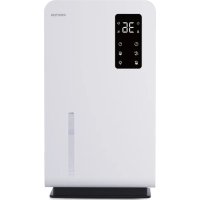
Aura - Dehumidifier Prixton - Free user manual and instructions
Find the device manual for free Aura Prixton in PDF.



| Product Type | 2-in-1 Dehumidifier and Air Purifier |
| Brand / Model | Prixton Aura |
| Dimensions (L × W × H) | 212 mm × 150 mm × 381 mm |
| Weight (with filter) | 3.33 kg ±10% |
| Power Supply | 100-240 V, 50/60 Hz |
| Rated Power | 64 W |
| Noise Level | < 53 dB |
| Water Tank Capacity | 3200 ml ±10% |
| Tank Full Shut-off Capacity | 2780 ml ±10% |
| Dehumidification Capacity (without purification) | Approx. 800 ml/day (at 30°C, 80% RH) |
| Dehumidification Capacity (with purification) | Approx. 500 ml/day (at 30°C, 80% RH) |
| Humidity Adjustment Range | 30% RH to 80% RH (5% steps) |
| Timer | 8h / 12h / 24h / 36h / 48h |
| Modes | High-speed dehumidification, sleep mode (low speed), purification only (L2/L1) |
| Special Features | Auto defrost, humidity memory, auto shut-off at set humidity, 7-color light |
| Indicator Lights | Tank full, defrosting, purification (red when filter needs replacement) |
| Optimal Operating Environment | Indoor temperature > 14°C, relative humidity > 40% |
| Filter | Removable filter element (replace at end of life) |
| Maintenance and Cleaning | Empty and clean the tank with warm water and mild detergent; wipe the appliance with a soft cloth; clean the air inlets/outlets with a brush |
| Safety | Do not spray water; avoid damp areas; turn off and unplug before cleaning |
| Supplied Parts | Product, power cord, user manual, filter element |
Frequently Asked Questions - Aura Prixton
User questions about Aura Prixton
0 question about this device. Answer the ones you know or ask your own.
Ask a new question about this device
Download the instructions for your Dehumidifier in PDF format for free! Find your manual Aura - Prixton and take your electronic device back in hand. On this page are published all the documents necessary for the use of your device. Aura by Prixton.
USER MANUAL Aura Prixton
Dehumidifier & Air purifier 2 in 1 uses advanced semiconductor refrigeration technology dehumidification (non-traditional compressor refrigeration technology) and with air purification function, its advantages are dehumidification purification, energy saving, environmental protection, safety and reliability.
This machine is suitable for small space, can be placed in the bedroom, study, bathroom, cloakroom, yacht, car, kitchen, etc., to help you eliminate the mold caused by humidity and various odors. Keep the environment dry and comfortable to prevent all kinds of items from being damaged by moisture, and the machine with purification function can effectively remove common pollutants such as PM2.5 filter dust and methanol in the new house, so that you can live in peace of mind.
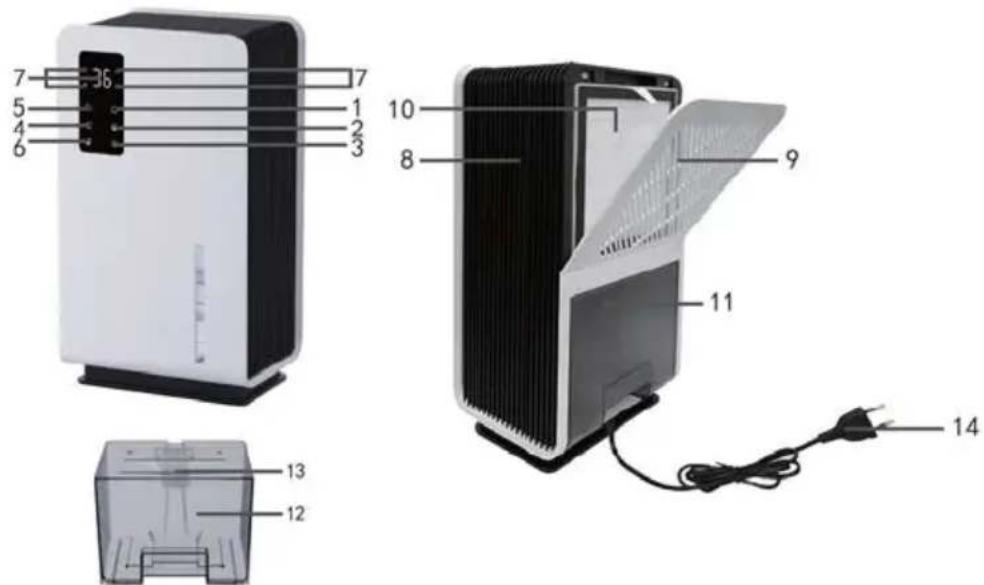
Name of machine part
-
Turn on the key
-
Purification key
-
Seven Colored lights (interior)
-
Set humidity key
-
Air outlet
-
Water Tank
-
Water tank light key
-
Air inlet
-
Water intake
-
Sleep patterns
-
Removable filter element
-
Power plug
Power-on/power-off display:
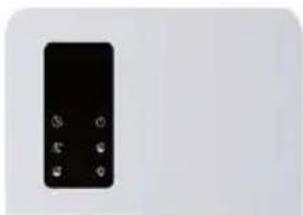
Figure 1
Figure 2
Figure 1: Only function keys are shown
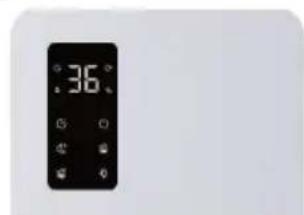
Figure 2: Function ICONS can only be displayed after startup: timing display, automatic defrosting display, dehumidification work icon, water full prompt, etc. After starting up, the machine automatically displays the humidity of the environment. When the humidity of the machine is set, the machine will automatically stop when it runs to the set humidity.
Description of the status area:
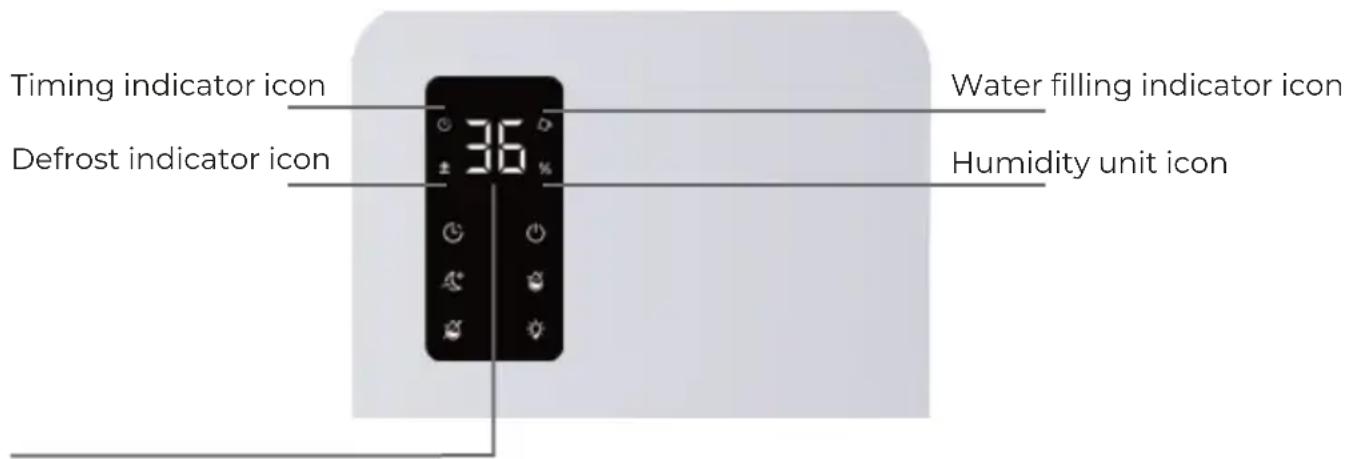
Digital/Mode display:
- Humidity display (30~90%RH)
- Timing display: (8 hours /12 hours /24 hours /36 hours /48 hours)
- Clean mode display (L1/L2)
How to operate the machine
- First connect the power plug (14) to the 100-240V/50-60Hz power socket. After the power is powered on, the button and the status display area (7) will all light up, and the light of the water tank will change from blue to green and then change to red, and then all will be extinguished again.
- Tap the switch key (1), the machine starts to work, switch key (1) bright green, status display area (7) in the humidity unit icon lit up, digital display light (machine according to the current environment display), air will be discharged from the outlet (8).【Figure 1】
- After the machine is powered on, the humidity is set to 30% RH by default. Tap the humidity setting key (2) to set the humidity range from 30% RH to 80% RH . Every time you press 5% RH , set to 80% RH , then press the set key Humidity setting to 30% RH (screen display range: 30 90% RH ), after opening the humidity setting key (2) bright green; With memory function, dehumidification will be saved according to the first set humidity until modified; The machine will stop automatically after running to the set humidity.
- After powering on, tap the water tank light button (3), the seven-color light (11) is on, the water tank light button (3) is bright green, and the color of the seven-color light (11) is changed alternately, again tap the water tank light button (3), the seven-color light (11) is fixed to the current light effect color, and again tap the light button (3) to turn off the seven-color light, and the light button (3) is off.
- After startup, the machine default high-speed dehumidification, tap sleep mode (4) to start the sleep mode, sleep mode (4) bright green, high-speed dehumidification to low-speed dehumidification, tap the second machine to restore high-speed dehumidification, sleep mode (4) off, function cycle.
-
After starting up, the machine has no timing setting by default, tap the timing key (5) for 8 hours customization, press again for 12 hours customization, press again for 24 hours, press again for 36 hours, and press again for 48 hours. At the same time, the timing key (5) is bright green and the timing indicator icon is lit up. The digital display displays the corresponding time. After setting the time, the digital display flashes for 3 seconds and then displays the current ambient humidity. Press it again to return to the state of no timing (error ± 5% ), the timing key (5) is off, and the function cycles.
-
After starting the machine, the default purification function and dehumidification function are turned on at the same time, tap the purification key (6), the purification key (6) is bright green, the humidity unit icon is off, the machine stops dehumidification, and the digital display displays L2, as shown in [Figure 2]. Press the purification key (6) again, the machine is purified at a low speed, and the digital display displays L1. Press the purification key (6) again, the machine recovers the dehumidification state, the purification key (6) is extinguished, the humidity unit icon lights up and the machine begins to dehumidify. The digital display displays the current environmental humidity and the function cycle (When the filter element reaches its service life, the purification key (6) turns bright red).
- After startup, if the defrosting indicator icon lights up, the machine will start automatic defrosting; if the defrosting indicator icon turns off, the machine will exit defrosting mode and the machine will continue to dehumidification.
- When the water tank is not filled or the water is full, the machine does not work, the water is full indicator icon flashes, and the water tank lights up red【Figure 3】.
- Please shut down before pouring water, pull out the power plug, and then remove the water tank from the machine, after pouring water, if you need to clean the inside of the water tank, directly open the water tank cover to clean, after cleaning the water tank back to the correct position in the machine (be careful not to wet the power socket and power plug).
- After the machine dehumidifies for a long time, the water tank will be filled with the condensate water extracted. When it reaches the set water level, the machine will stop dehumidifying; At this time, be sure to pour the water in the tank and then put it into the machine to work.
- When water is splashed on the machine, be sure to dry the water with a dry cloth to avoid short circuit of the product caused by water beads.
- To continue dehumidification, restart the machine.
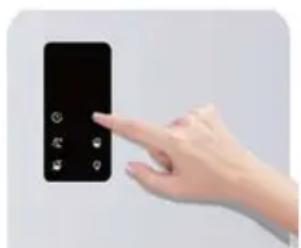
Figure 1
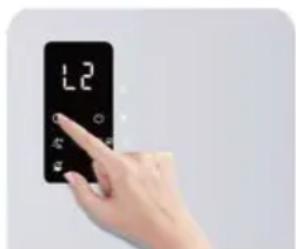
Figure 2
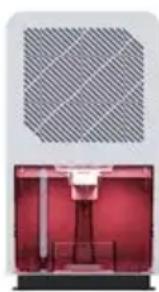
Figure 3
Parts list
A. Dehumidification and purification machine products
B. AC power cable
C. User Manual
D. Filter element
Product specification
Dehumidification (without purification function): About 800ML ± 10% per day (room temperature 30^ , relative humidity 80% ).
Dehumidification (with purification function): About 500ML±10% per day (room temperature 30^ , relative humidity 80%).
Product size: 212mm(L)150mm(W)381mm(H).
Machine weight: 3.33KG ± 10% (with filter).
Rated power: 64W
Noise: <53dB
Intelligent control: When the water tank is not loaded or the water is full, the water is full, and the color is red.
Tank capacity: 3200ML±10%
Water full shutdown capacity: 2780ML ± 10%
Optimal working environment: The indoor temperature is above 14^ and the relative humidity is above 40%
Matters needing attention
- When placing the machine, it should be kept upright, not tilted or horizontally, to avoid water flowing out of the machine.
- There should be more than 10cm of space around the machine, and clothes, plastic bags and other debris can not be placed at the inlet and outlet, so as not to hinder the entry and discharge of air, affecting the dehumidification effect.
- Do not sprinkle water on the machine, avoid wet places and use power plugs.
Clean the body and maintain the machine for a long time
- When cleaning the machine, turn off the power and unplug it.
- Empty the water tank and clean it, clean the water tank with warm water and a small amount of neutral detergent, rinse the water tank to dry.
- Wipe the dust and dirt of the fuselage with a clean soft cloth. Do not rinse it directly with water to avoid power failure.
- Clean the inlet and outlet of the machine with a brush.
- If not used for a long time, the machine should be stored in a dry and ventilated place.
Common faults and troubleshooting methods
If the machine fails, check the following possibilities for yourself before contacting the dealer or special maintenance department:
| Fault phenomenon | Cause analysis | Solution |
| Machine out of order | Power off | Turn on the power |
| Power plug release | Plug in the power supply | |
| The water tank is out of place | Put the tank in place | |
| The tank is full of water | Empty the tank | |
| Less dehumidification | The air inlet and outlet are blocked by objects | Move into the outlet obstruction |
| Machine stop cleaning | Filter element reaches service life | Replace the new filter element |
Warranty policy
This product complies with the warranty law in force in the country of purchase. When you have a problem that you can not solve, you must access the web www.prixton.com and click on the contact option to send us your assistance form.
These technical and electrical specifications are those of typical units and may be changed without prior notice in order to provide improved equipment.
Simplified EU Declaration Of Conformity
We, La Trastienda Digital located in Avenida Cervantes 49, modulo 25, Basauri 48970, Bizkaia hereby declare that the following goods, imported and selling at European market:
| BRAND | MODEL NAME DESCRIPTION | CATEGORY | |
| Prixton | AURA | Dehumidifier Air purifier | Home |
Are in compliance with the EC Council Directive of 2014/53/EU (EM DIRECTIVE) and harmonized standards and with the board of the 16th of April 2014.
The complete text of the UE Declaration of conformity is available anytime at this website address:
www.prixton.com LA TRASTIENDA DIGITAL
- Name of machine part
- Power-on/power-off display:
- Description of the status area:
- How to operate the machine
- Parts list
- Product specification
- Matters needing attention
- Clean the body and maintain the machine for a long time
- Common faults and troubleshooting methods
- Warranty policy
- Simplified EU Declaration Of Conformity
Brand : Prixton
Model : Aura
Category : Dehumidifier