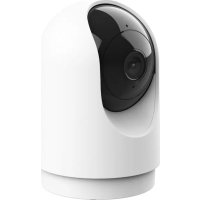
Fashion Indoor 71364 - Surveillance Camera TRUST - Free user manual and instructions
Find the device manual for free Fashion Indoor 71364 TRUST in PDF.


User questions about Fashion Indoor 71364 TRUST
0 question about this device. Answer the ones you know or ask your own.
Ask a new question about this device
Download the instructions for your Surveillance Camera in PDF format for free! Find your manual Fashion Indoor 71364 - TRUST and take your electronic device back in hand. On this page are published all the documents necessary for the use of your device. Fashion Indoor 71364 by TRUST.
USER MANUAL Fashion Indoor 71364 TRUST
Download Trust WiFi App


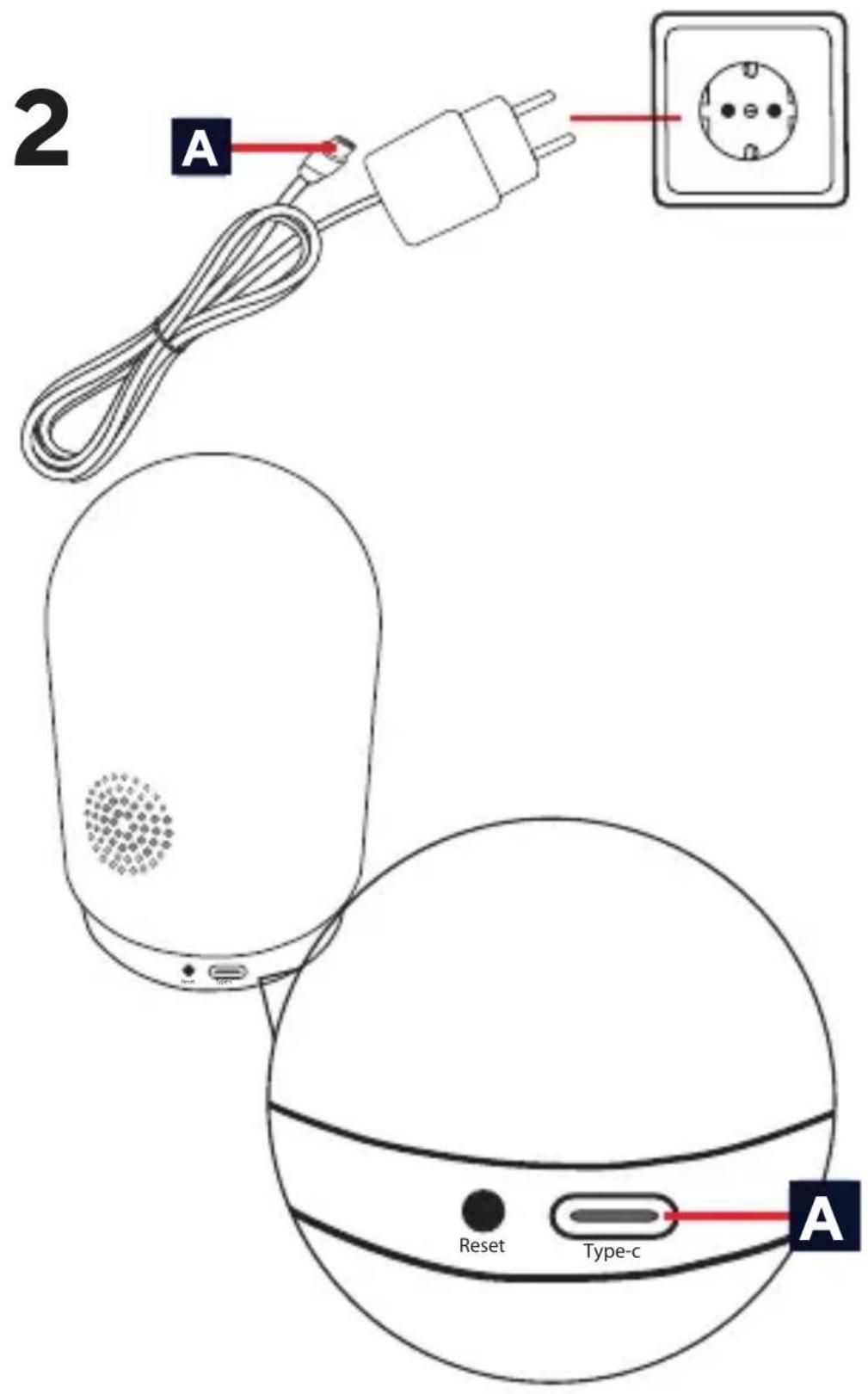
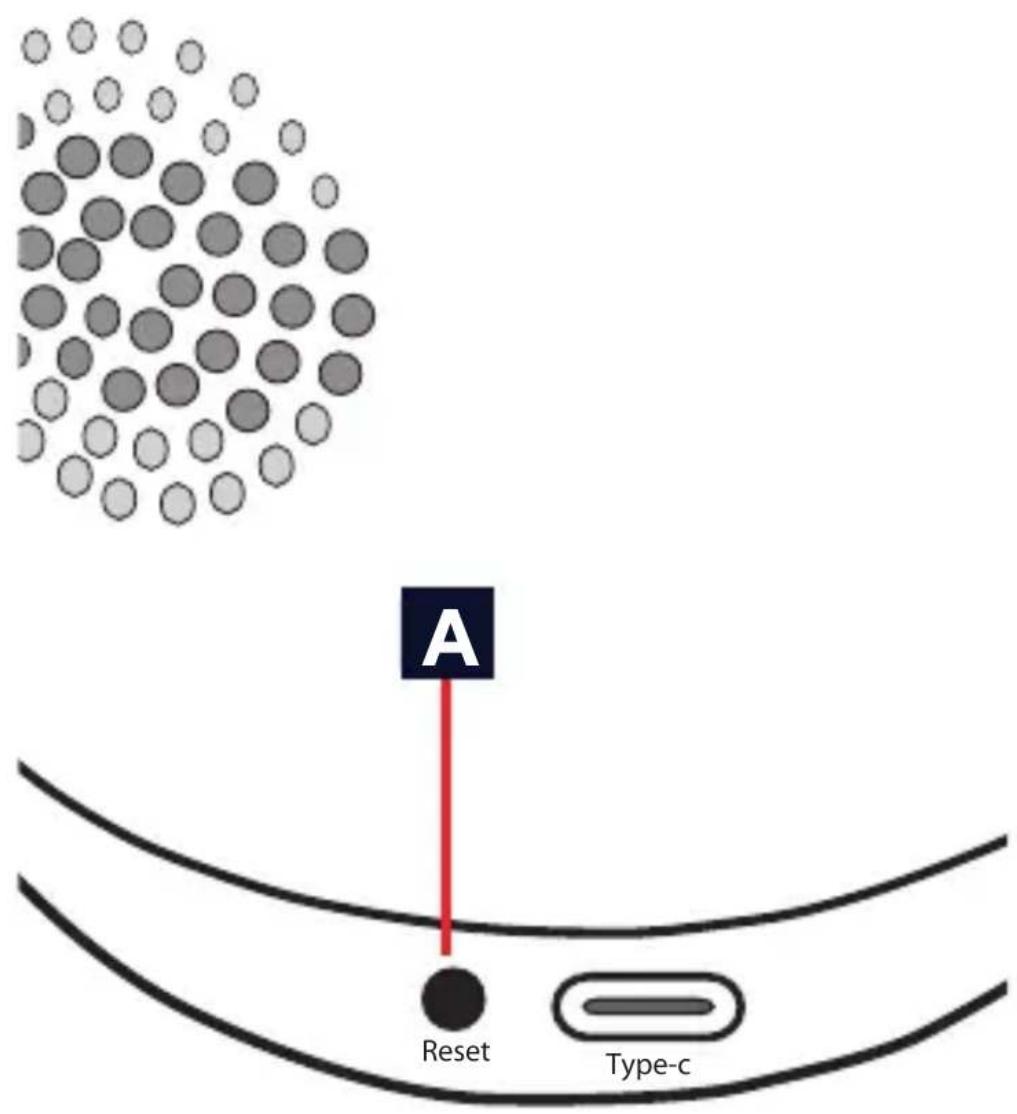
A Connect the supplied USB-C power cable to the back of the camera
3

4

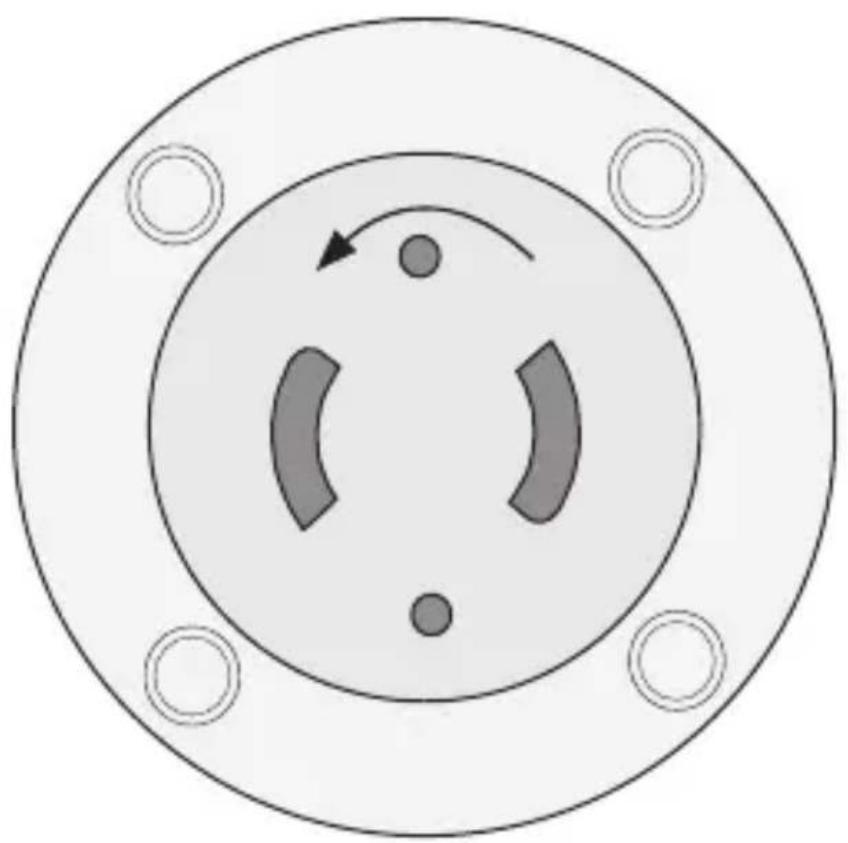
Remove mounting plate by rotating it counterclockwise from the bottom of the camera
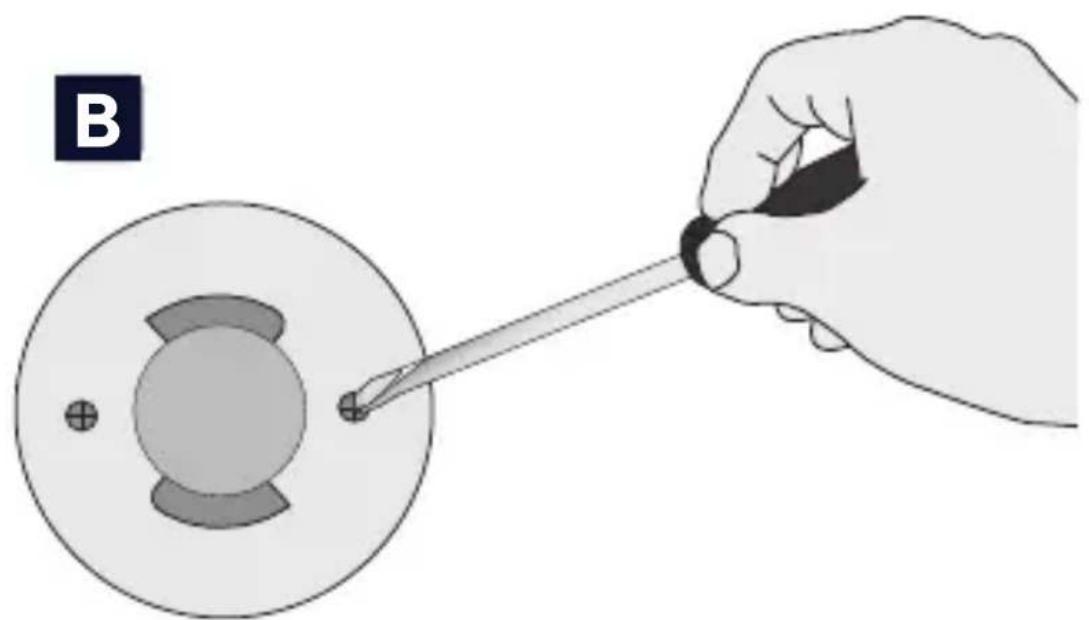
Secure the mounting plate on a flat surface using the supplied wall plugs and screws.
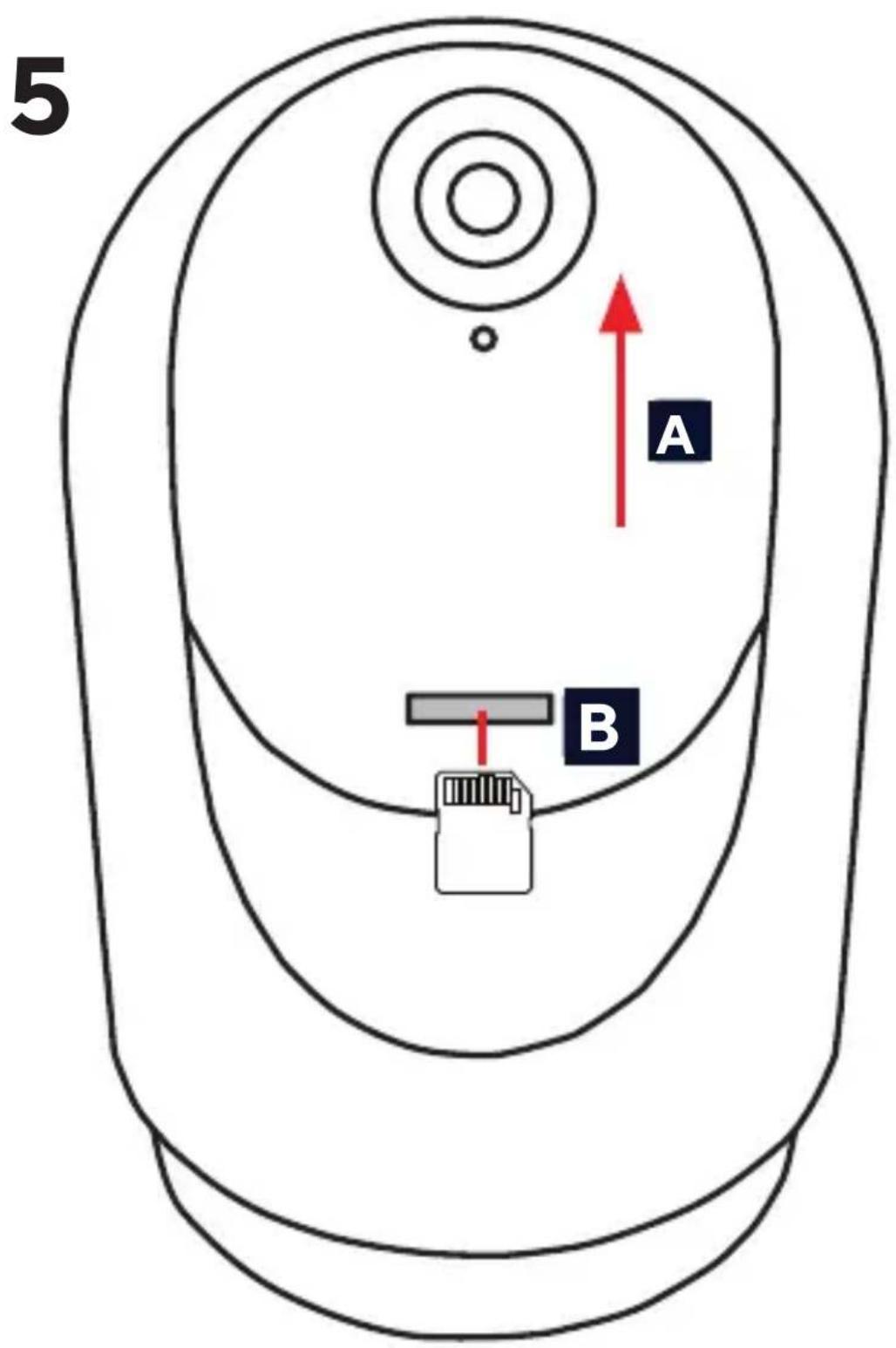
A Manually move the camera lens up or use the PTZ control in the App. B Place the SD card in the slot.

Following this step will remove the camera from the App.
Press the reset button on the back of the camera for more then 5 sec. The camera will beep 3 × to indicate it is reset
EN Before getting started
Make sure your phone or tablet is connected to a 2.4GHz or 5GHz WiFi network. To install this product you will need your WiFi network name and WiFi password. Make sure Bluetooth is enabled on your phone or tablet for easy installation.
1. Trust WiFi App
A Download the Trust WiFi App from the App store or Google PlayStore.
B Open the App. When using the App for the first time you have to register a new account.
2. Install the camera
Install the camera by first connecting the supplied USB-C cable to the supplied power adapter. Then connect the USB-C connector to the back of the camera and the power adapter to a power outlet. The camera will now boot up. Wait until the camera plays a sound 2x and rotates to indicate it has booted up.
3. Connect the camera
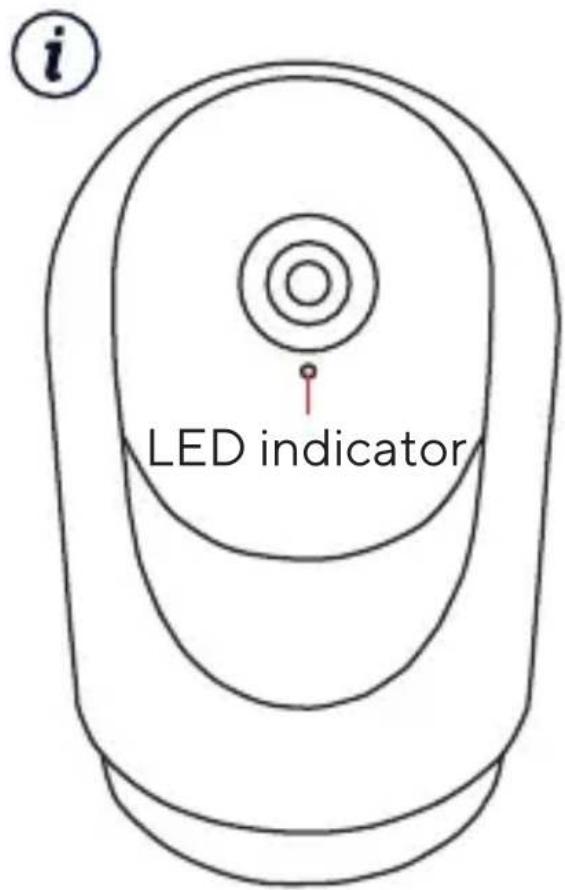
Note: Before proceeding with this step make sure the LED indicator on the front of the camera is flashing. If the LED is not flashing please reset the camera.
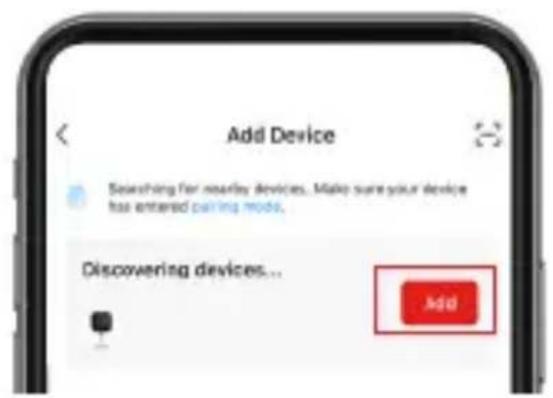
Login to the Trust WiFi App and press "Add device" or press the (+) icon in the upper right corner. Make sure you are close to the camera and follow the onscreen instructions.
4. Optional: Mount Camera
A Remove the mounting plate from the bottom of the camera by rotating it counterclockwise.
B Secure the mounting plate on a flat surface using the supplied wall plugs and screws. Place the camera back on the mounting plate
5. Place SD Card
A Manually move the camer lens up or use the PTZ control in the App. The SD card slot becomes visible.
Insert the SD card in the camera (Max. 256Gb) with the copper connectors facing upwards until you feel a click. Reboot the camera for the SD card to be detected.
Now your camera is ready to use. For more usage information go to trust.com/71364.
iReset Camera
Following this step will remove the camera from the App.
A Press the reset button on the back of the camera for more then 5 sec. The camera will beep 3x to indicate it is reset. After resetting the camera will boot up again.
1. Application Trust WiFi
3. Conectatic camera
3. Cbbp3BaHe Ha KaMepaTa
3a6eJexka: Ppei Da npOdbJIxHtEc Ta3n CTbNka, yBepTe ce, ye LED nHnKaTOpbT Ha npEHaTa CtpaHa Ha KaMepaTa Mira. Ako LED He Mira, MoJ, HynpaTe KaMepaTa.
Bne3Te B npinloxeHneTo Trust WiFi App n HataChete ,Add device" (DobabnHe Ha yctpoNCTBO), nn NkoHaT (+) B roPnna DeceH bIbI. YbepTe ce, ye cTe 6n3o Do KaMepaTa n CneBaIte NHCTpyKcInTe Ha ekpaHa.
Telepka Kamepa roToBa K
NcNoJIb3OBaHnIO. DOnOJIHnTeJIbHyU
INΦopMaciuNo NO NcNoJIb3OBaHnIO
KamepbI CM. Ha caIte trust.com/71364.
C6poc HacTpoek KaMepbl
Iocne 3toro wara kamepa6ydt ydaheHa n3 npnloxehna.
A HaxMMTe KHONky c6poca Ha 3aDHe N qactn KaMepbl N ydepxmbaite ee 60nee 5 cekynd. KaMepa n3dact 3 3ByKOBbIX cnHaJa, yka3bIBaer Ha To, YTO ee NaCTpoiKn c6pOseHbI. Pocne c6poca hAcTpoek KaMepa nepe3arpy3NTcra.
BnkoHaHnI cboRo KpOky BndaJIHTb KaMepy 3doTaTKy.
A Hatnchitb i ytpmmyTe KhoNky CkndaHnra 6iNbwe 5 ceKyHd. KaMepa nOdaCTb TpNKpaTHn 3ByKOBn cnHaJ, 0o6 NOBIDOMNTn npo cKnDaHHa HanaHTyBaHb. Picna nepe3aBaHTaXeHHa KaMepa 3aBaHTaXHTbcr 3HOBy.
TECHNICAL SPECIFICATIONS
| Input Voltage 5.0V 1.0A 5.0W | |
| Dimension H x W x L 72 x | 72 x 109 mm |
| Wireless Frequency 2412 | -2472 Mhz and 5180- 5805 Mhz |
| Max. Wireless Power 2412 | -2472 Mhz 9.06 dbm |
| 5180- 5805 Mhz 8.26 dbm | |
| Detection Distance 5-8 Meters | |
| Max. video resolution 2304x1296 | |
