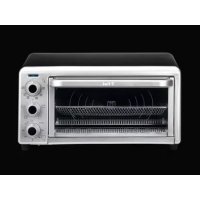
OF170850 - Oven TEFAL - Free user manual and instructions
Find the device manual for free OF170850 TEFAL in PDF.



| Product type | Countertop oven |
| Brand | Tefal |
| Model | OF170850 |
| Category | Oven |
| Functions | Oven, Grill, Convection, Keep warm |
| Maximum temperature | 230 °C (450 °F) |
| Timer | 60 minutes with automatic shut-off and audible signal |
| Included accessories | Rack, Baking pan, Turbo basket, Crumb tray, Pizza stone* (depending on model) |
| Interior walls | Non-stick |
| Operation light | Yes |
| Safety | Automatic shut-off, audible end-of-cooking signal |
| Cleaning and maintenance | Warm soapy water; do not use abrasive pads; do not clean pizza stone in dishwasher |
| Rack position | 4 different positions |
| Compatible dish types | Metal, glass, ceramic (without lid) |
| Usage | Household use only |
Frequently Asked Questions - OF170850 TEFAL
User questions about OF170850 TEFAL
0 question about this device. Answer the ones you know or ask your own.
Ask a new question about this device
Download the instructions for your Oven in PDF format for free! Find your manual OF170850 - TEFAL and take your electronic device back in hand. On this page are published all the documents necessary for the use of your device. OF170850 by TEFAL.
USER MANUAL OF170850 TEFAL
a.Oven
b. Broil
c. Keep warm
d. Convection oven
- Non-stick interior walls
- Timer button
- Door Accessories:
-
Crumb tray
-
Pizza stone*
- Oven dish
- Turbo basket
- Grill rack
Français
Please Read and Save this Use and Care Book
IMPORTANT SAFEGUARDS
When using electrical appliances, basic safety precautions should always be followed, including the following:
- Read all instructions before using.
- Do not touch hot surfaces. Use handles or knobs.
- To protect against electrical shock do not immerse cord, plugs or appliance in water or other liquid.
- Close supervision is necessary when any appliance is used by or near children.
- Unplug from outlet when not in use and before cleaning. Allow to cool before putting on or taking off parts.
- Do not operate any appliance with a damaged cord or plug, or after the appliance malfunctions or has been damaged in any manner. Return appliance to the nearest authorized service facility for examination, repair or adjustment. Or, call the appropriate toll-free number on the cover of this manual.
- The use of accessory attachments not recommended by the appliance manufacturer may cause injuries.
- Do not use outdoors.
- Do not let cord hang over edge of table or counter, or touch hot surfaces.
- Do not place on or near a hot gas or electric burner, or in a heated oven.
- Extreme caution must be used when moving an appliance containing hot oil or other hot liquids.
- Always attach plug to appliance first, then plug cord into the wall outlet. To disconnect, turn any control to OFF, then remove plug from wall outlet.
- To switch off the appliance turn Timer knob to "OFF" position.
- Do not use appliance for other than intended use.
- Use extreme caution when removing tray or disposing of hot grease.
- Do not clean with metal scouring pads. Pieces can break off the pad and touch electrical parts, creating a risk of electric shock.
- Oversized foods or metal utensils must not be inserted in a toaster oven, as they may create a fire or risk of electric shock.
- A fire may occur if the toaster oven is covered or touching flammable material including curtains, draperies, walls and the like, when in operation. Do not store any item on top of the appliance when in operation.
- Extreme caution should be exercised when using containers constructed of other than metal or glass.
ENG
- Do not store any material, other than manufacturer's recommended accessories, in this oven when not in use.
- Do not place any of the following materials in the oven: paper, cardboard, plastic, and the like.
- Do not cover crumb tray or any part of this oven with metal foil. This will cause overheating of the oven.
SAVE THESE INSTRUCTIONS
This product is for household use only.
GROUNDED PLUG
- As a safety feature, this product is equipped with a grounded plug, which will only fit into a three-prong outlet. Do not attempt to defeat this safety feature. Improper connection of the grounding conductor may result in the risk of electric shock. Consult a qualified electrician if you are in doubt as to whether the outlet is properly grounded.
ELECTRICAL CORD
a) A short power-supply cord is to be provided to reduce the risk resulting from becoming entangled in or tripping over a longer cord.
b) Longer extension cords are available and may be used if care is exercised in their use.
c) If an extension cord is used,
1) The marked electrical rating of the cord set or extension cord should be at least as great as the electrical rating of the appliance, and
2) The cord should be arranged so that it will not drape over the countertop or tabletop where it can be pulled on by children or tripped over unintentionally. If the appliance is of the grounded type, the extension cord should be a grounding-type 3-wire cord.
TAMPER-RESISTANT SCREW
Warning: This appliance is equipped with a tamper-resistant screw to prevent removal of the outer cover. To reduce the risk of fire or electric shock, do not attempt to remove the outer cover. There are no user-serviceable parts inside. Repair should be done only by authorized service personnel.
Note: If the power supply cord is damaged, it should be replaced by qualified personnel; in Latin America by an authorized service center.
IMPORTANT MISES EN GARDE
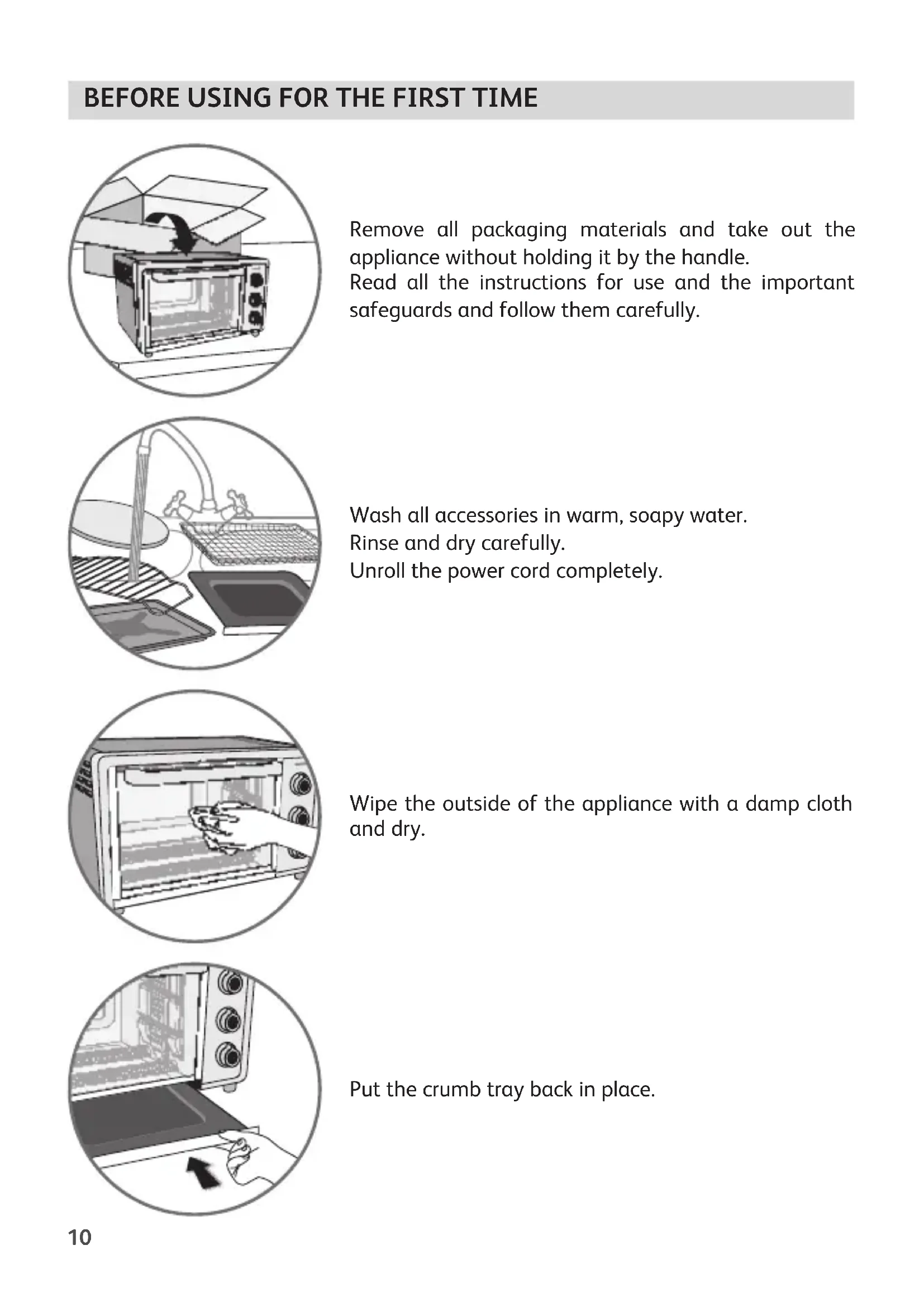
Remove all packaging materials and take out the appliance without holding it by the handle.
Read all the instructions for use and the important safeguards and follow them carefully.
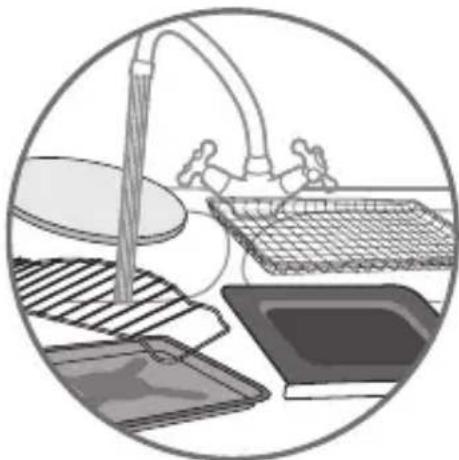
Wash all accessories in warm, soapy water.
Rinse and dry carefully.
Unroll the power cord completely.
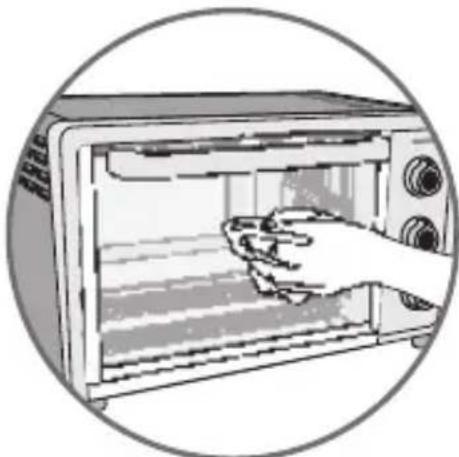
Wipe the outside of the appliance with a damp cloth and dry.
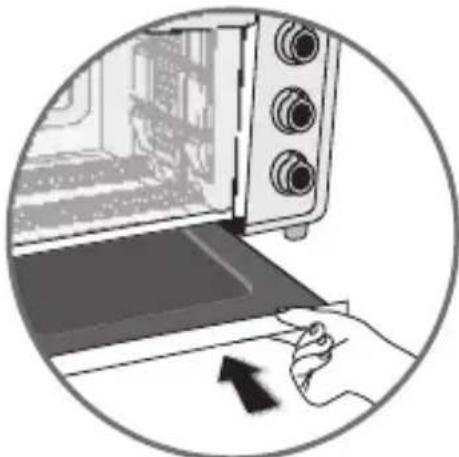
Put the crumb tray back in place.
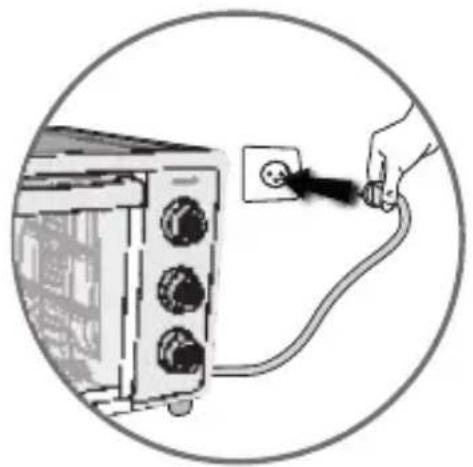
Plug in the toaster oven.
In order to remove any possible residues from manufacturing, run the appliance empty for 20 minutes.
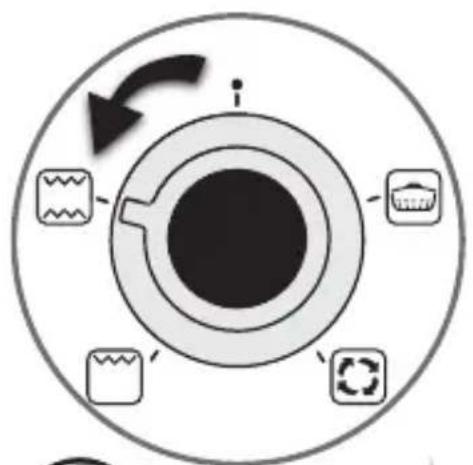
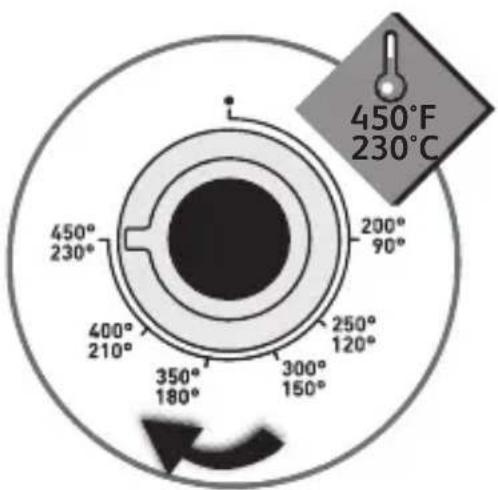
Select the Oven function and set the temperature dial to 450^ (230^)
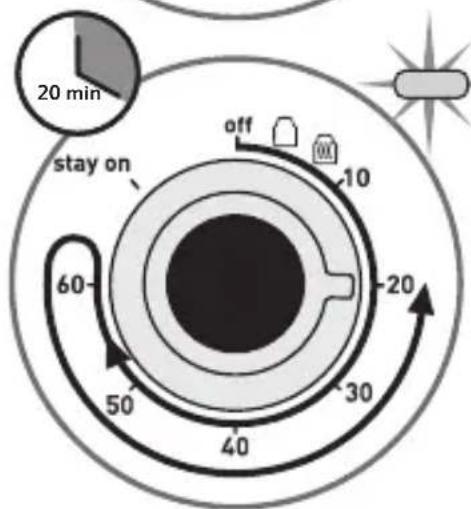
Set the timer dial to 20 minutes. The power indicator light will now turn on indicating the toaster oven is now heating up.
You may observe smoke escaping from the oven. This is normal and will gradually disappear with use.
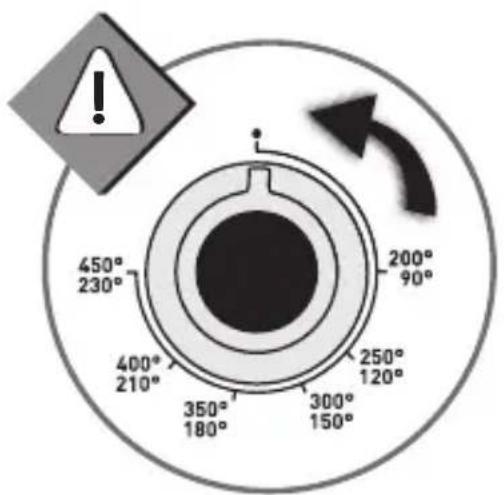
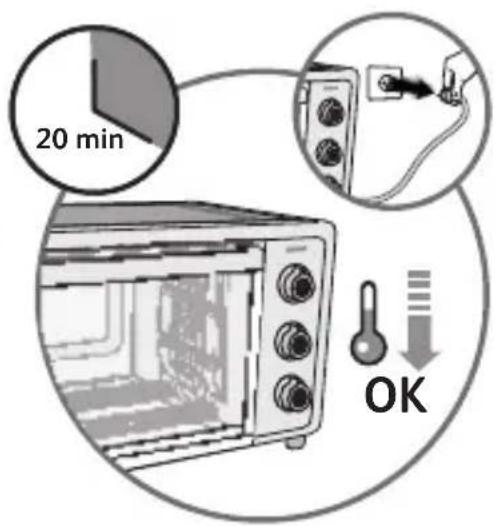
Once the timer has stopped, turn the thermostat button to position « ● »
Unplug the appliance and let it cool down for 20 minutes.
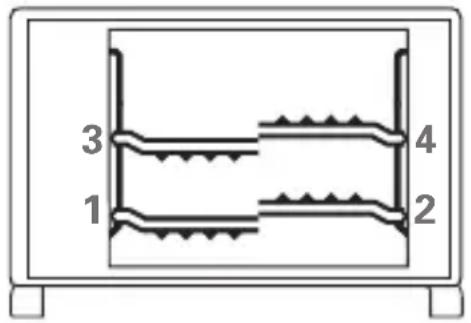
For all functions the position of the cooking shelf will play an important role in the final cooking result.
Note that there are 4 separate positions for the cooking shelf.
Place your tray in the center of the shelf at the desired height.
HELPFUL HINTS ABOUT YOUR OVEN
- When selecting baking time for a particular recipe, include preheat time.
- This oven has a 60 minute timer.
- Metal, ovenproof glass and ceramic bakeware without lids can be used in the oven.
- Turn all controls to OFF before inserting or removing plug from electrical outlet.
- Cooking times are provided at the back of the manual. These are only estimated times and can vary depending on the dish used, the size, thickness, freshness and initial temperature of the food to be cooked.
-
Do not put any container directly on the lower heating element.
To obtain the best performance from this toaster oven: -
Do not overfill the oven;
- To avoid heat loss do not open the door too frequently.
THE CRUMB TRAY
The crumb tray should be cleaned in warm soapy water.
(Do not wash the crumb tray in the dishwasher).
Leave the crumb tray in place while the appliance is in operation.
Do not use abrasive scouring pads to avoid damaging the highly non stick surface.
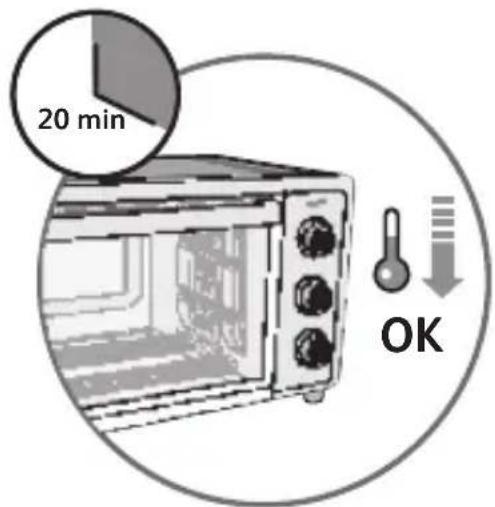
Do not touch the crumb tray during or immediately after operation. Allow to cool completely.
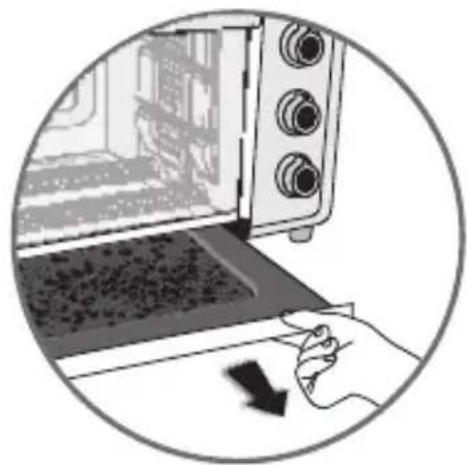
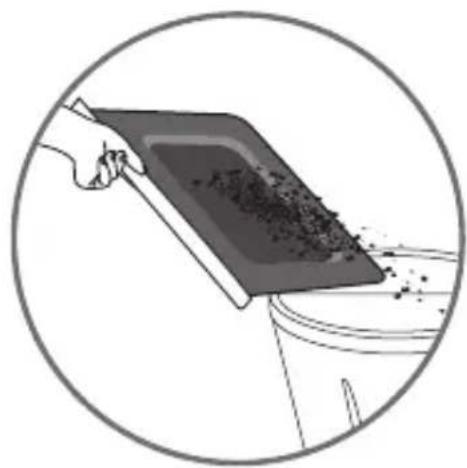
Remember to empty the crumb tray after every use.
OVEN FUNCTION

Recommendations: 1. Never leave unattended during use.
- Do not use the « stay on » function.
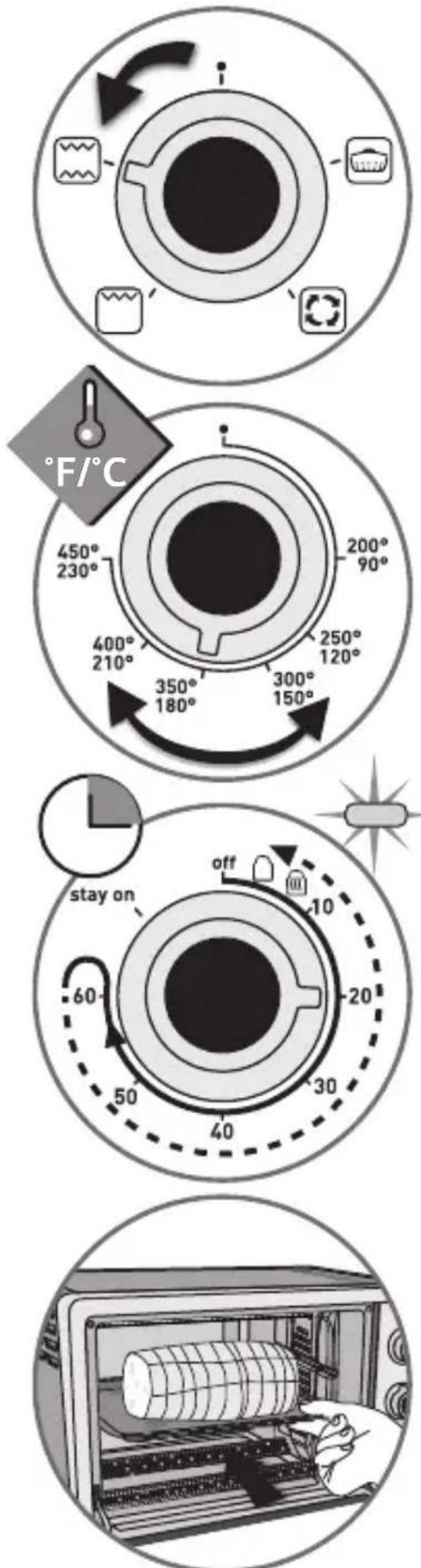
Plug in the toaster oven.
Insert the rack at the desired level.
Set the timer dial to the desired cooking time. The power indicator light will turn on and the heating will start.
Set the timer dial on the desired cooking time. The power indicator light turns on and cooking starts.
Timer: turn the knob to 60 minutes, then turn dial counter-clockwise back to the desired time.
If preheating is necessary, wait for the time indicated in the cooking table and then place the food on the rack using a suitable dish.
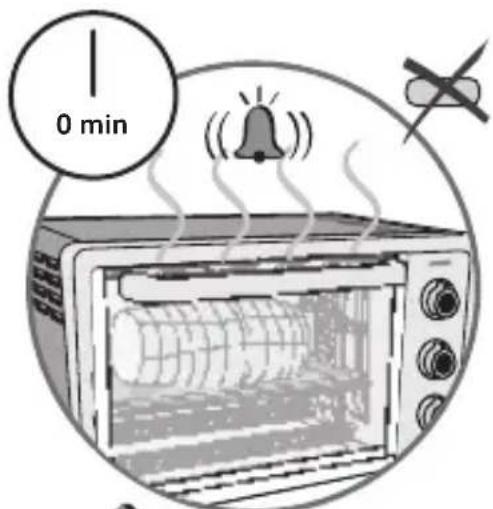
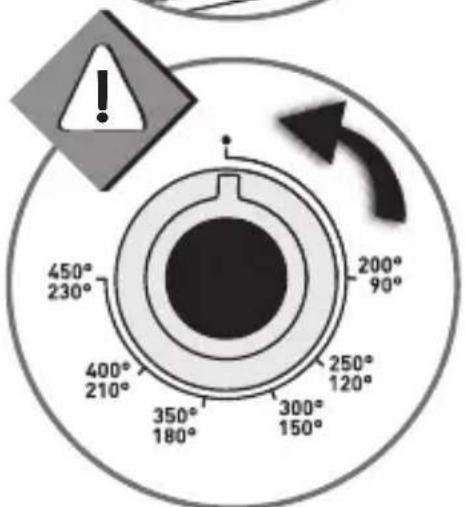
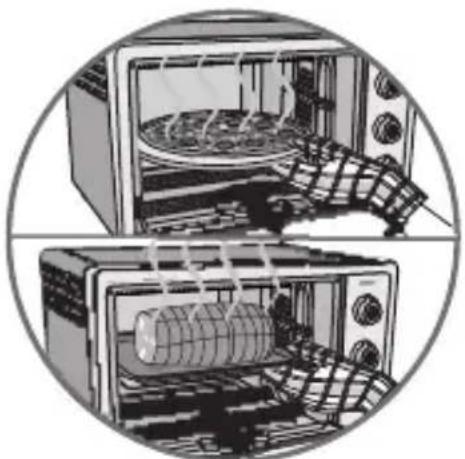
When cooking is completed, you will hear a beep and the timer automatically returns to the off position, the power indicator light will turn off.
Turn the temperature dial to the position « »
Using oven mitts or pot holders, lower oven door to the full open position and remove the cooked food.
Unplug appliance when not in use.
BROIL FUNCTION

Recommendations: 1. Never leave unattended during use.
- Do not use the « stay on » function.
Plug in the toaster oven.
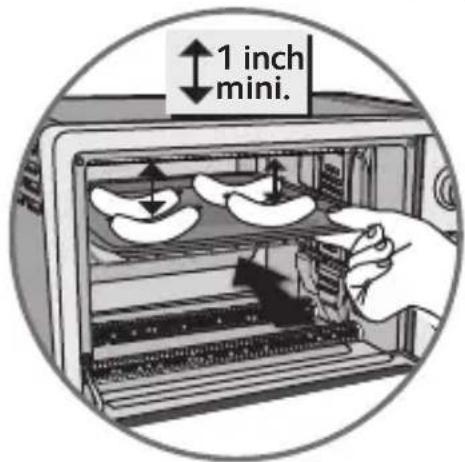
Use shelf position #3.
There must be a minimum space of 1 inch (2 cm) between the food and the top elements.
Note: Be sure food does not extend past the outer limits of the bake tray to prevent grease dripping onto the bottom heating elements.
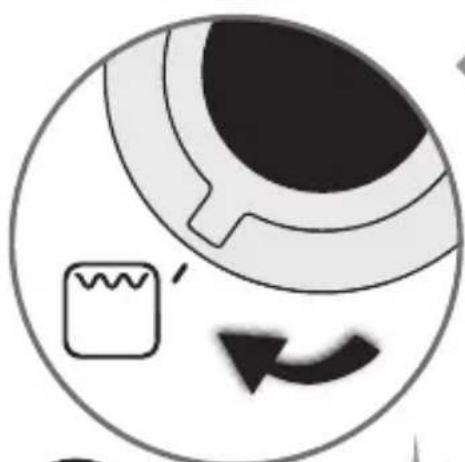
Close the door.
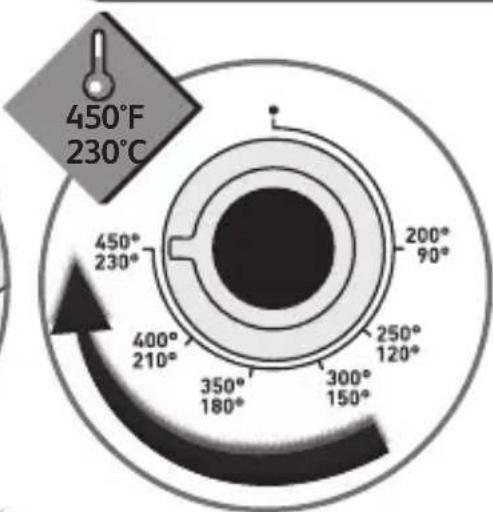
Set the temperature dial on the highest
temperature.
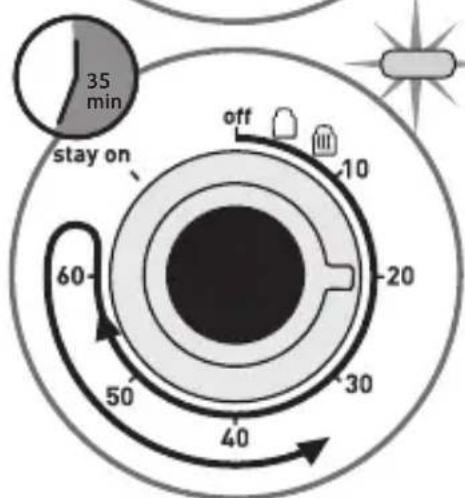
Set the timer dial on the desired time. The power indicator light turns on.
Timer: turn the knob to 60 minutes, then turn dial counter-clockwise back to the desired time.
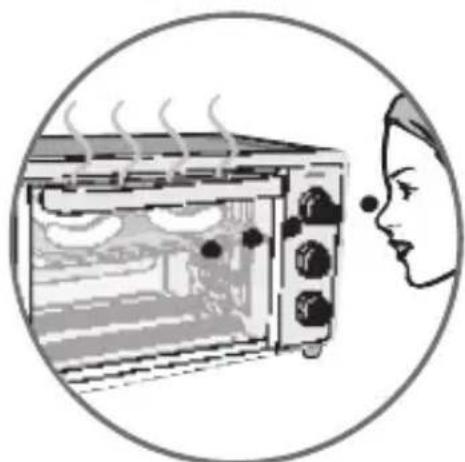
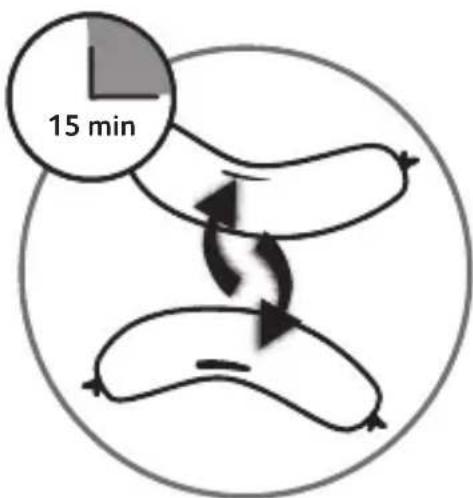
Monitor the food and for best results turn it over.
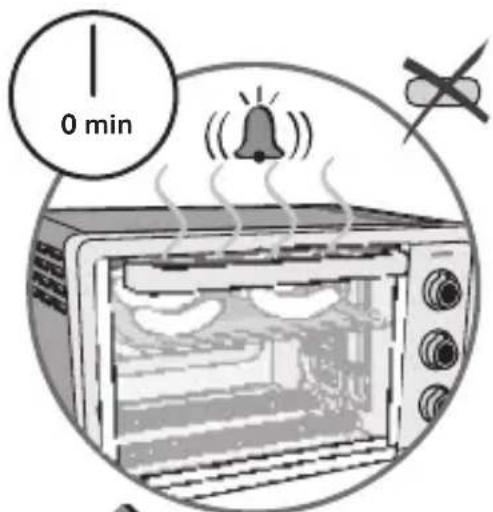
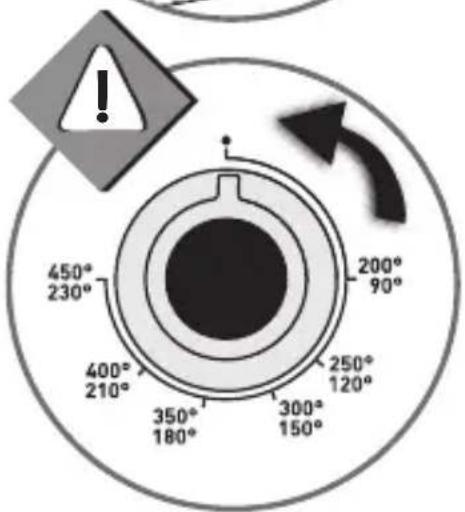
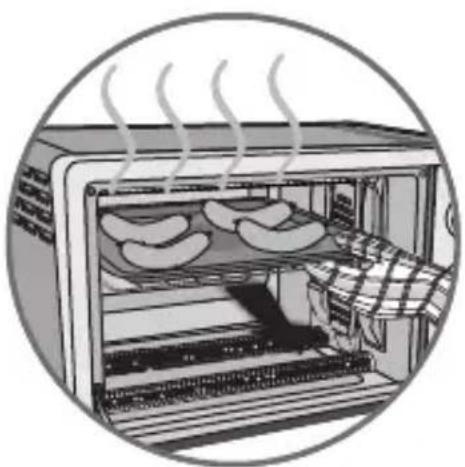
When the cycle is completed, you will hear a beep, the timer automatically returns to the off position and the power indicator light turn off.
Turn the temperature dial to the position « »
Using oven mitts or pot holders, lower oven door to the full open position and remove the cooked food.
Unplug appliance when not in use.
CONVECTION FUNCTION

Recommendations: 1. Never leave unattended during use.
- Do not use the « stay on » function.
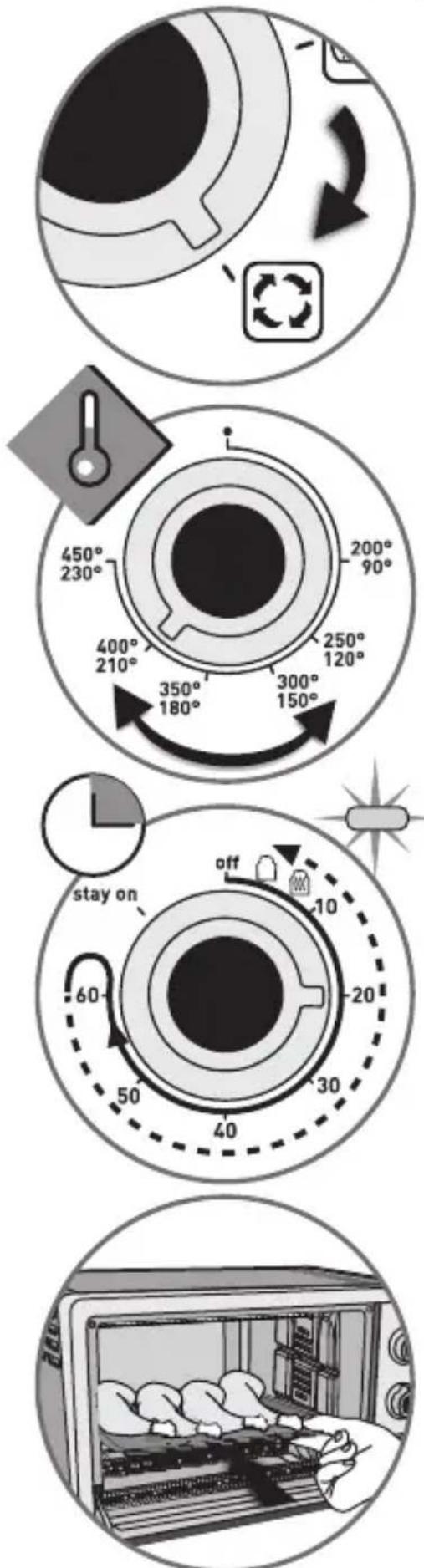
Plug in the toaster oven.
Insert the rack at the desired level.
Set the temperature dial to the desired cooking temperature.
Set the timer dial on the desired cooking time. The power indicator light turns on and cooking starts.
Timer: turn the knob to 60 minutes, then turn dial counter-clockwise back to the desired time.
Place the food on the rack using an appropriate dish.
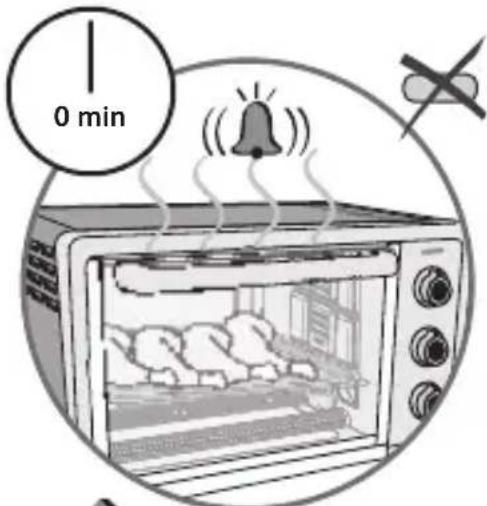
When cooking is completed, you will hear a beep and the timer automatically returns to the Off position, the power indicator light turn off.
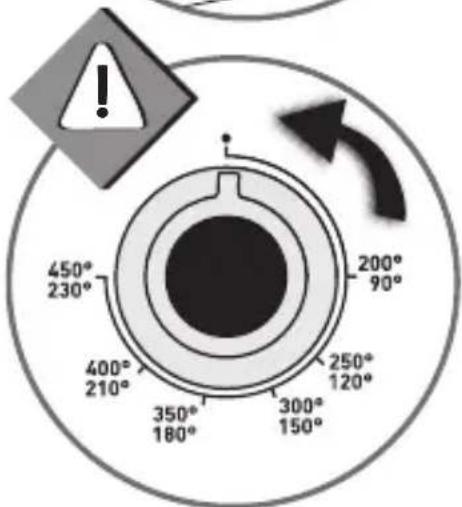
Turn the temperature dial to the position « »
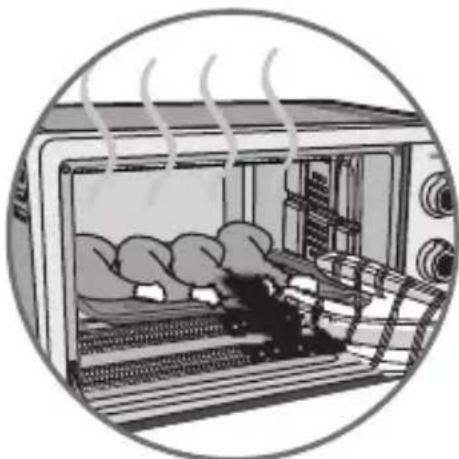
Using oven mitts or pot holders, lower oven door to the full open position and remove the cooked food.
Unplug appliance when not in use.
Never leave unattended during use.
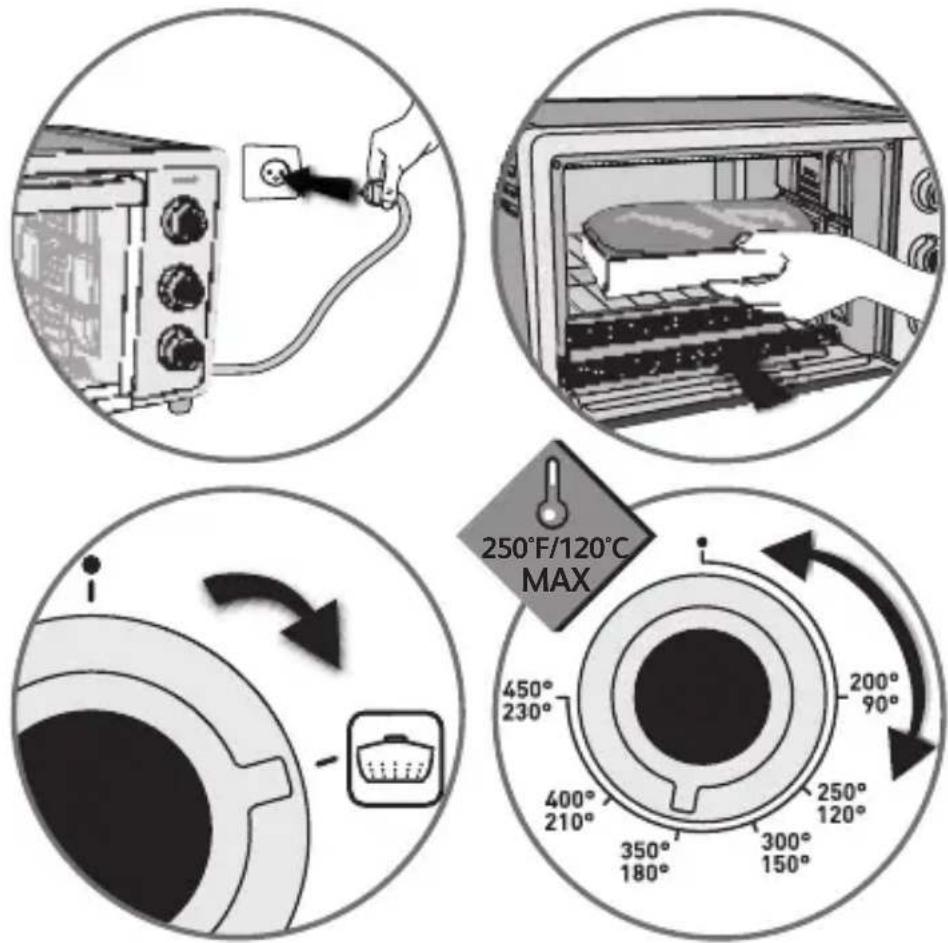
Plug in the toaster oven.
Place the food on the rack using an appropriate dish.
Set the temperature dial to the desired cooking temperature (maximum de 120^ / 250^
You have two solutions:
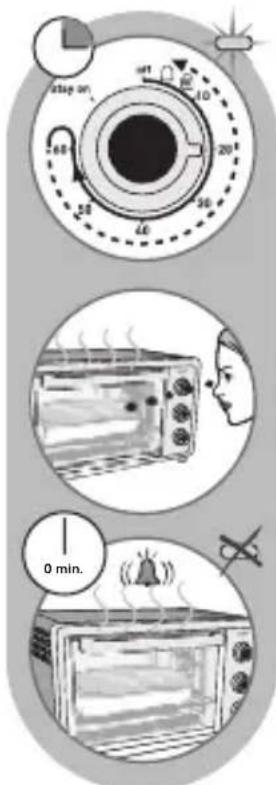
Set the timer dial on the desired cooking time. The power indicator light turns on and keep warm starts.
Keep a watch...
When cooking is completed, you will hear a beep and the timer automatically returns to the off position, the power indicator light turns off.
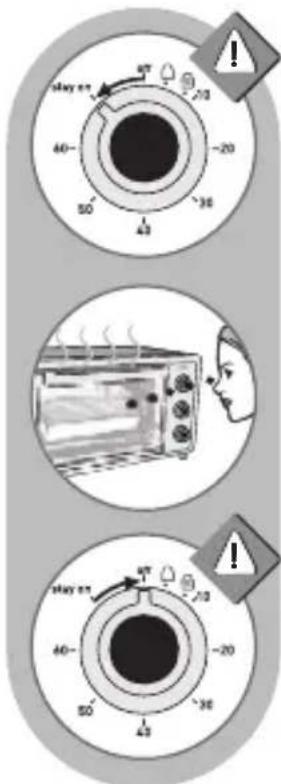
Set the timer dial on « Stay on ». The power indicator light turns on and keep warm starts.
Keep a watch...
To stop the keep warm function, turn the timer button to « off » position; the indicator light will turn off.
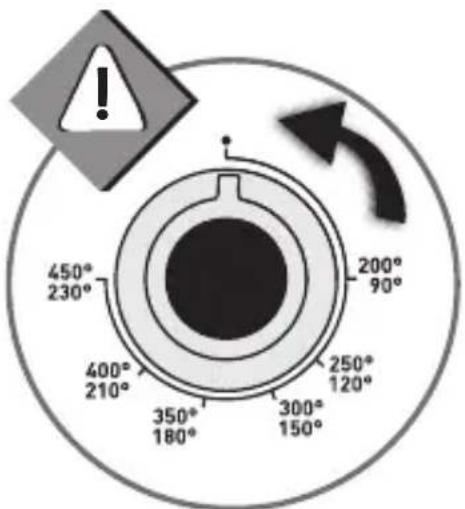
Turn the temperature dial to the position
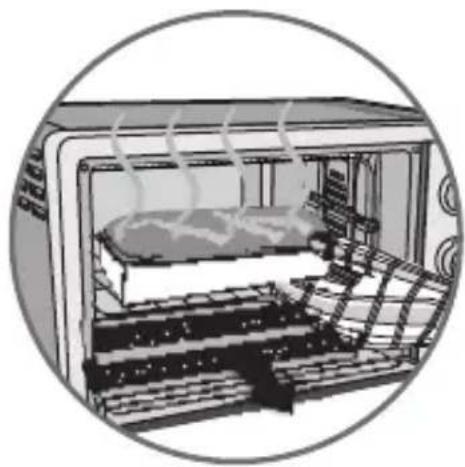
Using oven mitts or pot holders, lower oven door to the full open position and remove the cooked food.
Unplug appliance when not in use.
CLEANING AND CARE
Do not allow grease to accumulate inside the appliance.
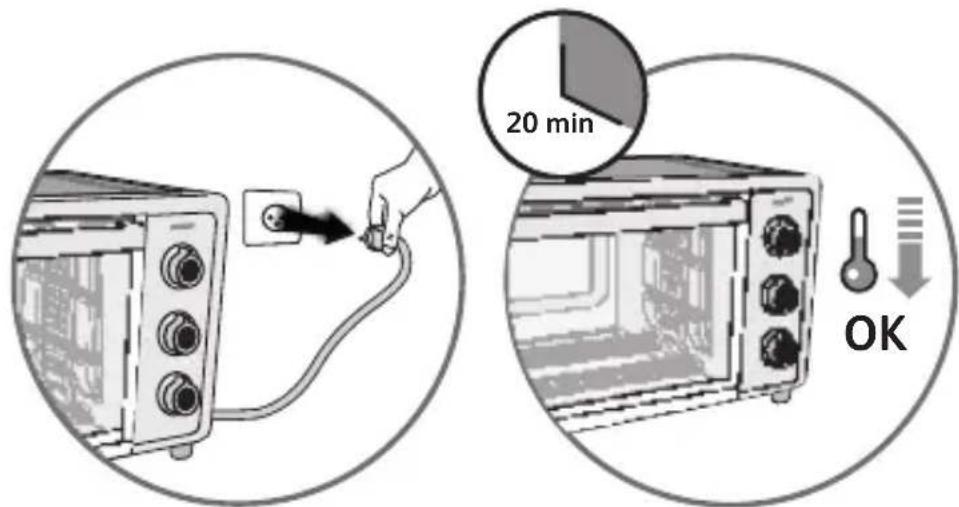
Disconnect the appliance and let it cool down completely before cleaning or storing.

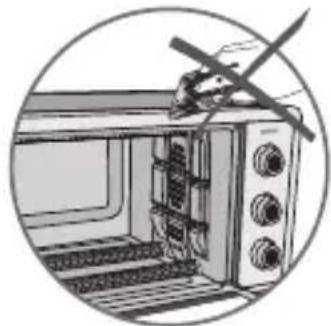

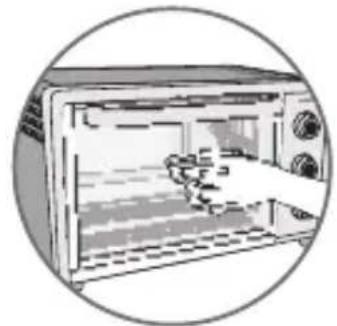
Do not use aggressive cleaning products (especially oven cleaners or metal or abrasive pads).
A quick wipe with a sponge is sufficient to clean the outside of the appliance.
Clean the door, enameled or lacquered surfaces and translucent parts with a damp sponge and a mild detergent.
Do not use cleaning products intended for metals (for stainless steel, copper etc.).
The inside walls of the oven are non-stick* and can be cleaned easily with water and detergent.
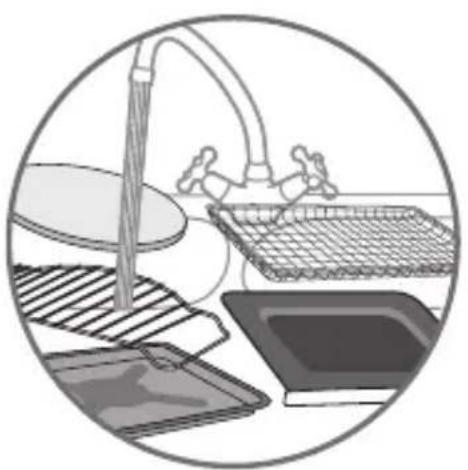
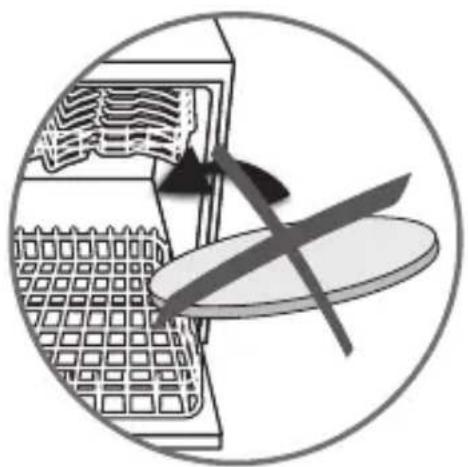
All accessories can be cleaned with water and detergent.
Do not put the pizza stone* in the dishwasher.
*depending on model
COOKING TABLE
| Settings | Rack position | (1) Preheat oven before cooking | °C/°F | Approx. Cooking Times min | |
| Brownies Brownies | 3 | 10 min | 150°C 300°F | 20 min | |
| Cookies Cookies | 3 | 10 min | 180°C 350°F | 15 min | |
| Frozen fries Frites surgelées | 3 | 10 min | 230°C 450°F | 15 min | |
| Sausages Saucisses | 3 | 5 min | 230°C 450°F | 30 min 15 min | |
| Pork chops Côtes de porc | 3 | 5 min | 230°C 450°F | 30 min | |
| Bread Pain de mie | 3 | - | 230°C 450°F | 8 min 4 min | |
| Frozen pizza with pizza stone* Pizza surgelée avec pierre* | 3 | 30 min with pizza stone only | 230°C 450°F | 10 min | |
| Frozen pizza with pizza stone* Pizza surgelée avec pierre* | 3 | 30 min with pizza stone only | 230°C 450°F | 20 min | |
| Frozen pizza without pizza stone* Pizza surgelée sans pierre* | 3 | - | 230°C 450°F | 25 min l | |
| Fresh pizza without pizza stone Pizza fraîche sans pierre | 3 | - | 120°C 250°F | 22 min | |
| Bacon Lard | 3 | - | 180°C 350°F | 5 min 5 | |
| Chicken legs Cuiisses de poulet | 3 | - | 180°C 350°F | 35 min- |



- Français
- Please Read and Save this Use and Care Book
- IMPORTANT SAFEGUARDS
- When using electrical appliances, basic safety precautions should always be followed, including the following:
- ENG
- SAVE THESE INSTRUCTIONS
- GROUNDED PLUG
- ELECTRICAL CORD
- TAMPER-RESISTANT SCREW
- IMPORTANT MISES EN GARDE
- HELPFUL HINTS ABOUT YOUR OVEN
- THE CRUMB TRAY
- OVEN FUNCTION
- BROIL FUNCTION
- CONVECTION FUNCTION
- You have two solutions:
- CLEANING AND CARE
- COOKING TABLE
Brand : TEFAL
Model : OF170850
Category : Oven