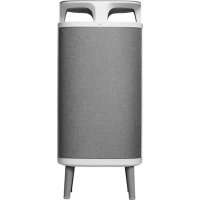
DustMagnet 5240i - Air purifier BLUEAIR - Free user manual and instructions
Find the device manual for free DustMagnet 5240i BLUEAIR in PDF.



| Product type | Air purifier |
| Brand | Blueair |
| Model | DustMagnet 5240i |
| Filtration technology | HEPASilent™ with two pre-filters and two main filters |
| Recommended room area | 22 m² |
| CADR (Smoke) | 260 m³/h |
| CADR (Dust) | 260 m³/h |
| CADR (Pollen) | 293 m³/h |
| Sound pressure (min/max) | 29-45 dB |
| Power consumption (min/max) | 5-22 W |
| Power supply | 100-240 V~ 50/60 Hz |
| Connectivity | Built-in Wi-Fi (2.4 GHz), Blueair app |
| Operating modes | Manual (3 speeds), automatic, night |
| Air quality indicator | Yes (color scale for PM2.5) |
| Pre-filter maintenance | Weekly cleaning with cloth or vacuum |
| Main filter replacement | Every 6 to 12 months (depending on indicator) |
| Sensor cleaning | When replacing the main filter, with a cotton swab |
| Safety | Turn off and unplug before maintenance, do not use without filters |
| Warranty | Limited, terms at blueair.com |
| Sensor type | Built-in (air quality) |
Frequently Asked Questions - DustMagnet 5240i BLUEAIR
User questions about DustMagnet 5240i BLUEAIR
0 question about this device. Answer the ones you know or ask your own.
Ask a new question about this device
Download the instructions for your Air purifier in PDF format for free! Find your manual DustMagnet 5240i - BLUEAIR and take your electronic device back in hand. On this page are published all the documents necessary for the use of your device. DustMagnet 5240i by BLUEAIR.
USER MANUAL DustMagnet 5240i BLUEAIR
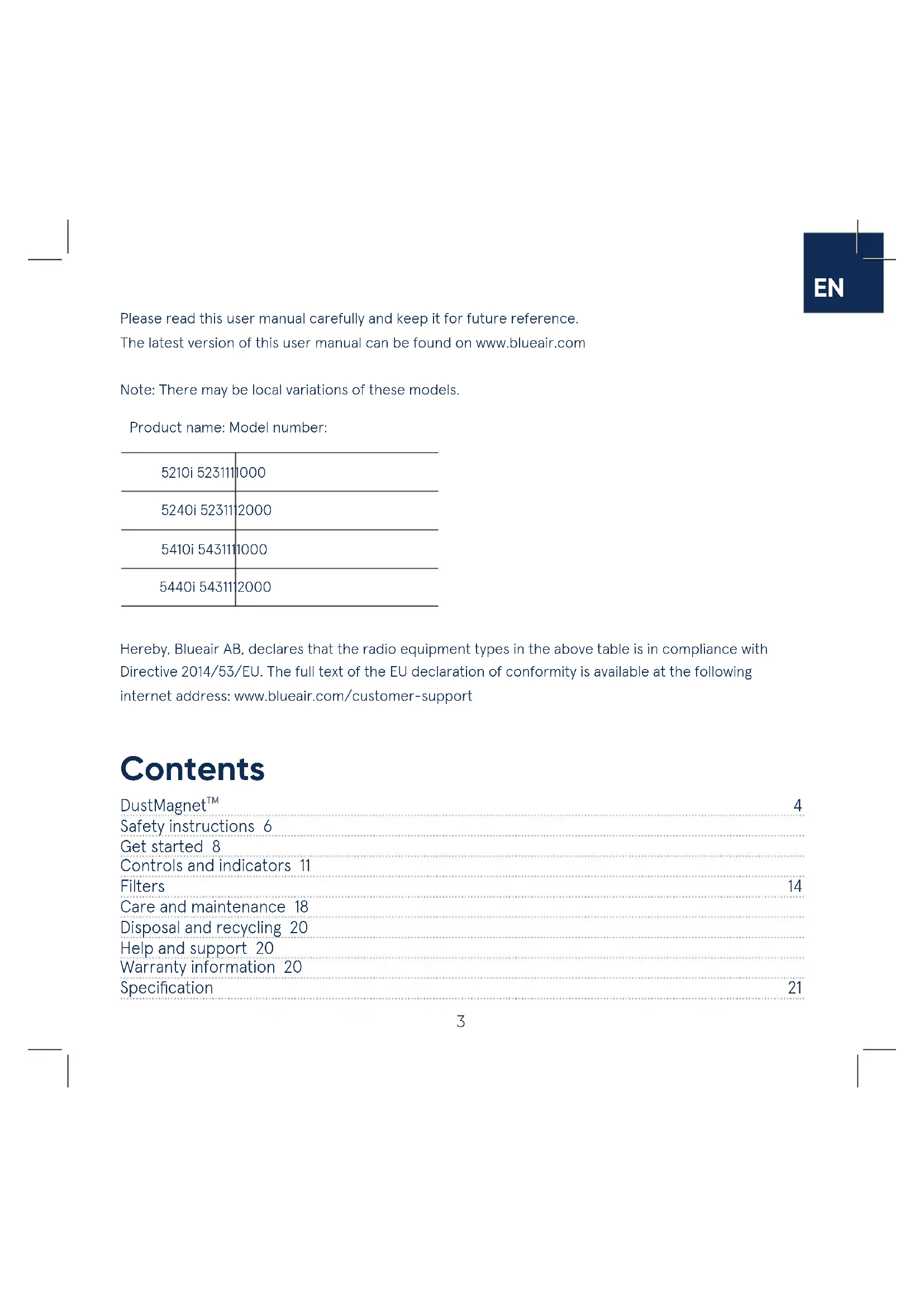
Please read this user manual carefully and keep it for future reference. The latest version of this user manual can be found on www.blueair.com
Note: There may be local variations of these models.
Product name: Model number:
| 5210i 523111 | 1000 |
| 5240i 52311 | 2000 |
| 5410i 543111 | 1000 |
| 5440i 54311 | 2000 |
Hereby, Blueair AB, declares that the radio equipment types in the above table is in compliance with Directive 2014/53/EU. The full text of the EU declaration of conformity is available at the following internet address: www.blueair.com/customer-support
Contents
DustMagnetTM 4
Safety instructions 6
Get started 8
Controls and indicators 11
Filters 14
Care and maintenance 18
Disposal and recycling 20
Help and support 20
Warranty information 20
Specification 21
Blueair DustMagnet™
Blueair DustMagnet™ air purifiers are available in four models. All models are Wi-Fi enabled, have two pre-filters and two HEPASilent™ main filters to purify air. All DustMagnet™ models have control functions and a built-in sensor.
The air purifier is mainly composed of a motor, a fan and filters. The air purifier removes contaminants from the air in a room to improve indoor air quality.
You can change the air purifier settings at any time, using the control panel on the air purifier or remotely, using the Blueair app. Additional functions are available for all models through the Blueair app.
Recommendations for best performance
- Use the air purifier in a room that does not exceed the room size recommendation.
- Place the air purifier in a location where air can circulate freely in, out and around the air purifier.
- Do not place the air purifier closer than 10cm to another object.
- During operation, keep doors and windows in the room with the air purifier closed.
- Only use original Blueair filters.
- Change the main filter when the filter replacement indicator appears on the control panel.
- Follow the maintenance instructions in this user manual.
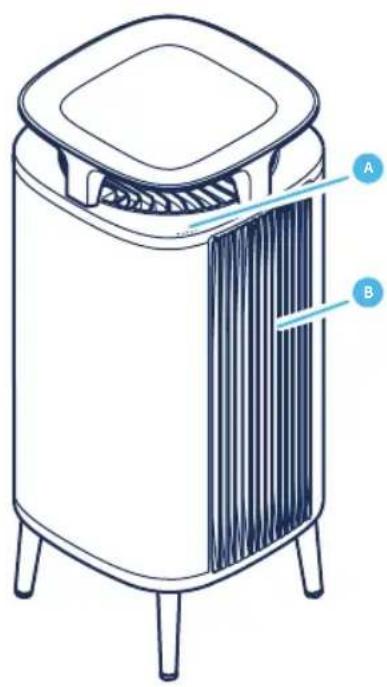
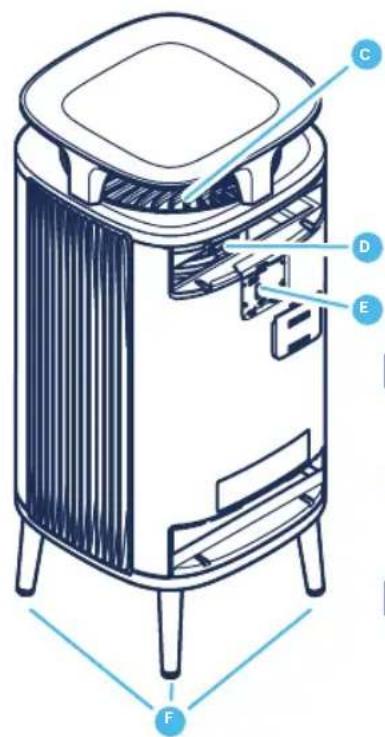
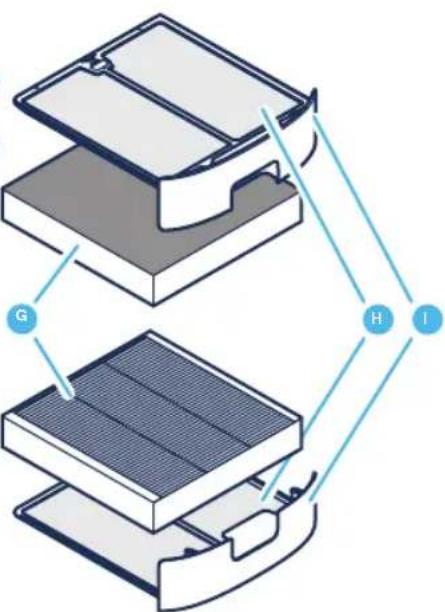
A Control panel G Main filters
B Air outlet H Pre-filters
C Air inlet I Filter hatch
D Fan and motor
E Air quality sensor
F Legs
J Power adapter (not in picture)
K User Manual (not in picture)
Safety instructions
Blueair DustMagnet™ air purifiers are electrical appliances for indoor use only, take the necessary precautions to reduce the risk of fire, electric shock or injury.
- This appliance can be used by children aged from 8 years and above and persons with reduced physical, sensory or mental capabilities or lack of experience and knowledge if they have been given supervision or instruction concerning use of the appliance in a safe way and understand the hazards involved.
Children shall not play with the appliance. - Cleaning and maintenance shall not be made by children without supervision.
- Always disconnect the appliance from the power supply before maintenance.
- Do not attempt to open or service the appliance yourself. Service must be done by the manufacturer, service agent or similarly qualified personnel using only original Blueair spare parts.
- Ensure that the power cable and the power plug are not at risk of getting damaged. To avoid hazard, a damaged power cable must always be replaced by the manufacturer, service agent or similarly qualified person.
- If the appliance is damaged or is malfunctioning, turn it off, disconnect it from the power supply and contact Blueair.
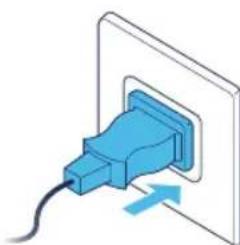
- The power plug must be firmly inserted in the power socket.
-
When disconnecting the unit from the power supply, do not pull the power cord, pull the power plug.
-
Use the power cable provided with your Blueair air purifier to plug directly and firmly into an appropriate, electrical outlet.
- Do not use an extension cord or a power strip. Refer to the rating label on your appliance.
- Do not alter the power plug in any way. If the plug does not fit into the outlet, contact qualified personnel to install the proper outlet.
- Do not use the included power cord for anything else but the appliance.
- Do not allow objects to enter or block the air inlets and air outlets as this can cause electric shock or damage the appliance.
- Do not place any liquids on top of the product.
- Do not put any objects heavier than 10kg on top of the product.
- Do not put any objects directly against the appliance.
- Do not sit on, stand, climb onto or hang from the appliance.
- Keep the appliance, including the power cable, at a safe distance from heated surfaces and open fire.
- Keep the appliance and power plug away from water and other liquids.
- Keep the appliance and power plug away from chemicals such as pesticides and deodorants.
- Place the appliance on the floor. The appliance must be placed on a stable surface.
- Do not use the appliance outdoors or in wet environments such as bathrooms, laundry rooms or pool areas.
Get started
Step 1
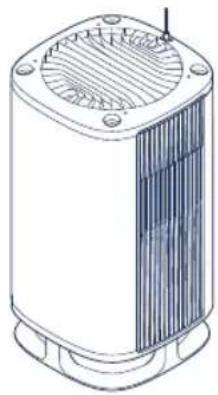
Carefully place the unit with the table top down on a stable soft surface.
Step 3
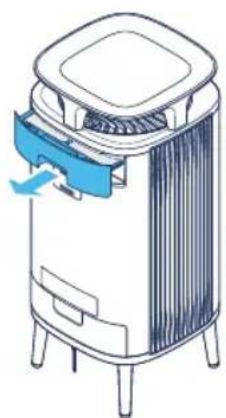
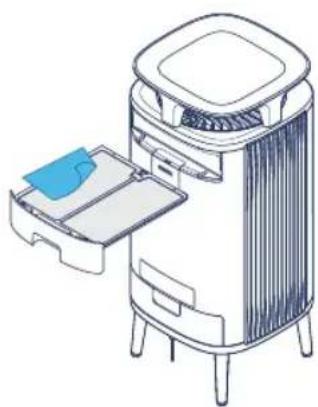
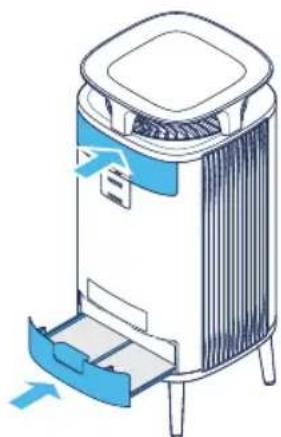
Open the top filter hatch, pull out the main filter and remove the protective plastic wrapping.
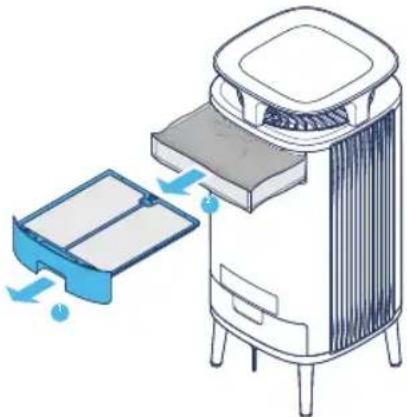
Step 2
Attach the four legs onto the unit by screwing them on.
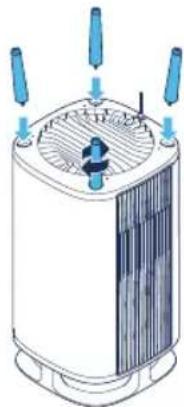
Step 4
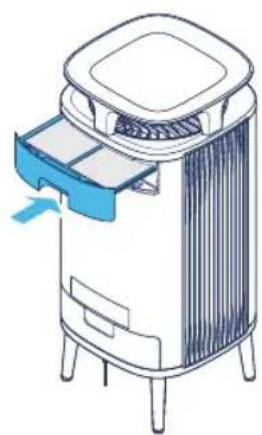
Insert the main filter back into the unit, and close the filter hatch.
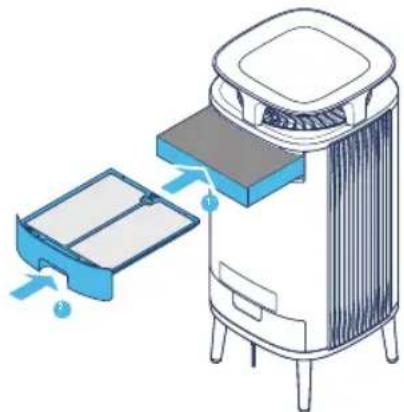
Step 5
Open the bottom filter hatch, pull out the main filter and remove the protective plastic wrapping.
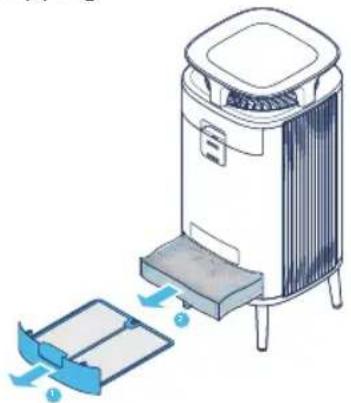
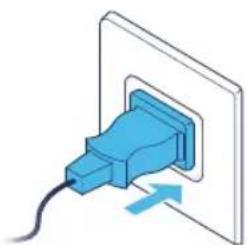
Step 7
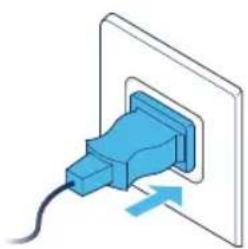
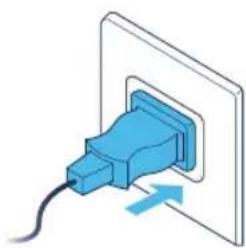
Plug the power adapter into a wall outlet.
Step 6
Place the main filter back into the unit, and close the filter hatch.
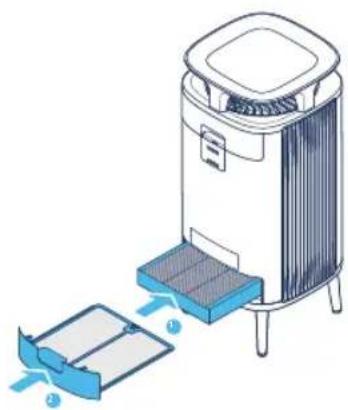
Step 8
Press the On/Off button to turn the unit on.

See section Filters for more information regarding filter handling.
Connect to the Blueair app
Connecting the air purifier to the Blueair app allows you to control the air purifier remotely and change the settings. The app adds additional functions to the air purifier.
Step 1
Download the Blueair app from the App store or Google play.
Step 2
Open the Blueair app and follow the instructions to connect it to the air purifier.
Controls and indicators
Control the air purifier using the buttons on the control panel or using the Blueair app. The LED light below the symbol indicates active status.
On/Off

Press to turn On or Off.
Note! Wi-Fi continues to be in operation when the air purifier is turned off.
Airflow speed
Available airflow speed options are: 0, 1, 2, 3, Auto mode and Night mode.

Press to switch between airflow speed options, Auto mode and Night mode.
Auto mode

In Auto mode the air purifier automatically controls the airflow based on air quality information from the sensor.
Night mode

In Night mode the air purifier uses low fan speed and dimmed LED lights. The brightness of the LED is possible to set in the Blueair app.
Autostart
The air purifier has an Autostart feature. This means that the unit will automatically restart at the set speed if a power failure occurs, the unit is unplugged or a power switch timer is used.
Wi-Fi Connection

A Wi-Fi function is available on all models and allows the air purifier to connect to the Blueair app and to receive functional updates. The LED light below the symbol indicates status.
Indicators
0
Status White light Connected to Wi-Fi network.

Status White "pulsating" light Wi-Fi On, ready for onboarding.

Status White fast "blinking" light Connection error.
See the Blueair app for further information regarding Wi-Fi connection. For support, visit www.blueair.com/customer-support
Filter indicator
The air purifier calculates the remaining lifetime of the filters based on usage and sensor readings, and indicates when it is time to replace the filters.

Status Filter replacement No lifetime left of the filter.
Air quality information
The air quality levels for particulate matter (PM) are indicated using a color scale on the air quality indicator. This scale gives a reading for PM2.5, which are particles with a diameter of 2.5 micrometers or less.
Air quality level
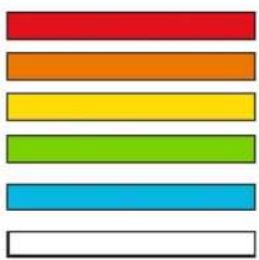
Very Polluted
Slightly Pollute
Moderate
Good
Excellent
Data not available
See the Blueair app for further information regarding air quality.
Filters
The air purifier is delivered with two pre-filters and two main filters installed. The filters purify the air from particles and gases. For best performance, clean the pre-filters regularly and change the main filters when the air purifier indicates filter change. To find the right main filter for your air purifier, use the Blueair app or visit www.blueair.com. The model number of your air purifier can be found on the rating label on the air purifier.
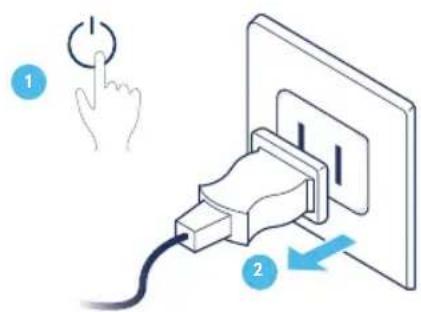
Important! Always turn off and disconnect the appliance from the power supply before changing filters, cleaning or carrying out maintenance procedures.
Important! Do not use the unit without filters.
Blueair filter subscription program
Use the Blueair app or visit www.blueair.com to sign up for the Blueair filter subscription program. (Not available in all markets)
Clean the pre-filters
For best performance, clean the pre-filters weekly.
Step 1
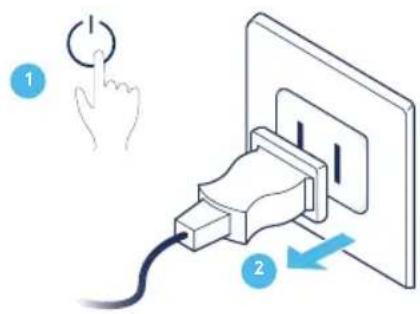
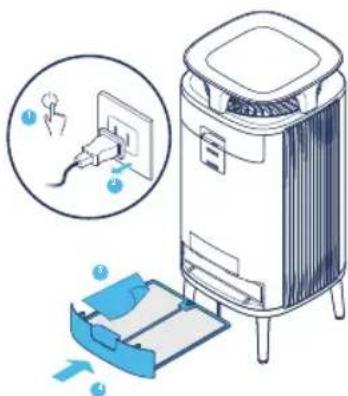
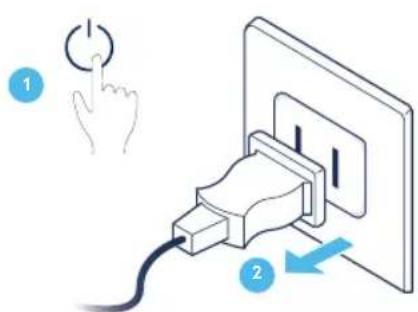
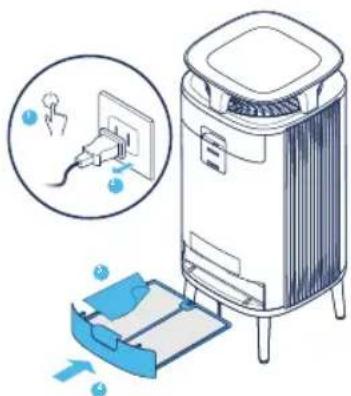
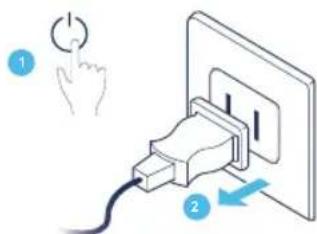
Turn the unit off and unplug it.
Step 2
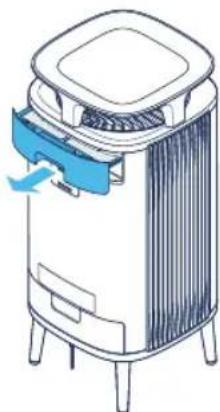
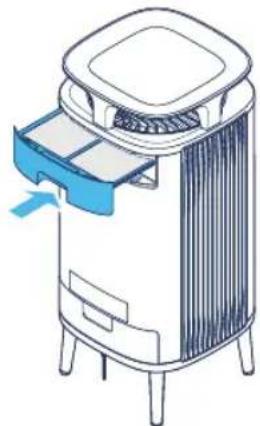
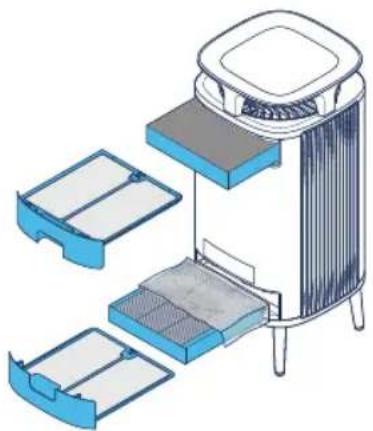
Open the top filter hatch and pull out the pre-filter.
Step 3
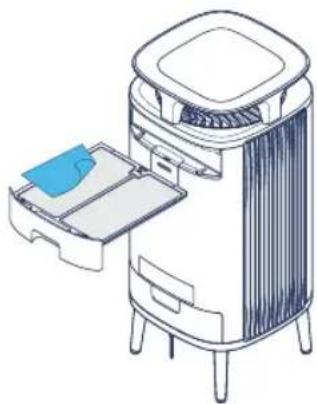
Clean the pre-filter by wiping it with a dust cloth.
Step 5
Repeat step 1-4 on the bottom pre-filter.
Step 4
Place the pre-filter back into the unit and close the filter hatch.
Step 6
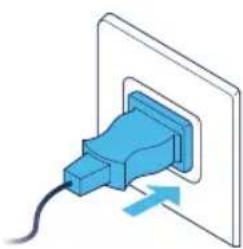
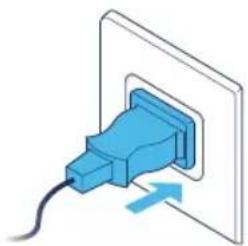
Plug in the unit.
Change the main filters
The air purifier calculates the remaining lifetime of the filters based on usage and sensor readings, and indicates when it is time to change filter. The recommended time for filter change is between 6-12 months depending on the indoor conditions.
A filter replacement indicator indicates when it is time to change the filters.

Filter replacement indicator
Important! Use only original Blueair filters suitable for the model to ensure proper function and performance of the air purifier, and to qualify for full warranty coverage.
Step 1
Turn the unit off and unplug it.
Step 2
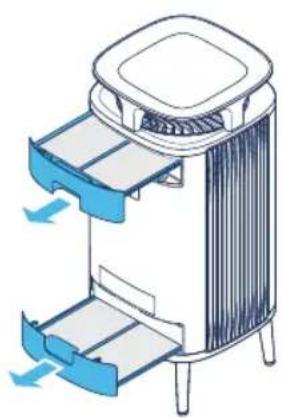
Open the two filter hatches.
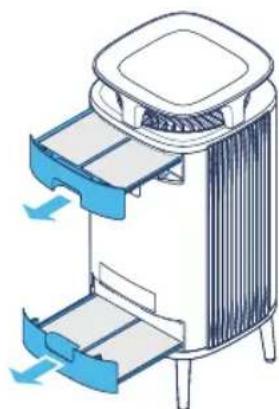
Step 3
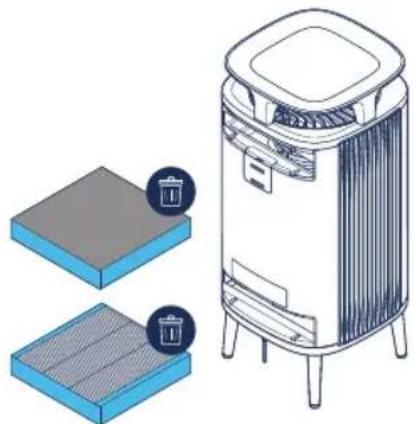
Remove and dispose of the old main filters.
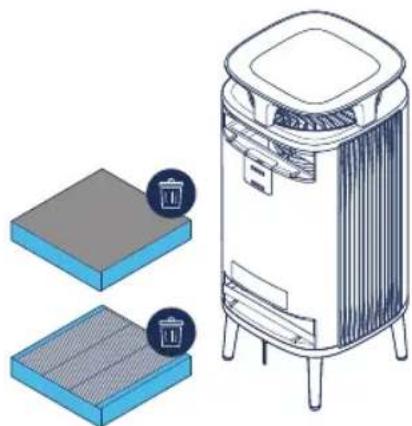
Step 5
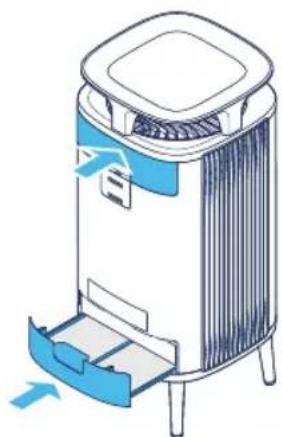
Close the two filter hatches.
Note! Make sure that the filter hatches are closed correctly.
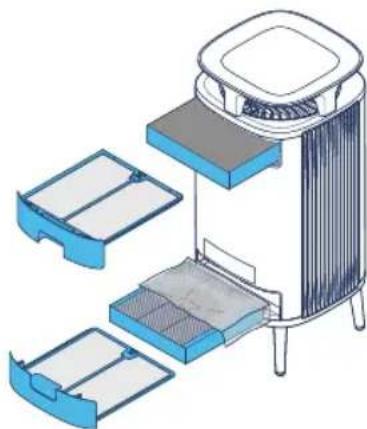
Step 4
Note! Remove the protective plastic from the new main filters before use.
Insert the new main filters.
Step 6
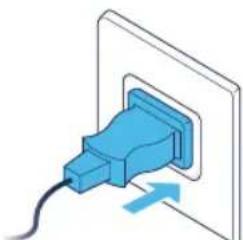
Plug in the unit.
Note! Press the airflow speed button for 15s to reset the filter timer.
Care and maintenance
General
- Disconnect the air purifier from the power supply before maintenance.
- Do not allow foreign objects to enter the air inlets or air outlets. This may cause electric shock or damage the air purifier.
- Never clean with gasoline, chemical solvents or corrosive materials as these agents may damage the air purifier.
- Make sure the air purifier is completely dry before connecting it to power.
- Do not wash the main filter. The main filter is not washable or reusable.
Cleaning
- Clean the pre-filters by wiping with a dust cloth or vacuuming with a soft brush attachment (not included).
- Wipe the exterior of the air purifier with a soft, clean, damp cloth.
Vacuum the small air inlets with a soft brush attachment (not included).
Vacuum the inside of the air purifier with a soft brush attachment (not included). - Clean and check the power cable and power plug for wear or damages.
- Clean the sensor when changing the main filter.
Moving the air purifier
Important!
- Unplug the air purifier before moving it.
- Make sure that the filter hatches on the air purifier are securely closed.
- Lift the air purifier to move it. Do not drag or push the air purifier.
Clean the air quality sensor
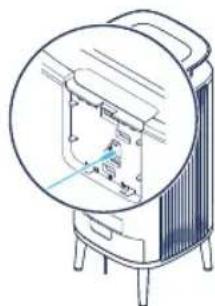
The inlet for the air quality sensor is located at the back of the air purifier. Vacuum the opening to clean the inlet for the sensor.
Important! Do not use fingers or any unrecommended objects to clean inside the sensor inlet.
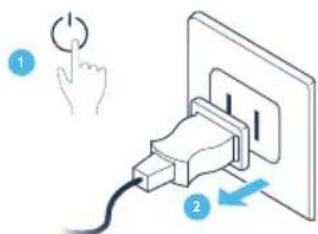
Step 1
Turn the unit off and unplug it.
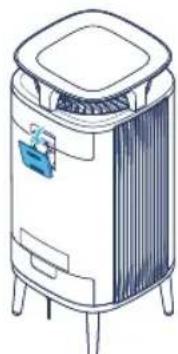
Step 3
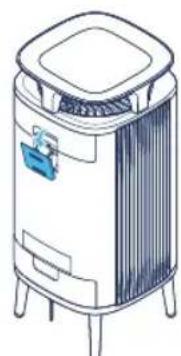
Gently clean the sensor with a cotton swab, and attach the sensor lid.
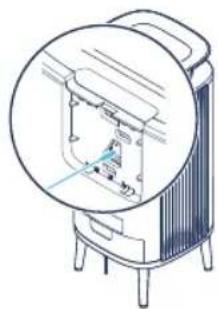
Step 2
Remove the lid covering the sensor.
Step 4
Plug in the unit.
Disposal and recycling
This air purifier should be disposed or recycled as electrical waste and the filter may be recycled as plastic. If you have questions regarding the disposal and recycling of this air purifier, please contact your local recycling facility for availability or Blueair dealer and ask for the correct method of recycling.
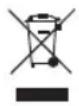
The crossed-out waste bin symbol on the appliance or on its packaging means that at the end of its useful lifespan, the product must be disposed of separately from ordinary household wastes.
Help and support
If you have questions about your product, please visit www.blueair.com or contact your local Blueair retailer.
To contact Blueair for personalized support, please visit www.blueair.com/customer-support
Warranty information
The Blueair Limited Warranty applies only if the air purifier is installed, used and maintained according to the instructions in this manual.
For warranty conditions, please visit www.blueair.com/warranty
Warranty and returns
If you purchased the air purifier at one of our authorized retailers, please contact the same store to request assistance.
Specification
5210i/5240i 5410i/5440i
| Input Power, Frequency 100-240VAC | 50/60Hz 100-240VAC 50/60Hz | |
| Power consumption/Rated input power (min/max) | 5-22W 7-42W | |
| Operating frequency 2402-2480 MHz | 2402-2480 MHz | |
| Output power Max 5mW Max 5mW | ||
| Sound level (min/max)1 | 29-45 dB 31-50 dB | |
| Recommended room size2 | 22 m2 | 35 m2 |
| CADR Smoke2 | 260 m3/h 416 m | 3/h |
| CADR Dust2 | 260 m3/h 453 m | 3/h |
| CADR Pollen2 | 293 m3/h 450 m | 3/h |
Sound pressure according to GB/T18801
2 According to AHAM AC-1-2019
Se Blueair-appen for mer information om Wi-Fi-anslutning. For support, besok www.blueair.com/customer-support
Filterindikator
www.blueair.com/customer-support
Innhold
DustMagnetTM 204
Besøg blueair.com/customer-support for at fã personlig support
Garantiinformation
Program langganan filter Blueair
Juaaal g aagaae blaa 100000000000000000000000000000000000000000000000000000000000000000000000
jolll ool aol cldyol 100
:iiial pui :j jai
| 5210i523111000 | |
| 5240i5231112000 | |
| 5410i543111000 | |
| 5440i5431112000 |
J 150000000000000000000000000000000000000000000000000000000000000000
·
. Blueair
25 40
·
Blueair 1g jge g aal b
L 1
.
·
. jie 1
·
.
.
.
ailllll lll jll jll Jgolled LED
J 1
Jusitill

eall jie jie Jie Wi-Fi 4
- gai 2.
111 32.0
aill llll gllg llg gllg gllg aagaae aagaae

J 1111111111111111111
Auto

()
a a 1
. Blueair LED
a a a a a a a a a a a a a a a a a a a a a a a a a a a a
aalbll Jyj 1 aia jai jai jai jai jai jai jai jai jai jai jai jai jai jai jai jai jai jai jai jai jai jai jai jai jai jai jai jai jai jai jai jai jai jai jai jai jai jai jai jai jai
Wi-Fi
JU
Blueair 1y
a
AALLI JJLLI JSSGALLEDc

aall
.Wi-Fi is a good

aillllllllllllll
WFi


aalally jolll aee yyy "jaiol" jaiy
Juaa
.Wi-Fi Juaai jie ciaagall jia jia gale Juaal Blueair
www.blueair.com/customer-support
#
Jieiiee iieiee eiee ieiee ieiee ieiee ieiee ieiee ieiee ieiee ieiee ieiee ieiee ieiee ieiee ieiee ieiee ieiee ieiee ieiee ieiee ieiee ieiee ieiee ieiee ieiee ieiee ieiee ieiee ieiee ieiee ieiee ieiee ieiee ieiee ieiee ie
.
J
Blueair Blueair.com Blueair
(3) S_ AOB = 12 · OB · AB = 12 × 2t × 5
a
aaiiie
2 aghsill
1
1
1 oghzhi

4 3 8
6gbl
5gbsll
12-6 11
a
yall j

Jalllgall jalal lal 1y 1y 1y 1y 1y 1y 1y 1y 1y 1y 1y 1y 1y 1y 1y 1y 1y 1y 1y 1y 1y 1y 1y 1y 1y 1y
2 a
.
1 a
-
-
-
-
-
-
-
-
-
-
-
-
-
-
- 1.
-
-
-
-
-
-
-
-
-
-
-
-
-
4 8gbl
i 1
6gbl 1
15 1e 10 20 20 10
3 8gbll
5 a
.
Jz
aiee
#
J 1 1 1 1 1 1 1 1 1 1 1 1 1 1 1 1 1 1 1 1 1 1 1 1 1 1 1 1 1 1 1 1 1
.
.
Aa
ai = 12 - ai
P( 12 - 1,0) .
a,b,c
()acllllsljllgjraalldyIgbi gJjellilaaabayLdla Jda y
.
.()
.()
.
.
1
100
A
.
c( g + 1,d_2^2 + 1) = 1
e gll 0g jnnaa
a a a a a a a a a a a a a a a a a a a a a a a a a
J 1
2 aghil
jaiy wolly jolil 11 bll jil
1
- g 2.
4 oghil
J
3
aiaaa aaii yaiiiail ai bai
#
www.blueair.com/customer-support jzjBlueair
Jalal
128 63 100000000000000000000000000000000000000000000000000000000000000000000000000000
www.blueair.com/warranty: jj j j j j j j j j j j j j j j j j j j j j j j j j j j j j j j j j j j j j
E
aalal aaiiaaa aalgill g jcll aljzaiil jzaii jzai i
5210i/5240i5410i/5440i
| العربية 60/50 ملاير 240-100 | العربية 60/50 ملاير 240-100 | العربية 100 |
| 12,22-5 | 42-7/(العربية)العربية(العربية) | |
| 2402-2480 MHz2 | 402-2480 MHz | |
| Max 5mWMax 5mW | Max 5mW | |
| العربية 50-31 | 45-29 | 1(العربية)العربية(العربية) |
| العربية 35 | 22 | 24 |
| العربية 416 | 260 | CADR2 |
| العربية 453 | 260 | CADR2 |
| العربية 450 | 293 | CADR2 |
GB/T18801
2019-AC-1 1

Blueair
www.blueair.com
Blueair AB
Karlavagen 108
115 26 Stockholm
Sweden
Tel: +46 8679 4500
info@blueair.se
Blueair AB Middle East
Jafza One, Office No. AB1503
Jebel Ali Free Zone
P.O.Box No.263947
Dubai, United Arab Emirates
Tel:+971(4)8821244
salesme@blueair.se
Blueair Inc.
125 S Clark
Suite 2000
Chicago, IL 60603
USA
Tel: +18882583247
info@blueair.com
Blueair (Shanghai) Trading Co. Ltd.
Room 1001, City Gateway
No. 398 North Caoxi Road
Xuhui Distr, Shanghai,
China
Tel: 400 006 9693
info@unilever-le.com
Blueair Asia Ltd.
Unit 8C, 8/F, MG Tower,
133 Hoi Bun Road,
Kwun Tong, Kowloon,
Hong Kong
Tel: +852 2345 8988
blueairasia@blueair.se