 ManualGo.com
ADB1500AW - Dishwasher WHIRLPOOL - Free user manual and instructions
Find the device manual for free ADB1500AW WHIRLPOOL in PDF.



Download the instructions for your Dishwasher in PDF format for free! Find your manual ADB1500AW - WHIRLPOOL and take your electronic device back in hand. On this page are published all the documents necessary for the use of your device. ADB1500AW by WHIRLPOOL.
USER MANUAL ADB1500AW WHIRLPOOL
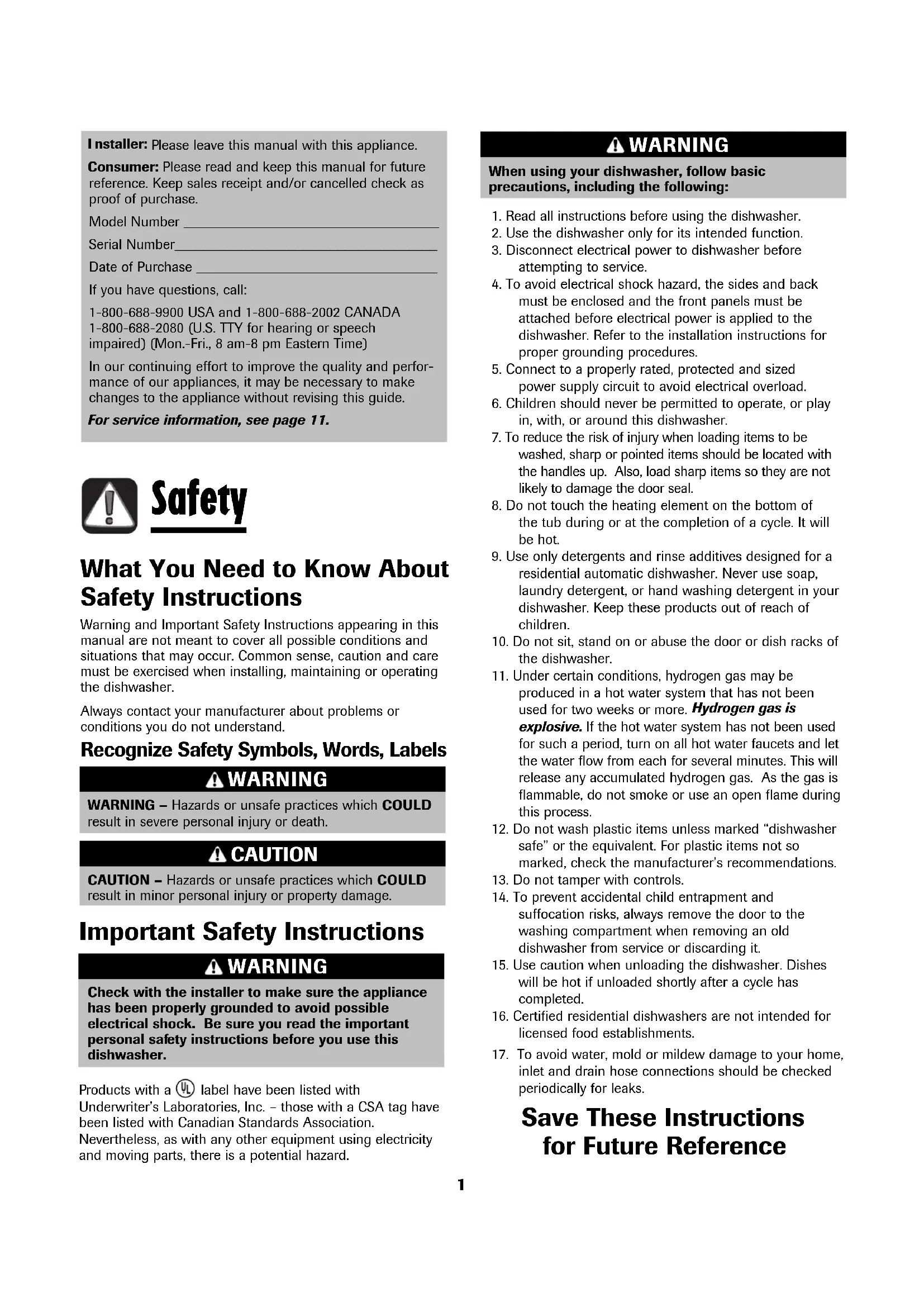
WARNING – Hazards or unsafe practices which COULD result in severe personal injury or death. WARNING CAUTION – Hazards or unsafe practices which COULD result in minor personal injury or property damage. CAUTION
lease leave this manual with this appliance. Consumer: Please read and keep this manual for future reference. Keep sales receipt and/or cancelled check as proof of purchase. Model Number ____________________________________ Serial Number_____________________________________
ate of Purchase __________________________________ If you have questions, call: 1-800-688-9900 USA and 1-800-688-2002 CANADA 1-800-688-2080 (U.S. TTY for hearing or speech impaired) (Mon.-Fri., 8 am-8 pm Eastern Time) In our continuing effort to improve the quality and perfor- mance of our appliances, it may be necessary to make changes to the appliance without revising this guide. For service information, see page 11. What You Need to Know About Safety Instructions Warning and Important Safety Instructions appearing in this manual are not meant to cover all possible conditions and situations that may occur. Common sense, caution and care must be exercised when installing, maintaining or operating the dishwasher. Always contact your manufacturer about problems or conditions you do not understand. Recognize Safety Symbols, Words, Labels Check with the installer to make sur e the appliance has been properly grounded to avoid possible electrical shock. Be sure you read the important personal saf ety instructions before you use this dishwasher. WARNING Important Safety Instructions Safety
1. Read all instructions before using the dishwasher.
2. Use the dishwasher only for its intended function.
. Disconnect electrical power to dishwasher before
ttempting to service.
4. To avoid electrical shock hazard, the sides and back
must be enclosed and the front panels must be attached before electrical power is applied to the dishwasher. Refer to the installation instructions for proper grounding procedures.
5. Connect to a properly rated, protected and sized
power supply circuit to avoid electrical overload.
6. Children should never be permitted to operate, or play
in, with, or around this dishwasher.
7. To reduce the risk of injury when loading items to be
washed, sharp or pointed items should be located with the handles up. Also, load sharp items so they are not likely to damage the door seal.
8. Do not touch the heating element on the bottom of
the tub during or at the completion of a cycle. It will be hot.
9. Use only detergents and rinse additives designed for a
residential automatic dishwasher. Never use soap, laundry detergent, or hand washing detergent in your dishwasher. Keep these products out of reach of children.
10. Do not sit, stand on or abuse the door or dish racks of
11. Under certain conditions, hydrogen gas may be
produced in a hot water system that has not been used for two weeks or more. Hydrogen gas is explosive. If the hot water system has not been used for such a period, turn on all hot water faucets and let the water flow from each for several minutes. This will release any accumulated hydrogen gas. As the gas is flammable, do not smoke or use an open flame during this proce ss.
12. Do not wash plastic items unless marked “dishwasher
safe” or the equivalent. For plastic items not so marked, check the manufacturer’s recommendations.
13. Do not tamper with controls.
14. To prevent accidental child entrapment and
suffocation risks, always remove the door to the washing compartment when removing an old dishwasher from service or discarding it.
15. Use caution when unloading the dishwasher. Dishes
will be hot if unloaded shortly after a cycle has completed.
16. Certified residential dishwashers are not intended for
licensed food establishments.
17. To avoid water, mold or mildew damage to your home,
inlet and drain hose connections should be checked periodically for leaks. Save These Instructions for Future Reference
hen using your dishwasher, follow basic precautions, including the following: WARNING
roduct s with a label have been listed with Underwriter’s Laboratories, Inc. – those with a CSA tag have been listed with Canadian Standards Association. Never thele ss, as with any other equipment using electricity and moving par ts, there is a potential hazard. UL®2 What Can and Cannot Be Washed
Wooden Items Most tableware, cookware and flatware can safely be washed in your dishwasher. Check with the manufacturer. Yes, except anodized.
Yes, except antique or hand-painted. Yes, except antique or delicate crystal. Not recommended. Yes
Yes, top rack, except disposable plastic items. Yes No, if has commercial “darkening”.
High water temperature and detergents may affect finish. Seasoning will be removed, and iron will rust. Always check manufacturer’s recommendation before washing. Antique, hand-painted or over-the-glaze patterns may fade. Gold leaf may discolor. Always check manufacturer’s recommendation before washing. Some types of leaded crystal may etch with repeated washings. May leave a dingy deposit or stain on dishwasher interior. A specialty glass called milk glass can yellow with repeated dishwasher washing. Will discolor. Always check manufacturer’s recommendation before washing. Plastics vary in their capacity to withstand high water temperatures and detergents. Disposable plastic items are not dishwasher safe for this reason. Run a Rinse Only cycle (select models) if not washing immediately. Prolonged contact with foods containing salt, vinegar, milk products or juice could damage finish. Always check manufacturer’s recommendation before washing. Run a Rinse Only cycle (select models) if not washing immediately. Prolonged contact with food containing salt, acid or sulfide (eggs, mayonnaise and seafood) could damage finish. Commercial “darkening” may be removed by detergent. Wood may warp, crack or discolor. Gold-Plated Flatware Glass Crystal
- Don’t prerinse. Simply scrape off any bones or large food particles.
- If connected to a food waste disposer, make certain the disposer is empty before starting the dishwasher.
- Scrape off tomato-based food soils (see page 8).
Remove certain foods such as mustard, mayonnaise, lemon juice, vinegar, salt or dressings from stainless steel flatware as soon as possible. These foods may cause rusting and pitting if allowed to remain in contact with the surface for an extended period of time. Starting the Dishwasher
1. After loading the dishwasher and adding detergent,
select the de sired cycle by pressing the c ycle select pad until the light next to the desired cycle is illuminated. Choose the desired options by pressing the pads. T he indicator lights for the selected cycle and options will illuminate. T o cancel an option press the pad again.
To start a cycle, close the door until it latches then press the START/Cancel pad once. After a pause, the fill will begin. The display countdown (select models) will flash until START/Cancel is pressed. Note
- If START/Cancel is not pressed within 30 seconds of choosing your c ycle, the dishwasher will turn off.
he dishwasher remembers your last cycle so you do not have to reset the cycle each time. To start the dishwasher using the s ame c ycle and options selected on the previous wash, just press the START/Cancel pad.
3. To cancel a running cycle, press the START/Cancel
pad once. The dishwasher will drain, then shut off. To turn the dishwasher off without draining, press the START/Cancel pad twice. To prevent unplanned cycle or option changes, these selections are “locked in” after 1 minute. Note
- If the cycle select pad is pressed after the controls have been “locked in”, the light beside the selected cycle will flash three times. Adding a Forgotten Item For best cleaning, the forgotten item should be added early in the cycle.
1. Grasp door handle and unlatch door without
opening completely . All lights will flash to indicate that the cycle is suspended.
2. Wait for the water circulation to stop.
4. Close and latch the door. Lights will stop flashing
when the door is properly shut. After a slight delay
the c ycle resumes automatic ally at the point of interruption. Notes
- If the door is opened during a running cycle, there may be up to a 30 second delay before the dishwasher restarts after closing the door.
- Extended interruption of the wash cycle is not recommended. Operating Tips
General Recommendations (Rack features vary by model) • Items can be centered behind a single tine or loadedat an angle to maximize space.• Avoid blocking or preventing the spray arms fromspinning freely. Do not allow items to extend beyondthe racks.• Face soiled surfaces toward the center of thedishwasher.For best dishwashing results follow these guidelines todetermine the best arrangement for your items. 10 Place Setting Load (Rack features vary by model) Upper Rack Glasses, cups, stemware, light-weight plastics, plates,bowls, pans, long-handled utensils etc. can be loadedin this rack. Do not load glasses over the tines. Lower Rack A variety of items such as dinner plates, mixing bowls,pots and pans and baking dishes can be loaded in thisrack.Wider items can be placed along the left side andback of this rack. Utensil Baskets Removable Door Utensil Baskets For best cleaning results, preventitems from nesting together byplacing some items in the basketswith handles up and some withhandles down. Load knive handles up and spoons and forkshandles down. o remove the basket(s) from the door:1. Grasp the utensil basket by the handle. Slide it toward the top of the door.2. Lift the basket off the securing knobs.To replace the basket(s) inthe door:1. Align the slots on the backside of the utensil basket with securing knobs on the door.2. Set the utensil basket on the securing knobs.3. Slide the basket toward the bottom of the door until it locks into place. Removing the Upper Rack The rack can be removed when tall or oversized itemsneed to be loaded into the lower rack. Unload therack before removing it from the dishwasher.To remov e r ack with tab-lock rack stops:1. Roll the rack ⁄3 to ⁄2 of the way out.2. Locate the rack stops at the end of each track. Squeeze the tab in the middle of the rack stop and pull the rack stop straight out. Take care to support the rack while removing the rack stops.3. Roll the rack all the way out of the track and remove from thedishwasher
o r eplace: Replace the dishwasher rack by guiding the wheels into the tracks.2. Push each rack stop squarely into the end of the track until the catch pops into the small hole on the side of the track. Important: The dishwasher will notoperate correctly if thewash arm is not alignedwith one of the water inletholes on back wall of thedishwasher
Upper RackLower Rack ecuring Knobs Rack Stop Style may vary by model Utensil Baskets5 Hot Water For optimal cleaning and drying results, hot water is necessary. The incoming water temperature should be 120° F (49° C) to properly activate the detergent and melt greasy food soils. To check the incoming water temperature, turn on the hot water faucet nearest the dishwasher and let it run into a glass in the sink. Place a candy thermometer in the glass and check the temperature once it has stopped rising. Detergent Use a detergent designed specifically for use in an automatic dishwasher. Be sure it is fresh. Store granular detergent in a cool, dry place (not under the sink). Recommended Amount Too little detergent results in poor cleaning, hard water filming/spotting and poor drying. Too much detergent can cause permanent etching/cloudiness. Suds can cause the dishwasher to overflow. Measure the detergent c arefully and use only detergents designed for use in a dishwasher. Less detergent is needed in soft water. T ry another brand of detergent if sudsing continues. The amount of detergent to use is determined by the hardne ss of the water and soil level of the load. Refer to the following chart for detergent usage recommendations. In extremely hard water conditions (13 grains per gallon or more*), it is difficult to achieve good
esults with any dishw asher . A mechanical w ater softener may be necessary to improve water quality, detergent effectiveness, and protect the dishwasher parts from the damage that hard water can cause. Add recommended amount of detergent to each cup as shown and close the detergent lid. Do not use detergent with the Rinse Only (select models) cycle. Leave the detergent lid open when running Rinse Only (select models). Rinse Aid Regular use of a rinse aid improves drying, reduces spotting and filming, and reduces moisture left on the dishwasher interior. An automatic rinse aid dispenser is loc ated next to the detergent cup.
he window next to the dispenser c ap indicates when the rinse aid reservoir needs to be refilled. When the level of rinse aid is below the indic ator marks and the window is nearly clear, it is time to refill the dispenser. Check the dispenser monthly
To add rinse aid to the dispenser, turn the cap counterclockwise to open. Remove the cap and pour liquid rinse aid into the opening. T he amount of rinse aid dispensed during the cycle is adjustable by moving the lever inside the reservoir area. For most water conditions use the manufacturer recommended setting of “2”. Adjust it up to the “M AX” setting for hard water . Set the lever anywhere between these amounts as needed to get the best results. Replace the c ap and turn it clockwise to close.
our local water utility or state university extension service can tell you the degree of water hardness in your area. Dishwasher Use
LEVELPRE-WASHDETERGENT MAI N W ASH DETERGENTSoft (0-4 gpg)Medium (5-9 gpg)Hard (10-12 gpg)6 Cycles
CYCLE DESCRIPTION (APPROX. WASHES/RINSES
MINUTES) Heavy WashNormal WashLight/Quick WashRinse Only(select models)Long cycle for heavy food soils. 132* 2 washes/3 rinsesMedium cycle for average food soils.The turbidity sensor is active with this 97-117* 1-2 washes**/1-2 rinses**cycle.Short cycle for light food soils. 82* 1 wash/2 rinsesRinses dishes being held until there 9 1 rinseis a full load. Note
- Depending on water temperature, there may be time added to the cycle to bring water up to temperature.* Includes approximately 30 minutes of dry time.**Number of fills will vary depending on the soil level of each load. Choose the cycle that best describes your dishload by pressing the cycle select pad. (See page 3, Operating Tips, for how to begin the cycle). Cycles, Options and Lights
Hi Temp WashHeated Dry Hi Temp Wash provides additional heat during the wash portion of the cycle, All cycles which ensures proper water temperature for better cleaning and drying results. (except Rinse Only It also adds an additional rinse to the cycle which improves results in hard [select models]) water situations.For enhanced drying results select this option. When Heated Dry is not selected, towel drying of some items such as plastic and items with non-stick All cycles surfaces may be necessary and more moisture may be noticed adhering (except Rinse Only to the dishwasher interior. In models with plastic interiors, it is normal to [select models]) notice vapor escaping from the door vent as the heat dries your dishes. Vaporwill escape even if Heated Dry is not selected. Used to automatically start the cycle at a later time. See page 7 All cyclesfor instructions. In addition to choosing a cycle, choose as many available options as are needed for your dishload. CAUTION – In models with plastic interiors, it is normal to notice vapor escaping from the door vent in the upper left corner of the door as the heat dries your dishes. The vapor is hot and may cause minor burns. CAUTION Delay7 Cycles, Options and Lights
Delay The Delay option can be used to automatically startthe cycle at a later time to reduce daytime heatbuildup in the home or to take advantage of reducedenergy costs if available in your area. This option isalso useful for conserving hot water at times of highhousehold usage (showers, laundry). To set up a Delay:1. Select the appropriate cycle and options for theload. Close the door.2. Press the Delay pad until the desired amount ofdelay time is selected.
The Delay indicator and the count down display(select models) will flash until the START/Cancelpad is pressed. As soon as the START/Cancel pad is pressed, theflashing will stop and the delay time will begincounting down. The Delay indicator will remain lituntil the delay time has counted down. . The cycle will automatically start as soon as thedelay time expires. Note
- If 30 seconds elapse between setting the cycleand options and pressing the START/Cancelpad, the dishwasher will turn off.To cancel a Delay:When the delay is counting down, press the Delay padagain. The indicator light will go out and the cycle willstart or resume immediately.To cancel a Delay and the cycle:• Press START/Cancel once to drain and turn off thedishwasher.
- Press START/Cancel twice to turn dishwasher offwithout draining. Lights LIGHT DESCRIPTION Illuminates during all rinse, wash and dry portions of the cycles.8 General Recommendations
- The dishwasher interior is normally self-cleaning. Periodically check the bottom of the dishwasher tub to see if any large particles remain.
- Wipe the edge of the inner door liner to remove any food soil splashes which occurred during loading.
- When cleaning stainless steel, always wipe with the grain. Never use products containing chlorine bleach or citric acid.
- The color from some tomato-based food soils may occasionally adhere to various components of the dishwasher interior, causing temporary discoloration. To minimize this:
- Remove excess tomato-based food soils from dishes, before loading.
- Run the Heavy Wash cycle when washing loads containing tomato-based food soils.
- Use a dishwasher detergent that contains chlorine to better fight staining. Care and Cleaning
Standar d Exterior Stainless Steel Exterior (select models) Interior Light to moderate Soft damp cloth and liquid spray cleaner. Do Not use abrasive powders or cleaning pads. Daily cleaning and light soil Soft cloth or sponge and one of the following:
- Mild detergent and water
- A solution of white vinegar and water
- Formula 409 Glass and Surface Cleaner*, or similar multi-surface cleaner.
Do Not use products cont aining chlorine bleach or citric acid. Follow with rinse and dry. Moderate to heavy soil Soft cloth or damp sponge and Bon Ami*. Follow with rinse and dry
Streaks or fingerprint s/restore shine Soft cloth and St ainless Steel Magic Spray**. Discoloration Soft cloth or damp sponge and Cameo Stainless Steel Cleaner*. R inse immediately and dry. Light to moderate Soft cloth or damp sponge. Discoloration, or tomato-based stain Switch dishwasher detergent to chlorine-based product. *Brand names are trademarks of the respective manufacturer. **Call 1-877-232-6771 to order. Storage/Moving Fill detergent cup with a fresh-scented dishwasher detergent or baking soda and select the Normal Wash cycle. Allow the dishwasher to complete the cycle. Then turn the water supply off and drain the dishwasher. To drain, press the START/Cancel pad once to activate the dishwasher. Press START/Cancel again to activate the drain. Operate the drain twice to ensure most of the water is removed. Last, disconnect the electrical supply and prop open the door. When turning the water supply to the home off, the water shut off at the dishwasher must be turned off also.9 Troubleshooting
CHECK THESE POINTS TO HELP SAVE YOU TIME AND MONEY. PROBLEM Dishwasher will not fill Dishwasher will not drain/ water in tub bottom Dishwasher adds water at end of cy cle Detergent cup is not empty Dishwasher seems noisy Cycle takes too long Dishwasher has an odor Dishw asher leaks SOLUTION
- Press the START/Cancel pad to start the dishwasher.
- Be sure door is latched securely.
- Be sure the water is turned on.
- Check that the pad is properly selected for a cycle.
- Check your home’s circuit breaker or fuse box.
- Check inlet hose for a kink.
- Check water valve inlet for sediment and clean if necessary.
- If hooked up to a food waste disposer, be sure the knock-out is removed from the disposer inlet.
- Check for food obstruction in the drain or disposer.
- Check drain hose for a kink.
- Check your home’s circuit breaker or fuse box.
- Check that the cycle is completed.
- This is normal. The sensor (select models) in the pump must stay submerged so a short fill of water is added after the cycle’s last drain.
- Check that the cycle is completed.
- Be sure dispenser is not blocked.
- Use fresh detergent stored in a cool, dry place.
- A water valve hiss during fill is normal.
- Water circulation sounds are normal.
- A thumping sound may be a wash arm bumping an item that is extending beyond the racks. Readjust load to avoid obstructing wash arm.
- Chopping or grinding sounds may be heard as the internal chopper blade chops hard items like fruit seeds, nuts, etc.
- Humming during the drain is normal.
- A snap noise is the detergent cup lid hitting the door liner when the dishwasher door is opened at the end of the cycle. This is normal.
Hi Temp Wash has been selected and the cycle is extended to heat water.
- Check to see that the incoming water temperature is 120° F (49° C).
- Run dishes being held in the dishwasher through a Rinse Only cycle (select models).
- Many dishwashers have a “new” smell when first installed. This will dissipate with use.
Dishwasher may not be draining properly . (See “Dishwasher W ill Not Drain” section.)
- For a strong odor, place baking soda in both sides of the detergent cup. Select Light/Quick Wash cycle and allow the water to circulate for about 10 minutes. Interrupt the c ycle by unlatching the door and let it st and overnight. Restart the dishwasher by latching the door and allow it to complete the cycle. Another alternative is to use a dishwasher cleaning product such as Jet-Dry Dishwasher Cleaner*.
Check that the dishwasher is level. (Refer to the Inst allation Instructions.)
Suds c an cause the dishwasher to overflow. Measure the detergent carefully and use only detergents designed for use in a dishwasher. Less detergent is needed in soft water. Try another brand of detergent if sudsing continues.
ollow directions closely on how to add a forgotten item (pg. 3).
- To avoid rinse aid leaking from the dispenser, be sure the lid is securely attached. *Brand names are trademarks of the respective manufacturer
Cont.Indicator lights flashing Food soil remains on dishes Items washed in the dishw asher or the dishwasher tub itself are stained/ discolored
*Brand names are trademarks of the respective manufacturer. Troubleshooting
The countdown display (select models) flashes after a cycle is selected until the
- The countdown display (select models) and the delay indicator flash after a delay is selected
- All active display indicators flash if the door is opened during a running cycle or delay.
- The currently selected cycle flashes if an attempt is made to change the cycle after cycle “lock-in”.
- Select Hi Temp Wash option.
- Check water temperature. Incoming water should be 120° F (49° C).
- Always use a rinse aid.
- Confirm that the cloudiness is removable by soaking the item in white vinegar for approximately 5 minutes. If removed, the problem is due to hard water. Adjust detergent amount being used to match water hardness (pg. 5). Be sure detergent is fresh, stored properly and is a high quality brand.
- If cloudiness is not removable, it is etching. This is an erosion of the surface of the glassware and can be caused by water that is too hot, from using too much detergent or by prewashing. Detergent needs food soil to act upon. If etching has occurred, the glassware is permanently damaged. To prevent further etching, adjust the detergent amount to match the water hardne ss, stop prewashing, and use water heating options only when incoming water temperature is below 120° F (49° C).
- Check water temperature. Incoming water should be 120° F (49° C).
- Run hot water at the sink before starting the dishwasher.
- Check water hardness and adjust detergent amount accordingly (pg. 5).
- Use fresh detergent stored in a cool dry place.
- Select proper cycle for the soil level and Hi Temp Wash (select models) (pg. 6).
- Make sure the upper rack wash arm connector is correctly aligned in one of the water inlet holes (pg. 4).
- Load items so they do not block the wash arms (pg. 4).
- Load the utensil basket with knife handles up and spoon and fork handles down.
- Do not place glasses over tines.
- Before loading, scrape off burnt on foods and wipe the starchy film from utensils used with pasta, rice and oatmeal. These soils require more energy than the rest of the load to clean.
- Aluminum utensils or pans can leave marks when they rub against other items. Leave a slight space between items.
- Iron deposits in the water can leave a yellow, brown or orange film on dishes or the dishwasher tub. A rust filter may be needed. Check with a water treatment company.
Separate silver or silver-plated silverware from stainless steel. These metals can be damaged by contact with each other during washing.
Color from tomato sauces may adhere to the interior parts of the dishwasher (pg. 8). If light staining has occurred, leave the door open to oxidize the stain away. Use a dishwasher detergent that contains chlorine to better fight staining.
- Certain dishwasher detergents may stain silver. Try another brand of detergent.
- Be sure Heated Dry is selected.
- Water droplets may form on the inner door as part of the drying process.
- Use a rinse aid separate from the detergent like Jet Dry* or Cascade Rinse Aid* regularly, to improve drying. T urn the rinse aid selector toward the M AX setting.
- Check water temperature. Incoming water should be 120° F (49° C).
Select Hi T emp W ash option.
- Increase detergent amount to match water hardness (pg. 5).
- Plastic and items with non-stick surfaces are difficult to dry because they have a porous surface which tends to collect water droplets. Towel drying may be necessary.
- Glasses and cups with concave bottoms hold water and require towel drying. Locate these items on the more slanted side of the rack for improved re sults.
- Load dishes according to instructions so they do not strike each other (pg. 4).
- Washing fine antique china/crystal in the dishwasher is not recommended.
- Do not load glasses over the tines.
- Do not overload. Dishware is chipped PROBLEM Items not properly dried/moisture is
esent on the dishwasher interior after the dry cycle Glasses are cloudy/ spotted11 Warranty and Service
Warranty Limited One Year Warranty - Parts and Labor For one (1) year from the original retail purchase date, any part which fails in normal home use will be repaired or replaced free of charge. Canadian Residents The above warranties only cover an appliance installed in Canada that has been certified or listed by appropriate test agencies for a compliance to a National Standard of Canada unless the appliance was brought into Canada due to transfer of residence from the United States to Canada. The specific warranties expressed above are the ONLY warranties provided by the manufacturer. These warranties give you specific legal rights, and you may also have other rights which vary from state to state. What is Not Covered By These Warranties
1. Conditions and damages resulting from any of the following:
a. Improper installation, delivery, or maintenance. b. Any repair, modification, alteration, or adjustment not authorized by the manufacturer or an authorized servicer.
. Misuse, abuse, accidents, unreasonable use, or acts of God. d. Incorrect electric current, voltage, electrical and/or gas supply. e. Improper setting of any control.
2. Warranties are void if the original serial numbers have been removed, altered,
or cannot be readily determined.
3. Light bulbs, water filters and air filters.
4. Products purchased for commercial or industrial use.
5. The cost of service or service call to:
a. Correct installation errors. For products requiring ventilation, rigid metal ducting must be used. b. Instruct the user on the proper use of the product. c. Transport the appliance to and from the servicer.
6. Any food loss due to refrigerator or freezer product failures.
7. Expenses for travel and transportation for product service in remote locations.
8. Outside of the United States and Canada this warranty does not apply.
Contact your dealer to determine if another warranty applies.
9. Consequential or incidental damages sustained by any person as a result of
any breach of these warranties. Some states do not allow the exclusion or limitation of consequential or incidental damages, so the above exclusion may not apply. If You Need Service First see the Troubleshooting section in your Use and Care Guide or call the dealer from whom your appliance was purchased or call Maytag Services, LLC, Customer Assistance at 1-800-688-9900 USA and 1-800-688-2002 Canada to locate an authorized servicer.
- Be sure to retain proof of purchase to verify warranty status. Refer to WARRANTY for further information on owner’s responsibilities for warranty service.
- If the dealer or service company cannot resolve the problem, write to Maytag Services, LLC, Attn: CAIR
- User’s guides, service manuals and parts information are available from Maytag Services, LLC, Customer Assist ance. Notes: W hen writing or calling about a service problem, please include: a. Your name, address and telephone number; b. Model number and serial number; c. Name and address of your dealer or servicer; d. A clear description of the problem you are having; e. Proof of purchase (sales receipt).