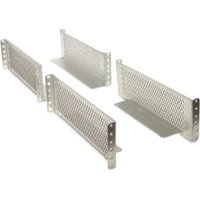
AP9625 - Server APC - Free user manual and instructions
Find the device manual for free AP9625 APC in PDF.


| Brand | APC |
| Model | AP9625 |
| Product type | Mounting kit for 2-post rack |
| Compatibility | APC UPS compatible with rack mounting |
| Rack format | 19 inches, 2-post |
| Height | Approximately 2U (8.9 cm) |
| Depth | Varies depending on equipment |
| Weight | Approximately 2 kg |
| Material | Steel |
| Color | Black |
| Kit contents | 2 mounting rails, screws, nuts, mounting plates, instructions |
| Main function | Secure mounting of a UPS in a 2-post rack |
| Maximum load capacity | Up to 100 kg (depending on UPS model) |
| Installation | Bolt the rack to the floor before mounting |
| Maintenance | Check screw tightness periodically |
| Cleaning | Wipe with a dry cloth |
| Safety instructions | Do not use as a step; ensure rack stability |
| Warranty | APC limited warranty (see terms) |
| Repairability | Replacement parts available through APC |
| Design year | 2004 |
Frequently Asked Questions - AP9625 APC
User questions about AP9625 APC
0 question about this device. Answer the ones you know or ask your own.
Ask a new question about this device
Download the instructions for your Server in PDF format for free! Find your manual AP9625 - APC and take your electronic device back in hand. On this page are published all the documents necessary for the use of your device. AP9625 by APC.
USER MANUAL AP9625 APC
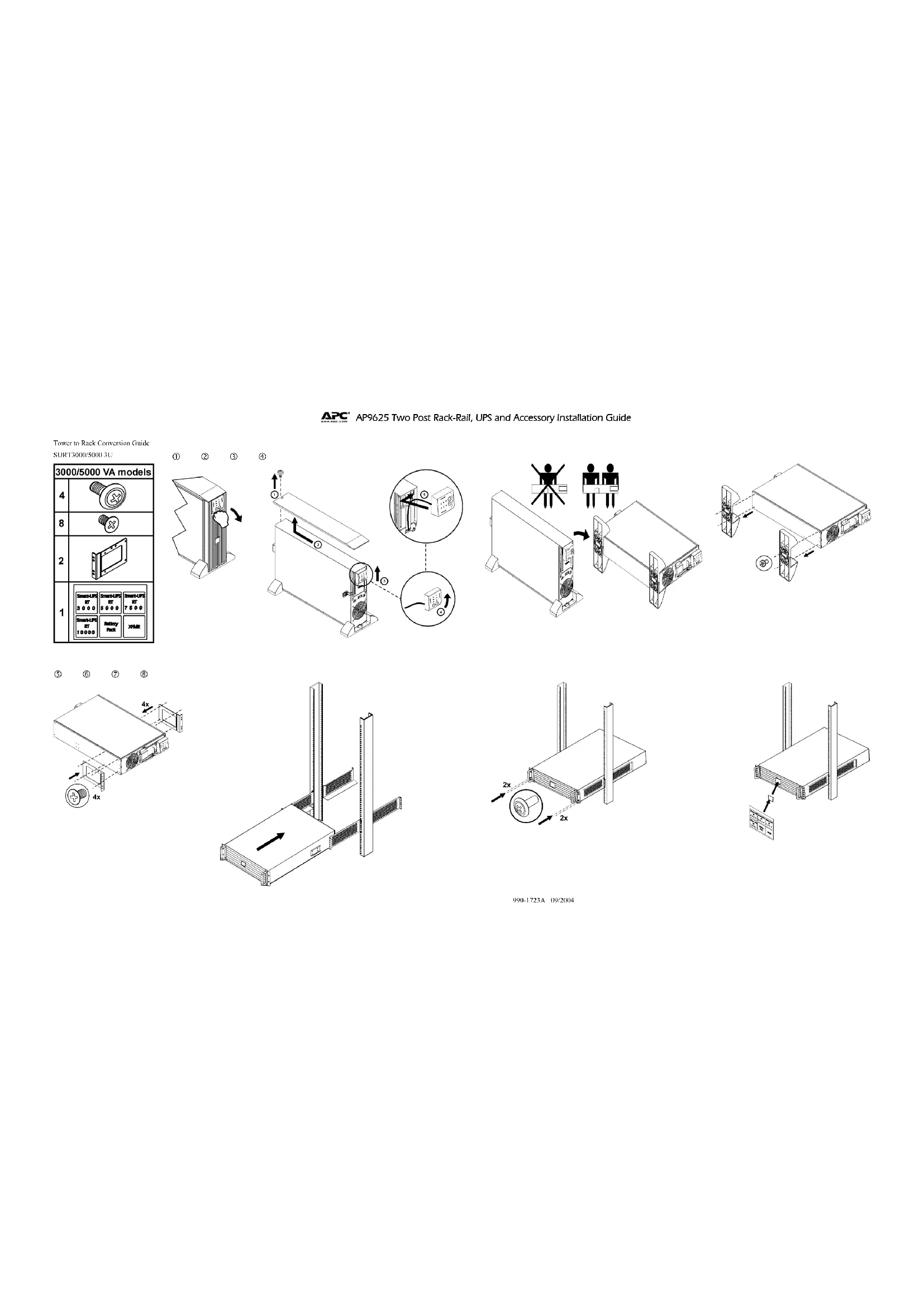
APC AP9625 Two Post Rack - Rail; UPS; Accessory Installation Guide
Safety Information
Read and follow the safety and installation instructions.
Your unit may vary in appearance from the ones depicted in this document. Refer to the user manual for a specific unit to see bracket installation, battery and bezel removal and replacement procedures, and for battery and utility power connection instructions.
These units are heavy. To lighten a unit, remove the batteries. Refer to the user manual for the specified unit for battery removal instructions. Changes and modifications to equipment not expressly approved by APC could void the warranty.
Failure to observe these warnings may result in serious injury, or damage to the equipment.
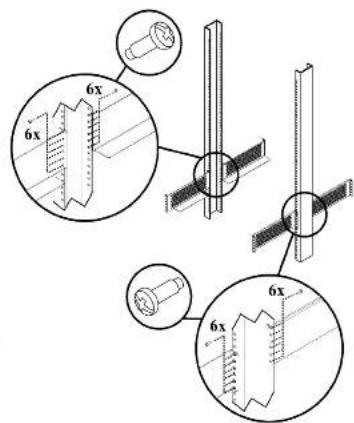
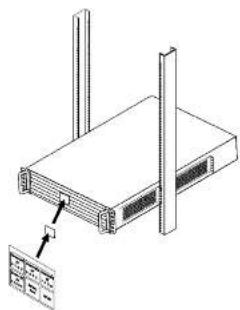
- The 2 post rack must be bolted to the floor prior to installation of the rails and UPS.
- Verify that the rack to be used can support the weight of the equipment to be installed.
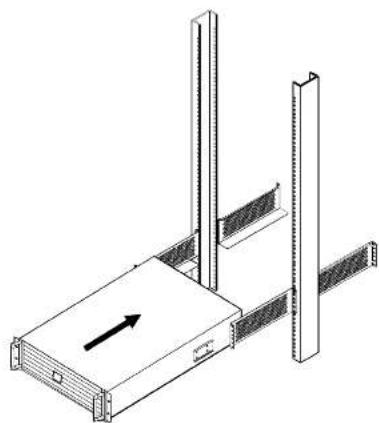
- The UPS and all connected accessories must be mounted at the bottom of the 2 post rack.
Never rest a unit on top of a previously installed device.
Never use a rack mounted UPS or any other rack mounted equipment as a stepping platform.
- APC provides the necessary hardware for proper installation with each bracket assembly. Use all of the required hardware and ensure that all screws are tightened.
- Ensure that all devices installed into the 2 post rack are secured, each using a bracket kit.
Ensure the stability of the rack once the equipment has been installed.
Entire contents copyright 2004 by American Power Conversion Corporation. All rights reserved. Reproduction in whale or in part without permission is prohibited.
AP, Smr-1PS, and PowerChate are registered trademarks of American Power Conversion Corporation. All other trademarks are the property of their respective owners.
AP9625 Two Post Rack-Rail, UPS and Accessory Installation Guide
APC, SmartUPS, ve PowerChine American Power Conversion Corporation in kayoh ticari markalarand. Diger tum ticari markalar kendi shiplerine aittir

AP9625 Two Post Rack-Rall, UPS and Accessory Installation Guide
Hn Hnnn nnnn nnnn nnnn nn nnnn nnnn nnnn nnnn nnnn nnnn nnnn nnnn nnnn nnnn nnnn nnnn nnnn nnnn nnnn nnnn nnnn nnnn nnnn nnnn nnnn nnnn nnnn nnnn nnnn nnnn nnnn nnnn nnnn nnnn nnnn nnnn nnnn nnnn nnne
THY TYPCHNTHM ENH BAN HIEA. YoHJ DABHHTY, YOHTHETL, HAIHOTAKKYYMHNTOHAPBACN. HINHYTPOH NIOHACHHO XAYMKMTOPCNO. BY KYSOKRNDNNTNBOHOTER COONCTBYYHNONTOYPTCHNA.
BHeHcHn 10KpTbHnO6OpDyAHHnHmEHN, He Oe6OpHnBnIO KOMHaHnEP AOC, MoeN AnHpIaRt, TaPAnTHo. HecOp BnHnOuUkunuMoe TgupnncnK cepuHnUmTum Pumauan N HuauehnnnO6OpDyAHHnU.
- Odnapnck cnoa no kna 6btpnwnne H noy nppe moonmnnn nnnnnn n H bH
- Y6eHnncB, TTO HNOmSyemax cTOnkMA MOKcET BHePcKATBEccOBOpYIOBAHHa, KOtOpoc Bc coOpApctoey yCTHOBBNT.
- HBNHnncnnsnnnne nannnnnne hynpeybnrnnn nnrnnn nnnnnnn neonnnn noeBn.
HnBcKcCtuee HcNbUyIe CmOHTOBaHBe B cTbOHy HbHnIOoEcpyrOcMOnTOBaHBOeBcTbOHy 06bYpOHAnHe KauKteEIOHOKeHN bHOpHbHnHnHHkAaHbNoPab
- Kumahara APC houhrebe keknkekne kekkne keknkekne keknkekne keknkekne keknkekne keknkekne keknkekne keknkekne keknkekne keknkekne keknkekne keknkekne keknkekne keknkekne keknkekne keknkekne keknkekne keknkekne k
- Iponpipnre, 1000e yepnne, yeyanonnnne ne anonnnn noctke, naepcnne, npnpem nay yeanonno nnnn nnnn
Ioc.yetahOBH6Opy3oBaHH npOBePte yetOHBOCTcTtK.
Dc 10000000000000000000000000000000000000000000000000000000000000000000000000
APC, Simu4APS PowerChine- Suppncipnose Pnpneepse kohmnn Amtnion Power Convnion Corpieh Bcpnphpe kpmnne hnnn
Biztonsagi Informacion
Olyassa eis kovesse a biztonsagi ies felepitisi utasitisokat.
Az ogeyaeg kato megeiaben elernet a eben a dokumenturban leitort, Fordoljon egy adott ogag fethuszaioi kekiznyezea keret fehlisadinak meqekintshce, az akumulator c a vezotoslag etalvitalisho z escceljardsohoz. valantim az akumulator's tipelliasis catlikaztolatun, utasihashoo.
Esz o agyegek nehbez. Egy sgyg konyaitezhe zavtolus e al akumulatorokat. Fordulion az adott egysg felhaszhlisi keizkoyevzhez aikumulatori chovlatsi ulustuaznab.
A berendezes onz vortaalstafas i es moidalstafis, ale meynetz at APC nem hagoyt jova kifiecztten, erenvenletnichetigh a ranegarat. E figelmcteetsck betaradansak clunusatzsä yulos sereilst yagg a berendezes karoedssakt okohtazat.
1. A 2 czlopkevetet a padlohoz kell csaurozni sinek es az UPS telepitese elott.
2. Hennori/nc, hagy a haszniandro rekes elbirra telepiendhi hencendzis silya.
3. Az UPS-1 es a/isses tarto/eknt a 2 ozilophene aljara kell szechni.
AP9625 Two Post Rack-Rall, UPS and Accessory Installation Guide

AP9625 Two Post Rack-Rail, UPS and Accessory Installation Guide

AP9625 Two Post Rack - Rail and Equipment Installation
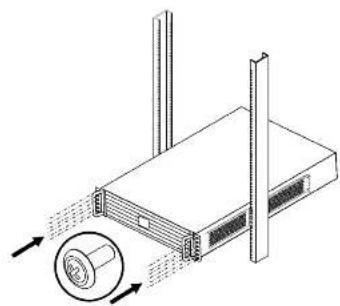
Smart-UPS 3U/6U Units
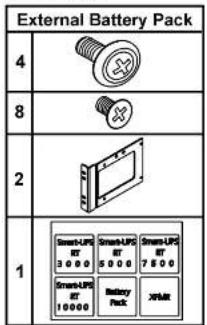
Smart-UPS External Battery packs
Symmetra Rock Mount Units Smart-UPS, Smart-UPS Transformers
| 2 | |
| 8 | |
| 2 |
Symmetra Transformers 2UC Units
| 8 | |
| 8 | |
| 2 |
| 4 | |
| 8 | |
| 2 |
990-1723A 09:2004
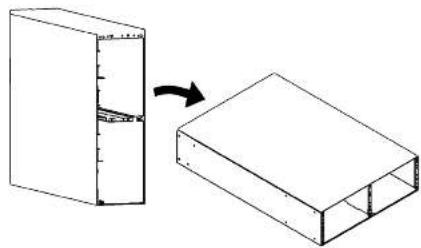
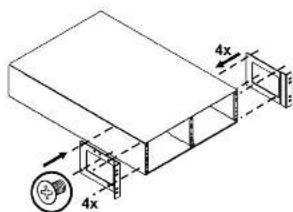
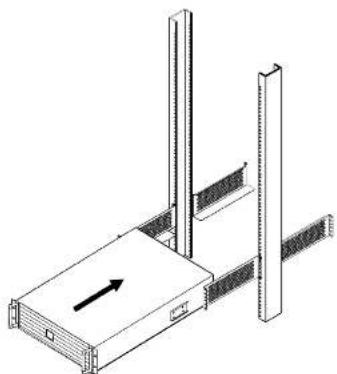
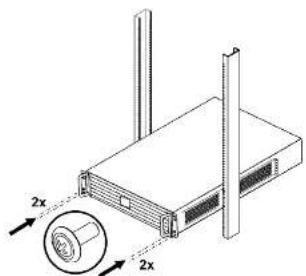
Tower to Rack Conversion Guide
SURT1000/2000 2U;SmartUPS@RT
Transformers; Symmetria Transformers
| 1000/2000 VA models; Transformers | |||
| 4 | |||
| 8 | |||
| 2 | |||
| 1 | |||

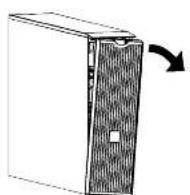
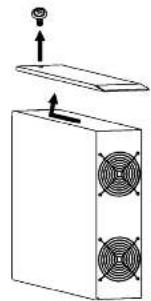
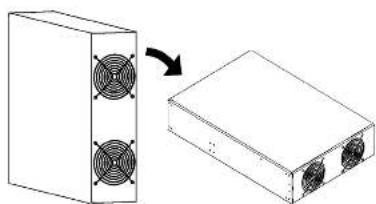
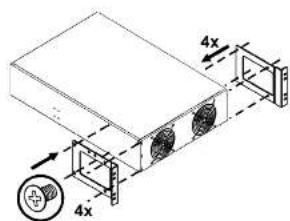
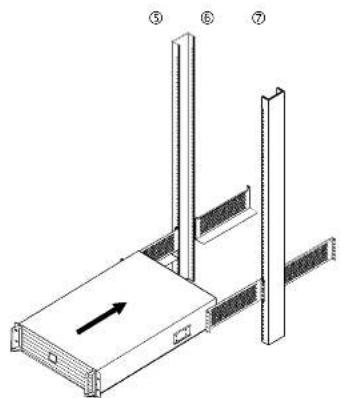
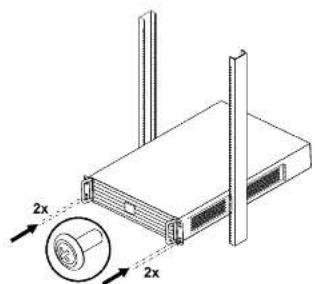
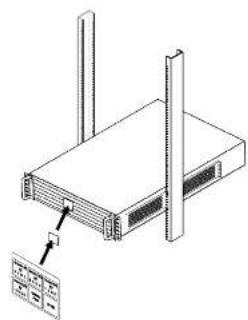
990-1723A 09:2004

AP9625 Two Post Rack-Rail, UPS and Accessory Installation Guide
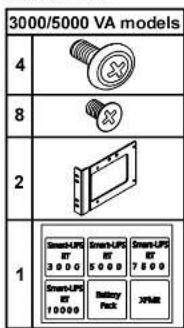
Tower to Crack Conversion Guide
SORT3000/5000 3U


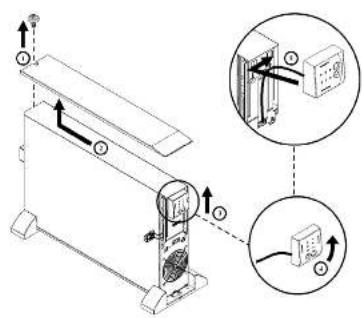
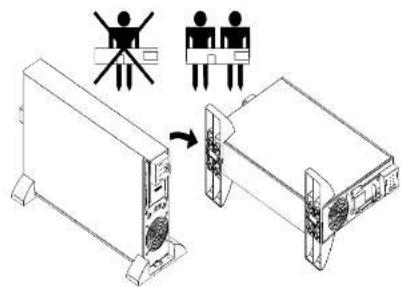
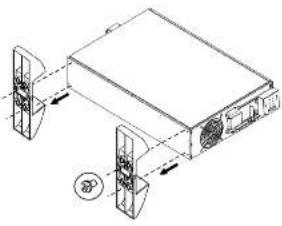
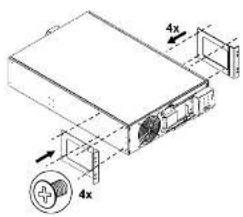
⑤ ⑥ ⑦ ⑧
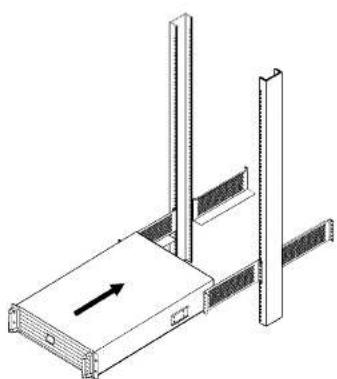
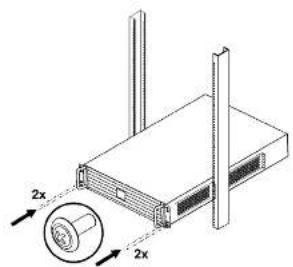
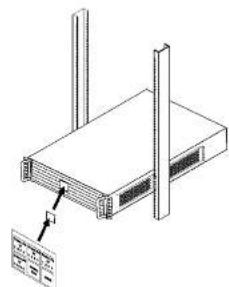
990-1723A 09/2004

AP9625 Two Post Rack-Rail, UPS and Accessory Installation Guide
Tower to Rack Conversion Guide
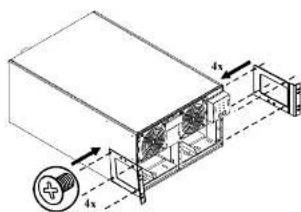
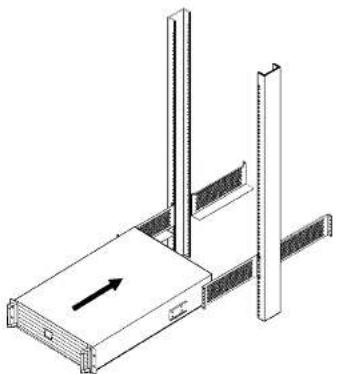
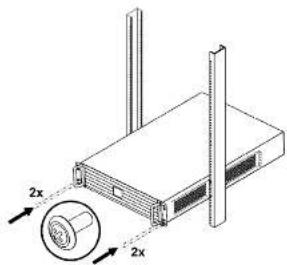
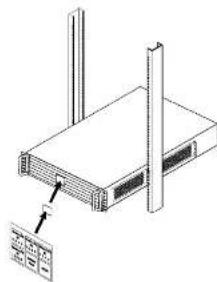
SUR7500/10006U
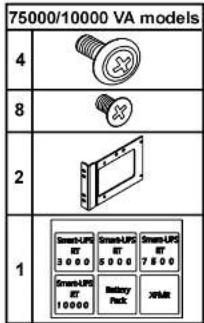

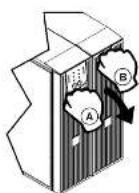
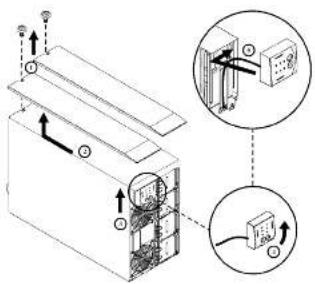
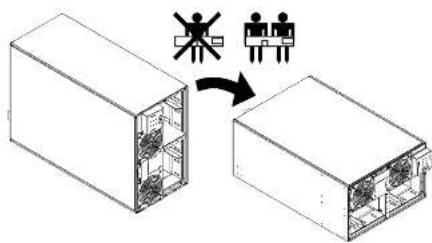

990-1723A 09/2004

AP9625 Two Post Rack-Rail, UPS and Accessory Installation Guide
Tower to Rack Conversion Guide
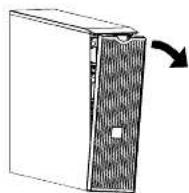
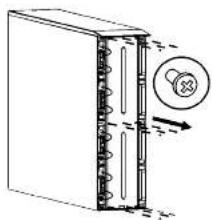
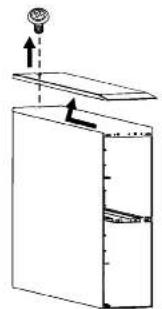
SURT192X1.BP3U


990-1723A 09/2004

Brand : APC
Model : AP9625
Category : Server