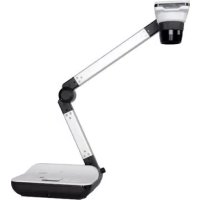
DC550 - Camera OPTOMA - Free user manual and instructions
Find the device manual for free DC550 OPTOMA in PDF.


Pick your language and provide your email: we'll send you a specifically translated version.
| Product type | High definition document camera (visualizer) |
| Brand | Optoma |
| Model | DC550 |
| Sensor | 8 megapixels |
| Optical zoom | 17x |
| Digital zoom | 8x |
| Projection area | A3 landscape (297 x 420 mm) |
| Output resolution | 1080i |
| Image capture | Yes |
| Video recording | Yes |
| Light source | 3-level LED |
| Built-in microphone | Yes |
| Connectors | Inputs: 1x HDMI, 1x VGA, 1x SD card; Outputs: 1x HDMI, 1x VGA, 1x USB-B |
| USB | USB 2.0 |
| Security | Kensington lock slot |
| Power supply | DC 5V, 100-240V, 50-60Hz (power adapter included) |
| Net weight | 2.39 kg |
| Box contents | Power cable (UK/EU), power adapter, HDMI cable, VGA cable, USB cable, microscope adapters (∅28, 31, 33, 34 mm), remote control, user manual/software (CD) |
| Maintenance and cleaning | Clean the lens with a soft, non-abrasive cloth. Disconnect before cleaning. Do not use solvents. |
| Spare parts and repairability | Contact Optoma customer service for spare parts. Repair is recommended by an authorized technician. |
Frequently Asked Questions - DC550 OPTOMA
How to turn on the Optoma DC550?
Plug in the power adapter, then press the power button located on the side or the remote control.
How to capture an image with the DC550?
Press the Capture button on the remote control or on the device. The image is saved to the SD card or via USB.
How to record a video?
Press the Record button (round icon). Press again to stop. The video is stored in a compatible format.
What is the maximum video resolution?
The DC550 can output 1080i via HDMI. Internal recording can be 1080p depending on settings.
Can I connect the DC550 to a projector?
Yes, use the provided HDMI or VGA cable to connect to a projector or external display.
How to clean the lens?
Use a dry microfiber cloth. For stains, lightly moisten with water or an optical cleaner. Avoid abrasive products.
The SD card is not recognized, what to do?
Check that the card is inserted in the correct orientation and formatted as FAT32. Try another card if the problem persists.
How to use the microscope adapters?
Attach the appropriate adapter (∅28, 31, 33 or 34 mm) to the microscope eyepiece, then place the DC550 camera on the adapter.
The LED indicator does not light up, is this normal?
The LED indicator can be disabled in the menu. Press the LED button to turn the light source on/off.
How to reset the device to factory settings?
Go to the Settings menu > Reset and confirm. The settings will revert to default values.
User questions about DC550 OPTOMA
0 question about this device. Answer the ones you know or ask your own.
Ask a new question about this device
No questions yet. Be the first to ask one.
Download the instructions for your Camera in PDF format for free! Find your manual DC550 - OPTOMA and take your electronic device back in hand. On this page are published all the documents necessary for the use of your device. DC550 by OPTOMA.
USER MANUAL DC550 OPTOMA
natural_image
Modern office desk lamp with adjustable arm and base (no visible text or symbols)natural_image
Modern office desk lamp with adjustable arm and base (no visible text or symbols)Specifications
Manual assistant
Powered by Anthropic
Waiting for your message
Product information
Brand : OPTOMA
Model : DC550
Category : Camera