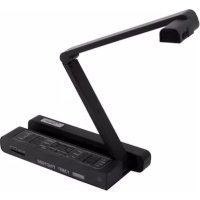
DC455 - Camera OPTOMA - Free user manual and instructions
Find the device manual for free DC455 OPTOMA in PDF.


| Brand | Optoma |
| Model | DC455 |
| Product Type | Document camera / Digital camera |
| Power Supply | 5V DC power adapter (100-240V AC) |
| Capture Resolution | Up to 13 megapixels (13M) |
| HDMI Output Resolution | 720p, 1080i |
| VGA Output Resolution | XGA (1024x768), UXGA (1600x1200), 720p (1280x720), WXGA (1280x800) |
| Storage | Internal memory + SD/SDHC card (not included) |
| Lens | Digital zoom 2x/4x, auto and manual focus |
| LED Lamp | Built-in, switchable/adjustable brightness |
| Special Features | Highlight, Hide, PIP (picture-in-picture), 180° rotation, image freeze, slideshow mode |
| Connections | HDMI input, HDMI output, VGA input, VGA output, USB (micro USB), 5V DC input, SD card slot, Kensington security slot |
| Remote Control | Infrared, AAA batteries (not included) |
| OSD Languages | Multilingual (French, English, German, Spanish, etc.) |
| Compliance | FCC Class A, CE Class A, WEEE (recycling) |
| Safety | Do not look directly at the LED lamp, use with caution |
Frequently Asked Questions - DC455 OPTOMA
User questions about DC455 OPTOMA
0 question about this device. Answer the ones you know or ask your own.
Ask a new question about this device
Download the instructions for your Camera in PDF format for free! Find your manual DC455 - OPTOMA and take your electronic device back in hand. On this page are published all the documents necessary for the use of your device. DC455 by OPTOMA.
USER MANUAL DC455 OPTOMA
natural_image
Line drawing of a handheld electronic device with open lid and internal compartments (no text or symbols)- Bienvenue:
natural_image
Symbol of a trash bin crossed with no text or numbers, representing waste sorting or restriction (no text present)Avertissement
natural_image
Illustration of hands installing or adjusting a device with a green circular icon (no text or symbols)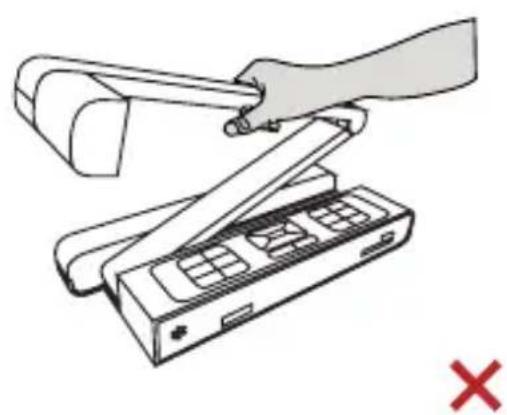
natural_image
Illustration of a hand using a handheld device to press an open landform (no text or symbols present)natural_image
Line drawing of a camera with a yellow laser beam and control panel (no text or symbols)natural_image
Exterior view of a modern office building (no signage)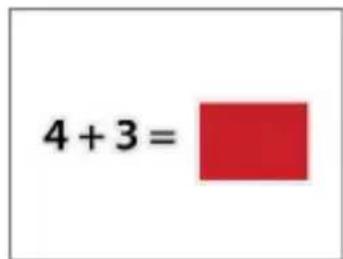
natural_image
Decorative blue floral pattern on a white plate, with a small inset showing a circular object (no text or symbols)natural_image
Line drawing of a mechanical component with no text or symbols∅28 mm ∅31 mm
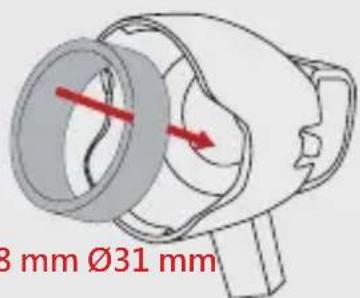
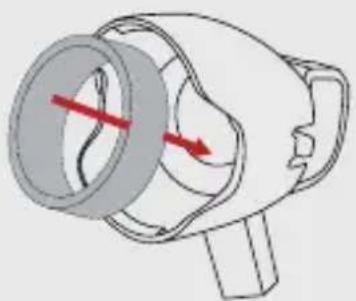
natural_image
Diagram of a mechanical device with a red directional arrow indicating motion or force (no text or symbols present)natural_image
Illustration of a hand inserting a black cable into a mobile phone case (no text or symbols present)47697 Westinghouse Drive, Fremont, CA 94539, USA www.optomausa.com
888-289-6786
510-897-8601 services@optoma.com
Japon
東京都足立区綾瀬3-25-18
株式会社オーエス
info@os-worldwide.com www.os-worldwide.com
Canada
47697 Westinghouse Drive, Fremont, CA 94539, USA www.optomausa.com
888-289-6786
510-897-8601 services@optoma.com
Taiwan
12F., No.213, Sec. 3, Beixin Rd., Xindian Dist., New Taipei City 231,
47697 Westinghouse Drive, Fremont, CA 94539, USA www.optomausa.com
888-289-6786
510-897-8601 services@optoma.com
Hong Kong
Unit A, 27/F Dragon Centre, 79 Wing Hong Street,
+852-2396-8968 +852-2370-1222
Cheung Sha Wan, Kowloon, Hong Kong w www.optoma.com.hk +852-2370-1222
Europe
Unit 1, Network 41, Bourne End Mills, Hemel Hempstead, Herts, HP1 2UJ, United Kingdom (Royaume-Uni) www.optoma.eu Téléphone réparations : +44 (0)1923 691865
+44 (0) 1923 691 800
+44 (0) 1923 691 888 service@tsc-europe.com
Chine
5F, No. 1205, Kaixuan Rd., +86-21-62947376 Changning District +86-21-62947375 Shanghai, 200052, Chine w www.optoma.com.cn
Benelux BV
Randstad 22-123 +31 (0) 36 820 0252 1316 BW Almere Les Pays-Bas www.optoma.nl
France
Bâtiment E +33 1 41 46 12 20 81-83 avenue Edouard Vaillant +33 1 41 46 94 35 92100 Boulogne Billancourt, France savoptoma@optoma.fr
Espagne
C/ José Hierro,36 Of. 1C +34 91 490 06 06 28522 Rivas VaciaMadrid, Espagne
Allemagne
Wiesenstrasse 21 W +49 (0) 211 506 6670 D40549 Düsseldorf, +49 (0) 211 506 66799 Allemagne info@optoma.de
Scandinavie
Lerpeveien 25 +47 32 98 89 90 3040 Drammen Norvège +47 32 98 89 99 info@optoma.no
Brand : OPTOMA
Model : DC455
Category : Camera