Pixel - Loudspeaker TANGENT - Free user manual and instructions
Find the device manual for free Pixel TANGENT in PDF.



| Brand | Tangent |
| Model | Pixel |
| Product Type | Bluetooth wireless speaker |
| Power | AC adapter (DC IN) included |
| Connectivity | Bluetooth 2.0/2.1, auxiliary input (AUX IN 3.5 mm) |
| Bluetooth Range | 10 meters (in open space) |
| Indicator Light | Solid white (connected), blinking white (pairing), off (standby) |
| Auto Power Off | After 20 minutes without Bluetooth connection |
| Operating Temperature | 5 °C to 40 °C (41 °F to 104 °F) |
| Cleaning | Soft dry cloth; do not use alcohol or solvents |
| Safety | Risk of electric shock: do not open the device; unplug before cleaning; avoid overloading; do not expose to open flames |
| Spare Parts and Repairability | Not user-serviceable; contact customer service for any repairs |
| Recycling | Do not dispose of with household waste; take to a WEEE collection point |
| Warranty | Opening by an unauthorized person voids the limited warranty |
Frequently Asked Questions - Pixel TANGENT
User questions about Pixel TANGENT
0 question about this device. Answer the ones you know or ask your own.
Ask a new question about this device
Download the instructions for your Loudspeaker in PDF format for free! Find your manual Pixel - TANGENT and take your electronic device back in hand. On this page are published all the documents necessary for the use of your device. Pixel by TANGENT.
USER MANUAL Pixel TANGENT
How to: Connect your Tangent Pixel to a Bluetooth device (smartphone)
When you have unpacked the Tangent Pixel:
- Connect the power adaptor to the Tangent Pixel
- Push the power button 1-2 sec.
a. The power button will light up
b. You will hear a sound "Boing"
c. The light in the button will begin to flash, which indicate that the Pixel is in pairing mode.
- Turn on Bluetooth on your device (smartphone)
- Search for Bluetooth devices on your Smartphone
- Select "Tangent Pixel" and you will connect to it.
- A sound "Bing Boing" indicates that you are connected, and the light will stop flashing and be solid.
- Play music
When your smartphone has been connected earlier the Tangent Pixel will remember it.:
- Push the power button 1-2 sec.
a. The power button will light up
b. You will hear a sound "Boing"
c. The light in the button will begin to flash, which indicate that the Pixel is in pairing mode.
d. A sound "Bing Boing" indicates that you are connected, and the light will stop flashing and be solid.
- Smartphone is automatically connected.
- Play music.
Play music via AUX input:
- Push the power button 1-2 sec
- Connect AUX kabel
- Play music.
Tangent Pixel
Brugermanual
VIGTIGE SIKKERHEDSREGLER
ADVARSEL:
IMPORTANT SAFETY INSTRUCTIONS
CAUTION: Risk of electrical shock.
Do not open the unit.
- Read, keep and follow these instructions.
- Install in accordance with the manufacturer's instructions.
- Do not install near any heat sources such as radiators, heat registers, stoves, or other apparatus (including amplifiers) that produce heat.
- Only use attachments/accessories specified by the manufacturer.
- Protect the power card from being walked on or pinched, particularly at plugs, convenience receptacles, and the point where they exit from the apparatus.
- Unplug this apparatus during lighting storms or when unused for long periods of time.
- Do not let objects or liquids enter the product.
- Refer all servicing to qualified service personnel. Servicing is required when the apparatus has been damaged in any way, such as power-supply cord or plug is damaged, liquid has
been spilled or objects have fallen into the apparatus, the apparatus has been exposed to rain or moisture, does not operate normally, or has been dropped.
- Opening the unit by unauthorized personnel will void the limited warranty.
CAUTION: Use of controls or adjustments or performance of procedures other than herein may result in hazardous radiation exposure or other unsafe operation.
Cleaning: Use a soft, dry cloth to avoid making scratches to the surface. Do not use cleaning alcohol, or other solvent fluids to clean the surface of the Cabinet as this can both damage the coating and also cause electrical failures and fire if it enters the electronics in the unit! Before cleaning, please unplug the unit from the AC power outlet.
Overloading: To prevent risk of fire or electric shock, avoid overloading wall outlets or extension cords.
Open fire: keep this sound system a safe distance away from any open flame such as a lit candle. No open flame sources, such as lighted
candles, should be placed on the unit.
Operating temperatures: The recommended operating temperature range for the sound system is 5 to 40 degrees Celsius (41 to 104 degrees Fahrenheit).
Label location: The product labels and safety related markings are located on the back of the unit and the power adaptor.
Unplugging while in operation: Do not remove the AC power cord if music is playing.
CAUTION
This product can be recycled. Products bearing this symbol must NOT be thrown away with normal household waste. At the end of the product's life, take it to a collection point designated for recycling of electrical and electronic devices. Find out more about return and collection points through your local authority.
For European Waste Electrical and Electronic Equipment (WEEE) Directive was implemented to dramatically reduce the amount of waste going to landfills, thereby reducing the environmental impact on the planet and on human health.
Please act responsibly by recycling used products. If this product is still usable, consider giving it away or selling it.
Controls and Indicators
FRONT PANEL:
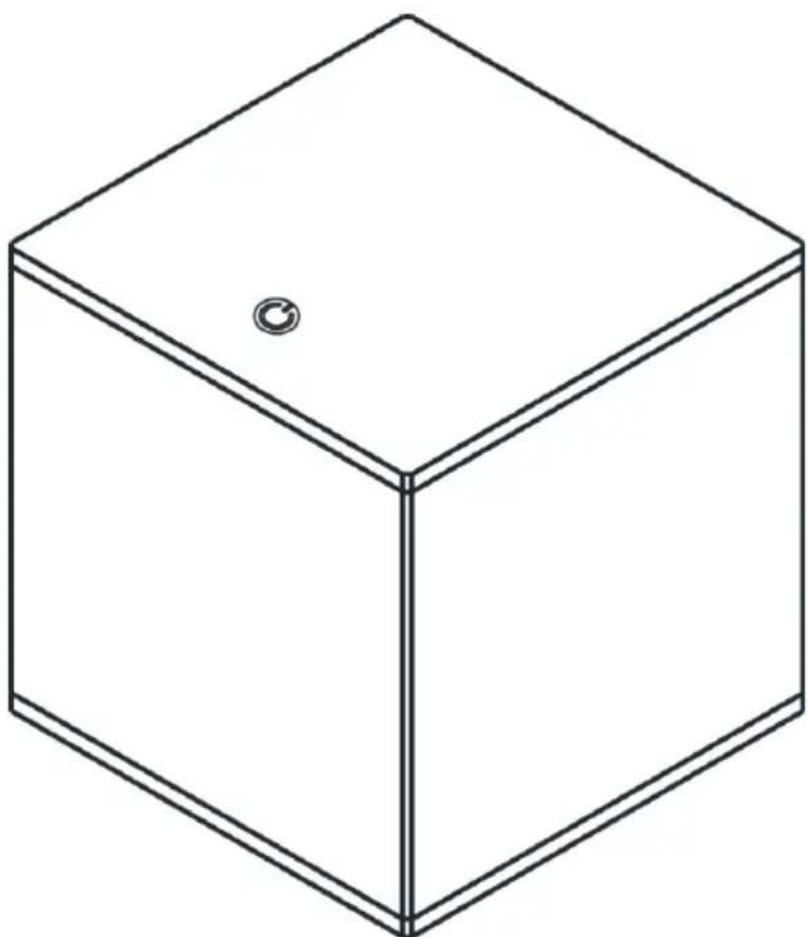
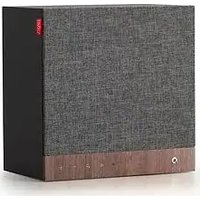
LED indicator:
No light Standby
Flashing white BT pairing
Solid white On and connected
REAR PANEL:
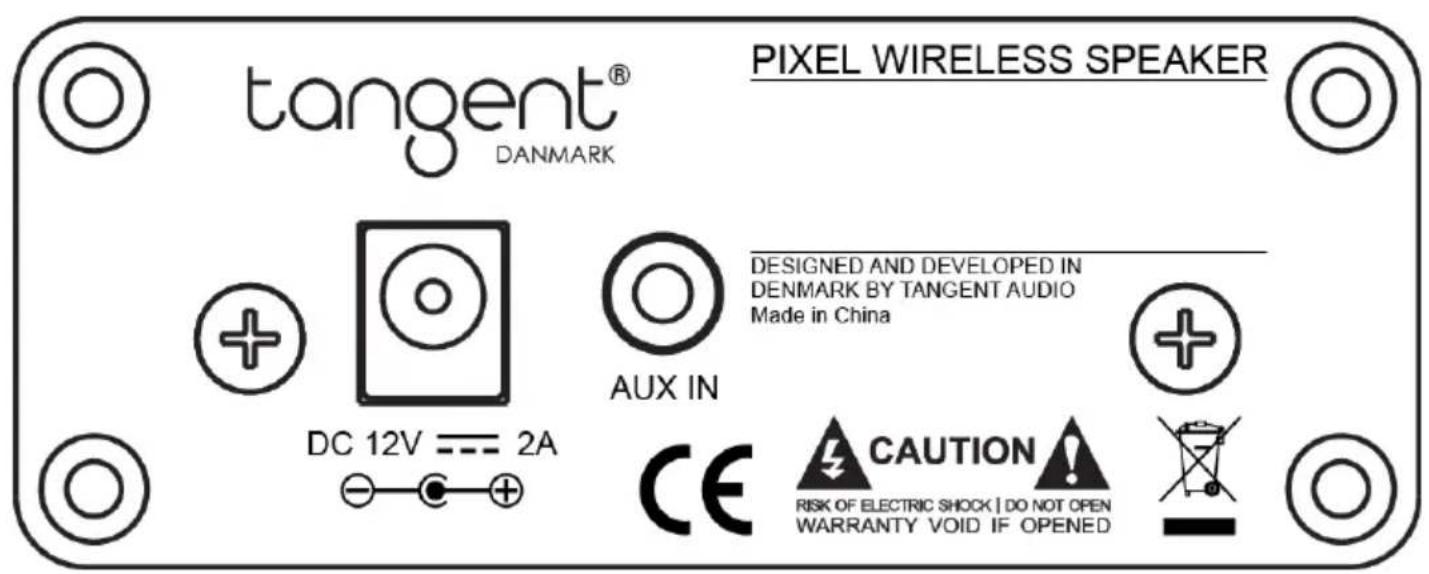
DC in – Connect with provided Power Adaptor
Aux in – inserted with external input source (e.g. iPhone, Smartphone, MP3 Player and TV)
Pairing with Bluetooth Device
Bluetooth Speaker can pair with most Bluetooth 2.0 & 2.1 devices. Pairing may vary by device. Consult your Bluetooth device's owner's manual for pairing instructions.
- Press "Standby" key to switch on the unit
- Turn ON your Bluetooth device (e.g. Smart Phone) setting, "Tangent Pixel" would be shown at your device Bluetooth list.
- Connect your device to the BT Speaker with Bluetooth, your device menu would show "Connected", the Bluetooth LED would keep ON at Super white when pairing success.
- You can play your music wirelessly with the BT Speaker.
*Operating range of Bluetooth audio is up to 10 meters. (Measured in open space. Walls and structures may affect range of device.)
Auxiliary Audio Operation
- Connect a media player to the aux-in jack on the back panel of the unit.
Auto standby
If the unit volume is not connected to Bluetooth for 20 minutes, it will automatically switch to STANDBY mode
Troubleshooting and Support
- If the system does not work as expected, first carefully read this manual.
- No operation: Check power adaptor and that mains power has been turned on.
- If still not successful, contact your TANGENT customer support.
Tangent Pixel
Desenchufarmentionsestean
For further information visit our website:
www.tangent-audio.com
Brand : TANGENT
Model : Pixel
Category : Loudspeaker