
ET2020INTI - Desktop computer ASUS - Free user manual and instructions
Find the device manual for free ET2020INTI ASUS in PDF.
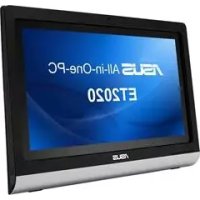



| Product Type | All-in-One Desktop Computer |
| Brand | Asus |
| Model | ET2020INTI |
| Dimensions (approx.) | 50 x 40 x 5 cm (screen + stand) |
| Weight (approx.) | 6 kg |
| Power Supply | 90W AC Adapter |
| Processor | Intel Core i3 or i5 (depending on configuration) |
| RAM Memory | 4 GB to 8 GB DDR3 |
| Storage | SATA Hard Drive 500 GB to 1 TB |
| Display | 20 inches, resolution 1600 x 900 |
| Operating System | Windows 8 (or later) |
| Network Connectivity | Wi-Fi 802.11 b/g/n, Gigabit Ethernet |
| Connectivity | USB 2.0/3.0, HDMI, headphone jack, microphone input |
| TV Functions | Built-in analog and digital TV tuner, remote control |
| Multimedia Features | DVD player, built-in speakers, webcam |
| Maintenance and Cleaning | Wipe with a soft dry cloth, do not use abrasive products |
| Security | Kensington lock, user password under Windows |
| Spare Parts and Repairability | CMOS battery, hard drive, RAM memory accessible |
| General Information | Manual available in 18 languages at support.asus.com |
Frequently Asked Questions - ET2020INTI ASUS
User questions about ET2020INTI ASUS
0 question about this device. Answer the ones you know or ask your own.
Ask a new question about this device
Download the instructions for your Desktop computer in PDF format for free! Find your manual ET2020INTI - ASUS and take your electronic device back in hand. On this page are published all the documents necessary for the use of your device. ET2020INTI by ASUS.
USER MANUAL ET2020INTI ASUS
Before launching your TV Tuner application, check if your digital TV-in or analog TV-in cable is connected.
Launching your TV Tuner Application
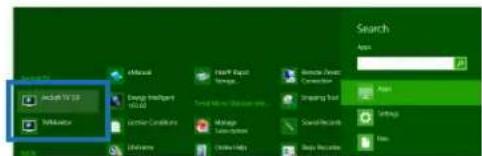
To launch ArcSoft TV 5.0 in Windows® 8, do one of the following:
From the Windows desktop, click the ArcSoft TV 5.0 icon.
NOTE: The ArcSoft TV desktop shortcut icon is not available for AIO ET2300.

- Click to launch the search screen for applications. Type "ArcSoft" in the search field and click the ArcSoft TV icon from the search results.
Setting up your TV Tuner Application
To set up ArcSoft TV 5.0:
- On the main menu, click Live TV.
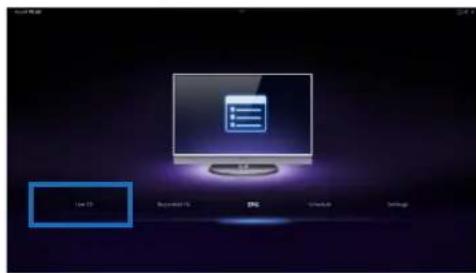
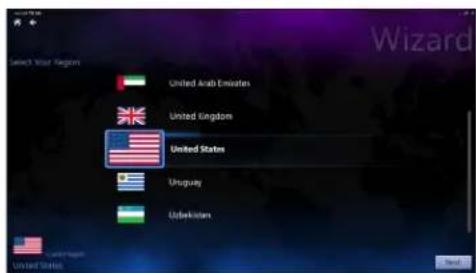
- The Setup Wizard will launch to guide you through setting up your TV Tuner application. Select your country or region and click Next to continue.
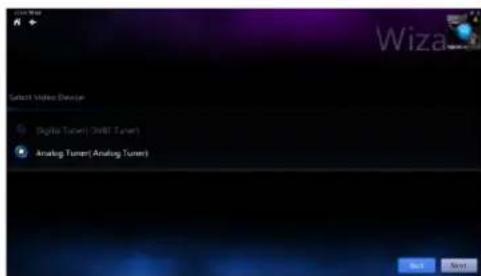
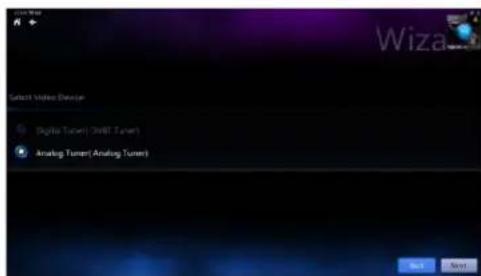
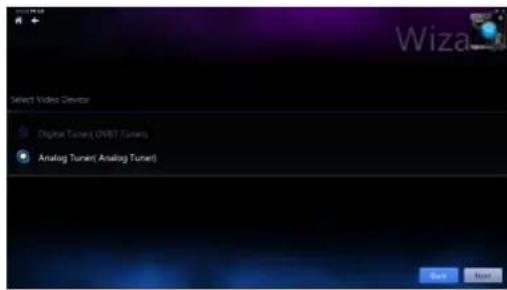
- The Setup Wizard will attempt to detect the installed TV Tuner device. Select the appropriate TV tuner card which came with your All-in-One PC.
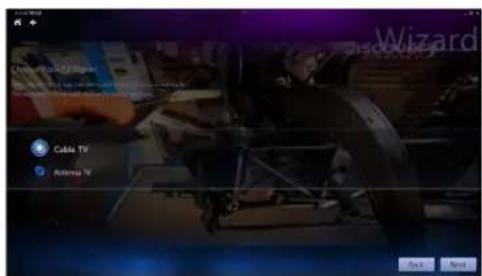
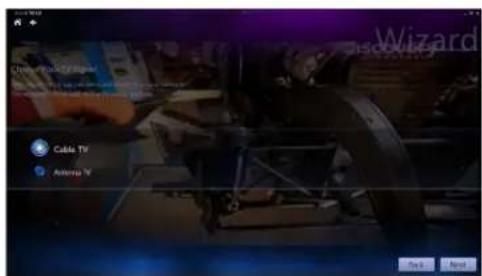
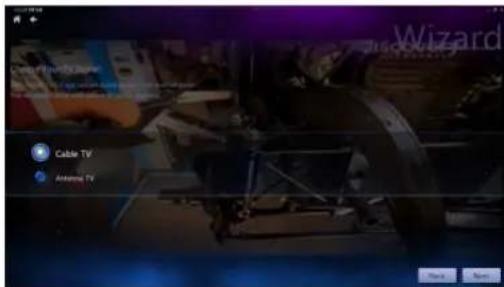
- Select the type of television service you use.
- Select Cable TV for cable television.
- Select Antenna TV for television received via an antenna.
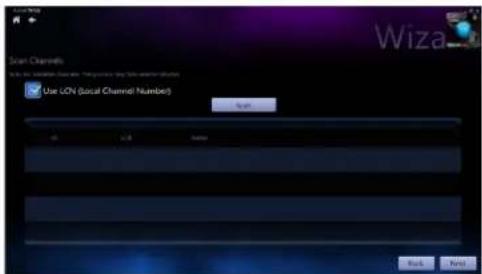
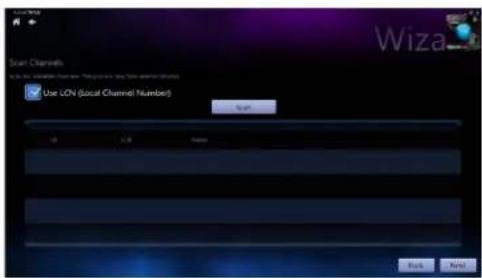
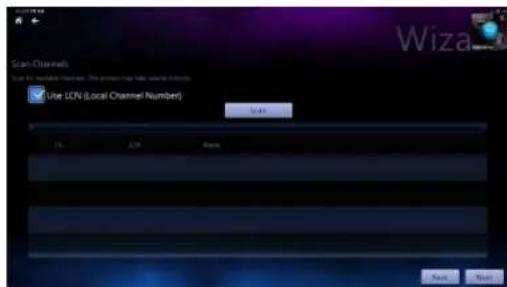
- Click Scan to begin scanning for available channels.
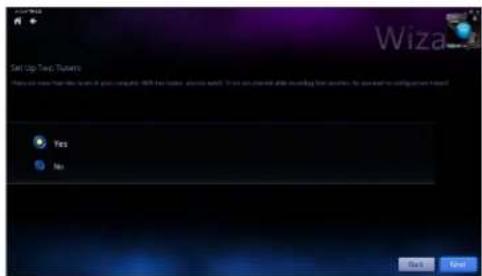
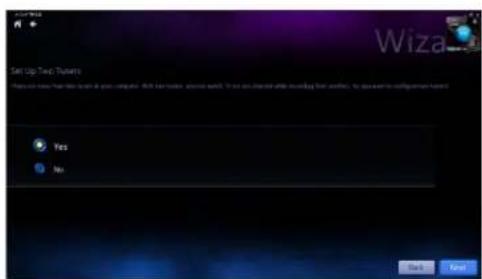
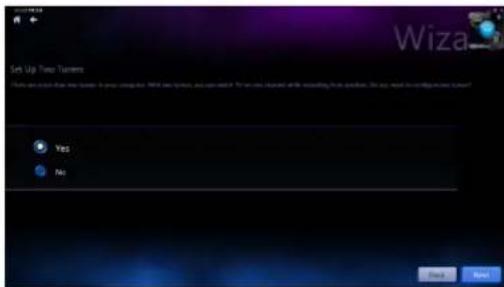
- If your All-in-One PC came with both an analog and digital TV tuner, the Setup Wizard will prompt you to set up your second TV tuner.
- Select Yes to set up the second TV Tuner.
- Select No to complete the Setup Wizard.

- Click Finish to complete the Setup Wizard.
Scheduling recordings of TV broadcasts
To schedule recordings of TV broadcasts:
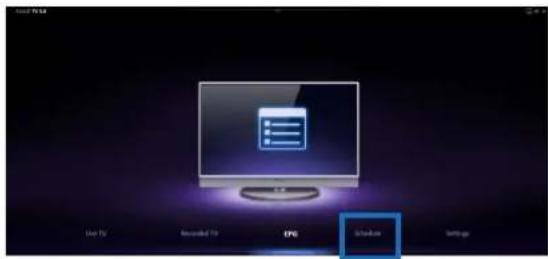
- On the main menu, click Schedule.
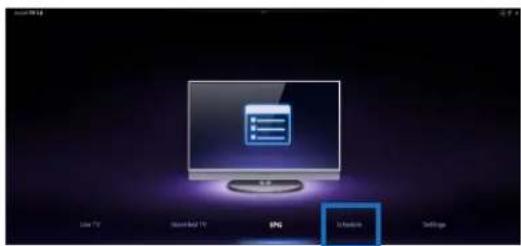
- On the left panel, click Add.
- Configure the following options:
Program Name - Channel Frequency - Start Date/Time - Specify the date/time of recording. Duration - Specify length of recording. - Shut down the computer when finished recording
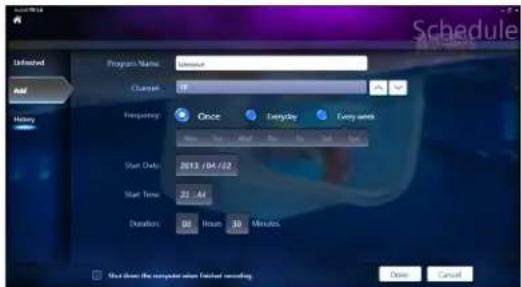
- Click Done to save settings and schedule recording.
NOTE: The All-in-One PC needs to be powered on to automatically record TV broadcasts.
- To schedule additional recordings, repeat steps 1~4.
NOTE: The number of recordings you can schedule is limited by the available storage on your All-in-One PC.
Using the Entertainment Program Guide (EPG)
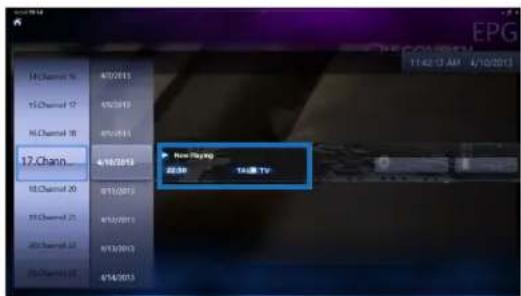
The EPG displays the time and TV programs playing on a specified channel and date.
NOTE: EPG is only available for All-in-One PCs with a digital TV tuner.
Using the Live TV Onscreen Controls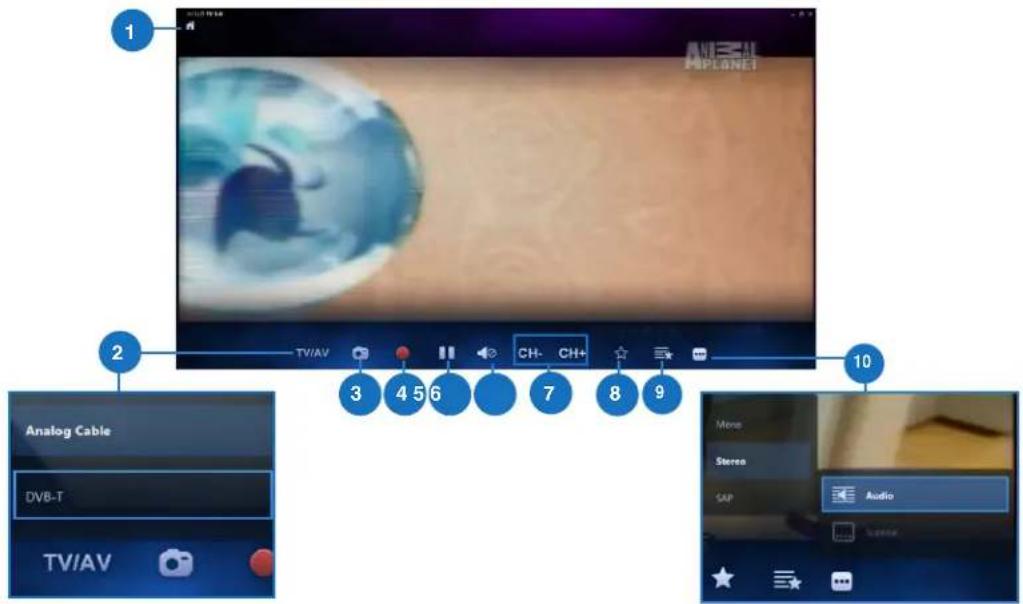
Home button
Click this icon to go to the Arcsoft TV 5.0 main menu.
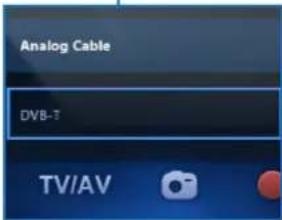
2 TV/AV
Click this button to toggle between analog TV and digital TV.*
*This item is only available for All-in-One PCs with both an analog and digital TV tuner.
Take a screenshot
Click this button to take a screen capture of the video or media playing.
4 Record
Click this button to begin recording the television broadcast.
5 Pause
Click this button to pause recording or playback.
Volume Controls
Click this button to display onscreen volume controls to increase/decrease volume.
CH-/CH+
Click this button to increase or decrease the channel by one.
8 Add to Favorites
Click this button to add this channel to the Favorites list.
9 Favorites List
Click this button to display list of saved Favorites.
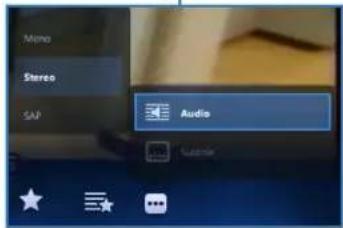
Subtitles and Audio Tracks
Click this button to display list of available subtitles and audio channels/tracks.
Using the Remote Control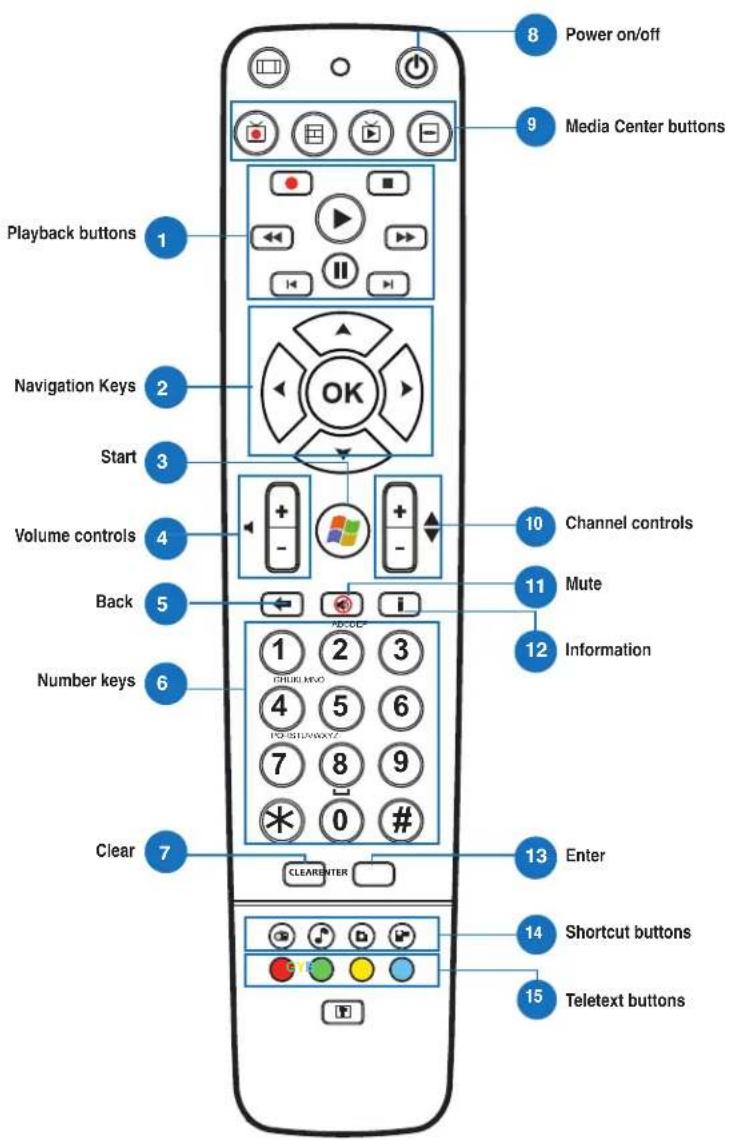

Playback Buttons

Play
Starts playing media. If playback is paused, pressing this button begins playback from the current position.

Pause
Pauses media playback at the current position.

Stop
Stops playing media at the current position.

Record
Record the TV show to disk. If pressed while Live TV is on, records the current show. If pressed from the EPG screen, records a TV show or TV series to disk.

Fast Forward
Speeds up the playback of the media file to the first forward value (3X).

Rewind
Reverses direction of playback and speeds up the time base to the first rewind value (3X).

Skip Forward
Skipping forward one increment when this button is pressed.

Skip Back
Skipping backward one increment when this button is pressed.

Navigation Keys

Press the up/down keys to move through the menu bar in a submenu.
Press the up/down keys to decrease/increase a numerical value.
Press the left/right keys to move through the main menus in the Home screen.
Press the left/right keys to move through the items in a submenu.
Press OK to confirm the selection.


Start*
Takes the user to the Windows Media Center Start menu.
*This button is only available for All-in-One PCs installed with Windows Media Center.
| 4 | Volume controls Press the (+) button to increase the volume by one unit. Press the (-) button to decrease the volume by one unit. | |
| 5 | Back Moves back one position in the user interface, | |
| 6 | Number keys | |
| 7 | Clear Clear any entered user input. | |
| 8 | Power on/off Press this button to put the All-in-One PC to sleep mode. Press a second time to wake up the system from sleep mode. | |
| 9 | Media Center Buttons* | |
| Record TV Displays the Recorded TV page in Windows Media Center. | ||
| Guide Displays the media guide in Windows Media Center. | ||
| Live TV Shows live TV on the currently selected channel. | ||
| DVD menu Displays the DVD menu. | ||
| *These buttons are only available for All-in-One PCs installed with Windows Media Center. | ||
| 10 | Channel controls Increases/decreases the current channel by one. | |
| 11 | Mute Mutes the computer audio. | |
| 12 | Information Press to display information about the movie, video, or music. | |
| 13 | Enter Press this button to select an option or input text. | |

Media Center Shortcut buttons

Displays the main Radio page in Windows Media Center.

Displays the Music Library in Windows Media Center.

Displays the Picture Library in Windows Media Center.

Displays the Video Library in Windows Media Center.
*These buttons are only available for All-in-One PCs installed with Windows Media Center.


Teletext buttons*
Press these buttons to access Teletext features when available.
*These buttons are only available for All-in-One PCs installed with Windows Media Center.
NOTE:
- To avail of Windows Media Center features, you can purchase a Windows 8 Media Center Pack separately.
- You can download a version of this manual in a different language at the ASUS support site at http://support.asus.com
All-in-One PC
English
All-in-One PC TV
Quick guide
Select Yes to install the second TV tuner. Select No to complete the installation guide.
9 Favorites list
Click this button to show the list of saved favorite channels.
10 Subtitles and audio tracks
Click this button to show the list of available subtitles and audio channels/tracks.
Shut down the computer when finished
Using the program guide (EPG = Electronic Program Guide)
Shows the radio home page in Windows Media Center.

5. Start scanning for available channels.
- If your computer came with analog and digital TV tuners, the setup wizard will suggest configuring the second TV tuner.
Select Yes to configure the second TV tuner. Select No to skip the setup wizard.
- Press Finish to close the wizard.
All-in-OnePC
Scheduling a recording
Scheduling a recording:
- In the main menu, press Schedule.
- On the left panel, press Add.
- Scan the following options:
Program name - Channel - Frequency - Date / Start time - Specify the date/time of the recording. - Duration - Specify the recording duration. - Turn off the computer after the recording ends.
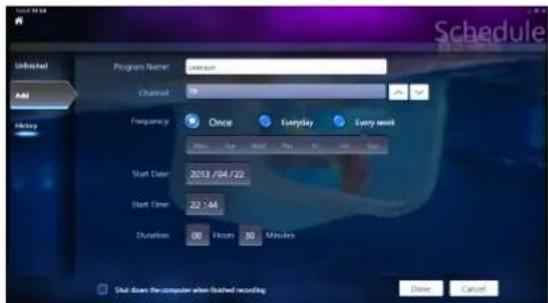
- Press OK to save the recording settings.
NOTE: The laptop must be turned on for automatic recording of programs.
5. To schedule another recording, repeat steps 1~4
NOTE: The number of scheduled recordings is limited by the available space on the laptop.
Using the program guide (EPG)
The program guide (EPG) displays the channel, date, and time of the program.
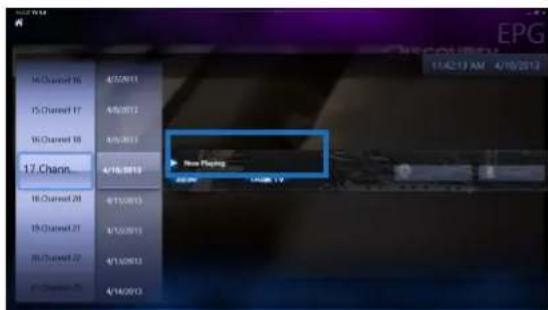
EPG: The program guide (EPG) is available only for all-in-one computers with a digital TV tuner.
All-in-One PC
Using Control Elements
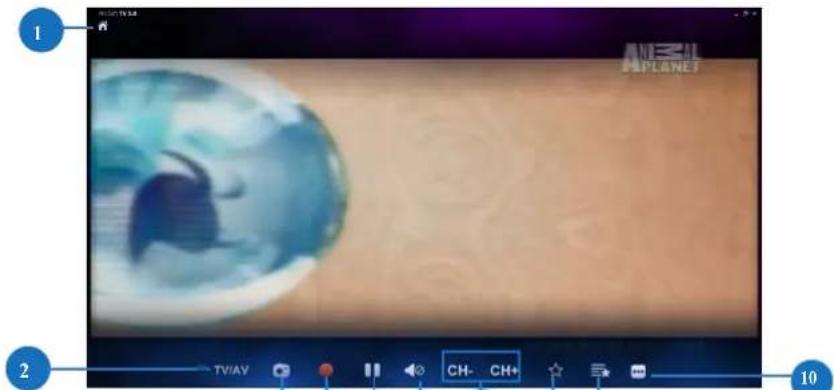

Home Button
Press this button to go to the main menu of Arcsoft TV 5.0.
TV/AV
Press this button to switch between analog and digital TV.*
*This function is only available for computers with an analog and digital TV tuner.
3 Screen Capture
6 Volume Adjustment
Press the button to adjust the volume.
CH-/CH+
Press this button to change the channel.
8 Add to Favorites
Press this button to add the current channel to the favorites.
9 Favorites
Press this button to display the list of favorites.
10 Subtitles and Audio Tracks
Press this button to display available subtitles and audio channels/projects.
All-in-One PC
Using the DY button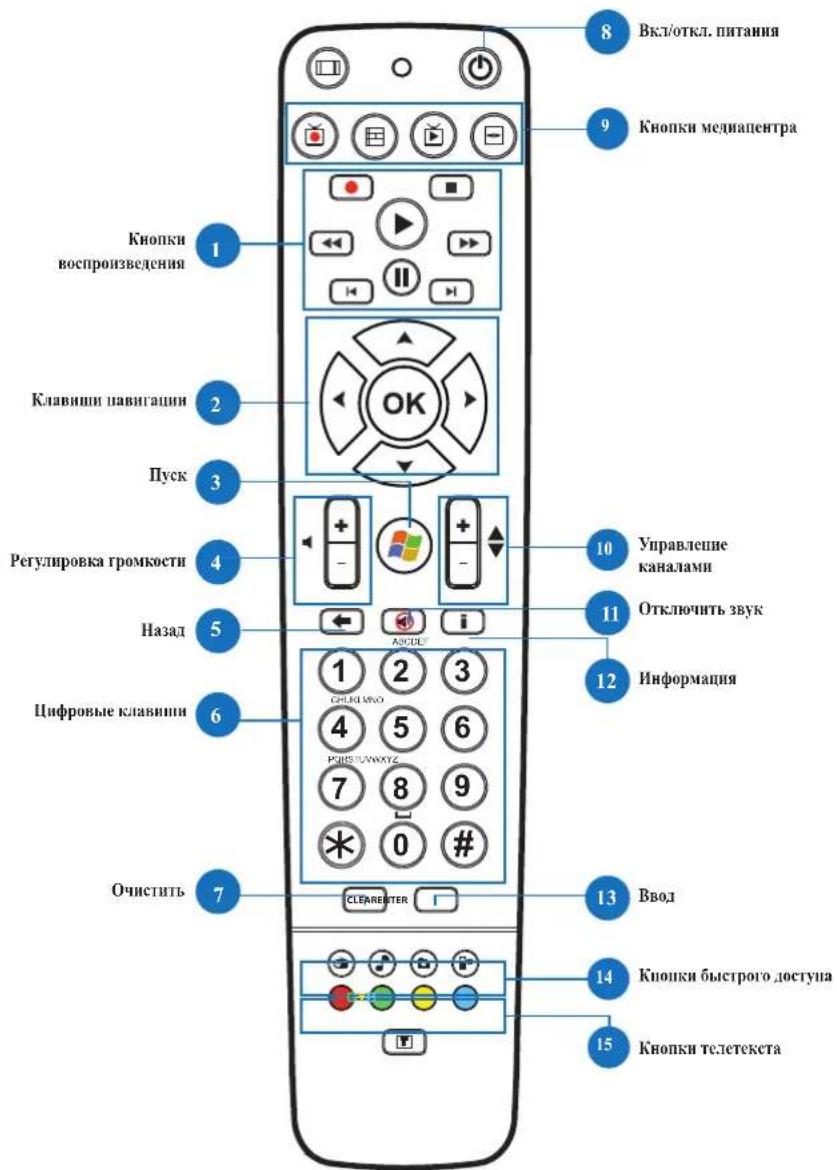

6

Play/Pause button


Play
Starts playback of the file. If playback is paused, pressing this button resumes playback from the current position.
Pause
Pauses playback at the current position.
Stop
Stops playback.
Record
Record the current program. If you press during playback, the current program will be recorded. If you press on the EPG screen, the current program will be recorded.
Fast forward
Fast forward (3x) playback.
Rewind
Fast rewind (3x) playback.
Forward
Increases the fast forward speed.
Back
Increases the rewind speed.

Navigation keys

Use the up/down keys for navigation in the menu.
Use the up/down keys to increase/decrease the value.
Use the left/right keys for navigation in the main menu.
Use the left/right keys to navigate through the menu items.
Press OK to confirm the selection.


Press the button to launch Windows Media Center.
* This button is only available on a computer with Windows Media Center.
All-in-One PC
Displays the image page in Windows Media Center.

Displays the video page in Windows Media Center.
* These buttons are only available on a computer with Windows Media Center.


Teletext buttons
Use these buttons to access teletext functions, if available.
* These buttons are only available on a computer with Windows Media Center.
NOTE:
- To use Windows Media Center functions, you can purchase Windows 8 Media Center separately. The user manual in another language can be downloaded from the ASUS website http://support.asus.com
Monitor-PC-TV
Quick Guide
Setting up the digital/analog TV tuner
- LAUNCHING YOUR TV TUNER APPLICATION
- SETTING UP YOUR TV TUNER APPLICATION
- SCHEDULING RECORDINGS OF TV BROADCASTS
- TO SCHEDULE RECORDINGS OF TV BROADCASTS
- USING THE ENTERTAINMENT PROGRAM GUIDE (EPG)
- HOME BUTTON
- TV/AV
- TAKE A SCREENSHOT
- RECORD
- PAUSE
- VOLUME CONTROLS
- CH-/CH
- ADD TO FAVORITES
- FAVORITES LIST
- SUBTITLES AND AUDIO TRACKS
- PLAYBACK BUTTONS
- PLAY
- STOP
- FAST FORWARD
- REWIND
- SKIP FORWARD
- SKIP BACK
- NAVIGATION KEYS
- START
- MEDIA CENTER SHORTCUT BUTTONS
- TELETEXT BUTTONS
- NOTE
- ALL-IN-ONE PC TV
- QUICK GUIDE
- USING THE PROGRAM GUIDE (EPG = ELECTRONIC PROGRAM GUIDE)
- ALL-IN-ONEPC
- SCHEDULING A RECORDING
- USING THE PROGRAM GUIDE (EPG)
- USING CONTROL ELEMENTS
- ALL-IN-ONE PC
- PLAY/PAUSE BUTTON
- FORWARD
- BACK
- MONITOR-PC-TV
- SETTING UP THE DIGITAL/ANALOG TV TUNER
Brand : ASUS
Model : ET2020INTI
Category : Desktop computer