ManualGo.com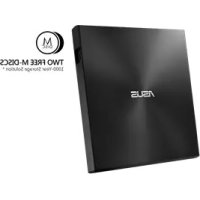
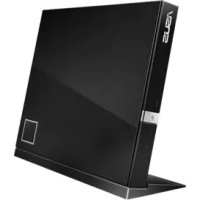
ZenDrive U7M - Motherboard ASUS - Free user manual and instructions
Find the device manual for free ZenDrive U7M ASUS in PDF.


Download the instructions for your Motherboard in PDF format for free! Find your manual ZenDrive U7M - ASUS and take your electronic device back in hand. On this page are published all the documents necessary for the use of your device. ZenDrive U7M by ASUS.
USER MANUAL ZenDrive U7M ASUS
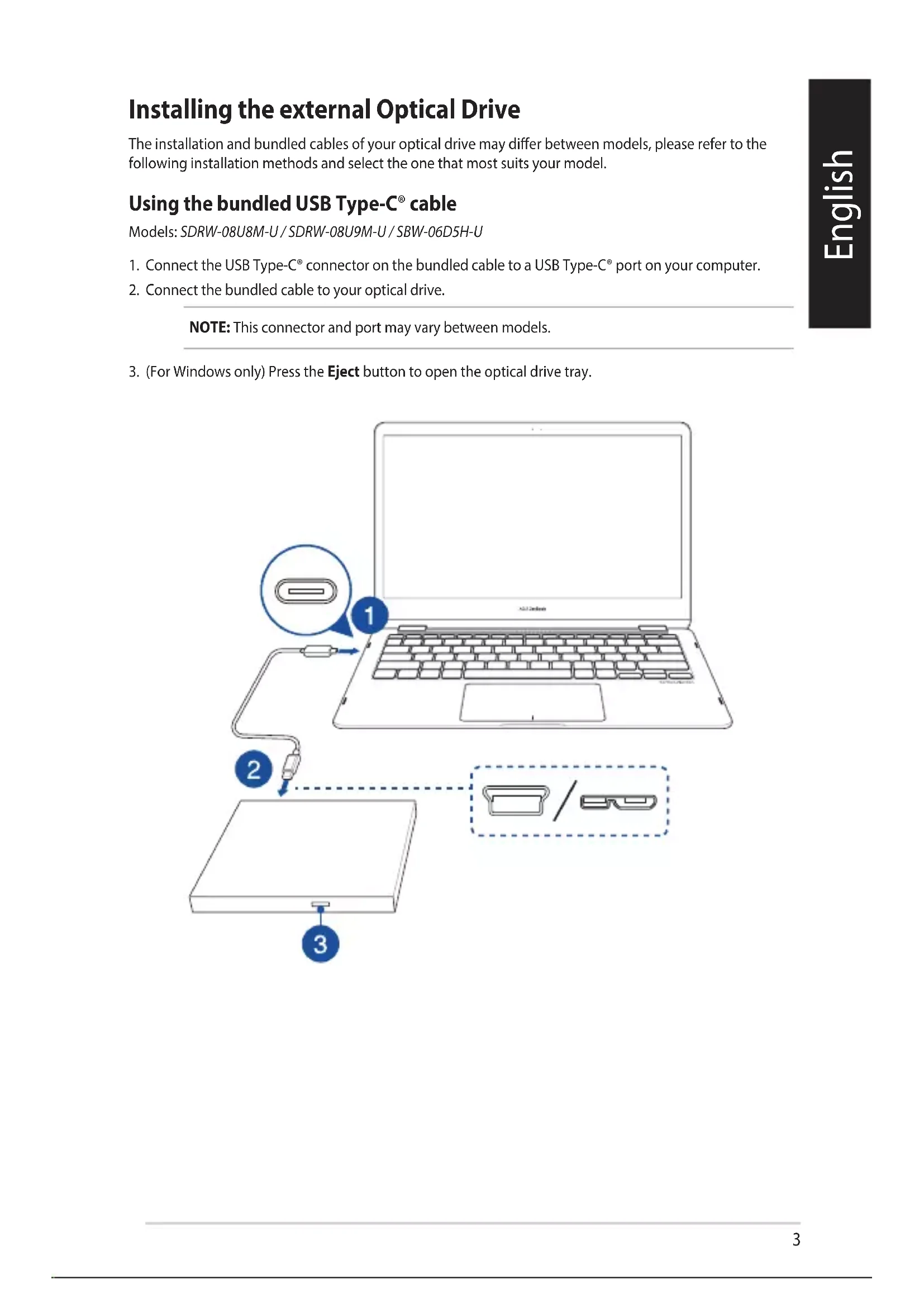
Installing the external Optical Drive English The installation and bundled cables of your optical drive may dier between models, please refer to the following installation methods and select the one that most suits your model.
1. Connect the USB Type-C® connector on the bundled cable to a USB Type-C® port on your computer.
2. Connect the bundled cable to your optical drive.
NOTE: This connector and port may vary between models.
3. (For Windows only) Press the Eject button to open the optical drive tray.
1. Connect the USB connector on the Y-cable to a USB port on your computer.
(optional) Connect the USB connector to another USB port for additional power if your computer’s USB port does not provide enough power through the USB connector , resulting in the optical drive not functioning properly. NOTE:
- USB connector is only used for additional power, and cannot be used for data transfer
- If you are using a Blu-ray optical disc drive, please ensure to connect both USB connectors ( and ) to USB ports on your computer.
- You may need to use a USB extension cable (purchased separately) to connect the additional USB connector if you do not have enough free USB ports on one side of the computer.
2. Connect the Y-cable to your optical drive.
NOTE: This connector and port may vary between models.
3. (For Windows only) Press the Eject button to open the optical drive tray.
To connect the USB cable and power adapter please refer to the illustration below. After the cables and power have been connected, push the power switch to the ON position to power on your optical drive and press the Eject button (For Windows only) to open the optical drive tray. Setting up the optical drive stand (on selected models) Using the bundled USB cable and power adapter Models: BW-16D1H-U / BW-16D1H-U PRO / BW-16D1X-U Models: BW-16D1H-U / BW-16D1H-U PRO Models: SBC-06D2X-U / SBW-06D2X-U Support For more information on your external optical drive, please refer to https://www.asus.com/support.6
- Do not place damaged discs inside the device. A damaged disc may break while in use and damage the device.
- Use of any controls, adjustments, or procedures other than those specied in this manual may result to hazardous radiation exposure.
- Do not attempt to disassemble the drive.
- Do not move the device from a cold to a warm or hot environment. Drastic change in temperature is harmful to the device.
- Before moving or uninstalling the drive, remove any disc in it.
- Prevent liquids or any metal from getting into the device, If this situation occurs, contact your retailer for help.
- Do not use any evaporating solvents to clean the device. If you accidentally sprayed any solvent on the device, use a clean cloth to wipe it. You may also use a neutral cleaner to dilute the solvent to easily wipe it from the device.
- Do not turn o the computer while the device is in reading or writing mode.
- Do not place discs into the device immediately if they came from a cold environment, especially during cold seasons. Wait until the discs have reached room temperature.
- Use this product in environments with ambient temperatures between 0°C (32°F) and 40°C (104°F). Notices CD-ROM Drive Safety Warning
CLASS 1 LASER PRODUCT
Australia Statement Notice From 1 January 2012 updated warranties apply to all ASUS products, consistent with the Australian Consumer Law. For the latest product warranty details please visit http://support.asus.com. Our goods come with guarantees that cannot be excluded under the Australian Consumer Law. You are entitled to a replacement or refund for a major failure and compensation for any other reasonably foreseeable loss or damage. You are also entitled to have the goods repaired or replaced if the goods fail to be of acceptable quality and the failure does not amount to a major failure. If you require assistance please call ASUS Customer Service 1300 2787 88 or visit us at http://support.asus.com. Declaration of compliance for product environmental regulation ASUS follows the green design concept to design and manufacture our products, and makes sure that each stage of the product life cycle of ASUS product is in line with global environmental regulations. In addition, ASUS disclose the relevant information based on regulation requirements. Please refer to http://csr.asus.com/Compliance.htm for information disclosure based on regulation requirements ASUS is complied with: EU REACH and Article 33 Complying with the REACH (Registration, Evaluation, Authorisation, and Restriction of Chemicals) regulatory framework, we published the chemical substances in our products at ASUS REACH website at http://csr.asus.com/english/REACH.htm. Die rechtliche Rahmenbedingungen für REACH (Registration, Evaluation, Authorisation, and Restriction of Chemicals) erfüllend, veröentlichen wir die chemischen Substanzen in unseren Produkten auf unserer ASUS REACH-Webseite unter http://csr.asus. com/english/REACH.htm. EU RoHS This product complies with the EU RoHS Directive. For more details, see http://csr.asus.com/english/article.aspx?id=35 India RoHS This product complies with the “India E-Waste (Management) Rules, 2016” and prohibits use of lead, mercury, hexavalent chromium, polybrominated biphenyls (PBBs) and polybrominated diphenyl ethers (PBDEs) in concentrations exceeding 0.1% by weight in homogenous materials and 0.01% by weight in homogenous materials for cadmium, except for the exemptions listed in Schedule II of the Rule. Vietnam RoHS ASUS products sold in Vietnam, on or after September 23, 2011,meet the requirements of the Vietnam Circular 30/2011/TT-BCT. Các sản phẩm ASUS bán tại Việt Nam, vào ngày 23 tháng 9 năm2011 trở về sau, đều phải đáp ứng các yêu cầu của Thông tư 30/2011/TT-BCT của Việt Nam. Türkiye RoHS AEEE Yönetmeliğine Uygundur ASUS Recycling/Takeback Services ASUS recycling and takeback programs come from our commitment to the highest standards for protecting our environment. We believe in providing solutions for you to be able to responsibly recycle our products, batteries, other components as well as the packaging materials. Please go to http://csr.asus.com/english/ Takeback.htm for detailed recycling information in dierent regions.