X2450 - Iron BLACK & DECKER - Free user manual and instructions
Find the device manual for free X2450 BLACK & DECKER in PDF.


User questions about X2450 BLACK & DECKER
0 question about this device. Answer the ones you know or ask your own.
Ask a new question about this device
Download the instructions for your Iron in PDF format for free! Find your manual X2450 - BLACK & DECKER and take your electronic device back in hand. On this page are published all the documents necessary for the use of your device. X2450 by BLACK & DECKER.
USER MANUAL X2450 BLACK & DECKER
- This appliance is not intended for use by persons (including children) with reduced physical, sensory or mental capabilities, or lack of experience and knowledge, unless they have been given supervision or instruction concerning use of the appliance by a person responsible for their safety.
- Children should be supervised to ensure that they do not play with the appliance.
- If the supply cord is damaged, it must be replaced by the manufacturer, its service agent or similarly qualified persons in order to avoid a hazard.
- The iron must not be left unattended while it is connected to the supply mains;
- The plug must be removed from the socket-outlet before the water reservoir is filled with water
- The filling aperture must not be opened during use.
- The iron must be used and rested on a flat, stable surface;
- When placing the iron on its stand, ensure that the surface on which the stand is placed is stable;
- The iron is not to be used if it has been dropped, if there are visible signs of damage or if it is leaking.

Warning! Read all safety warnings and all instructions. Failure to follow the warnings and instructions listed below may result in electric shock, fire and/or serious injury.
- Read all of this manual carefully before using the appliance.
- The intended use is described in this manual. The use of any accessory or attachment or the performance of any operation with this appliance other than those recommended in this instruction manual may present a risk of personal injury.
- Retain this manual for future reference.
Warning! When using mains-powered appliances, basic safety precautions, including the following, should always be followed to reduce the risk of fire, electric shock and personal injury and material damage.
- The intended use is described in this manual. The use of any accessory or attachment or the performance of any operation with this appliance other than those recommended in this instruction manual may present a risk of personal injury.
- Retain this manual for future reference.
Intended use
Your BLACK+DECKER X2450 Iron has been designed to remove creases from fabrics using heat & steam and is not to be used for any other purpose.
This product is intended for consumer use only.
Thank you for choosing BLACK+DECKER. We hope that you will enjoy using this product for many years.
For indoor domestic use only.
This appliance is not to be used in:
- Staff kitchen areas in shops, offices and other working environments;
- Farm Houses;
- By clients in hotels, motels and other residential type environments;
- Bed and breakfast type environments or any other non-household type environments.
Using your appliance
- Make sure that the temperature control dial is set to the minimum before connecting to or disconnecting from the power supply.
- The power cord should be arranged such that it will not drape over the edge of counters or table tops where it could be pulled by children or tripped over.
- Never operate an appliance directly below the socket-outlet it is connected to.
Always take care when using the appliance. - Do not use the appliance outdoors.
- Do not operate the appliance if your hands are wet. Do not operate the appliance if you are barefoot.
- Guide the power supply cord neatly so it does not hang over the edge of a worktop and cannot be caught accidentally or tripped over.
- Never pull the power supply cord to disconnect the plug from the socket. Keep the power supply cord away from heat, oil and sharp edges.
- If the power supply cord is damaged during use, disconnect the appliance from the power supply immediately. Do not touch the power supply cord before disconnecting from the power supply.
- Disconnect the appliance from the power supply when not in use and before cleaning.
- The iron must not be left unattended while it is connected to the supply mains.
- The plug must be removed from the socket-outlet before the water reservoir is filled with water.
- The filling aperture must not be opened during use.
- The iron must be used and rested on a stable surface
- When placing the iron on its stand, ensure that the surface on which the stand is placed is stable.
- The iron is not to be used if it has been dropped, if there are visible signs of damage or if it is leaking
- Keep the iron and its cord out of reach of children less than 8 years of age when it is energized or cooling down.
Safety of others
- Do not allow children or any person unfamiliar with these instructions to use the appliance.
-
Do not allow children or animals to come near the work area or to touch the appliance or power supply cord.
-
Close supervision is necessary when the appliance is used near children.
After use
- Switch off and remove the plug from the socket before leaving the appliance unattended and before changing, cleaning or inspecting any parts of the appliance.
- When not in use, the appliance should be stored in a dry place. Children should not have access to stored appliances.
Inspection and repairs
- Before use, check the appliance for damaged or defective parts. Check for breakage of parts, damage to switches and any other conditions that may affect its operation.
- Do not use the appliance if any part is damaged or defective.
- Have any damaged or defective parts repaired or replaced by an authorised repair agent.
- Before use, check the power supply cord for signs of damage, ageing and wear.
- Do not use the appliance if the power supply cord or mains plug is damaged or defective.
- If the power supply cord or mains plug is damaged or defective it must be repaired by an authorised repair agent in order to avoid a hazard. Do not cut the power supply cord and do not attempt to repair it yourself.
- Never attempt to remove or replace any parts other than those specified in this manual.
Additional safety instructions for irons
Warning! Do not place near a hot Gas or electric oven.
Always route the cord carefully to avoid a tripping hazard.
- Do not use the appliance near water.
- Do not place the appliance near heat sources or directly under cabinets. Do not use the appliance in the presence of explosive or flammable materials.
- The water inlet cover must not be opened during use.
- Steam may escape from the soleplate.
- Surfaces may be hot during use and during the cool down period.
- Set the temperature control dial to the minimum position before plugging in or out.
- Let the appliance cool down before leaving it unattended and before cleaning or inspecting any parts of the appliance.
- The power supply cord should not touch the hot soleplate during use or during the cool down period.
- Do not touch the soleplate until it has cooled down.
- Wait until the appliance has cooled down before emptying the water tank as the water may still be hot.
- Do not immerse the appliance, cord set or plug in liquids.
- Always disconnect the appliance from the supply before filling, emptying, cleaning, or carrying out any maintenance on the appliance.
- This product is designed to remove creases from fabrics using heat & steam and is not to be used for any other purpose.
- The iron must not be left unattended while it is connected to the supply mains
- The plug must be removed from the socket-outlet before the water reservoir is filled with water.
- The iron must be used and rested on a stable surface.
- When placing the iron on its stand, ensure that the surface on which the stand is placed is stable
- The iron is not to be used if it has been dropped, if there are visible signs of damage or if it is leaking.
Electrical safety
Before use, check that the mains voltage corresponds to the voltage on the rating plate.
This product must be earthed. Always check that the mains voltage corresponds to the voltage on the rating plate
- Appliance plugs must match the outlet. Never modify the plug in any way.
- Do not use any adapter plugs with earthed (Class 1) appliances. Unmodified plugs and matching outlets will reduce the risk of electric shock.
- To avoid the risk of electric shock, do not immerse the cord, plug or motor unit in water or other liquid.
Extension cables & class 1 product
- A 3 core cable must be used as your appliance is earthed and of class 1 construction.
- Up to 30m (100 ft) can be used without loss of power.
- If the supply cord is damaged, it must be replaced by the manufacturer or an authorised BLACK+DECKER Service Centre in order to avoid a hazard.
Labels on Appliance
The following pictograms along with the date code are shown on the appliance :
Warning! Hot surface.
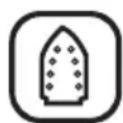
Ceramic sole plate
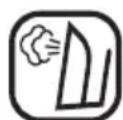
Vertical steam

Anticalc

Variable steam

Anti drip

Steam shot
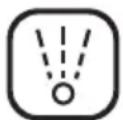
Spray

Self clean

Auto shut off
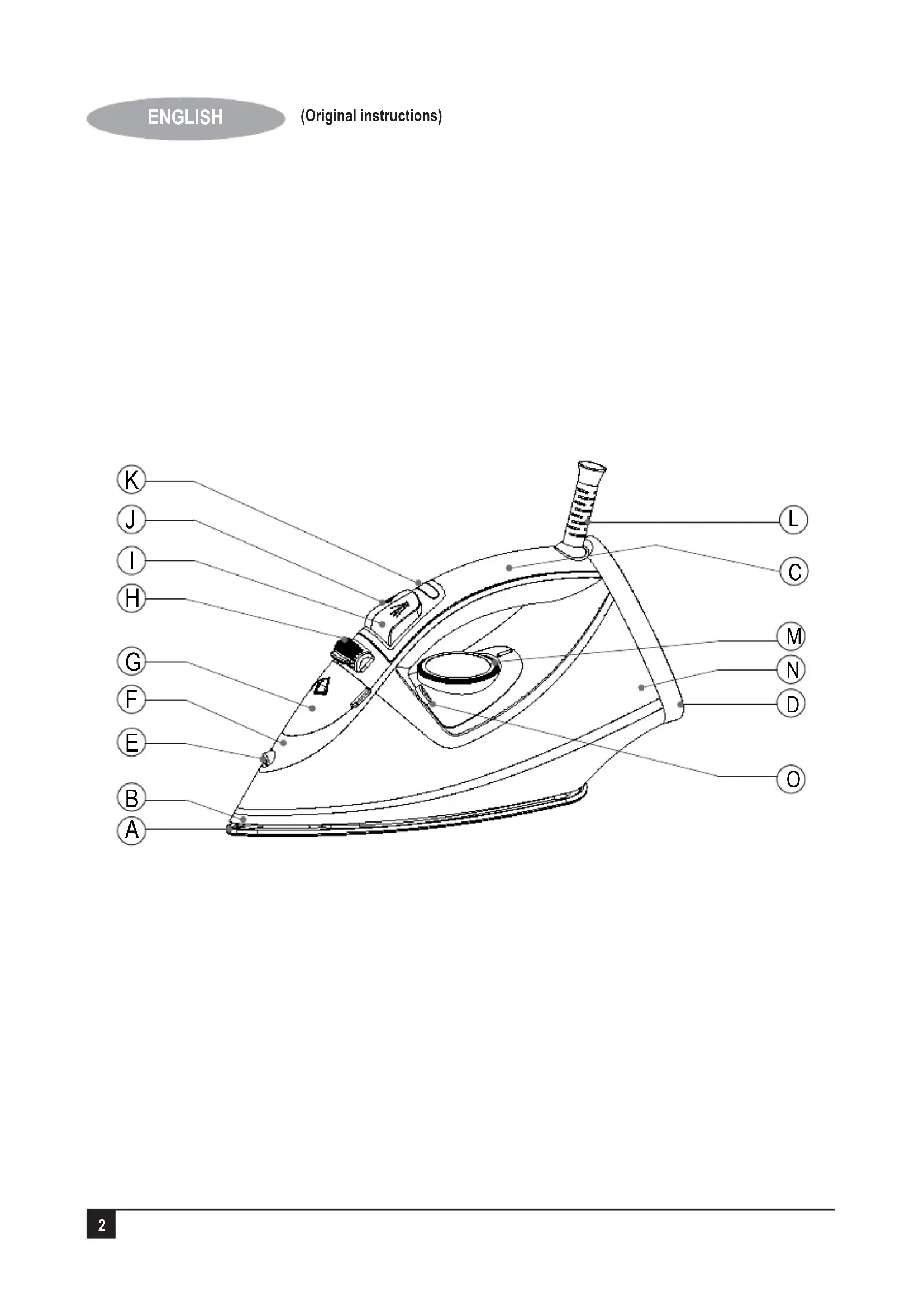
Features
A: Soleplate
B:Skirt
C: Handle
D: Back cover
E: Spray nozzle
F: Top cover
G: Water inlet cover
H: Variable steam button
I: Spray
J: Steam burst button
K: Indicator light
L: Cord guard
M: Temperature dial
N: Water tank
O: Self clean button
Before first use
- Remove any sticker, protective foil or storage cover from the soleplate.
- Heat up the iron to maximum temperature and iron over a piece of damp cloth for several minutes on the purpose of removing any residue on the soleplate.
Note: It is normal that a strange odour will eminate from the unit for the first time it is used.
Assembly
Warning! Before assembly, make sure that the appliance is switched off and unplugged.
Filling the water tank
In order to be able to use the steam function, you will first need to fill the water tank with water.
- Unplug the Iron and take it to a water outlet
- Lift the water inlet cover (G).
- Hold the appliance at an angle.
- Fill the appliance with water to the required amount via water inlet, or using a filling jug.
- Close the water inlet cover (G).
Warning! Never fill above the maximum filling level indicated on the appliance. Normal tap water can be used, but if you live in a hard water area the use of distilled water is recommended. Do not use chemically de-scaled water.
Use
Warning! Do not leave the appliance unattended while it is connected to the power supply and during the cool down period.
- Connect plug to outlet and turn temperature dial to your desired setting, which is dependant on the fabric of the garment.
- The indicator light (K) will be illuminated. Refer 'IRONING TIPS' in this manual.
- Once soleplate has reached its preset temperature, the indicator light will be off, then you can set the steam button to your desired steam output or dry position and begin ironing.
Warning! Do not touch the hot soleplate at any time before cooling down!
- Press spray button (I) a couple of times to moisten the laundry if necessary, before spraying make sure that there is enough water in water tank.
- The steam burst function can be used at max temperature, to remove stubborn creases.
- The iron has an anti-drip function: if ironing garments for a long time, the soleplate temperature will fall off, the iron will stop producing steam automatically and no water droplets can emit from the soleplate.
- The steam burst can also be applied when holding the iron in a vertical position, so this is useful for removing creases from hung clothes, curtains, etc.
Self-clean function
The unit should be cleaned regularly according to hardness of water and frequency of use.
First fill water, then plug the iron into the mains, set the temperature control to the maximum position, after about 3 minutes, press the self clean button for about 1 minute. Strong steam and hot water will be sprayed to clean the steam chamber.
Warning! never pour white vinegar or other liquid cleaners for eliminating calcium into water tank!
Use the function once every two weeks.
- Release the button as soon as the water in the water tank is used up.
Spray:
Press the spray button, water will be sprayed out from the spray nozzle. At that time, you should keep enough water in the water tank.
Steam ironing:
Turn the steam control to minimum position and set the temperature control at the desired position or MAX position.
After the indicator goes out, turn the steam control to the suitable position and the iron is ready for use.
Steam Burst:
Set the temperature control at the desired or MAX position, then press down the steam burst button, the base plate will spray out steam.
Dry iron:
Turn the steam control to minimum position and set the temperature control to the suitable position then you can start dry ironing.
Anti-drip:
This iron is equipped with a drip stop function. The iron automatically stops steaming when the temperature is too low to prevent water from dripping out of the soleplate.
Anti-calc:
The Anti-calc function filters the minerals from the water to prevent mineral residue build up in the steam chamber.
Automatic shut off:
If the iron is switched on and not moved for a period of 8 minutes while standing on its heel or 30 seconds while standing on the soleplate, an internal safety feature will switch the iron off and the auto-shutoff indicator will blink. Move the appliance sharply to switch it on again.
Ironing tips
- Always check first whether a label with ironing instructions is attached to the article.
- Follow these ironing instructions in any case.
- The iron heats up quicker than it cools down, therefore, you should start ironing articles requiring the lowest temperature, such as those made of synthetic fibre.
-
If the fabric consists of various kinds of fibres, you must always select the lowest ironing temperature to iron the composition of those fibres.
-
Silk and other fabrics that are likely to become 'shiny' should be ironed on the inner side.
- To prevent staining do not spray water straight on silk or other delicate fabrics.
- Velvet and other textures that rapidly become shiny should be ironed in one direction with light pressure applied. Always keep the iron moving at all times.
- Pure woolen fabrics (100% wool) may be ironed with the iron set at the steam position. Preferably set steam button to the maximum position and use a dry cloth as a mat.
Note: when ironing woolen fabrics, shining of the fabric may occur. So it is suggested that you should turn the article inside out and iron the reverse side.
Cleaning and maintenance & storage
Warning! Before cleaning and maintenance, switch the appliance off and remove the plug from the socket.
Warning! Do not immerse the appliance or the cord set or the plug in water or any other liquid.
- Wipe the exterior with a damp cloth.
- Do not use scouring pads.
- If necessary, use a mild detergent to remove spots. Do not use any abrasive or solvent based cleaner. Do not use chemical based de-scaling agents.
- Store your appliance in a cool dry area.
Mains plug replacement
If a new mains plug needs to be fitted:
- Safely dispose of the old plug.
- Connect the brown lead to the live terminal of the new plug.
- Connect the blue lead to the neutral terminal.
- If the product is class I (earthed), connect the green / yellow lead to the earth terminal.
Warning! If your product is class II double insulated (only 2 wires in the cord set), no connection is to be made to the earth terminal.
Follow the fitting instructions supplied with good quality plugs.
Any replacement fuse must be of the same rating as the original fuse supplied with the product.
Protecting the environment
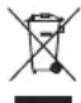
Separate collection. This product must not be disposed of with normal household waste.
Should you find one day that your BLACK+DECKER product needs replacement, or if it is of no further use to you, do not dispose of it with other household waste. Make this product available for separate collection.
-
BLACK+DECKER provides a facility for recycling BLACK+DECKER products once they have reached the end of their working life. This service is provided free of charge. To take advantage of this service please return your product to any authorised repair agent who will collect them on our behalf.
-
You can check the location of your nearest authorised repair agent by contacting your local BLACK+DECKER office at the address indicated in this manual. Alternatively, a list of authorized BLACK+DECKER repair agents and full details of our after-sales service and contact are available on the Internet at: www.2helpU.com.
Technical data
| X2450 | ||
| Voltage/supply V | AC | 220 - 240 |
| Power consumption W 200 | 0 - 2400W | |
| Weight kg 1.3 kg |
Warranty
BLACK+DECKER is confident of the quality of its products and offers an outstanding warranty.
This warranty statement is in addition to and in no way prejudices your statutory rights.
If a BLACK+DECKER product becomes defective due to faulty materials, workmanship or lack of conformity, within 24 months from the date of purchase, BLACK+DECKER warranty to replace defective parts, repair products subjected to fair wear and tear or replace such products to ensure minimum inconvenience to the customer unless:
The product has been used for trade, professional or hire purposes;
The product has been subjected to misuse or neglect;
The product has sustained damage through foreign objects, substances or accidents;
Repairs have been attempted by persons other than authorised repair agents or BLACK+DECKER service staff.
To claim on the warranty, you will need to submit proof of purchase to the seller or an authorised repair agent. You can check the location of your nearest authorised repair agent by contacting your local BLACK+DECKER office at the address indicated in this manual.
Alternatively, a list of authorised BLACK+DECKER repair agents and full details of our after-sales service and contacts are available on the Internet at: www.2helpU.com.
Manufacturer: Black and Decker (Overseas) GmbH Address:
PO Box 17164 Dubai,
United Arab Emirates
LILALSSWSSS WSSS SSSS SSSS SSSS SSSS SSSS SSSS SSSS SSSS SSSS SSSS SSSS SSSS SSSS SSSS SSSS SSSS SSSS SSSS SSSS SSSS SSSS SSSS SSSS SSSS SSSS SSSS
aiiaaayrpaill wlll jolal
J 1
/121111111111111111111111 1 aieell joo gaiiaaiiaaiiaaiiaaiiaai
j 11111111111111111111111111111
aannn
olalil no giall iio no walsll pae jaiiaial gaii
BLACK+DECKER jlll l 1
jlll l 1
jlll l 1
jlll l 1
jlll l 1
jlll l 1
BLACK+DECKER BLACK+DECKER 120
BLACK+DECKER 120
Lgaw gao all jgl 120
Lgaw gao all jgl 120
Lgaw gao all jgl 120
Lgaw gao all jgl 120
1 1
baiil gila
jolal alkall aagw. baiill gilo aeg yg oal j
noaall iiaiiaiaiaiaiaiaiaiaiaiaiaiaiaiaiaiaiaiaiaiaiaiaiaiaiaiaiaiaiaiaiaiaiaiaiaiaiaiaiaiaiaiaiaiaiaiaiaiaiaiaiaiaiaiaiaiaiaiaiaiaiaiaiaiaiaiaiaiaiaiaiaiaiaiaiaiaiaiaiaiaia
iKilgilo 100000000000000000000000000000000000000000000000
111 111 111 111 111 111 111 111 111 111 111 111 111 111 111 111 111 111 1
i
sll
Ji jie jie jie jie jie jie jie jie jie jie jie jie jie jie jie jie jie jie jie jie jie jie jie jie jie jie jie jie jie jie jie jie jie jie jie jie jie jie jie jie jie jie jie jie
.1sL:la 5ll Laa: aalj y j
Jg21 1101111111111111111111111111111111111
15e 111111111111111111 1
"aaoy" gill ssai aasai yerall 8g
(G)olall is a isolbc
.
alall aai jaoaai no waill jll
1 = 即 b = 1a
(G) all a is 1b c 1c1
jglal 1e gall lall a jgla Lai Ia
J 1
ooll piai 8. jkaaiol all oall piiaiu cuaid ioue olq aebio
L
1
aLiJIg aLySsIe aLJIg aLJIg JyJyJyJyJy
gj 1 jll
aal aai 1
"lllai (K) jal
1.
j 1
lll 1
y
j11111111111111111111111
aall jzg aall no 0s k aag g no sll
(gall jall gjglalllgagpdl
.
a#sS S P a c all s baiil lal aabg algall
jolll 1
. 12eall jao aoljba baiuui j kay y, lalal jilll qbl
golglalgol gao jia jai jbi dks
aallll llln no aagbll allj ydaon jydl
i
pIiIiI 11Sis oIgai Iolal aoe iIiIiI 12
008 123456789011111111111111111111
jbcai jil 10
.5aJg 2
j 1
y
1olal jzj
a

1
1

aaii

yai
ai a ai 分母最小值为 k .
B
C
E
5yIe UbcF
UALLgGgUbc:G
jH
JI:1
J
JzJzJzK
Llal:L
aJzll 1000M
all
j0
pJg
aellge no yjz jy 1bce g aLaasgao sJj
2
gll p gssall a jdl
aell lgl no ly y jy y jy aed jy Joa
.
aolal jie jll no no aee eae ae nne nee
.50 1
1
Jgao jol joo joo
jLgaleyolalpllaoLgJcBawlalglalw y
SLSSJbLs no
g 100000000000000000000000000000000000000000000
a 1
J 1 1 1 1 1 1 1 1 1 1 1 1 1 1 1 1 1 1 1 1 1 1 1 1 1 1 1 1 1 1 1 1 1 1 1 1 1 1 1 1 1 1
"1" 2
1 100)30 100
