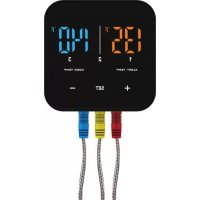
Emax Bluetooth Smart thermometer III - Food thermometer Patton - Free user manual and instructions
Find the device manual for free Emax Bluetooth Smart thermometer III Patton in PDF.



| Brand | Patton |
| Model | Emax Bluetooth Smart thermometer III |
| Category | Food thermometer |
| Product type | Bluetooth cooking thermometer with LED display |
| Power | 2 AAA batteries (not included) |
| Measurement range | -30 °C to 300 °C / -22 °F to 572 °F |
| Number of probes | 3 metal probes (d1/d2/d3) with silicone sleeves |
| Connectivity | Bluetooth 4.0 (compatible with iOS and Android) |
| Mobile app | Smart Thermo2 (available on App Store and Google Play) |
| Display | 2-color LED (orange, blue) with backlight |
| Main functions | Real-time temperature measurement, alarm setting, timer, cooking profiles, photo sharing |
| Measurement units | °Celsius and °Fahrenheit (conversion button) |
| Compatibility | iPhone 4S and later, iPad 3rd gen and later, Android 4.3 and later |
| Care and cleaning | Clean the probe with soapy water after each use; do not immerse the plug; wipe the base with a damp cloth |
| Safety | Do not use in microwave ovens; wear heat-resistant gloves; keep out of reach of children under 12; FCC compliant |
| Spare parts and repairability | Replacement probes available; user-replaceable batteries |
| General information | Approx. weight 200 g; approx. dimensions 10 x 6 x 2 cm |
Frequently Asked Questions - Emax Bluetooth Smart thermometer III Patton
User questions about Emax Bluetooth Smart thermometer III Patton
0 question about this device. Answer the ones you know or ask your own.
Ask a new question about this device
Download the instructions for your Food thermometer in PDF format for free! Find your manual Emax Bluetooth Smart thermometer III - Patton and take your electronic device back in hand. On this page are published all the documents necessary for the use of your device. Emax Bluetooth Smart thermometer III by Patton.
USER MANUAL Emax Bluetooth Smart thermometer III Patton
https://play.google.com/store/apps/details?id=com.bpq.project
- Support Android 4.3 en later
5.6 Selecteer alarm.
| SPECIFICATION | |
| TYPE | DESCRIPTION |
| DISPLAY UNIT | |
| L x W x H | 71.5x28.2 |
| Temperature unit | °C/°F |
| Power | 2xAA 3V |
| METAL PROBE | |
| Length | 122mm |
| Heat resistance for metal probe | Around300° (572°F) |
| Temperature range | -30°C to 300°C (-22°F to 572°F) |
| Bluetooth Range | 25meters (open territory) |
Read this manual instruction before using
DISPLAY UNIT-FRONT VIEW
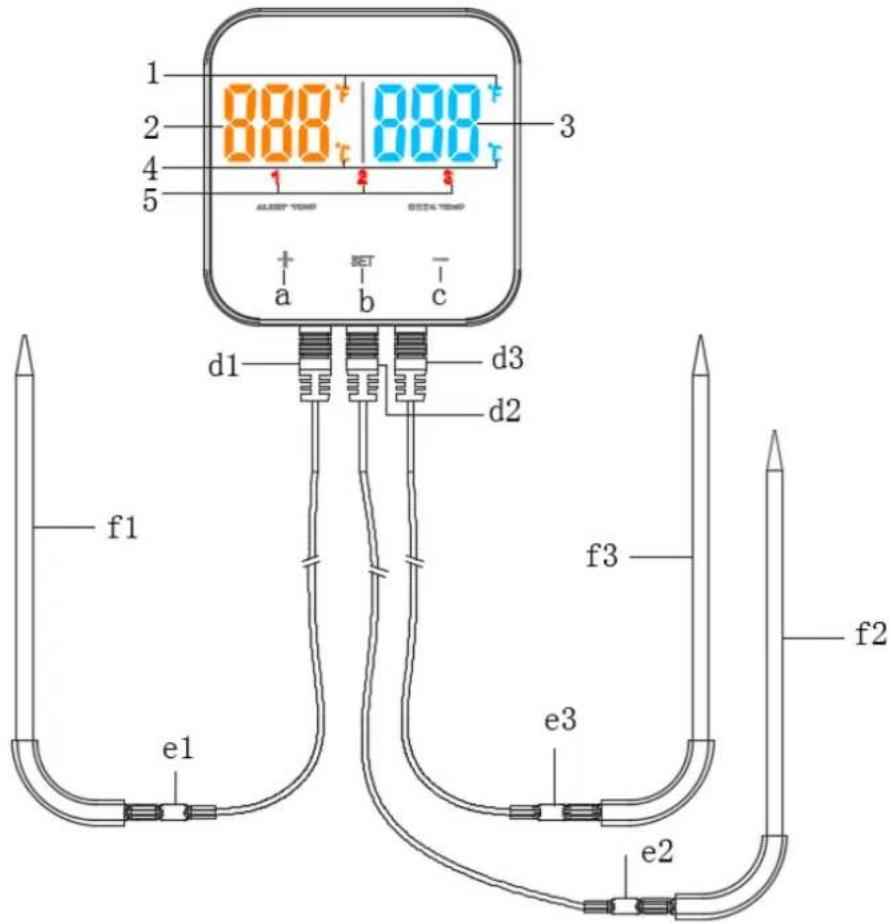
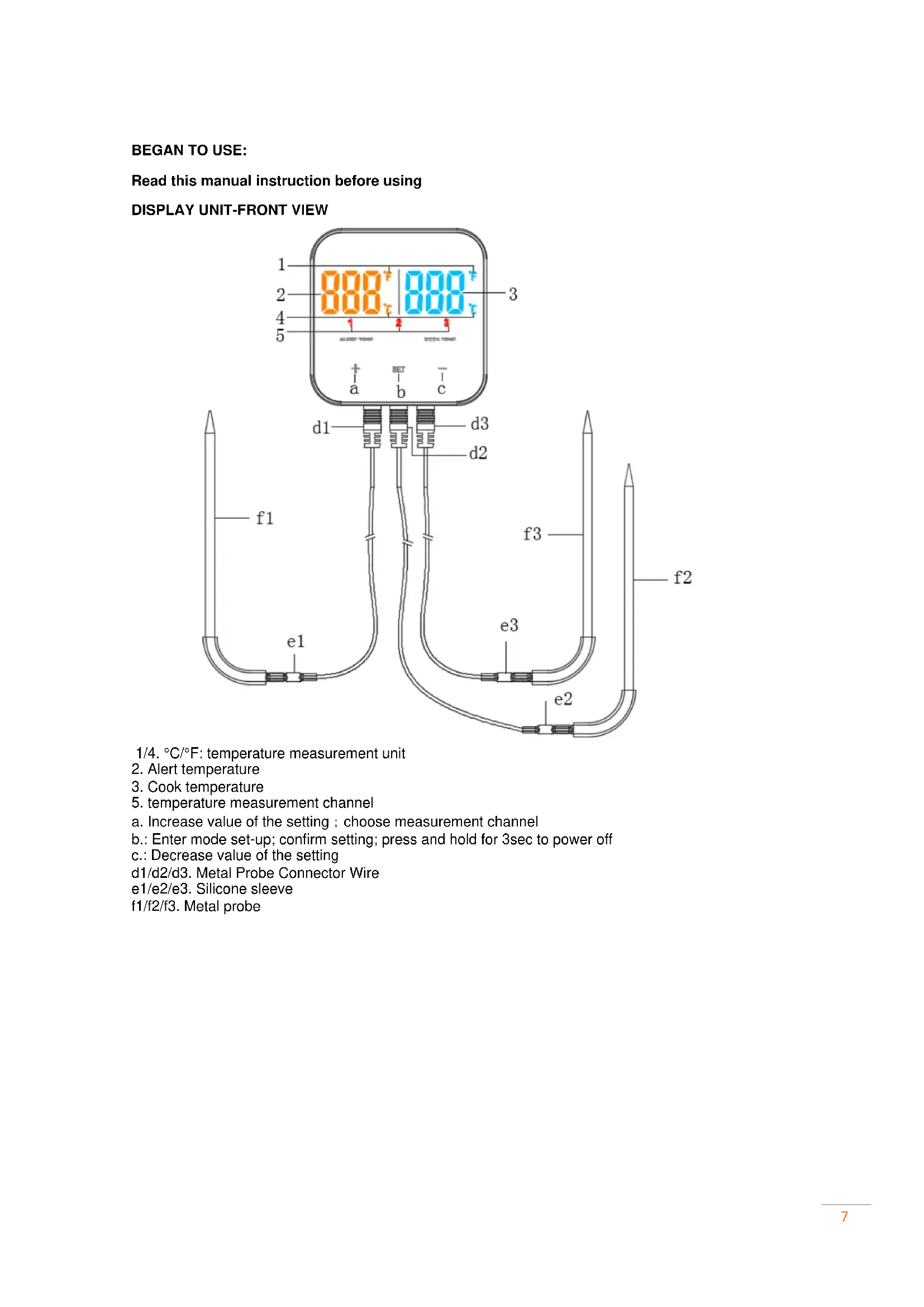
1/4. ^ C / ^ : temperature measurement unit
2. Alert temperature
3. Cook temperature
5. temperature measurement channel
a. Increase value of the setting; choose measurement channel
b.: Enter mode set-up; confirm setting; press and hold for 3sec to power off
c.: Decrease value of the setting
d1/d2/d3. Metal Probe Connector Wire
e1/e2/e3. Silicone sleeve
f1/f2/f3. Metal probe
DISPLAY UNIT-REAR VIEW
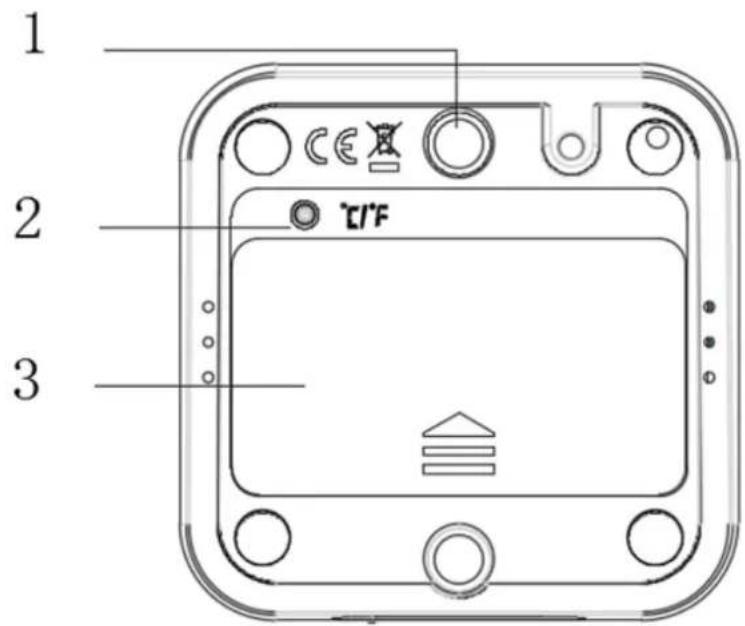
- Magnet
- ^ C / ^ button
3.Battery cover -
Install your battery
-
Carefully plug the meat probe into the bottom socket
-
Download APP (Smart Thermo2)
3.1 Connect the APP Store to search Smart Thermo with the following device
- IPhone (4S and later)
- iPad (3rd generation and later)
- iPad mini (all generations)
3.2 Download Android APP application software URL
https://play.google.com/store/apps/details?id=com.bpq.project
- Support Android 4.3 and later
4. Pairing your smart thermo
4.1open the APP software, click the icon to open the APP ( Enter Bluetooth interface click on the search -> waiting for data reception.
4.2, button operation
key
- press [SET] key to wake up.
- press 3sec the [SET] key to enter the sleep state.
- short press [SET] key, enter alarm temperature setting state.
- short press [SET] key to exit setup.
< + > key
- short press ([+] button, choose measurement channel
- short press ([+] button, the alarm parameters accumulated.
- long press ([+] button, alarm quickly accumulate parameters.
<->key
- short press [-] keys, alarm parameters decrease.
- long press button, the alarm parameters rapid decline.
4.3 LED backlight
- LED display 2colors are orange, blue
4.4, low voltage alarm
- when the battery power is low, screen displays "LO".
- send low power information to the APP, APP prompts to replace the battery and alarm.
*SMART THERMO shows "LO" about 1sec and then automatically goes to sleep.
4.5 temperature measurement range
*device measuring temperature from -30°C to 300°C (-22°F to 572°F)
- when the temperature is lower than the minimum temperature, or does not access to the temperature sensor displays "LL"
- when the temperature is higher than the maximum temperature, displays "HH"
6. APP function
7.
5.1 automatic or manual searches for Bluetooth devices
- open APP to enter the match screen beneath the display [search] or [lift] button
- click [search]APP automatically find the surrounding Bluetooth devices, automatically connect and enter the temperature display interface
- when Bluetooth connection failed the main interface [pairing] flashes
- after unbound the device, the user can connect to the new equipment.
5.2 APP main interface
- display device temperature
- set temperature (file mode and temperature mode)
- set countdown setting time (countdown mode)
- menu setting key
pairing key - task start (stop) key
5.3 select the measurement unit
- tap to view the Profile options of food
- tap on your food type
- tap to select cooking degree and temperature can be adjusted up and down 2 degrees
- Tap to go back to the previous screen to save.
5.4 file selection function
- click the settings button to enter the settings menu.
- click on file options
- click to add food or delete the food that has been set
- alarm temperature settings.
5.5 timer settings
- tap to view the Profile options of timer
- slide down and up to set time you need. Timer measurement range: 23H 59M 59S
- tap to go back to the previous screen to save.5.6 alarm bell setting.
5.6 select alarm
- *tap to view the Profile options of rings
- tap to choose your favorite ring
- tap to go back to the previous screen to save
- *if food is cooked, alarm ring will ring and show notification menu.
- Temperature will show on device screen and LED backlight will flash 5 times.
5.7 sharing
- Tap to view the Profile options of camera
- Tap on camera button.
- Tap on share button and food cooking photos you took will be shared in your community.
Warning
- Meat Probe acceptable temperature range: -22^ to 572^(-30^ to 300^)
- The Meat Probe should always be inserted into the center of the item which is being cooked for an accurate temperature.
- The Stainless-steel probe and wires will get hot. Always wear heat-resistant gloves when handling.
- Do not use probe in a microwave oven or exposed to flames or temperatures exceeding 572^ (300^) .
- Keep the probe and wires away from children.
- Not intended for children under 12 years old.
Care
- Clean the probe after each use.
- Wash the stainless-steel probe with hot soapy water and dry thoroughly.
- Do not immerse the probe in water while cleaning.
- Do not expose the probe plug to water or other liquids. This will result in bad connections and faulty readings.
- Wipe the thermometer base with a damp cloth. Do not use immer in water.
- To avoid damage, do not use cleaning agents or abrasive cleaners.
SPECIFICATION
| TYPE | DESCRIPTION |
| DISPLAY UNIT | |
| L x W x H | 71.5x28.2 |
| Temperature unit | °C/°F |
| Power | 2xAA 3V |
| METAL PROBE | |
| Length | 122mm |
| Heat resistance for metal probe | Around300° (572°F) |
| Temperature range | -30°C to 300°C (-22°F to 572°F) |
| Bluetooth Range | 25meters (open territory) |
FCC Declaration of Conformity and RF Exposure Warning
Any Changes or modifications not expressly approved by the party responsible for compliance could void the user's authority to operate the equipment.
This device complies with part 15 of the FCC Rules. Operation is subject to the following two conditions: (1) This device may not cause harmful interference, and (2) this device must accept any interference received, including interference that may cause undesired operation.
This equipment complies with FCC radiation exposure limits set forth for an uncontrolled environment. This transmitter must not be co-located or operating in conjunction with any other antenna or transmitter.
| SPECIFICATION | |
| TYPE | DESCRIPTION |
| DISPLAY UNIT | |
| L x W x H | 71.5x28.2 |
| Temperature unit | °C/°F |
| Power | 2xAA 3V |
| METAL PROBE | |
| Length | 122mm |
| Heat resistance for metal probe | Around300° (572°F) |
| Temperature range | -30°C to 300°C (-22°F to 572°F) |
| Bluetooth Range | 25meters (open territory) |