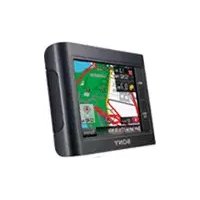
navu NVU44 - Gps SONY - Free user manual and instructions
Find the device manual for free navu NVU44 SONY in PDF.



| Product Type | Personal Navigation GPS |
| Brand | Sony |
| Model | navu NVU44 |
| Dimensions (approx.) | 120 x 80 x 20 mm |
| Weight (approx.) | 200 g |
| Power Supply | 12V car cigarette lighter adapter |
| Battery | Built-in rechargeable (red CHG indicator) |
| Display | Color monitor with adjustable angle |
| Removable Storage | Memory Stick Duo slot (JPEG photo playback) |
| Connectivity | USB port (USB cable included) |
| Navigation | Address search, POI by name or category, voice guidance, 3D junction view, enlarged intersection view, lane guidance |
| Additional Functions | Photo viewer, address book, route planning with waypoints |
| Speaker | Built-in for voice guidance |
| Included Accessories | Suction cup mount, dashboard plate, car adapter, USB cable, quick start guide, warranty card |
| Maintenance | Clean the suction cup with a soft, damp, lint-free cloth |
| Safety | Do not install in a way that obstructs the driver's view; stop the vehicle for adjustments |
| Reset | RESET button (does not erase address book or recent destinations) |
| Customer Support | United States: 1-800-222-7669; Canada: 1-877-899-7669; Sony websites |
Frequently Asked Questions - navu NVU44 SONY
User questions about navu NVU44 SONY
0 question about this device. Answer the ones you know or ask your own.
Ask a new question about this device
Download the instructions for your Gps in PDF format for free! Find your manual navu NVU44 - SONY and take your electronic device back in hand. On this page are published all the documents necessary for the use of your device. navu NVU44 by SONY.
USER MANUAL navu NVU44 SONY
Following registration enables Sony to send you periodic mailings about software, firmware updates and other important product information. To register your product, please visit our website at:
U.S.A.
http://productregistration.sony.com
Canada http://www.sonystyle.ca/registration
Thank you.
Note
Illustrations in this manual may differ from the actual device.
Table of contents
US
Getting Started 4
Installation/Connection 8
Navigation 14
Basic Settings 25
PhotoPlayback 26
Questions / Problems 27
Extra Items 28
Getting Started
Checking the box contents
US
Make sure you have received all items.

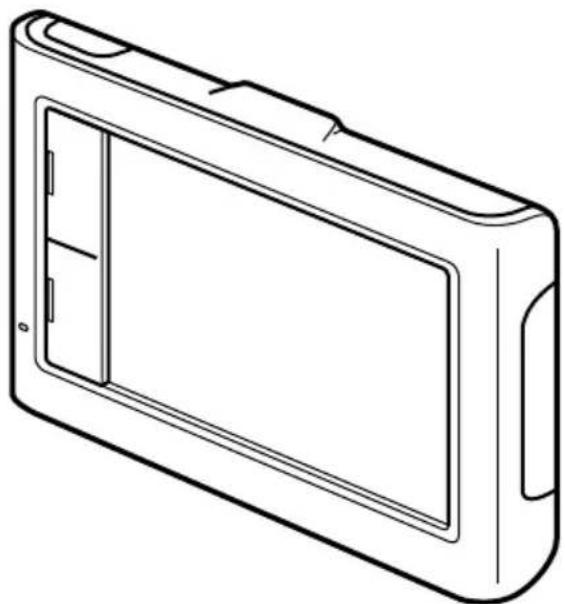
Main unit
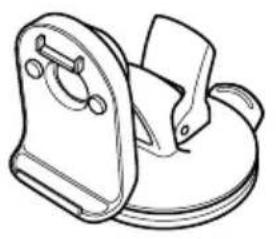
Cradle USB cable
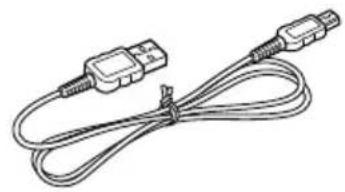
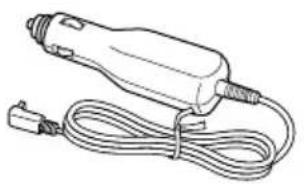
Car battery adapter Quick Start Guide
(this manual)
Important Information
End-User License Agreement
■ Warranty Card
On dash plate
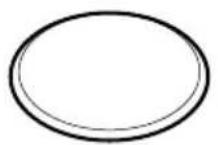
Getting Started
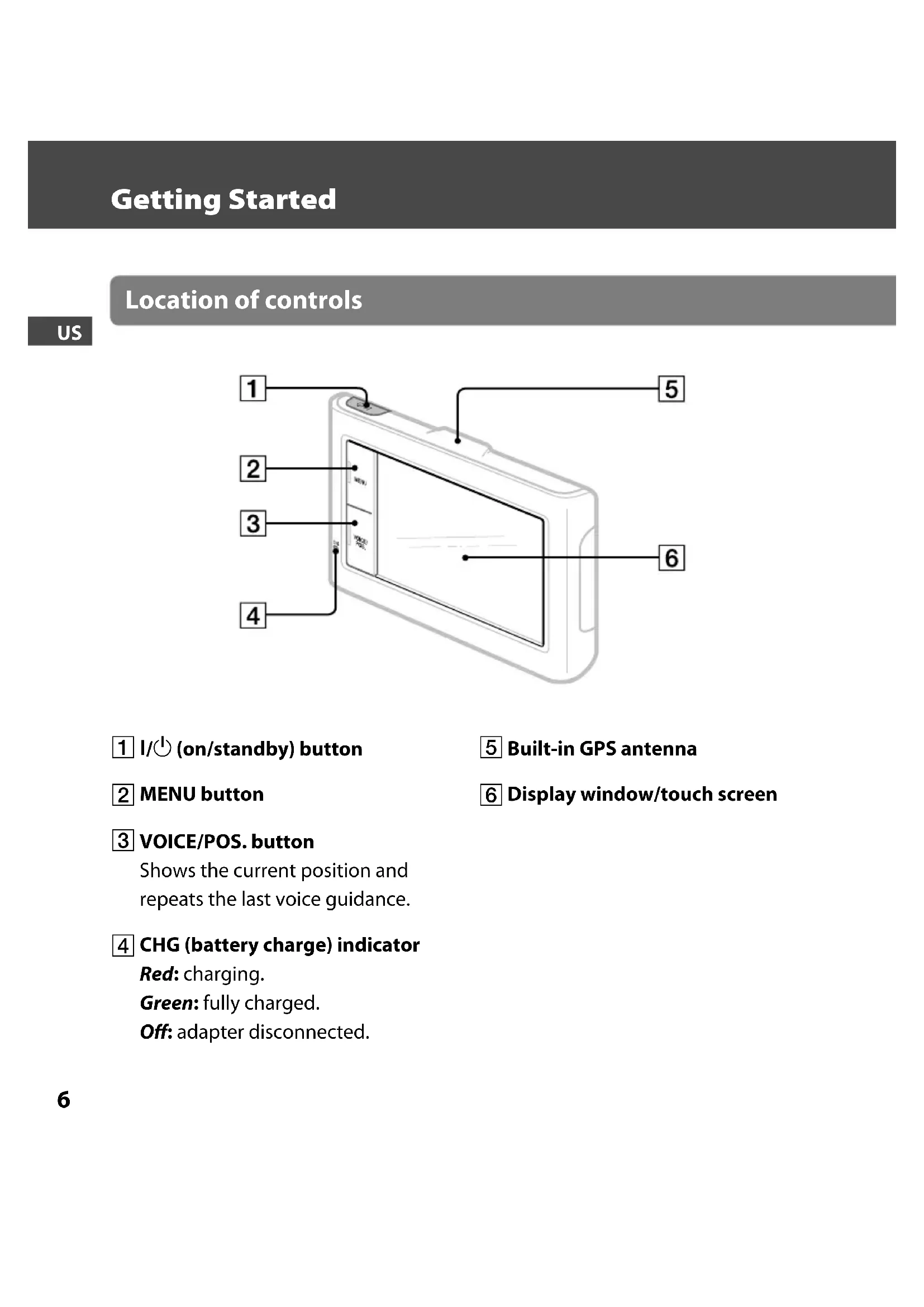
Location of controls
US
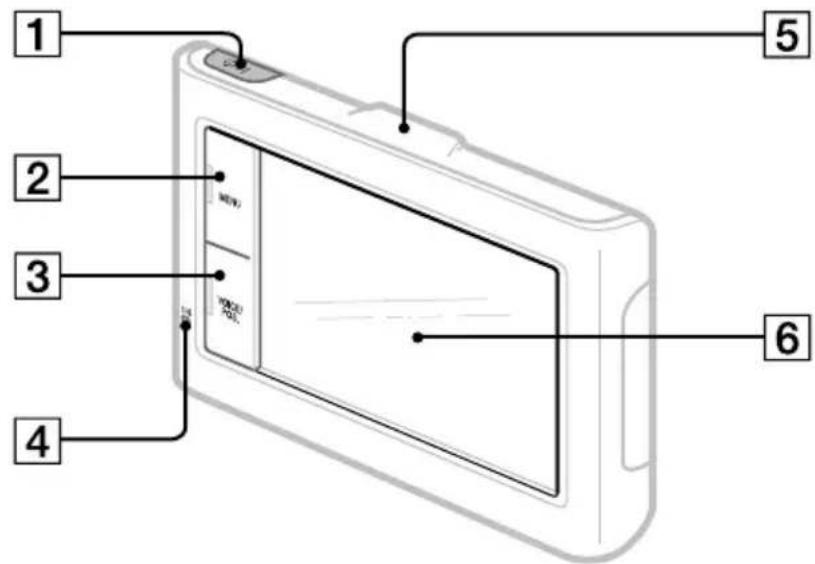
1 I/O (on/standby) button
2 MENU button
3 VOICE/POS. button
Shows the current position and repeats the last voice guidance.
CHG (battery charge) indicator
Red: charging.
Green: fully charged.
Off:adapterdisconnected.
5 Built-in GPS antenna
6 Display window/touch screen
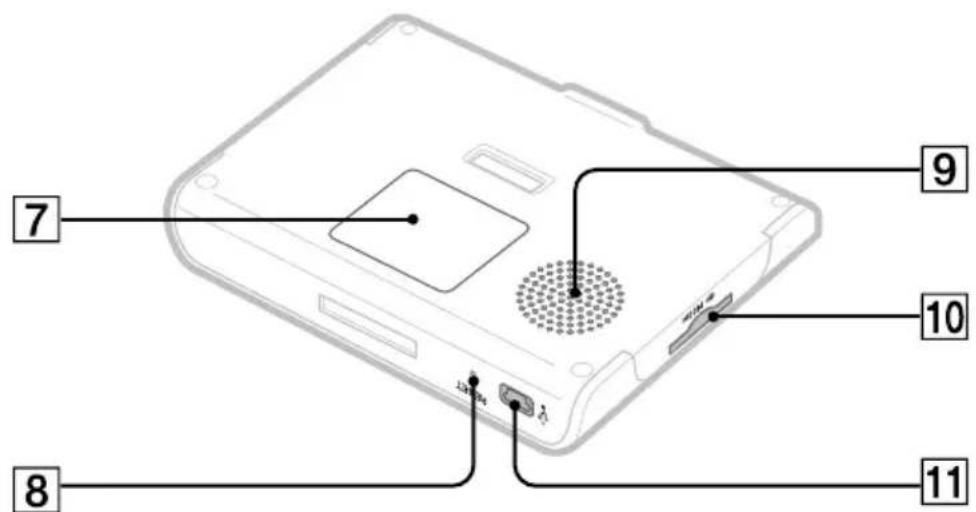
7 Nameplate
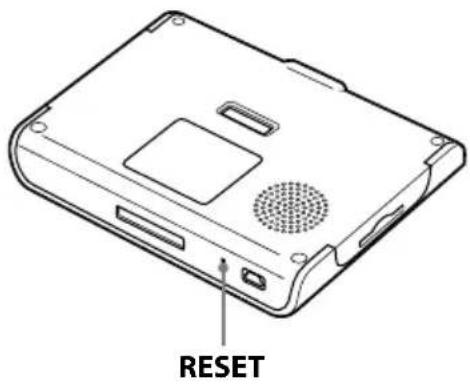
8 RESET button
9 Speaker
10 (Memory Stick Duo) slot
11 (USB) jack Connects to the car battery adapter or USB cable.
Installation / Connection
Attaching the cradle to your car
US
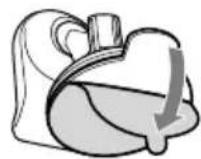
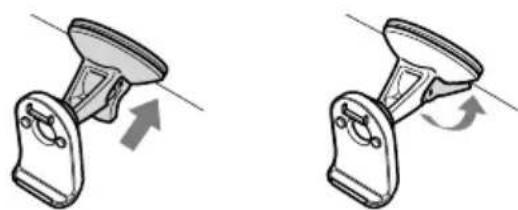
1 Remove the sheet.
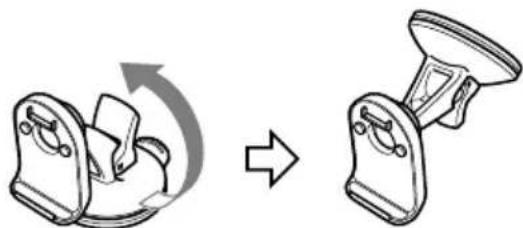
2 Rotate the suction cup.
3 Select the installation location on the windshield.
Choose a clean, smooth surface with an unobstructed view of the sky.
4 Press firmly against the windshield, then lock the lever.
Note
Clean the surface of the suction cup with a soft, damp, lint-free cloth if it becomes dirty and attachment strength weakens.
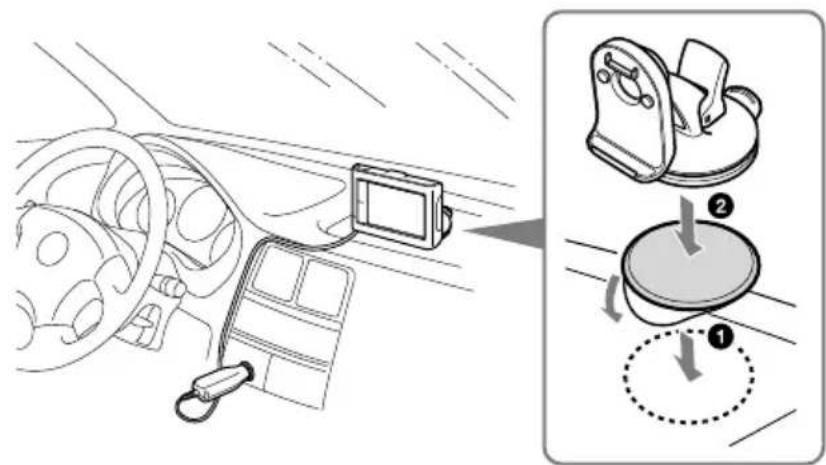
To install on the dashboard
Clean the attachment surface of the dashboard, apply the on dash plate, then attach the cradle.
The following steps are the same as for installing on the windshield.
Note
Choose the attachment location carefully before applying the on dash plate. The on dash plate cannot be reapplied once removed.
Installation / Connection
Attaching the unit to the cradle
US
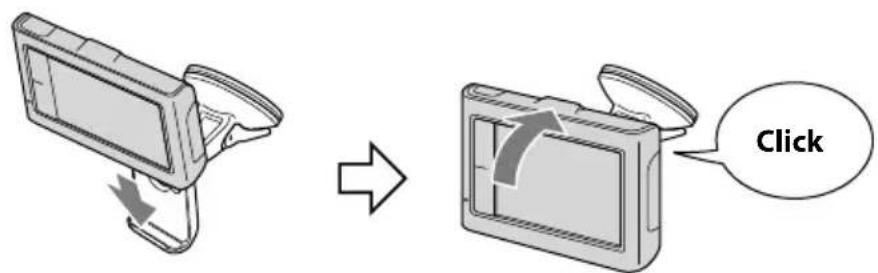
1 Align the slot of the unit onto the rail of the cradle, then push the unit back until it clicks into place.
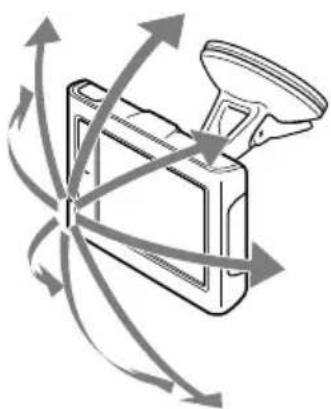
2 Adjust the monitor angle for optimal viewing.
Connecting the power
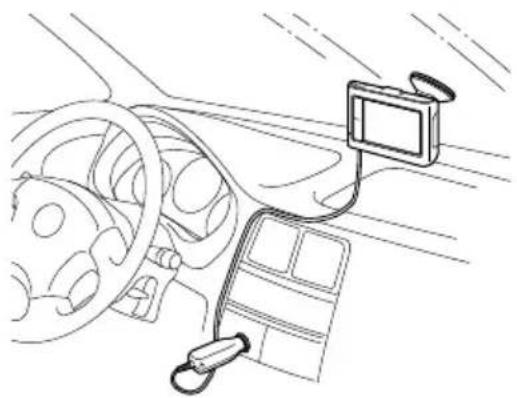
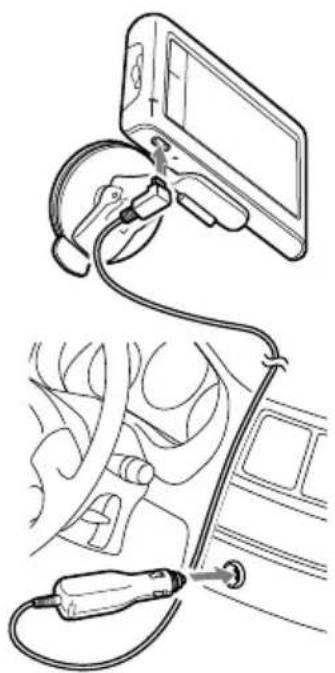
Connect the unit to the cigarette lighter socket with the supplied car battery adapter.
Installation / Connection
Detaching the unit
US
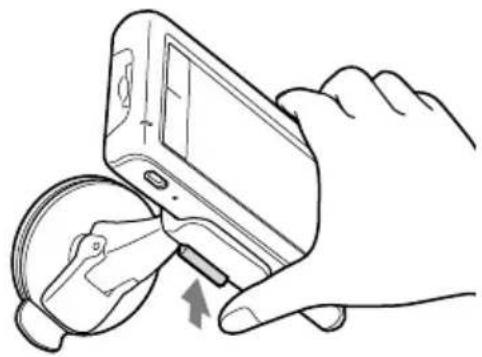
Press and hold RELEASE to release the unit.
Detaching the cradle
US
IMPORTANT
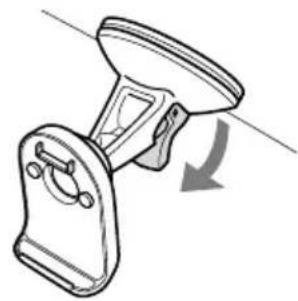
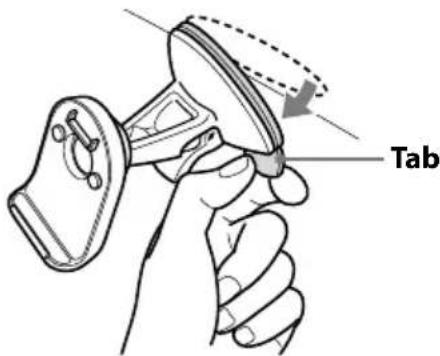
Follow the instructions below to avoid damaging the surface of the suction cup.
1 Release the lever.
2 Use the tab to detach the cradle from surface.
Note
After each use, detach the cradle from the windshield or dashboard.
Navigation
Turning on the unit
US
1 Park your car in a safe, open place where the unit has a clear view of the sky.
2 Press and hold I/O.
3 Follow the on-screen instructions of the Startup Configuration Wizard before the first use.
4 Read the warning, then touch "Agree."
5 Press VOICE/POS.
6 Wait until the current position calculation completes via GPS signals.
The icon will turn red to indicate sufficient GPS signal strength.
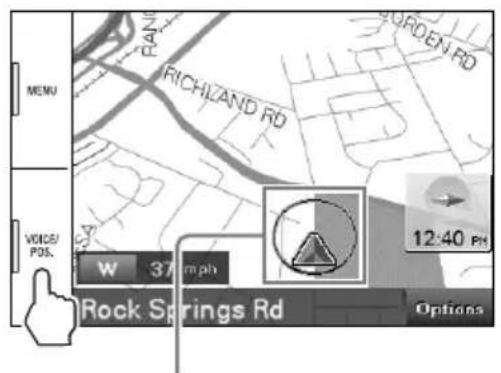
Current position icon
Gray: Position not fixed (insufficient signals).
Orange: Reception temporarily interrupted.
Red: Position fixed.
Notes
The calculation may take as long as 10 minutes the first time you use the unit.
The default position is displayed on the map until the calculation is complete.
Main menu
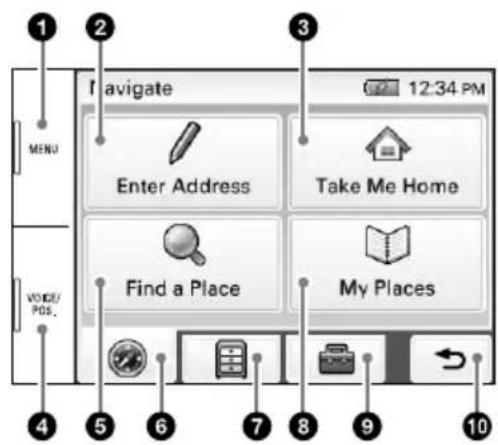
Press to show the main menu.
Touch to show the address input menu.
Touch to start the route guidance to your home.
Press to show the current position on the map.
Touch to show the place search menu.
Touch to show the navigation menu.
Touch to show the application menu.
Touch to show the stored/recent destinations search menu.
Touch to show the setting menu.
Touch to return to the previous display.
Navigation
Searching by address
US
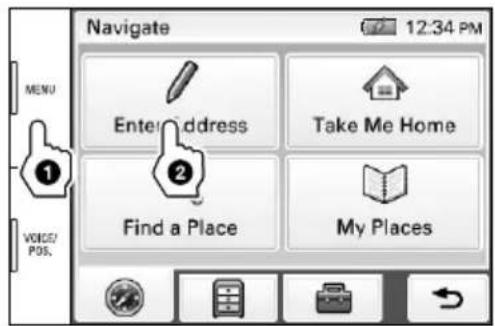
1 Press MENU, then touch "Enter Address."
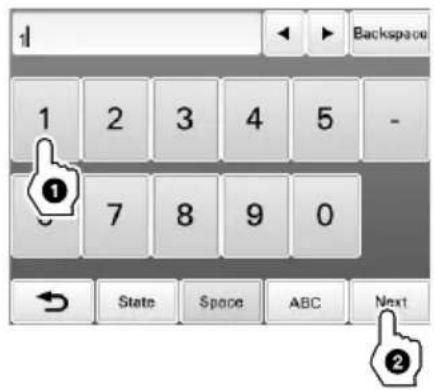
2 Enter the house number.
Touch "Next" after entering the house number.
To change the state, touch "State" before touching "Next."
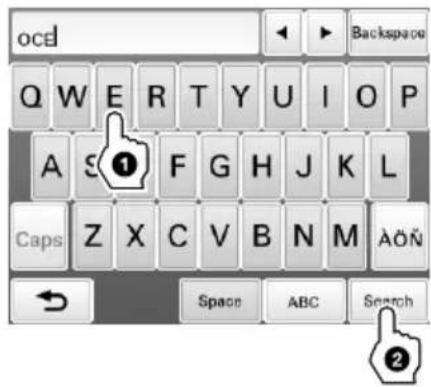
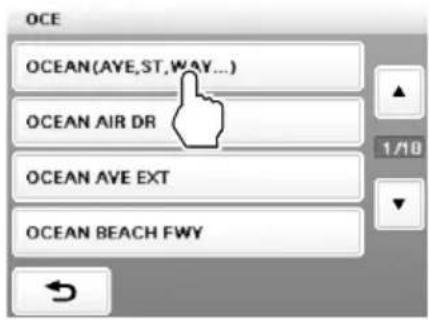
3 Set the street name.
Enter the name, touch "Search," then select from the list.

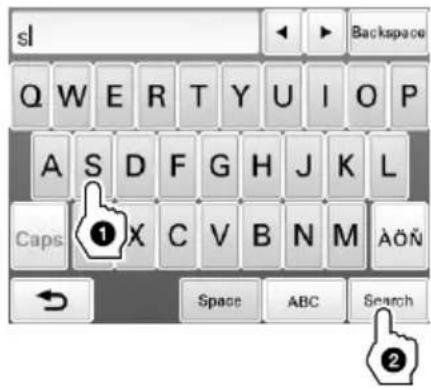
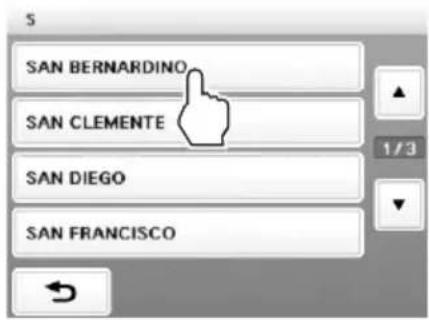
4 Set the city name.
Enter the name, touch "Search," then select from the list.

5 Touch "Go."
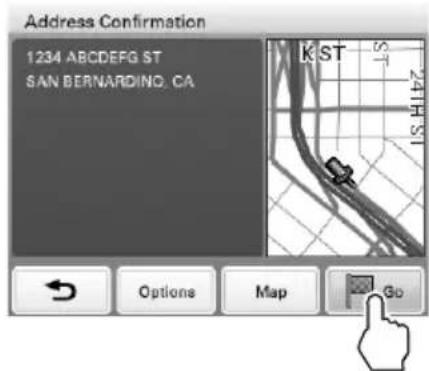
Tips
- By entering just the first few letters of a street, city, or state name, its candidate list will be generated after touching "Search."
- The state can be set by entering its standard 2-letter abbreviation (e.g., NY for New York).
Navigation
Searching by POI (Points Of Interest) name
US
1 Press MENU, then touch "Find a Place."
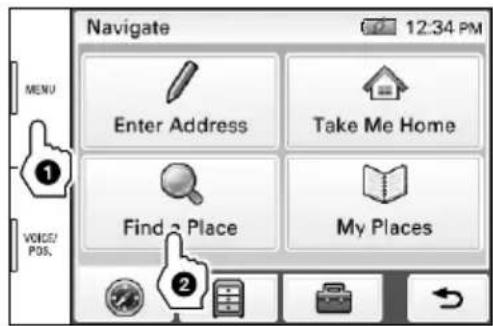
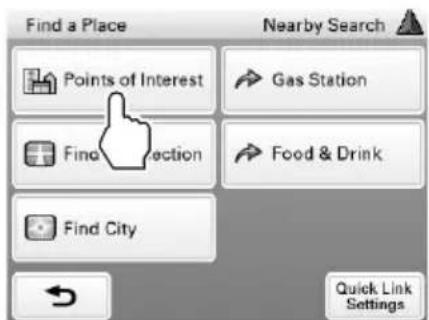
2 Touch "Points of Interest."
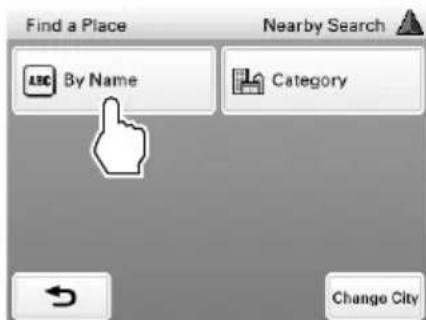
3 Touch "By Name."
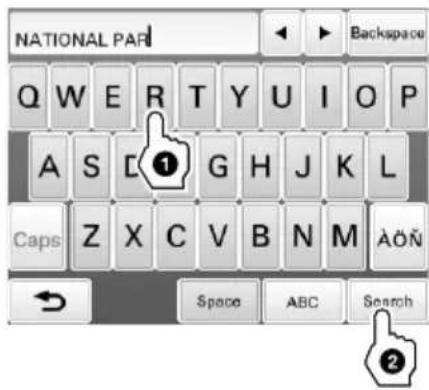
4 Enter the POI name, then touch "Search."
5 Touch the desired POI in the list.
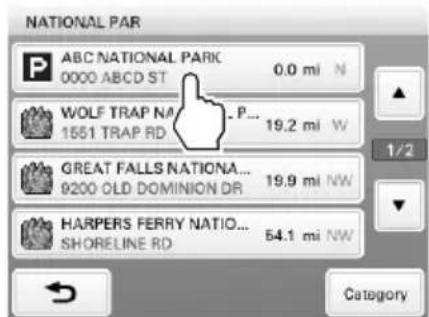
6 Touch "Go."
To search by POI category
Select "Find a Place" → "Points of Interest" → "Category" → the desired category → the desired POI → "Go."
Tip
You can find local airports by entering their 3-letter abbreviations (e.g., LAX for Los Angeles International Airport).
Navigation
Map display
US
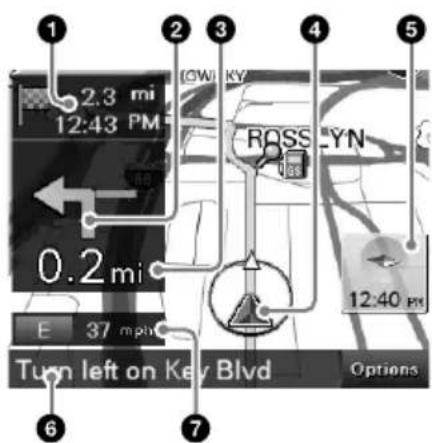
Distance/ETA (Estimated Time of Arrival) to destination
Next turn instruction
Distance to next turn
Current position/GPS status indication
North indicator/current time
Next instruction
Current direction/speed
Dual view
Approaching a freeway junction Approaching a street intersection
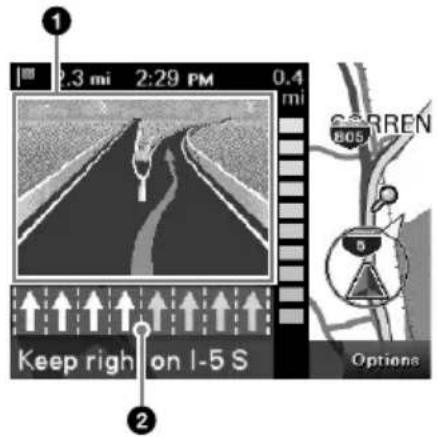
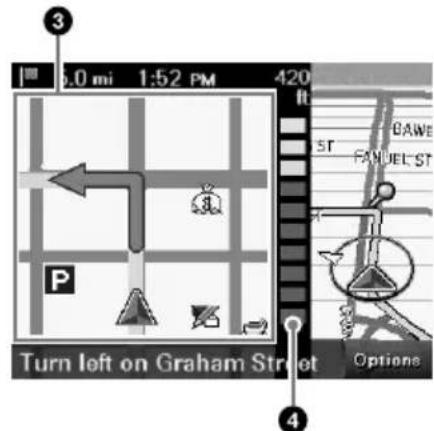
3D junction image
Lane guide (correct lane in yellow)
Magnified view of an intersection
Distance bar
Navigation
Map tools
US
Touch "Options" to show the map tool bar.
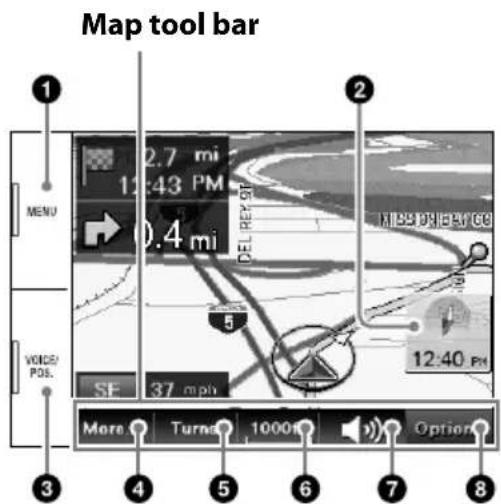
Press to show the main menu.
Touch to toggle the map orientation (heading up/north up).
During route guidance:
Press to repeat the last voice guidance.
In other cases:
Press to return to the current position display.
Touch to show additional map options.
(E.g., "Save This Location," "Quit Navigation," etc.)
Touch to show the turn-by-turn list. (Only during route guidance)
Touch to zoom in/out the map.
TouchQ.Q
Touch to adjust the voice guidance volume.
Touch+
To turn off the sound, touch
Touch to hide the map tool bar.
Navigation
Map scrolling mode
US
1 Touch the map to switch to the scrolling mode.
2 Place the desired point into the crosshair.
To scroll a map
Drag the screen.
To move the desired point to the center of the screen
Touch the point.
To pan the map
Touch and hold the center of the
crosshair until the beep sounds, then
drag it in the desired direction.
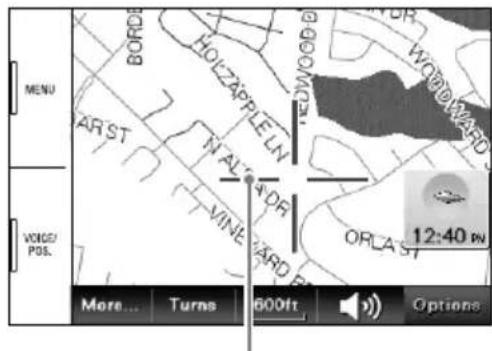
Crosshair
To exit the map scrolling mode
Press VOICE/POS. (the current position reappears).
Basic Settings
Press MENU → show the setting menu.
Setting categories Page up
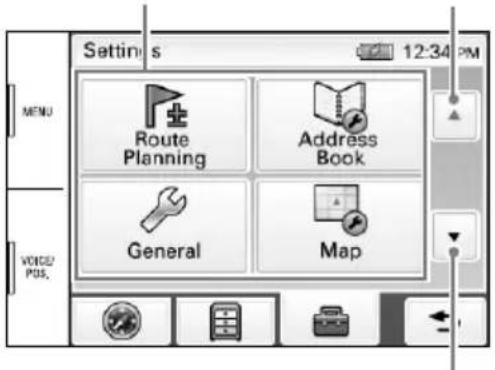
Page down
The setting menu includes the following categories:
- "Route Planning": Future route planning by adding interim destinations
- "Address Book": Saved locations edit
- "General": Menu settings and device information
- "Map": Map display settings
- "Route Profile": Route calculation settings
- "Guide": Route guidance voice and zoom settings
Photo Playback
You can view photo files on a "Memory Stick Duo."
To start playback, press MENU → "Photo."
Photo playback display
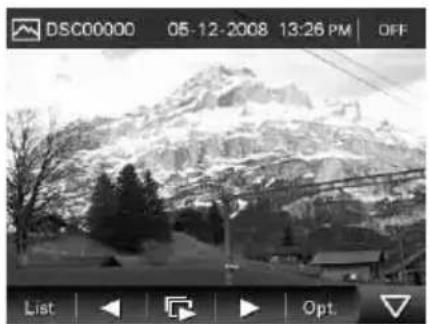
JPEG files shot by a Sony digital still camera are played.
Use the tool bar to control playback.
For details on compatible file type, see "Instruction Manual" (PDF)*.
Questions / Problems
If you have any question or problem with this product, try the following first.
1 Read Troubleshooting in the supplied "Important Information."
If the problem persists
2 Reset the unit by pressing RESET.
Notes
-
Stored data/destinations such as in the following items will not be erased.
-
"Address Book"
-
"Recent Destinations"
-
Depending on the unit status, the unit may not be reset immediately after pressing RESET. This is for protecting the internal memory.
If the problem still persists
3 Please contact:
U.S.A.
Call 1-800-222-7669
URL http://www.sony.com/nav-u/support
Canada
Call 1-877-899-7669
URL http://www.sony.ca/nav-u
Extra Items

To get the most out of the unit, download and install the following items on your computer.
■ Instruction Manual (PDF): Contains descriptions of all functions.
PC application software: For firmware upgrades and data management.
1 Go to http://esupport.sony.com/
2 Enter your model number (NV-U44), then click "Continue."
3 Download the desired item.
To download the manual, select "Documentation" → "Instruction Manual."
To download the software, select "Drivers" → "nav-u tool."
For details, follow the instructions at the website.
Avertissement
FR
VEUILLEZ LIRE CE MANUEL AINSI QUE LE MANUEL « INFORMATION IMPORTANTE » FOURNI DANS LEUR INTEGRALITE AVANT D'INSTALLER OU DE FAIRE FONCTIONNER VOTRE SYSTÉME DE NAVIGATION PERSONNEL. UNE INSTALLATION OU UNE UTILISATION INCORRECTE DE CET APPAREIL PEUT ENTRainer UN ACCIDENT, DES BLESSURES OU LA MORT.
ENREGISTREMENT DU PRODUIT
Installation/Raccordement 8
Navigation 14
Réglages de base 25
Lecture de photos 26
Vert: charge complete.
Installation / Raccordement
Installation / Raccordement
Installation / Raccordement



- Note
- Table of contents
- Getting Started
- Checking the box contents
- Location of controls
- Installation / Connection
- Attaching the cradle to your car
- US
- To install on the dashboard
- Attaching the unit to the cradle
- Connecting the power
- Detaching the unit
- Detaching the cradle
- IMPORTANT
- Navigation
- Turning on the unit
- Current position icon
- Notes
- Main menu
- Searching by address
- Set the city name.
- Touch "Go."
- Tips
- Searching by POI (Points Of Interest) name
- To search by POI category
- Tip
- Map display
- Dual view
- Approaching a freeway junction Approaching a street intersection
- Map tools
- Map scrolling mode
- To exit the map scrolling mode
- Basic Settings
- Setting categories Page up
- Photo Playback
- Photo playback display
- Questions / Problems
- Extra Items
- Avertissement
- ENREGISTREMENT DU PRODUIT
- Installation / Raccordement
Brand : SONY
Model : navu NVU44
Category : Gps