
NVD-DU3 - Gps SONY - Free user manual and instructions
Find the device manual for free NVD-DU3 SONY in PDF.
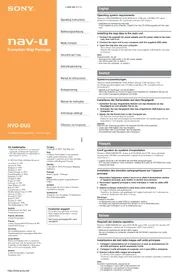


| Brand | Sony |
| Model | NVD-DU3 |
| Product Type | GPS Navigation System |
| Operating System Requirements | Windows 98SE/2000/ME/XP |
| Minimum CPU Speed | 150 MHz |
| Required Ports | USB port, DVD-ROM drive |
| PC Connection Software | ActiveSync (dedicated for map data transfer) |
| Power Supply | AC power adapter (supplied) |
| Map Data Transfer | Via USB cable from computer to unit |
| Warranty / Support | Visit http://www.sonydigital-link.com/navigation/ |
| Compatible Map Data Regions | Multiple European countries (see manual) |
| Copyright Notices | Various mapping data providers |
| Cleaning Instructions | Wipe with a soft, dry cloth. Do not use solvents. |
| Safety Precautions | Do not disconnect cables during map transfer. Avoid dropping unit. |
| Spare Parts / Repairability | Contact Sony support for service. No user-serviceable parts inside. |
Frequently Asked Questions - NVD-DU3 SONY
User questions about NVD-DU3 SONY
0 question about this device. Answer the ones you know or ask your own.
Ask a new question about this device
Download the instructions for your Gps in PDF format for free! Find your manual NVD-DU3 - SONY and take your electronic device back in hand. On this page are published all the documents necessary for the use of your device. NVD-DU3 by SONY.
USER MANUAL NVD-DU3 SONY
- Microsoft and Windows are registered trademarks of Microsoft Corporation.
- All other trademarks are trademarks of their respective owners.
© 1993 NAVTEQ. All Rights Reserved.
Austria/Italy © 1994
Austria © 1996
Belgium © 1995
Benelux © 1993
Central Europe © 1993
Czech Republic © 2002
Denmark © 1997
Finland © 2001
France © 1993
Germany © 1993
Great Britain © 1993
Italy © 1994
Luxembourg © 1996
Mediterranean Coast © 1993
Norway © 2001
Portugal © 1997
Spain © 1997
Sweden © 1994
Switzerland © 1996
The Netherlands © 1993
Austria
Based on Ordnance Survey electronic
data and used with the permission of the
Controller of Her Majesty's Stationery
Office © Crown Copyright, 1995.
Greece
© EuroGeographics; Copyright
Geomatics Ltd.
Hungary
Copyright © 2003; Top-Map Ltd.
Italy
Copyright © 2000; Norwegian Mapping Authority
Portugal
Source: IgeoE – Portugal
Spain
Based upon electronic data © National Land Survey Sweden.
Switzerland
If you have any questions or for the latest support information, visit the website below.
http://www.sonydigital-link.com/navigation/
Operating system requirements
Windows 98SE/2000/ME/XP, DVD-ROM drive, USB port, 150 MHz CPU speed minimum (recommended), PC connection software (ActiveSync*)
* Dedicated for transferring map data.
If not installed on your computer, install it from the CD-ROM supplied with the main unit.
Installing the map data to the main unit
1 Connect the supplied AC power adapter and AC power cable to the main unit, then turn it on.
2 Connect the main unit to your computer with the supplied USB cable.
3 Insert the map disc into your computer.
The software runs automatically.
Transfer the map data to the main unit from your computer, following the on-screen instructions.
Note
During transfer, do not
– disconnect the USB cable or the AC power adapter.
– turn off the main unit, or reset it.
– shut down the computer, or restart it.


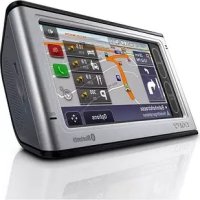
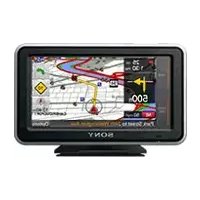
Brand : SONY
Model : NVD-DU3
Category : Gps