EasyManual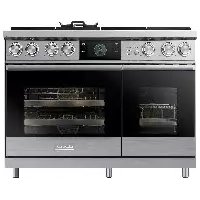
Modernist Pro DOP48M96DPS - Cooker Dacor - Free user manual and instructions
Find the device manual for free Modernist Pro DOP48M96DPS Dacor in PDF.



Download the instructions for your Cooker in PDF format for free! Find your manual Modernist Pro DOP48M96DPS - Dacor and take your electronic device back in hand. On this page are published all the documents necessary for the use of your device. Modernist Pro DOP48M96DPS by Dacor.
USER MANUAL Modernist Pro DOP48M96DPS Dacor
Instruction Manual Dacor iQ Kitchen app Dacor Part No. 112142 Rev AEnglish2 Dacor iQ Kitchen Dacor iQ Kitchen This manual helps you take full advantage of the Smart features of your new oven or cooktop. It guides you through installation of the Dacor iQ Kitchen App, explains how to connect th e app to your oven or cooktop, and covers the apps main features. For details, visit www.dacor.com Downloading and Installing the App
1. Download the Dacor iQ Kitchen App from the Google Play Store (Android devices)
or from the Apple AppStore (iOS devices). To find th e app, search Dacor iQ Kitchen.
2. Install the app on your smart device.
- The Dacor iQ Kitchen app requires Android 4.0 (ICS) or later, and is optimized for Android 4.4 or later on Samsung smartphones (Galaxy S & Note series). Some app functions may not work properly on 3rd-party smartphones.
- For iOS models, the app requires iOS 7 or later.
- The Dacor iQ Kitchen app is subject to improvement without notice. Getting started
egistering a Samsung account To use th e Dacor iQ Kitch en app, first sign in to your Samsung account. To create a Samsung account, select Register in the app, and follow the on-screen directions. NOTE
- If you have a Samsung account, log in to your account. If you have a Samsung smartphone, go to the Settings menu, select Accounts, then sign in. This method lets you log in without additional auth entication.
- For 3rd-party smart phones, the app account must be the same as the Easy Setup account.English 3 Dacor iQ Kitchen Connecting the app and your oven or cooktop Before you can use the remote features of your Dacor oven or cooktop, you must pair it to the Dacor iQ Kitchen App. After you download and launch the app, follow the on- screen directions to pair it with your device. NOTE
- For details, see the web manual at www.dacor.com.
- The following sections contain instructions for ovens, cooktops, and hoods. Controlling your oven remotely On the oven, select IQ Control. The IQ Control On icon appears on the display. The oven can now be controlled remotely using a connected remote device. To control the oven remotely, select the Oven icon in the Dacor iQ Kitchen app. The Oven Control screen appears. You can use the following functions via the app: Oven monitoring You can monitor the status of each oven chamber. Oven remote control You can:
Set oven mode, time, temperature remotely from your mobile device before cooking.
- Start the oven remotely (electric model only.)*
- Turn off the oven remotely.
- Once cooking starts, set or change the cooking time/temperature remotely.** Error code checking Automatically recognize errors. Temperature prob e status You can monitor the current temperature and change the probe setting remotely.*** NOTE *Electric oven: After configuring the cook settings remotely, you can touch Start in the app or on the oven control panel to start the oven. Gas oven: After configuring the cook settings remotely, you must select Start on the ov en’s control panel to start the oven. ** To use Remote Start, you must set th e IQ Control function of th e oven to ON. For safety reasons, you cannot turn on the gas oven remotely. *** Only available for models that support Temp probe.
- When the oven door is open, IQ Control is disabled.
- IQ Control is disabled when cooking is completed.
- The oven operates even if the Wi-Fi connection is lost.
- You must specify a cook time before you can start the oven remotely.Dacor iQ Kitchen English4 Dacor iQ Kitchen Monitoring your microwave oven remotely (Combi Oven Only) The Microwave oven App supports:
1. Monitoring the status of the microwave oven.
2. Monitoring the power level of the microwave oven.
3. Monitoring the remaining cook time.
Monitoring your cooktop remotely The Cooktop App supports:
1. Monitoring the On/Off status of each burner.
2. Monitoring the power level of each burner (electric models only).
3. Setting the kitchen timer with the timeout alarm.
Monitoring your range remotely The Pro Range App supports:
1. Monitoring the On/Off status of each burner and griddle.
2. Monitoring the status of each oven.
3. Monitoring the remaining cooking time and temperature of each oven.
4. Setting cooking mode, temperature and time of each oven.
5. Setting the kitchen timer with the timeout alarm of each burner.English 5
Dacor iQ Kitchen Controlling your Hood remotely The hood is paired to the cooktop via a Bluetooth connection. Once pairing is complete, the hood control screen appears on the Dacor iQ Kitchen App. The Hood App supports:
1. Monitoring and controlling the On/Off status of the hood.
2. Monitoring and controlling the fan speed.
3. Monitoring and controlling the lights.
4. Setting the hood shut-off timer with the timeout alarm.
NOTE When Bluetooth pairing is disconnected, the monitoring and control functions on the Dacor iQ Kitchen App will be disabled. NOTE
- The Dacor iQ Kitchen app may not run properly where there is wireless interference.
- Some remotely controlled functions are restricted for safety reasons.
- When you activate Sabbath mode remotely, you will only be able to check oven status. You will not be able to configure settings remotely.
- On iOS devices, when you enter Eco mode or tap the Home button, the Wi-Fi connection can be lost and you may have to reconnect.Dacor iQ Kitchen English6 Dacor iQ Kitchen Troubleshooting If you encounter a problem with the rangetop, review this table and try the suggestions. Then if the trouble is not resolved, call Dacor Customer Service (800)793-0093. Problem Action I cannot find the Dacor iQ Kitchen app in Google Play Store or Apple App Store. In the Play Store or App Store, search Dacor iQ Kitchen, and if necessary, scroll to find the app among the results. The Dacor iQ Kitchen app is only compatible with Android OS
4.0 (ICS) or later and iOS 7 or later.
The Dacor iQ Kitchen app is installed but does not work. The Dacor iQ Kitchen app supports only compatible Dacor models. The e arlier Dacor Smart Oven app is incompatible with Dacor iQ Kitchen-compliant devices. The Dacor iQ Kitchen app is installed but does not connect to the oven or cooktop. Press IQ Control on the appliance control panel. Ensure the Easy Connection icon appears indicating the appliance is connected. Gas cooktops: Press the iQ Connect button below the RF control knob. Ensure the iQ Connect LED indicator turns on. Ensure your Wi-Fi router is ON and connected to the Internet. (See the router’s user manual for details.) Ensure the oven/cooktop is within range of your Wi-Fi network. Samsung account log in failed. Use the Recover feature to reset your account. Create a new account by selecting the Sign up option. An info message appears when Easy Connection runs. This may happen because of the distance from the AP (router) or because of electrical or non-electrical interference. Try again in a moment.English 7 Dacor iQ Kitchen Problem Action My smartphone connected to my oven without any problems but remote control is not working. Make sure the Easy Connection icon is lit on the oven’s display panel. Press the IQ Control button on the oven if it is not. Try restarting the Dacor iQ Kitchen app or reconnect your phone to your Wi-Fi network. Unplug your router, wait at least one minute, and plug it back in. Make sure the router boots up completely before trying to connect to your oven. This process might take a few minutes. The wireless network connection failed. This product does not support the 5GHz wireless band. Please use a router that supports the 2.4 GHz wireless band or a dual band router that supports the 2.4 GHz and 5GHz bands.Dacor ∙ 14425 Clark Avenue, City of Industry, CA 91745 ∙ Phone: (800) 793-0093 ∙ Fax: (626) 403-3130 ∙ www.dacor.com DG68-00914A-00Manual de instrucciones Aplicación Dacor iQ KitchenEspañol2 Dacor iQ Kitchen Dacor iQ Kitchen Este manual le permitirá aprovechar todas las ventajas de las funciones Smart de su nuevo horno o cubierta. Le guiará en la instalación de la aplicación Dacor iQ Kitchen y le explicará cómo conectar la aplicación al horno o la cubierta y el uso de las funciones principales de la aplicación. Para obtener más información, visite www.dacor.com. Descarga e instalación de la aplicación