
Tassimo Vivy TAS12A2GB - Coffee maker BOSCH - Free user manual and instructions
Find the device manual for free Tassimo Vivy TAS12A2GB BOSCH in PDF.
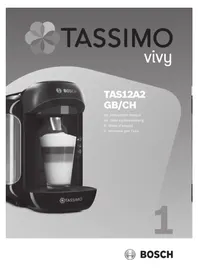



| Product type | Pod coffee maker (T DISC system) |
| Brand | Bosch |
| Model | Tassimo Vivy TAS12A2GB |
| Power supply | 220-240 V, 50-60 Hz |
| Power | 1500 W |
| Water tank capacity | 1.3 L (removable) |
| Pressure | Not specified (pump system) |
| Brewing technology | T DISC barcode reading for automatic adjustment |
| Main functions | Preparation of coffee, tea, hot chocolate, and milk-based drinks with T DISC pods |
| Control panel | 1 Start/Stop button with status LED |
| Brewing system | Locking, T DISC holder, piercing crown, reading window |
| Cup support | Removable and height-adjustable with grid and drip tray |
| Descaling indicator | Dedicated LED |
| Auto shut-off function | Yes (after 5 minutes of inactivity) |
| Safety | Brewing system lock, splash protection |
| Maintenance and cleaning | Cleaning of dispensing spout, descaling with tablets, yellow Service T DISC for cleaning |
| Spare parts and repairability | Yellow Service T DISC (ref. 00576836), descaling tablets TCZ6004, available online |
| Included accessories | Yellow Service T DISC, cleaning/descaling reminder |
| Dimensions (approx.) | 30 x 20 x 35 cm |
| Weight (approx.) | 3.5 kg |
| Color | Black/Silver (depending on version) |
| Beverage types | Coffee, espresso, latte macchiato, cappuccino, tea, hot chocolate |
| Adjustable beverage volume | Yes, by pressing the Start/Stop button during brewing |
| Warranty | 2 years (according to distributor conditions) |
Frequently Asked Questions - Tassimo Vivy TAS12A2GB BOSCH
User questions about Tassimo Vivy TAS12A2GB BOSCH
0 question about this device. Answer the ones you know or ask your own.
Ask a new question about this device
Download the instructions for your Coffee maker in PDF format for free! Find your manual Tassimo Vivy TAS12A2GB - BOSCH and take your electronic device back in hand. On this page are published all the documents necessary for the use of your device. Tassimo Vivy TAS12A2GB by BOSCH.
USER MANUAL Tassimo Vivy TAS12A2GB BOSCH
1 English 6 Deutsch 12 Français 18 Italiano

en Safety instructions de Sicherheitshinweise fr Consignes de sécurité it Avvertenze di sicurezza

Check the appliance after unpacking it. Do not connect the appliance if it has been damaged in transit.
This appliance is intended for domestic use only.
Only use the appliance indoors at room temperature and up to 2000 m above sea level.
Important safety information
Please read parts 1 and 2 of these manuals carefully before using the product and keep them for future reference. Pass them on to all users. This appliance may be used by children aged 8 years and older and by persons with reduced physical, sensory or mental capabilities or who lack experience and/or knowledge if they are supervised or have been given instruction in the safe use of the appliance and have understood the dangers involved. Children may not play with the appliance.
Cleaning and user maintenance shall not be made by children unless they are older than 8 years and supervised.
Keep children under 8 years of age away from the appliance and connecting cable and do not allow them to use the appliance.
For optimum results, fill the tank only with cool, fresh, non-carbonated water each day.
Do not use chemically softened water.
Never leave the appliance unattended while it is in operation!
Risk of electric shock!
Operate and connect the appliance only in accordance with the instructions given on the nameplate. The appliance may only be connected to a power supply with alternating current via a correctly installed socket with earthing. Ensure that the protective conductor system of the domestic supply has been correctly installed. Before cleaning the appliance, pull out the mains plug. Only use your TASSIMO appliance if the power cable and appliance show no signs of damage. - Disconnect the appliance from the mains as soon as a fault is detected. Any repairs, such as replacing a damaged power cable, may only be carried out by our Customer Services team in order to avoid potential danger.
- Never immerse the appliance or power cable in water.
- Avoid spillage on the connector. Please note the special information on cleaning in the instructions.
Risk of burns!
- Never attempt to open the brewing unit during operation. Please note that any escaping liquids will be very hot. The T DISC, the piercing unit and the beverage outlet may be very hot immediately after brewing. Allow to cool first.
- Do not use T DISCs that are damaged. Only use each T DISC once. After use, the heating element surfaces can be subjected to residual heat.
- Freshly prepared beverages are very hot. Leave to cool a little if necessary.
Risk of fire!
The appliance gets hot. - Never operate the appliance in a cupboard.
Risk of injury!
Misuse of the appliance can potentially lead to injury. Under no circumstances should you drink the descaling liquid.
Risk of suffocation!
- Do not allow children to play with packaging material. Store small parts safely as they can be easily swallowed.
Caution!
- Cleaning surfaces which come into contact with foodstuffs! Please note the special information on cleaning in the illustrated instructions.
Before reading on, please unfold the illustrations page at the start of the booklet.
1 Start/Stop button with display elements
a Status LED b Fill water tank c Descale
2 Brewing unit
a Lid b T DISC support c T DISC piercing unit d T DISC reading window e Beverage outlet f Splash guard

Disposal
Dispose of packaging in an environmentally-friendly manner. This appliance is labelled in accordance with European Directive 2012/19/EU concerning used electrical and electronic appliances (waste electrical and electronic equipment - WEEE). The guideline determines the framework for the return and recycling of used appliances as applicable throughout the EU.
Please ask your specialist retailer about current disposal facilities.
3 Removable water tank
a max mark b "Descaling" mark c Float
4 Storage compartment
a Yellow Service T DISC b Brief cleaning/descaling instructions
5 Cup stand
(removable and height adjustable) a Drip grate b Drip tray

Info
Bosch is the manufacturer of the TASSIMO machine. Therefore, it cannot provide any delivery guarantee for the TASSIMO DISCs.
TASSIMO T DISCs are available from specialist retailers.
Or visit www.tassimo.com to discover the large variety of beverages available and to order your discs online.

Accessories
| Accessories O | oder number Webshop |
| Descaling tabs | TCZ6004 / 00311530 www.tassimo.com www.bosch-home.com |
| Yellow | 00576836 |
| Service T DISC | www.bosch-home.com |
The following table contains solutions to problems or faults which may occur during operation of the appliance and that can be easily rectified at home. If you are not satisfied with the solutions provided here, please contact our Customer Service department. Further customer service information can also be found online:
www.tassimo.com
www.bosch-home.com
| Problem Cause Solution | ||
| The appliance is not working and none of the display elements (LEDs) are lighting. | The appliance has no power supply. | Check to see whether the appliance is connected to the mains. |
| The brewing starts, however there is no beverage dispensed. | The water tank is not inserted correctly. | Check that the water tank is correctly inserted. |
| The water tank was removed during the brewing stage or there is air in the system. | Start the cleaning process with the yellow Service T DISC. Please refer here to the section First Time Use, Steps 2-14. | |
| The float in the water tank is stuck. | Clean the water tank and free the float. | |
| The brewing will not start. | No T DISC inserted. Check that a T DISC has been inserted. | |
| The appliance does not recognise the T DISC bar code. | Clean the T DISC reading window with a soft, damp cloth. | |
| Smooth out the foil of the T DISC with your finger so that the bar code can be read. | ||
| Use a new T DISC. | ||
| If the problem persists, contact the TASSIMO careline. | ||
| The brewing unit is not closed properly. | Clean the brewing unit with a soft, damp cloth, paying particular attention to the lid area. | |
| The appliance was not plugged in when the T DISC was inserted. | Insert a new T DISC and check that the appliance is plugged into the power supply before inserting the T DISC. | |
| The brewing unit cannot be closed. | The piercing unit and/or the T DISC support have not been correctly inserted. | Press the piercing unit into its holder using both thumbs and check the position of the T DISC support. |
| The T DISC has not been correctly inserted. | Replace the damaged T DISC with a new one. Place the T DISC with the printed side facing downwards so that the tab is resting in the intended slot. | |
| The brewing unit is not closed properly. | Clean the brewing unit with a soft, damp cloth, paying particular attention to the lid area. | |
| Press the lid down until it audiably clicks into place. | ||
| The brewing unit cannot be opened. | The brewing unit is still locked. | Wait until the Status LED ▼ has stopped blinking before attempting to open the brewingunit. |
| If the brewing unit stays locked, contact the TASSIMOcareline. | ||
| Fill water tank lights up. | There is not enough water in the water tank. | Fill the tank with cold, fresh water as far as the max mark. Reinsert the water tank. |
| Fill water tank lights up even though there is enough water in the water tank. | The float in the water tank is stuck. | Clean the water tank and free the float. |
| The water tank is not inserted correctly. | Check that the water tank has been correctly inserted. | |
| Fill water tank and Descale are flashing simulta neously and it is not possible to prepare drinks. | There is a fault on the machine. | Please contact the TASSIMO careline. |
| Descale lights up or starts flashing. | The appliance needs to be descaled. | Descale the appliance. Please refer here to the section Descaling. |
| Descale lights up or starts flashing even though decalcified water has been used. | Even decalcified water contains low amounts of calcium carbonate. | Descale the appliance. Please refer here to the section Descaling. |
| The quality of the crema has deteriorated. | The beverage outlet is sticky or dirty. | Clean the beverage outlet. Please refer here to the section Cleaning. |
| Clean the brewing unit with the yellow Service T DISC. Please refer here to the section Cleaning. | ||
| Build-up of limescale in the appliance. | Descale the appliance. Please refer here to the section Descaling. | |
| Water is dripping from the brewing unit. | The T DISC is damaged or leaky. The T DISC has not been pierced correctly. | Do not use T DISCs that are damaged. Only use each T DISC once. Wait until the brewing stage has come to an end and the appliance has cooled down. Remove the T DISC and clean the brewing unit. Please refer here to the section Cleaning. |
| The piercing unit has not been inserted correctly. | Press the piercing unit into its holder using both thumbs (until an audible click is heard). | |
| On the surface below the cup stand there is water. | This is condensation. Condensation may appear and is not caused by any fault with the appliance. Wipe the water away with a cloth. | |
| The yellow Service T DISC is damaged or lost. | The yellow Service T DISC can be requested from Bosch Customer Services (item no. 00576836, contact information included at the end of these instructions). | |
| The beverage quantity does not meet your requirements. | The T DISC bar code provides the recommended volume for every beverage selected. This volume can also be adapted to personal requirements. | Reduced quantity: During the brewing process, press the Start/Stop button to interrupt this stage. Increased quantity: Press and hold the Start/Stop button until the required beverage quantity has been reached. |
| Build-up of limescale in the appliance could cause reduced quantity. | Descale the appliance. Please refer here to the section Descaling. | |
The guarantee conditions for this appliance are as defined by our representative in the country in which it is sold. Details regarding these conditions can be obtained from the dealer from whom the appliance was purchased. The bill of sale or receipt must be produced when making any claim under the terms of this guarantee.
To arrange an engineer visit, to order spare parts and accessories or for product advice please visit www.bosch-home.co.uk
Or call
- Calls are charged at the basic rate, please check with your telephone service provider for exact charges
CH Schweiz, Suisse, Svizzera, Switzerland
BSH Hausgeräte AG
For information, questions or locations of authorised Bosch service centres nearest you, please contact TASSIMO:
Phone: 0800 0328833
www.tassimo.co.uk
CH TASSIMO Infoline
- IMPORTANT SAFETY INFORMATION
- RISK OF ELECTRIC SHOCK
- RISK OF BURNS
- RISK OF FIRE
- RISK OF INJURY
- RISK OF SUFFOCATION
- CAUTION
- START/STOP BUTTON WITH DISPLAY ELEMENTS
- BREWING UNIT
- DISPOSAL
- REMOVABLE WATER TANK
- STORAGE COMPARTMENT
- CUP STAND
- INFO
- ACCESSORIES
- CH SCHWEIZ, SUISSE, SVIZZERA, SWITZERLAND
- CH TASSIMO INFOLINE
Brand : BOSCH
Model : Tassimo Vivy TAS12A2GB
Category : Coffee maker