FR26ZT - Talkie Walkie ALECTO - Free user manual and instructions
Find the device manual for free FR26ZT ALECTO in PDF.



User questions about FR26ZT ALECTO
0 question about this device. Answer the ones you know or ask your own.
Ask a new question about this device
Download the instructions for your Talkie Walkie in PDF format for free! Find your manual FR26ZT - ALECTO and take your electronic device back in hand. On this page are published all the documents necessary for the use of your device. FR26ZT by ALECTO.
USER MANUAL FR26ZT ALECTO
natural_image
Two Aleetro walkiehens with black and yellow models, displaying 88% frequency and control buttons (no visible text or symbols on devices)INTRODUCTIE
natural_image
Simple line drawing of a trash bin with crossed diagonals and a blank rectangular base (no text or symbols)DISPLAYFUNCTIONS
natural_image
Illustration of a person using a walkie-talkie to listen, showing ear and ear positioning (no text or symbols)Aansluiting headset 2.5mm 3 polig. (excl.)
EXTRA FUNCTIES
natural_image
Simple line drawing of a trash bin with crossed lines indicating no waste or discharge (no text or symbols)FONCTIONS DE L'ECRAN
natural_image
Illustration of a person using a walkie-talkie to listen, showing ear and ear positioning (no text or symbols)natural_image
Simple line drawing of a trash bin with crossed x- and y-axes, no text or symbols present.DISPLAYFUNKTIONEN
text_image
TX RX SC 88 00 0πVERWENDUNG
SENDEN:
natural_image
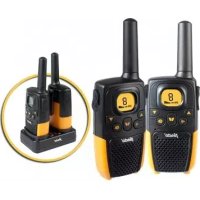
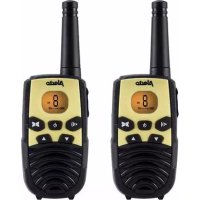
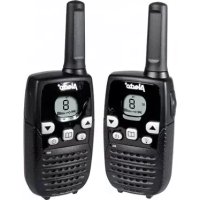
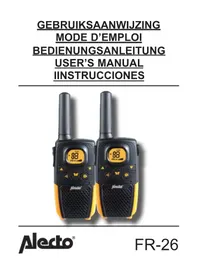
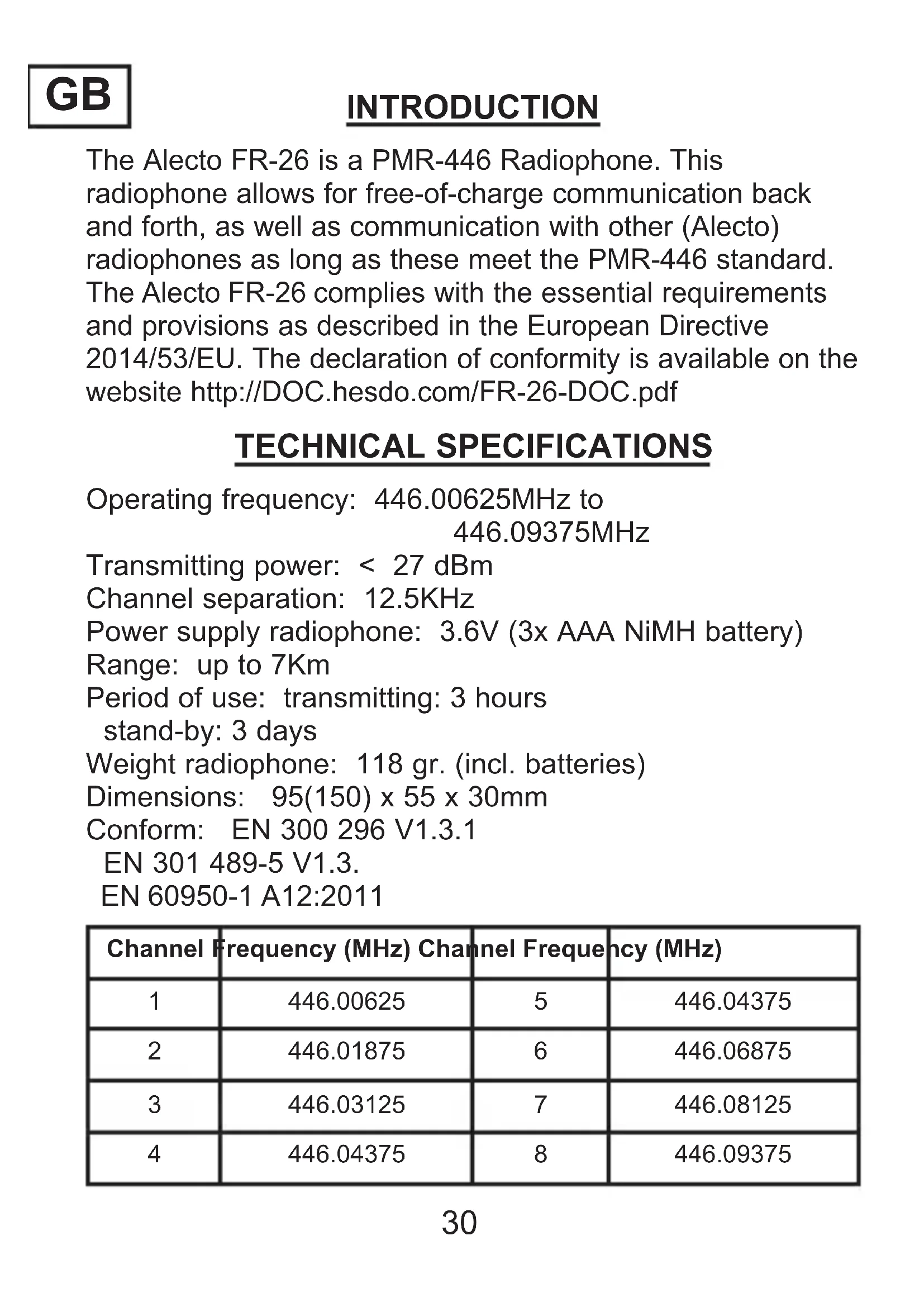
Illustration of a person using a walkie-talkie to interact with a device (no text or symbols present)The Alecto FR-26 is a PMR-446 Radiophone. This radiophone allows for free-of-charge communication back and forth, as well as communication with other (Alecto) radiophones as long as these meet the PMR-446 standard. The Alecto FR-26 complies with the essential requirements and provisions as described in the European Directive 2014/53/EU. The declaration of conformity is available on the website http://DOC.hesdo.com/FR-26-DOC.pdf
TECHNICAL SPECIFICATIONS
Operating frequency: 446.00625MHz to
446.09375MHz
Transmitting power: < 27 dBm
Channel separation: 12.5KHz
Power supply radiophone: 3.6V (3x AAA NiMH battery)
Range: up to 7Km
Period of use: transmitting: 3 hours
stand-by: 3 days
Weight radiophone: 118 gr. (incl. batteries)
Dimensions: 95(150) x 55 x 30mm
Conform: EN 300 296 V1.3.1
EN 301 489-5 V1.3.
EN 60950-1 A12:2011
| Channel Frequency (MHz) Channel Frequency (MHz) | |||
| 1 | 446.00625 | 5 | 446.04375 |
| 2 | 446.01875 | 6 | 446.06875 |
| 3 | 446.03125 | 7 | 446.08125 |
| 4 | 446.04375 | 8 | 446.09375 |
POWER SOURCE
The FR-26works on 3x AAA penlite NiMH batteries.
- First, remove the belt clip by pressing the lock tab back and pushing the belt clip upwards and out of the radiophone.
- Now open the battery compartment by sliding the cover downwards.
- Install the batteries as indicated. Pay attention to the correct polarities (+ and -).
- Close the battery compartment and put the belt clip back on the radiophone
- Place the walkie-talkie onto the charger.
- Charge the batteries for 10 to 14 hours.
You can return exhausted batteries to the dealer of these radiophones or to your local collection point for small chemical waste. Never dispose of empty or exhausted batteries as normal domestic waste.
natural_image
Simple line drawing of a trash bin with crossed lines indicating no waste or discharge (no text or symbols)DISPLAY FUNCTIONS
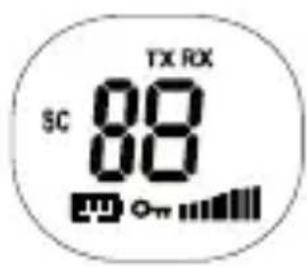
8: shows the selected channel
TX: switches on while sending
RX: switches on when the radiophone is receiving a signal
: shows the volume level
m: battery capacity indication
om: key-lock
sc: scan function
text_image
TX RX SC 88 OnUSE
Transmitting:
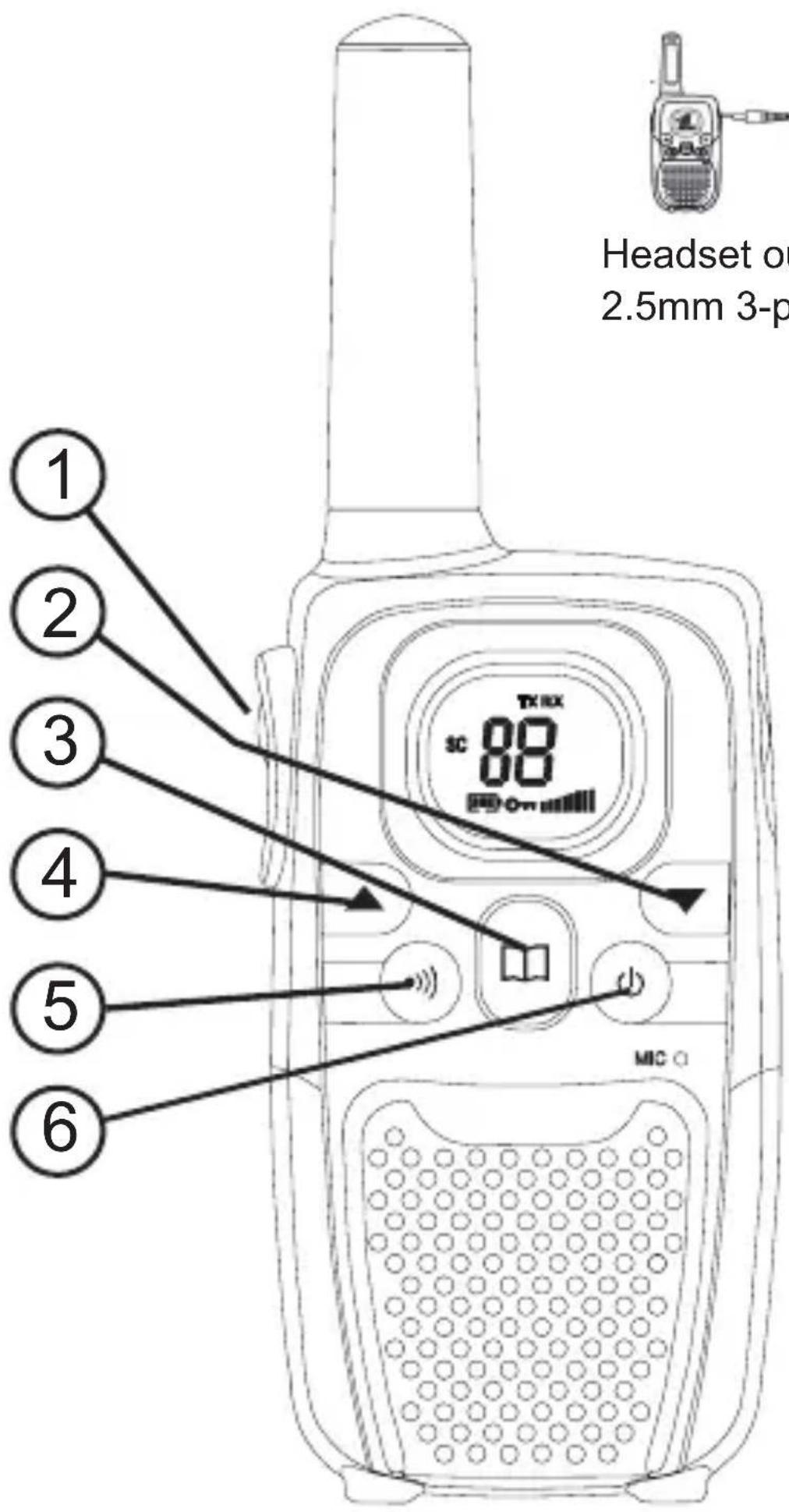
Press the PTT (*) button to sending. ①
Receiving:
Release the PTT button to receive. ①
Switching channels:
Press the button and then use ③
▲ or ▼ to select the correct channel. ② ④
Press the PTT button to confirm the selection. ①
Volume control:
Use the button ▲ or ▼ to change the volume. ④
CALL TONE:
shortly press the call button to transmit a call tone ⑤
Power on/off:
Press and hold the button ⏻⑥
for 2 seconds to switch the FR-26 on or off.
A beep tone is emitted
*: PTT = Push To Talk
text_image
Headset of 2.5mm 3-p 1 2 3 4 5 6 SC 88 TM RX MIC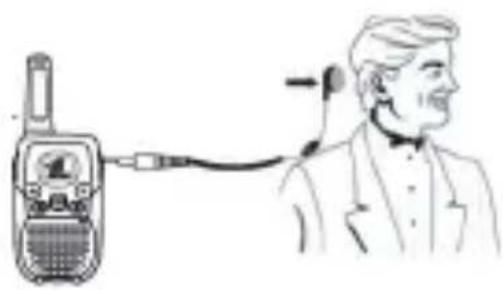
natural_image
Illustration of a person using a walkie-talkie to listen, showing ear and ear positioning (no text or symbols)Headset output
2.5mm 3-pins (not incl.)
EXTRA FUNCTIONS
CHANGING SEND/RECEIVE CHANNEL:
- press the ☐ button once and the channel indication will start flashing
- press the butting ▲ or ▼ to select the desired channel
- press the PTT button 📋 to confirm
CALL TONE:
You can generate a call tone to call another PMR.
- press the button
- the call tone will be generated for 2 seconds.
ROGER BEEP:
When you release the PTT button, the PMR will generate a tone to inform the other party that the send button is released to allow him or her to speak.
This tone is always on and cannot be switched off.
CHANNEL SCAN:
When the scan function is activated, the PMR will automatically scan all channels until the PMR finds a channel on which a signal is being received.
- simultaneously press and hold the 📋 and ▲ buttons, the display will show SC and the channels are checked. The scan stops as soon as a signal is detected.
- press the ▲ or ▼ button to resume scanning.
- press the PTT button to stop scanning or to start communicating.
MONITORING FUNCTION:
To receive very weak signals, you may switch off the noise suppression. You'll then receive all signals on the concerned channel including any noise.
-
simultaneously press the 📄 and ▼ buttons to start the monitoring function.
-
press the ☐ button to stop the monitoring function.
KEY-LOCK:
Press and hold the □ button for 2 seconds to enable the key-lock; press and hold the □ button again to disable the key-lock (enabled: the MENU, ▲ and ▼ buttons are locked while the symbol is illuminated)
SUPPORTED FUNCTIONS
BATTERY SAVING MODE:
The FR-26 is provided with an automatic saving mode to extend the life span of the batteries. When the unit remains unused for 4 seconds, it'll automatically switch to saving mode. When you start operating the PMR again or as soon as it receives a signal, the PMR will switch back to normal use.
BATTERY CAPACITY MONITOR:
When the FR-26 detects a low battery capacity, the display will indicate this through an icon. The PMR will emit two beep tones and then switch off automatically while the icon starts flashing. Please recharge the batteries by placing the walkie-talkie onto the charger. Recharge the batteries for 10 to 14 hours.
USER TIPS
GENERAL:
The FR-26 is a transmitter/receiver working with radio waves on the 446 MHz band. Its signal transmission can be affected by external influences such as other radiophones, transmitters, wireless phones, etc. When your radiophone is being interfered with or causes interference, simply changing the channel usually solves this problem.
The use of this radiophone is permitted in all the countries of the EU. If you want to bring the FR-26 to countries outside the EU, you should consult the local restrictions on the use of PMR446 equipment.
Don't forget that the signal of the FR-26 can also be heard by radiophones or receivers other than yours.
It is in no way allowed to make any changes to the electronics or the antenna of the FR-26. Service must be performed by qualified service personnel only.
Never use the FR-26 outdoors during thunderstorms.
MAINTENANCE:
- Only clean the FR-26 with a moist cloth.
- Never place the radiophone in direct sunlight or humid environments.
- Prevent water and/or sand from penetrating the FR-26.
- In case of any problems, always check first whether the FR-26 does work correctly on a different location.
RADIO CONNECTION:
The FR-26 has an effective range from up to 7km. This range can be affected by local conditions such as high buildings, high voltage posts and overhead wires. An optimal range is achieved when the radiophone has a clear sight of the receiver.
ENVIRONMENT:
When discarding your radiophone, please return it to your dealer. They can guarantee environment-friendly disposal.

WARRANTY CARD
This ALECTO FR-26 is covered by a warranty of 24 months commencing on the day of your purchase. During this period we guarantee that any defects caused by errors in materials or construction will be repaired free of charge. The importer decides upon these conditions.
HOT TO HANDLE:
If you note any anomalies, first read the user's manual. If you cannot find any solution to your problem, contact your retail or our after sales service: www.alecto.nl.
WARRANTY COVERAGE TERMINATES :
In the event of misuse, improper connection, battery leakage or incorrect placement of batteries. It does not cover the use of parts or accessories not delivered with this device, neglect or any failure caused by humidity, fire, flood, lightning or any natural disaster. The warranty does not cover alteration or modifications of the product by unauthorized qualified service personal. The warranty terminates in the event of incorrect transportation of the equipment without appropriate packaging or if the equipment is not accompanied by this warranty card and the receipt of purchase. Cables, jacks and batteries are not covered by the warranty. Alecto will not be held responsible for indirect, consequential or special damages.