
PunchOut!! (Wii) - Game NINTENDO - Free user manual and instructions
Find the device manual for free PunchOut!! (Wii) NINTENDO in PDF.


| Product Type | Video game for Wii console |
| Brand | Nintendo |
| Model | PunchOut!! (Wii) |
| Category | Boxing game |
| Platform | Wii |
| Number of players | 1 to 2 |
| Case dimensions | Approximately 13.5 × 19 × 1.5 cm |
| Case weight | Approximately 100 g |
| Power supply | Not applicable (powered via the Wii console) |
| Main features | Career Mode (Title Contender, Title Defense, Elimination), Quick Play, Versus, Tutorial, Audio/Video Options |
| Supported controls | Wii Remote + Nunchuk, Wii Remote only, Wii Balance Board (optional) |
| Expert Mode | Can be enabled in the controller settings for advanced controls |
| Headgear | Available to reduce damage taken (except in Elimination and Quick Play) |
| Special features | Star gauge, hearts, Giga Mac energy in Versus mode |
| Audio | Dolby Pro Logic II surround sound |
| Maintenance and cleaning | Wipe with a soft dry cloth. Avoid solvents and moisture. |
| Safety | Read warnings about epilepsy, repetitive movements, and use of the wrist strap. Maintain a distance of at least 1 m from the screen. |
| Spare parts and repairability | No removable parts. Repair by Nintendo only. |
| General information | Published by Nintendo. Requires a Wii console and a save slot. System menu update required on first use. |
Frequently Asked Questions - PunchOut!! (Wii) NINTENDO
User questions about PunchOut!! (Wii) NINTENDO
0 question about this device. Answer the ones you know or ask your own.
Ask a new question about this device
Download the instructions for your Game in PDF format for free! Find your manual PunchOut!! (Wii) - NINTENDO and take your electronic device back in hand. On this page are published all the documents necessary for the use of your device. PunchOut!! (Wii) by NINTENDO.
USER MANUAL PunchOut!! (Wii) NINTENDO
NEED HELP WITH INSTALLATION, MAINTENANCE OR SERVICE?
Nintendo Customer Service SUPPORT.NINTENDO.COM or call 1-800-255-3700
NEED HELP PLAYING A GAME? Recorded tips for many titles are available on Nintendo's Power Line at (425) 885-7529. This may be a long-distance call, so please ask permission from whoever pays the phone bill. If the information you need is not on the Power Line, you may want to try using your favorite Internet search engine to find tips for the game you are playing. Some helpful words to include in the search, along with the game's title, are: "walk through," "FAQ," "codes," and "tips."
BESOIN D'AIDE POUR L'INSTALLATION, L'ENTRETIEN OU LA RÉPARATION?
The Official Seal is your assurance that this product is licensed or manufactured by Nintendo. Always look for this seal when buying video game systems, accessories, games and related products.
- Some people (about 1 in 4000) may have seizures or blackouts triggered by light flashes or patterns, and this may occur while they are watching TV or playing video games, even if they have never had a seizure before.
- Anyone who has had a seizure, loss of awareness, or other symptom linked to an epileptic condition should consult a doctor before playing a video game.
- Parents should watch their children play video games. Stop playing and consult a doctor if you or your child has any of the following symptoms:
Convulsions Eye or muscle twitching Altered vision Loss of awareness Involuntary movements Disorientation
• To reduce the likelihood of a seizure when playing video games:
- Sit or stand as far from the screen as possible.
- Play video games on the smallest available television screen.
- Do not play if you are tired or need sleep.
- Play in a well-lit room.
- Take a 10 to 15 minute break every hour.
WARNING - Repetitive Motion Injuries and Eyestrain
Playing video games can make your muscles, joints, skin or eyes hurt. Follow these instructions to avoid problems such as tendinitis, carpal tunnel syndrome, skin irritation or eyestrain:
- Avoid excessive play. Parents should monitor their children for appropriate play.
• Take a 10 to 15 minute break every hour, even if you don't think you need it. - If your hands, wrists, arms or eyes become tired or sore while playing, or if you feel symptoms such as tingling, numbness, burning or stiffness, stop and rest for several hours before playing again.
- If you continue to have any of the above symptoms or other discomfort during or after play, stop playing and see a doctor.
CAUTION - Motion Sickness
Playing video games can cause motion sickness in some players. If you or your child feel dizzy or nauseous when playing video games, stop playing and rest. Do not drive or engage in other demanding activity until you feel better.
IMPORTANT LEGAL INFORMATION
This Nintendo game is not designed for use with
any unauthorized device. Use of any such device will invalidate your Nintendo product warranty. Copying of any Nintendo game is illegal and is strictly prohibited by domestic and international intellectual property laws. "Back-up" or "archival" copies are not authorized and are not necessary to protect your software. Violators will be prosecuted.
REV-E
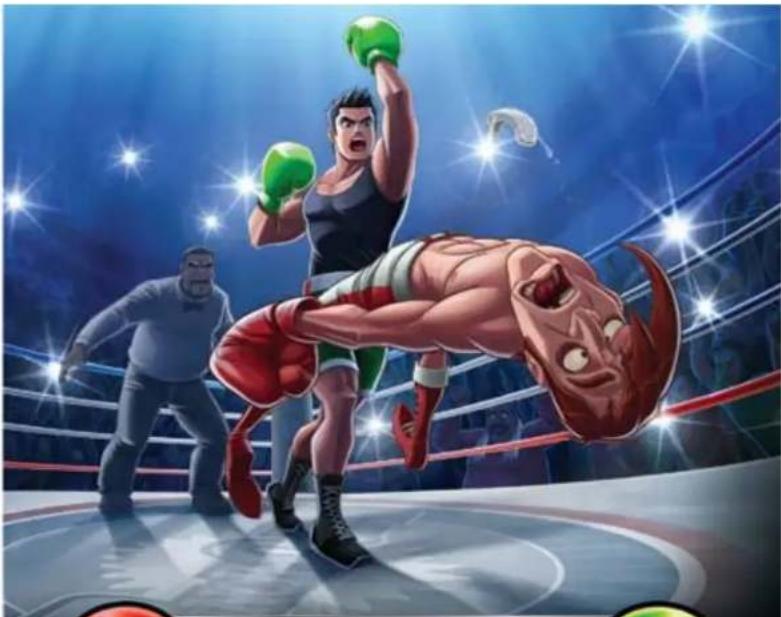
natural_image
Action illustration of a boxing match with two male characters and a bull in a red ring, under bright spotlights (no text or symbols)CONTENTS

* CONTROLS 03
★ STARTING THE GAME 05......
CREATING A PROFILE 06
★ MAIN MENU 07
★ CIRCUIT SCREEN NAVIGATION-09
★ GAME SCREEN 10
★ TRAINING WITH Doc 11
★ HEAD-TO-HEAD 12
★ MODE D'EMPLOI EN FRANÇAIS 17
MANUAL DEL JUEGO EN ESPAÑOL 33
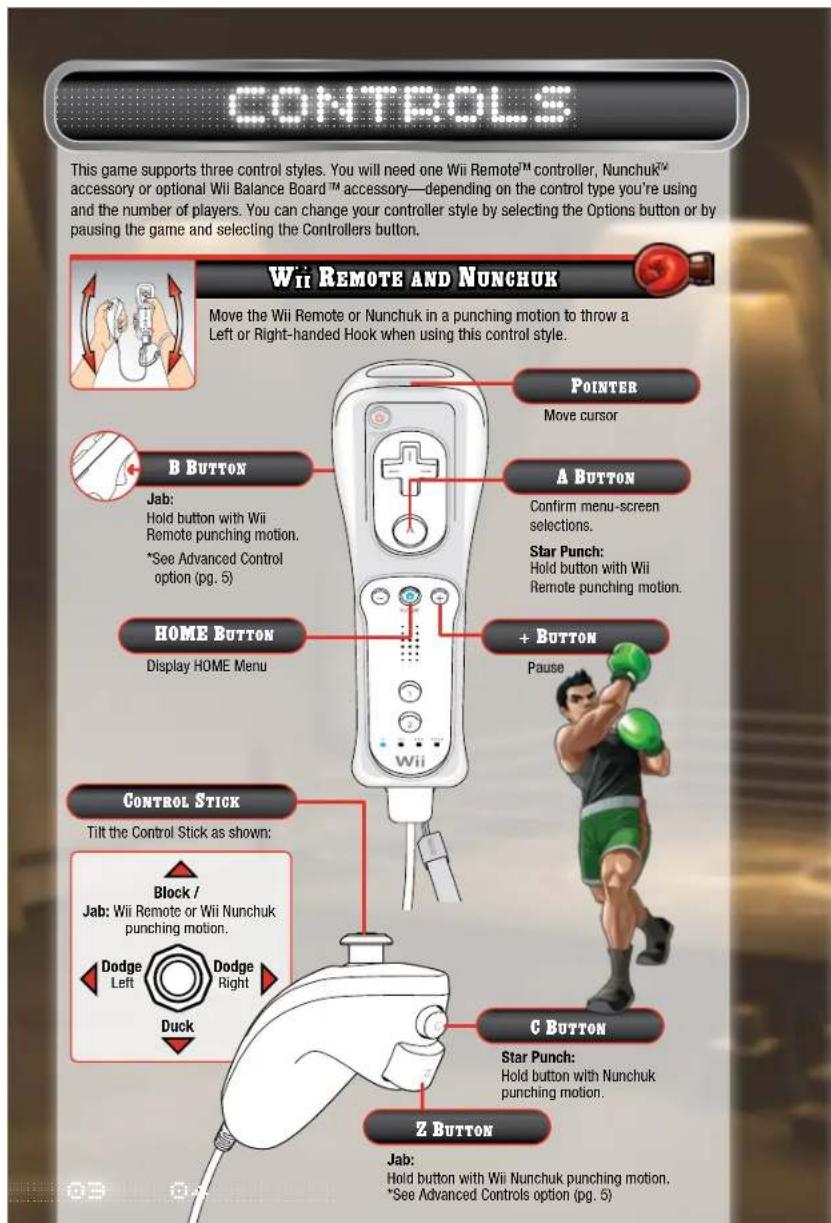
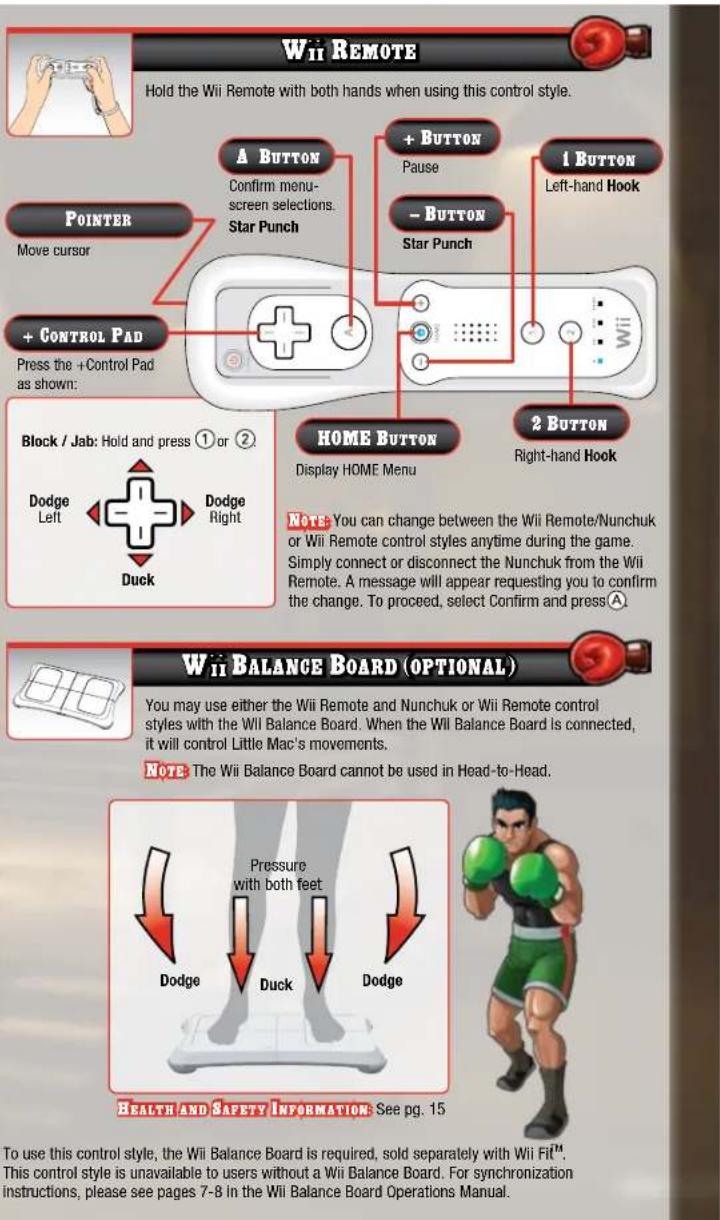

ADVANCED CONTROLS
To activate Advanced Controls, enter the Controllers menu and select Wii Remote and Nunchuk and press A. Place the cursor over the arrow icon in the upper right and press A until you reach the Advanced screen. To activate this control style, place your cursor over the box and press A.
NOTE: All controller information can also be viewed by entering the Controllers section from the Options menu (pg. 8). Select Wii Remote and Nunchuk, Wii Remote, or Wii Balance Board and press
A to view.
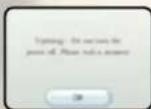
SYSTEM MENU UPDATE
Please note that when first loading the Game Disc into the Wii console, the system will check if you have the latest system menu, and if necessary, a Wii system update screen will appear. Press OK to proceed.
CAUTION: WRIST STRAP USE
Please use the wrist strap to help prevent injury to other people or damage to surrounding objects or the Wii Remote controller in case you accidentally let go of the Wii Remote during game play.
Also remember the following:
• Make sure all players put on the wrist strap properly when it is their turn.
- Do not let go of the Wii Remote during game play.
• Dry your hands if they become moist.
- Allow adequate room around you during game play and make sure that
all areas you might move into are clear of other people and objects.
- Stay at least three feet from the television.
• Use the Will Remote Jacket.
STARTING THE GAME

1.
Insert the Punch-Out!! Game Disc in the disc slot. The Wii console will turn on, and the screen on the right will appear. Read the contents and press A to confirm.
*The screen on the right will not appear if a Game Disc is inserted when the Wii console is on.


2.
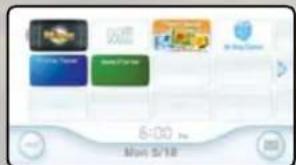
When the Wii Menu appears, point the cursor at the Disc Channel and press A.

3.
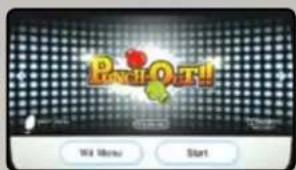
When the Channel Preview screen appears, point the cursor at Start and press
注意
表1
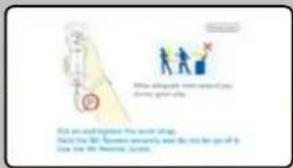
A screen will appear that shows you how to attach the wrist strap. When you are finished reading the instructions, press Ⓐ to continue.

Next, the title screen will appear. Press go to the Profile Select screen.
to A
CREATING A PROFILE
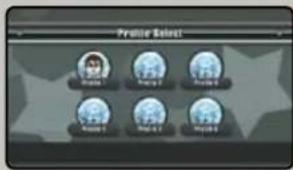

PROFILE SELECT
When playing Punch-Out!! for the first time, place the cursor over an empty profile and press Ⓐ. If you want to use an existing profile, place the cursor over the profile and press Ⓐ to continue. You can have up to six unique profiles.
You can change or delete your profile at any time by entering the Options menu and selecting the Profile button.
PROFILE CREATION
If you choose an empty profile slot in the Profile Select screen, you will then enter the Choose a Mii screen. In addition to the ten preset Mii ^TM characters, you will be able to choose any of the Mii characters in the Mii Channel. After you choose your Mii, you will go to the Main menu (pg. 7).

- If a Mii from your Mii Channel is already associated with a profile, you cannot select this Mii.
- If a selected Mii is deleted from the Mii Channel, you will need to choose a new Mii when you load the associated profile.
- Please see the features section (Mii Channel) from the Wii Operations Manual for Information on how to add Mii characters to your Mii Channel.

ABOUT SAVE DATA
This game saves automatically, and you need one block of empty space in your Will system memory. When you finish a match, your progress to that point will automatically be saved to your profile.
- For information on how to delete save data in your Wii system memory, please see the features section [Wii Options] of your Wii Operations Manual.
- Do not turn the power off or press RESET while saving.
• The save data can be copied to an SD Card.
MAIN MENU
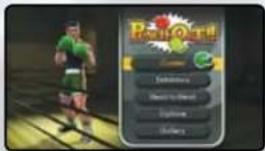
Highlight the mode of play with your cursor and press Ⓐ

natural_image
Illustration of a man in formal attire with bow tie and green stars (no text or symbols)WORLD VIDEO BOXING ASSOCIATION (W.V.B.A.) RULES
★ A match consists of three rounds, each of which are three minutes long.
A boxer is Knocked Out if he does not get up within a count of 10 after being knocked down.
★ A Technical Knock Out is scored if a boxer is knocked down three times in one round.
If time runs out in the third round, the Referee will determine the winner by decision.
CAREER MODE
Contender Mode will be the only mode available when you first start your career. Title Defense and Mac's Last Stand will only become available as you progress through the game.

CONTENDER
As Little Mac, you start your career with a record of 0-0 and must work your way through the Minor, Major, and World Circuits to become the W.V.B.A. Champion.

TITLE DEFENSE
Like every champion before him, Little Mac must defend his W.V.B.A. Championship Belt. Your opponents have been training since they lost, and they have the hope of winning your championship belt.

MAC'S LAST STAND
After proving Little Mac is the true W.V.B.A. Champion, you cannot simply retire as the best. There is only one rule to follow: lose three times and Little Mac must hang up his gloves and retire. *In Mac's Last Stand mode, the Restart and Quit functions will not be available in the Pause menu (pg.11). You must complete the current match before you can access other menus or modes.
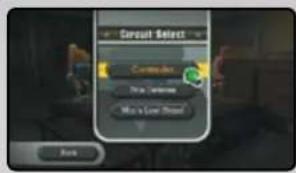
Once you complete the Minor Circuit in Contender mode, you can select the Circuit Select button to move between other circuits and modes.
[Unreadable]
[Unreadable]
EXHIBITION MODE
Exhibition mode allows you to fight boxers you've previously fought in Career mode. Each boxer will also have three challenges for you to complete.

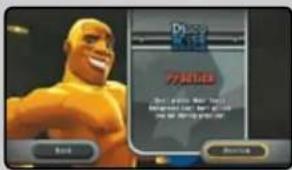
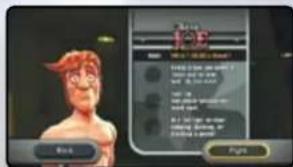
If you're having problems getting past your current opponent, you can also practice against a holographic image of him in this mode. To practice against your current opponent, simply place your cursor over your opponent's image and press A.
You can also enter Practice mode before facing an opponent in Career mode.

HEAD-TO-HEAD
Compete against family or friends in a one-on-one match. See page 12 for more details.

OPTIONS
CONTROLLERS
Switch your controller between Wii Remote/Nunchuk or Wii Remote and Wii Balance Board (pp. 3-4).
PROFILE
Shows the Record, Practice matches, and Belts Won for the current profile. You can change your profile by selecting the Change button.
TUTORIAL
View a tutorial movie showing how to perform the many functions in Punch-Out!!

GALLERY
Audio
As you complete certain criteria in Exhibition mode, you will unlock special audio tracks and music that can be listened to in this location.

natural_image
Cartoon illustration of a muscular man in boxing gloves and shorts, mid-jump (no text or symbols)MOVIES
As you progress through the game, you will unlock videos that can be viewed in this location.
CREDITS
View the credits from this location. As you progress through the game, more Credit options will become available.
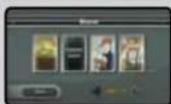
CIRCUIT SCREEN NAVIGATION
You can move around the Circuit screen by placing your cursor on the boxers and pressing Ⓐ Opponents you have not fought will appear as shadows and cannot be selected. Previously beaten opponents can be selected, but you cannot fight them again. For a rematch, enter Exhibition mode (pg. 8).
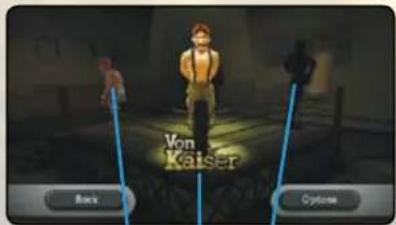
PREVIOUS OPPONENT NEXT OPPONENT
CURRENT OPPONENT
SELECTING OPPONENTS


1.
t the boxer and press
A

2.
gin the match, select Fight and press
A
After winning the match, you will return to the Circuit screen, and your next opponent will be unlocked.
After you've won the belt for the current circuit, the Next Circuit button will appear. Select the button and press Ⓐ to move to the next circuit
natural_image
Cartoon illustration of a muscular boxing figure with arms raised and purple gloves (no text or symbols)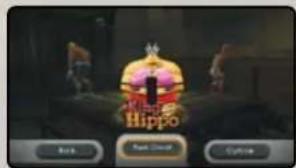
GAHI E SCREEN
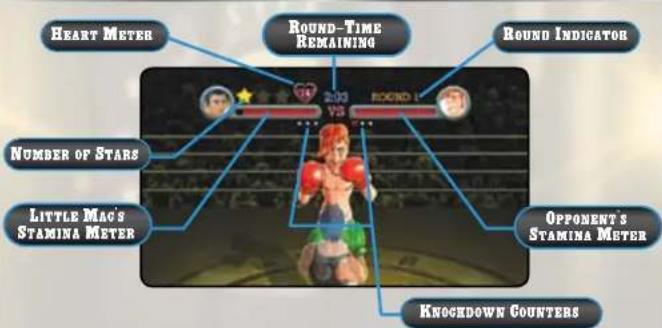

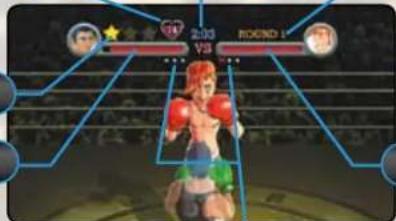
STAMINA METERS
The Stamina Meters indicate how much stamina Little Mac and his opponents have left. Stamina will drop when either boxer is hit by a punch. If a boxer stamina is depleted, they will be knocked down. A portion of the stamina will be recovered when the boxer stands up.

STARS
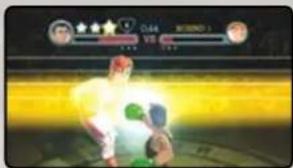
When Little Mac lands a punch at an opportune moment, he will receive a Star. Little Mac can then perform a special punch called a Star Punch. The amount of damage caused is based on the amount of stars used. Little Mac will automatically throw a One-, Two-, or Three-Star Punch depending on the amount of stars he has acquired. You cannot hold more than three stars, and Little Mac will lose all his stars if his opponent lands a punch.

HEART METER
Little Mac can throw a punch whenever he has one or more hearts. He will lose a heart each time his opponent blocks. Little Mac will also lose three hearts if he is hit by an opponent's punch. When the number of hearts reaches zero, Little Mac will be too tired to throw a punch and will turn purple. You must successfully avoid an opponent's punch or recover from a knockdown to regain your hearts.
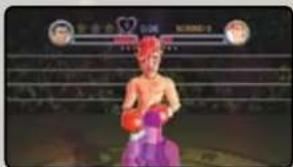

Shows the remaining time in the current round. Each round is three minutes.

Round Indicator
Shows the current round. There are three rounds per match.

DECISIONS
If both boxers last all three rounds without a KO or TKO against their opponent, the referee will decide the winner of the match. There is no overturning the referee's final decision.

natural_image
Illustration of a man with mustache and glasses, hand on chin, wearing white coat (no text or symbols)
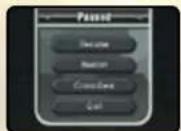
PAUSE MENU
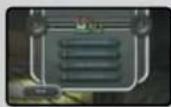
Press the + Button on the Wii Remote to enter the Pause menu.
RESUME: Resume the current match.
RESTART: Restart the current match.
CONTROLLERS: Enters the Controllers screen (pg. 8).
QUIT: Quit the current match and return to the main screen of the current mode.
*In Mac's Last Stand mode, the Restart and Quit functions will not be available. You must complete the current match before you can access other menus or modes.
TRAINING WITH DOC
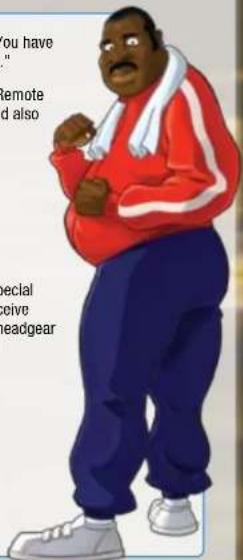
Doc Louis is an ex-heavyweight boxer and Little Mac's trainer. Post round and after the match he will provide valuable information to Little Mac. Here are some quick tips from Doc Louis before you begin:
"Simply throwing punches will only get you so far, Mac. You have to watch your opponent and find the right time to punch."
"Mac, listen up. If you get knocked down, shake the Wii Remote and Nunchuk to stand up and regain stamina. You should also try this when your opponent is knocked down."
"A good way to get a star is timing your attack. Wait for your opponent to change color and let him have it!"
"Sometimes your opponent's weakness is their attack. Now, for me, a chocolate bar is my only weakness!"
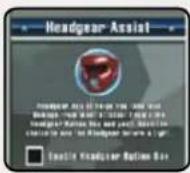
HEADGEAR
If you complete certain criteria, Little Mac will be given special headgear. While wearing the headgear, Little Mac will receive less damage from the opponent's standard attacks. The headgear option is not available during Mac's Last Stand mode and Exhibition mode.
HEAD TO HEAD
In Head-to-Head mode, you start the match playing as Little Mac vs. Little Mac. But fighting against himself is not a big enough challenge for Little Mac. He'll turn into Giga Mac to provide the ultimate Punch-Out!! challenge. As Little Mac, if you earn enough Giga Mac Juice, you will turn into Giga Mac!! Giga Mac's attacks are more powerful, and you will also have unique abilities and attacks. But you need to make the most of his power, as you have a limited time to stay in this form.
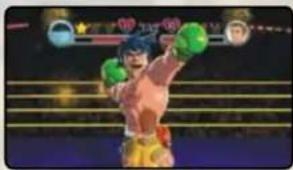
natural_image
Action shot of a boxer in mid-air holding green boll sports balls, with no visible text or symbolsEXHIBITION MODESTARTING A HEAD-TO-HEAD M
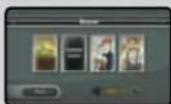
To start a Head-to-Head match, Player 2 will need to either play as a guest or select a previously created profile.

1
Select Head-to-Head on the main menu and press Ⓐ
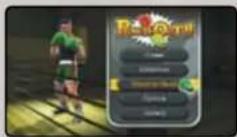

2.
On the Controller Registration screen, press 📄n Controller 2. Select Next and press Ⓐ
*For information regarding syncing additional controllers, refer to your Will Operations Manual.
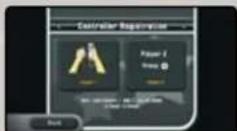

3.
Using Controller 2, select the Select Profile button and press Ⓐ.
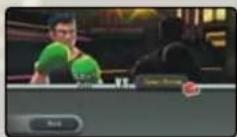

If Player 2 has previously created a profile (pg. 6), select the Profile button, press A, and select the appropriate profile. If Player 2 is a guest, select the Guest button and press A. Player 2 can now select from the available Mii characters.
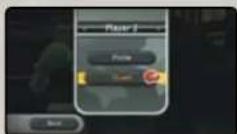

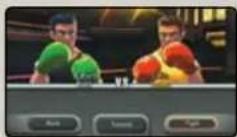
5.
Once both players have selected their profile, you can begin the fight or enter the Head-to-Head Tutorial. Select Fight and pressⒶ to begin.
EXHIBITION MODEHEAD-TO-HEAD GAME SCREEN
PLAYER ONE'S OIGA MAC JUICE METER
PLAYER ONE'S HEART METER
PLAYER TWO'S HEART METER
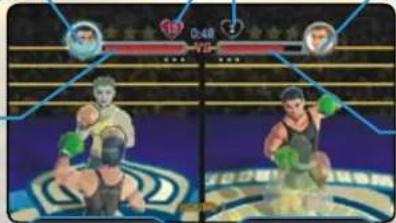
PLAYER TWO'S GIGA MAC JUICE METER
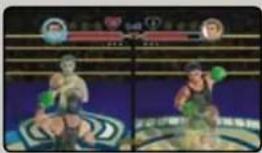
How to gain Giga Mac Juice

1
Block and dodge your opponent's punches until they turn blue. But be careful, if you take to long to throw any punches, you will turn blue!

2
Land a successful punch while your opponent is blue to earn Giga Mac Juice. The earned Giga Mac Juice will be stored next to your Stamina Meter.

3.
Once you earn enough Giga Mac Juice, you will transform into Giga Mac!!

4
Your Giga Mac Juice will slowly drain while in Giga Mac form. Once you are out of Giga Mac Juice, you will return to Little Mac.
natural_image
Two identical action shots of a person in motion, wearing green gloves, with no visible text or symbols.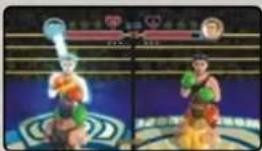
natural_image
Two identical cartoon characters in dynamic poses, one holding a trophy and the other standing (no visible text or symbols)
natural_image
Action photo of a boxer in action, wearing green gloves and holding a ring, with blurred background figures (no readable text or symbols)
natural_image
Action scene of a muscular character in a boxing ring, wearing green gloves and holding a ball (no visible text or symbols)
GIGA MAC CONTROLS
Giga Mac has new abilities and punches not available to Little Mac. The chart below displays Giga Mac's special abilities in addition to the standard controller functions found on pages 3-4.
WII REMOTE AND NUNCHUK STYLE
| Charged Jab Left HandHoldthrow punch with Nunchuk. | Zbutton. |
| Charged Jab Right HandHoldthrow punch with Wll Remote. | Bbutton. |
| Uppercut - Left HandHold Down on .Throw punch with Nunchuk. | ◎ |
| Uppercut - Right HandHold Down on .Throw punch with Wll Remote. | ◎ |
| Star Taunt Tilt | ◎left. |
| Time Taunt | Tilt right |
| WII REMOTE STYLE | |
| Charged Jab Left Hand | Press and hold up on +and 1. |
| Charged Jab Right Hand | Press and hold up on +and 2. |
| Uppercut - Left Hand | Hold down on +and press 1. |
| Uppercut - Right Hand | Hold down on +and press 2. |
| Star Taunt | Press left on +. |
| Time Taunt | Press right on +. |
Giga Mac is not alone in his new abilities. Little Mac's punches are slightly different from those found in Career mode.
For more controller details, select Options from the Pause menu and enter the Controllers menu. You can then select the controller information for either Little Mac or Giga Mac.
* This controller information is only accessible from the Pause menu in Head-to-Head mode.
HEALTH AND SAFETY INFORMATION
To prevent injury and/or to prevent damage to the Wii Balance Board or surrounding objects, follow these guidelines during gameplay:
- Be aware of your balance so that you do not slip or fall from the board. Avoid more movement than is needed to operate the game you are playing.
- Do not wear shoes or socks while using the board. Playing barefoot should reduce the risk of slipping or falling. If your feet become damp during gameplay, stop and dry your feet and the board before continuing.
- No more than one person should use the board at a time.
- Make sure you have adequate space between you and any other objects or people during gameplay. Nintendo recommends at least 3 feet (1 meter).
- Avoid stepping or standing on the edges of the board.
- Always place the board on a flat, horizontal and stable surface. Do not use the board on slippery surfaces. If using on thick carpet, use the Wii Balance Board foot extensions included with the Wii Balance Board.
- Do not use the Wii Balance Board if you are under the influence of alcohol or any other substance which could affect your sense of balance or perception and cause you to slip or fall.
IMPORTANT PRECAUTIONS WHEN USED BY CHILDREN:
An adult must explain all Health and Safety Information and usage guidelines and instructions to all children who are going to use the Wii Balance Board. Failure to do so may result in injuries or damage to the system or other property. Observe children during gameplay for proper and safe use of the board.
An adult should assist young children when first playing to make sure they understand correct use.
WARNING - Injury Due to Pre-existing Conditions
Gameplay with the Wii Balance Board may require varying amounts of physical activity. Consult a doctor before using the Wii Balance Board if:
- you are or may be pregnant,
- you have heart, respiratory, back, joint or other orthopedic conditions,
- you have high blood pressure,
- you have difficulty with physical exercise, or
- you have been instructed to restrict physical activity.
While using the Wii Balance Board, if you experience excessive fatigue, shortness of breath, chest tightness, dizziness, discomfort or pain, STOP USE IMMEDIATELY and consult a doctor.
WARRANTY & SERVICE INFORMATION
REV 0
You may need only simple instructions to correct a problem with your product. Try our website at support.nintendo.com or call our Consumer Assistance Hotline at 1-800-255-3700, rather than going to your retailer. Hours of operation are 6 a.m. to 7 p.m., Pacific Time, Monday - Sunday (times subject to change). If the problem cannot be solved with the troubleshooting information available online or over the telephone, you will be offered express factory service through Nintendo. Please do not send any products to Nintendo without contacting us first.
HARDWARE WARRANTY
Nintendo of America Inc. ("Nintendo") warrants to the original purchaser that the hardware product shall be free from defects in material and workmanship for twelve (12) months from the date of purchase. If a defect covered by this warranty occurs during this warranty period, Nintendo will repair or replace the defective hardware product or component, free of charge.* The original purchaser is entitled to this warranty only if the date of purchase is registered at point of sale or the consumer can demonstrate, to Nintendo's satisfaction, that the product was purchased within the last 12 months.
GAME & ACCESSORY WARRANTY
Nintendo warrants to the original purchaser that the product (games and accessories) shall be free from defects in material and workmanship for a period of three (3) months from the date of purchase. If a defect covered by this warranty occurs during this three (3) month warranty period, Nintendo will repair or replace the defective product, free of charge.*
SERVICE AFTER EXPIRATION OF WARRANTY
Please try our website at support.nintendo.com or call the Consumer Assistance Hotline at 1-800-255-3700 for troubleshooting information and repair or replacement options and pricing.*
*In some instances, it may be necessary for you to ship the complete product. FREIGHT PREPAID AND INSURED FOR LOSS OR DAMAGE, to Nintendo. Please do not send any products to Nintendo without contacting us first.
WARRANTY LIMITATIONS
THIS WARRANTY SHALL NOT APPLY IF THIS PRODUCT: (a) IS USED WITH PRODUCTS NOT SOLD OR LICENSED BY NINTENDO (INCLUDING, BUT NOT LIMITED TO, NON-LICENSED GAME ENHANCEMENT AND COPIER DEVICES, ADAPTERS, AND POWER SUPPLIES); (b) IS USED FOR COMMERCIAL PURPOSES (INCLUDING RENTAL); (c) IS MODIFIED OR TAMPERED WITH; (d) IS DAMAGED BY NEGLIGENCE, ACCIDENT, UNREASONABLE USE, OR BY OTHER CAUSES UNRELATED TO DEFECTIVE MATERIALS OR WORKMANSHIP, OR (e) HAS HAD THE SERIAL NUMBER ALTERED, DEFACED OR REMOVED.
ANY APPLICABLE IMPLIED WARRANTIES, INCLUDING WARRANTIES OF MERCHANTABILITY AND FITNESS FOR A PARTICULAR PURPOSE, ARE HEREBY LIMITED IN DURATION TO THE WARRANTY PERIODS DESCRIBED ABOVE (12 MONTHS OR 3 MONTHS, AS APPLICABLE). IN NO EVENT SHALL NINTENDO BE LIABLE FOR CONSEQUENTIAL OR INCIDENTAL DAMAGES RESULTING FROM THE BREACH OF ANY IMPLIED OR EXPRESS WARRANTIES. SOME STATES DO NOT ALLOW LIMITATIONS ON HOW LONG AN IMPLIED WARRANTY LASTS OR EXCLUSION OF CONSEQUENTIAL OR INCIDENTAL DAMAGES, SO THE ABOVE LIMITATIONS MAY NOT APPLY TO YOU.
This warranty gives you specific legal rights. You may also have other rights which vary from state to state or province to province.
Nintendo's address is: Nintendo of America Inc., P.O. Box 957, Redmond, WA 98073-0957 U.S.A.
This warranty is only valid in the United States and Canada.
DOLBY.
PRO LOGIC II

Manufactured under license from Dolby Laboratories, Dolby, Pro Logic, and the double-D symbol are trademarks of Dolby Laboratories.
This game is presented in Dolby ^25 Pro Logic ^® II surround sound. Connect your game console to a sound system with Dolby Pro Logic, Dolby Pro Logic II, or Dolby Pro Logic IIX decoding to experience the excitement of surround sound. You may need to enable Dolby Pro Logic II in the audio options menu of the game.
© 2009 Nintendo. TM, © and the Will logo are trademarks of Nintendo. © 2009 Nintendo.

natural_image
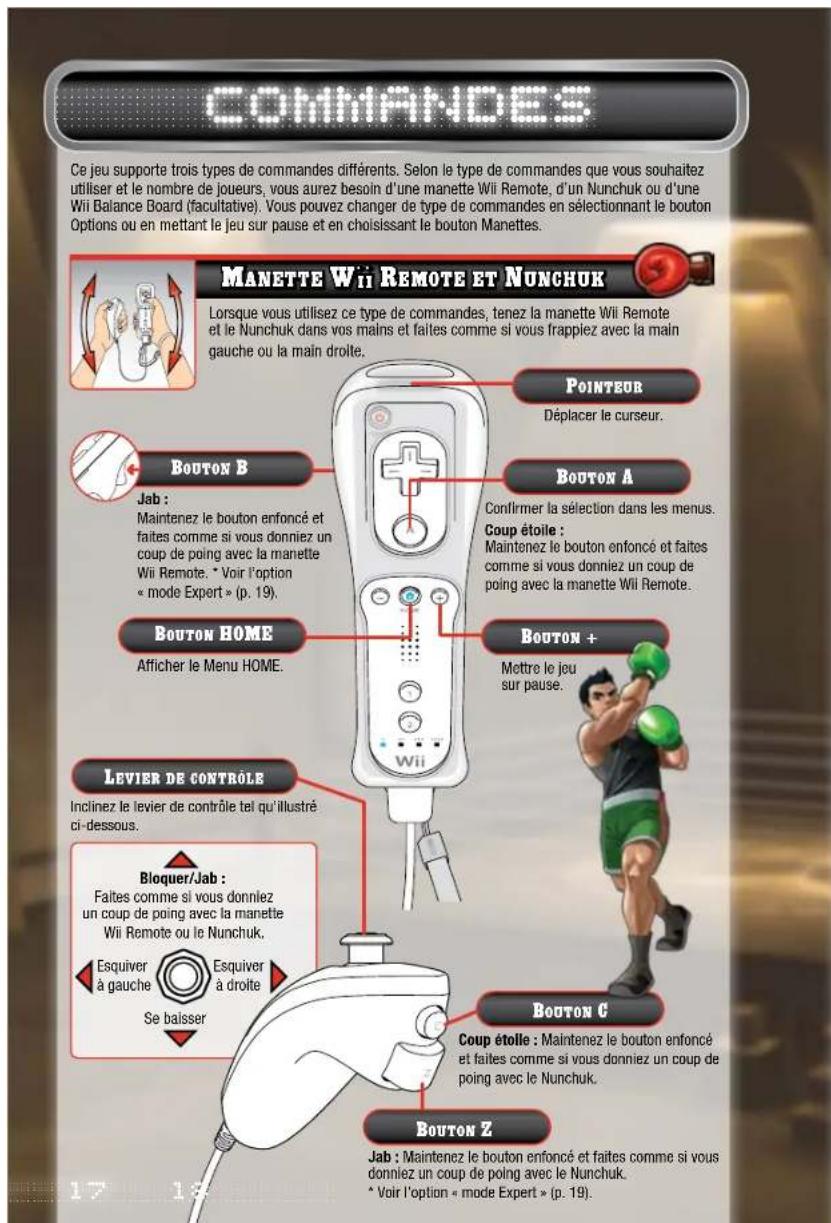
Illustration of a man in formal attire posing with a peace sign (no text or symbols)REGLES DE LA WVBA (WORLD VIDEO BOXING ASSOCIATION)
项目
(1) 2016年1月1日
MODE PARTIE RAPIDE
natural_image
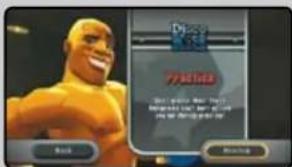
Cartoon illustration of a muscular boxing figure with raised arms and purple gloves (no text or symbols)ECAN DE JEU
Jauge de cœurs
TEMPS RESTANT DU ROUND ACTUEL
NUMÉRO DU ROUND ACTUEL
NOMBRE D'ETOILES
JAUGE D'ÉNERGIE DE LITTLE MAC
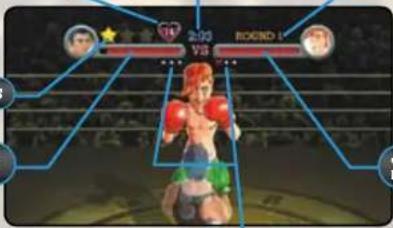
Jauge d'ENERGIE DE L'ADVERSAIRE
NOMBRE DE MISES AU TAPIS

JAUGE D'ÉNERGIE

Jauge de cœurs

TEMPS RESTANT DU ROUND ACTUEL
natural_image
Illustration of a man in historical attire with glasses, hand on chin, no visible text or symbols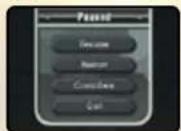
TEURS DU NOE LOUIS
natural_image
Action shot of a boxing boxer in action, holding green gloves and aiming a ring (no visible text or symbols)EXHIBITION MODECOMMENCER UN COMBAT FACE
natural_image
Two identical action shots of a person in a seated pose, wearing a beige outfit and holding green objects, against a dark background with faint circular icons above (no visible text or symbols)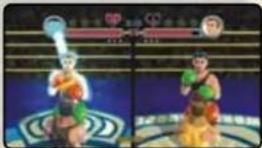
natural_image
Action scene showing a character in motion with green balls and blue hair, no visible text or symbols
natural_image
Action scene of a muscular character in action pose with green balls, no visible text or symbols
COMMANDES GIGA MAC

natural_image
Illustration of a man in formal attire with bow tie and green stars (no text or symbols)REGLAS DE LA W.V.B.A. (WORLD VIDEO BOXING ASSOCIATION)
[Unreadable]
附表
EXHIBICIÓN
natural_image
Cartoon illustration of a muscular man in boxing gloves and shorts, mid-jump (no text or symbols)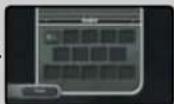
natural_image
Cartoon illustration of a muscular man with a crown and boxing gloves, wearing a red belt with a cross symbol (no text or symbols present)PANTALLA DEL JUEGO
NÚMERO DE CORAZONES
TIEMPO RESTANTE EN ESTE ASALTO
NUMERO DE ASALTO
NÚMERO DE ESTRELLAS
ENERGIA DE LITTLE MAC
NÚMERO DE CAÍDAS


NÚMERO DE CORAZONES

TIEMPO RESTANTE EN ESTE ASALTO
natural_image
Illustration of a man in formal attire with hand on chin, no visible text or symbols
MENÚ DE PAUSA
natural_image
Action shot of a boxer in mid-air holding green gloves, standing on a court with horizontal lines (no visible text or symbols)
RAA
- WARNING - Repetitive Motion Injuries and Eyestrain
- CAUTION - Motion Sickness
- IMPORTANT LEGAL INFORMATION
- CONTENTS
- ADVANCED CONTROLS
- SYSTEM MENU UPDATE
- CAUTION: WRIST STRAP USE
- STARTING THE GAME
- 1.
- 2.
- 3.
- CREATING A PROFILE
- PROFILE SELECT
- PROFILE CREATION
- ABOUT SAVE DATA
- MAIN MENU
- WORLD VIDEO BOXING ASSOCIATION (W.V.B.A.) RULES
- CAREER MODE
- CONTENDER
- TITLE DEFENSE
- MAC'S LAST STAND
- EXHIBITION MODE
- HEAD-TO-HEAD
- OPTIONS
- CONTROLLERS
- PROFILE
- TUTORIAL
- GALLERY
- Audio
- MOVIES
- CREDITS
- CIRCUIT SCREEN NAVIGATION
- SELECTING OPPONENTS
- GAHI E SCREEN
- STAMINA METERS
- STARS
- HEART METER
- Round Indicator
- DECISIONS
- PAUSE MENU
- TRAINING WITH DOC
- HEADGEAR
- HEAD TO HEAD
- EXHIBITION MODESTARTING A HEAD-TO-HEAD M
- 1
- 5.
- EXHIBITION MODEHEAD-TO-HEAD GAME SCREEN
- How to gain Giga Mac Juice
- 2
- 4
- GIGA MAC CONTROLS
- HEALTH AND SAFETY INFORMATION
- IMPORTANT PRECAUTIONS WHEN USED BY CHILDREN:
- WARNING - Injury Due to Pre-existing Conditions
- WARRANTY & SERVICE INFORMATION
- HARDWARE WARRANTY
- GAME & ACCESSORY WARRANTY
- SERVICE AFTER EXPIRATION OF WARRANTY
- WARRANTY LIMITATIONS
- REGLES DE LA WVBA (WORLD VIDEO BOXING ASSOCIATION)
- MODE PARTIE RAPIDE
- ECAN DE JEU
- JAUGE D'ÉNERGIE
- Jauge de cœurs
- TEMPS RESTANT DU ROUND ACTUEL
- TEURS DU NOE LOUIS
- EXHIBITION MODECOMMENCER UN COMBAT FACE
- COMMANDES GIGA MAC
- REGLAS DE LA W.V.B.A. (WORLD VIDEO BOXING ASSOCIATION)
- EXHIBICIÓN
- PANTALLA DEL JUEGO
- NÚMERO DE CORAZONES
- TIEMPO RESTANTE EN ESTE ASALTO
- MENÚ DE PAUSA
Brand : NINTENDO
Model : PunchOut!! (Wii)
Category : Game