Wario Land Shake It! (Wii) - Game NINTENDO - Free user manual and instructions
Find the device manual for free Wario Land Shake It! (Wii) NINTENDO in PDF.


User questions about Wario Land Shake It! (Wii) NINTENDO
0 question about this device. Answer the ones you know or ask your own.
Ask a new question about this device
Download the instructions for your Game in PDF format for free! Find your manual Wario Land Shake It! (Wii) - NINTENDO and take your electronic device back in hand. On this page are published all the documents necessary for the use of your device. Wario Land Shake It! (Wii) by NINTENDO.
USER MANUAL Wario Land Shake It! (Wii) NINTENDO
NEED HELP WITH INSTALLATION, BESOIN D'AIDE POUR L'INSTALLATIO MAINTENANCE OR SERVICE? L'ENTRETIEN OU LA RÉPARATION?
Nintendo Customer Service
SUPPORT.NINTENDO.COM or call:1-800-255-3700
Recorded tips for many titles are available on Nintendo's Power Line at:4251885-7529. This may be a long distance call, so please ask permission from whoever pays the phone bill. If the information you need is not on the Power Line, you may want to try using your favorite Internet search engine to find tips for the game: you are playing. Some helpful words to include in the search, along with the game's title, are: "walk through," "FAQ," "codes," and "tips."
The official seal is your assurance that this product is licensed or manufactured by Nintela. Always look for this seal when buying video game systems, accessories, games and related products.
- Some people (about 1 in 4000) may have seizures or blackouts triggered by light flashes or patterns, and this may occur while they are watching TV or playing video games, even if they have never had a seizure before.
- Anyone who has had a seizure, loss of awareness, or other symptom linked to an epileptic condition should consult a doctor before playing a video game.
- Parents should watch their children play video games. Stop playing and consult a doctor if you or your child has any of the following symptoms:
Convulsions Eye or muscle twitching Altered vision Loss of awareness Involuntary movements Disorientation
To reduce the likelihood of a seizure when playing video games:
- Sit or stand as far from the screen as possible.
- Play video games on the smallest available television screen.
- Do not play if you are tired or need sleep.
- Play in a well-lit room.
- Take a 10 to 15 minute break every hour.
WARNING - Repetitive Motion Injuries and Eyestrain
Playing video games can make your muscles, joints, skin or eyes hurt. Follow these instructions to avoid problems such as tendinitis, carpal tunnel syndrome, skin irritation or eyestrain:
- Avoid excessive play. Parents should monitor their children for appropriate play.
Take a 10 to 15 minute break every hour, even if you don't think you need it. - If your hands, wrists, arms or eyes become tired or sore while playing, or if you feel symptoms such as tingling, numbness, burning or stiffness, stop and rest for several hours before playing again.
- If you continue to have any of the above symptoms or other discomfort during or after play, stop playing and see a doctor.
CAUTION - Motion Sickness
Playing video games can cause motion sickness in some players. If you or your child feel dizzy or nauseous when playing video games, stop playing and rest. Do not drive or engage in other demanding activity until you feel better.
IMPORTANT LEGAL INFORMATION
This Nintendo game is not designed for use with
any unauthorized device. Use of any such device will invalidate your Nintendo product warranty. Copying of any Nintendo game is illegal and is strictly prohibited by domestic and international intellectual property laws. "Back-up" or "archival" copies are not authorized and are not necessary to protect your software. Violators will be prosecuted.
REV-E
WARRANTY & SERVICE INFORMATION
REV-Q
You may need only simple instructions to correct a problem with your product. Try our website at support.nintendo.com or call our Consumer Assistance Hotline at 1-800-255-3700, rather than going to your retailer. Hours of operation are 6 a.m. to 7 p.m., Pacific Time, Monday - Sunday (times subject to change). If the problem cannot be solved with the troubleshooting information available online or over the telephone, you will be offered express factory service through Nintendo. Please do not send any products to Nintendo without contacting us first.
HARDWARE WARRANTY
Nintendo of America Inc. ("Nintendo") warrants to the original purchaser that the hardware product shall be free from defects in material and workmanship for twelve (12) months from the date of purchase. If a defect covered by this warranty occurs during this warranty period, Nintendo will repair or replace the defective hardware product or component, free of charge. The original purchaser is entitled to this warranty only if the date of purchase is registered at point of sale or the consumer can demonstrate, to Nintendo's satisfaction, that the product was purchased within the last 12 months.
GAME & ACCESSORY WARRANTY
Nintendo warrants to the original purchaser that the product (games and accessories) shall be free from defects in material and workmanship for a period of three (3) months from the date of purchase. If a defect covered by this warranty occurs during this three (3) month warranty period, Nintendo will repair or replace the defective product, free of charge.*
SERVICE AFTER EXPIRATION OF WARRANTY
Please try our website at support.nintendo.com or call the Consumer Assistance Hotline at 1-800-255-3700 for troubleshooting information and repair or replacement options and pricing.*
*In some instances, it may be necessary for you to ship the complete product, FREIGHT PREPAID AND INSURED FOR LOSS OR DAMAGE, to Nintendo. Please do not send any products to Nintendo without contacting us first.
WARRANTY LIMITATIONS
THIS WARRANTY SHALL NOT APPLY IF THIS PRODUCT: (a) IS USED WITH PRODUCTS NOT SOLD OR LICENSED BY NINTENDO (INCLUDING, BUT NOT LIMITED TO, NON-Licensed GAME ENHANCEMENT AND COPIER DEVICES, ADAPTERs, AND POWER SUPPLIES); (b) IS USED FOR COMMERCIAL PURPOSES (INCLUDING RENTAL); (c) IS MODIFIED OR TAMPERED WITH; (d) IS DAMAGED BY NEGLIGENCE, ACCIDENT, UNREASONABLE USE, OR BY OTHER CAUSES UNRELATED TO DEFECTIVE MATERIALS OR WORKMANSHIP; OR (e) HAS HAD THE SERIAL NUMBER ALTERED, DEFACED OR REMOVED.
ANY APPLICABLE IMPLIED WARRANTY, INCLUDING WARRANTY OF MERCHANTABILITY AND FITNESS FOR A PARTICULAR PURPOSE, ARE HEREBY LIMITED IN DURATION TO THE WARRANTY PERIODS DESCRIBED ABOVE (12 MONTHS OR 3 MONTHS, AS APPLICABLE). IN NO EVENT SHALL NINTENDO BE LIABLE FOR CONSEQUENTIAL OR INCIDENTAL DAMAGES RESULTING FROM THE BREACH OF ANY IMPLIED OR EXPRESS WARRANTY. SOME STATES DO NOT ALLOW LIMITATIONS ON HOW LONG AN IMPLIED WARRANTY LASTS OR EXCLUSION OF CONSEQUENTIAL OR INCIDENTAL DAMAGES, SO THE ABOVE LIMITATIONS MAY NOT APPLY TO YOU.
This warranty gives you specific legal rights. You may also have other rights which vary from state to state or province to province.
Nintendo's address is: Nintendo of America Inc., P.O. Box 957, Redmond, WA 98073-0957 U.S.A.
This warranty is only valid in the United States and Canada.

Manufactured under license from Dolby Laboratories. Dolby, Pro Logic, and the double-D symbol are trademarks of Dolby Laboratories.

This game is presented in Dolby Pro Logic II surround sound. Connect your game console to a sound system with Dolby Pro Logic, Dolby Pro Logic II, or Dolby Pro Logic IIx decoding to experience the excitement of surround sound. You may need to enable Dolby Pro Logic II in the audio options menu of the game.
© 2008 Nintendo. TM, and the Wii logo are trademarks of Nintendo. All rights reserved. © 2008 Nintendo.
Table of Contents
This Is How You Control Me!
Start Playing My Gamel!
Saving Your Data
How Do I Play This Game?
Listen to Your Old
Pal Wario's Advice! 10

SYSTEM MENU UPDATE
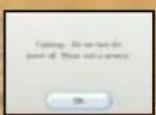
Please note that when first loading the Game Disc into the will console, the will will check if you have the latest system menu, and if necessary a will system update screen will appear. Press OK to proceed.
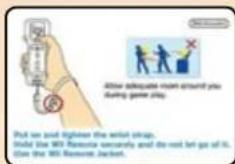
CAUTION: Wrist STRAP USE
Please use the wrist strap to help prevent injury to other people or damage to surrounding objects or the Will Remote™ controller in case you accidentally let go of the will Remote during game play.
Also remember the following:
- Make sure all players put on the wrist strap properly when it is their turn.
- Do not let go of the Wii Remote during game play.
- Dry your hands if they become moist.
- Allow adequate room around you during game play and make sure that all areas you might move into are clear of other people and objects.
- Stay at least three feet from the television.
- Use the will Remote Jacket.

This Is How You Control Mel
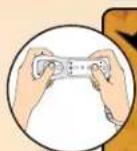
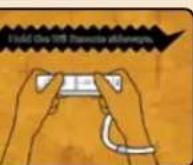
In MY game, you play with the Will Remote controller held sideways! What's that? You wanna know more about the slick moves I can do? Then check out Page 9!
Wii Remote
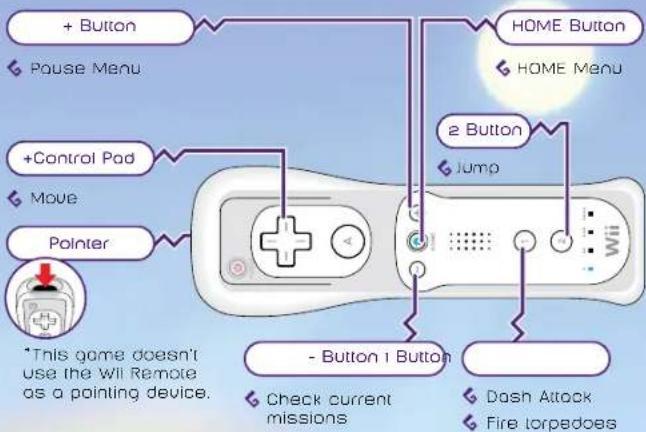
Menu Controls

Make selections

Confirm selection

Cancel selection
Shake the Wii Remote
Earthshake Punch
Shake object or enemy
6 Start spinning on bar

Start Playing My Game!
First, make sure you properly Insert the Warlo Land: Shake It! Game Disc In the Will console's disc slot. Do that, and the Will will turn on all by itself! Amazing, right?

This screen here will show up. Read through that and then press Aio advance. This screen shows up even if you insert the Gome Disc with it wl already on.


Next, point at my game on the Wii Menu and press A
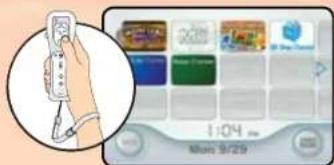

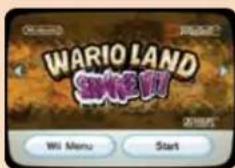
When the Channel Preview screen shows up, point at that thing that says Start and press

When you see the Wrist Strap Usage screen, make sure you're all ready to go, then press A

Turn the will Remote sideways and press ②. When you see the title screen, press ②one more time! You're almost ready to play!
Selecting Save Data
Choose which save-dota slot to use (there's four in there!). Just move between slots with then press Confirm that you want to start a new game, and my adventure will start right after the movie.
If you wanna continue an adventure you already started, select the save slot you were using. You'll be whisked away to my snazzy, daringly designed room!
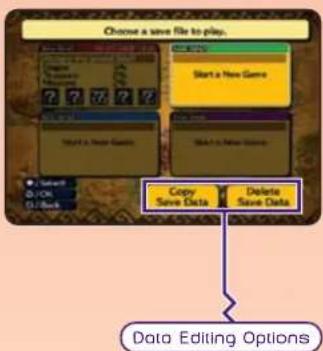
| Copy Save Data | You can copy existing save data with this. Pick the data you want to copy, then the slot you want to copy it to. OK? |
| Delete Save Data | This'll erase save data in a slot! Just select the data you want to delete. But remember, erased data can't be restored, not even by a big shot like me! Got it? Be careful when you're erasing your data! |
Saving Your Data
Your game automatically saves after you complete a stage, give up on a stage, or finish the game. Oops! I almost forgot to tell you that you'll need 1 block of open space on your Will system memory to save! Don't forget!

*If you're not sure how to delete save data from your Wii system memory, swing those eyeballs of yours over to your Wii Operations Manual.
How Do I Play This Game?!
Take control of yours truly, Warlo™, International handsome guy, as I move through each stage. Make sure you don't miss any hidden treasures! Oh, and did I mention coins? Don't forget to pick up all the coins you see!
What's on the Game Screen?
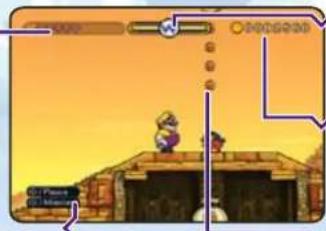
Cool Wario 'W!
Controls Reminder
This handy little guy shows up when you stand still for a minute
Life Gauge
You can do my Earthshake Punch move when you see this cool symbol.
Coins Collected
This number shows how many coins I, uh, found on the current stage.
This is a coin!
These bibles come in a bunch of colors and sizes, with different values. Spend the coins you find at the Pirate Shop
This is how much life I got. I lose some life every time I take damage and gain some back when I pick up a piece of my favorite snack, garlic. If I've got a Recovery Potion on me, you'll see a little next to the Life Gauge.
Playing the Game In the 16:9 Aspect Ratio
If your display settings are set to play the game in 16g, the treasure you've collected and your missions show up on the sides of the screen. Now, THAT'S handy!
Mission Reminders
Missions you haven't done yet are marked with . The ones you've finished will flash white.
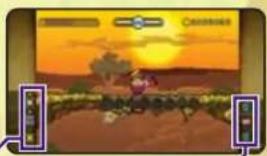
Treasures Found
Special Blocks
Stages can contain a bunch of weird blocks. Hit 'em to see what effects they have.

Certainty Switch
Changes Uncertain Basks from touchable to untouchable.

Bomb Block
Jostle these blocks to start the countdown.

Bonfire Block
Will I have to be on fire to use one of these?

Snowman Block
Bumo into one of these when I'm frozen solid.
Items
These are some of my daily "must-haves" during adventuring season. You can get garlic by shaking up enemies. The rest are at the Pirate Shop.

Garlic
Refils my Life Gouge

Recovery Poison
When my Life Gauge hits zero, this item will automatically use itself and fully refill my Life Gauge. I can hold up to two of these babies!

Heart Vessel
Extends the length of my life gauge.
Pausing My Game
You can pause the game two different ways. Press to bring up the pause menu, or press to see your missions.
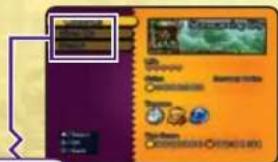
Pause Menu
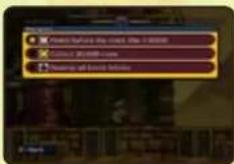
Pause Menu Screen Mission Confirmation Screen
| Controls | Check your game controls here. Got a control question? This is where to look. |
| Give Up | Quit the current stage and go back to the Stage Select screen. Watch out, though You lose all the coins and treasure from the current stage when you give up. |
| Retry | Restart the stage from the beginning or from the last checkpoint you hit. |
Unibucket Controls
Climb in / Hop out Move Jump

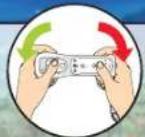
Till the Wll Remote left and right.

Hlt a Unibucket Switch ) and, what do ya know, a Unibucket appears. Use the Unibucket to ride on top of thin rails. All you gotta do is press down with when standing on a Unibucket to get Inside. Then tilt the will Remote left and right to move. The farther you tilt, the faster you go! You can even catch a little air by pressing. End your ride by pressing up with.
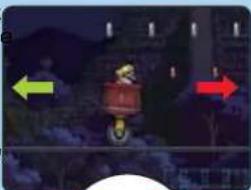
Careful Unibuckets Ain't Cheap!
When you're riding in a Unibucket. If you jump off a rail onto normal ground, the Unibucket will break when it lands, so watch it!

Submarine Controls
Adjust speed Change heading Fire torpedo

Tilt the Wil Remote left and right.

When you're in the Submarine, the screen automatically scrolls forward and the Submarine moves forward on its own. That means it's your job to make sure it doesn't hit any obstacles or bad guys!
Control the ship's speed with. Pressing left slows it down and pressing right speeds it up. Go up or down by tilting the Wii Remote. Tilt left to rise and right to dive! Also, press ① to blast enemies with torpoids!

Listen to Your Old Pal Wario's Advice!
Before we finish up here, lemme glve you a few words of wisdom. You didn't think a softie like me was gonna let you wander out alone without a few tips, did ya?
Give It a Shake!
Coin Bags, enemies, Merfle Barrels, almost everything is worth grabbing and shaking. You never know, you might knock a little something loose. You should also give the Will Remote a few shakes anytime I trip. It'll get me back on my feet faster than if you're just sitting there, that's for sure!
Smash Those Blocks!
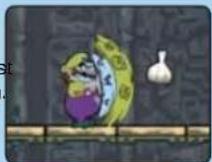
Do you know why blocks exist? For smashing, that's why! Especially blocks that get in your way! Take core of those pesky things with a Dash Attack or Ground Pound (Jump + and then be on your way. But sometimes those some blocks are the only way to climb to high places, so watch what you smash.
Check Out Moves in the Demos
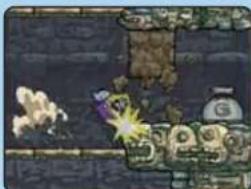
On the title screen, if you don't press any buttons for a while, the game will launch into a demo that'll let you check out my controls. I guess every once in a while it pays to sit around and do nothing!
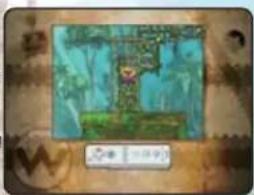

Use Contraptions!
Even a hero like myself gets stuck sometimes. When it seems like you can't get where you need to go, see If one of the contraptions lying around can help you. Use whatever you can as often as you can if it'll give you the edge! That's my philosophy!
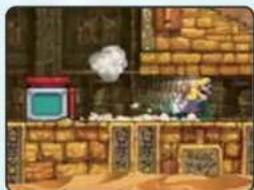
Max Fastosity Dasherators
If I climb into one of these puppies, I'll come rocketing out the other side at top speed! In fact, I go so fast. I can break right through blocks I can't normally break with my Dash Attack or Ground Pound moves. Impressive, right? Yeah, I thought so.
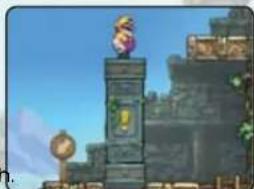
Up/Down Pillars
If one of these is in your way, use Earthshake Punch to move it and open up a path for me. What's more, if I'm standing on top of one of these pillars when you use my Earthshake Punch, the pillar will rise up with me on it, so I can reach stuff way up high. It just goes to show you: It ain't about the tool-it's how you use it. Make sure you remember that with everything on this adventure!
Blast-O-Cannons
When inside one of these cannons, I can be blasted out at high speed, kind of like when I come out of a Max Fostosity Dasherator. Get me inside a cannon by having me climb on top of and pressing down with. To aim, tilt the will Remote (you can keep it still) holding ② when you release ③ I'll be
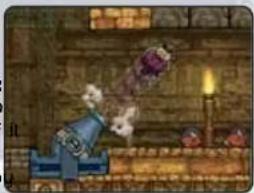
blown out of the cannon and fly gracefully through the air. If you change your mind once you've aimed the cannon, just press before letting go of②
Sometimes, you might see something weird happen to me, like catching on fire or being covered in snow! I know. It's a bummer to see me looking (a little) less cool than usual, but don't worry. There's probably something even cooler than I can do when I'm on fire!