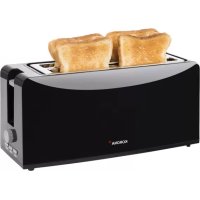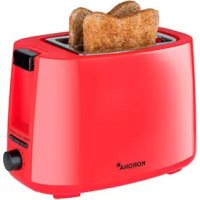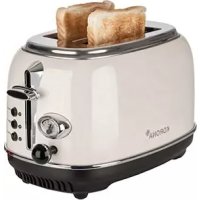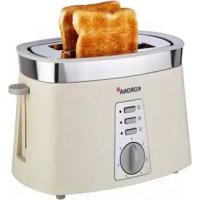
21675 - Toaster KORONA - Free user manual and instructions
Find the device manual for free 21675 KORONA in PDF.



| Product type | 4-slot toaster |
| Brand | Korona |
| Model | 21675 / 21676 |
| Power supply | 220-240 V ~ 50/60 Hz |
| Rated power | 1370-1630 W |
| Protection class | I |
| Number of slots | 4 (2 independent pairs) |
| Browning levels | 6 (1 to 6) |
| Functions | Toasting, reheating, defrosting |
| Additional features | Auto-centering, auto shut-off, manual eject |
| Included accessories | 2 removable croissant warmers, 2 crumb trays |
| Light indicators | Cancel, reheat, defrost buttons with indicators |
| Housing material | Heat-resistant plastic |
| Cable length | Approx. 0.8 m (rear storage) |
| Cleaning | Removable crumb tray, damp cloth for exterior |
| Maintenance | Do not immerse, unplug before cleaning |
| Safety | Hot surfaces indicated, auto shut-off, do not cover slots |
| Warranty | 2 years |
| Use | Household use only |
| Spare parts | Available from Korona customer service |
| Repairability | Do not open or repair yourself, contact a professional |
| Compliance | CE |
Frequently Asked Questions - 21675 KORONA
User questions about 21675 KORONA
0 question about this device. Answer the ones you know or ask your own.
Ask a new question about this device
Download the instructions for your Toaster in PDF format for free! Find your manual 21675 - KORONA and take your electronic device back in hand. On this page are published all the documents necessary for the use of your device. 21675 by KORONA.
USER MANUAL 21675 KORONA
Before use, please read these instructions carefully and keep them in a safe place for future reference. When passing on the appliance to a third party, make sure to include these instructions for use.
This appliance is intended and suitable for toasting and reheating bread/toast or buns/croissants. All other use or modification of the appliance is not intended by the manufacturer and might entail a risk of damage or injury. This appliance is not intended for commercial use!
Safety:

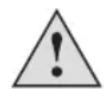
This symbol identifies hazards which may cause injuries!

This symbol warns of hot surfaces. Risk of burns!

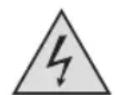
This symbol identifies electric shock hazards!

General Safety Instructions
- Manufacturer takes no responsibility for any damage caused by incorrect use.
Incorrect or improper use can damage the appliance and cause injuries to the user. - Before connecting this appliance to the mains, make sure your local voltage matches the technical data of the appliance. Otherwise the appliance may overheat and get damaged.
Caution! Danger of electric shock!
- Never put the appliance, cord or plug into water or any other liquid.
- Do not use the appliance near a sink or wash basin.
- Do not use the appliance with wet hands.
- Do not use the appliance outdoors.
An electric appliance is not a toy!
- Never leave the appliance unattended during use.
- This appliance can be used by children aged from years and above and persons with reduced physical, sensory or mental capabilities or lack of experience and knowledge if they have been given supervision or instruction concerning use of the appliance in a safe way and understand the hazards involved. Children shall not play with the appliance. Cleaning and user maintenance shall not be made by children unless they are older than 8 and supervised.
- Keep the appliance and its cord out of reach of children less than 8 years.
- Always unplug your appliance when it is not in use, and before cleaning.
Always pull the plug - not the cord. - Keep the appliance and the cord well away from any hot surfaces to avoid any damage to the appliance.
- Make sure the cord may not inadvertently be pulled cause anyone to trip when in use. Do not allow the cord to hang over sharp edges.
- Do not bend the cord or wind it round the appliance.
Do not use the appliance,
If the cord is damaged.
in case of malfunction.
- if the appliance was dropped or is damaged otherwise. Have it checked and, if necessary, repaired by a qualified person/Customer Service. Never attempt to make any modifications to or repair the appliance yourself.
- Only use accessories evaluated for use with this appliance.
- Never attempt to drive any objects into the appliance.
- Never attempt to open the housing yourself!
- The appliance is not intended to be operated by means of an external timer or separate remote-control system.
Special Safety Instructions
1 5
Warning! To avoid the possibility of injury/damage to the appliance, electric shock, risk of fire and burns!
- Only use the appliance for its intended purpose and as described in this manual.
- Place the appliance on an even, non-slippery and resistant surface.
- When using your appliance for the first time, do not insert any bread into the bread slot. The appliance may produce some smoke or smell which is due to residues left over from the manufacturing process.
- Bread can burn! During use, temperature above the bread slots rises significantly. Therefore, do not operate the toaster underneath or near any inflammable material, such as curtains.
-
Attention: The temperature of accessible surfaces may be high during operation. Therefore, do not touch the appliance during and/or immediately after operation. Danger of serious burns!
-
Never cover the bread slots during operation.
- Never attempt to put your fingers and/or other object (e.g. knives, forks) into the bread slot when using the appliance. This could lead to serious injuries and/or damage
- Do not operate the appliance near a gas supply or any electric sources of heat.
- During use, make sure that neither the power cord any other objects lie across the bread slots.
Always disconnect the appliance from the mains and let it cool down before cleaning.

Product Description
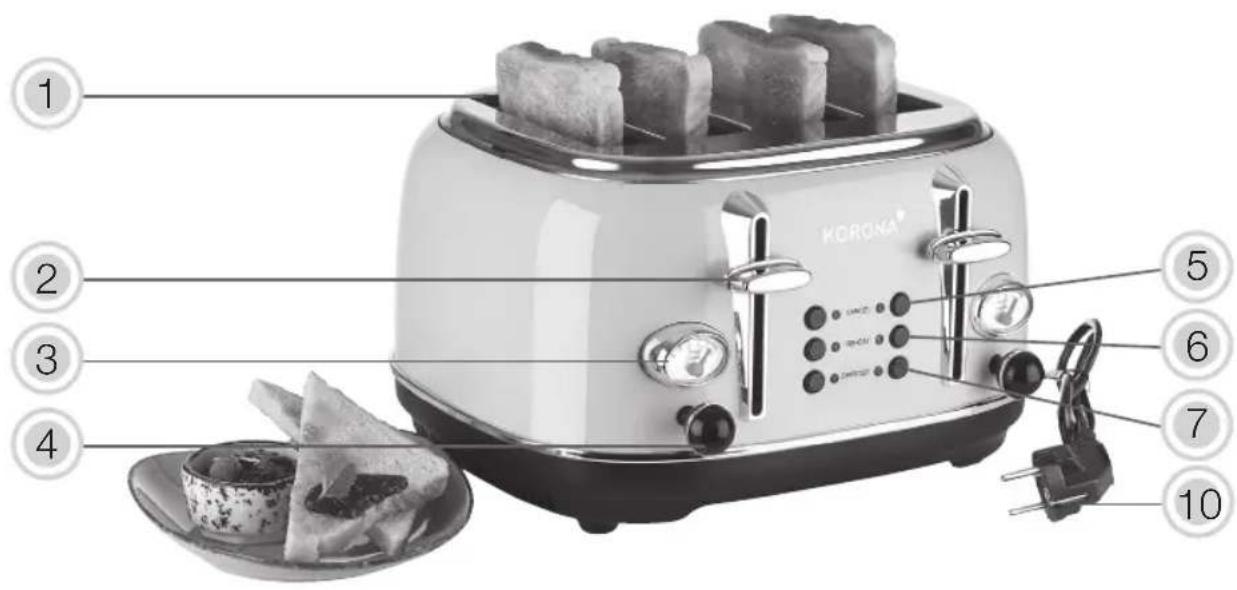
- Bread slots (x 4)
- Toasting lever (x 2)
- Browning control indicator (x 2)
- Browning control knob (x 2)
- Cancel button with indicator light (x 2)
- Reheat button with indicator light (x 2)
- Defrost button with indicator light (x 2)
- Crumb tray (x 2)
- Removable bun warmer (x 2)
- Power Cord and plug
- Cable guide (rear side)
- Cable storage (rear side)
Before First Use
- Remove all packaging material and check whether the appliance is complete.
- Place the appliance on an even, non-slippery and h resistant surface.
- Fully unwind the power cord and make sure that power cord (10) underneath the appliance is clamped into the cable guide (11).
- Connect the appliance to a properly installed wall socket.
- Turn the browning control knob (4) and set the browning control indicator (3) to the maximum setting. Slide down the toasting lever (2) until it clicks into place. Do not insert any slices of bread during this first use and let your toaster heat up for 3-4 minutes.
- After this preheating process, let the appliance completely cool down and clean it as described under Cleaning and Care.

Note: During this process, the appliance may briefly
produce some smoke or smell which is due to residues on the heating elements left over from the manufacturing process. This is normal and not harmful. Make sure that the room is well ventilated.

Warning: Plastic bags are a danger to toddlers and
babies, therefore keep them away to avoid suffocation.
Operation
The toaster comes with a self-centering function which allows an even browning process on both sides of the bread slices.
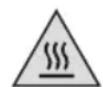
The temperature of accessible surfaces may rise during operation. Therefore, do not touch the device during and/or immediately after operation.
Toasting
Your toaster can either toast one or two or even one to four slices of toast at a time.

Foods with a high oil and fat content might easily fire and catch fire, therefore do not toast or warm up bakery products with toppings or fillings (e.g. butter, cheese, jam, icing, etc.) as those could drip inside the flame which might possibly result in a hazardous reaction.
Place the appliance on an even, non-slippery and heat resistant surface and connect it to a properly installed wall socket.
- Insert the bread into the bread slots (1).
- Select your preferred browning degree (level 1 - 6) and turn the browning control knob (4) into the resp. direction. Depending on the freshness and thickness of the bread. We recommend level 3 - 4. The chosen browning level will be shown inside the browning control indicator.
- Push down the toasting lever (2) until it locks into place. The indicator light of the cancel button (5) illuminates and the toasting process begins.
-
The toaster will switch off automatically, once the set browning degree has been reached.
-
To interrupt the toasting cycle before automatic cutoff, press the cancel button (5). The bread slices will be ejected.

Attention: Toasted bread can be very hot. Let it cool down or use potholders to handle it.
If a slice of bread should get stuck during the
toasting process, unplug the appliance and let it cool down completely, before trying to remove it. Do not use any sharp metal objects to do so.
During operation, bread crumbs are falling down onto the crump tray (8), make sure to clean it on a regular basis.
Use of the Bun Warmer

Always use the bun warmer (9) for toasting/ eating buns/croissants. Never put them directly into a bread slot.

To avoid any heat accumulation, never completely or the bun warmer. In case of doubt, only place one croissant on the bun warmer.
- Unfold the bun warmer (9) and place it on top of the appliance.
- Put one or two buns/croissants onto the bun warmer (9).
- Choose a low to medium (1 -3) browning level by turning the browning control knob (4) into the resp. direction.
- Press down the toasting lever (2) until it locks in place. The indicator light of the cancel button (5) illuminates. Once the required browning degree has been reached, the toaster switches off automatically.
Toasted bread can be very hot. Let it cool or use potholders to handle it.
- Carefully turn the buns/croissants over and switch toaster on again.
Please note: The browning degree also depends on the size and freshness of the product
We recommend to use a low to medium browning level (1 - 3), in order to avoid a potential damage to the appliance and/or any heat accumulation.
The removable bun warmer must be removed after each reheating process. Never insert or use it during the regular toasting process.
Reheating Function
With this function, you can reheat bread which was toasted earlier. Simply insert the bread into the bread slots (1), press down the toasting lever (2) and then press the reheat button (6). Both indicator lights, cancel and reheat, light up. The reheating process starts. The toaster automatically stops after several seconds.
The pre-set browning level has no influence on the reheat cycle.
Defrost Function
With this function you can toast frozen bread. To activate the defrost function insert the bread into the bread slots (1), choose your desired browning level, press down the toasting lever (2) until it locks in place and then press the defrost button (7). The respective indicator lights, cancel and defrost, light up. The pre-set browning level determines the defrost/countdown time.
All functions can be interrupted by pressing the cancel button (5).
If your toaster should not switch off automatically, it has the Stop button or disconnect the appliance from its remains. The same applies in case of smoke coming out of the appliance.
In either case, do not continue to use the appliance. Contact our Customer Service or have it checked by an authorized dealer or similarly qualified person.
Cleaning and Care
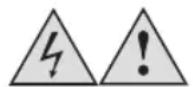
Before cleaning, always switch off the appliance and disconnect it from the mains. Let it completely cool down.
Never immerse the appliance in water. Danger! Electric Shock!
Clean the body of the appliance with a moistened soft cloth.
Do not use any aggressive cleaning agents and/or other hard objects to clean the appliance.
Crumb Tray
Simply pull out the crump tray (8) and clean it on a regular basis. After cleaning, insert the crumb tray (8) by pushing it back inside the unit.
Storage
Disconnect the appliance from the mains after each use. Let it completely cool down and wind the power cord (10) around the cable storage (12).
Keep the appliance away from children and store it in a clean and dry place.
Disposal Instructions
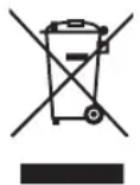
Waste electrical devices marked with this sign must not be disposed of with your household waste, but are to be collected separately. Therefore, please return this device at the end of its life cycle to special collection points for disposal or your local dealer.
Your toaster 21675 / 21676 is packed in a retail. Such boxes are recyclable waste, i.e. they are reusable or recyclable.
Technical Data:
Voltage: 220 - 240 V ~ 50 / 60 Hz
Rated Power: 1370 - 1630 W
Protection Class: I
Subject to change without notice!
C E
Guarantee:
This product is guaranteed against defects in materials and workmanship for a period of 2 years.
This guarantee is not valid:
- if the appliance has not been used in accordance to the instructions
for damages due to wear and tear (batteries, etc.) - for damages known by customer at time of purchase
for damages caused by owner
This guarantee does not affect your statutory right, nor any legal right you may have as a costumer under applicable national legislation governing the purchase of goods.
In order to assert his/her right in a guarantee case during the guaranteed period, the customer must provide evidence of the date of purchase (receipt).
The guarantee is to be asserted against
KORONA electric GmbH, Sundern/Germany.
Service Address:
KORONA Service, Am Steinbach 9, 59872 Meschede, Germany
Telephone Hotline: 02933 90284-80
Mail: service@korona-electric.de
web: www.korona-electric.de
within 2 years after the date of purchase. In case of guarantee the customer is given the right to get the appliance repaired at our own or at an authorized shop. Further rights (due to guarantee case) are not given to the customer.