E8xt - Measuring equipment FLIR - Free user manual and instructions
Find the device manual for free E8xt FLIR in PDF.


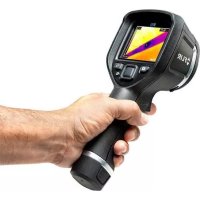
| Product Type | Infrared Thermal Camera |
| Brand | FLIR |
| Model | E8xt |
| Detector Resolution | 320 × 240 pixels |
| Temperature Range | -20 °C to +250 °C |
| Accuracy | ±2 °C or ±2% of reading |
| Power Supply | Rechargeable lithium-ion battery, charging via mains adapter or USB |
| Battery Life | Approximately 4 hours (estimated) |
| Charging Time | 2 hours for a fully discharged battery |
| Display | Integrated color LCD screen |
| Image Modes | MSX, Thermal, PiP (Picture-in-Picture), Thermal Fusion, Digital Camera |
| Measurement Tools | Measurement spot, Hot spot, Cold spot, Isotherms (color alarms) |
| Color Palettes | Multiple palettes available (e.g., iron, rainbow, etc.) |
| Connectivity | Wi-Fi, USB mini-B |
| Internal Memory | Approximately 500 images (JPEG) |
| Included Software | FLIR Tools (for analysis and report creation) |
| Maintenance and Cleaning | Housing: soft cloth and mild detergent; Lens: isopropyl alcohol >30% or ethanol 96% |
| Calibration | Recommended once a year by FLIR Systems |
| Safety | Do not point at laser or solar sources; avoid temperatures >50 °C; do not disassemble battery |
| Weight | Approximately 0.5 kg (estimated) |
Frequently Asked Questions - E8xt FLIR
User questions about E8xt FLIR
0 question about this device. Answer the ones you know or ask your own.
Ask a new question about this device
Download the instructions for your Measuring equipment in PDF format for free! Find your manual E8xt - FLIR and take your electronic device back in hand. On this page are published all the documents necessary for the use of your device. E8xt by FLIR.
USER MANUAL E8xt FLIR
natural_image
Line drawing of a FLIR handheld device with handle and grip (no text or symbols on body)Important note
Before operating the device, you must read, understand, and follow all instructions, warnings, cautions, and legal disclaimers.
Důležitá poznámka
https://www.flir.com/patentnotices
1.7 EULA Terms
Q14 Core and Q14 GUI. Copyright ©2013 Nokia Corporation and FLIR Systems AB. This Qt library is a free software; you can redistribute it and/or modify it under the terms of the GNU Lesser General Public License as published by the Free Software Foundation; either version 2.1 of the License, or (at your option) any later version. This library is distributed in the hope that it will be useful, but WITHOUT ANY WARRANTY; without even the implied warranty of MERCHANTABILITY or FITNESS FOR A PARTICULAR PURPOSE. See the GNU Lesser General Public License, http://www.gnu.org/licenses/lgpl-2.1.
html. The source code for the libraries Qt4 Core and Qt4 GUI may be requested from FLIR Systems AB.
1.8 EULA Terms
- You have acquired a device ("INFRARED CAMERA") that includes software licensed by FLIR Systems AB from Microsoft Licensing, GP or its affiliates ("MS"). Those installed software products of MS origin, as well as associated media, printed materials, and "online" or electronic documentation ("SOFTWARE") are protected by International intellectual property laws and treaties. The SOFTWARE is licensed, not sold. All rights reserved.
- IF YOU DO NOT AGREE TO THIS END USER LICENSE AGREEMENT ("EULA"), DO NOT USE THE DEVICE OR COPY THE SOFTWARE. INSTEAD, PROMPTLY CONTACT FLIR Systems AB FOR INSTRUCTIONS ON RETURN OF THE UNUSED DEVICE(S) FOR A REFUND. ANY USE OF THE SOFTWARE, INCLUDING BUT NOT LIMITED TO USE ON THE DEVICE, WILL CONSTITUTE YOUR AGREEMENT TO THIS EULA (OR RATIFICATION OF ANY PREVIOUS CONSENT).
- GRANT OF SOFTWARE LICENSE. This EULA grants you the following license:
- You may use the SOFTWARE only on the DEVICE.
NOT FAULT TOLERANT. THE SOFTWARE IS NOT FAULT TOLERANT. FLIR Systems AB HAS INDEPENDENTLY DETERMINED HOW TO USE THE SOFTWARE IN THE DEVICE, AND MS HAS RELIED UPON FLIR Systems AB TO CONDUCT SUFFICIENT TESTING TO DETERMINE THAT THE SOFTWARE IS SUITABLE FOR SUCH USE.
NO WARRANTIES FOR THE SOFTWARE. THE SOFTWARE is provided "AS IS" and with all faults. THE ENTIRE RISK AS TO SATISFACTORY QUALITY, PERFORMANCE, ACCURACY, AND EFFORT (INCLUDING LACK OF NEGLIGENCE) IS WITH YOU. ALSO, THERE IS NO WARRANTY AGAINST INTERFERENCE WITH YOUR ENJOYMENT OF THE SOFTWARE OR AGAINST INFRINGEMENT. IF YOU HAVE RECEIVED ANY WARRANTIES REGARDING THE DEVICE OR THE SOFTWARE, THOSE WARRANTIES DO NOT ORIGINATE FROM, AND ARE NOT BINDING ON, MS.
No Liability for Certain Damages. EXCEPTAS PROHIBITED BY LAW, MS SHALL HAVE NO LIABILITY FOR ANY INDIRECT, SPECIAL, CONSEQUENTIAL OR INCIDENTAL DAMAGES ARISING FROM OR IN CONNECTION WITH THE USE OR PERFORMANCE OF THE SOFTWARE. THIS LIMITATION SHALL APPLY EVEN IF ANY REMEDY FAILS OF ITS ESSENTIAL PURPOSE. IN NO EVENT SHALL MS BE LIABLE FOR ANY AMOUNT IN EXCESS OF U.S. TWO HUNDRED FIFTY DOLLARS (U.S.\$250.00).
Limitations on Reverse Engineering, Decompilation, and Disassembly. You may not reverse engineer, decompile, or disassemble the SOFTWARE, except and only to the extent that such activity is expressly permitted by applicable law notwithstanding this limitation.
= SOFTWARE TRANSFER ALLOWED BUT WITH RESTRICTIONS. You may permanently transfer rights under this EULA only as part of a permanent sale or transfer of the Device, and only if the recipient agrees to this EULA. If the SOFTWARE is an upgrade, any transfer must also include all prior versions of the SOFTWARE.
- EXPORT RESTRICTIONS. You acknowledge that SOFTWARE is subject to U.S. export jurisdiction. You agree to comply with all applicable international and national laws that apply to the SOFTWARE, including the U.S. Export Administration Regulations, as well as end-user, end-use and destination restrictions issued by U.S. and other governments. For additional information see http://www.microsoft.com/exporting/.

AVERTISSEMENT
natural_image
Line drawing of a car dashboard with a plug and control panel (no text or symbols)natural_image
Line drawing of a hand holding a flashlight with arrows indicating motion (no text or symbols)natural_image
Line drawing of a hand holding a handheld device with an arrow pointing to the grip (no text or symbols present)- Picture-in-picture

- Fusion thermique
natural_image
Thermal image of a yellow building with orange and purple foliage against a dark sky (no text or symbols visible)Automatique Manuel
natural_image
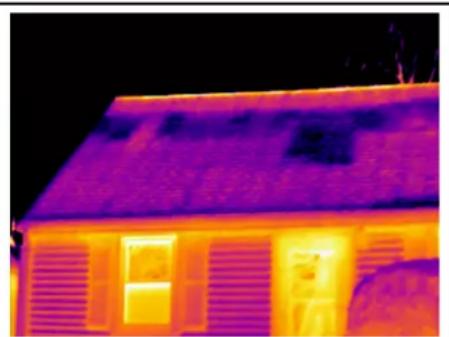
Thermal imaging of a single-story house with visible heat signatures (no text or symbols)7.14.1.2 Exemple 2
natural_image
Thermal imaging view of a transformer with visible electrical insulator and cooling tower (no text or symbols)Automatique Manuel
natural_image
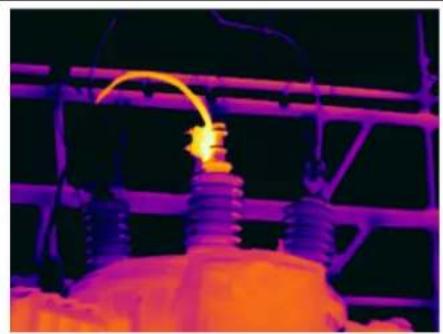
Thermal imaging of an electrical insulator with glowing flame (no text or symbols visible)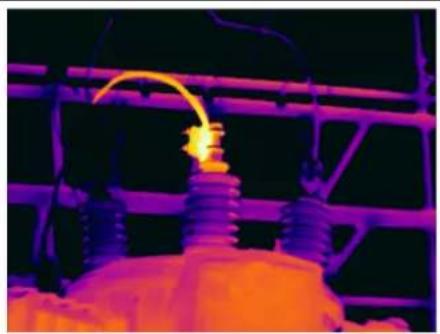
natural_image
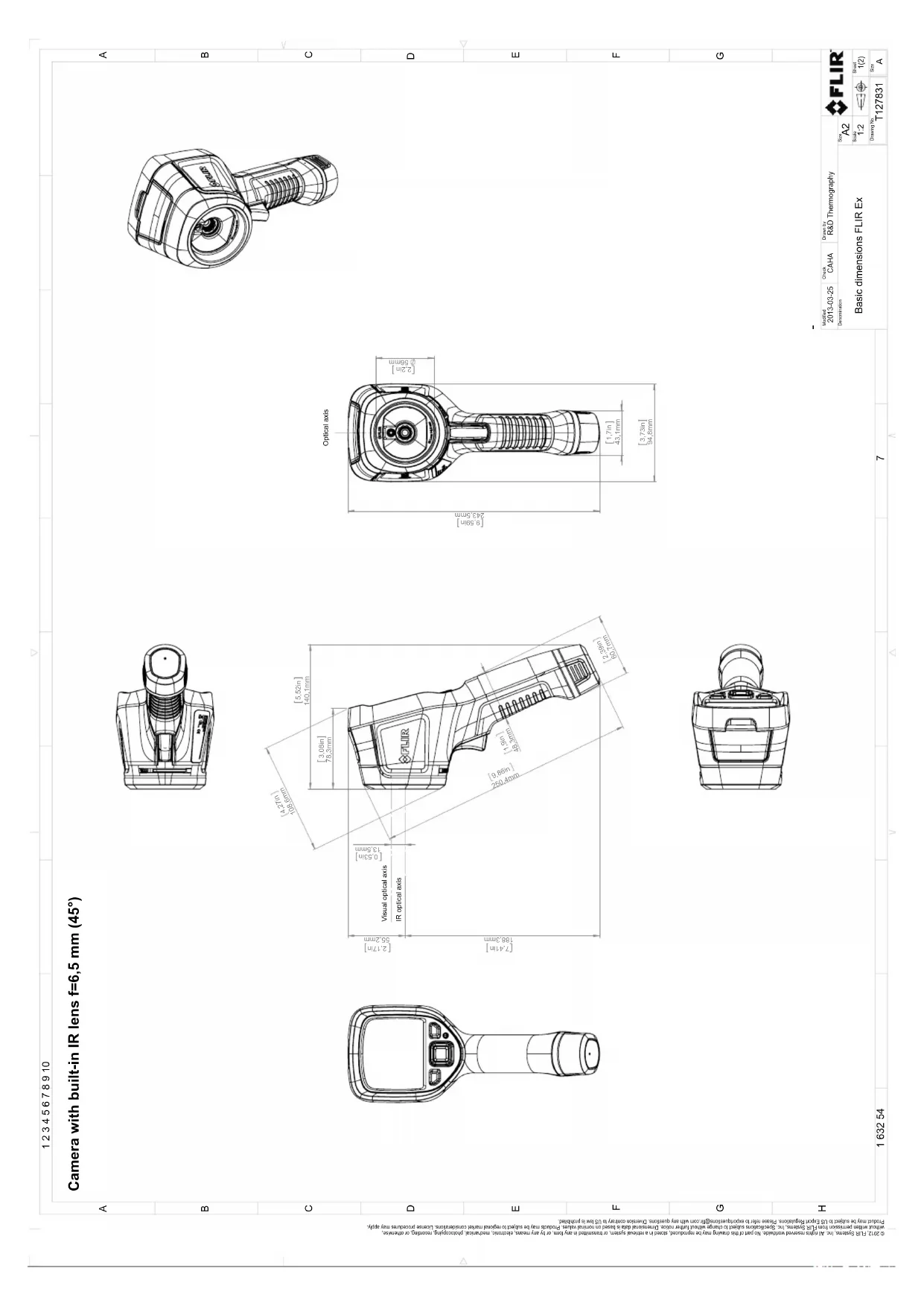
Thermal imaging of an electrical insulator with visible flame (no text or symbols)Camera with built-in IR lens f=6,5 mm (45°)
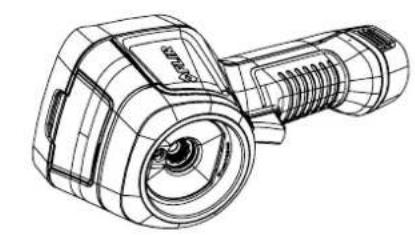
natural_image
Line drawing of a handheld device with grid pattern and lens (no text or symbols)![Optical axis [9.55in] 243.5mm [2.2in] Ø56mm [1,7in] 43.1mm [3,73in] 94.8mm](/content/2026/03/493026/images/82972da9308b4078838a37223e4c8151ac7ca36136ab766983da08d103a9710b.jpg)
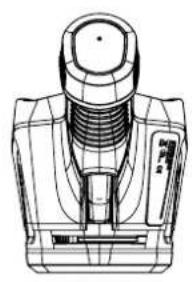
natural_image
Technical line drawing of a mechanical component with threaded shaft and housing (no text or symbols)![[4.27in] 108.8mm [5,52in] 140.1mm [3,06in] 78.3mm [2,17in] 55.2mm [0,53in] 13.5mm Visual optical axis IR optical axis FLIR [7,41in] 188.5mm [2,98in] 48.3mm [1,9in] 48.4mm [2,39in] 60.7mm](/content/2026/03/493026/images/ea5765e733149e35ee1938f82e78e00be0c3aebb575117ab99edb2a592aa0402.jpg)
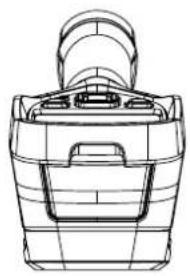
natural_image
Technical line drawing of a mechanical component with no visible text or symbols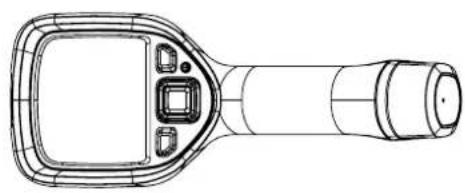
natural_image
Line drawing of a handheld medical or scientific device with a screen and handle (no text or symbols)| Model 2013-03-25 | Crack CAHA | Distance R&D Thermography |
| Description:Basic dimensions FLIR Ex | ||
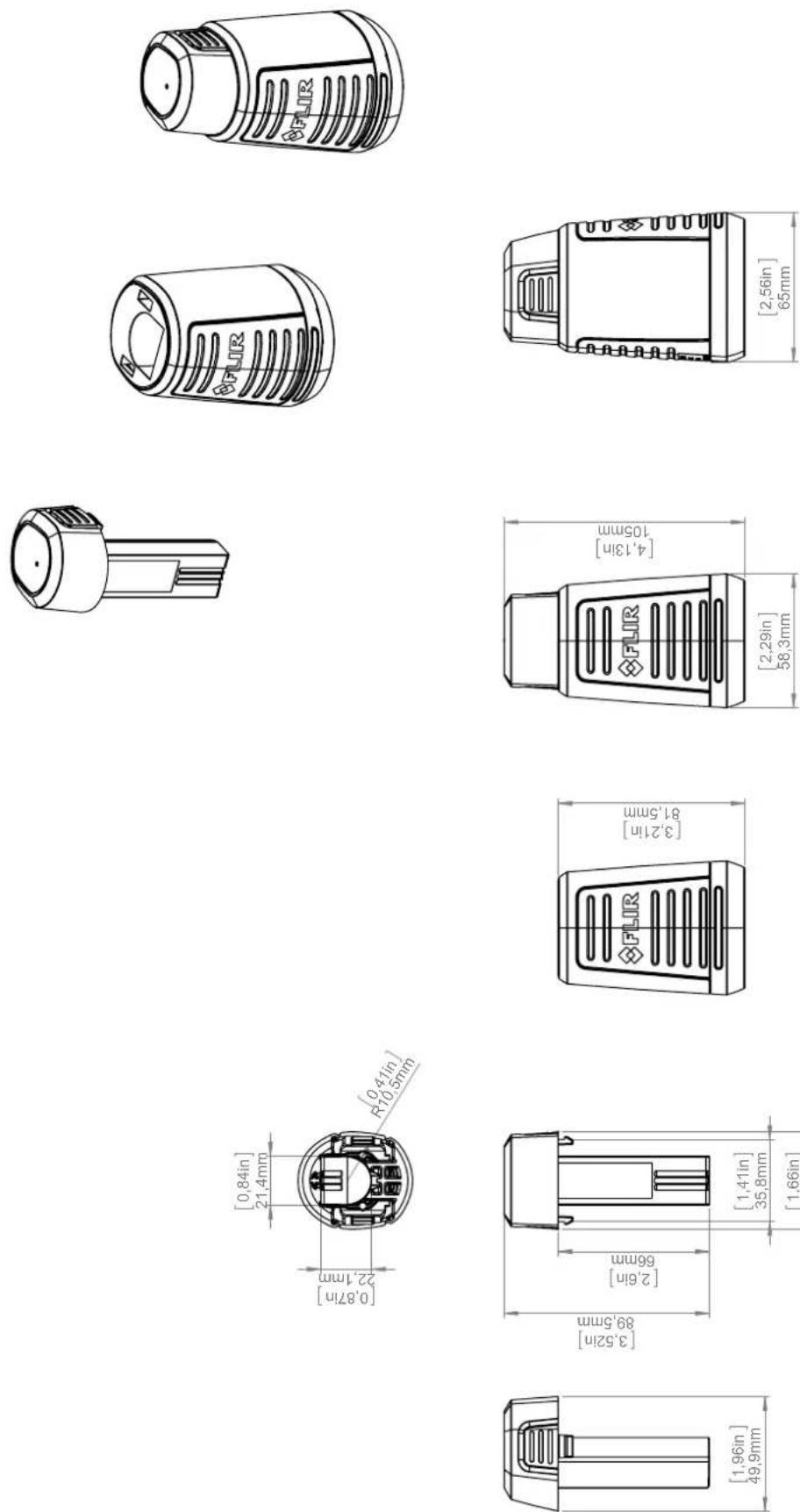
March 19, 2021 Täby, Sweden
AQ320224
CE Declaration of Conformity – EU Declaration of Conformity
Product: FLIR EX- and EXxt series including E4, E5, E5xt, E6xt, E8xt
Name and address of the manufacturer:
FLIR Systems AB
PO Box 7376
SE-187 15 Täby, Sweden
This declaration of conformity is issued under the sole responsibility of the manufacturer.
The object of the declaration: FLIR EX – and EXxt series (Product Model Name FLIR-E6390).
The object of the declaration described above is in conformity with the relevant Union harmonisation legislation:
Directives:
| Directive | 2012/19/EU | Waste electrical and electric equipment |
| Directive: | 2011/65/EU | RoHS |
| Directive | 2014/53/EU | Radio Equipment Directive (RED) |
| Directive | 1999/519/EC | Limitation of exposure to electromagnetic fields (SAR) |
Standards:
| Emission: | EN 61000-6-3/A1:2011 | Electromagnetic CompatibilityGeneric standards – Emission |
| Immunity: | EN 61000-6-2:2005 | Electromagnetic CompatibilityGeneric standards – Immunity |
| RoHS: | EN 50581:2012 | Technical documentation |
| Radio: | ETSI EN 300 328 v2.1.1 | Harmonized EN covering essential requirements of the R&TTE Directive |
| ETSI EN 301 893 v2.1.1 | ||
| SAR: | EN 62209-2 (30.03.2010) | Human exposure Wireless |
| EN 50566:2013/AC:2014 | Compliance (30 MHz – 6 GHz) | |
| 1999/519/EC (30.07.1999) | Limitation (0 Hz to 300 GHz) | |
| Safety: | IEC 62368-1:2014 (2.Ed)/Cor.1:2015 and EN 62368-1:2014/AC:2015/A11:2017/AC:2017 Audio/video Information technology equipment | |
FLIR Systems AB
Quality Assurance
Lea Dabiri
Quality Manager
natural_image
Thermal imaging view of a building interior with warm colors and dark areas, no visible text or symbolsnatural_image
Thermal imaging view of a mechanical component with no visible text or symbols11.3 Prise oxydée
natural_image
Thermal imaging view of three vehicles with visible heat signatures (no text or symbols)natural_image
Abstract thermal or heat map pattern with gradient colors from yellow to purple (no text or symbols)11.5 Courants d'air
natural_image
Thermal imaging view of a rectangular object with yellow interior and orange-yellow background (no text or symbols)12
Figure 12.2 1 = Source de réflexion
Figure 12.3 1 = Source de réflexion
Figure 12.4 1 = Source de réflexion
natural_image
Illustration of an electric motor with red arrows indicating airflow or heat transfer, next to a mechanical component (no text or symbols)an operation that, under specified conditions, in a first step, establishes a relation between the quantity values with measurement uncertainties provided by measurement standards and corresponding indications with associated measurement uncertainties and, in a second step, uses this information to establish a relation for obtaining a measurement result from an indication.
natural_image
Man in suit operating a large industrial equipment setup with insulators and power lines (no visible text or symbols)
natural_image
Black handheld electronic device with two ports and a small attached component (no visible text or symbols)© 2021, FLIR Systems, Inc. All rights reserved worldwide.
Disclaimer
Specifications subject to change without further notice. Models and accessories subject to regional market considerations. License procedures may apply. Products described herein may be subject to US Export Regulations. Please refer to exportquestions@flir.com with any questions.