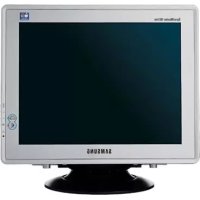
SyncMaster 997MB - Monitor SAMSUNG - Free user manual and instructions
Find the device manual for free SyncMaster 997MB SAMSUNG in PDF.


User questions about SyncMaster 997MB SAMSUNG
0 question about this device. Answer the ones you know or ask your own.
Ask a new question about this device
Download the instructions for your Monitor in PDF format for free! Find your manual SyncMaster 997MB - SAMSUNG and take your electronic device back in hand. On this page are published all the documents necessary for the use of your device. SyncMaster 997MB by SAMSUNG.
USER MANUAL SyncMaster 997MB SAMSUNG
SyncMaster 797MB/997MB
text_image
Index Consignes de sécurité Introduction Installation Réglage de votre Moniteur Dépannage Spécifications Information SAMSUNG DIGITall Everyone's Invited Document PDF SAMSUNG DIGITall Everyone's Invited MuscTune MuscBright HOLDNET 2014.06.2014 Installation d'Adobe Aerobat Reader
natural_image
Computer monitor displaying a yellow sunflower against a blue sky background, with no visible text or symbols on the screen or surroundings.Page Principale Affichage Sur Ecran

natural_image
Front view of a vintage CRT computer monitor with blank screen (no text or symbols visible)natural_image
Stacked electronic components on a circular base (no visible text or symbols)natural_image
Stacked plastic sheets on a circular base (no visible text or symbols)- Port signal (Option)

• Guid e d'i nstal lati on r api de
natural_image
Illustration of a desktop computer monitor with an arrow pointing to a vertical control panel labeled 1-5 (no text or symbols on the monitor or panel)BNC Connectors (Option)
SyncMaster 997MB
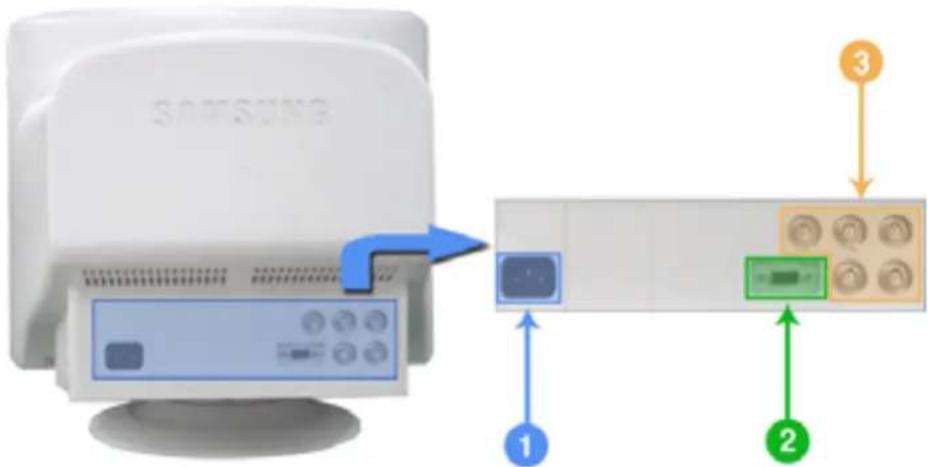
text_image
SAMSUNG ① ② ③natural_image
Top-down view of a computer chassis back panel with ventilation slots and labeled components (no text or symbols beyond labels)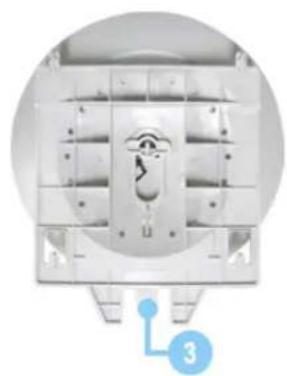
natural_image
Top-down view of a mechanical device with internal components and a numbered label (3) at the bottom right corner.text_image
Warning Select the monitor name that exactly matches the name printed on the front of your monitor or on the back label. If you select the wrong monitor, restart Windows in the "Safe Mode" and use this CD-ROM(or Diskette) again to select the correct monitor.text_image
Hardware Installation The software you are installing for this hardware: SyncMaster 1715/ 1755/ 1765, MagicSyncMaster CX3755 has not passed Windows Logo testing to verify its compatibility with Windows 90P. (If all we see this testing is important.) Continuing your installation of this software may impair or destabilize the correct operation of your system either immediately or in the future. Microsoft's strongly recommends that you stop this installation now and contact the hardware voider for software that has passed Windows Logo testing. Continue Anyway STOP Installationtext_image
PART My Documents My Pictures My Computer Windows Phone Player Windows Explorer Windows Phone Maker AR Descriptive My Documents My Pictures My Computer Windows Phone Player Windows Explorer Windows Phone Maker AR Descriptive My Documents My Pictures My Computer Windows Phone Player Windows Explorer Windows Phone Maker AR Descriptive My Documents My Pictures My Computer Windows Phone Player Windows Explorer Windows Phone Maker AR Descriptive My Documents My Pictures My Computer Windows Phone Player Windows Explorer Windows Phone Maker AR Descriptive My Documents (C) My Pictures (C) My Computer (C) Windows Phone Player (C) Windows Explorer (C) Windows Phone Maker (C) AR Descriptive (C) My Documents (C) My Pictures (C) My Computer (C) Windows Phone Player (C) Windows Explorer (C) Windows Phone Maker (C) AR Descriptive (C) My Documents (C) My Pictures (C) My Computer (C) Windows Phone Player (C) Windows Explorer (C) Windows Phone Maker (C) AR Descriptive (C) My Documents (C) My Pictures (C) My Computer (C) Windows Phone Player (C) Windows Explorer( C) Windows Phone Maker (C) AR Descriptive (C) My Documents (C) My Pictures (C) My Computer (C) Windows Phone Player (C) Windows Explorer (C) Windows Phone Maker (C) AR Descriptive (C) My Documents (C) My Pictures (C) My Computer (C) Windows Phone Player (C) Windows Explorer (C) Windows Phone Maker (C) AR Descriptive (C) My Documents (C) My Pictures (C) my Pictures (C) my Computer (C) Windows Phone Player (C) Windows Explorer (C) Windows Phone Maker (C) AR Descriptive (C) My Documents (C) My Pictures (C) my Computer (C) Windows Phone Player (C) Windows Explorer (C) Windows Phone Maker (C) AR Descriptive (C)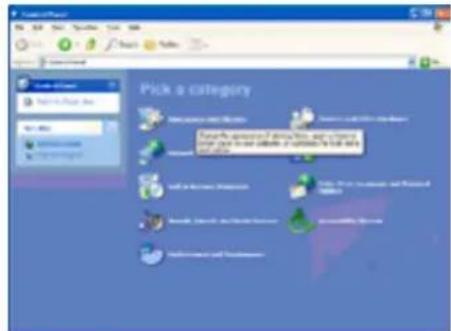
text_image
Pick a category Take your attention to you, you can review your own and your ability. If you want to call for your attention. Find a user's profile. Make a new user's profile. Send a link to your own and your ability. Send a link to your own and your ability. Send a link to your own and your ability.text_image
Pick a task... or pick a Control Panel Item [ ] [ ] [ ] [ ]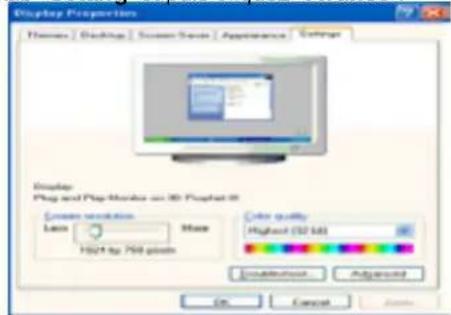
text_image
Display Properties Themes | Desktop | Screen Scene | Appearance | Options Display Plug and Plug Monitor on 3D Plotset 0 Create new options Labs Make H241 by 700 pixels Color quality Highest (52 KB) Installation Add to On Cancel Helptext_image
Plug and Play Monitors and 3D Prophet 80 Properties Sub- \%c General Adaptive Monitors Troubleshooting Cate Connection Cate Management Monitor Type: Plug and Play Monitors Properties Monitor settings: Screen switch lock: 60 MHz Side modes that this monitor cannot display Cleaning the check box allows you to select display modes that this monitor cannot display correctly. This map level is an unusable display and/or damaged hardware. OK Cancel Apply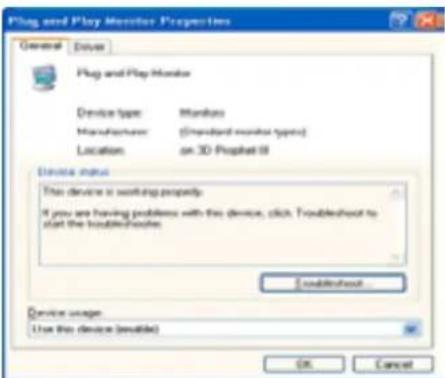
text_image
Plug and Play Monitor Properties General Drive Plug and Play Monitor Device type: Monbox Manufacturer: (Standard monitor types) Location:on 3D Prophet III Device status This device is working properly. If you are having problems with this device, click Troubleshoot to start the Troubleshoots. Established... Device usage Use this device (available) OK Canceltext_image
Plug and Play Monitor Properties Generator Drive Plug and Play Monitor Driver Provider: Microsoft Driver Date: 04/09/2001 Driver Version: 5.1.2001.0 Digital Signet: Microsoft Windows XP Publisher Driver Details: To create details about the drive files. Update Drive: To update the drive for this device. Full Back Driver: If the device fails after updating the drive, will back to the previously installed drive. Ground: To uninstall the drive (advanced) OK Cancel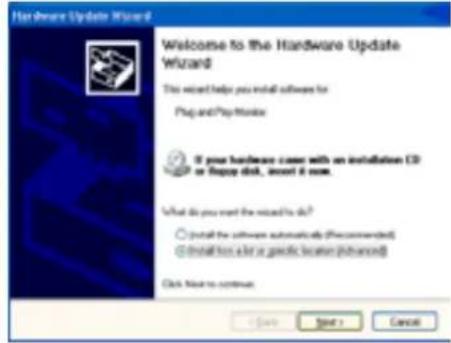
text_image
Hardware Update Wizard Welcome to the Hardware Update Wizard This wizard helps you install software for Plug and Play Monitor If your hardware cover with an installation CP or Happy disk, insert it one. What do you want the wizard to do? ○ Install the software automatically (Recommended) ● Install this card or specific location (Advanced) Click Next to continue < Save Start > Canceltext_image
File Drive Update Wizard Please choose your search and installation options Search for the best driver in these locations Use the check based below to limit or expand the default search, which includes local path and reasonable media. The best driver found will be installed Search necessary to drive through: 12-130K Indicate this option in the search: OK Cancel Self-search. I will choose the driver to install Choose this option to select the device driver from a list. Windows does not guarantee that the driver you choose will be the best switch for your hardware ( Back Next > Cancel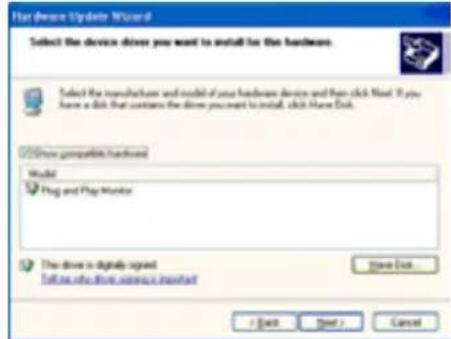
text_image
Hardware Update Wizard Select the device drives you want to install for this hardware. Select the manufacture and model of your hardware device and then click Next. If you have a disk that contains the drive you want to install, click More Disk. Drive compatible hardwind Model Plug and Play Monitor This drive is digitally signed Follow this drive service monitor Save Out < Back Next > Canceltext_image
Install From Disk Insert the manufacturer's installation disk, and then make sure that the correct drive is selected below. OK Cancel Copy manufacturer's files from: Browse...
text_image
Hot Device Update Wizard Select the device drive you want to install for this hardware. Selected the manufacturer and model of your hardware device and then click next. If you have a disk that contains the drive you want to install, click Next Disk. Mouse LyondMaxe 175U 175U/170U, MagicLyondMaxe 013792. This drive is not digitally signed! Call us who drive wireless motors? Save Quick + Back Enter > Canceltext_image
Hardware Installation The software you are installing for this hardware: SyncMaster 1715/1760/1705, MajorSyncMaster D3.755 has not passed Windows Logo testing to verify its compatibility with Windows D3P. (If we are what this logo is important.) Continuing your installation of this software may impair or destabilize the correct operation of your system either immediately or in the future. Microsoft strongly recommends that you stop this installation now and contact the hardware vendors for software that has passed Windows Logo testing. Continue Unexpected STOP Installationtext_image
Hardware Update Wizard Completing the Hardware Update Wizard The wizard has limited installing the software for CynixMines 171G/ 173G/ 170E, MagicCynixMaster G11755 Click Finish to close the wizard Finish Cancel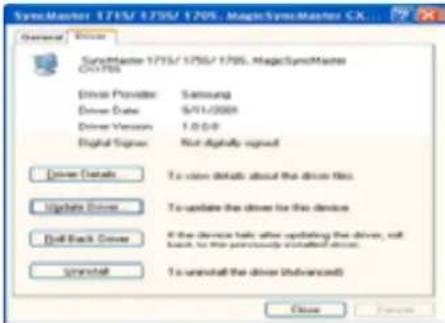
text_image
SymMaster 1715/1705/1705, MagicSymMaster CX... General Drive SymMaster 1715/1705/1705, MagicSymMaster CX-1705 Driver Provider: Samsung Driver Date: 9/11/2003 Driver Version: 1.0.0.0 Digital Signor: Not Advanced signed Driver Details To view details about the driver files. Update Driver To update the driver for the device Dell Back Driver If the device calls after updating the driver, will back to the previously installed driver. Install To uninstall the driver (Advanced) Close Finish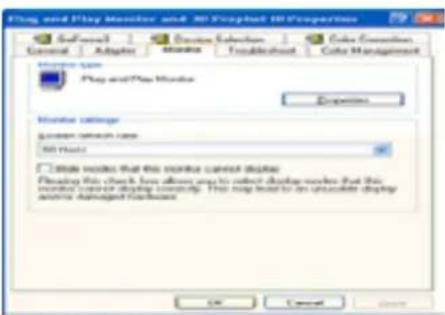
text_image
Play and Play Monitor and 3D Projected 3D Properties Control Adapter Software Options Color Connection Cancel Adaptor Touches Touchback Cole Management Monitor name: Play and Play Monitor Expenses Monitor settings Screen switch rate: 50 Hz OK Cancel Closenatural_image
Front view of a vintage computer monitor with blank screen (no text or symbols visible)natural_image
Close-up of a white plastic mechanical component with a red circle highlighting a central feature (no text or symbols visible)natural_image
White electronic device with perforated ventilation grille and control panel, set against a blue background (no visible text or symbols)Fix er la Base
natural_image
Mountain landscape with dense forest and clear blue sky, no visible text or symbols| MagicBright2™ |
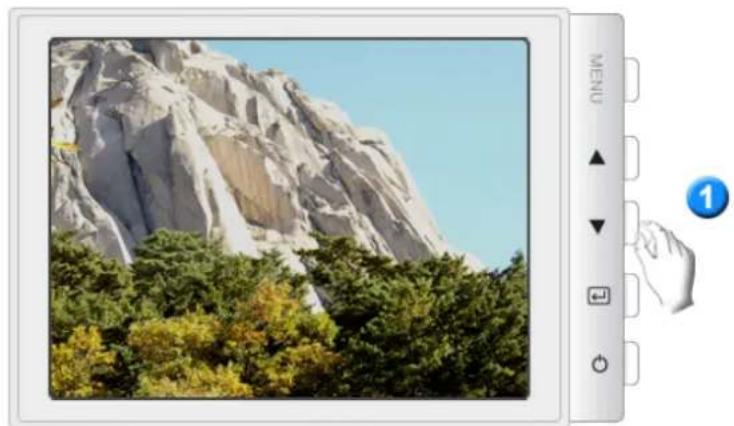
natural_image
Mountain landscape with dense forest and clear sky, no visible text or symbolsMagicBright2™
natural_image
Scenic view of a stone arch bridge over a river surrounded by lush greenery (no text or symbols visible)Highlight III
natural_image
Rocky mountain landscape with dense forest at the base under a clear blue sky (no text or symbols visible)
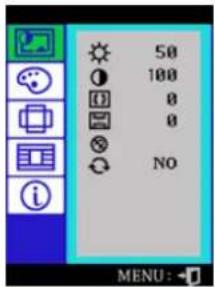
text_image
50 100 0 0 NO MENU:natural_image
Long straight tree-lined pathway lined with dense green foliage, no visible text or symbols


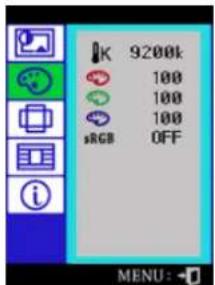
text_image
K 9200k 100 100 100 sRGB OFF MENU:OSD Table des matiè re s

natural_image
White marble statue of a woman holding a baby, set against a green forest and palm tree (no text or symbols visible)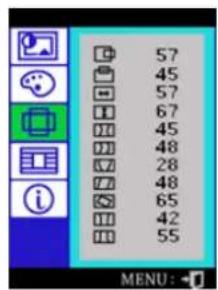
text_image
57 45 57 67 45 48 28 48 65 42 55 MENU:natural_image
Scenic outdoor scene with a stone arch bridge over a stream, surrounded by dense greenery (no visible text or symbols)natural_image
Scenic outdoor scene with a stone bridge over a pond, surrounded by lush greenery and trees (no visible text or symbols)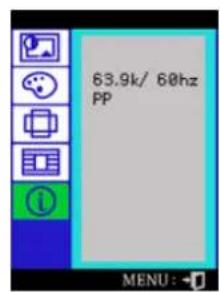
text_image
63.9k/ 60hz PP MENU:natural_image
Mountain landscape with autumn foliage and clear blue sky, no visible text or symbols| MagicBright™ |
natural_image
Mountain landscape with forested slopes and a waterfall, displayed within a tablet interface (no text or symbols on the natural scene itself)natural_image
Scenic view of a stone bridge over a river surrounded by lush greenery, with no visible text or symbols.natural_image
Mountain landscape with forested slopes and clear blue sky, no visible text or symbols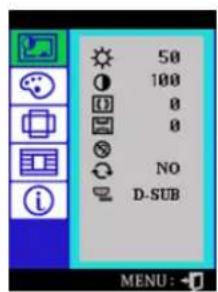
text_image
50 100 0 0 NO D-SUB MENU:natural_image
Scenic tree-lined pathway lined with dense green foliage, no visible text or symbolsnatural_image
White statue of a nude woman holding her heart, set against a green forest and palm tree (no text or symbols visible)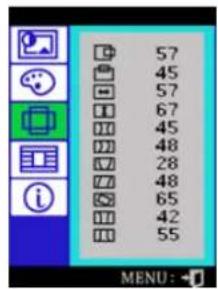
text_image
57 45 57 67 45 48 28 48 65 42 55 MENU:natural_image
Scenic outdoor scene with a stone arch bridge over a pond, surrounded by lush greenery and reeds (no visible text or symbols)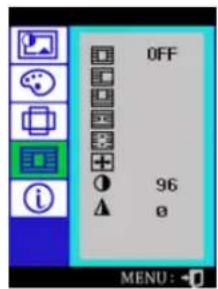
text_image
OFF 96 o MENU:natural_image
Scenic outdoor scene with a stone bridge over a stream, surrounded by dense greenery and rocks (no visible text or symbols)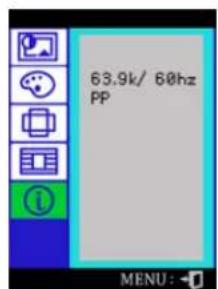
text_image
63.9k/ 60hz PP MENU:© 2001 SAMSUNG ELECTRONICS CO., Inc. All rights reserved.

Installation
text_image
Choose Setup Language Select the language for the installation from choices below. French (Standard) OK Canceltext_image
Magic Tune Version of MagicTune doesn't support the Graphics Card
© 2004 SAMSUNG ELECTRONICS CO., Inc. All rights reserved.
Généralités
Installation
Mode O SD
Désinstaller
En cas de problème

text_image
Magic Tree Image Comment Capacitance Editor Support Commander 50 Samsung DIGITALD everyone.pinted Kitec 2.8 Out Canceltext_image
Magic Turn Image Common Acceleration Editor Support Compressor 50 Samsung DIGITAL everyone invited Magic 2.5 Add RemoveLuminosité
Contraste
MagicBright


Luminosité
© 2004 SAMSUNG ELECTRONICS CO., Inc. All rights reserved.

D ésinstaller
© 2004 SAMSUNG ELECTRONOS CO., Inc. All rights reserved.

En cas de problème
© 2004 SAMSUNG ELECTRONICS CO., Inc. All rights reserved.
natural_image
Close-up of a vibrant red rose flower with visible petals and stem, displayed within a window frame (no text or symbols on the flower itself)natural_image
Close-up of a vibrant red rose flower with visible petals and water droplets (no text or symbols)natural_image
Close-up of a vibrant red rose flower with visible petals and mist, displayed within a window frame (no text or symbols on the flower itself)natural_image
Close-up of a vibrant red rose flower with visible petals and mist, displayed within a window frame (no text or symbols on the flower itself)natural_image
Close-up of a vibrant red rose flower with visible petals and stem, displayed within a window frame (no text or symbols on the flower itself)natural_image
Close-up of a vibrant red rose flower with visible petals and mist (no text or symbols)natural_image
Close-up of a vibrant red rose flower with visible petals and stem, displayed within a window frame (no text or symbols on the flower itself)text_image
Windows Media Player File View Help Tools Help Starttext_image
Windows Media Player File View Play Tools Help Sample Playlist New Playing Media Guide CD Audio Audio Library Ready Starttext_image
Image containing a shopping cart icon and a question mark, set against a green border.
text_image
5 Specifications
Général

PowerSaver

text_image
5 A-MS Specificationsnatural_image
Computer monitor displaying a yellow sunflower against a blue sky background, with the word 'Information' below (no other text or symbols)Service
Terme
Regulatory
Natural Color
Autorité
AUS TRALIA :
Samsung Electronics Australia Pty Ltd. Customer Response Centre 7 Parkview Drive, Homebush Bay NSW 2127 Tel : 1300 362 603 http://www.samsung.com.au/
BRAZIL :
Samsung Eletronica da Amazonia Ltda. R. Prof. Manoelito de Ornellas, 303, Terro B Chacara Sto. Antonio, CEP : 04719-040 Sao Paulo, SP SAC : 0800 124 421 http://www.samsung.com.br/
CANADA :
Samsung Electronics Canada Inc. Samsung Customer Care 7037 Financial Drive Mississauga, Ontario L5N 6R3 1-800-SAMSUNG (1-800-726-7864) http://www.samsung.ca/
CHILE :
SONDA S.A. Teatinos 550, Santiago Centro, Santiago, Chile Fono: 56-2-5605000 Fax: 56-2-5605353 56-2-800200211 http://www.sonda.com/ http://www.samsung.cl/
COLOMBIA :
Samsung Electronics Colombia Cra 9 No 99A-02 Of. 106 Bogota, Colombia Tel.: 9-800-112-112 Fax: (571) 618 - 2068 http://www.samsung-latin.com/ e-mail : soporte@samsung-latin.com
ESPAÑA :
Samsung Electronics Comercial Iberica, S.A. Ciencies, 55-65 (Poligono Pedrosa) 08908 Hospitalet de Llobregat (Barcelona) Tel.: (93) 261 67 00 Fax.: (93) 261 67 50 http://samsung.es/
FRANCE :
SAMSUNG ELECTRONICS FRANCE Service Paris Nord 2 66 rue des Vanesses BP 50116 Villepinte 95950 Roissy CDG Cedex Tel : 08 25 08 65 65 Fax : 01 48 63 06 38 http://www.samsungservices.com/
GERMANY :
TELEPLAN Rhein-Main GmbH Feldstr. 16 64331 Weiterstadt T. 06151/957-1306 F. 06151/957-1732 * EURO 0.12/Min http://www.samsung.de/
HUNGARY :
Samsung Electronics Magyar Rt.
1039, Budapest, Lehel u. 15-17.
Tel: 36 1 453 1100
Fax: 36 1 453 1101
Gustavo A.Madero C.P.07700, Mexico D.F. Mexico
TEL. 52-55-5747-5100
Fax. 52-55-47 52 02
RFC: SEM950215S98
Gustavo A.Madero C.P.07700, Mexico D.F. Mexico
TEL. 52-55-5747-5100
EXPORTADO POR: Samsung Electronics CO.,LTD.
416, Mae tan-3dong, Yeongtong-gu,
Suwon City, Kyoungki-Do Korea
NETHERLANDS/BELGIUM/LUXEMBOURG :
Samsung Electronics Benelux B. V.
Fleminglaan 12 2289 CP Rijiswijk, NEDERLANDS
Samsung Electronics, 5 Libertas Road, Somerset Office Park,
Bryanston Ext 16. Po Box 70006, Bryanston, 2021, South Africa
Tel:0027-11-549-1621
Fax:0027-11-549-1629
http://www.samsung.co.za/
SWEDEN/DENMARK/NORWAY/FINLAND :
Samsung Electronics AB
Box 713
S-194 27 UPPLANDS VÄSBY
SVERIGE
MPA COMPLEX BUILDING,1st-2nd Floor
175 SOI SUEKSA VIDHAYA SATHON SOI 12
SILOM ROAD, SILOM, BANGRAK
BANGKOK 10500
TEL:0-2635-2567
FAX:0-2635-2556
UKRAINE :
SAMSUNG ELECTRONICS REPRESENTATIVE OFFICE IN UKRAINE
4 Glybochitska str.
Kiev, Ukraine
Tel. 8-044-4906878
Fax 8-044-4906887
Toll-free 8-800-502-0000
< European Service Center & National Service >
Stafford Park 12 Telford, Shropshire, TF3 3BJ
400 Valley Road, Suite 201
Mount Arlington, NJ 07856
text_image
Index Consignes de sécurité Introduction Installation Réglage de votre Moniteur Dépannage Spécifications Information Regulatory FCC Info rmat ion | IC Complia nce Notice | MPR II Comp liance | European N otice (Europe on ly) | PCT Notice | VCCI | CCC Not ice TCO'95-Ecological requirements for personal computers (TCO'95 applied model only) TCO'99-Ecological requirements for personal computers (TCO'99 applied model only) TCO'03-Ecological requirements for personal computers (TCO'03 applied model only) TCO'03 Recycling Information (TCO'03 applied model only)The Federal Communications Commission Radio Frequency Interference Statement includes the following warning:
Note: This equipment has been tested and found to comply with the limits for a Class B digital device, pursuant to Part 15 of the FCC Rules. These limits are designed to provide reasonable protection against harmful interference in a residential installation. This equipment generates, uses, and can radiate radio frequency energy and, if not installed and used in accordance with the instructions, may cause harmful interference to radio communications. However, there is no guarantee that interference will not occur in a particular installation. If this equipment does cause harmful interference to radio or television receptions, which can be determined by turning the equipment off and on, the user is encouraged to try to correct the interference by one or more of the following measures:
• Reorient or relocate the receiving antenna.
- Increase the separation between the equipment and receiver.
- Connect the equipment into an outlet on a circuit different from that to which the receiver is connected.
- Consult the dealer or an experienced radio/TV technician for help.
User Information
Changes or modifications not expressly approved by the party responsible for compliance could void the user's authority to operate the equipment. If necessary, consult your dealer or an experienced radio/television technician for additional suggestions. You may find the booklet called How to Identify and Resolve Radio/TV Interference Problems helpful. This booklet was prepared by the Federal Communications Commission. It is available from the U.S. Government Printing Office, Washington, DC 20402, Stock Number 004-000-00345-4.
The party responsible for product compliance:
SAMSUNG ELECTRONICS CO., LTD
America QA Lab of Samsung
3351 Michelson Drive,
Suite #290, Irvine, CA92612 USA
Tel) 949-975-7310
Fax) 949-922-8301
Warning
User must use shielded signal interface cables to maintain FCC compliance for the product.
Provided with this monitor is a detachable power supply cord with IEC320 style terminations. It may be suitable for connection to any UL Listed personal computer with similar configuration. Before making the connection, make sure the voltage rating of the computer convenience outlet is the same as the monitor and that the ampere rating of the computer convenience outlet is equal to or exceeds the monitor voltage rating.
For 120 Volt applications, use only UL Listed detachable power cord with NEMA configuration 5-15P type (parallel blades) plug cap. For 240 Volt applications use only UL Listed Detachable power supply cord with NEMA configuration 6-15P type (tandem blades) plug cap.
IC Compliance Notice
This Class B digital apparatus meets all requirements of the Canadian Interference-Causing Equipment Regulations of ICES-003.
This monitor complies with SWEDAC(MPR II) recommendations for reduced electric and magnetic fields.
• European Notice (Europe only)
Products with the CE Marking comply with both the EMC Directive (89/336/EEC), (92/31/EEC), (93/68/EEC) and the Low Voltage Directive (73/23/EEC) issued by the Commission of the European Community.
Compliance with these directives implies conformity to the following European Norms:
• EN55022:1998+A1:2000 - Radio Frequency Interference
• EN55024:1998 - Electromagnetic Immunity
• EN61000-3-2:1995+A1/A2:1998 - Power Line Harmonics
• EN61000-3-3:1995 - Voltage Fluctuations
PCT Notice
VCCI
This is a Class B product based on the standard of the Voluntary Control Council for Interference by Information Technology Equipment (VCCI). If this is used near a radio or television receiver in a domestic environment, it may cause radio interference. Install and use the equipment according to the instruction manual.
CCC Notice
CCC 合格声明
此产品根据GB4943-1995, GB9254-1998,
TCO'95-Ecological requirements for personal computers (TCO'95 applied model only)

AB general requirements
AB2 Written Eco-document accompanying the products
Congratulations! You have just purchased a TCO'95 approved and labelled product! Your choice has provided you with a product developed for professional use. Your purchase has also contributed to reducing the burden on the environment and to the further development of environmentally-adapted electronic products.
Why do we have environmentally-labelled monitors?
In many countries, environmental labelling has become an established method for encouraging the adaptation of goods and services to the environment. The main problem as far as monitors and other electronic equipment are concerned is that environmentally harmful substances are used both in the products and during their manufacture. Since it has not been possible so far for the majority of electronic equipment to be recycled in a satisfactory way, most of these potentially damaging substances sooner or later enter Nature.
There are also other characteristics of a monitor, such as energy consumption levels, that are important from both the working and natural environment viewpoints. Since all types of conventional electricity generation have a negative effect on the environment (acidic and climate-influencing emissions, radioactive waste, etc.) it is vital to conserve energy. Electronic equipment in offices consumes an enormous amount of energy, since it is often routinely left running continuously.
What does labelling involve?
This product meets the requirements for the TCO'95 scheme, which provides for international environmental labelling of monitors. The labelling scheme was developed as a joint effort by the TCO (The Swedish Confederation of Professional Employees), Naturskyddsforeningen (The Swedish Society for Nature Conservation) and NUTEK (The National Board for Industrial and Technical Development in Sweden).
The requirements cover a wide range of issues: environment, ergonomics, usability, emission of electrical and magnetic fields, energy consumption and electrical and fire safety.
The environmental demands concern among other things restrictions on the presence and use of heavy metals, brominated and chlorinated flame retardants, CFCs (freons), and chlorinated solvents. The product must be prepared for recycling and the manufacturer is obliged to have an environmental plan, which must be adhered to in each country where the company conducts its operations policy. The energy requirements include a demand that the monitor after a certain period of inactivity shall reduce its power consumption to a lower level, in one or more stages. The length of time to reactivate the monitor shall be reasonable for the user.
Labelled products must meet strict environmental demands, for example in respect of the reduction of electric and magnetic fields, along with physical and visual ergonomics and good usability.
TCO Development Unit 1996-11-29
On the page this folder you will find a brief summary of the environmental requirements met by this product.
The comple environmental criteria document may be ordered from:
TCO Development Unit
S-11494 Stockholm
Sweden
Fax: +46 8 782 92 07
E-mail (Internet): development@tco.se
Current information regarding TCO'95-approved and labelled products may also be obtained via the Internet, using the address:
http://www.tco-info.com/
TCO'95 is a co-operative project between(3 logos)
Environmental Requirements
Brominated flame retardants are present in printed circuit boards, cables, wires, casings and housings. In turn, they delay the spread of fire. Up to thirty percent of the plastic in a computer casing can consist of flame retardant substances. These are related to another group of environmental toxins, PCBs, which are suspected to give rise to similar harm, including reproductive damage in fish eating birds and mammals, due to the bioaccumulative processes. Flame retardants have been found in human blood and researchers fear that disturbances in foetus development may occur.
- TCO'95 demand requires that plastic components weighing more than 25 grams must not contain organically bound chlorine and bromine.
Lead
Lead can be found in picture tubes, display screens, solders and capacitors. Lead damages the nervous system and in higher doses, causes lead poisoning.
- TCO'95 requirement Permits the inclusion of lead since no replacement has yet been developed.
Cadmium
Cadmium is present in rechargeable batteries and in the colour generating layers of certain computer displays. Cadmium damages the nervous system and is toxic in high doses.
- TCO'95 requirement states that batteries may not contain more than 25 ppm (parts per million) of cadmium. The colour-generating layers of display screens must not contain any cadmium.
Mercury
Mercury is sometimes found in batteries, relays and switches. Mercury damages the nervous system and is toxic in high doses.
- TCO'95 requirement states that batteries may not contain more than 25 ppm (parts per million) of mercury. It also demands that no mercury is present in any of the electrical or electronics components concerned with the display unit.
CFCs (freons)
CFCs (freons) are sometimes used for washing printed circuit boards and in the manufacturing of expanded foam for packaging. CFCs break down ozone and thereby damage the ozone layer in the stratosphere, causing increased reception on Earth of ultraviolet light with consequent increased risks of skin cancer (malignant melanoma).
- The relevant TCO'95 requirement: Neither CFCs nor HCFCs may be used during the manufacturing of the product or its packaging.
TCO'99-Ecological requirements for personal computers (TCO'99 applied model only)

Congratulations!
You have just purchased a TCO'99 approved and labelled product! Your choice has provided you with a product developed for professional use. Your purchase has also contributed to reducing the burden on the environment and also to the further development of environmentally adapted electronics products.
This product meets the requirements for the TCO'99 scheme which provides for an international environmental and quality labelling labelling of personal computers. The labelling scheme was developed as a joint effort by the TCO(The Swedish Confederation of Professional Employees), Svenska Naturskyddsforeningen(The Swedish Society for Nature Conservation), Statens Energimydighet(The Swedish National Energy Administration) and SEMKO AB.
The requirements cover a wide range of issue: environment, ergonomics, usability, reduction of electric and magnetic fields, energy consumption and electrical safety.
Why do we have environmentally labelled computers?
In many countries, environmental labelling has become an established method for encouraging
the adaptation of goods and services to the environment. The main problem, as far as computers and other electronics equipment are concerned, is that environmentally harmful substances are used both in the products and during their manufacture. Since it is not so far possible to satisfactorily recycle the majority of electronics equipment, most of these potentially damaging substances sooner or later enter nature.
There are also other characteristics of a computer, such as energy consumption levels, that are important from the viewpoints of both the work (internal) and natural (external) environments. Since all methods of electricity generation have a negative effect on the environment (e.g. acidic and climate-influencing emissions, radioactive waste), it is vital to save energy. Electronics equipment in offices is often left running continuously and thereby consumes a lot of energy.
What does labelling involve?
The environmental demands has been developed by Svenska Naturskyddsforeningen (The Swedish Society for Nature Conservation). These demands impose restrictions on the presence and use of heavy metals, brominated and chlorinated flame retardants, CFCs(freons)and chlorinated solvents, among other things. The product must be prepared for recycling and the manufacturer is obliged to have an environmental policy which must be adhered to in each country where the company implements its operational policy.
The energy requirements include a demand that the computer and/or display, after a certain period of inactivity, shall reduce its power consumption to a lower level in one or more stages. The length of time to reactivate the computer shall be reasonable for the user.
Below you will find a brief summary of the environmental requirements met by this product. The complete environmental criteria document may be ordered from:
TCO Development
SE-114 94 Stockholm, Sweden
Fax: +46 8 782 92 07
Email (Internet): development@tco.se
Current information regarding TCO'99 approved and labelled products may also be obtained via the Internet, using the address: http://www.tco-info.com/
Environmental requirements
Flame retardants
Flame retardants are present in printed circuit boards, cables, wires, casings and housings. Their purpose is to prevent, or at least to delay the spread of fire. Up to 30% of the plastic in a computer casing can consist of flame retardant substances. Most flame retardants contain bromine or chloride, and those flame retardants are chemically related to another group of environmental toxins, PCBs. Both the flame retardants containing bromine or chloride and the PCBs are suspected of giving rise to severe health effects, including reproductive damage in fish-eating birds and mammals, due to the bio-accumulative* processes. Flame retardants have been found in human blood and researchers fear that disturbances in foetus development may occur.
The relevant TCO'99 demand requires that plastic components weighing more than 25 grams must not contain flame retardants with organically bound bromine or chlorine. Flame retardants are allowed in the printed circuit boards since no substitutes are available.
Cadmium\*\*
Cadmium is present in rechargeable batteries and in the colour-generating layers of certain computer displays. Cadmium damages the nervous system and is toxic in high doses. The relevant TCO'99 requirement states that batteries, the colour-generating layers of display screens and the electrical or electronics components must not contain any cadmium.
Mercury\*\*
Mercury is sometimes found in batteries, relays and switches. It damages the nervous system and is toxic in high doses. The relevant TCO'99 requirement states that batteries may not contain any mercury. It also demands that mercury is not present in any of the electrical or electronics components associated with the labelled unit. There is however one exception. Mercury is, for the time being, permitted in the back light system of flat panel monitors as today there is no commercially available alternative. TCO aims on removing this exception when a Mercury free alternative is available.
CFCs (freons)
The relevant TCO'99 requirement states that neither CFCs nor HCFCs may be used during the manufacture and assembly of the product. CFCs (freons) are sometimes used for washing printed circuit boards. CFCs break down ozone and thereby damage the ozone layer in the stratosphere, causing increased reception on earth of ultraviolet light with e.g. increased risks of skin cancer (malignant melanoma) as a consequence.
Lead\*\*
Lead can be found in picture tubes, display screens, solders and capacitors. Lead damages the nervous system and in higher doses, causes lead poisoning. The relevant TCO'99 requirement
permits the inclusion of lead since no replacement has yet been developed.
* Bio-accumulative is defined as substances which accumulate within living organisms.
** Lead, Cadmium and Mercury are heavy metals which are Bio -accumulative.
TCO'03-Ecological requirements for personal computers (TCO'03 applied model only)

text_image
Tc0Development Tc0'03 DISPLAYS www.tcodevelopment.comCongratulations!
The display you have just purchased carries the TCO'03 Displays label. This means that your display is designed, manufactured and tested according to some of the strictest quality and environmental requirements in the world. This makes for a high performance product, designed with the user in focus that also minimizes the impact on our natural environment.
Some of the features of the TCO'03 Display requirements:
Ergonomics
Good visual ergonomics and image quality in order to improve the working environment for the user and to reduce sight and strain problems. Important parameters are luminance, contrast, resolution, reflectance, colour rendition and image stability.
Energy
• Energy-saving mode after a certain time-beneficial both for the user and the environment
- Electrical safety
Emissions
• Electromagnetic fields
- Noise emissions
Ecology
- The product must be prepared for recycling and the manufacturer must have a certified environmental management system such as EMAS or ISO 14 000
- Restrictions on o chlorinated and brominated flame retardants and polymers o heavy metals such as cadmium, mercury and lead.
The requirements included in this label have been developed by TCO Development in cooperation with scientists, experts, users as well as manufacturers all over the world. Since the end of the 1980s TCO has been involved in influencing the development of IT equipment in a more user-friendly direction. Our labelling system started with displays in 1992 and is now requested by users and IT-manufacturers all over the world.
For more information, Please visit
www.tcodevelopment.com
TCO'03 Recycling Information (TCO'03 applied model only)
[Europe an Residents Only]
For recycling information for TCO'03 certified monitors, for the residents in the following countries, please contact the company corresponding to your region of residence. For those who reside in other countries, please contact a nearest local Samsung dealer for recycling information for the products to be treated in environmentally acceptable way.
| [U.S.A. Residen ts Only] [European Residen ts Only] | ||||
| U.S.A. | SWEDEN | NORWAY | GERMANY | |
| COMPANY | Solid Waste Transfer & Recycling Inc | ELKRETSEN Elek tronikkretur AS vfw AG | ||
| ADDRESS | 442 Frelinghuysen Ave Newark, NJ 07114 | ELKRETSEN Box 1357, 111 83 Sto ckho lm Barn husgatan 3, 4 tr. | 6454 Etterstad 0 602 Oslo Fyrsti kkalln 3 B | Max Pl ank Strasse 42 50858 Collo gne Germany |
| TELEPHONE | 973- 565-0181 08 | -545 212 9 0 23 06 07 4 0 | 49 0 2234 9587 - 0 | |
| FAX | Fax: 973-565-9485 | 08-545 212 99 | 23 06 07 41 | |
| none | info@el-kretsen.se | adm@elektronikkretur.no | vfw.info@vfw-ag.de | |
| HOME PAGE | http://www.bcu.org/Solid Waste_Disposal.htm | http://www.el-kretsen.se/ | http://www.elretur.no/ | |
![SAMSUNG SyncMaster 997MB - [Europe an Residents Only] - 1](/content/2026/03/486357/images/e5888596fcb57b7cfdb5d36c2e9bd539f7903b3333f5cbc1c756a09db4ec0cfd.jpg)
