Strike NX SL650000BK01 - Game controller Speedlink - Free user manual and instructions
Find the device manual for free Strike NX SL650000BK01 Speedlink in PDF.



| Product type | Wired game controller |
| Brand | Speedlink |
| Model | Strike NX SL650000BK01 |
| Category | Video game controller |
| Dimensions (approx.) | 15 x 10 x 5 cm |
| Weight (approx.) | 200 g |
| Color | Black |
| Connection type | Wired (USB) |
| Power supply | Via computer USB port |
| Main functions | Game control with buttons, triggers, analog joysticks, directional pad |
| Compatible operating systems | Windows, macOS, Linux |
| Cable length (approx.) | 1.8 m |
| Care and cleaning | Clean with a soft, dry cloth. Do not use chemical products. |
| Safety | Do not open, do not use if damaged. Avoid exposure to moisture. |
| Spare parts and repairability | Not user-serviceable. Contact technical support. |
| General information | Use inside dry, enclosed rooms. Household or office use. |
| Warranty | 2 years (according to local legislation) |
| Manufacturer | Jöllenbeck GmbH |
| Technical support | www.speedlink.com/support |
| Disposal | Do not dispose of with household waste. Take to a recycling center or collection point. |
Frequently Asked Questions - Strike NX SL650000BK01 Speedlink
User questions about Strike NX SL650000BK01 Speedlink
0 question about this device. Answer the ones you know or ask your own.
Ask a new question about this device
Download the instructions for your Game controller in PDF format for free! Find your manual Strike NX SL650000BK01 - Speedlink and take your electronic device back in hand. On this page are published all the documents necessary for the use of your device. Strike NX SL650000BK01 by Speedlink.
USER MANUAL Strike NX SL650000BK01 Speedlink
Please download and install the latest driver from www.speedlink.com/support. Plug the gamepad into a free USB port on your PC. The operating system will detect the device automatically and it will be ready to use in a few seconds.
2. XINPUT AND DIRECTINPUT
Keep the Mode button held depressed for six seconds to switch between the gamepad's two operating modes: XInput (for the majority of current games) and DirectX (for all older and some newer games). Set the gamepad to the desired mode before starting a game. Switching during gameplay may stop the game identifying the controller correctly; if this happens, restart the game. Please consult the manual that accompanied the game, ask the publisher or try both modes to establish which mode works the best.
3. D-PAD MODE
In DirectInput mode, press the Mode button quickly to switch between the two digital D-pad modes. If the LED is red, coolie-hat mode is active. If the LED is not lit, the D-pad controls the axes of the left analogue stick.
4. SETTINGS
Test the gamepad's functions by opening the Windows*
Control Panel and going to the Game Controllers options.
You'll also find options for configuring the vibration function there (DirectInput). Please note, vibrations only work if supported by the game and the relevant option is enabled in the game's options settings.
DE
1. ANSCHLUSS
This product is intended to be used as an input device for connecting to a computer and is for indoor home/office use only. It contains no user-serviceable parts. Do not disassemble it and stop using it immediately if damaged. Jöllenbeck GmbH accepts no liability whatsoever for any damage to this product or injuries caused due to careless or improper use or for purposes for which it is not intended.
HEALTH RISKS
Extended use of input devices may cause health problems such as discomfort or pain; as such, take regular breaks and consult a doctor if problems persist.
DISPOSAL
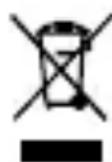
This symbol means that you must not dispose of this product together with household waste. Always store and dispose of old equipment or batteries correctly as they can harm the
environment or cause injury because they may contain hazardous substances; failure to do so may result in fines. In the EU, you can dispose of your old equipment or batteries free of charge at an official recycling point: you are required to do so by law, it ensures your device or battery is recycled and you do your bit to help protect the environment. For information please contact your local authority, civic amenity site or retailer. Major EU retailers (electronics retailers with a sales area of ≥ 400m^2 ) take back small appliances (all dimensions < 25cm ) free of charge; others do so only if you purchase products of a similar value. If possible, remove any batteries.
CONFORMITY NOTICE
Operation of the device (the devices) may be affected by strong static, electrical or high-frequency fields (radio installations, mobile
telephones, microwaves, electrostatic discharges). If this occurs, try increasing the distance from the devices causing the interference.
FCC STATEMENT
This equipment has been tested and found to comply with the limits for a Class B digital device, pursuant to part 15 of the FCC Rules. These limits are designed to provide reasonable protection against harmful interference in a residential installation. This equipment generates, uses and can radiate radio frequency energy and, if not installed and used in accordance with the instructions, may cause harmful interference to radio communications. However, there is no guarantee that interference will not occur in a particular installation. If this equipment does cause harmful interference to radio or television reception, which can be determined by turning the equipment off and on, the user is encouraged to try to correct the interference by one or more of the following measures:
- Reorient or relocate the receiving antenna.
- Increase the separation between the equipment and receiver.
- Connect the equipment to an outlet on a circuit different from that to which the receiver is connected.
- Consult the dealer or an experienced radio/TV technician for help.
This device complies with part 15 of the FCC rules. Operation is subject to the following two conditions: (1) This device may not cause harmful interference, and (2) this device must accept any interference received, including interference that may cause undesired operation.
Note: Modifications to this product will void the user's authority to operate this equipment.
TECHNICAL SUPPORT
www.speedlink.com/support
Please keep this information for later reference.
DE
RISQUES POUR LA SANTÉ
INDICATION DE CONFORMITE
VERWERKING VAN AFVAL
INFORMACE O KONFORMITE
cxbxpanen/13XbpyneHa cTapn ypei nn 6aTeepn/
akymylatopn moxe B pe3yltaT ha eBentyaIHO cblbpxaIte Ce bpeHn MaTePnaI Na yBpeN OkolHaTa CpeNa/nn
OBOeShKOTo 3dpaBe n Da DOBeJe Do CaHKcH NcBflaCHO
3aKOHOdaTeIcTBOTO. PpeDaBaHeTo B OfNuaJIen NynKT 3a
Cb6npaHe e 6e3PbTaHO n Ce N3NCKBa OT 3aKOHa, KaTO OCBeH TOBa
OCnYpRABa IpaBnIHoto N3XBbPJIaHE nLI PezIKnPaHr/IOBtOpHo
N3PON3BaHe n DOnpInHacr 3a 3aUHTaHa Na OKoJHaTa CpeDa.
INΦOpMaZnIe NOLyUHTe OT CbOTBeTHnTe OprAHn, NynKTOBe 3a
pezIKnPaHr nLI CneZnAIm3uPAHn MaRa3HH. TOpEMeT
TbPrOBZn (TbproBcKa pLoUs 3a eLeKtpnueckn ypeDn ≥ 400m^2 PpneMat MaMKte UpeDN (BCNUKn pa3Mepn < 25cm) 6e3PbTaHO, a
dpyrN cAmO npi 3aknyBaHe Ha ekBnBaJIeHTHn npOdykTN. Po
Bb3MOxHoc T3BaAdTe 6atePnTe/aKymylaTopnTe.
YKA3AHNE 3A CbOTBETCTBNE
Having technical problems with this product? Get in touch with our Support team – the quickest way is via our website: www.speedlink.com
DE
© 2017 Jöllenbeck GmbH. All rights reserved. SPEEDLINK, the SPEEDLINK word mark and the SPEEDLINK swoosh are registered trademarks of Jöllenbeck GmbH. * Microsoft and Windows are registered trademarks of Microsoft Corporation in the United States and other countries.
All trademarks are the property of their respective owner. Jollenbeck GmbH shall not be made liable for any errors that may appear in this manual. Information contained herein is subject to change without prior notice. Please keep this information for later reference. JÖLLENBECK GmbH, Kreuzberg 2, 27404 Weertzen, GERMANY