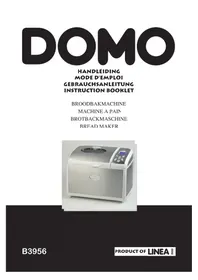
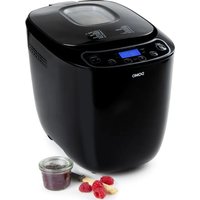
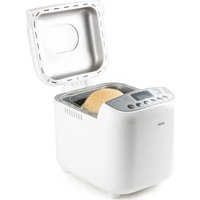
B3956 - Bread maker DOMO - Free user manual and instructions
Find the device manual for free B3956 DOMO in PDF.

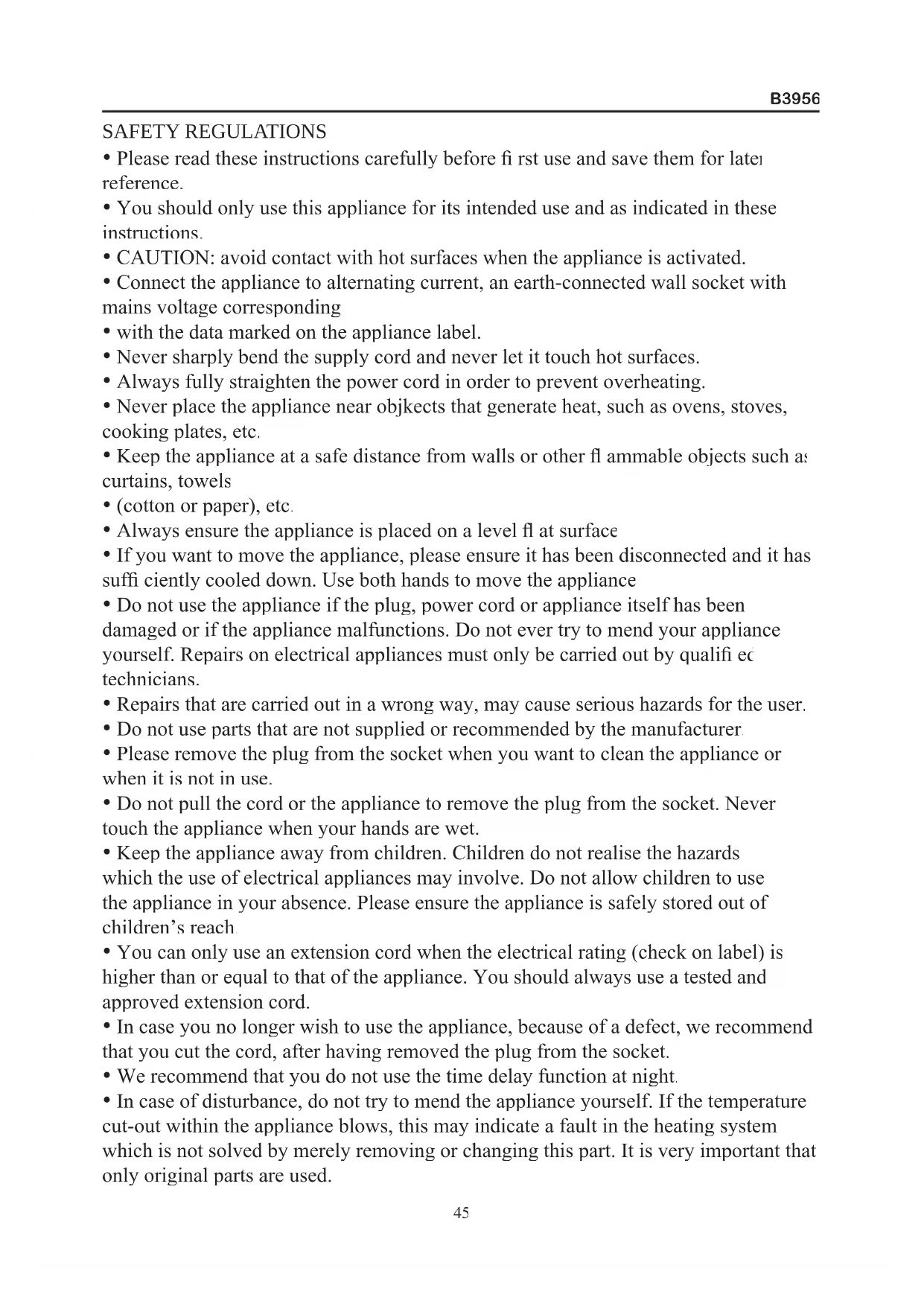


| Product type | Bread machine |
| Brand | Domo |
| Model | B3956 |
| Power supply | 220-240 V, 50/60 Hz |
| Maximum capacity | Up to 1 kg (large loaf weight) |
| Number of programs | 11 automatic programs |
| Available programs | Normal, Whole wheat, French, Rapid, Sweet, Cake, Jam, Dough, Ultra-rapid, Bake, Homemade bread |
| Crust control | 3 levels (light, medium, dark) |
| Delay timer | Yes, up to 13 hours |
| Keep warm function | Yes, 60 minutes |
| Bread types | White, whole wheat, French, sweet, cake, jam, dough only |
| Pan material | Non-stick |
| Included accessories | Bread pan, 2 kneading hooks, measuring cup, measuring spoon, hook for removing hooks |
| Care and cleaning | Clean the exterior and interior with a damp cloth; clean pan and hooks by hand with hot water, no abrasive detergent |
| Safety | Thermal protection; automatic shutdown in case of overheating; safety lid |
| Spare parts and repairability | Spare parts available: bread pan, kneading hooks; repairs by a qualified electrician only |
| Warranty | 2 years |
| Recycling | Do not dispose with household waste; take to a collection point for electrical appliances |
Frequently Asked Questions - B3956 DOMO
User questions about B3956 DOMO
0 question about this device. Answer the ones you know or ask your own.
Ask a new question about this device
Download the instructions for your Bread maker in PDF format for free! Find your manual B3956 - DOMO and take your electronic device back in hand. On this page are published all the documents necessary for the use of your device. B3956 by DOMO.
USER MANUAL B3956 DOMO
PRODUCT OF LINEA 200
GARANTIEVOORWAARDEN
CONDITIONS DE GARANTIE
This appliance has a two year warranty period. During this period the manufacturer is responsible for any failures which are the direct result of construction failure. When these failures occur the appliance will be repaired or replaced if necessary. The warranty will not be valid when the damage to the appliance is caused by wrong use, not following the instructions or repairs executed by a third party. The warranty will only be valid if the warranty application has been completed by the dealer at the time of purchase. All parts, such as brushes and batteries, which are subject to wear, are excluded from the warranty.
Type nr. Apparaat
RECYCLING INFORMATIONEN
RECYCLING INFORMATION
The symbol on the product or on its packaging indicates that this product may not be treated as household waste. Instead it shall be brought to the applicable collection point for recycling of electrical and electronic equipment. By ensuring this product is disposed of correctly, you will help prevent potential negative consequences for the environment and human health, which could otherwise be caused by inappropriate waste handling of this product. For more detailed information about recycling of this product, please contact your local city office, your household waste disposal service or the shop where you purchased the product.
VEILIGHEIDSVOORSCHRIFTEN
Programma small larger
Programme small larger
1.Normal 3:05 3.10
2. Intégral 3:42 3:50
3. Français 3:45 3:55
4. Rapide 2:10 2:10
5.Sucré 2:55 3:00
5. Cake 1:48 1:48
7. Confi ture 1:20* 1:20*
5. Pate 1:30 1:30
Ultra-rapide 1:28 1:38
10.Cuisson 1:00*max 1:00*max
11. Pain maison 6:59 max 6.59 max
Programm small larger
1.Normal 3:05 3.10
2. Vollkorn 3:42 3:50
3. Französisch 3:45 3:55
4. Schnell 2:10 2:10
5. S 2:55 3:00
6. Kuchen 1:48 1:48
7. Marmelare 1:20 1:20
3. Teig 1:30 1:30
9.Superschnel 1:28 1:38
10. Backen 1:00 max. 1:00 max.
11. Home made 6:59 max. 6:59 max.
- Please read these instructions carefully before first use and save them for later reference.
- You should only use this appliance for its intended use and as indicated in these instructions.
- CAUTION: avoid contact with hot surfaces when the appliance is activated.
- Connect the appliance to alternating current, an earth-connected wall socket with mains voltage corresponding
- with the data marked on the appliance label.
- Never sharply bend the supply cord and never let it touch hot surfaces.
- Always fully straighten the power cord in order to prevent overheating.
- Never place the appliance near objkcts that generate heat, such as ovens, stoves, cooking plates, etc.
- Keep the appliance at a safe distance from walls or other flammable objects such as curtains, towels
- (cotton or paper), etc.
- Always ensure the appliance is placed on a level fl at surface
- If you want to move the appliance, please ensure it has been disconnected and it has suffi cientsly cooled down. Use both hands to move the appliance
- Do not use the appliance if the plug, power cord or appliance itself has been damaged or if the appliance malfunctions. Do not ever try to mend your appliance yourself. Repairs on electrical appliances must only be carried out by qualifi ec technicians.
- Repairs that are carried out in a wrong way, may cause serious hazards for the user.
- Do not use parts that are not supplied or recommended by the manufacturer
- Please remove the plug from the socket when you want to clean the appliance or when it is not in use.
- Do not pull the cord or the appliance to remove the plug from the socket. Never touch the appliance when your hands are wet.
- Keep the appliance away from children. Children do not realise the hazards which the use of electrical appliances may involve. Do not allow children to use the appliance in your absence. Please ensure the appliance is safely stored out of children's reach
- You can only use an extension cord when the electrical rating (check on label) is higher than or equal to that of the appliance. You should always use a tested and approved extension cord.
- In case you no longer wish to use the appliance, because of a defect, we recommend that you cut the cord, after having removed the plug from the socket.
- We recommend that you do not use the time delay function at night.
-
In case of disturbance, do not try to mend the appliance yourself. If the temperature cut-out within the appliance blows, this may indicate a fault in the heating system which is not solved by merely removing or changing this part. It is very important that only original parts are used.
-
This appliance complies with EC regulation 76/889/EEC for tv and radio disturbance - additional rule 82/499.
BEFORE THE FIRST USE
-
The packaging should contain the breadmaker, one bread pan, two large kneading paddle, mesuring cup, mesuring spoon and the instruction manual.
-
Remove all packaging materials and keep them away from children. Check if all additional parts are there and whether you have removed them all from the packaging. Please verify if your breadmaker has not suffered any damage during the transport.
-
Clean your breadmaker, bread pan and kneading paddle with a damp cloth. The bread pan and the kneading paddle both have a non-stick coating to prevent dough from sticking to it. You must therefore never clean these parts with cleaning products, a sponge or a dishwashing brush. A damp cloth will do to clean them. It is perfectly common and harmless for your appliance to emit a bit of smoke when you use it for the first time.
-
The quality of the baked bread will depend on a whole range of factors. Please make sure all ingredients are at room temperature and that you keep to the correct amount of each ingredient, as indicated in the recipes.
INGREDIENTS
Baking a great bread will largely depend on 3 main factors: quality, freshness and correct measurement of quantities.
FLOUR
Flour is the basic component of bread. The weight of the fl our varies, depending on the type of fl our used. It is therefore absolutely neccessary that you weigh the right quantity on a pair of scales. Please make sure you buy a variety of fl our which is suitable for bread making. Check the packing.
GLUTEN
Gluten is a natural ingredient of flour and stimulates the bread to rise
YEAST
Yeast is a micro-organism found on several vegetable foodstuffs. Yeast converts sugars into alcohol and carbon dioxide. This ability is ideal for the bread to rise and to make it lighter and easier to digest. We recommend the use of dry yeast for this breadmaker. This (granular) yeast is easier to work with, keeps for a longer time than fresh yeast and generally gives you a better result as well.
SALT
Salt does not only lend the bread a certain flavour but equally regulates the activity of the yeast, strengthens the dough and prevents the bread from rising too hard.
BUTTER / OIL
Butter and oil improve the general taste of the bread and equally soften it. Butter or oil should both be at room temperature when you add them to the other ingredients.
SUGAR
Sugar is the nutrient that the yeast feeds itself on and is of great importance for the bread's rising process. You can use plain white sugar, brown sugar, syrup or honey Sugar lends the bread a certain soft and delicate flavour, increases its nutritional value and also renders the bread less perishable. Look out: you should not use unrefi nec sugar or sugar lumps, when you want to make e.g. cinnamon bread, for they can damage the non-stick coating of the bread pan.
WATER
When the fl our mixes with the water, the gluten will form and air can no longer enter thus enabling 3 the bread to rise. At normal temperature you should use tepid water to make bread:
cold water will not activate the yeast and warm water will achieve the opposite result.
MILK
Milk adds greatly to the colour of the bread (brown for the crust, creamy on the inside), improves the overall taste of the bread and increases its nutritional value.
Should you choose to use fresh milk, do not forget to reduce the amount of water, in order to maintain the right level of humidity
CAREFUL: do not use fresh milk if you are going to choose the baking program with the time delay function, for the milk could turn sour.
OTHERINGREDIENTS
In some cookery books you may come across recipes requiring the use of herbs, nuts, currants, fruit or vegetables. Always use fresh ingredients. When you want to use nuts, sunfl over seeds, dried fruit or similar ingredients, we recommend that they be soaked in water and dried before adding them to the dough. Always ensure these ingredients are not too large, for they may damage the non-stick coating.
THE DISPLAY
"Menu" button
This button is used to select the correct baking program. Every time you press this button a "biep" signal is heard and the program number changes. You can see the selected program number on the display. This bread maker has 11 programs
"colour" button
Use this button to indicate the colour of the crust light, medium or dark.
Tip : if you use a recipe for the first time, we recommend to use the selection medium
"loaf size" button
This button is used to select the size of bread you want to back "small or "larger". "Larger" is selected to bake a large bread up to 1350g , "small" is used for baking two or one small bread of 450g .
Tip : the total amount of ingredients mentioned on the recipe is the weight of your bread.
"start" and "stop" button
With this button the program can be started or stopped
Tip : when selected the wrong program, you can stop the bread maker by pressing the "stop" button during a few seconds. Afterwards you can reset the appliance with the correct program
Start : to start the program, press the button once a short biep will be heard. The “:” between the time will start blinking. The appliance will countdown the time and finish the program.
Stop : to end the program, press the button a few seconds until a biep is heard, to confirm the program has stopped
On/off
How can you check if the machine is working or the program is runing?
If the ":" is blinking the program is working.
If the ":" is lighted constantly the program has stopped.
“time” button
For setting the current time as well as for programming the timer
"cycle" button
For setting the different cycles when using the program "home made"
"Pause" button
For interrupting a program. When pressing the "pause" button the program will be interrupted but not stopped. The remaining time will start to blink. When pressing the "pause" button again, the program will finish the remaining time
The "pause" button is also used for setting hours and min. when setting the time
GETTING STARTED
When plugging in the appliance a "biep" signal is heard and "1 3:10" is shown on the display. The colon between 3 and 10 won't blink. This is the standard setting"1' is stating the selected program., in this case the program 1 "basic". 3:10 is stating the working time of the program.
The display also shows an arrow pointing at "larger", to indicate the size of bread selected
A second arrow points to "medium", to indicated the selected crust colour. These are
all standard selections.
SETTING THE CURRENT TIME
Add 2 AAA batteries to the bottom of your bread maker. This way the clock will stay working all the time, even when the unit isn't plugged in.
When inserting the batteries the display will show "12:00". Plug in the appliance. Press the "pause" button, the hours will start blinking. Set the correct hour by pressing the "time" button. Pay attention to the indication of "am" for morning time or "pm" for afternoon on the display.
Press the "pause" button again, the minutes will start blinking, now use the "time" button to set the minutes. Press the "pause" button again to confirm the set time. O wait 5 sec, for the setting to confirm automatically. The hour will stop blinking, only the colon will flash
PROGRAMS
Program 1: basic: the most frequently used program for baking white bread.
Program 2 : whole wheat : this program is best used for making heavier breads, such as multi grain or whole wheat. These breads will be smaller than white bread, because the fl our is heavier
Program 3: french : the kneeding and rising time for this program is longer than with the program basic.
Program 4: quick : this program can be used for baking a bread within a limited amount of time.
Program 5: sweet : this program is suited for making sweet breads such as raison bread.
Program 6: Cake : with this program you can bake a bread, made of baking powder. Bread baked with this program will be smaller and more solid. The timer can't be used with this program, because baking powder will work instantly. If you want to make cake with this program, we recommend to add the ingredients to the bake pan. Select the program and before pressing the start button, mix the ingredients with a wooden spoon. This will enhance the kneeding process.
Program 7: jam: for making delicious fresh jam. Attention! Make sure to remove the pips from the fruit, before adding them to the bake pan. Sharp pips can damage the anti-adhesive layer.
Program 8: dough: with this program you can only make dough.
Program 9 : ultra fast : To make a fresh bread of 700g in a bit more than 1 hour. Program 10 : bake : this program can be used to bake already prepared dough. By using the time knobs you can set the time from 5 to 60min . You can also reheat already baked bread.
Program 11: home made: with this program you can set all the different stages of baking a bread your self. From the kneading time, the rising time to he bake time. how to operate :
Select this program. Press the "cycle" button, on the display appears the words
"knead1". You can now press the "time" button to set the desired first kneading time. Press the "cycle" button to confirm the set time. Press the "cycle" button again for the second step, "rise 1", the first rise time. Press the "time" button again to set the desired rise time. Press the "cycle" button again to confirm you continue this way until you have fi nished all different steps of the bread making process : knead 1, rise 1, knead 2, rise 2, rise 3, bake and keep warm.
When you have finished setting the complete baking cycle, press the 'start/stop' button to confirm the settings. Press the "start/stop" button again to start the baking process.
USE
Step 1: take the bread pan out of the bread maker, by taking the handle and pulling it straight up
Step 2: Place the kneading hooks on the axes inside the bread pan. The kneading hooks must be placed correctly, to make sure all ingredients will get mixes properly. The large kneeding hooks, are for the large bread pan. The small kneading hooks are for the bread pan, devided into two parts
Step 3: Add the ingredients as follows:
I. water/milk
-
buttor/ oil
-
eggs if necessary
-
fl oui
-
sugar ( on one side)
-
salt (on other side)
-
yeast (in the middle)
Attention! The yeast may not come in contact with water. It is possible that the water will activate the yeast before all ingredients have been mixed properly.
Step 4 : Remove all residu of the ingredients from the outside of the bread pan.
Place the bread pan back in your bread maker and press firmly, to make sure it locks properly.
Step 5: close the lid.
Step 6: Connect the bread maker to an electrical socket.
Step 7: select the desired program by using the "menu" button.
Step 8 : Set the crust colour by using the "crust" button.
Step 9: Set the timer if necessary.
Step 10: Press the start button. The colon will start flashing to indicate the machine is working.
Program times :
Program small larger
-
basic 3:05 3:10
-
whole wheat 3:42 3:50
3.French 3:45 3:55
- Quick 2:10 2:10
5.sweet 2:55 3:00
6.Cake 1:48* 1:48*
Program Small Larger
7.Jam 1:20* 1:20* - Dough 1:30 1:30
- Ultra fast 1:28 1:38
- Bake 1:00* max 1:00* max
-
Home made 6.59 max 6:59 max
-
If you select one of these programs, you can not select the weight.
The time set in the display is indicated in hours and minutes. For example: program 1, basic, small: time 3 hours and 5 minutes.
Step 11: When the bread is fi nished, the machine will biep. Press and hold the stop button for a few seconds. The machine will biep again to confirm the program has stopped. Unplug the unit and open the lid. Remove the bread pan, using oven mittens.
Leave the bread in the bread pan to cool for 10 to 15min . Keep the bread pan above the sink and shake slightly, until the bread slights out.
During the kneading process of the following programs a biep signal is heard : basic, whole wheat, french, sweet and home made. This biep signal indicates that you can add extra ingredients such as : raisons, nuts, etc. Open the lid, add the extra ingredients and close the lid. The kneading process wil continue.
Attention! Let raisons and nuts soak before adding them, dry them with a towel or kitchen paper. Make sure the extra ingredients are not to big or sharp, this could damage the anti-adhesive layer.
Don't place the bread or bread pan on the outside of the machine or on a plastic table cloth. When the bread won't come out, you can gently turn the axe at the bottom of the bread pan, until the bread comes loose.
When the kneading hook is still in the bread after you removed it from the bread pan, you can use the special hook that was delivered with your machine to remove the kneading hook. If necessary let the bread cool down further, and remove the kneading hook by hand. Make sure the kneading hook has cooled down suffi ciantly
We recommend to slice the bread after 15 to 20min
Extra: if you for example are not home on time, the bread maker will keep the bread warm for 60min . This extra heat time is not included in the program time.
If you want to cancel the setting, press the "start/stop" button
USING THE TIMER
If you want to use the timer, you should set the time before pressing the "start" button.
Important : don't use the timer when using products that can go bad.
- Set the current time. According to the instructions at the beginning of the booklet.
- Add all the ingredients in the bread pan.
- Select the desired program, crust colour and weight.
- Press the "time" button once. On the display appears the run time of the program +10 min. and the words "set ready time".
- Press the "time" button to set the time on which the bread needs to be ready.
- Press the "start/stop" button to activate the timer. On the display is shown the set time and he words "set ready time".
- If you want to see the current time press the "time" button.
- If you want to cancel the setting, press the "start/stop" button until you hear a biep signal. De settings are now removed.
HOW TO CLEAN YOUR BREAD MAKER
Before cleaning your bread maker, please ensure it is no longer activated, it has suffi cientsly cooled down and the plug has been disconnected from the power socket
EXTERIOR
Clean the outside of your appliance and its viewing window with a damp cloth or a sponge. Take out the bread pan before you start cleaning. If necessary, you can clean the exterior of the appliance with a mild detergent.
INTERIOR
Gently clean the inside of the appliance with a lightly damp cloth. Be careful when cleaning the heating element.
BREAD PAN
You can clean the bread pan with warm water. Be careful not to damage the non-stick coating. In case the kneading paddle gets stuck, allow the bread pan to cool down completely. Next, gently pour a little bit of warm water into the bread pan until the kneading paddle is under water. The sticky bits will dissolve and you will be able to remove the kneading paddle easily.
Never use cleaning products or dishwashing brushes, for they may damage the non-stick coating of the bread pan. The bread pan must not be cleaned in the dishwasher.
HOW TO BAKE A DELICIOUS BREAD:
A FEW PRACTICAL SUGGESTIONS
Please make sure your ingredients are at room temperature and that they are carefully weighed. Add the ingredients in the right order. You should only use fresh ingredients. The yeast needs to be the last ingredient you put in the bread pan. Put the yeast into a little hole in the flour, thus ensuring it does not come in contact with the added salt sugar, water or milk. You can verify the freshness of your yeast by submitting it to the following test: dissolve 1 teaspoonful of sugar in half a cup of lukewarm water and
subsequently add the yeast to this mixture. If the substance starts sparkling and boiling after a few minutes, you can be sure that you are using fresh yeast.
Approximately 5 to 10 minutes after your bread maker has been activated, you can equally test the quality of the dough. The dough should look like a smooth and elastic round ball. Open the lid and gently touch the top of the dough with your fingers. Be careful and make sure the kneading paddle remains in action. If the dough somewhat sticks to your fingers, this implies the dough is going to be fine. Should the dough however stick to the bread pan, then it is probably too moist. If the dough does not stick to your fingers at all, the pastry you are making is too dry
Salt brakes the effect of the yeast and sugar exactly does the opposite. If you are not allowed to use either sugar or salt for dietary reasons, you must not add the other ingredient either. Your bread will not contain sugar or salt
If you bake another bread straight away, you will first have to allow the bread maker to cool down for 10 to 20 minutes.
Different types of bread will have different structures and sizes, due to the different nature of the ingredients used. These differences are completely normal and need not to worry you.
For some recipes, you may need to adjust the quantities, i.e. the amount of yeast, fl our or water. Never adjust all these quantities at the same time, for it will not have any effect. Adjusting a quantity may be necessary because of the quality and specific gravity of the fl our, differences in ambient temperature or freshness of the ingredients. Home-made bread, made with this bread maker, does not contain any preservatives and is therefore perishable. If you wrap the bread in a vacuum package after cooling down, you will be able to keep it for a few days. Of course you can also freeze the bread.
PROBLEMS WHICH MIGHT OCCUR
Several factors can cause your bread to fail. In the following list you will find a series of problems and possible solutions.
THE BREAD HAS CAVED IN
If your bread looks caved in, this means the dough you made was too moist. Try adding a smaller quantity of water. When you use preserved fruits or vegetables, please make sure they have been soaked and thoroughly dried beforehand. You could also try using a lighter variety of flour. If your bread caves in, this could also be the result of over-rising. The dough has risen to an extent it could not cope with. In this case, try adding a little less yeast, 1 or 2 gr.
THE CENTRE OF THE BREAD IS NOT SUFFICIENTLY BAKED
This may be due to the type of fl our you used, often too heavy varieties such as rye fl our or wholemeal fl our. Try to program an extra kneading process when using these types of fl our. As soon as the bread maker has terminated the first kneading process you press stop. Next, you reprogram the bread maker and press start: the appliance
will start kneading again, a larger quantity of air has now been absorbed by the dough. You could also try selecting the dark crust colour, because this slightly increases the baking temperature.
THE BREAD HAS RISEN TOO MUCH
If your bread rises higher than it ought to, you have used too much yeast. Please check whether you have used the right quantity and the right type of yeast. Too much sugar can over activate the yeast.
Try reducing the dose of sugar and do not use too much dried fruits or honey, which equally contain a lot of sugar. Try using 10 to 20ml less water. Do bear in mind that a lower degree of humidity could brake the activity of the yeast. Sometimes over-rising can also be caused by fl our that was grinded too fine. These varieties of fl our do n require an equally active yeast as heavier varieties do.
THE BREAD IS TOO DRY
Try using less fl our or add a tablespoonful of liquid. While your bread maker i kneading fairly heavy dough or when you have programmed longer kneading times, the appliance may occasionally tremble a bit. Therefore you must make sure your bread maker is always positioned on a stable surface, not too near to another object and not too close to the edge of the kitchen sink unit.
THE BREAD IS FLAT
If you are using grinded fl our or wholemeal fl our, your bread tends to be somewhat flatter. If your bread does not rise at all, you need to check the yeast. Have you though of adding the yeast? If the bread has only risen a little bit, the yeast you used may have been too old. Too hot or too cold water also brakes the yeast's activity. Please also verify whether you have not used too much salt.
ERROR ON THE DISPLAY
If you see the indication "H:HH" appearing on the display after you have pressed the start button, this means that your bread maker has not suffi cientsly cooled down yet. I is necessary to allow your appliance to cool down for another 10 to 20 minutes, with its lid open. If the error "E:EE" appears on the display after you have pressed the start button, your bread maker needs to be serviced by a qualifi ed technician. Please contact your store.
FREQUently ASKED QUESTIONS
WHY IS THE HEIGHT OF THE BREAD DIFFERENT ON EVERY OCCASION?
The shape and the height of the bread depend on the ambient temperature, the quality
and the quantity of the used ingredients.
WHY DOESN'T THE BREAD RISE?
You have forgotten to add the yeast or you have added an insufficient quantity, or the yeast you have used is too old.
HOW DOES THE TIME DELAY FUNCTION WORK:
You must not program this function for a period of time under 3 hours or over 13 hours. The time delay function requires minimum 58 minutes to deal with all the necessary stages of the process. You can use the program "fast", but not with the time delay function. Ingredients may go bad if they are kept in the breadmaker for more than 13 hours without being baked.
WHY CAN'T I ADD EXTRA INGREDIENTS TO THE BASIC INGREDIENTS?
For the dough or the bread to have the right shape and to rise in the appropriate manner, dried raisins and similar ingredients need to be added at a later stage. Moreover, such ingredients may be damaged in the kneading process. They could also get sticky or get distributed unevenly throughout the dough.
You should not add these ingredients until you have heard the first bleep. Do no add any ingredients when you are using the "fast" or "speed" programs. You can not program the time
delay function when you have selected the "dough" program.
CAN I USE FRESH MILK INSTEAD OF WATER:
Yes, as long as you do not alter the total quantity of liquid. For example: if the recipe says you need 210ml of water, you could replace this quantity by 210ml of milk or, equally, by 105ml of water and 105ml of milk. The total quantity of liquid has to be maintained.
GENERAL REMARKS
- SOMETIMES THE CRUST HAS A LIGHT COLOUR, SOMETIMES IT IS DARKER:
You can adjust the crust colour yourself, by using the "crust" button. This button allows you to select a "light", "medium" or "dark" crust colour.
- WHY HAS MY BREAD RISEN AS HIGH AS THE LID OF THE BREAD MAKER? You have used either too much sugar or too much yeast or both. This has caused a larger amount of gas bubbles within the bread.
- WHY DOESN'T THE PROGRAM "FAST" ALLOW ME TO BAKE A BREAD WITH FRUITS?
With this program, the time for fermenting is shorter. When you add more ingredients,
this will also effect the baking time and the result will be disappointing.
4. WHEN MAKING HEAVIER TYPES OF BREAD, THE APPLIANCE SEEMS TO KNEAD SLOWER.
This is perfectly normal and does in no way damage your bread maker. We do however advise you to add a tablespoonful of liquid, when baking heavier bread.
BEFORE TAKING YOUR APPLIANCE BACK TO THE STORI YOUR BREAD KEepsTurning OUT BAD
We recommend that you try and bake one bread on the basis of a ready-made bread mix. These types of mixtures only require that you add some water and butter. If that works and the result is to your liking, this means there is nothing wrong with your bread maker. Please check the freshness of the ingredients used.
THE APPLIANCE DOESN'T WORK
Is your bread maker activated and have you plugged it in properly? The temperature may be too high.
SOMETIMESSMOKECOMESOUTOF THE HOLES
Perhaps you spilled some of the ingredients on the heating element.
THE BREAD HAS CAVED IN / THE CENTRE OF THE BREAD IS TOO MOIST
You have left the bread in the bread pan for too long after the baking was finished. O you have used too much water or too much yeast.
THE TOP OF THE BREAD IS CRACKED AND HAS A BROWNISH COLOUR
You used too much flour, yeast or suga.
THE TOP LAYER OF THE BREAD IS STILL COVERED WITH FLOUI
You didn't use enough water.
MY BREAD IS TOO SMALL.
You didn't use enough flour, yeast, sugar or water.
You used wholemeal flour or a type of flour containing chemical yeas
You used the wrong type of yeast
You used fl our or yeast that had already gone bad.
YOUR BREAD IS NOT SUFFICIENTLY BAKEE
You accidentally pressed the "stop" button after activating the bread maker
You left the lid open during the baking process
You used too much sugar
You selected the crust colour "dark".
YOUR BREAD IS THE WRONG SHAPE
You didn't use enough flow out.
You didn't use enough water.

- GARANTIEVOORWAARDEN
- CONDITIONS DE GARANTIE
- RECYCLING INFORMATIONEN
- RECYCLING INFORMATION
- VEILIGHEIDSVOORSCHRIFTEN
- BEFORE THE FIRST USE
- INGREDIENTS
- FLOUR
- GLUTEN
- YEAST
- SALT
- BUTTER / OIL
- SUGAR
- WATER
- MILK
- OTHERINGREDIENTS
- THE DISPLAY
- "Menu" button
- "colour" button
- "loaf size" button
- "start" and "stop" button
- On/off
- “time” button
- "cycle" button
- "Pause" button
- GETTING STARTED
- SETTING THE CURRENT TIME
- PROGRAMS
- USE
- USING THE TIMER
- HOW TO CLEAN YOUR BREAD MAKER
- EXTERIOR
- INTERIOR
- BREAD PAN
- HOW TO BAKE A DELICIOUS BREAD:
- A FEW PRACTICAL SUGGESTIONS
- PROBLEMS WHICH MIGHT OCCUR
- THE BREAD HAS CAVED IN
- THE CENTRE OF THE BREAD IS NOT SUFFICIENTLY BAKED
- THE BREAD HAS RISEN TOO MUCH
- THE BREAD IS TOO DRY
- THE BREAD IS FLAT
- ERROR ON THE DISPLAY
- FREQUently ASKED QUESTIONS
- WHY IS THE HEIGHT OF THE BREAD DIFFERENT ON EVERY OCCASION?
- WHY DOESN'T THE BREAD RISE?
- HOW DOES THE TIME DELAY FUNCTION WORK:
- WHY CAN'T I ADD EXTRA INGREDIENTS TO THE BASIC INGREDIENTS?
- CAN I USE FRESH MILK INSTEAD OF WATER:
- GENERAL REMARKS
- WHEN MAKING HEAVIER TYPES OF BREAD, THE APPLIANCE SEEMS TO KNEAD SLOWER.
- BEFORE TAKING YOUR APPLIANCE BACK TO THE STORI YOUR BREAD KEepsTurning OUT BAD
- THE APPLIANCE DOESN'T WORK
- SOMETIMESSMOKECOMESOUTOF THE HOLES
- THE BREAD HAS CAVED IN / THE CENTRE OF THE BREAD IS TOO MOIST
- THE TOP OF THE BREAD IS CRACKED AND HAS A BROWNISH COLOUR
- THE TOP LAYER OF THE BREAD IS STILL COVERED WITH FLOUI
- MY BREAD IS TOO SMALL.
- YOUR BREAD IS NOT SUFFICIENTLY BAKEE
- YOUR BREAD IS THE WRONG SHAPE
Brand : DOMO
Model : B3956
Category : Bread maker