F1 - Smartwatch Cubot - Free user manual and instructions
Find the device manual for free F1 Cubot in PDF.



User questions about F1 Cubot
0 question about this device. Answer the ones you know or ask your own.
Ask a new question about this device
Download the instructions for your Smartwatch in PDF format for free! Find your manual F1 - Cubot and take your electronic device back in hand. On this page are published all the documents necessary for the use of your device. F1 by Cubot.
USER MANUAL F1 Cubot
natural_image
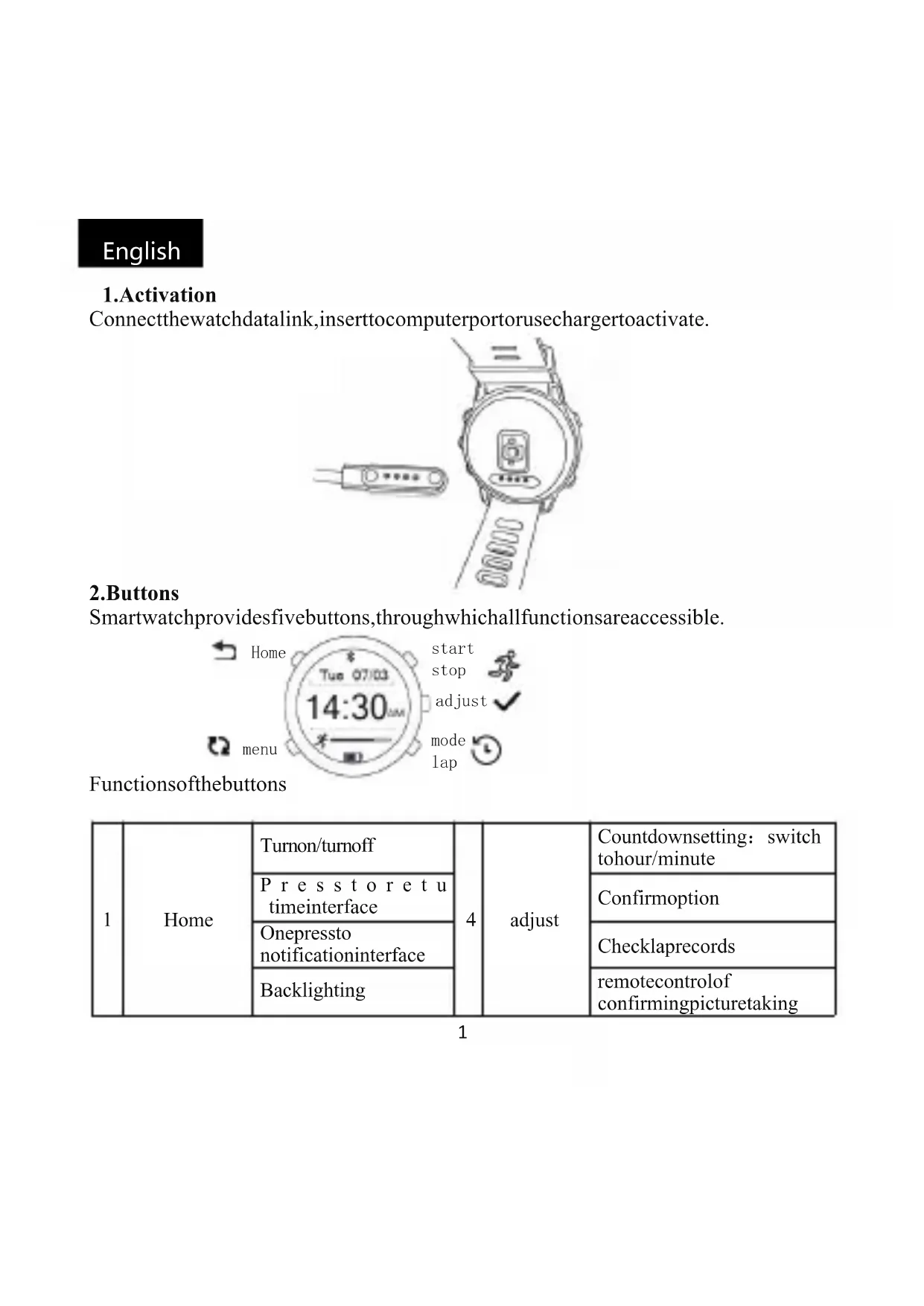
Line drawing of a smartwatch with a sensor module and a handheld device (no text or symbols)2. Buttons
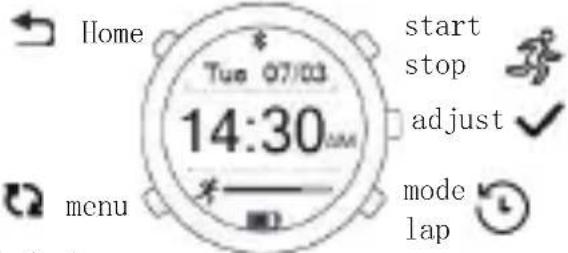
Smartwatchprovidesfivebuttons,throughwhichallfunctionsareaccessible.
text_image
Home Tue 07/03 14:30 menu start stop adjust mode lapFunctionsofthebuttons
| 1 | Home | Turnon/turnoff | 4 | adjust | Countdownsetting: switch tohour/minute |
| P r e s s t o r e t u timeinterface | Confirmmoption | ||||
| Onepressto notificationinterface | Checklaprecords | ||||
| Backlighting | remotecontrolof confirmingpicturetaking |
English
| 2 | menu | Presstochecksix maininterfaces circularly | 5 | mode.lap | Pagedown |
| 3 | start.stop | Startorstop | Decreasethenumber | ||
| Increasethenumber | Stopwatchmode: calculating、clearing | ||||
| Pageup | Heartrate: switchtostep、 calorie、distance、time | ||||
| Musicinterface : switchtotheprevious song | Musicinterface: switchto thenextsong |
3.Browsethemaininterface
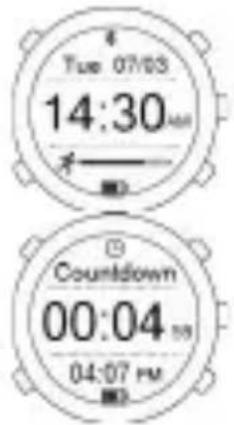
Press“menu”, checkthemaininterfacecircularly.
text_image
Tue 07/03 14:30 AM Countdown 00:04 PM 04:07 PM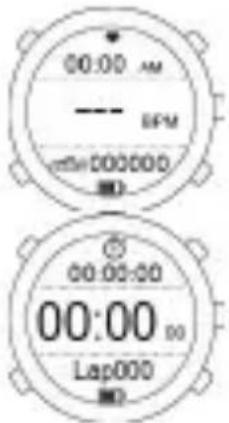
text_image
00:00 AM EPM 000000 00:00:00 00:00:00 Lap000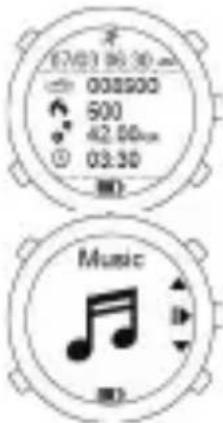
text_image
12/03 16:30 008900 500 42.50cm 03:30 Music4. Introductionoffunctions.
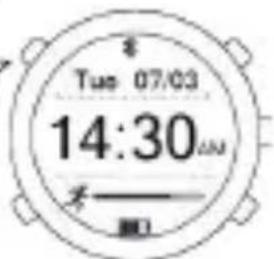
You are able to check current date, time and the achievement of exercises by time interface.
Firstline : Dateoftheday
English
Secondline: Timeoftheday
Thirdline: Achievementoftheexercises
- Shortlypresstolightupthebacklight
- Onepresstoenterthenotification interface
3.longpress6secondstoturnon/off
text_image
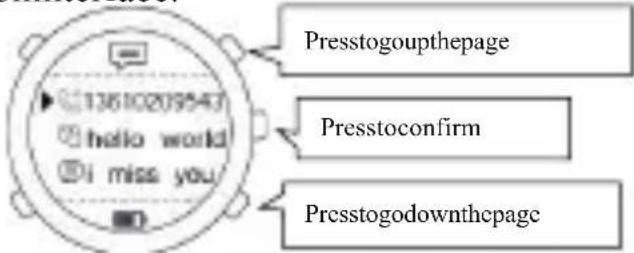
Tue 07:03 14:30 不Smartwatchcanstoreeightlatestnewsrecords.Youcancheckthedetailsonthe notificationinterface.
text_image
Presstogoupthepage Presstoconfirm Presstogodownthepage5.Heartrate
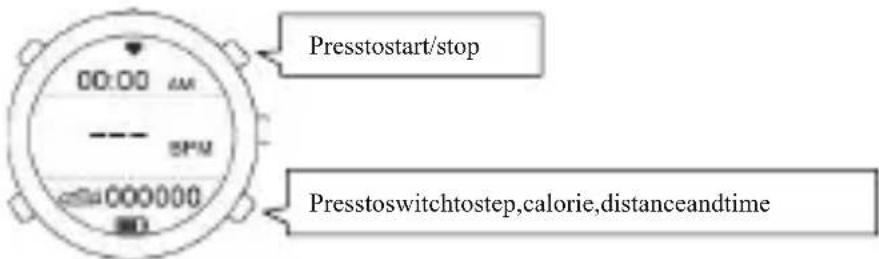
Userscanstartrealtimeheartratemeasuringandthewholedayheartrate monitoringbyclicking“starttomeasure“onheartrateinterfaceintheapplicationor pressingthebuttonofstart/stop.Ittakesapproximately8-15secondstomeasurethe heartrate
Pleasesynchronizethehistoryofheartratetotheapplicationifyouneedtocheck thedetails.
Firstline: Timeoftheday
Secondline:currentBPM
Third line: steps、 calorie、 distance、 time
text_image
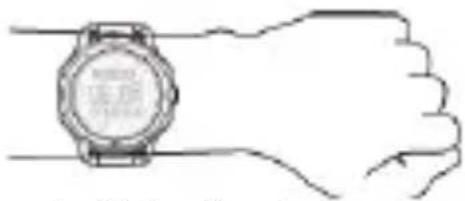
Presstostart/stop Presstoswitchtostep,calorie,distanceandtimeTips:Forall-daywearingwhenyou'renotexercising,yourtrackershouldusually remainafinger'swidthbelowyourwristboneandlayflat,justsameaswearinga watch.CUBOTheartratetrackingsystemisdesignedtobemostaccuratewhen thetrackeriswornonthetopofyourwrist.
Exercisemaybringyouhigherheartrate, becausebloodflowinyourarmincreases thefartherupyougo,movingthetrackerupacoupleinchescanimprovetheheart ratesignal.Also,manyexercisessuchaspush-upscauseyoutobendyourwrist frequently,whichismorelikelytointerferewiththeheartratesignalifthetrackeris loweronyourwrist.
natural_image
Line drawing of a wristwatch resting on a hand, no text or symbols presentNote: Whentheheartratelampcolorflickerfunction
blue>40Restingheartrate
green>84Warm-up
yellow>105Fatburning
purple>147Heartandlung
red>178Extremesports
6. Monitoring exercises
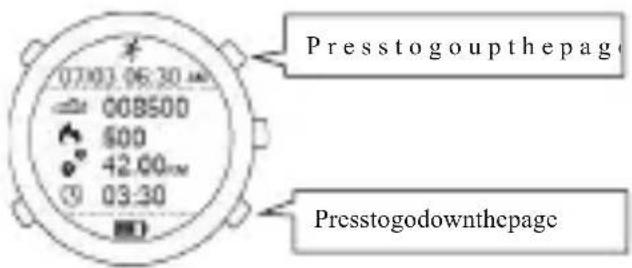
F1 can automatically monitored daily activities of the user and immediately check the latest six days' detail of the exercises.
Pleasesynchronizethedetailsoftheexercisestotheapplicationifyouneedtocheck
English
detailsformorethansixdays.
text_image
07:03.06:30 00B500 600 42.00 03:30 Presstogoupthepage Presstogodownthepage7. Countdown
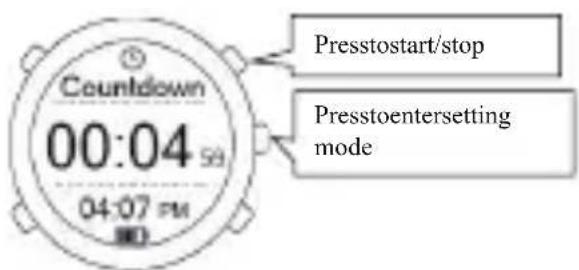
When counting down the time, you can countdown from preset timet zero; the maximum support for counting downs 23 hours 59 minutes. The watch will remind user the ending of countdown by vibrating per second in the last count downten seconds.
Youcanswitchthesettingofhour/minutebypassingthebutton[adjust]andpress thebutton[start.stop]or[mode.lap]toincreaseordecreasethenumberwhenit's understopmode
Second line: countdown time (hour、minute、second)
Thirdline:currentsystemtime
text_image
Prestostart/stop 00:04 59 04:07 PM Prestoentersetting mode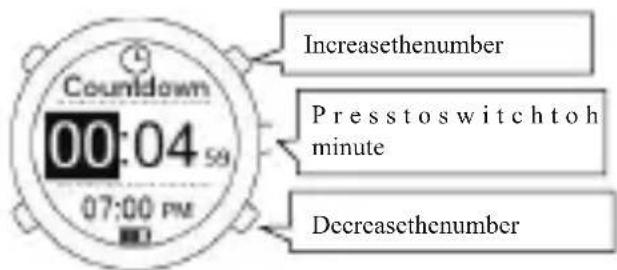
text_image
Countdown 00:04 59 07:00 PM Increasethenumber Presstoswitch toh minute Decreasethenumber8.Stopwatch
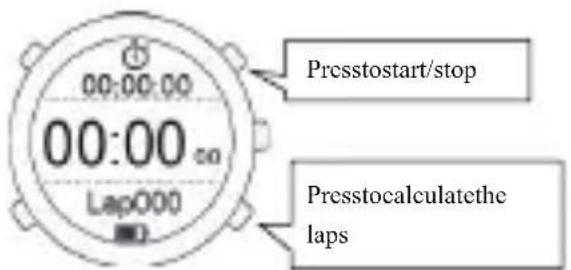
Youcancheckthelaprecordbystopwatchmanualrecordingwhenyouare exercising
Youcancheckthesinglelaprecordinsequencebypassingbutton[adjust]andzero cleardatabypassingbutton(mode.lap)whenit'sunderstopmode
Firstline:timeofthelaps
Secondline: currenttimeofthelap
Thirdline: Lap(supportmaximum20laps)
text_image
Presstostart/stop 00:00:00 00:00 Lap000 Presstocalculatethe laps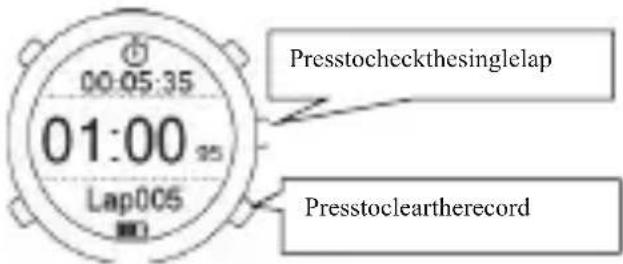
text_image
00:05:35 01:00 Lap005 Presstocheckthesinglelap Presstocleartherecord9. Musiccontrol
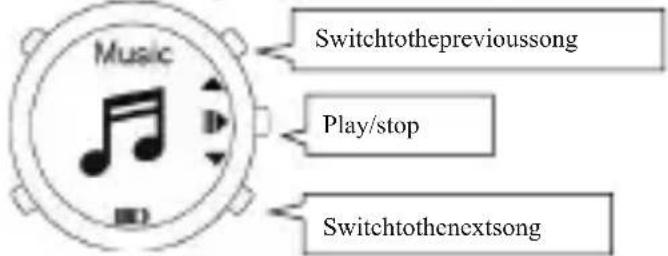
Afterconnectsmartwatchwithsmartphone,youcancontrolthewatchtoplaythe musicinyourcellphoneorswitchtotheprevioussongorthenextsong
text_image
Music Switchtotheprevioussong Play/stop Switchtothenextsong10.Smartreminder
You can receive reminding of promoting information from cellphone by turning on the reminder button in application after successfully connecting the watch and the application Bluetooth
- callreminder
- messagereminder
- otherreminder(QQ\Wechat\FaceBook\Twitter\whatsapp\instagram)
• waterdrinkingreminder - sedentaryreminder
- searchthevwatch
English
- alarmreminder
• heartrateearlywarning
Others:
- low battery reminder: There will be vibration as reminder when the watch is underlow
batterycondition
- remotecontrolphototaking: click the "remotecontrolphototaking" in the application and press
button“adjust”totakeaphotowhenthesign
appearsonthewatch.
11. Download and Install the Application.
- ensureyourcellphonehasconnectedwithdatanetworkorWLAN;
- scanthetwodimensionalcodebelowtodownloadandinstallorenterany applicationstoresto
download and install“CUBOT Sport”APP ( IPhone users, please go to“APP Store”and
search“CUBOT Sport”to download, Android users, please go to Google Play's Playstoreand
search“CUBOTSport”todownload).
text_image
QR code image containing encoded data, no visible human-readable textIOS
text_image
QR code image containing encoded data, no visible human-readable textAndroid
English
12. Initialbindingdevice
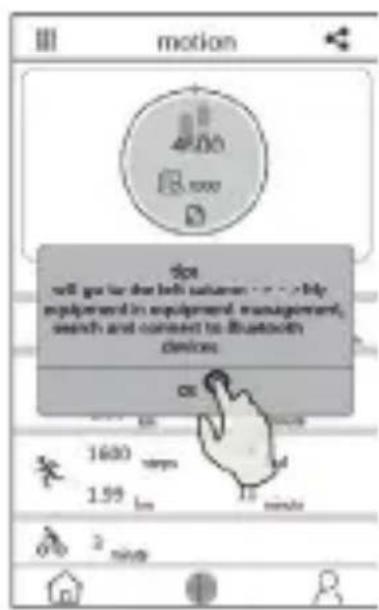
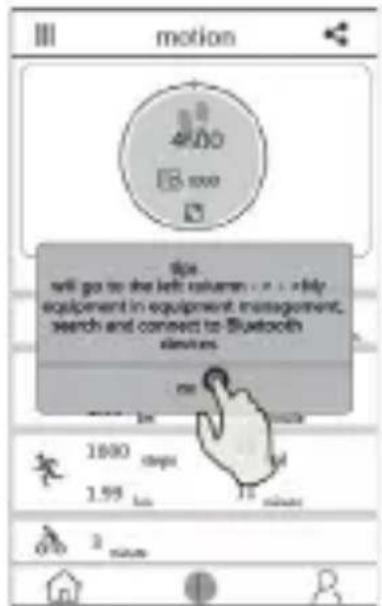
Turn on blue tooth on cellphone, go to“CUBOT Sport”APP, pop up a prompt like (picture1), confirm>goto“devicemanagement”, searchdevice>clickbinding specificdevice, finishbinding.
Tips: AndroidphoneneedstoopentheGPSfunction.
text_image
motion tip will get to the left audience - > > by equipment in equipment, management, search and connect to Bluetooth devices 1600 1.59 minutes 2 minutes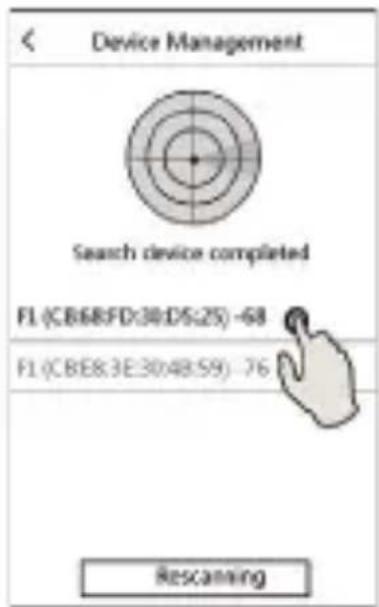
text_image
Device Management Search device completed F1 (CB88:FD:30:D5:25) -68 F1 (CB88:3E:30:48:59) -76 RescanningFor more details related to using the APP, please check: APP >sidebar > use help >animatedguidesforvariousfunctions
Italiano
1.Attivazione
natural_image
Line drawing of a smartwatch with a sensor module and cable connector (no text or symbols)2.Tasti
text_image
Home Tue 07/03 14:30 AM start stop adjust mode lap menuFunzioniTasti
text_image
Tue 07/03 14:30 AM 00:00 AM --- DFM 00:00:00 00:00:00 00:00:00 Lap000 Musicnatural_image
Line drawing of a wristwatch with hand gesture (no text or symbols)text_image
QR code image containing encoded data, no visible human-readable textIOS
text_image
QR code image containing encoded data, no visible human-readable textAndroid
12. Primalegaturadeldispositivo
text_image
motion 4.00 5.000 D tip will go to the left column - . . . help equipment in equipment, management, search and connect to Bluetooth simbers. on 1800 steps 1.99 km minutes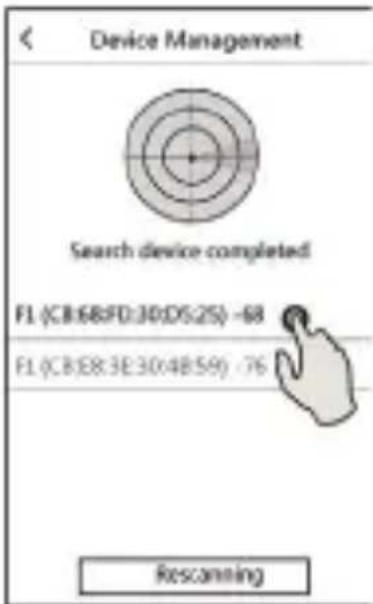
text_image
Device Management Search device completed F1 (CB:68:FD:30:D5:25) -68 F1 (CB:E8:3E:30:4B:59) -76 Rescanningnatural_image
Line drawing of a smartwatch with a sensor module and cable connector (no text or symbols)2.Botones
text_image
Tue 07/03 14:30 AMempezar
parar
ajustar


menú
modo de
vueltas

Funcióndelosbotones
text_image
Tue 07/03 14:30 AM Countdown 00:04 PM 04:07 PM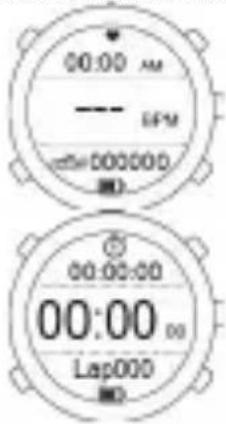
text_image
00:00 AM EFM 000000 00:00:00 00:00 00 Lap000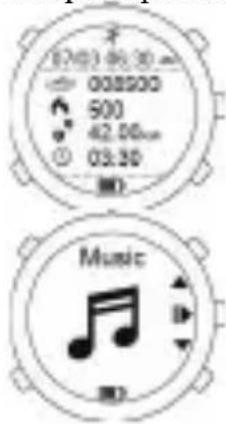
text_image
0203 06:30 008200 500 42.50cm 03.30 Musictext_image
Tue 07/03 14:30 2natural_image
Line drawing of a wristwatch resting on a hand, no text or symbols presenttext_image
QR code image containing encoded data, no visible human-readable textIOS
text_image
QR code image containing encoded data, no visible human-readable textAndroid
text_image
motion 4:00 5.000 this will go to the left volumes - 1000+ help equipment in equipment, management, search and connect to Bluetooth devices. on 1000 steps 1.59 km 12 minutes 2 minutes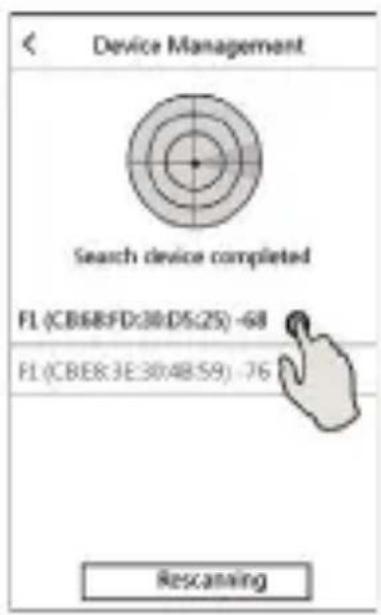
text_image
Device Management Search device completed FL (CB68FD:30:D5:25) -68 FL (CBER:3E:30:48:S9) -76 Rescanningnatural_image
Line drawing of a smartwatch with a sensor strap and external cable (no text or symbols)2. ボタンオ
text_image
Countdown 00:04:58 04:07 PM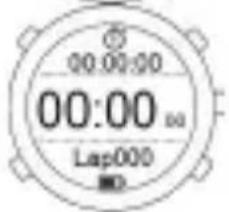
text_image
00:00:00 00:00 Lap000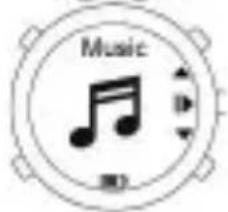
text_image
Music M0にほんご
4. 機機能紹介
natural_image
Line drawing of a wristwatch resting on a hand, no text or symbols present注:心拍数ランプの色フリッカー機能
靛青
40
静態心拍
グリーン
84
ウォーミングアップ
yellow>105脂肪が燃える
パーブル >147心肺鍛える
レッド
178エクストリーム
スポーツ
にほんご
6.運運動モニター
text_image
QR code image containing encoded data, no visible human-readable textIOS
text_image
QR code image containing encoded data, no visible human-readable textAndroid
12.始めてデバスイバインド
text_image
motion 4500 100 will go to the left column >> > My equipment/equipment management, search and connect to Bluetooth devices 1600 1.99 minutes minutes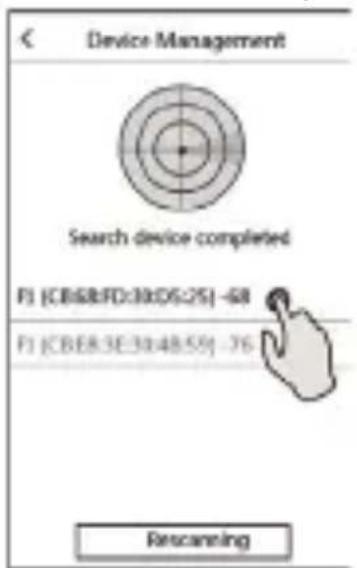
text_image
Device Management Search device completed F1 (CB&8:FD:39:D5:25) -68 F1 (CBER:3E:30:48:59) -76 Rescanningnatural_image
Line drawing of a smartwatch with a sensor module and a connected device (no text or symbols)2.boutonsàappuyer
natural_image
Line drawing of a wristwatch resting on a hand, no text or symbols presenttext_image
QR code image containing encoded data, no visible human-readable textIOS
text_image
QR code image containing encoded data, no visible human-readable textAndroid
text_image
motion 4:00 18:00 do will get to the left subscribers - > My equipment in equipment, management, search and connect to Bluetooth devices on 1600 steps 1.55 km 12 minutes 2 minutes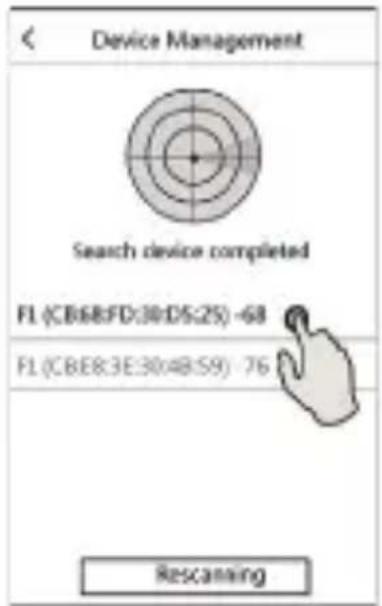
text_image
Device Management Search device completed FL (CB:88:FD:30:D5:25) -68 FL (CB:88:3E:30:48:S9) -76 Rescanningnatural_image
Line drawing of a smartwatch with a control panel and sensor strap (no text or symbols)2.Кнопка
text_image
Tue 07/03 14:30 xstart
stop
adjust


menu
mode
lap

Функция кнопки
text_image
Tue 07/03 14:30 Countdown 00:04 04:07 PM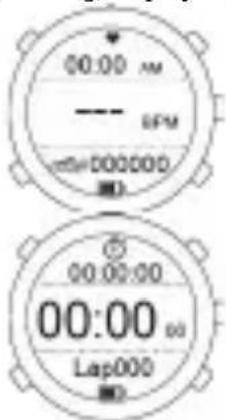
text_image
00:00 AM SFM 00:00:00 00:00:00 Lap000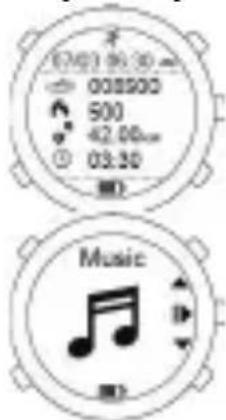
text_image
02/03 06:30 008500 500 42.00cm 03.30 Musicnatural_image
Line drawing of a wristwatch resting on a hand (no text or symbols)text_image
QR code image containing encoded data, no visible human-readable textIOS
text_image
QR code image containing encoded data, no visible human-readable textAndroid
text_image
motion 4:00 5:00 Up will go to the left column - . . . . . . . equipment in equipment, management, search and connect to Bluetooth electrons 1600 1.59 2 minutes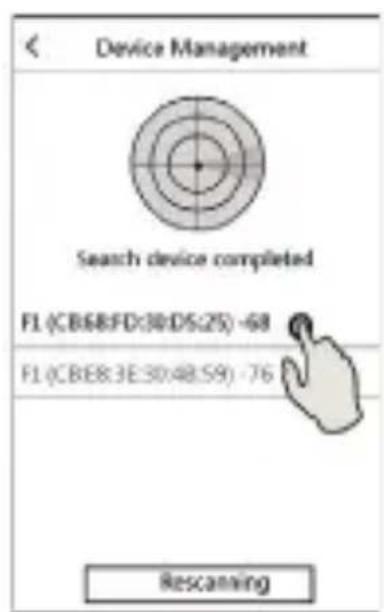
text_image
Device Management Search device completed F1 (CB68FD:30:D5:25) -68 F1 (CBE8:3E:30:48:S9) -76 Rescanningnatural_image
Line drawing of a smartwatch with a sensor module and a connector (no text or symbols)2.Tasten
text_image
* Tue 07/03 14:30AM ≠natural_image
Line drawing of a wristwatch resting on a hand (no text or symbols)text_image
QR code image containing encoded data, no visible human-readable textIOS
text_image
QR code image containing encoded data, no visible human-readable textAndroid
12.ErsteVerbinung
text_image
Device Management Search device completed FL (CB68:FD:30:D5:25) -68 FL (CBER:3E:30:48:S9) -76 Rescanningnatural_image
Line drawing of a smartwatch with a sensor module and cable connector (no text or symbols)2.Κονμπί
text_image
Home Tue 07/03 14:30 AM start stop adjust mode lap menutext_image
Tue 07:03 14:30 AM Countdown 00:04 PM 04:07 PM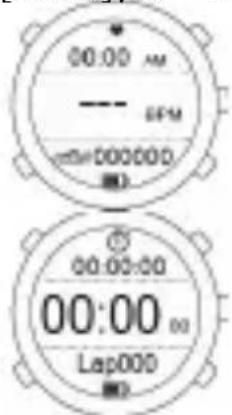
text_image
00:00 AM —— SFM 00:00:00 00:00:00 Lap000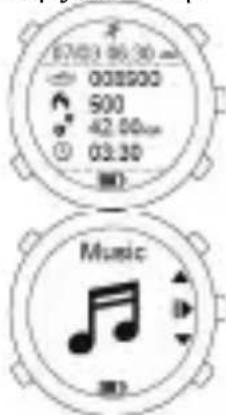
text_image
12/03 06:30 00000 500 42.00 03:30 Musicnatural_image
Line drawing of a wristwatch resting on a hand (no text or symbols)text_image
QR code image containing encoded data, no visible human-readable textIOS
text_image
QR code image containing encoded data, no visible human-readable textAndroid
text_image
motion 4500 Up will go to the left users : > < >My imponent to equipment management, search and connect to Bluetooth devices. OK 1600 1.99 minutes 3 minutes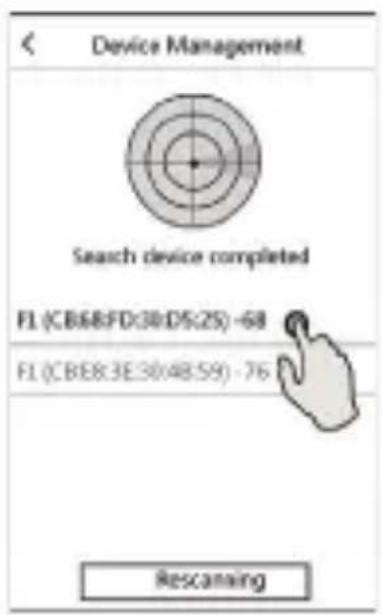
text_image
Device Management Search device completed F1 (CB68FD:30/D5:25) -68 F1 (CBE8:3E:30/48:59) -76 Rescanningnatural_image
Line drawing of a smartwatch with a sensor module and cable connector (no text or symbols)2.Tlačítko
text_image
Tue 07/03 14:30 AM Countdown 00:04 PM 04:07 PM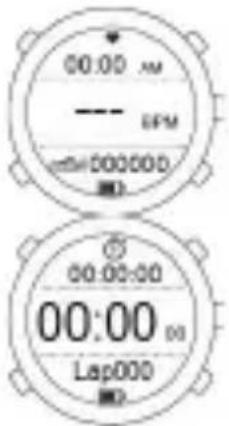
text_image
00:00 AM EPM 000000 00:00:00 00:00 00 Lap000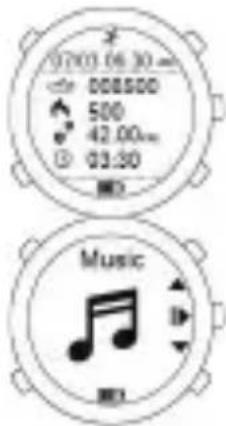
text_image
07:00 06:30 008500 500 42.00m 03:30 Music4.FunkceÚvod
text_image
Tue 07/03 14:30 8natural_image
Line drawing of a wristwatch resting on a hand, no text or symbols presentNapomena: Ova stranica je preveden od strojno prevođenje softvera, kliknite ovdjekakobidobiliengleskuverziju
Mod>40klidová
Zelená>84Zahřívání
text_image
QR code image containing encoded data, no visible human-readable textIOS
text_image
QR code image containing encoded data, no visible human-readable textAndroid
text_image
motion 4500 85 8000 Eps will go to the next column ->-> by equipment in equipment management, search and connect to Bluetooth devices 1600 steps 1.95 ms 1 minute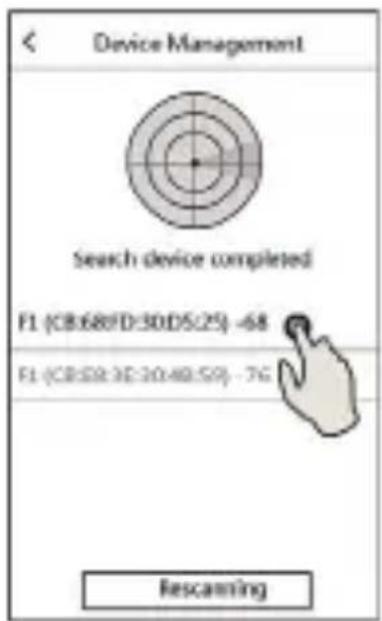
text_image
Device Management Search device completed F1 (CB:68FD:30DS:25) -68 F1 (CB:58:3E:30:40:59) -76 Rescanningnatural_image
Line drawing of a smartwatch with a sensor module and control panel (no text or symbols)2.Gumb
text_image
Tue 07/03 14:30 Countdown 00:04 04:07 PM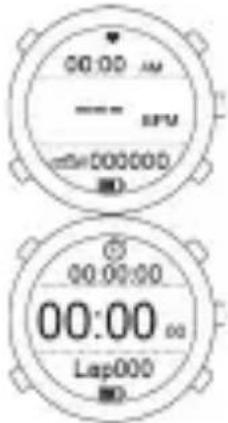
text_image
00:00 AM —— SPU 00:00:00 00:00:00 Lap000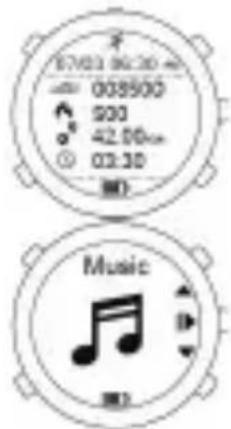
text_image
87603 96:30 008500 900 42.50cm 03.30 Music4.Uvodnafunkcija
text_image
Tue 07/03 14:30AMnatural_image
Line drawing of a wristwatch resting on a hand, no text or symbols presenttext_image
QR code image containing encoded data, no visible human-readable textIOS
text_image
QR code image containing encoded data, no visible human-readable textAndroid
12.Prviputdapovezujeteopremu
Otvorite Bluetooth telefona, unesite "CUBOT Sport" APP. Pojavit će se (Slika 1), potvrdi>upisati"Upravljanjeopremi",Opremapretraživanja>kliknitevezanuopremudabiste dovršiliuvezivanje.
Tips:AndroidphoneneedstoopentheGPSfunction.
text_image
motion 4:00 18.000 this will go to the left return - > + by equipment in equipment management, search and connect to Bluetooth sensors. 1000 steps 1.59 km 12 minutes 3 seconds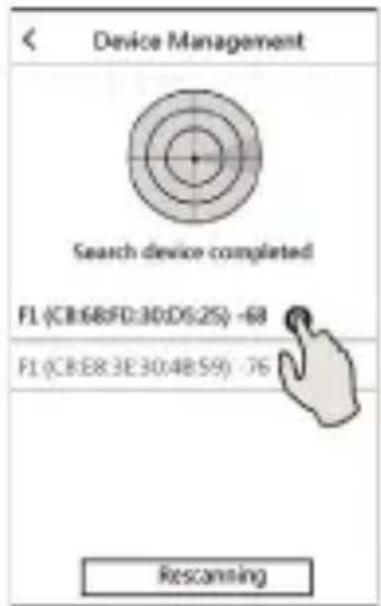
text_image
Device Management Search device completed F1 (CB:68:FD:30:D5:25) -68 F1 (CB:E8:3E:30:4B:59) -76 RescanningRad APP vidi: APP> bočna traka> pomoću pomoći> Vodič za animaciju svake funkcije