
CYBER-SHOT DSC-W290 - Camera SONY - Free user manual and instructions
Find the device manual for free CYBER-SHOT DSC-W290 SONY in PDF.


| Product type | Digital compact camera |
| Brand | SONY |
| Model | Cyber-shot DSC-W290 |
| Effective resolution | 12.1 megapixels (4000×3000) |
| Lens | Carl Zeiss, 5× optical zoom |
| Digital zoom | Available (combined with optical zoom) |
| LCD screen | 3.0 inches (approx. 230,000 dots) |
| Internal memory | Approx. 11 MB |
| Storage media | Memory Stick Duo / PRO Duo / PRO-HG Duo |
| Power supply | Lithium-ion battery NP-BG1 (4.2 V, 960 mAh) |
| Battery life | Approx. 220 photos (depending on conditions) |
| Built-in flash | Modes: Auto, On, Slow Sync, Off |
| Image stabilizer | SteadyShot (optical) |
| Face detection | Yes, up to 8 faces |
| Smile detection | Yes, with sensitivity adjustment |
| Video recording | MPEG-4, 1280×720 (Fine/Standard), 640×480 (VGA) |
| Connectivity | Multi-connector (USB 2.0, AV), HD output (component) |
| Dimensions (W × H × D) | 97.6 × 58.1 × 22.6 mm (approx.) |
| Weight (with battery) | Approx. 145 g |
| Available languages | French, English, etc. |
| Special features | Easy shooting mode, Scene recognition, Self-timer, Macro |
| Included accessories | NP-BG1 battery, charger, multi-use cable, wrist strap, CD-ROM (software) |
Frequently Asked Questions - CYBER-SHOT DSC-W290 SONY
User questions about CYBER-SHOT DSC-W290 SONY
0 question about this device. Answer the ones you know or ask your own.
Ask a new question about this device
Download the instructions for your Camera in PDF format for free! Find your manual CYBER-SHOT DSC-W290 - SONY and take your electronic device back in hand. On this page are published all the documents necessary for the use of your device. CYBER-SHOT DSC-W290 by SONY.
USER MANUAL CYBER-SHOT DSC-W290 SONY
natural_image
Field of sunflowers under a clear sky (no text or symbols visible)
natural_image
Close-up photo of a cheerful child smiling indoors with toys in the background (no text or symbols visible)Table des matières
The flash strobes two or more times before shooting using the flash.



to reduce the red-eye phenomenon when
MENU → [●] (Red Eye Reduction) → desired mode

(Auto)
ON (On)
OFF (Off)
When the Face Detection function is activated, the flash strobes
automatically to reduce the red-eye phenomenon.
The flash always strobes to reduce the red-eye phenomenon.
Does not use Red Eye Reduction.
Notes
→
- [Red Eye Reduction] cannot be selected during Easy Shooting, Movie Mode, or Smile Shutter.
• To avoid blurring of images, hold the camera firmly until the shutter is released. It usually takes a second
after you press the shutter button. Be also sure not to allow the subject to move during this period. - Red Eye Reduction may not produce the desired effects. It depends on individual differences and conditions such as distance to the subject, or if the subject looked even from the eye stroke
- Conditions, such as distance to the subject, or if the subject looked away from the pre-strobe.
- If you do not use the Face Detection function, Red Eye Reduction does not work, even when you select [Auto].

What causes the red-eye phenomenon?
Pupils become dilated in dark environments. Flash light is reflected off the blood vessels at the back of the eye (retina), causing the “red-eye” phenomenon.
Camera

Retina

natural_image
Portrait of a young girl with pigtails wearing a pink headband and a crown, against a window background (no text or symbols visible)natural_image
Portrait of a young girl with pigtails wearing a pink headband and a white top, smiling (no text or symbols visible)natural_image
Close-up of a smiling woman with floral decoration, next to a digital camera interface (no text or symbols visible)natural_image
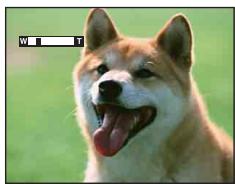
Close-up of a dog's face showing tongue and open mouth (no text or symbols visible)Touche W
natural_image
Close-up of a dog's face with tongue out, set against a green background (no text or symbols visible)Remarque
natural_image
Interior scene with a child in striped clothing near a kitchen, and a wooden panel with a circular white pattern (no text or symbols visible)natural_image
Close-up photo of a wolf's face with tongue out, no visible text or symbolsnatural_image
Grid of nature and landscape photos including flowers, rocks, landscapes, and beach scenes (no text or symbols)natural_image
Close-up of a bird perched on a rock with a magnified inset showing pixel grid (no text or symbols)
De nombreux pixels
natural_image
Diagram showing light rays converging through a tree and projecting onto a mirror (no text or symbols)natural_image
Flowers in black and orange containers, no visible text or symbolsnatural_image
Flowers in black and orange containers with pink and yellow hues, no visible text or symbolsExposition correcte

natural_image
Three potted flowers in black and pink colors, one with a yellow tag (no visible text or symbols)natural_image
Three colorful flowers in black, orange, and yellow mugs placed outdoors (no visible text or symbols)natural_image
Flowers in black and orange containers with a yellow tag, placed outdoors on a paved surface (no visible text or symbols)natural_image
Portrait of a young girl with pigtails wearing a pink headband and a purple tiara, against a tiled wall background (no text or symbols visible)

natural_image
Three young girls posing together outdoors with green foliage in the background (no text or symbols visible)natural_image
Family photo of five adults and a child sitting together on a sofa, with no visible text or symbols.natural_image
Two portrait photos of a smiling woman, one rotated to show the right side (no text or symbols visible)natural_image
Close-up of a smiling woman's face with red eye makeup, showing the eyelid and eyebrow (no text or symbols visible)natural_image
Interior view of a dimly lit room with hanging lights and ceiling-mounted equipment (no visible text or symbols)

natural_image
Interior view of a decorated corridor with ornate lanterns and warm lighting (no visible text or symbols)Flou du sujet
natural_image
A small dog sitting on a woven chair in an indoor setting (no text or symbols visible)

natural_image
A fluffy dog sitting on a woven chair in an indoor setting (no text or symbols visible)Diaporama
natural_image
Exterior view of modern skyscrapers at dusk, showing a building with illuminated facade and a cityscape below (no visible text or signage)natural_image
Field of green crops under a blue sky with scattered clouds (no text or symbols visible)natural_image
Landscape photo of a green cornfield under a blue sky with scattered clouds, no visible text or symbolsBulgarie, France, Guyane, Iran, Iraq, Monaco, Russia, Ukraine, etc.
natural_image
Illustration of a person using a computer with a baby on screen, connected to a desktop device (no text or symbols present)natural_image
Line drawing of a laptop with an open CD and a disc on the side (no text or symbols)natural_image
Illustration of a laptop connected to a handheld electronic device (no text or symbols visible)
flowchart
graph TD
    A["16:42"] --> B["Windows XP"]
    B --> C["12:00 PM"]
natural_image
Illustration of a laptop and printer with a paper airplane, no text or symbols presentImpression en magasin (page 121)
Language Setting....84
Lecture....31
Mesure multi-zone ....48
Mesure spot....48
Mise au P....46
Mode couleur....58
Music Transfer....113, 116
N
Neige....20
Niv. flash....54
NTSC 89
MPEG Layer-3 audio coding technology and patents licensed from Fraunhofer IIS and Thomson.
Brand : SONY
Model : CYBER-SHOT DSC-W290
Category : Camera