ManualGo.com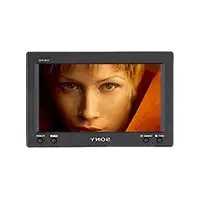
XVMB62 - Car stereo SONY - Free user manual and instructions
Find the device manual for free XVMB62 SONY in PDF.


Download the instructions for your Car stereo in PDF format for free! Find your manual XVMB62 - SONY and take your electronic device back in hand. On this page are published all the documents necessary for the use of your device. XVMB62 by SONY.
USER MANUAL XVMB62 SONY
Owner’s Record The model and serial numbers are located on the bottom of the unit.Record the serial number in the space provided below.Refer to these numbers whenever you call upon your Sony dealer regarding thisproduct.Model No. XVM-B62 Serial No.2 Welcome! Thank you for purchasing the Sony Mobile Monitor.
- PAL or NTSC color system compatible
- Wide, Zoom, and Full screen modes available, in addition to the normal screen mode.
- The low reflection liquid crystal panel reduces the glare from outside lighting sources.
- Adjustable brightness control, according to lighting conditions
- Backlight dimmer control produces sharp contrast image, free from reversed or blurred colors.
- 2 Video inputs are provided for connecting a video player and video game. Warning For the customers in the United States This product contains mercury. Disposal of this product may be regulated if sold in the United States. For disposal or recycling information, please contact your local authorities or the Electronics Industries Alliance (http://www.eiae.org). Warning if your car’s ignition has no ACC position After turning the ignition off, be sure to press (POWER) to turn off the unit. Otherwise, the display does not turn off and this causes battery drain.3 Table of contents Warning ................................................. 2 Welcome! ............................................... 2 Precautions............................................ 4 Location of controls ............................. 6 Operation Changing the menu settings .............. 7 Connections Installation diagram ............................ 8 Connection diagram ............................ 9 Additional Information Attaching and detaching the monitor............................................ 10 Maintenance ....................................... 11 Specifications ...................................... 12 Troubleshooting ................................. 124 DRIVE MODE Precautions To avoid the risk of serious injury or accident, read the following precautions before installing and operating the unit. On safety Comply with your local traffic rules and regulations.
- While driving, the driver must not watch or operate the monitor. It may lead to distraction and cause an accident. Park the car in a safe place when the driver watch and operate the monitor. Watching video pictures The video pictures appear only after you park the car and set the parking brake. When the car starts moving, the video pictures automatically disappear after displaying the following caution. Do not operate equipment connected to the monitor or watch the monitor while driving. The caution above appears only when the monitor is installed on the dashboard.
- After installing - Take care not to bump your head against the unit when getting up from the back seat. - Do not leave the monitor under direct sunlight for a long period of time. On installation
- Installing this unit requires technical expertise. This unit should be installed by a qualified technician or service personnel.
- If you try to install this unit by yourself, do it properly, referring to the installation and wiring diagrams in this operating manual. Improper installation may result in fire or electric shock.
- Before installation, be sure to turn the ignition switch to the OFF position or take the key out. Installing this unit with the ignition on may cause battery drain or a short circuit.
- Do not damage any pipes, tubes, the fuel tank or electric wiring when installing this unit. This can cause a fire. If you drill a hole in car panels, make sure that any hidden car parts will not be damaged.
- Do not use any nuts or bolts for safety devices such as steering linkage, fuel supply or braking systems. This can cause a fire or an accident.
- Take care to prevent cords and wires from getting tangled or crimped in the moving portion of a seat rail.5 Where to install Before installing this unit, please check your local traffic rules and regulations. Do not install this unit where: - It will obstruct the driver’s view. - It will obstruct the operation of the airbag system. - It will obstruct the operation of the vehicle, especially the steering wheel, shift lever, or brake pedal. -A driver or passengers may injure themselves when getting into or out of the car. If you have any questions or problems concerning your unit that are not covered in this manual, please consult your nearest Sony dealer.6 Location of controls 1 INPUT/ button Press to select the desired input source, VIDEO 1 or VIDEO 2. 2 DIMMER/ button Press to select the dimmer On/Off. 3 MENU button 4 POWER button Monitor
The default settings are underlined. PictureSettable range: 0 to 63 (default setting is“36”)Adjusting the contrast.BrightnessSettable range: 0 to 63 (default setting is“30”)Adjusting the brightness.ColorSettable range: 0 to 63 (default setting is“34”)Adjusting the color. Hue Adjust this if the picture is reddish orgreenish. The default setting is “CTR(center)”.”Hue” is displayed for NTSC system only.Video AdjustResetting the picture, brightness and coloursetting at single operation. Note Input channel, color system for the inputvideo signal (PAL/NTSC), screen mode, andblue background setting will not be resetwhen you reset the adjustments. Mode Full, Normal, Wide, ZoomSetting the screen mode.Full: An image with an aspect ratio of 4to 3 enlarged to the left and rightedges of the screen (regular image).Normal: An image with an aspect ratio of 4to 3.Wide: An image with an aspect ratio of 4to 3, with only the left and rightsides of the image being enlarged tofill the screen.Zoom: An image with an aspect ratio of 4to 3 enlarged to the left and rightedges of the screen, with theoverflowing parts (top and bottom)cut off to fill the screen.Blue BackOn, OffSetting the blue background screen.Select NTSC or PAL SystemNTSC, PALUsually it is not necessary to change thissetting because this unit automaticallydetermines the color system depending onthe signal type. Select either NTSC or PALdepending on the system of your local areawhen the picture is distorted.The setting value of theitem selected appears in thisarea. Operation Changing the menu settings You can adjust the display settings manually. MENU 1 Press (MENU). The “Picture” screen appears. Picture 32 Press+/-,or MENU. Each time you press (MENU), the setting screen changes in the following sequence: Picture t Brightness t Color t Hue* t Video Adjust t Mode t Blue Back t Select NTSC or PAL System t Menu Off
- Appears only when the NTSC colorsystem is selected. 2 Press or to adjust to the desired setting. See the following for the setting options.8 Connections Installation diagram Refer to the installation diagram and ask a qualified technician for the installation of the unit. Be sure to securely fasten all equipment to the car chassis, etc., to prevent them moving while your car is in motion. Front Left speaker Rear Left speaker Subwoofer Tweeter Left Head unit Tweeter Right Front Right speaker Rear Right speaker Mobile Monitor Notes
- All equipment other than one Mobile Monitor is optional.
- To attach the monitor using the supplied collar, consult the store you purchased this unit or your nearest Sony dealer.9 To a metal surface of the car chassis Fuse (10 A)Red Black Black L/C filter To the parking brake switch cord (see page 10) (To a metal surface of the car chassis when you attach the monitor to the headrest) VIDEO 1 IN VIDEO 2 IN Connection diagram Refer to the connection diagram for the proper connections. Mobile monitor XVM-B62 (6.2-inch wide color LCD Monitor) Video in cable (3 m) Light green DVD player, video CD player, etc. To the +12 V power terminal which is energized in the accessory position of the ignition key switch10 Additional Information Attaching and detaching the monitor Detaching the monitor from the collar Note Be careful not to pull out the cable toomuch when detaching the monitor fromthe collar. Insert a plastic card (not supplied) between the collar and the top of the monitor. The catches are released, and you can detach the monitor from the collar. Attaching the monitor to the collar Set the monitor to the collar securely until you hear click sound. Plastic card (not supplied)collar When installing the monitor on the dashboard Be sure to connect the parking cord (Light green) to the parking brake switch cord. The mounting position of the parking brake switch cord depends on your car. Consult your car dealer or your nearest Sony dealer for further details. Using the tap Attach the supplied tap to the end of the parking cord (Light green) and the parking brake switch cord.
Note If the parking brake switch cord is too thin,connect the parking cord (Light green) tothe parking brake switch cord directlywithout using the tap.Foot brake typeParking brakeswitch cordHand brake typeParking brakeswitch cordParking brakeswitch cordTap (supplied)Parking cord(Light green)11 Maintenance Fuse replacement When replacing the fuse, be sure to use one matching the amperage rating stated on the original fuse. If the fuse blows, check the power connection and replace the fuse. If the fuse blows again after replacement, there may be an internal malfunction. In such a case, consult your nearest Sony dealer. Warning Never use a fuse with an amperage rating exceeding the one supplied with the unit as this could damage the unit. About the liquid crystal display (LCD) panel Do not press on the LCD panel on the unit as doing so can distort the picture or cause a malfunction. The picture may become unclear, or the LCD panel may be damaged. Notes on cleaning — Clean the LCD panel with a slightly damp soft cloth. — Do not use solvents such as benzine, thinner, commercially available cleaners or antistatic spray.
- Do not use the unit in temperatures under 0 °C (32 °F) or over 45 °C (113 °F).
- If your car was parked in a cold or hot place, the picture may not be clear. The monitor is not damaged. The picture will become clear after the temperature in your car becomes normal. Fuse Fuse Some stationary green, blue or red dots may appear on the monitor. These are called bright spots, and can happen with any LCD. The LCD panel is highly sophisticated, and more than 99.99 % of the segments used in the panel are flawless. However, there is a possibility that less than
0.01 % of the segments are defective and
may not light up properly.12 Troubleshooting The following checklist will help you solve problems you may encounter with your unit. Before going through the checklist below, check the connection and operating procedures. General No picture
- The power cord or battery has been disconnected.
- The fuse has blown. Picture noise occurs. When a wireless equipment such as a transceiver is used near the monitor, a noise may occur. Keep it away from the monitor. No picture when you connect the optional equipment. The cord has been disconnected. Connect the cord securely. Specifications Monitor System Liquid crystal color display Drive system TFT-LCD active matrix system Picture size 6.2 inches wide screen (16:9)