ManualGo.com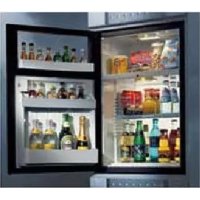
RH 456 LDE - Fridge DOMETIC - Free user manual and instructions
Find the device manual for free RH 456 LDE DOMETIC in PDF.



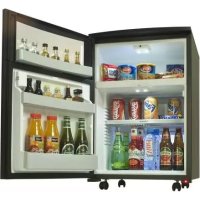
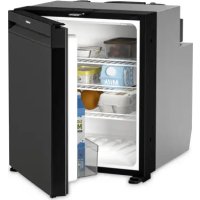
| Features | Details |
|---|---|
| Type of refrigerator | Compression refrigerator |
| Capacity | 456 liters |
| Dimensions (HxWxD) | 180 x 60 x 65 cm |
| Weight | 70 kg |
| Energy class | A+ |
| Operating temperature | -18 °C to +10 °C |
| Type of refrigerant gas | R600a |
| Noise level | 42 dB |
| Annual energy consumption | 300 kWh |
| Additional features | LED lighting, vegetable drawers, adjustable shelves |
| Maintenance | Regular cleaning of surfaces and seals |
| Safety | Protection against electrical overloads |
| Warranty | 2 years |
| Usage tips | Do not overload, maintain good air circulation |
Frequently Asked Questions - RH 456 LDE DOMETIC
Download the instructions for your Fridge in PDF format for free! Find your manual RH 456 LDE - DOMETIC and take your electronic device back in hand. On this page are published all the documents necessary for the use of your device. RH 456 LDE by DOMETIC.
USER MANUAL RH 456 LDE DOMETIC
Thank you for choosing our appliance. We are sure it will provide you with trouble-free use. In the following, we would like to familiarise you with some symbols, which we bring to your attention to ensure the safe and efficient operation of the appliance: source of danger, in event of improper operation suggested useful tips to read information concerning environmental protection This refrigerator is intended for the storage of food and drinks. The upper compartment of the appliance is uncooled, therefore it serves for the storage of glasses, chips, snacks etc. Attention! This product is designed to be operated by adults. Children should not be allowed to tamper with the controls or play with the product. Any electrical work required to install this appliance should be carried out by a qualified electrician. This product should be serviced by an authorised Service Engineer, and only genuine spare parts should be used. It is dangerous to alter the specifications or modify this product in any way. Care must be taken to ensure that the appliance does not stand on the electrical supply cable. There are working parts in this product which heat up. Always ensure that there is adequate ventilation as a failure to do this will result in component failure and possible content loss. See installation instructions. Parts which heat up should not be exposed. Wherever possible the back of the product should be close to a wall but leaving the required distance for ventilation as stated in the installation instructions. Before defrosting, cleaning or maintenance work is carried out, be sure to switch off the appliance and unplug it. DO NOT USE SHARP INSTRUMENTS to scrape off frost or ice. Under no circumstances should solid ice be forced off the cooling plate. Solid ice should be allowed to thaw when defrosting the appliance. See defrost instructions. This appliance is heavy. Care should be taken when moving it. Under no circumstances should you attempt to repair the appliance yourself. Repairs carried out by inexperienced persons may cause injury or more serious malfunctioning. Refer to your local Service Centre and always insist on genuine spare parts. In this appliance the storage of any toxic or explosive substance is forbidden! Please read these operating instructions carefully before putting the refrigeration unit into operation. If you later sell or dispose of it, please ensure that the new owner receives these operating instructions. Please follow the installation details below carefully. Guarantee is valid for products installed as described only. (See chapter 4.1)3
Attention! Warranty arrangements are in accordance with EC Directive 44/1999/CE and the normal conditions applicable in the country concerned. For warranty or other servicing, such as spare-parts, please contact our Dometic Service Network. The warranty does not cover any damage due to improper use. The warranty does not cover any modifications to the appliance or the use of non-original Dometic spare-parts. The warranty does not apply if the installing and operating instructions are not adhered to. When contacting Dometic Service Network, please state the model, product number and serial number. You will find this information on the data plate inside of the refrigerator. CONTENTS
2. View of the appliance
5. Using the appliance
5.1. Initial operation 5.2. Temperature regulation 5.3. Cooling unit control (CUC)
6. Defrosting, cleaning and maintenance
6.1.1. Interior light of the cooled Compartment
6.1.2. Interior Light of the uncooled Compartment
6.2. Automatic Door Control (ADC) optional (red LED)
7. Replacing the decorative door panel
8. Putting into operation, technical data
8.1. Connecting to electrical mains
2. View of the appliance
Figure 1. Built-in version RH456LDE RH456LD Free-standing version
After removal from the cardboard packaging, make sure the appliance is not damaged. If you find damage to the appliance resulting from transport, report it immediately to the transportation firm.
4. Illumination of the uncooled
5. Storage compartment (uncooled)
Figure 2. IMPORTANT Please follow the installation details below carefully. Guarantee is valid for products installed as described only.
2. There should be 20 mm clearance to the wall
3. Ventilation must be provided as shown in
alternatives A, B, C or D (fig. 3-4)
4. The ventilation duct must at least measure
the entire cooling unit must project into the duct as shown
6. Air passing through the duct must not be
preheated by any source of heat
7. Ventilation grills, if used, must have a free
openings of at least 200 cm² each Figure 3.
Clean the refrigerator thoroughly at intervals, as necessary. Remove the shelves; these, parts, as well as the cabinet interior and the door should be washed with a warm solution of sodium bi-carbonate. Finally wipe over with a cloth rinsed in warm water only, and dry with a clean cloth. Do not wash any plastic parts in water that is more than hand warm, and do not expose them to dry heat. The outside of the cabinet should be wiped down regularly with a clean, damp cloth.
NEVER USE STRONG CHEMICALS OR ABRASIVE
CLEANING MATERIALS ON ANY PART OF THE CABINET.
4. Positioning the appliance
When first using this refrigerator please consider the following points:
ALLOW AT LEAST 3 HRS. FOR SIGNS OF COOLING During the refrigeration process, the appliance gives off heat from the condenser (under the upper part of the rear cover) into the surrounding air. The more ventilated the condenser is, the more effective the refrigeration will be. The other condition for satisfactory operation is that the appliance is levelled. This could be checked by placing a glass of water on top of the appliance. It is important that the appliance is not directly exposed to radiated heat (sunlight, radiator, near an oven, etc.). 4.1. Installation instructions The refrigerator is equipped with an electrically heated absorption cooling unit which is virtually silent in operation.
4.1.1. Built-in version
This version is planned for building-in purposes. The miniBar can be screwed to the furniture using the fittings at the bottom. Drive in the screws (figure 2). The built-in version differs from the freestanding version by not having the wooden lid and by having 12 mm high feet instead of castors. At the building-in process please take into consideration the items listed below. miniCoolAir inAir outVentilation grille
Figure 4. During installation, please ensure the mains plug is accessible at all times.
4.1.2. Free-standing version
This version is supposed to be used free-standing. The cowl of the appliance is supposed to protect the user from the hot parts of the cooling unit of the appliance. The ventilation of the appliance is assured by the appropriate height of the castors; therefore the freestanding version must not be used without castors. Do not use the refrigerator without installing the castors, because in this case there will be no proper ventillation!
5. Using the appliance
Chek prior to initial operation that the voltage noted on the data label corresponds to the mains voltage. To start the refrigerator connect the plug to the socket outlet. The empty refrigerator needs about 6-7 hours at normal ambient temperature to reach the proper temperature in the storage compartment. 5.1. Initial operation The device must be plugged into a properly earthed socket. The miniBar starts automatically with a self-test. If the electronics do not detect any fault, the LED for the interior lighting illuminates for 2 seconds after approxiametly 10 seconds. If no fault is detected, the illumination of the cooled compartment will be permanent when the door is open. If a fault is detected, the illumination changes to a continuously flashing light. If this occurs, please consult your authorised Customer Service. 5.2. Temperature regulation The appliance is fitted with a fully automatic electronic temperature regulator. The inner temperature of the refrigerator can be set by using the optional 4-button remote control device. There are 4 different temperature preset values: 3°C, 5°C, 7°C, and 12°C. Two buttons of the remote serve for the temperature setting: - Yellow button: 3°C and 7°C. - Blue button: 5°C and 12°C. For setting e. g. 7°C, please proceed like this: Open the door of the appliance. Hold the remote in front of the door sensor, at a distance of approx. 10 cm. Push the yellow button once and count the number of flashes of the interior LED light. If it flashes 3 times, the preset has been modified to 3°C. For having 7°C as desired, push the yellow button once again. The LED will flash 7 times, and the temperature preset will be 7°C. For setting e. g. 12°C, please follow the procedure as above, this time using the blue button. 5.3. Cooling unit control (CUC) System The control system checks the function after every defrosting period (first defrosting phase commences 39 hours after the start, then later every 24 hours) by measuring the evaporator temperature drop. If it registers a problem the refrigerator will shut down and the LEDs of the interior light will begin to flash continuously. If this happens in many cases this is due to an overloading of the fridge (too many warm foods and/or drinks in), or the door was not properly closed, or the cooling unit ventilation is not correct and/or a refrigerator is not levelled. Please check and after that reset the refrigerator by using the remote control Fig 9.) against the door opening sensor (Fig 6. B) and push the "black" button, or unplug the refrigerator at least for 10 seconds and plug it in again. This resets the unit and it will function again. If the continuous flashing comes back than there is a real problem with the cooling unit and you should contact the Dometic service. miniCoolmin. 60 mmVentilation grilleAir inminiCoolAir inAir out
6. Defrosting, cleaning and
maintenance This miniBar is fitted with an automatic defrost system Automatic defrost function The first defrosting phase commences 39 hours after the start and lasts for two hours. After this, the device operates for 22 hours at a time, followed by a defrosting period of 2 hours. The frost will melt and the defrost water will run through the drain tube from the drip channel into an evaporating vessel located at the bottom rear of the refrigerator. (Fig 5) The defrost water will evaporate automatically into the circulating air and the vessel will not need emptying. Figure 5. To switch off the unit, disconnect the refrigerator from the electricity supply and leave the cabinet door open. After defrosting the cabinet interior should be wiped out with a clean, damp cloth. 6.1. LED Lamp
6.1.1. Interior LED light
(Fig. 6.) (cooled compartment) Two light emitting diodes (A) on an electronic PCB illuminate the cooling compartment when the door is opened. Two sensors (B) control whether the door is open or not and the LEDs and the door control as well will work accordingly. Figure 6.
6.1.2. Interior LED light (Fig. 7.)
(uncooled compartment) The interior light (C) of the upper / uncooled compartment can be permanently switched (D) on / off with the switch that is accessible when the door of the appliance is opened. Figure 7. 6.2. Automatic Door Control (ADC) optional (red LED) The Red Dot LED (Fig. 8. A) is integrated to one of the front feet (left or right) showing the fact that the door of the appliance has been opened.
2. Reset the door control signal by helding the
Remote control (Fig. 9.) against the door opening sensor (Fig. 6. B) and push the "red" button.
panel (Fig. 10-12.) Disconnect the mains, and lay the appliance on its back. Remove the four screws (1) from the lower hinge of the door. Remove the door downwards from the upper hinge bolt.(2-3) Remove screws (4) and pull off the frame edge (5). Slide the decorative panel (6) out of the door frame and insert the new panel (7), so that the upper edge of the panel runs exactly parallel to the upper edge of the frame. A new panel can be inserted more easily into the upper edge of the frame when the corner is cut off by approx. 5 x 5mm (8). Put the frame edge (5) back in place and secure with screws. Place the door on the upper hinge (9), mounting the lower hinge into the door, and secure with the four screws (11). Figure 10. Figure 11. Figure 12.
Before you call a service engineer, carry out the following simple tests: If after checking all the above points, the refrigerator is still not working satisfactorily, contact your nearest service engineer. State the problem, model, product- and serial-number. (Details of the model, product- and serial number are to be found on the data label in the top left of the inside compartment.) Problem The appliance does not cool sufficiently The appliance does not cool at all and the LED-s are flashing The appliance does not cool at all and there is no lighting at all Possible cause Too much foods to be cooled was put in. Door is not shut properly. Refrigerator not level. Internal air circulation is restricted. External air circulation is restricted. CUC system stopped the operation. Plug is not connected to the mains socket properly. There is no voltage in the mains socket. Solution Put in less food to be cooled. Check if the door is shut. Level refrigerator. Provide inside cool air circulation. Provide outside air circulation. See operating instruction 5. 3. Check if the connection is proper. Check if there is voltage. (e.g. Connect a lamp to the socket)9
In the event of a fault developing, contact your nearest Service Centre-see local telephone directory. www.dometic.com
9. Putting into operation
Technical data: 9.1. Connecting to electrical mains The appliance may only be operated from nominal voltage mains as shown on the data plate. The appliance mains plug may be connected to a mains socket earthed in accordance with regulations. Any electrical work required to install this appliance should be carried out by a qualified electrician or competent person. The manufacturer declines any liability should these safety measures not be observed. Electrical Requirements Before switching on, make sure the electricity supply voltage is the same as that indicated on the appliance rating plate. Only for UK: The appliance is supplied with a 3 Amp plug fitted. In the event of having to change the fuse in the plug supplied, a 3 Amp ASTA approved (BS 1362) fuse must be used. Should the plug need to be replaced for any reason, the wires in the mains lead are coloured in accordance with the following code: Green and Yellow: Earth Blue: Neutral Brown: Live The wire coloured green and yellow must be connected to the terminal marked with the letter "E" or by the earth symbol or coloured green and yellow. The wire coloured blue must be connected to the terminal "N" or coloured black. The wire coloured brown must be connected to the terminal marked "L" or coloured red. Upon completion there must be no cut, or stray strands of wire present and the cord clamp must be secure over the outer sheath.
10. Environmental protection
information Ammonia (natural hydrogen and nitrogen compound) is used as a refrigerating agent in the refrigeration unit. The ozone-friendly cyclopentane is activated as a motive agent for the PU foam insulation. Sodium chromate is used for corrosion protection (less than 2 weight % of the coolant).
After unpacking the appliance, the packing materials should be delivered to a local collection site. At the end of its useful lifetime, the appliance should be delivered to a specialized collection and reprocessing firm, which reclaims the usable materials. The rest is properly destroyed. Appliances bearing this symbol must be deposited at the designated local reception point for the disposal of electrical and electronic equipment. It is not permitted that this product be disposed of by way of the normal household refuse collection system. Dometic refrigerators bear this symbol on the specifications plate (data plate) to be found in the interior of the unit. This appliance complies with the following EEC directives: LVD-Directive 73/23/EEC with amendment 90/683/EEC EMC-Directive 89/336/EEC RoHS - Directive 2002/95/EC Model RH 456LD RH 456LDE (Built-in) Type MB20-60 Gross volume 56 litres Cooled volume 40 litres Uncooled volume 16 litres Mains operation 220-240V (AC) Input 65W Energy consumption 0.830 kWh/24h Refrigerant 159g H