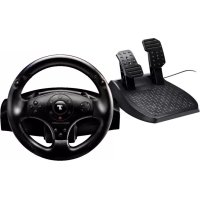
T100 Force Feedback - Controller THRUSTMASTER - Free user manual and instructions
Find the device manual for free T100 Force Feedback THRUSTMASTER in PDF.


| Brand | Thrustmaster |
| Model | T100 Force Feedback |
| Product Type | Racing wheel with force feedback and pedal set |
| Dimensions (wheel) | Approximately 28 x 28 x 28 cm |
| Dimensions (pedal set) | Approximately 30 x 20 x 15 cm |
| Weight (wheel) | Approximately 2.5 kg |
| Weight (pedal set) | Approximately 1.5 kg |
| Power | USB (5 V, 500 mA) required for force feedback |
| Rotation angle | 270 degrees (car racing) |
| Force feedback | Belt-driven motor with realistic force effects |
| Pedal set | Accelerator and brake pedals, tilt adjustable |
| Compatibility | PC (Windows 7/8/10) and PlayStation 3 |
| Connectivity | USB (integrated 2 m cable) |
| Mounting | Clamps for desk or cockpit (M6 screws) |
| Material | Rubber wheel, reinforced plastic chassis |
| Software | Thrustmaster drivers (free download) |
| Warranty | 2 years, parts and labor |
| Maintenance and cleaning | Clean with a soft, slightly damp cloth, no solvents |
| Safety | Do not expose to moisture, shocks, or heat sources |
| Spare parts and repairability | Available through Thrustmaster after-sales service |
Frequently Asked Questions - T100 Force Feedback THRUSTMASTER
User questions about T100 Force Feedback THRUSTMASTER
0 question about this device. Answer the ones you know or ask your own.
Ask a new question about this device
Download the instructions for your Controller in PDF format for free! Find your manual T100 Force Feedback - THRUSTMASTER and take your electronic device back in hand. On this page are published all the documents necessary for the use of your device. T100 Force Feedback by THRUSTMASTER.
USER MANUAL T100 Force Feedback THRUSTMASTER
THRUSTMASTER 2 PEDALS
ENGLISH: COCKPIT SETUPS
FRANÇAIS: CONFIGURATION COCKPIT
DEUTSCH: COCKPIT-MONTAGE
ENGLISH: COCKPIT SETTINGS
Attaching the pedal set to a cockpit
- Attach the pedal set using the small threaded holes located beneath it.
- Drive two M6 screws (not included) through the cockpit shelf, then feed them into the two small threaded holes located beneath the pedal set.
Important: The length of the M6 screws should not exceed the thickness of the shelf +10 ~mm ; longer screws could cause damage to internal components located in the pedal set.
FRANÇAIS : CONFIGURATION COCKPIT

Brand : THRUSTMASTER
Model : T100 Force Feedback
Category : Controller