10032040 - Humidifier Klarstein - Free user manual and instructions
Find the device manual for free 10032040 Klarstein in PDF.


| Product type | Air dehumidifier |
| Brand | Klarstein |
| Model | 10032040 |
| Dehumidification capacity | 10 L/day (at 30°C, 80% RH) |
| Water tank capacity | 1.8 L |
| Power supply | 220-240 V ~ 50 Hz |
| Power consumption | 240 W |
| Operating modes | Automatic (AUTO) and continuous drying (CONTINUOUS) |
| Humidity setting | From 30% to 80% in 5% steps |
| Timer | 24 h, programmable start and stop |
| Fan speed | Adjustable (fast/slow) |
| Anti-freeze function | Yes, activated below 16°C |
| Internal drying function | Yes |
| Continuous water drainage | Possible with hose (diameter 9 mm, max 60 cm) |
| Maintenance | Clean filter every 2 weeks, tank and surfaces with damp cloth |
| Safety | Automatic shut-off when tank full, overheat protection |
| Operating temperature | 5°C to 32°C |
| Minimum distance from walls | 20 cm on sides, 50 cm above |
| Compliance | CE (2014/30/EU, 2014/35/EU, 2011/65/EU, 206/2012/EU) |
Frequently Asked Questions - 10032040 Klarstein
User questions about 10032040 Klarstein
0 question about this device. Answer the ones you know or ask your own.
Ask a new question about this device
Download the instructions for your Humidifier in PDF format for free! Find your manual 10032040 - Klarstein and take your electronic device back in hand. On this page are published all the documents necessary for the use of your device. 10032040 by Klarstein.
USER MANUAL 10032040 Klarstein
natural_image
Technical line drawing of two mechanical devices with internal components and directional arrows indicating assembly (no text or symbols)natural_image
Symbol of a trash bin crossed with a diagonal line, no text or numbers presentCongratulations on purchasing this equipment. Please read this manual carefully and take care of the following hints to avoid damages. Any failure caused by ignoring the mentioned items and cautions mentioned in the instruction manual are not covered by our warranty and any liability.
CONTENTS
Technical Data 11
Declaration of Conformity 11
Safety instructions 12
Installation 13
Product Description 13
Control Panel and Keys 14
Operation and Functions 15
Care and Cleaning 17
Troubleshooting 18
Hints on Disposal 18
TECHNICAL DATA
| Item number 10032040, 100 | 32662 |
| Power supply 220-240 V ~ 50 Hz | |
| Power consumption 240 W | |
| Dehumidifying capacity 10 L/day (30°C, RH 80%) | |
| Water tank 1.8 L | |
DECLARATION OF CONFORMITY
Producer:
Chal-Tec GmbH, Wallstraße 16, 10179 Berlin, Germany.

This product is conform to the following European Directives:
2014/30/EU (EMC)
2014/35/EU (LVD)
2011/65/EU (RoHS)
206/2012/EU (ErP)
SAFETY INSTRUCTIONS
- Please read the operating instructions carefully before using your dehumidifier for the first time and keep it on a safe floor.
- Never immerse the appliance in water or other liquids.
- Place the unit on a stable flat surface to avoid loud noises and vibrations.
- Never operate the appliance if a cable or connector has been damaged, after appliance malfunction or if the appliance was dropped or otherwise damaged.
- The appliance may only be repaired by qualified personal, improper repair work can be a source of considerable danger for the users.
- Pull out the power plug before transporting it and / or before cleaning.
- Operate the appliance only at the voltage specified on the rating label.
- The device may not be connected to a power strip with other household appliances.
- Use the appliance only in the household, and only for the purpose it was developed for.
- Do not operate this unit near heating appliances and flammable or dangerous objects.
- If the dehumidifier is operated in a room with gas driven devices, so the room must be aired regularly and often.
- Please use the function of the internal drying, if the device is not used for a long time. This will prevent formation of mildew and unpleasant smell inside the unit.
- Do not place heavy objects on the appliance.
- Do not hang curtains or wet clothes in front of the air outlet, this will overload the device.
- The drainage hose may not be installed outdoors at low temperatures.
• To prevent spillage, empty the water tank before relocating the appliance.
- Do not tip the appliance to any side as escaping water could damage the appliance.
- If the supply cord is damaged, it must be replaced by a qualified person to avoid a hazard.
- If you smell the smoke during start-up or if you can see the smoke, immediately disconnect the power plug out and contact your dealer.
- The unit should be installed with a minimum distance of 20 cm from the wall or other obstacles.
- This appliance can be used by children aged from 8 years and above and persons with reduced physical, sensory and mental capabilities or lack of experience and knowledge if they have been given supervision or instruction concerning use of the appliance in a safe way and understand the hazards involved. Cleaning and user maintenance shall not be made by children without supervision.
INSTALLATION
• Empty the water tank before turn on the unit.
- During the operation, keep unit closed to the door and windows closed to save energy.
• Make sure no block at air inlet and outlet
- Place the appliance on a stable surface and allow at least 20 cm of space around the appliance and at least 50 cm in the area to allow air to circulate sufficiently.
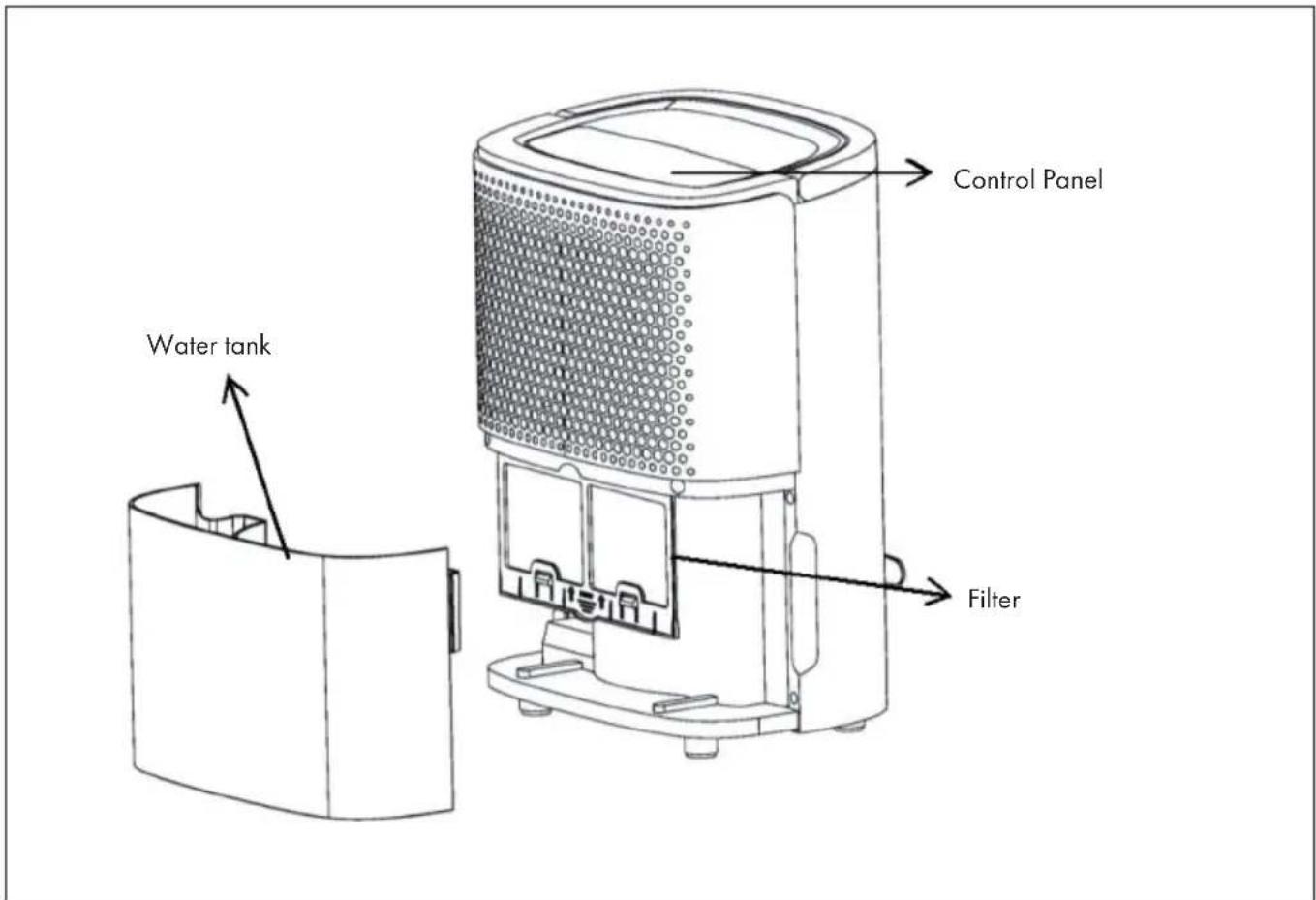
PRODUCT DESCRIPTION
Front
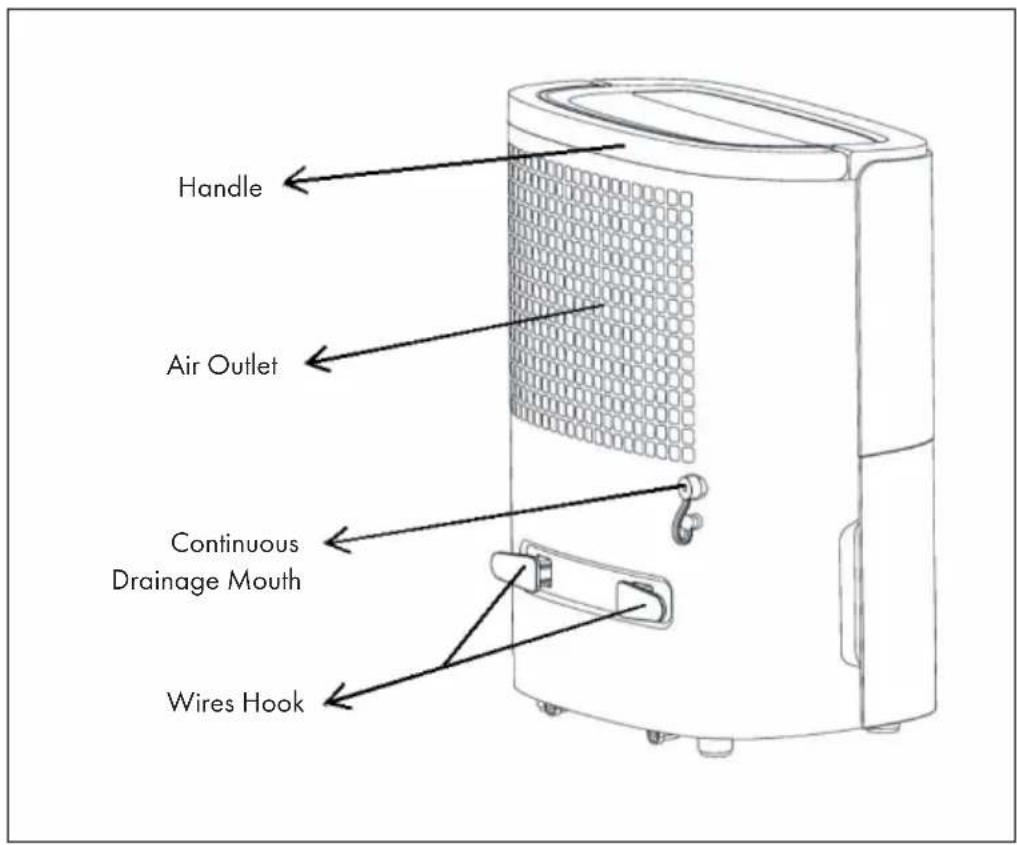
Back
CONTROL PANEL AND KEYS
Control Panel
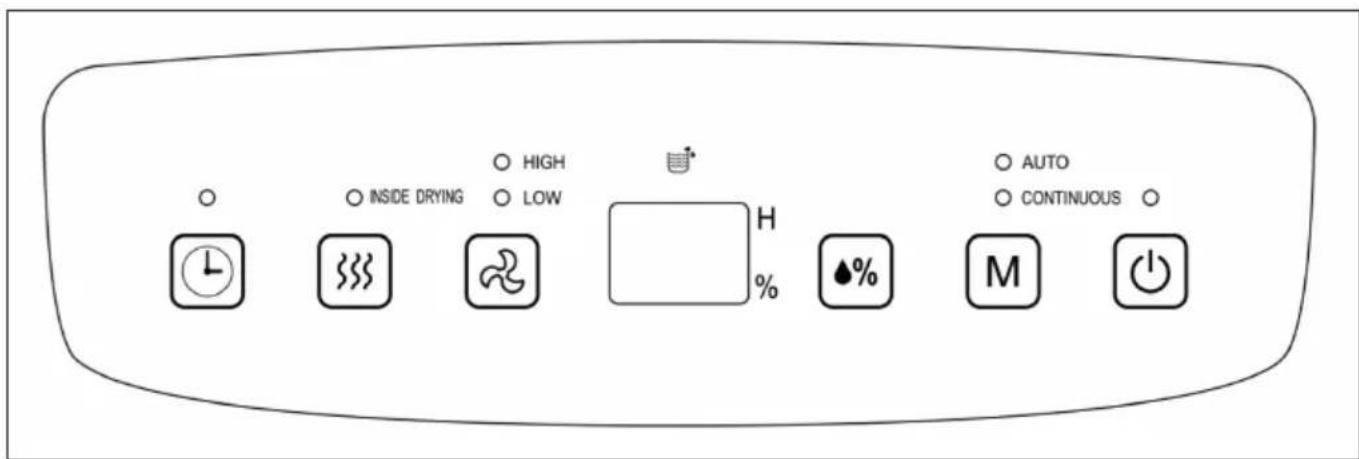
Keys and Functions
 | Timer: 24 hours timing, press the key, to set the timing off or timing on, timing range is from 1 to 24hours, it will increase 1 hour by each press. Press the key again, timing can be canceled. |
 | Internal drying function: press the key to start the inside drying function. The drying function prevents molding from forming inside the dehumidifier. |
 | Fan: In Auto dehumidifying and cloth dry mode, press this button to change fan speed, high-low-high. |
| Display screen: In Auto dehumidifying or cloth dry mode, it will indicate the actual room humidity. In timing mode, it indicates the setting time. | |
 | Humidity: In auto dehumidify mode, press the button repeatedly to set humidity from 80% to 30% in 5% increments. |
| [HST3] | Mode: When power on or timing power on, press this button to choose auto dehumidifying or continuous dehumidifying (dry cloth function). The lights will flash when choose the modes. |
 | On/Off: Press the key to turn on/turn off the unit. |
OPERATION AND FUNCTIONS
Timing off
When the dehumidifier is running, press "TIMER" to start the function, then press "TIMER" button to set hours, timing range is from 1 to 24 hours, it will increase 1 hour by each press. When time is up to your setting, unit will turn off. After setting, timer button flashes 5 time for confirmation.
Timing on
When the dehumidifier is in standby state, press "TIMER" to start the function, then press "TIMER" button to set hours. When time is up to your setting, unit will turn on. After setting, timer button flashes 5 time for confirmation.
Auto dehumidifying mode
Under this mode, if room humidity > setting humidity+5%, compressor will start, and fan will works; if room humidity setting humidity 5%, compressor will stops, fan will work according to the original setting; if setting humidity 5% room humidity setting humidity+5%, the unit will continue working according to the original settings. The initial humidity value is 50%.
Cloth dry mode
Under this mode, the unit will work regardless of the room humidity, compressor works, and fan will work from high speed, fan speed is adjustable.
Drainage manually
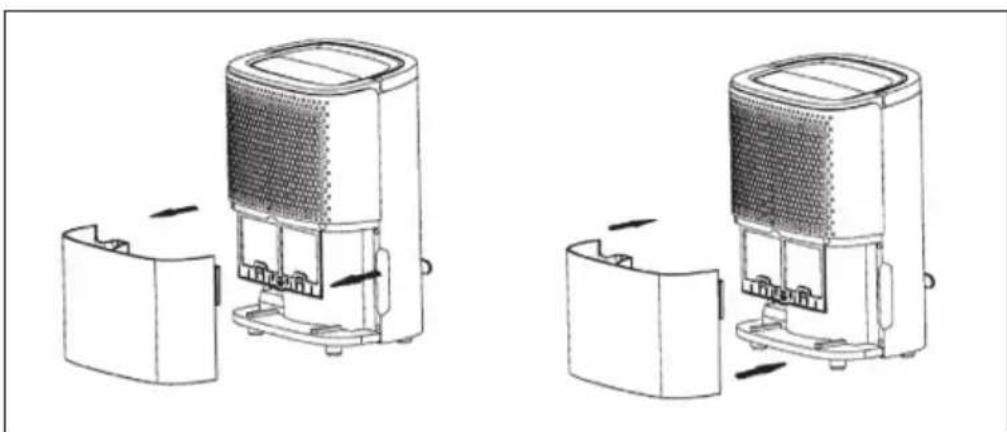
- When water tank is full, water-full indicator is on, the unit will stop working, and buzzer will sound 10 times till water is pour off.
• Take out water tank, pour away water. - Replace the water tank, dehumidifier restarts working. Please install the water tank as the following photo.
NOTE: Before putting in the water tank, please ensure the float is flexible.
natural_image
Technical line drawing of two mechanical devices with internal components and directional arrows indicating assembly (no text or symbols)Continuous drainage (optional)
- To connect a water pipe in the back, (inner diameter is 9mm) water can be drained continuously.
- Please check if the pipe is stably connected with the drainage mouth, or water will flow out.
NOTE: Water pipe cannot be too long (usually 0.6m), the height cannot surpass the height of drainage mouth, or there will be water leakage.
Anti-frost Function
This function will be activated when the ambient temperature falls below 16^ C. The display will show „P1“. It will be activated for a period of 8 minutes every 38 minutes between 2-12°C. It will also be activated for a period of 5 minutes every 60 minutes between 12-16°C.
CARE AND CLEANING
- Turn off this appliance and pull out plug before maintaining or repairing.
• Pull out plug if dehumidifier is not used for long time
- Please do not use benzene, alcohol, gasoline or other chemical reagent to clean unit.
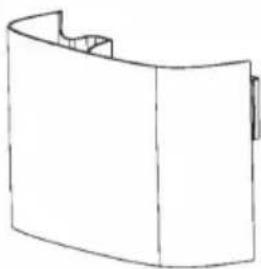 | 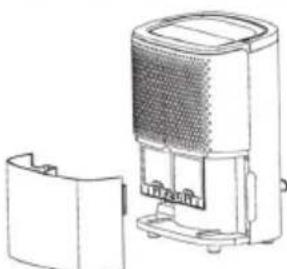 | 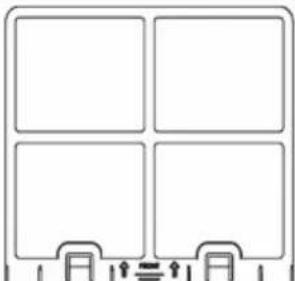 |
| Clean the water tank with soft cloth. | Use wet cloth to clean appliance surface, do not use detergent or grinding sponge to damage surface. | Clean filter at least one time every two weeks. |
TROUBLESHOOTING
| Problem Possible | Cause Suggested Solution | |
| Unit doesn't work. | Is the power plug connected? Put the plug in the socket. | |
| Water tank is full or water tank is not assembled well. | Pour away the water in water-tank, and put water tank into the unit. | |
| Operation temperature is too low or too high | Use this dehumidifier under the environment 5-32°C. | |
| No outlet air. Operation temperature or humidity is too low. | Under dry environment, dehumidifying effect will be not so obvious. | |
| Clean the air outlet or air inlet. | ||
| No outlet air. Is filter blocked? Clean the filters. | ||
| Water leakage. Drainage pipe is not tightly connected. | Check the drainage pipe. | |
| Pipe is blocked. Clean the debris in pipe. | ||
HINTS ON DISPOSAL
natural_image
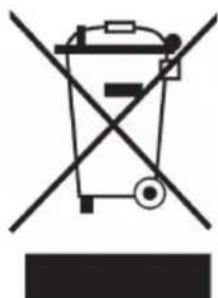
Symbol of a trash bin crossed with a diagonal line, no text or numbers presentAccording to the European waste regulation 2012/19/EU this symbol on the product or on its packaging indicates that this product may not be treated as household waste. Instead it should be taken to the appropriate collection point for the recycling of electrical and electronic equipment. By ensuring this product is disposed of correctly, you will help prevent potential negative consequences for the environment and human health, which could otherwise be caused by inappropriate waste handling of this product. For more detailed information about recycling of this product, please contact your local council or your household waste disposal service.
Estimado cliente:
natural_image
Technical line drawing of a portable air purifier device with open lid and internal components (no text or symbols)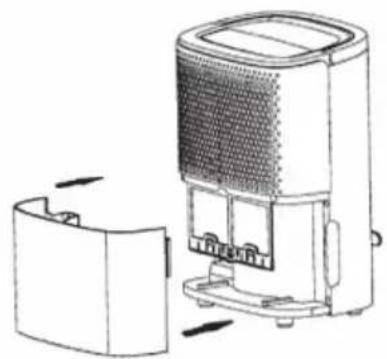
natural_image
Diagram of a portable electronic device with open lid and internal components, showing no text or symbolsnatural_image
Symbol of a trash bin crossed with a diagonal line, no text or numbers presentDÉCLARATION DE CONFORMITÉ
Fabricant :
Chal-Tec GmbH, Wallstraße 16, 10179 Berlin, Allemagne.

natural_image
Technical line drawing of a portable air purifier device with internal components and housing (no text or symbols)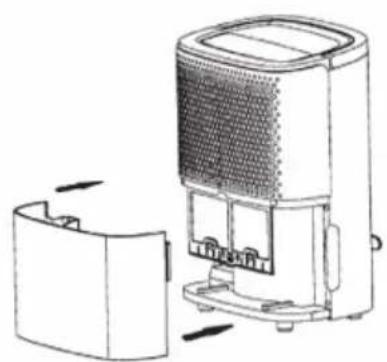
natural_image
Line drawing of a portable electronic device with internal components and external housing (no text or symbols)natural_image
Symbol of a trash bin crossed with a diagonal line, no text or numbers presentnatural_image
Diagram of a portable air purifier device with internal components and directional arrows indicating assembly (no text or symbols)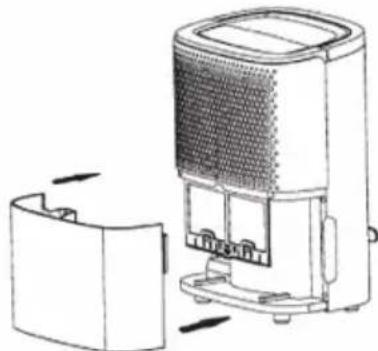
natural_image
Diagram of a portable air purifier device with cooling unit and housing (no text or symbols)natural_image
Symbol of a trash bin crossed with a diagonal line, no text or numbers present
- CONTENTS
- DECLARATION OF CONFORMITY
- SAFETY INSTRUCTIONS
- INSTALLATION
- PRODUCT DESCRIPTION
- CONTROL PANEL AND KEYS
- Keys and Functions
- OPERATION AND FUNCTIONS
- Timing off
- Timing on
- Auto dehumidifying mode
- Cloth dry mode
- Drainage manually
- Continuous drainage (optional)
- Anti-frost Function
- CARE AND CLEANING
- TROUBLESHOOTING
- HINTS ON DISPOSAL
- Estimado cliente:
- DÉCLARATION DE CONFORMITÉ
Brand : Klarstein
Model : 10032040
Category : Humidifier