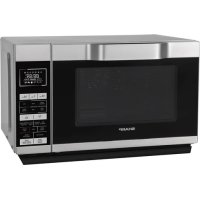
R861SLM - Microwaves SHARP - Free user manual and instructions
Find the device manual for free R861SLM SHARP in PDF.



| Brand | Sharp |
| Model | R861SLM |
| Product type | Combi microwave with grill and convection |
| Capacity | 25 liters |
| External dimensions (W x H x D) | 504 x 303 x 497 mm |
| Cavity dimensions (W x H x D) | 340 x 197 x 338 mm |
| Net weight | Approximately 17.7 kg |
| Power supply | 230-240 V ~, 50 Hz, single-phase |
| Microwave power (output) | 900 W (IEC 60705) |
| Microwave consumption | 1400 W |
| Microwave frequency | 2450 MHz |
| Number of power levels | 6 (100 %, 80 %, 60 %, 40 %, 20 %, 0 %) |
| Cooking functions | Microwave, Grill, Convection, Micro+grill, Micro+convection, Defrost by weight and time, Auto menu (13 programs) |
| Display type | Digital with light indicators |
| Turntable | Fixed glass plate (non-rotating) |
| Provided accessories | Rack and baking tray |
| Safety | Child lock, safety latches, high temperature protection, auto shut-off |
| Cleaning | Clean regularly with a soft cloth and mild soap. Do not use abrasive products. Tips: lemon and water |
| Repairability | Do not repair yourself. Contact an authorized Sharp service center |
| Installation | Worktop only. Clearance: 30 cm above, 20 cm on sides, minimum height 85 cm from floor |
| Standby consumption | Less than 1.0 W |
Frequently Asked Questions - R861SLM SHARP
User questions about R861SLM SHARP
0 question about this device. Answer the ones you know or ask your own.
Ask a new question about this device
Download the instructions for your Microwaves in PDF format for free! Find your manual R861SLM - SHARP and take your electronic device back in hand. On this page are published all the documents necessary for the use of your device. R861SLM by SHARP.
USER MANUAL R861SLM SHARP
natural_image
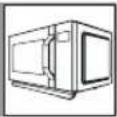
Exterior view of a modern white microwave oven with digital display and control panel (no visible text or symbols on main body)R-861
This operation manual contains important information which you should read carefully before using your microwave oven.
Important: There may be a serious risk to health if this operation manual is not followed or if the oven is modified so that it operates with the door open.
GERÄT
natural_image
Simple line drawing of a round table with slatted top and two legs (no text or symbols)ZUBEHÖR:
natural_image
Simple line drawing of a circular mechanical component with three legs and a central base (no text or symbols)DE-4


BEDIENFELD
HORNO
natural_image
Simple line drawing of a round table with slatted top and two legs (no text or symbols)ACCESORIOS:
natural_image
Simple line drawing of a circular mechanical component with three legs and a central base (no text or symbols)PANEL DE CONTROL
1. PANTALLA DIGITAL e INDICADORES

INFORMATIONS SUR LA MISE AU REBUT ....1
TABLE DES MATIÈRES ....2
COMMENT VOTRE FOUR FONCTIONNE ....3
FOUR ET ACCESSOIRES 4
PANNEAU DE COMMANDE 5
INSTRUCTIONS DE SÉCURITÉ IMPORTANTES 6-13
INSTALLATION 14-15
AVANT LA MISE EN SERVICE 16
RÉGLAGE DE L'HORLOGE 16
FONCTION MINUTERIE 16
NIVEAUX DE PUISSANCE MICRO-ONDES 17
FONCTIONNEMENT MANUEL 18
CUISSON AU MICRO-ONDES 18-19
CUISSON AU GRIL / MICRO+GRIL 19-20
CUISSON PAR CONVECTION 20-21
CUISSON PAR MICRO+CONVECTION 21
AUTRES FONCTIONS PRATIQUES 21-22
FONCTION DÉCONGÉLATION PAR POIDS 23
FONCTION DÉCONGÉLATION PAR TEMPS 23
FONCTION MENU AUTO 24
TABLEAU DE CUISSON AUTOMATIQUE 24-25
BIEN CHOISIR LA VAISSELLE 26
ENTRETIEN ET NETTOYAGE 27
DÉPANNAGE 28-29
SPÉCIFICATIONS 30
APPEL POUR RÉPARATIONS ...... I
FR-2
COMMENT VOTRE FOUR FONCTIONNE
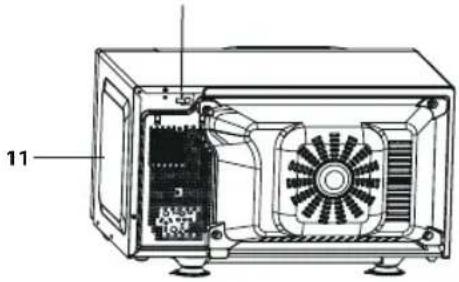
FOUR
natural_image
Simple line drawing of a round table with slatted top and two legs (no text or symbols)ACCESSOIRES :
natural_image
Simple line drawing of a circular basin or stand with four legs and a central support (no text or symbols)POMMES DE TERRE AU FOUR

PIZZA

RIZ

FRITES AU FOUR

GÂTEAU
POULET RÔTI
- Touchesnumériques
- Touches MENU AUTO
- Touche MENU AUTO A1-A7 et AUGMENTER POIDS
- Touche MINUTERIE DE DÉLAI/
MINUTERIE/RÉGLAGE HORLOGE
7.ToucheGRIL
8.ToucheMICRO+GRIL
9.ToucheMICRO+CONVECTION
10.ToucheDÉMARRER/DÉCOMPTE AUTO - Touche MENU AUTO A1-A7 et RÉDUIRE POIDS
- Touche DÉCONGÉLATION PAR TEMPS/DÉCONGÉLATION PAR POIDS
- Touche PUISSANCE MICRO
14.ToucheCONVECTION
15.ToucheARRÊT/EFFACER
FR-5
INSTRUCTIONS IMPORTANTES DE SÉCURITÉ
VEUILLEZ LES LIRE ATTENTIVEMENT ET LES CONSER- VER POUR TOUTE RÉFÉRENCE ULTÉRIEURE
FONCTIONNEMENT MANUEL
SON AU GRIL / MICRO+GRIL
1. CUISSON AU GRIL UNIQUEMENT
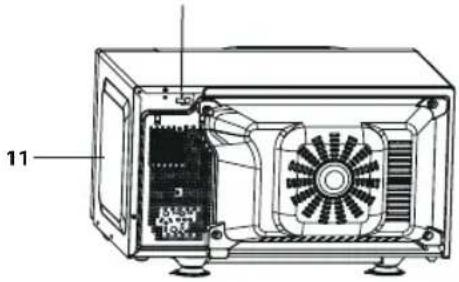
FORNO
natural_image
Simple line drawing of a round table with slatted top and two legs (no text or symbols)ACCESSORI:
natural_image
Simple line drawing of a circular mechanical component with three legs and a central base (no text or symbols)PANNELLO DI CONTROLLO
1. DISPLAY DIGITALE e INDICATORI

PROBLEEMOPLOSSING....28-29
SPECIFICATIONS 30
KLANTENSERVICE 28
NL-2
HOE UW OVEN WERKT
OVEN
natural_image
Simple line drawing of a round table with slatted top and two legs (no text or symbols)TOEBEHOREN:
natural_image
Simple line drawing of a circular mechanical component with three legs and a central base (no text or symbols)NL-4

BEDIENINGSPANEEEL
1. DIGITALE DISPLAY en SYMBOLEN

MAGNETRON-symbool

GRILL-symbool

CONVECTIE-symbol

TIMER-symbol

KOOKWEKKER-symbool

ONTDOOIEN OP GEWICHT-symbool

ONTDOOIEN OP TIJD-symbool

KINDERSLOT-symbool
2.AUTOMENU-SYMBOLEN

GEPOFTE AARDAPPELS

PIZZA

RIJST

OVENCHIPS

TAART

GEBRADEN KIP
3.NUMMER-toetsen
4. AUTO MENU-toetsen
5. AUTO MENU A1-A7-toets en GEWICHT VERHOGEN-toets
6. VERTRAGINGSTIMER/
KEUKENWEKKER/KLOKINSTELLING-
toets
7.GRILL-toets
8. MICRO + GRILL-toets
9.MICRO+CONVECTIE-toets
10. START/QUICKSTART-toets
11. AUTO MENU A1-A7-toets en GEWICHT VERLAGEN-toets
12. ONTDOOIENOPTIJD/ONTDOOEN OP GEWICHT-toets
13.MICROPOWER-toets
14.CONVECTIE-toets
15.STOP/CLEAR-toets
NL-5

BELANGRIJKE VEILIGHEIDSMAATREGELEN
ZORGVULDIG LEZEN EN BEWAREN VOOR TOEKOMSTIG GEBRUIK.
WAARSCHUWING: DEZE STEKKER DIENT GE-AARD TE ZIJN.
NL-15

VOOR INGEBRUIKNAME
ERE HANDIGE FUNCTIONS
1. IN FASEN KOKEN
natural_image
Symbol of a trash bin crossed with a diagonal line, no text or numbers present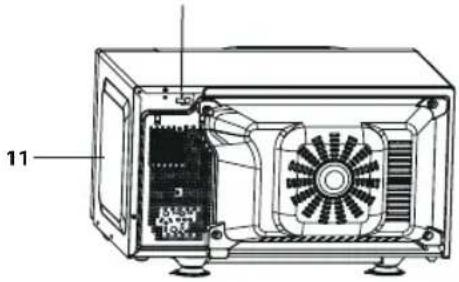
UGN
natural_image
Simple line drawing of a round table with slatted top and two legs (no text or symbols)TILLBEHÖR:
natural_image
Simple line drawing of a circular mechanical component with three legs and a central base (no text or symbols)
KONTROLLPANEL
OVN
natural_image
Simple line drawing of a round table with slatted top and two legs (no text or symbols)TILBEH∅R:
natural_image
Simple line drawing of a circular mechanical component with three legs and a central base (no text or symbols)DK-4


BETJENINGSPANEL
MANUEL TILBEREDNING/MANUEL OPTÖNING
KJ∅KKENTIDSUR-FUNKSJON....16
MIKROB∅LGEEFFEKTNIVÅER 17
MANUELL BRUK....18
MIKROB∅LGETILBEREDNING.... 18–19
GRILLING/MIKROB∅LGE+GRILLING....19-20
VARMLUFTSTILBEREDNING....20-21
MIKROB∅LGE/VARMLUFTSTILBEREDNING....21
ANDRE PRAKTISKE FUNKSJONER 21–22
VEKTTINING-FUNKSJON....23
TIDSTINING-FUNKSJON 23
AUTOMENY-FUNKSJON 24
AUTOMENY-TABELL 24-25
PASSENDE KOKEKAR 26
STELL OG RENGJ∅RING....27
FEILS∅KNING 28-29
SPESIFIKASJONER....30
TILKALLE SERVICE.... I
OVNEN
- Dørhåndtak
- Ovnslampe
- Dørhengsler
- Dørlåshaker
- Dør
- Dørpakninger og pakningsoverflate
- Glassplate
- Ovnsrom
- Kontrollpanel
- Elektrisk ledning
- Utvendig kabinett
natural_image
Simple line drawing of a round table with slatted top and two legs (no text or symbols)TILBEH∅R:
natural_image
Simple line drawing of a circular basin or basin with four legs and a central support (no text or symbols)NO-4


KONTROLLPANEL
Indikator for VARMLUFT

Viser for KJ∅KKENUR

Viser for KJ∅KKENUR

Viser for VEKTTINING

Viser for TINETID

Indikator for BARNELÅS
2. Indikator for AUTOMENYER

OVNSBAKT POTET

PIZZA

RIS

OVNSBAKT CHIPS

KAKE

STEKT KYLLING
3.NUMMER-taster
- AUTO MENY-taster
- AUTOMENY A1-A7-tast og ∅K VEKT-tast
6.VELGTID/KJ∅KKENUR/KLOKKE-tast
7.GRILL-tast
8.MIKRO+GRILL-tast
9.MIKRO+VARMLUFTS-tast - START/HURTIGSTART-tast
- AUTOMENY A1-A7-tast og SYNK VEKT-tast
12.TININGPÅTID/VEKTTINING-tast
13.VELGEFFEKT-tast
14.VARMLUFTS-tast
15.STOPP/SLETT-tast
NO-5

VIKTIGE SIKKERHETSINSTRUKSJONER
LES N∅YE OG BEHOLD FOR FREMTIDIG REFERANSER
KJ∅KKENTIDSUR-FUNKSJON
MANUELL TILBEREDNING / MANUELL TINING
TILBEREDNING MED VARMLUFT
EREDNING MED VARMLUFT
MUUT HELPOT TOIMINNOT 21-22
SULATUS PAINON MUKAAN -TOIMINTO 23
SULATUS AJAN MUKAAN -TOIMINTO 23
AUTOM. VALIKKO -TOIMINTO 24
AUTOM. VALIKKO -TAULUKKO 24-25
SOVELTUVAT UUNIASTIAT 26
HOITO JA PUHDISTUS 27
VIANMÄÄRITYS 28-29
TEKNISET TIEDOT 30
MITEN UUNI TOIMII
UUNI
natural_image
Simple line drawing of a round table with slatted top and two legs (no text or symbols)LISÄVARUSTEET:
natural_image
Simple line drawing of a circular mechanical component with three legs and a central base (no text or symbols)
SÄÄTÖPANEELI
MIKROAALLOILLA KYPSENNYS
MANUAALINEN KYPSENNYS/ MANUAALINEN SULATUS
ROAALLOILLA KYPSENNYS
painetaan.
LIKYPSENNYS/MIKRO+GRILLI-TOIMINTO
1. KYPSENNYS VAIN GRILLILLÄ
GRILLIKYPSENNYS/MIKRO+GRILLI-TOIMINTO
GRILLI- ja MIKRO+GRILLI -TOIMINTOJA KOSKEVIA HUOMAUTUKSIA:
1. MONIVAIHEINEN KYPSENNYS
MUUT HELPOT TOIMINNOT
natural_image
Symbol of a trash bin crossed with a diagonal line, no text or numbers presentAttention: Your product is marked with this symbol. It means that used electrical and electronic products should not be mixed with general household waste. There is a separate collection system for these products.
A. Information on Disposal for Users (private households)
1. In the European Union
Attention: If you want to dispose of this equipment, please do not use the ordinary dust bin!
Used electrical and electronic equipment must be treated separately and in accordance with legislation that requires proper treatment, recovery and recycling of used electrical and electronic equipment.
Following the implementation by members states private households within the EU states may return their used electrical and electronic equipment to designated collection facilities free of charge*.
In some countries* your local retailer may also take back your old product free of charge if you purchase a similar new one.
*) Please contact your local authority for further details.
If your used electrical or electronic equipment has batteries or accumulators, please dispose of these separately beforehand according to local requirements.
By disposing of this product correctly you will help ensure that the waste undergoes the necessary treatment, recovery and recycling and thus prevent potential negative effects on the environment and human health which could otherwise arise due to inappropriate waste handling.
2. In other Countries outside the EU
If you wish to discard this product, please contact your local authorities and ask for the correct method of disposal.
For Switzerland: Used electrical or electronic equipment can be returned free of charge to the dealer, even if you don't purchase a new product. Further collection facilities are listed on the homepage of www.swico.ch or www.sens.ch.
B. Information on Disposal for Business Users
1. In the European Union
If the product is used for business purposes and you want to discard it: Please contact your SHARP dealer who will inform you about the take-back of the product. You might be charged for the costs arising from take-back and recycling. Small products (and small amounts) might be taken back by your local collection facilities.
For Spain: Please contact the established collection system or your local authority for take-back of your used products.
2. In other Countries outside the EU
If you wish to discard of this product, please contact your local authorities and ask for the correct method of disposal.
CONTENTS

Operation manual
INFORMATION ON CORRECT DISPOSAL ....1
CONTENTS 2
OVEN AND ACCESSORIES 4
CONTROL PANEL 5
IMPORTANT SAFETY INSTRUCTIONS 6-13
INSTALLATION 14-15
BEFORE OPERATION 16
SETTING THE CLOCK 16
KITCHEN TIMER FUNCTION 16
CARE AND CLEANING 27
TROUBLESHOOTING 28-29
SPECIFICATIONS 30
CALLING FOR A SERVICE .... I
HOW YOUR OVEN WORKS
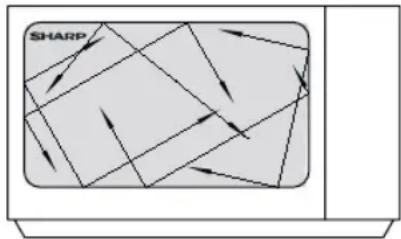
Microwaves are energy waves, similar to those used for TV and radio signals.
Electrical energy is converted into microwave energy, which is directed into the middle bottom of the cavity via a waveguide. Then the microwave stirrer distribute the microwave energy to every corner of the cavity evenly.
Microwaves cannot pass through metal, because of this the oven cavity is made of metal and there is a fine metal mesh on the door.
During cooking the microwaves bounce off the sides of the oven cavity at random.
flowchart
graph TD
    A["ShARP"] --> B["Arrow 1"]
    A --> C["Arrow 2"]
    A --> D["Arrow 3"]
    A --> E["Arrow 4"]
    A --> F["Arrow 5"]
    A --> G["Arrow 6"]
    A --> H["Arrow 7"]
    A --> I["Arrow 8"]
    A --> J["Arrow 9"]
    A --> K["Arrow 10"]
Microwaves will pass through certain materials, such as glass and plastic, to heat the food. (See 'Suitable Ovenware' on page GB-26).
Water, sugar and fat in food absorb microwaves which cause them to vibrate. This creates heat by friction, in the same way your hands get warm when you rub them together.
The outer areas of the food are heated by the microwave energy, then the heat moves to the centre by conduction, as it does in conventional cooking. It is important to turn, rearrange or stir food to ensure even heating.
Once cooking is complete, the oven automatically stops producing microwaves.
Standing time is necessary after cooking, as it enables the heat to disperse equally throughout the food.
NOTE:
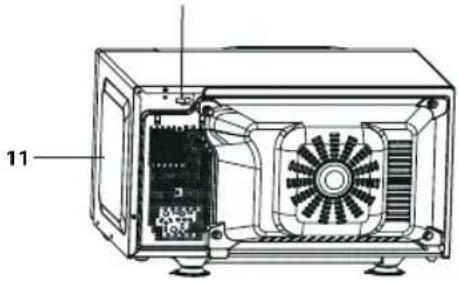
This model uses a glass flat tray instead of turntable. The glass flat tray is fixed by glue at the bottom of the cavity, it won't rotate like a turntable. Simply place your dish on top of the glass flat tray.
OVEN AND ACCESSORIES

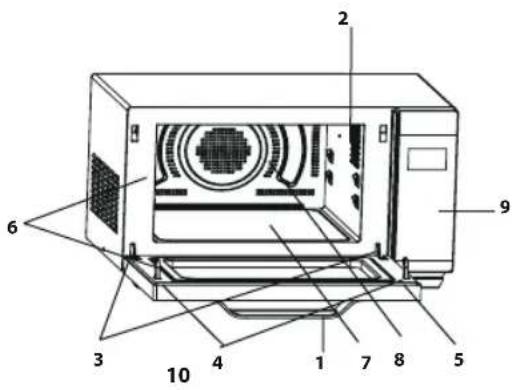
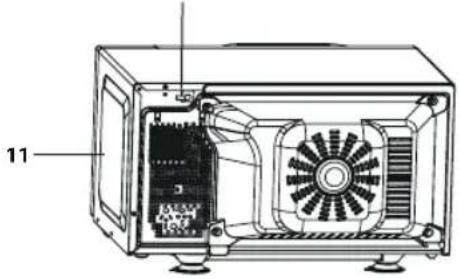
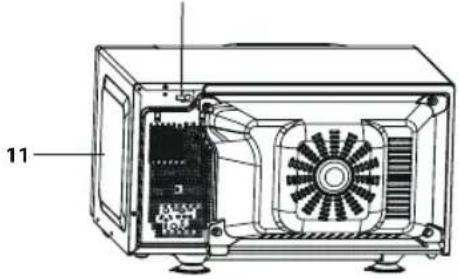
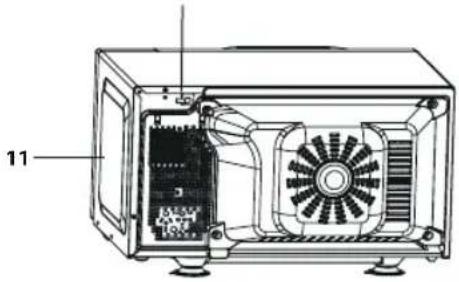
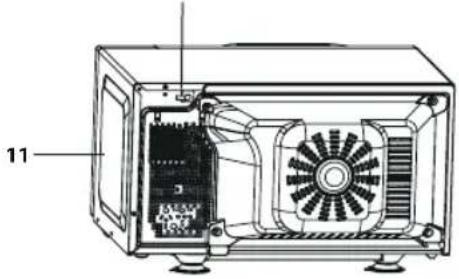
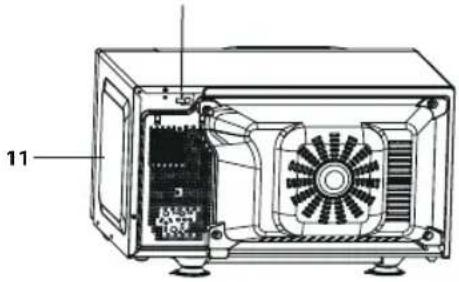
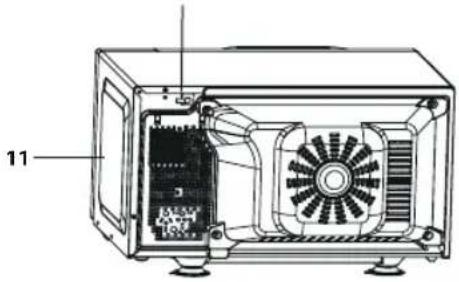
OVEN
- Door handle
- Oven lamp
- Door hinges
- Door safety latches
- Door
- Door seals and sealing surfaces
- Glass flat tray
- Oven cavity
- Control panel
- Power supply cord
- Outer cabinet
natural_image
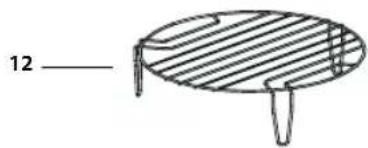
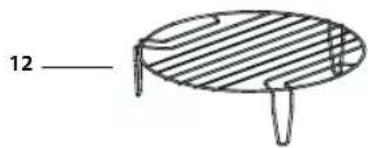
Simple line drawing of a round table with slatted top and two legs (no text or symbols)ACCESSORIES:
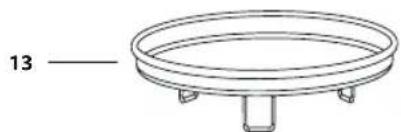
Check to make sure the following accessories are provided: 12) Rack 13) baking tray
- For use of the rack, refer to the grilling sections on page GB-20.
Never touch the grill when it is hot.
NOTE: When you order accessories, please mention two items: part name and model name to your dealer or SHARP authorised service agent.
natural_image
Simple line drawing of a circular mechanical component with three legs and a central base (no text or symbols)
NTROL PANEL
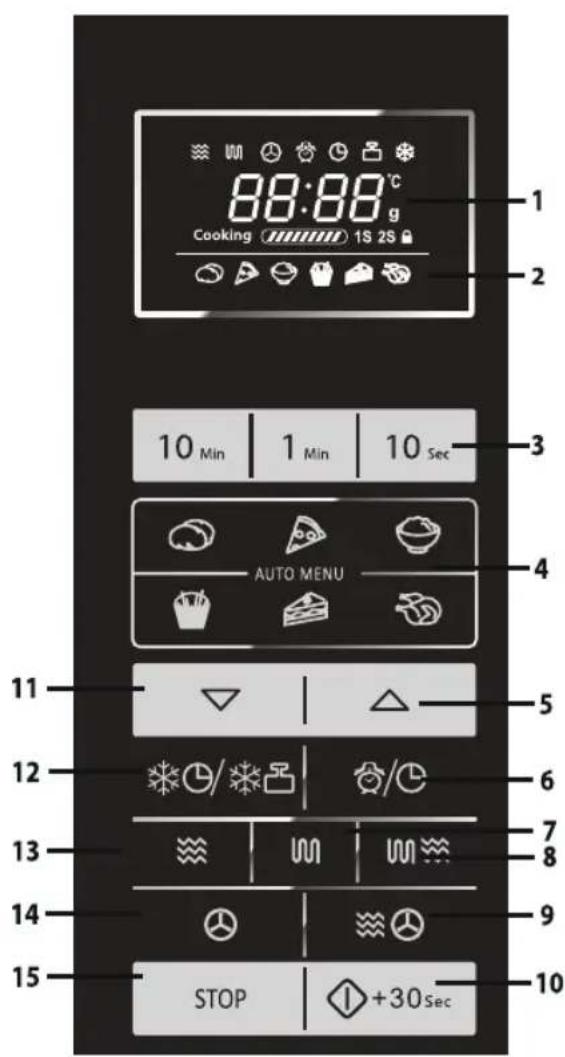
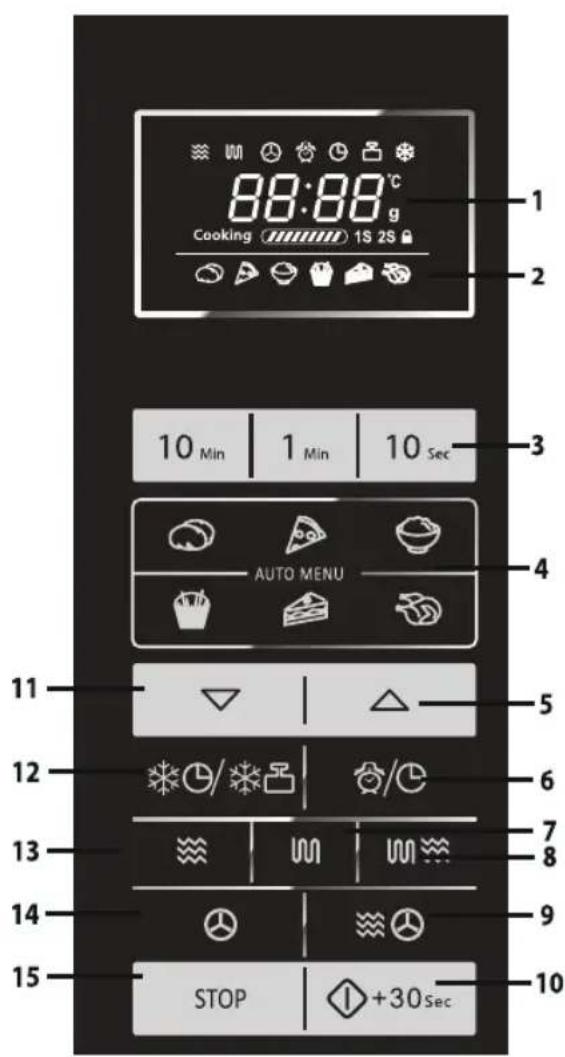
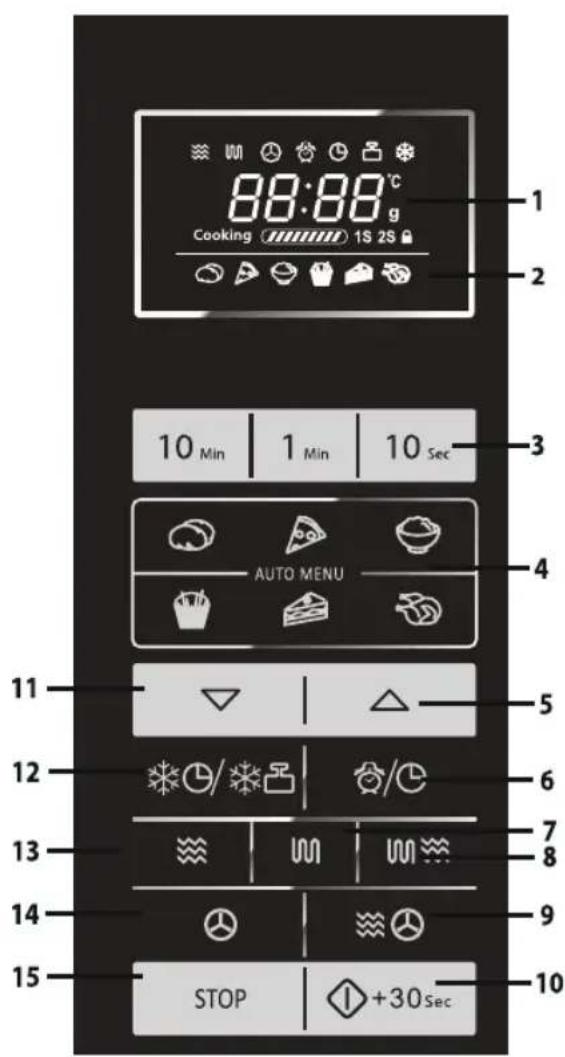
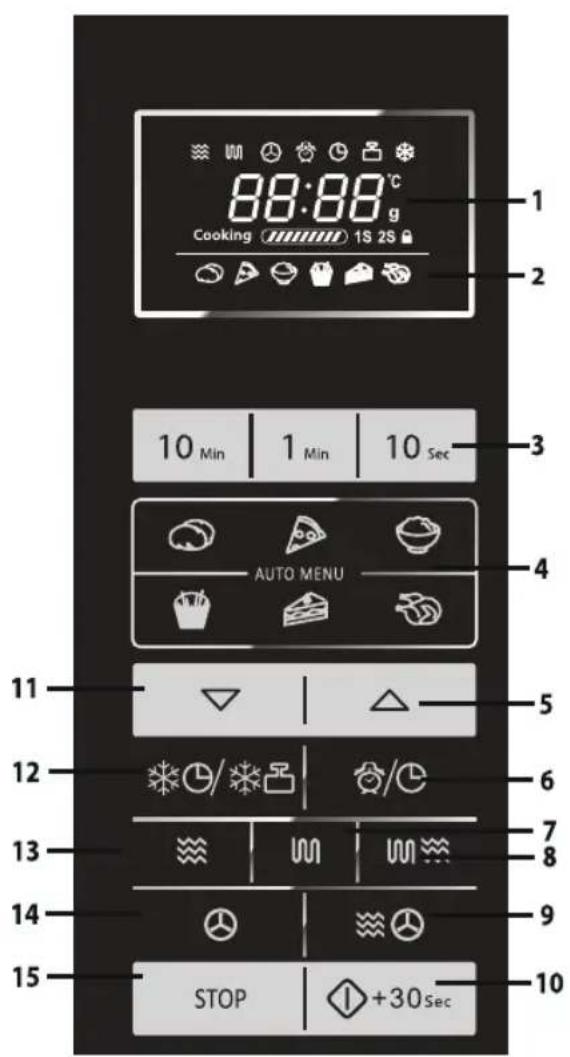
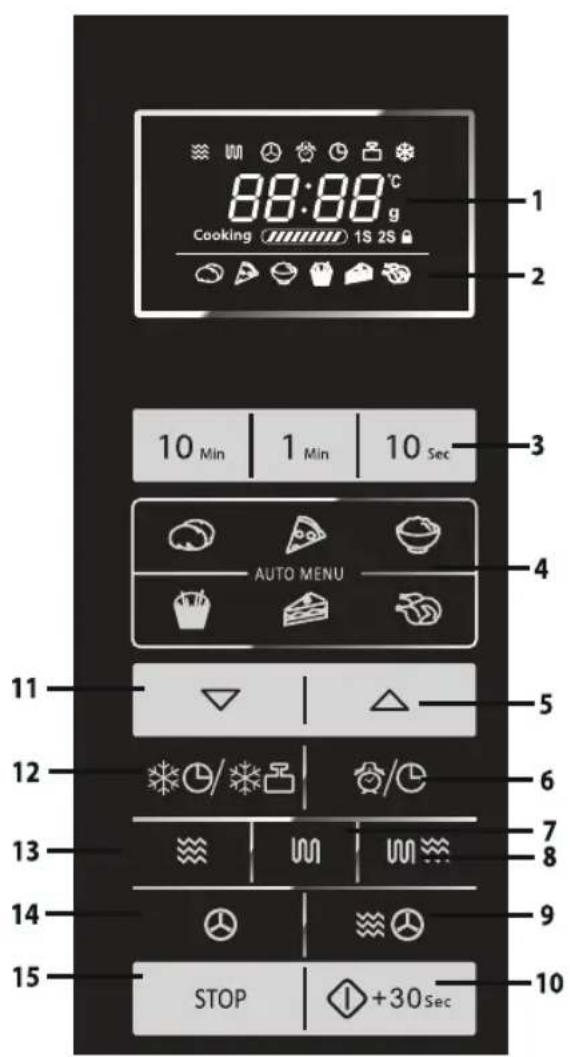
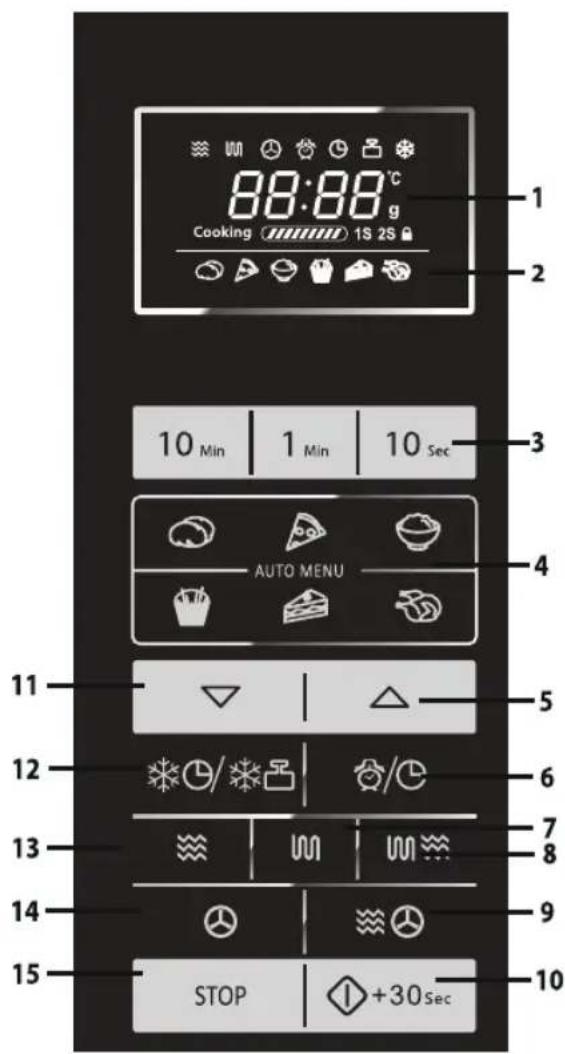
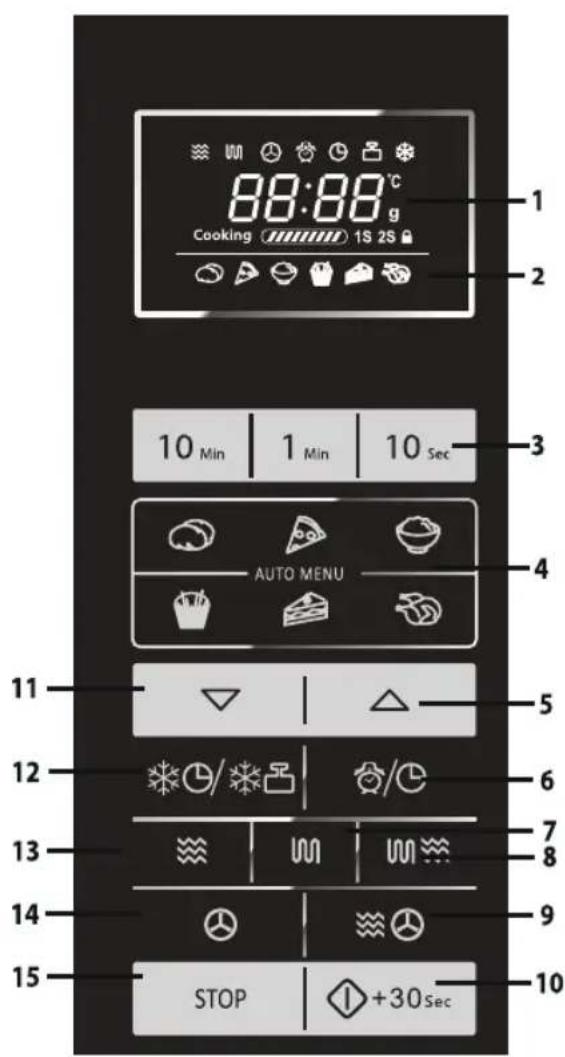
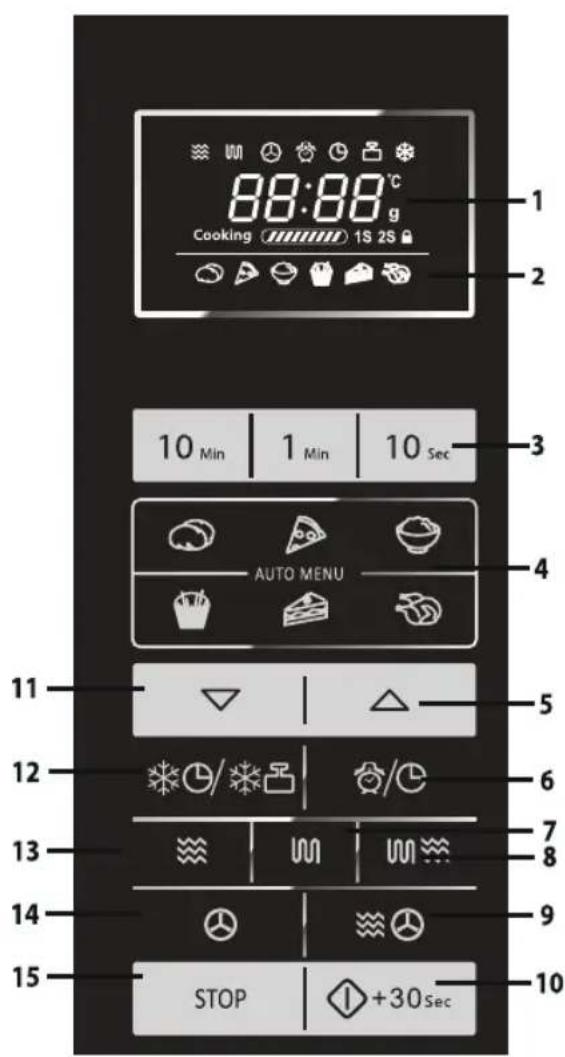
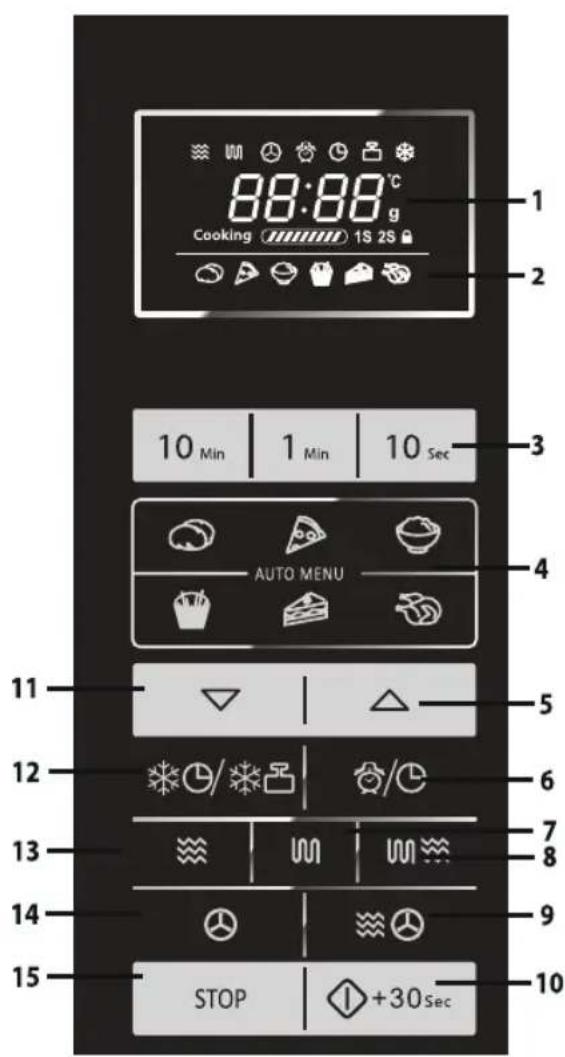
1. DIGITAL DISPLAY and INDICATORS

MICROWAVE indicator

GRILL indicator

CONVECTION indicator

DELAY TIMER indicator

KITCHEN TIMER indicator

WEIGHT DEFROST indicator

TIME DEFROST indicator

CHILD LOCK indicator
2. AUTO MENUS INDICATORS

JACKET POTATOES

PIZZA

RICE

OVEN CHIPS

CAKE

ROAST CHICKEN
3.NUMBERkeys
- AUTO MENU keys
- AUTO MENU A1-A7 key as well as INCREASE WEIGHT key
- DELAY TIMER/KITCHEN TIMER/SET CLOCK key
7.GRILLkey
8.MICRO+GRILLkey
9.MICRO+CONVECTIONkey - START/QUICK START key
- AUTO MENU A1-A7 key as well as DECREASE WEIGHT key
- TIME DEFROST/WEIGHT DEFROST key
- MICRO POWER key
14.CONVECTIONkey
15.STOP/CLEARkey
IMPORTANT SAFETY INSTRUCTIONS
READ CAREFULLY AND KEEP FOR FUTURE REFERENCE
- This oven is designed to be used on a countertop only. It is not designed to be built into a kitchen unit. Do not place the oven in a cabinet.
- The oven door may become hot during cooking. Place or mount the oven so that the bottom of the oven is 85 cm or more above the floor. Keep children away from the door to prevent them burning themselves.
- WARNING: Do not touch the flat tray directly after cooking as it maybe hot.
- Ensure there is a minimum of free space above the oven of 30 cm.
- This appliance can be used by children aged from 8 years and above and persons with reduced physical, sensory or mental capabilities or lack of experience and knowledge if they have been given supervision or instruction concerning use of the appliance in a safe way and understand the hazards involved. Children shall not play with the appliance. Cleaning and user maintenance shall not be made by children unless they are older than 8 and supervised
- Keep the appliance and its cord out of reach of children less than 8 years.
- WARNING: Only allow children to use the oven without supervision when adequate instructions have been given so that the child is able to use the oven in a safe way and understands the hazards of improper use.
- WARNING: Accessible parts may become hot during use. Young children should be kept away.
- WARNING: If the door or door seals are damaged, the oven must not be operated until it has been repaired by a competent person.
IMPORTANT SAFETY INSTRUCTIONS
- WARNING: Never adjust, repair or modify the oven yourself. It is hazardous for anyone other than a competent person to carry out any service or repair operation which involves the removal of a cover which gives protection against exposure to microwave energy.
- If the power supply cord of this appliance is damaged, it must be replaced with a special cord. The exchange must be made by an authorised SHARP service agent.
- WARNING: Liquids and other foods must not be heated in sealed containers since they are liable to explode.
- Microwave heating of beverages can result in delayed eruptive boiling, therefore care must be taken when handling the container.
- Do not cook eggs in their shells, and whole hard boiled eggs should not be heated in microwave ovens since they may explode even after microwave cooking has ended. To cook or reheat eggs which have not been scrambled or mixed, pierce the yolks and the whites, or the eggs may explode. Shell and slice hard boiled eggs before reheating them in the microwave oven.
- Utensils should be checked to ensure that they are suitable for use in the oven. See page GB-26. Use only microwave safe containers and utensils on microwave modes.
- The contents of feeding bottles and baby food jars must be stirred or shaken and the temperature checked before consumption, in order to avoid burns.
- The door, outer cabinet, oven cavity, dishes, accessories and especially the grill heating elements will become very hot during operation.
- Care should be taken to avoid touching these areas. To prevent burns, always use thick oven gloves. Before cleaning make sure they are not hot. When heating food in plastic or paper containers, keep an eye on the oven due to the possibility of ignition.
IMPORTANT SAFETY INSTRUCTIONS
- If smoke is emitted, switch off or unplug the appliance and keep the door closed in order to stifle any flames.
- Clean the oven at regular intervals and remove any food deposits.
- Failure to maintain the oven in a clean condition could lead to deterioration of the surface that could adversely affect the life of the appliance and possibly result in a hazardous situation.
- Do not use harsh abrasive cleaners or sharp metal scrapers to clean the glass on the oven door since they can scratch the surface, which may result in shattering of the glass.
- Steam cleaner is not to be used.
- See instructions for cleaning door seals, cavities and adjacent parts on page GB-27.
-
This appliance is intended to be used in household and similar applications such as:
-
staff kitchen areas in shops, offices and other working environments;
- by clients in hotels, motels and other residential type environments;
- farm houses;
-
bed and breakfast type environments.
-
WARNING: The appliance and its accessible parts become hot during use. Care should be taken to avoid touching heating elements. Children less than 8 years of age shall be kept away unless continuously supervised.
-
During use the appliance becomes hot. Care should be taken to avoid touching heating elements inside the oven.
-
Accessible parts may become hot during use. Young children should be kept away.
To avoid the danger of fire:
- The microwave oven should not be left unattended during operation. Power levels that are too high,
IMPORTANT SAFETY INSTRUCTIONS
or cooking times that are too long, may overheat foods resulting in a fire.
- The electrical outlet must be readily accessible so that the unit can be unplugged easily in an emergency.
- The AC power supply must be 230-240V\~,50Hz.
- A separate circuit serving only this appliance should be provided.
- Do not place the oven in areas where heat is generated. For example, close to a conventional oven.
- Do not install the oven in an area of high humidity or where moisture may collect.
- Do not store or use the oven outdoors.
- Clean the waveguide cover, the oven cavity after use. These must be dry and free from grease. Built-up grease may overheat and begin to smoke or catch fire.
- Do not place flammable materials near the oven or ventilation openings.
- Do not block the ventilation openings.
- Remove all metallic seals, wire twists, etc., from food and food packages. Arcing on metallic surfaces may cause a fire.
- Do not use the microwave oven to heat oil for deep frying. The temperature cannot be controlled and the oil may catch fire.
- To make popcorn, use only special microwave popcorn makers.
- Do not store food or any other items inside the oven.
- Check the settings after you start the oven to ensure the oven is operating as desired.
- To avoid overheating and fire, special care must be taken when cooking or reheating foods with a high sugar or fat content, for example, sausage rolls, pies or Christmas pudding.
- See the corresponding hints in the operation manual.
IMPORTANT SAFETY INSTRUCTIONS
To avoid the possibility of injury
1. WARNING:
Do not operate the oven if it is damaged or malfunctioning. Check the following before use:
a) The door; make sure the door closes properly and ensure it is not misaligned or warped.
b) The hinges and safety door latches; check to make sure they are not broken or loose.
c) The door seals and sealing surfaces; ensure that they have not been damaged.
d) Inside the oven cavity or on the door; make sure there are no dents.
e) The power supply cord and plug; ensure that they are not damaged.
- Do not operate the oven with the door open or alter the door safety latches in any way.
- Do not operate the oven if there is an object between the door seals and sealing surfaces.
- Do not allow grease or dirt to build up on the door seals and adjacent parts. Clean the oven at regular intervals and remove any food deposits. Follow the instructions for "Care and Cleaning" on page GB-27.
- Individuals with PACEMAKERS should check with their doctor or the manufacturer of the pacemaker for precautions regarding microwave ovens.
To avoid the possibility of electric shock
- Under no circumstances should you remove the outer cabinet.
- Never spill or insert any objects into the door lock openings or ventilation openings. In the event of a spill, turn off and unplug the oven immediately, and call an authorised SHARP service agent.
- Do not immerse the power supply cord or plug in water or any other liquid.
IMPORTANT SAFETY INSTRUCTIONS
- Do not let the power supply cord hang over the edge of a table or work surface.
- Keep the power supply cord away from heated surfaces, including the rear of the oven.
- Do not attempt to replace the oven lamp yourself or allow anyone who is not an electrician authorised by SHARP to do so. If the oven lamp fails, please consult your dealer or an authorised SHARP service agent.
To avoid the possibility of explosion and sudden boiling:
- Never use sealed containers. Remove seals and lids before use. Sealed containers can explode due to a build up of pressure even after the oven has been turned off.
- Take care when microwaving liquids. Use a wide mouthed container to allow bubbles to escape.
Never heat liquids in narrow necked containers such as baby bottles, as this may result in the contents erupting from the container when heated and cause burns.
To prevent sudden eruption of boiling liquid and possible scalding:
- Do not use excessive amount of time.
- Stir liquid prior to heating/reheating.
- It is advisable to insert a glass rod or similar utensil (not metal) into the liquid whilst reheating.
-
Let liquid stand for at least 20 seconds in the oven at the end of cooking time to prevent delayed eruptive boiling.
-
Pierce the skin of such foods as potatoes, sausages and fruit before cooking, or they may explode.
To avoid the possibility of burns
- Use pot holders or oven gloves when removing food from the oven to prevent burns.
- Always open containers, popcorn makers, oven cooking bags, etc., away from the face and hands to avoid steam burns and eruption of boiling.
IMPORTANT SAFETY INSTRUCTIONS
- To avoid burns, always test food temperature and stir before serving and pay special attention to the temperature of food and drink given to babies, children or the elderly. Temperature of the container is not a true indication of the temperature of the food or drink; always check the food temperature.
- Always stand back from the oven door when opening it to avoid burns from escaping steam and heat.
- Slice stuffed baked foods after heating to release steam and avoid burns.
To avoid misuse by children
- Do not lean or swing on the oven door.
- Children should be taught all important safety instructions: use of pot holders, careful removal of food coverings; paying special attention to packaging (e.g. self-heating materials) designed to make food crisp, as they may be extra hot.
Other warnings
- Never modify the oven in any way.
- Do not move the oven while it is in operation.
- This oven is for home food preparation only and may only be used for cooking food. It is not suitable for commercial or laboratory use.
To promote trouble free use of your oven and avoid damage:
- Never operate the oven when it is empty except where recommended in the operation manual. Doing so may damage the oven.
- When using a browning dish or selfheating material, always place a heatresistant insulator such as a porcelain plate under it to prevent damage to due to heat stress. The preheating time specified in the dish's instructions must not be exceeded.
- Do not use metal utensils, which reflect microwaves and may cause electrical arcing.
IMPORTANT SAFETY INSTRUCTIONS
- Do not place anything on the outer cabinet during operation.
NOTE:
If you are unsure how to connect your oven, please consult an authorised, qualified electrician. Neither the manufacturer nor the dealer can accept any liability for damage to the oven or personal injury resulting from failure to observe the correct electrical connection procedure. Water vapour or drops may occasionally form on the oven walls or around the door seals and sealing surfaces. This is a normal occurrence and is not an indication of microwave leakage or a malfunction.
BUILT-IN KIT
No built-in kit is available for this oven.
This oven is designed to be used on a countertop only.
INSTALLATION
- Remove all packing materials from the inside of the oven cavity and remove any protective film found on the microwave oven cabinet surface. Check the oven carefully for any signs of damage.
- Place the oven on a secure, level surface, strong enough to take the oven weight, plus the heaviest item likely to be cooked in the oven. Do not place the oven in a cabinet.
-
Select a level surface that provides enough open space for the intake and/or outlet vents. The rear surface of appliance shall be placed against a wall.
-
A minimum space of 20cm is required between the oven and any adjacent walls.
- Leave a minimum space of 30cm above the oven.
- Do not remove the feet from the bottom of the oven.
- Blocking the intake and/or outlet openings can damage the oven.
- Place the oven as far away from radios and TV as possible. Operation of the microwave oven may cause interference to your radio or TV reception.
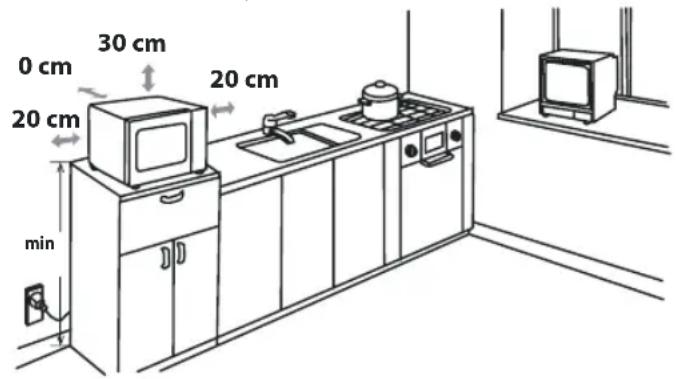
- The oven door may become hot during cooking. Place or mount the oven so that the bottom of the oven is 85cm or more above the floor. Keep children away from the door to prevent them burning themselves.
- Securely connect the plug of the oven to a standard earthed (grounded) household electrical outlet.
WARNING: Do not place the oven where heat, moisture or
INSTALLATION
high humidity are generated, (for example, near or above a conventional oven) or near combustible materials (for example, curtains).
Do not block or obstruct air vent openings.
Do not place objects on top of the oven.
ELECTRICAL CONNECTION
- Do not allow water to come into contact with the power supply cord or plug.
- Insert the plug properly into the socket.
- Do not connect other appliances to the same socket using an adaptor plug.
- If the power supply cord is damaged, it must be replaced by a Sharp approved service facility or a similarly qualified person to avoid a hazard.
- When removing the plug from the socket always grip the plug, never the cord as this may damage the power supply cord and the connections inside the plug.
- If the plug fitted to your oven is a rewireable type and in the event of the socket outlet in your home not being compatible with the plug supplied, remove the plug properly (do not cut off).
- If the plug fitted to your oven is a nonrewirable type and in the event of the socket outlet in your home not being compatible with the plug supplied, cut-off the mains plug.
- Refit with a suitable type, observing the wiring code given in 'To replace the mains plug' on page GB-30.

WARNING: THIS APPLIANCE MUST BE EARTHED To wire an appropriate plug, follow the wiring code given in 'To replace the mains plug' on page GB-30.

BEFORE OPERATION
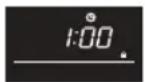
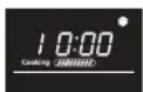
Plug in the oven. The oven display will display: "1:00" and "C", an audible signal will sound once.
This model has a clock function and the oven uses less than 1.0W in stand by mode.
To set the clock, see below.
SETTING THE CLOCK
Your oven has a digital clock feature, you can choose to set the clock time in 24 or 12 hour cycle in stand by mode.
- Press the 🔒 key once for 3 seconds, "Hr 24" will display and the clock indicator 🔒 will illuminate.
- Press the ⏻ key twice, "Hr 12" will display and the clock indicator ⚫ will illuminate.
- After choosing the hour cycle, press number keys "10Min", "1Min", "10Sec" to input the clock time.
- Press the 🔒 key once to start the clock. The icon ":" of thedigital time will flash on the display and the clock indicator "C" will disappear.
NOTES:
- In the process of clock setting, if the STOP/CLEAR key is pressed, the oven will go back to the former setting.
- If the electrical power supply to your microwave oven is interrupted, the display will intermittently show "1:00" after the power is reinstated. If this occurs during cooking, the programme will be erased.
KITCHEN TIMER FUNCTION
You can use the kitchen timer function, in instances where microwave cooking is not involved for example to time boiled eggs cooked on conventional hob or to monitor the standing time for cooked/defrosted food.
Example:
To set the timer for 5 minutes.
-
Press 📊y once, the icon ":" will flash and the clock indicator "C" will illuminate.
-
Press number keys "10Min", "1Min", "10Sec" to input time.
-
Press the START/QUICK START key to start the timer.
-
Check the display. (The display will count down through the programmed time and the indicator will flash)
When the timer arrives at 0:00, an audible signal will sound once, and the LCD will display the time of day.
You can enter any time up to 99 minutes 50 seconds. In kitchen timer sta te, the kitchen time will be displayed for 5 seconds.
To cancel the kitchen timer function, You can press STOP/CLEAR key within 5 seconds.
Your microwave oven has 6 power levels. To set the power level follow the instruction below.
| To set the power level LCD display | Microwave Power | |
| Press theMICRO POWERkey once, P100 will be displayed and at the same time the microwave indicator ” will illuminate on the display.Press theMICRO POWERkey to change the power level until the display indicates the desired level.Press the number keys “10Min”, “1Min”, “10Sec” to enter the cooking time and then press theSTART/QUICK STARTkey to start the oven.To check the power level during cooking, press theMICRO POWERkey, the current power level will be displayed for 4 seconds. The oven will continue to count down although the display will show the power levelIn stand by mode, press the number keys “10Min”, “1Min”, “10Sec” directly, the default power level is P100. | 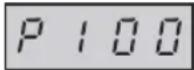 | HIGH = 100 % |
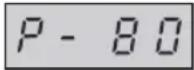 | MEDIUM HIGH = 80 % | |
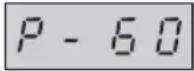 | MEDIUM = 60 % | |
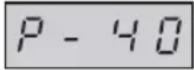 | MEDIUM LOW = 40 % | |
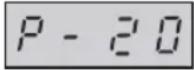 | LOW = 20 % | |
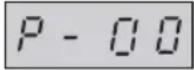 | 0 % | |
Generally the following recommendations apply:
P100 - used for fast cooking or reheating e.g. for casseroles, hot beverages, vegetables etc.
P80 - used for longer cooking of dense foods such as roast joints, meat loaf and plated meals, also for sensitive dishes such as sponge cakes. At this reduced setting, the food will cook enenly without over cooking at the sides.
P60 - for dense foods w hich require a long cooking time when cooked conventionally, e.g. beef casserole, it is advisable to use this power setting to ensure the meat will be tender.
P40 - defrost setting to defrost, select this power setting, to ensure that the dish defrosts evenly. This setting is also ideal for simmering rice, pasta, dumplings and cooking egg custard.
P20 - for gentle defrosting, e.g. cream gateaux or pastry.
P00 - For cooling down the cavity temperature.
MANUAL OPERATION
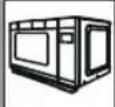
Opening the door:
To open the oven door, pull the door handle.
Starting the oven:
Depending on the food type and the required end results, either place food into a suitable container, then place the container onto the plate, alternatively place foods directly onto the plate. Close the door and press the START/QUICK START key after selecting the desired cooking mode. Once the cooking programme has been set if the START/QUICK START key is not pressed in 20 seconds, the setting will be cancelled.
The START/QUICK START key must be pressed to continue cooking if the door is opened during cooking. An audible signal will sound once when pressing the button, if inefficiently pressed there will be no sound.
Use the STOP/CLEAR key to:
- Erase a mistake during programming.
- Stop the oven temporarily during cooking.
- Cancel a programme during cooking, press the STOP/CLEAR key twice.
- To set and to cancel the child lock (refer to page GB-22).
MICROWAVE COOKING
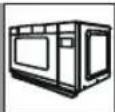
Your oven can be programmed for up to 99 minutes 50 seconds (99:50).
The input unit of cooking (defrosting) time varies from 10 seconds to 10 minutes.
It depends on the total length of the cooking (defrosting) time as shown on the table.
| Cooking Time0-1 minute1-10 minutes10-99 minutes | Increasing Unit10 seconds1 minute10 minutes |
MANUAL COOKING/MANUAL DEFROSTING
- Enter the cooking time and use the microwave power levels P100 to P20 to cook or defrost (refer to page GB-17).
- Stir or turn the food, where possible, 2 - 3 times during cooking.
• After cooking, cover the food and leave to stand, where recommended.
• After defrosting, cover the food in foil and leave to stand until thoroughly defrosted.
Example:
To cook for 2 minutes and 30 seconds on P80 (80%) microwave power.
- Press the
key. P100 will be displayed.

- Press the
key to select the power level for P80
-
Press the number keys "10Min", "1Min", "10Sec", to input the cooking time.
-
Press the START/QUICK START
key to start cooking. (The display will count down through the programmed cooking time.)
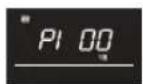
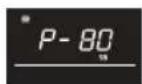
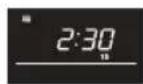
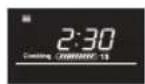
NOTE:
- When the oven starts, the oven lamp will illuminate.
- If the door is opened during cooking/defrosting to stir or turn over food, the cooking time on the display will stop automatically. The cooking/defrosting time starts to count down again when the door is closed and the START/QUICK START key is pressed.
ROWAVE COOKING
- When cooking/defrosting is complete, the display will show "End". Open the door and close, or press any button, the time of day will reappear on the display, if the clock has been set.
- If you wish to know the power level during cooking, press the power level will be displayed for 3 seconds.
L COOKING/MICRO+GRILL COOKING
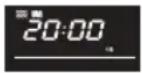
1. GRILL ONLY COOKING
The grill at the top of the oven cavity has one power setting only. Use the rack for grilling small items of food such as bacon, gammon and teacakes. Food can be placed either directly onto the rack, or into a flan dish/heat-resistant plate on the rack.
Example:
To grill for 20 minutes, using 📄 key.
- Press button once. "Grl""1S" will be displayed.

-
Press the "10Min", "1Min", "10Sec" to set up required heating time.
-
Press the START/QUICK START key to start the grilling. (The display will count down through the programmed grilling time.)
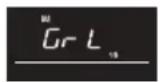
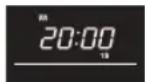
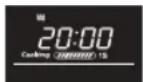
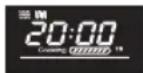
2. MICRO+GRILL COOKING
MICRO+GRILL combines microwave power with the grill. 📄 means to cook by microwave power and grill power alternately.
The combination of microwave power with the grill reduces cooking time and provides a crisp, brown finish.
There are 2 choices for the combination:
COMBINATION 1 (Display: Co-1)
Microwave cooks for 10 sec, while grill cooks for 23 sec, that makes one cycle.
COMBINATION 2 (Display: Co-2)
Microwave cooks for 18 sec, while grill cooks for 15 sec, that makes one cycle.
Example:
To cook for 20 minutes, using MICRO+GRILL with Co-1.
-
Press button once and then "Co-1" "", "1S" will be displayed.
-
Press the "10Min", "1Min", "10Sec" to set up required heating time.
-
Press the START/QUICK START key to start the cooking. (The display will count down through the programmed grilling time.)
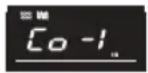
GRILL COOKING/MICRO+GRILL COOKING
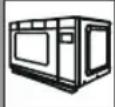
NOTES for GRILL and MICRO+GRILL COOKING:
- It is not necessary to preheat the grill.
- You may detect smoke or a burning smell when using the grill for the first time. This is normal and not a sign that the oven malfunctioned. To avoid this problem when first using the oven, heat the oven without food for 20 minutes on grill.
IMPORTANT: During operation, to allow smoke or smells to disperse open a window or switch the kitchen ventilation on.

WARNING:
The door, outer cabinet, oven cavity and accessories will become very hot during operation. To prevent burns, always use thick oven gloves.
CONVECTION COOKING
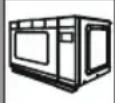
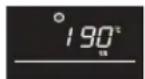
- Convection temperature order 200^ - > 190^ - > 180^ - > 170^ - > 160^ - > 150^ - > 140^ - > 130^ - > 120^ - > 110^ .
1. Convection cooking with preheating program
Example:
To cook for 2 minutes and 30 seconds on 190°C convection temperature.
- Press the
key continu- ally until desired temperature is displayed.

-
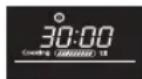
Close the door and press START/QUICK START key to start preheating.
-
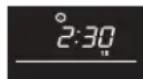
After preheating, open the door and put in the food. Press the "10Min", "1Min", "10Sec" to set up required heating time.
-
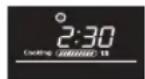
Press the START/QUICK START
key to start cooking. (The display will count down through the programmed cooking time.)
NOTES
- Preheating time can not be chosen. The maximum preheating time is 30 min.
- When the cavity reaches the preset temperature, preheating will stop and an audible signal will sound every two seconds.
- If not open the door within 30min this program will finish and "END" will be displayed.
VECTION COOKING
1. Convection cooking without preheating program
Example:
To cook for 2 minutes and 30 seconds on 190°C convection temperature.
-
Press the 🎨 key continually until desired temperature is displayed.
-
Press the "10Min", "1Min", "10Sec" to set up required heating time.
-
Press the START/QUICK START key to start cooking. (The display will count down through the programmed cooking time.)
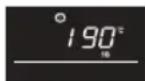
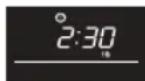
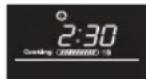
NOTE:
- To check the set temperature during cooking, press the CONVECTION key.
RO+CONVECTION COOKING
Micro+convection temperature order 200°C->170°C->140°C->110°C
Example:
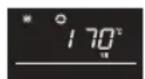
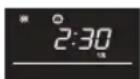
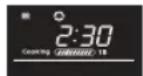
To cook for 2 minutes and 30 seconds on 170°C convection temperature.
-
Press the 📄 key continually until desired temperature is displayed.
-
Press the "10Min", "1Min", "10Sec" to set up required heating time.
-
Press the START/QUICK START key to start cooking. (The display will count down through the programmed cooking time.)
NOTE
• To check the set temperature during cooking, press the MICRO+CONVECTION key.
ER CONVENIENT FUNCTIONS
1. MULTISTAGE COOKING
- Input the first stage cooking program.
- Input the second stage cooking program, then "2S" will be displayed.
- Press the START/QUICK START key to start cooking
NOTE:
• There are 2 stages in total.
- Multistage cooking is only usable for microwave cooking, grill cooking, convection cooking and combination cooking.
2. DELAY TIMER
With this function, you can preset the program and the microwave oven will start to work according to the program automatically later.
- In standby by mode, set your desired cooking program.
OTHER CONVENIENT FUNCTIONS
- Press the key (1) the time of the day will display and the delay timer indicator will illuminate.
- Press the number keys "10Min", "1Min", "1Sec" to set the time when you want to start the program.
- Press the START/QUICK START key, once the clock reach the preset time, the system will start the preset program automatically.
NOTE:
- In delay timer state, press the

key once, the preset cooking time will be diaplay-/CLEAR key to cancel the delay timer function.
- Quick start, time defrost and weight defrost can not use the delay timer function.
3. QUICK START
Direct start
You can directly start cooking on P100 microwave power level for 30 seconds by pressing the START/QUICK START key. The cooking process will start immediately and each time the button is pressed this will increase the cooking time by 30 sec.
NOTE: The cooking time may be extended to a maximum of 10 minutes.
4. CHILD LOCK
Use to prevent unsupervised operation of the oven by children.
a. To set the CHILD LOCK:
In the stand-by mode, press STOP/CLEAR key for 3 seconds. There will be a long beep denoting entering the children-lock state and the 📊 indicator will illuminate together with the current clock time.
b. To cancel the CHILD LOCK:
In the stand-by mode, press STOP/CLEAR key for 3 seconds. There will be a long "beep" denoting that the lock is released.
5. AUTOMATIC PROTECTION MECHANISM
a. The Microwave has a built in protection mechanism against high temp, if E01 is shown on the display the system has entered protection status.
The system will resume into normal standby mode once the faults have been removed and the STOP/CLEAR button has been pressed.
b. Likewise if the system detects a super low temperature fault code E02 will show on the display.
The system will resume into normal standby mode once the faults have been removed and the STOP/CLEAR button has been pressed.
c. In case of a short circuit to the sensor, the oven will enter into protection mode as display shows "E 03" with beeping until STOP/CLEAR is pressed to make the oven back to normal.
d. COOLING FEATURE——The controlling system of the microwave oven has the feature of cooling. As for any cooking mode which cooking time above 2 minutes, after stopping or nishing cooking, the oven fan will work about 3 minutes automatically to cool the oven for prolonging the life of the oven.
IGHT DEFROST FUNCTION
WEIGHT DEFROST
The microwave oven is pre-programmed with a timer and power levels so that foods such as pork, beef and chicken can be easily defrosted.
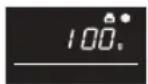
The weight range for this is from 100g – 1800g in 100g steps.
Follow the example below for guidance on how to operate this function.
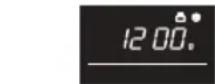
Example: To defrost a meat joint weighing 1.2kg using WEIGHT DEFROST.
Place the meat in a fan dish or alternatively on a microwave oven defrost rack on the glass plate.
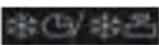
- Press the key twice.
-
Enter the desired weight by pressing the ▽ until the display shows:
-
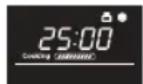
Press the START/QUICK START key to start defrosting. (The display will count down through defrosting time)
NOTE:
- Before freezing foods, ensure food is fresh and of good quality.
- If necessary, shield small areas of meat or poultry with flat pieces of aluminium foil. This will prevent the areas from becoming warm during defrosting. Ensure the foil does not touch the oven walls.
- Food weight should be rounded up to the nearest 100g, for example, 650g to 700g.
• After defrosting for two third of the total time, the system will pause and bleep to remind you to turn the food over to ensure even defrosting.
When this is complete, press START/QUICK START key to resume defrosting.
DEFROST FUNCTION
TIME DEFROST
This function quickly defrosts food while enabling you to choose a suitable defrost period, depending on the food type. Follow the example below for guidance on how to operate this function. The time range is 0:10 - 99:50.
Example: To defrost food for 10 minutes.
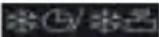
- Press the keyonce.
-
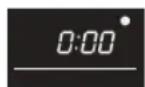
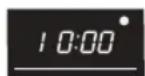
Enter the cooking time by pressing the number keys "10Min", "1Min", "10Sec" until the display shows: 10:00.
-
Press the START/QUICK START key to start defrosting. (The display will count down through defrosting time)
Notes for Time Defrost:
- The preset microwave power level can not be changed.
- Before freezing foods, ensure food is fresh and of good quality.
- If necessary, shield small areas of meat or poultry with flat pieces of aluminium foil. This will prevent the areas from becoming warm during defrosting. Ensure the foil does not touch the oven walls.
• After defrosting for one third of the total time, the system will pause and bleep to remind you to turn the food over to ensure even defrosting.
When this is complete, press START/QUICK START key to resume defrosting.
AUTO MENU FUNCTION
The AUTO MENU programmes automatically calculates the correct cooking mode and cooking time of foods (details on pages GB-24, GB-25). Follow the example below for guidance on how to operate this function.
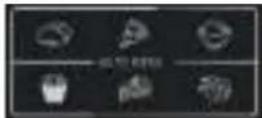
Example: To cook 0.3kg rice using Auto Cook RICE.
-
Press the 📄 key once to select the desired auto menu.
-
Press the 📋 key again and again until the desired weight is displayed.
-
Press the START/QUICK START key to start cooking.

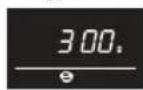
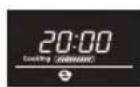
NOTE:
- For additional auto menu programs (auto menu chart on pages GB-24, GB-25), please use
▽ △ to select. Press START/QUICK START and then press ▼ △ to choose the de-
sired weight. Press START/QUICK START to start cooking. - For food weighting more or less than the weights/quantities given in the AUTO MENU chart on pages GB-24, GB-25 cook by manual operation.
AUTO MENU CHART
| AUTO MENU | DISPLAY W | EIGHT/PORTION | COOKING TIME | POWER LEVEL |
| Jacket pota-toes |  | 1 6:00 | P1002 9:00 | |
| 3 13:00 | ||||
| Pizza |  | 150 g 18:00 | Convection 180°C300 g 19 | |
| 450 g 20:00 | ||||
| Rice |  | 150 g 15:00 P100 10:00, P80 5:00 | ||
| 300 g 25:00 P100 20:00, P80 5:00 | ||||
| Oven chips |  | 200 g 27:00 Convection 200°C | ||
| Cake |  | 475 g 45:00 Convection 170°C | ||
| Roast chicken |  | 800g 27:00 | Convection 200°C2/3 times turn over | |
| 1000 g | 30:00 | |||
| 1200 g | 33:00 | |||
| 1400 g | 36:00 | |||
O MENU CHART
| AUTO MENU | DISPLAY W | EIGHT/PORTION | COOKING TIME | POWER LEVEL |
| Auto Reheat | 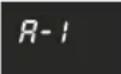 | 200 g 1:30 | P100 | |
| 300 g 2:00 | ||||
| 400 g 2:30 | ||||
| 500 g 3:00 | ||||
| 600 g 3:30 | ||||
| 700 g 4:00 | ||||
| 800 g 4:30 | ||||
| Beverages | 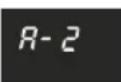 | 1 (200ml) 1:30 | P100 | |
| 2 (400ml) 2:40 | ||||
| 3 (600ml) 3:50 | ||||
| Vegetables | 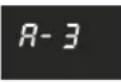 | 200 g 3:00 | P100 | |
| 300 g 4:00 | ||||
| 400 g 5:00 | ||||
| 500 g 6:00 | ||||
| 600 g 7:00 | ||||
| Soup | 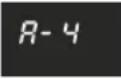 | 1 bowl 2:20 | P100 | |
| 2 bowl 4:00 | ||||
| 3 bowl 5:40 | ||||
| Grilled bacon | 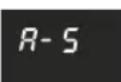 | 100 g 4:30 | Combination 200°C2/3 times turn over | |
| 200 g 6:00 | ||||
| 300 g 7:30 | ||||
| Grilled fish pieces | 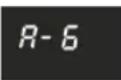 | 200 g 12:00 | Combination 200°C2/3 times turn over | |
| 300 g 15:00 | ||||
| 400 g 18:00 | ||||
| 500 g 21:00 | ||||
| 600 g 24:00 | ||||
| Roast beef/lamb | 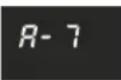 | 200 g 12:00 | Combination 200°C2/3 times turn over | |
| 300 g 15:00 | ||||
| 400 g 18:00 | ||||
| 500 g 21:00 | ||||
| 600 g 24:00 |
Important Information about Microwave Popcorn Feature:
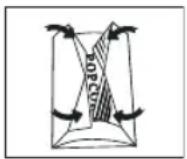
- When selecting 0.1 kg of popcorn, it is suggested that you fold down a triangle on each corner of the bag before cooking. Refer to the picture at right.
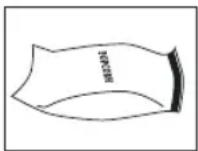
- If/when the popcorn bag expands and no longer rotates properly, please press STOP/CLEAR key once and open the oven door and adjust the bag position to ensure even cooking.
GB-25
SUITABLE OVENWARE
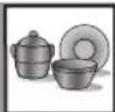
To cook/defrost food in a microwave oven, the microwave energy must be able to pass through the container to penetrate the food.
Therefore it is important to choose suitable cookware.
Round/oval dishes are preferable to square/oblong ones, as the food in the corners tends to overcook. A variety of cookware can be used as listed below.
| Cookware Microwave | Safe | Comments |
| Aluminium foilFoil containers | ✓ / ✗ | Small pieces of aluminium foil can be used to shield food from overheating. Keep foil at least 2cm from the oven walls, as arcing may occur. Foil containers are not recommended unless specified by the manufacturer, e.g. Microfoil®, follow instructions carefully. |
| Browning dishes | ✓ | Always follow the manufacturers instructions. Do not exceed heating time given.Be very careful as these dishes become very hot. |
| China and ceramics | ✓ / ✗ | Porcelain, pottery, glazed earthenware and bone china are usually suitable, except for those with metallic decoration. |
| Glassware e.g. Pyrex® | ✓ | Care should be taken if using fine glassware as it can break or crack if heated suddenly. |
| Metal | ✕ | It is not recommended to use metal cookware as it will arc, which can lead to fire. |
| Plastic/Polystyrene e.g fast food containers | ✓ | Care must be taken as some containers warp, melt or discolour at high temperatures. |
| Cling film | ✓ | It should not touch the food and must be pierced to let the steam escape. |
| Freezer/Roasting bags | ✓ | Must be pierced to let steam escape. Ensure bags are suitable for microwave use. Do not use plastic or metal ties, as they may melt or catch fire due to the metal ‘arcing’. |
| Paper - plates, cups and kitchen paper | ✓ | Only use for warming or to absorb moisture. Care must be taken as overheating may cause fire. |
| Straw and wooden containers | ✓ | Always attend the oven when using these materials as overheating may cause fire. |
| Recycled paper and newspaper | ✕ | May contain extracts of metal which will cause ‘arcing’ and may lead to fire. |
WARNING:
When heating food in plastic or paper containers, monitor the oven due to the possibility of ignition.
E AND CLEANING
CAUTION: DO NOT USE COMMERCIAL OVEN CLEANERS, STEAM CLEANERS, ABRASIVE, HARSH CLEANERS, ANY THAT CONTAIN SODIUM HYDROXIDE OR SCOURING PADS ON ANY PART OF YOUR MICROWAVE OVEN.
CLEAN THE OVEN AT REGULAR INTERVALS AND REMOVE ANY FOOD DEPOSITS - Keep the oven clean, or the oven could lead to a deterioration of the surface. This could adversely affect the life of the appliance and possibly result in a hazardous situation.
Oven exterior
The outside of your oven can be cleaned easily with mild soap and water. Make sure the soap is wiped off with a moist cloth, and dry the exterior with a soft towel.
Control panel
Open the door before cleaning to de-activate the control panel.
Care should be taken in cleaning the control panel. Use a cloth damp with water only, gently wipe the panel until it becomes clean. Avoid using excessive amounts of water. Do not use any sort of chemical or abrasive cleaner.
Oven Interior
-
For cleaning, wipe any splatters or spills with a soft damp cloth or sponge after each use while the oven is still warm. For heavier spills, use a mild soap and wipe several times with a damp cloth until all residues are removed. Do not remove the waveguide cover.
-
Make sure that mild soap or water does not penetrate the small vents in the walls which may cause damage to the oven.
-
Do not use spray cleaners on the oven interior. Keep the waveguide cover clean at all times.
The waveguide cover is constructed from a fragile material and should be cleaned with care (follow the cleaning instructions above).
NOTE: Excessive soaking may cause disintegration of the waveguide cover.
The waveguide cover is a consumable part and without regular cleaning, will need to be replaced.
Door
To remove all traces of dirt, regularly clean both sides of the door, the door seals and adjacent parts with a soft, damp cloth. Do not use harsh abrasive cleaners or sharp metal scrapers to clean the glass oven door since they can scratch the surface, which may result in shattering of the glass.
NOTE: A steam cleaner should not be used.
Glass flat tray
To remove all traces of dirt, regularly clean the glass flat tray with a soft, damp cloth while the glass flat tray is not so hot. For heavier spills, use a mild soap and wipe several times with a damp cloth until all residues are removed. Do not use harsh abrasive cleaners or sharp metal scrapers to clean the glass flat tray.
Cleaning tip - For easier cleaning of your oven:
Place half a lemon in a bowl, add 300ml (1/2 pint) water and heat on 100% for 10 - 12 minutes.
Wipe the oven clean using a soft, dry cloth.
TROUBLESHOOTING
If you think the oven is not working properly there are some simple checks you can carry out yourself before calling an engineer. This will help prevent unnecessary service calls if the fault is something simple.
Follow this simple check below:
Place half a cup of water on the glass tray and close the door.
Programme the oven to cook for 1 minute using 100% microwave power.
- Does the oven lamp come on when it is cooking?
- Does the microwave stirrer rotate?
- Does the cooling fan work? (Check by placing your hand above the air vent openings.)
- After 1 minute does the audible signal sound?
- Is the water in the cup hot?
If you answer "NO" to any question first check that the oven is plugged in properly and the fuse has not blown. If there is no fault with either, check against the troubleshooting chart below.
WARNING: Never adjust, repair or modify the oven yourself. It is hazardous for anyone other than SHARP trained engineer to carry out servicing or repairs. This is important as it may involve the removal of covers that provide protection against microwave energy.
- The door seal stops microwave leakage during oven operation, but does not form an air-tight seal. It is normal to see drops of water, light or feel warm air around the oven door. Food with a high moisture content will release steam and cause condensation inside the door which may drip from the oven.
- Repairs and Modifications: Do not attempt to operate the oven if it is not working properly.
- Outer Cabinet & Lamp Access: Never remove the outer cabinet. This is very dangerous due to high voltage parts inside which must never be touched, as this could be fatal. Your oven is not fitted with a lamp access cover. If the lamp fails, do not attempt to replace the lamp yourself, call a SHARP approved service facility.
- Cool down function: If the Microwave is set for 2 mins or longer (in any mode) once the program ends it will enter into a 3 min cool down where the fan only will remain on. This is not a fault and it is not still cooking, the fan will stop after 3 minutes.
TROUBLESHOOTING
TROUBLESHOOTING CHART
| QUERY ANSWER | |
| Draught circulates around the door. | When the oven is working, air circulates within the cavity.The door does not form an airtight seal so air may escape from the door. |
| Condensation forms in the oven, and may drip from the door. | The oven cavity will normally be colder than the food being cooked, and so steam produced when cooking will condense on the colder surface. The amount of steam produced depends on the water content of the food being cooked. Some foods, such as potatoes have a high moisture content. Condensation trapped in the door glass should clear after a few hours. |
| Flashing or arcing from within the cavity when cooking. | Arcing will occur when a metallic object comes into close proximity to the oven cavity during cooking.This may possibly roughen the surface of the cavity, but would not otherwise damage the oven. |
| Arcing potatoes. Ensure all „eyes“ are removed from the potatoes and that they have been pierced, place directly onto the glass tray or in a heat resistant flan dish or similar. | |
| The display is lit but the control panel will not work when pressed. | Check the door is closed properly. |
| Oven cooks too slowly. Ensure correct power level has been selected. | |
| Oven makes a noise. The microwave energy pulses ON and OFF during cooking/defrosting. | |
| Outer cabinet is hot. The cabinet may become warm to the touch - keep children away. | |
SPECIFICATIONS

| Model name: R-861 | |
| AC Line Voltage : 230-240V, 50Hz single phaseAC Power required: Microwave : 1400WOutput power: Microwave : 900W (IEC 60705)Off Mode (Energy Save Mode) : less than 1.0WMicrowave Frequency : 2450MHz*(Group 2/Class B)Outside Dimensions (W ) x (H) x (D)** mm : 504 x 303 x 497Cavity Dimensions (W ) x (H) x (D)*** mm : 340 x 197 x 338Oven Capacity : 25 litres***Glass flat tray (W ) x (D) mm : 291 x 291Weight : approx. 17.7kgOven lamp | : 20W/230V~ |
* This product fulfils the requirement of the European standard EN55011. In conformity with this standard, this product is classified as group 2 class B equipment.
Group 2 means that the equipment intentionally generates radio-frequency energy in the form of electromagnetic radiation for the heat treatment of food.
Class B equipment means that the equipment is suitable to be used in domestic establishments.
** The depth does not include the door opening handle.
*** Internal capacity is calculated by measuring maximum width, depth and height. Actual capacity for holding food is less.
AS PART OF A POLICY OF CONTINUOUS IMPROVEMENT, WE RESERVE THE RIGHT TO ALTER DESIGN AND SPECIFICATIONS WITHOUT NOTICE.






CALLING FOR SERVICE
KUNDEN-SERVICE • ONDERHOUDSADRESSEN • ADRESSES DES SAV • CENTRI DI ASSISTENZA • DIRECCIONES DE SERVICIO
www.sharphomeappliances.com
SHARP
Vestel UK
London, United Kingdom
www.sharphomeappliances.com/support

- R-861
- GERÄT
- ZUBEHÖR:
- BEDIENFELD
- HORNO
- ACCESORIOS:
- PANEL DE CONTROL
- PANTALLA DIGITAL e INDICADORES
- COMMENT VOTRE FOUR FONCTIONNE
- FOUR
- ACCESSOIRES :
- INSTRUCTIONS IMPORTANTES DE SÉCURITÉ
- VEUILLEZ LES LIRE ATTENTIVEMENT ET LES CONSER- VER POUR TOUTE RÉFÉRENCE ULTÉRIEURE
- FONCTIONNEMENT MANUEL
- SON AU GRIL / MICRO+GRIL
- CUISSON AU GRIL UNIQUEMENT
- FORNO
- ACCESSORI:
- PANNELLO DI CONTROLLO
- DISPLAY DIGITALE e INDICATORI
- HOE UW OVEN WERKT
- OVEN
- TOEBEHOREN:
- BEDIENINGSPANEEEL
- DIGITALE DISPLAY en SYMBOLEN
- 2.AUTOMENU-SYMBOLEN
- BELANGRIJKE VEILIGHEIDSMAATREGELEN
- ZORGVULDIG LEZEN EN BEWAREN VOOR TOEKOMSTIG GEBRUIK.
- WAARSCHUWING: DEZE STEKKER DIENT GE-AARD TE ZIJN.
- VOOR INGEBRUIKNAME
- ERE HANDIGE FUNCTIONS
- IN FASEN KOKEN
- UGN
- TILLBEHÖR:
- KONTROLLPANEL
- OVN
- TILBEH∅R:
- BETJENINGSPANEL
- MANUEL TILBEREDNING/MANUEL OPTÖNING
- OVNEN
- Indikator for AUTOMENYER
- 3.NUMMER-taster
- VIKTIGE SIKKERHETSINSTRUKSJONER
- LES N∅YE OG BEHOLD FOR FREMTIDIG REFERANSER
- KJ∅KKENTIDSUR-FUNKSJON
- MANUELL TILBEREDNING / MANUELL TINING
- TILBEREDNING MED VARMLUFT
- EREDNING MED VARMLUFT
- MITEN UUNI TOIMII
- UUNI
- LISÄVARUSTEET:
- SÄÄTÖPANEELI
- MIKROAALLOILLA KYPSENNYS
- MANUAALINEN KYPSENNYS/ MANUAALINEN SULATUS
- ROAALLOILLA KYPSENNYS
- LIKYPSENNYS/MIKRO+GRILLI-TOIMINTO
- KYPSENNYS VAIN GRILLILLÄ
- GRILLIKYPSENNYS/MIKRO+GRILLI-TOIMINTO
- GRILLI- ja MIKRO+GRILLI -TOIMINTOJA KOSKEVIA HUOMAUTUKSIA:
- MONIVAIHEINEN KYPSENNYS
- MUUT HELPOT TOIMINNOT
- Information on Disposal for Users (private households)
- In the European Union
- In other Countries outside the EU
- Information on Disposal for Business Users
- CONTENTS
- Operation manual
- HOW YOUR OVEN WORKS
- NOTE:
- OVEN AND ACCESSORIES
- ACCESSORIES:
- Never touch the grill when it is hot.
- NTROL PANEL
- DIGITAL DISPLAY and INDICATORS
- AUTO MENUS INDICATORS
- 3.NUMBERkeys
- IMPORTANT SAFETY INSTRUCTIONS
- READ CAREFULLY AND KEEP FOR FUTURE REFERENCE
- To avoid the danger of fire:
- or cooking times that are too long, may overheat foods resulting in a fire.
- To avoid the possibility of injury
- WARNING:
- To avoid the possibility of electric shock
- To avoid the possibility of explosion and sudden boiling:
- Never heat liquids in narrow necked containers such as baby bottles, as this may result in the contents erupting from the container when heated and cause burns.
- To avoid the possibility of burns
- To avoid misuse by children
- Other warnings
- To promote trouble free use of your oven and avoid damage:
- BUILT-IN KIT
- INSTALLATION
- ELECTRICAL CONNECTION
- BEFORE OPERATION
- SETTING THE CLOCK
- NOTES:
- KITCHEN TIMER FUNCTION
- Example:
- MANUAL OPERATION
- Opening the door:
- Starting the oven:
- MICROWAVE COOKING
- MANUAL COOKING/MANUAL DEFROSTING
- ROWAVE COOKING
- L COOKING/MICRO+GRILL COOKING
- GRILL ONLY COOKING
- MICRO+GRILL COOKING
- COMBINATION 1 (Display: Co-1)
- COMBINATION 2 (Display: Co-2)
- GRILL COOKING/MICRO+GRILL COOKING
- NOTES for GRILL and MICRO+GRILL COOKING:
- WARNING:
- CONVECTION COOKING
- Convection cooking with preheating program
- NOTES
- VECTION COOKING
- Convection cooking without preheating program
- RO+CONVECTION COOKING
- NOTE
- ER CONVENIENT FUNCTIONS
- MULTISTAGE COOKING
- DELAY TIMER
- OTHER CONVENIENT FUNCTIONS
- QUICK START
- Direct start
- CHILD LOCK
- AUTOMATIC PROTECTION MECHANISM
- IGHT DEFROST FUNCTION
- WEIGHT DEFROST
- DEFROST FUNCTION
- TIME DEFROST
- Notes for Time Defrost:
- AUTO MENU FUNCTION
- AUTO MENU CHART
- O MENU CHART
- Important Information about Microwave Popcorn Feature:
- SUITABLE OVENWARE
- E AND CLEANING
- Oven exterior
- Control panel
- Oven Interior
- Door
- Glass flat tray
- Cleaning tip - For easier cleaning of your oven:
- TROUBLESHOOTING
- SPECIFICATIONS
- CALLING FOR SERVICE
- KUNDEN-SERVICE • ONDERHOUDSADRESSEN • ADRESSES DES SAV • CENTRI DI ASSISTENZA • DIRECCIONES DE SERVICIO
- SHARP
Brand : SHARP
Model : R861SLM
Category : Microwaves