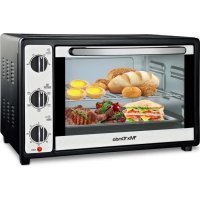
MXHC2183 - Oven Mx Onda - Free user manual and instructions
Find the device manual for free MXHC2183 Mx Onda in PDF.

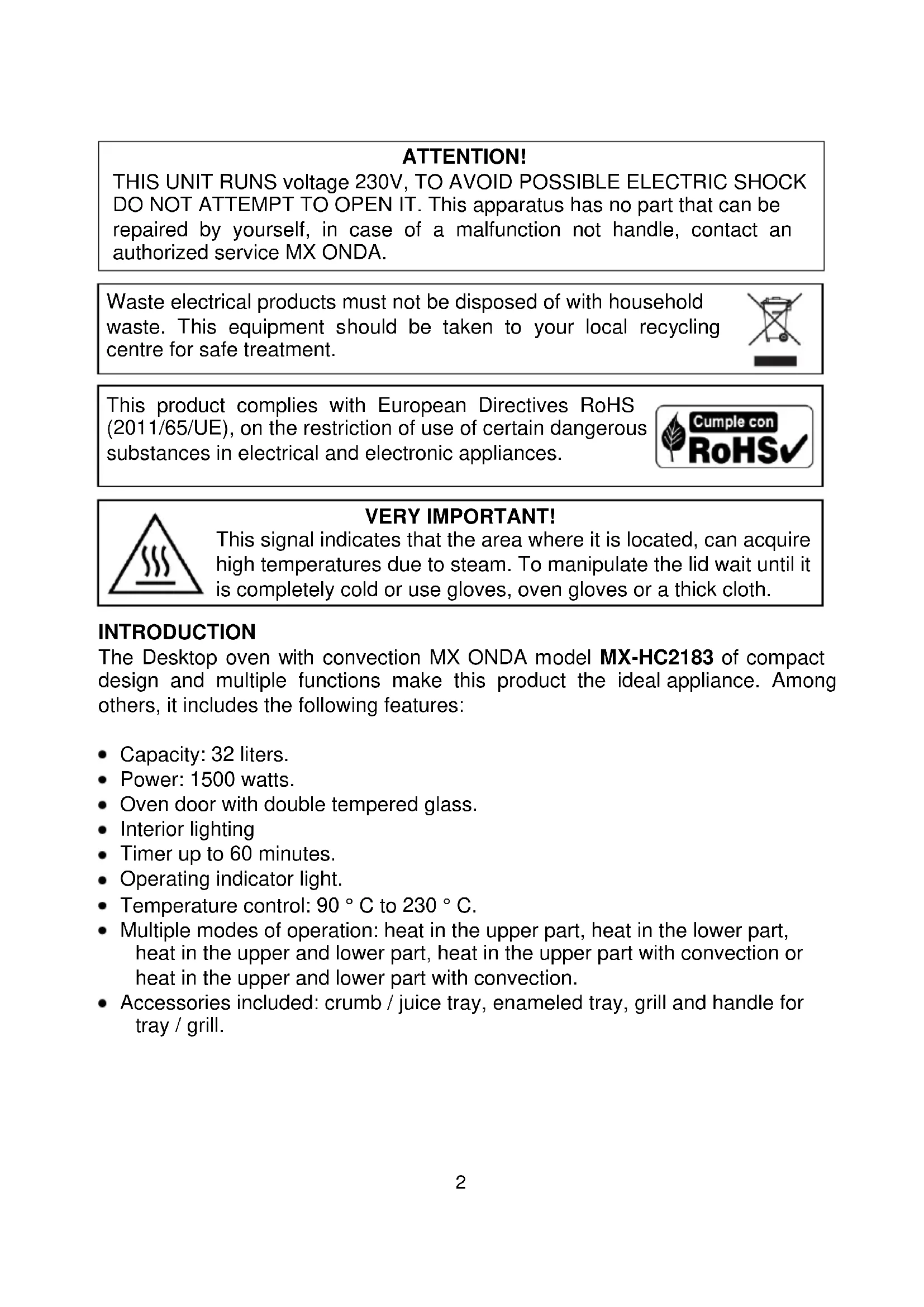


| Product Type | Countertop Oven with Convection |
| Brand | Mx Onda |
| Model | MXHC2183 |
| Capacity | 32 liters |
| Power | 1500 W |
| Power Supply | 230 V ~ 50 Hz |
| Temperature Range | 90 °C to 230 °C |
| Timer | Up to 60 minutes with audible signal |
| Door | Double tempered glass |
| External dimensions (W x D x H) | 510 x 385 x 325 mm |
| Cavity dimensions (W x D x H) | 370 x 320 x 270 mm |
| Net weight | 7.1 kg (without accessories) |
| Cooking modes | Top heat, bottom heat, top+bottom heat, top heat+convection, top+bottom heat+convection |
| Included accessories | Crumb/juice tray, enamel tray, grill, tray/grill handle |
| Interior lighting | Yes |
| Power indicator light | Yes |
| Cavity material | Enameled steel |
| Cleaning | Exterior: damp cloth; accessories: dishwasher; interior: specific oven cleaner, avoid abrasives |
| Safety | Grounding required; hot surfaces; do not open housing; use oven mitts |
| Repairability | No user-serviceable parts; contact an authorized MX ONDA service center |
| Certifications | CE, RoHS (2011/65/EU) |
| Warranty | Manufacturer warranty according to terms (not specified) |
Frequently Asked Questions - MXHC2183 Mx Onda
User questions about MXHC2183 Mx Onda
0 question about this device. Answer the ones you know or ask your own.
Ask a new question about this device
Download the instructions for your Oven in PDF format for free! Find your manual MXHC2183 - Mx Onda and take your electronic device back in hand. On this page are published all the documents necessary for the use of your device. MXHC2183 by Mx Onda.
USER MANUAL MXHC2183 Mx Onda
natural_image
Black-and-white photo of a MxOnda microwave oven with open display showing various food items including bread, mushrooms, and grilled fish (no visible text or symbols on main subject)CE
ANTES DE SU USO LEA ATENTAMENTE ESTE MANUAL
¡ATENCIÓN!
natural_image
Diagram of a room interior with directional arrows and up/down arrows indicating movement or flow (no text or symbols)MANUAL DE INSTRUÇÕES
Mx Onda
natural_image
Black-and-white photo of a MxOnda microwave oven with open display showing various food items including bread, mushrooms, and grilled fish (no visible text or symbols on main subject)CE
ANTES DE UTILIZAR LEIA ESTE MANUAL CUIDADOSAMENTE
ATENÇÃO
natural_image
Diagram of a mechanical or electrical component with directional arrows and grid patterns (no text or symbols)MANUEL D'INSTRUCTIONS
Mx Onda
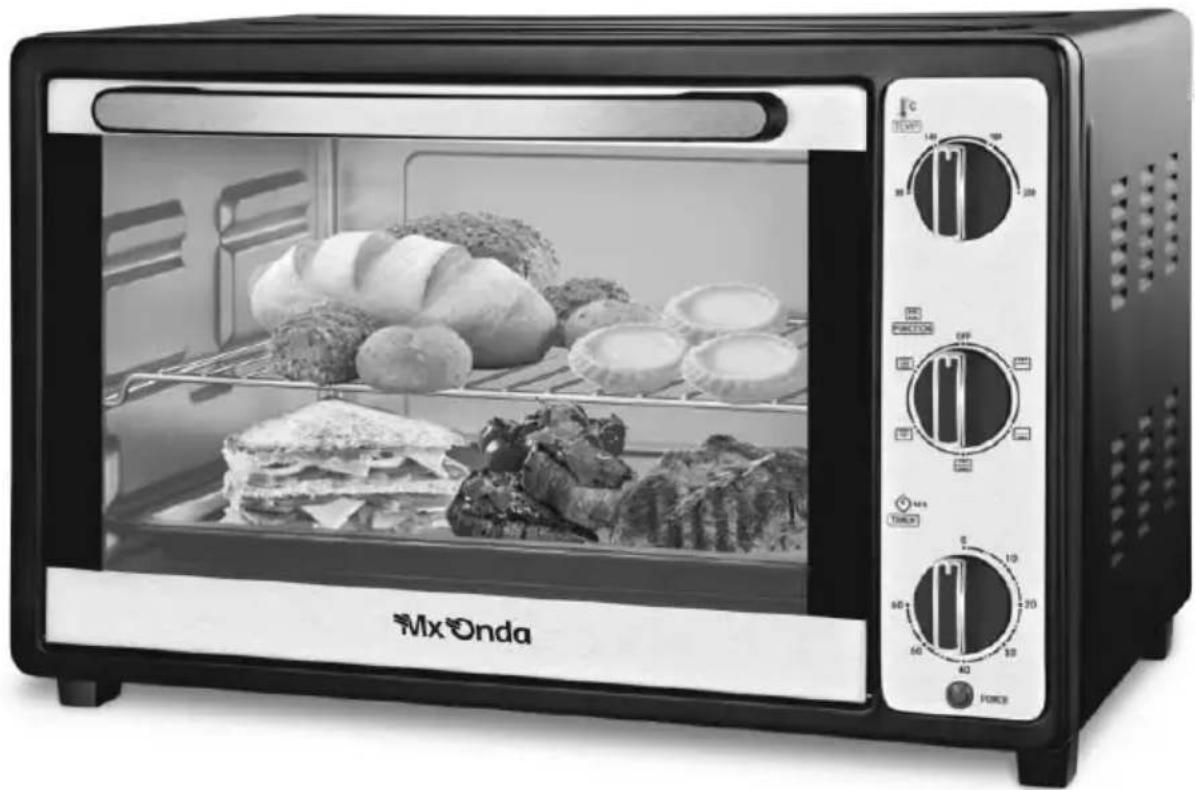
FOUR CONVECTION SUR TABLE
MODÉLE: MX-HC2183
natural_image
Black-and-white photo of a MxOnda microwave oven with open display showing various food items including bread, mushrooms, and grilled fish (no visible text or symbols on main subject)CE
AVANT D'UTILISER CE MANUEL DE LIRE ATTENTIVEMENT
ATTENTION
natural_image
Diagram of airflow or heat transfer through a storage tank with multiple upward and downward arrows indicating movement (no text or labels)natural_image
Black-and-white photo of a MxOnda microwave oven with open display showing various food items including bread, mushrooms, and grilled fish (no visible text or symbols on main subject)CE
PRIMA DI UTILIZZARE IL MANUALE DI LEGGERE ATTENTAMENTE
ATTENZIONE
natural_image
Diagram of airflow patterns inside a storage unit with multiple directional arrows indicating movement (no text or labels)natural_image
Exterior view of a MxOnda microwave oven with open grating and food items (no visible text or symbols on main subject)CE
VOR GEBRAUCH SORGFÄLTIG LESEN SIE DIESE
ACHTUNG
natural_image
Diagram of a mechanical or electrical component with directional arrows and symbols, no readable text or labels present.natural_image
Black-and-white photo of a MxOnda 10-wheat microwave oven with open display showing various food items (breads, bread, and instant noodles) and control knobs (no visible text or symbols on main subject)CE
PLEASE READ THIS MANUAL BEFORE OPERATION
ATTENTION!
THIS UNIT RUNS voltage 230V, TO AVOID POSSIBLE ELECTRIC SHOCK DO NOT ATTEMPT TO OPEN IT. This apparatus has no part that can be repaired by yourself, in case of a malfunction not handle, contact an authorized service MX ONDA.
Waste electrical products must not be disposed of with household waste. This equipment should be taken to your local recycling centre for safe treatment.
This product complies with European Directives RoHS (2011/65/UE), on the restriction of use of certain dangerous substances in electrical and electronic appliances.
VERY IMPORTANT!
This signal indicates that the area where it is located, can acquire high temperatures due to steam. To manipulate the lid wait until it is completely cold or use gloves, oven gloves or a thick cloth.
INTRODUCTION
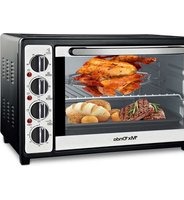
The Desktop oven with convection MX ONDA model MX-HC2183 of compact design and multiple functions make this product the ideal appliance. Among others, it includes the following features:
• Capacity: 32 liters.
• Power: 1500 watts.
- Oven door with double tempered glass.
- Interior lighting
- Timer up to 60 minutes.
- Operating indicator light.
• Temperature control: 90 °C to 230 °C.
- Multiple modes of operation: heat in the upper part, heat in the lower part, heat in the upper and lower part, heat in the upper part with convection or heat in the upper and lower part with convection.
- Accessories included: crumb / juice tray, enameled tray, grill and handle for tray / grill.
BEFORE CONNECTING THE APPLIANCE
- Read these instructions and save them for later use carefully.
- Before using the oven for the first time, you should wash the accessories included (tray, grill, etc.) with soapy water or in the dishwasher.
- In order to remove traces of oil from the manufacture must put the oven in operation for 15 minutes in the oven mode (heat at the top and bottom) and the maximum temperature.
- The first few times you use the oven may peel off some smell, this is normal and not a malfunction.
- Check that the voltage of your outlet is 220-240 V and is provided grounding.
- The electrical safety of this appliance is only guaranteed if it is connected to an outlet with a efficient earth, as envisaged safety regulations in force.
- The manufacturer is not liable for damage caused by the lack of grounding in the installation. If in doubt, consult a professional.
- If you need to use an extension cord, use only an extension cord that is in good condition with grounded plug and is suitable for the power of the appliance.
- Do not leave the power cord below the oven, which comes into contact with hot surfaces and do not fit in the door hinges or the area because you risk damaging or cutting the insulating sheath of the cable network.
- After removing the packaging, check that the appliance is not damaged. If in doubt do not use it and contact the technical support staff.
- Keep out of reach of children packaging (bags, polystyrene, etc.) because they are a potential source of danger.
- The manufacturer declines any liability for damages resulting from improper, incorrect or careless use of the appliance.
SECURITY MEASURES
• Children should not play with this device.
- Cleaning and maintenance by the user can not be done by children unless they are older than 8 years and are supervised.
- This device can not be used by children (under the age of 8 years) or persons with or without experience and knowledge reduced physical, sensory or mental capabilities, unless they have received appropriate on using the appliance instructions and be supervised by an adult.
- Failure to follow these warnings and safety instructions could result as a result burns or injury.
- This appliance is designed only for domestic use, not professional. MX ONDA not accept any responsibility and the guarantee will not apply in case of misuse or failure to follow instructions.
- Do not walk away when preparing foods with excess fat or oil. These materials can catch fire if it overheats.
- To reduce the risk of fire, electric shock or personal injury, do not block or insert objects into the ventilation slots.
- Keep out of reach of children, the oven surfaces and containers, can reach high temperatures.
- If you see smoke or fire in the oven, keep the door closed to smother the flames and unplug it from the mains.
- This oven is designed for indoor use do not use outdoors. Avoid exposure to rain, moisture or other atmospheric phenomena.
- DO NOT store flammable materials inside the oven. Catch fire risk if you turn the oven without prior removal. Use the device only for the purpose it was developed.
- Always use oven mitts or handles (supplied) when handling trays or containers.
- Unplug the oven when they go unused for a long period of time, when a power outage occurs, or "skip" a fuse or circuit or during the cleaning process.
- Make sure the outlet where the device is connected is easily accessible. To disconnect the oven from the mains pull the plug from the socket. you do never pull on the cable.
- Do not use not recommended by the manufacturer utensils.
- Do not place the oven above kitchens, or microwave ovens.
- Use extreme caution when handling trays, racks or containers, when they are still hot.
- DO NOT cover the heating rods with aluminum foil, this would increase the heat build and modify cooking times.
- Use specific containers for ovens; metal, tempered glass, clay, etc. NEVER use plastic containers, paper, cardboard, etc.
- The outer surface of the furnace becomes high temperatures, therefore, to avoid burns do not touch these surfaces when the oven is in operation and no objects plastic, cardboard or flammable near the oven.
- When the oven door is open Do not lean on it and do not place objects on it.
- In case of failure, anomalies, if the oven has fallen, yes tempered glass door is damaged, the plug, the cord or other parts show deterioration unplug the appliance and do not attempt to repair it yourself. Contact our Customer Service nearest MX ONDA.
INSTALLATION
- Place the oven on a stable, level surface, away from hot areas with high humidity or near flammable materials (oil, curtains, cloths, etc.).
- To ensure proper ventilation, leave at least 10 cm apart on each side of the oven and 30 cm at the top. DO NOT obstruct the ventilation slots.
- Fully unroll the cord and plug the appliance plug into the mains.
CONTROLS AND ELEMENTS
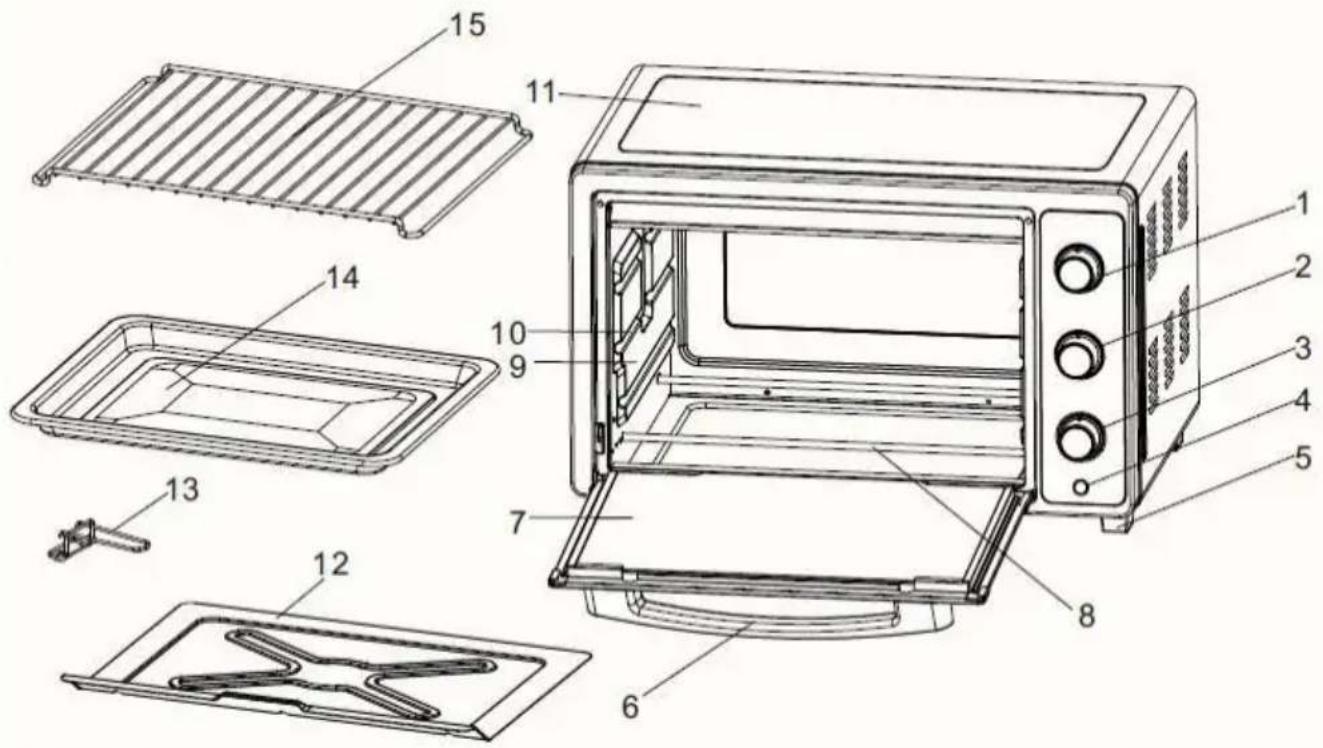
- Temperature selector
- Function selector
- timer
- Operation indicator
- Anti-slip feet
- Door handle
- Door with double tempered glass
-
Heating rods
-
Interior side wall of the oven
- Tray support slots
- Oven casing
- Crumbs / juices tray
- Handle for tray and grill
- Glazed tray
- Grill
Temperature selector
Choose between a temperature range of 90 to 230 °C, depending on the food to be cooked. Turn this control in the sense clockwise to increase the temperature and counterclockwise to decrease the temperature.
Note:
The oven takes time to reach the set temperature, so it is recommended "preheat" the oven before introducing the food.
Timer
Turning the timer control in the clockwise direction, the oven will operate, the operation indicator lights up and the will activate and start the countdown from the set time. After the time an audible indication and switch off the oven.
Note:
Anytime you can increase or decrease the timer, simply turn it to the left or right to decrease or increase the time respectively.
Function selector
The selector has 6 positions, which are indicated in the following table together with the function they perform:
| POSITION | SYMBOL | FUNCTION PERFORMING THE OVEN |
| 1 | OFF | Sleep mode or off |
| 2 |  | Heat on top |
| 3 |  | Heat at the bottom |
| 4 |  | Heat at the top and bottom |
| 5 |  | Heat on the top + convection |
| 6 |  | Heat at the top and bottom + convection |
Operating indicator and interior light
When the timer is counting down (a time has been selected), the operation indicator as well as the interior light will illuminate to warn that the oven timer is running.
TIPS
- Before entering the food we recommend to preheat the oven.
- Use containers suitable for ovens (resistant to high temperatures).
- The time required for the cooking depends on the size and quality thereof.
- Try not to open the oven door as little as possible, use the window of the oven door to check the process. It will save time and energy.
- The system convection distributes heat inside the furnace and the temperature of food by accelerating the cooking process. Until you become familiar with the system by convection, not neglect the process, it may happen that the cooking time decreases.
- You should also leave a space of at least 3 cm between the container and the walls of the oven, to allow hot air flow.
- The weight of food deposited on the grill or in the enamel tray should not exceed approximately 2 kg.
- Distribute food throughout the area of the grill tray or enamel to obtain a uniform cooking.
- If the parts are medium in size, half the process should turn them over and get a homogeneous result.
ACCESSORIES
Depending on the food to cook, you must use the appropriate accessory:
Crumb tray / juices
This tray is always placed you are using the oven, your mission is only to prevent the oven floor is dirty. Once you have done cooking and when the oven is cold, remove the tray and clean the debris.
Grill
Use this accessory for roasting, baking or cooking in suitable containers for furnaces (glass or clay pans, pastry molds, etc.).
In roasts and casseroles it is recommended in conjunction with enamelled tray to collect juice spills and grease.
Enameled tray
For moist cakes and roasts. You can use to recover the juices or fat when making casseroles on the grill.
MODES OF OPERATION
Use one of the following operating modes described, depending on the type of food to be cooked, depending on their experience and the recipe chosen.
Sleep mode or off
When you do not use the oven, you must place the controls in the off position, to do this turn the function selector to the OFF position, the timer must be in position 0.
Operation in conventional mode
In conventional mode, the system by convection (hot air) remains deactivated.
Mode of use
- Use the function selector (FUNCTION) to select the type of heat desired: position 2 heat at the top (☐), position 3 heat at the bottom (☐) or position 4 heat at the top and bottom (☐).
- Preheat the oven to the temperature specified in the recipe.
- Put the food in the enameled tray or on the grill if you use a container with the food.
- Then select the desired temperature or the one specified in the recipe.
• Using the timer, choose the corresponding cooking time.
- 5 or 10 minutes before the end of the selected time check that it is cooking correctly.
- To test the food before removing it from the oven, use the handle provided for the tray or grill. The handle will help you get the food out or put it in the oven.
- Once the preparation is complete, place the oven controls in the standby or off mode.
Operation by convection
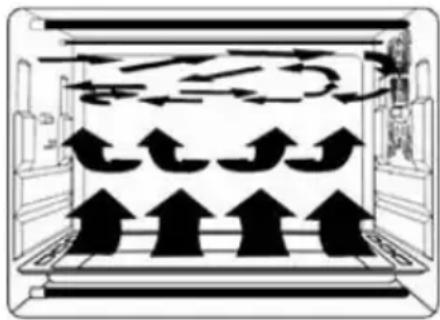
In the convection mode, a flow of hot air is generated inside the oven, distributing the heat evenly in the food and accelerating the cooking process.
Until you become familiar with the system by convection do not neglect the process, it may happen that the cooking time decreases.
natural_image
Diagram of airflow patterns inside a storage unit with directional arrows indicating movement (no text or labels)You should also leave a space of at least 3 cm between the container and the walls of the oven, to allow the flow of hot air.
Mode of use
- Use the function selector (FUNCTION) to select the desired heat type: position 5 heat at the top (☐) or position 6 heat at the top and bottom (☐).
- Preheat the oven to the temperature specified in the recipe.
- Put the food in the enameled tray or on the grill if you use a container with the food.
- Then select the desired temperature or the one specified in the recipe.
- Using the timer, choose the corresponding cooking time.
- 5 or 10 minutes before the end of the selected time check that it is cooking correctly.
- To test the food before removing it from the oven, use the handle provided for the tray or grill. The handle will help you get the food out or put it in the oven.
- Once the preparation is complete, place the oven controls in the standby or off mode.
Note:
Cooking times are based on foods found to refrigerator temperature. Meat or frozen food should be cooked for a longer period of time. Therefore, it is advisable to use a meat thermometer.
MAINTENANCE AND CLEANING
Before cleaning disconnect the unit from the mains. And be sure the oven is completely cold.
Do not use alcohol or abrasive products and not allow the appliance to contact volatile agents such as gasoline, solvents, insecticides, etc.
Cleaning the outside of the oven
- Clean the outside with a damp cloth and then with a dry one.
- Avoid water from the vents.
- Hold the door on both sides and the seals always clean. Clean these parts with a damp cloth with warm water and soap. Then dry them carefully.
Cleaning of the accessories
- Clean the accessories after each use with a grease product.
- You can also wash the accessories in the dishwasher.
Cleaning inside the oven
- Do not use metal scouring pads that may scratch the surfaces, use specific cleaning products for ovens. For stubborn stains, wipe them after preheating to 90 °C for 30 seconds.
- Some juices and grease stains, crumb tray / juices aluminum, which are not cleaned with cleaning products. Use the enamel tray in order to prevent juices and fats falling into crumb tray / juices.
- For cleaning of resistance at the top and bottom of the oven, use a cloth soaked in soapy water and make cleaning with longitudinal movements.
TECHNICAL SPECIFICATIONS
Operating voltage 230 V \~ 50 Hz
Power consumption 1500 W
Oven capacity 32 liters
Temperature range 90 to 230 °C
Timer control 60 minutes
Oven door Double tempered glass
External dimension 510 x 385 x 325 mm (l, a, h)
Oven cavity dimension 370 x 320 x 270 mm (l, a, h)
Approximate weight 7.1 Kg (Without accessories)
Specifications subject to change without notice.
This product complies with the European Directives 2004/108/EC (EMC – Electromagnetic Compatibility) and the 2006/95/EC (LVD – Low Voltage Directive) relative to Low Tension Security.
"MX, MX ONDA" and its logos are trademarks of MX ONDA, S.A.
Telephone of information and Technical Service: +34 902 551 501
MX ONDA, S.A.
Isla de Java, 37
28034 - MADRID (SPAIN)

natural_image
Icon of a person reading a book inside a circle (no text or symbols)E-MAIL: mxsat@mxonda.es http://www.mxonda.es


- ¡ATENCIÓN!
- MANUAL DE INSTRUÇÕES
- Mx Onda
- ATENÇÃO
- MANUEL D'INSTRUCTIONS
- FOUR CONVECTION SUR TABLE
- ATTENTION
- ATTENZIONE
- ACHTUNG
- ATTENTION!
- VERY IMPORTANT!
- INTRODUCTION
- BEFORE CONNECTING THE APPLIANCE
- SECURITY MEASURES
- INSTALLATION
- CONTROLS AND ELEMENTS
- Temperature selector
- Note:
- Timer
- Function selector
- Operating indicator and interior light
- TIPS
- ACCESSORIES
- Crumb tray / juices
- Grill
- Enameled tray
- MODES OF OPERATION
- Sleep mode or off
- Operation in conventional mode
- Mode of use
- Operation by convection
- MAINTENANCE AND CLEANING
- Cleaning the outside of the oven
- Cleaning of the accessories
- Cleaning inside the oven
- TECHNICAL SPECIFICATIONS
Brand : Mx Onda
Model : MXHC2183
Category : Oven