MX-HC2604 - Oven Mx Onda - Free user manual and instructions
Find the device manual for free MX-HC2604 Mx Onda in PDF.


Pick your language and provide your email: we'll send you a specifically translated version.
| Brand | Mx Onda |
| Model | MX-HC2604 |
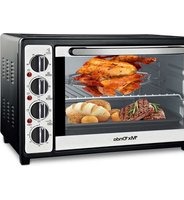
| Product Type | Combination Microwave Oven with Grill and Convection |
| Capacity | 26 Litres |
| Microwave Power | 900 W |
| Grill Power | 1000 W |
| Convection Power | 1800 W |
| Power Supply | 220-240 V ~ 50 Hz |
| Control Type | Digital push-button and rotary knobs |
| Display | LED digital display |
| Cooking Functions | Microwave, grill, convection, combination modes |
| Automatic Menus | 8 preset recipes |
| Turntable Diameter | 27 cm |
| Interior Light | Yes |
| Safety Features | Child lock, door interlock, overheat protection |
| Interior Finish | Easy-clean enamel |
| Accessories Included | Glass turntable, grill rack, user manual |
| Dimensions (W x D x H) | 512 x 392 x 305 mm |
| Net Weight | 16.2 kg |
| Repairability | Designed for easy access to spare parts |
Frequently Asked Questions - MX-HC2604 Mx Onda
How do I set the clock on the MX-HC2604?
To set the clock, press the Clock button and use the rotary knob to adjust the hour, then press Clock again to set minutes. Finally, press Start to confirm. The time will appear on the display in 24-hour format.
Can I use metal containers in the microwave?
No, do not use metal containers or aluminium foil in microwave mode, as they can cause sparks and damage the appliance. Only use microwave-safe glass, ceramic, or plastic dishes.
How do I clean the interior of the oven?
Clean the interior with a soft cloth dampened in warm soapy water. Do not use abrasive cleaners or scouring pads. The easy-clean enamel surface wipes clean easily. Remove the glass turntable and wipe it separately.
What are the combination modes used for?
Combination modes combine microwave energy with grill or convection heat to cook food faster while browning or baking. Use them for dishes that need a crispy crust or even cooking.
How do I use the convection function for baking?
Select the Convection mode using the function selector, set the desired temperature (e.g., 180 °C) with the temperature knob, and choose the cooking time. Preheat the oven for about 10 minutes before placing your food inside.
Why is the turntable not rotating?
Check that the glass turntable is correctly placed on the turntable support and that the support is properly seated. If the motor is faulty, contact customer service for a replacement part.
Is this oven suitable for grilling meat?
Yes, the grill function is ideal for preparing grilled meat, chicken, and vegetables. Place food on the grill rack and use a combination mode with microwave for faster cooking or grill only for slower browning.
Can I cook frozen food directly?
Yes, the oven has automatic defrost programmes. Select the defrost function and enter the food weight. For cooking, it is recommended to thaw frozen food first or use a lower microwave power setting for safety.
What should I do if the oven stops during cooking?
If the oven stops unexpectedly, it may have overheated. Allow it to cool for 15 minutes. Check the power supply and ensure the door is fully closed. If the problem persists, refer to the user manual or service centre.
Are there safety measures for children?
Yes, the child lock feature prevents accidental operation. To activate it, press and hold the Stop button for 3 seconds. The display will show "LOCK". Repeat to unlock.
User questions about MX-HC2604 Mx Onda
0 question about this device. Answer the ones you know or ask your own.
Ask a new question about this device
No questions yet. Be the first to ask one.
Download the instructions for your Oven in PDF format for free! Find your manual MX-HC2604 - Mx Onda and take your electronic device back in hand. On this page are published all the documents necessary for the use of your device. MX-HC2604 by Mx Onda.
USER MANUAL MX-HC2604 Mx Onda


Manual assistant
Powered by Anthropic
Waiting for your message
Product information
Brand : Mx Onda
Model : MX-HC2604
Category : Oven