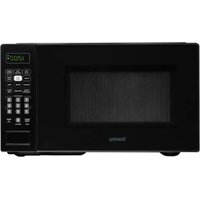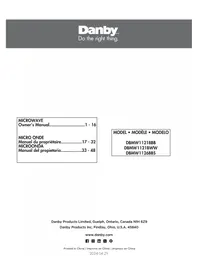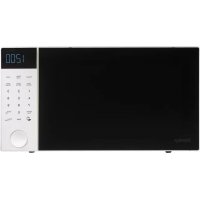
DMW11A4WDB - Microwave Oven DANBY - Free user manual and instructions
Find the device manual for free DMW11A4WDB DANBY in PDF.


| Features | Details |
|---|---|
| Device type | Microwave oven |
| Capacity | 1.1 cubic feet (about 31 liters) |
| Power | 1000 watts |
| Dimensions (W x D x H) | 20.5 x 16.5 x 12.8 inches |
| Weight | 35 pounds |
| Cooking functions | Reheating, cooking, defrosting |
| Control panel | Digital with touch buttons |
| Automatic programs | 10 preset cooking programs |
| Safety | Child lock system |
| Maintenance | Easy interior cleaning with smooth surface |
| Included accessories | Turntable |
| Warranty | 1 year |
Frequently Asked Questions - DMW11A4WDB DANBY
User questions about DMW11A4WDB DANBY
0 question about this device. Answer the ones you know or ask your own.
Ask a new question about this device
Download the instructions for your Microwave Oven in PDF format for free! Find your manual DMW11A4WDB - DANBY and take your electronic device back in hand. On this page are published all the documents necessary for the use of your device. DMW11A4WDB by DANBY.
USER MANUAL DMW11A4WDB DANBY
Owner's Manual....1 - 12
MICRO ONDE
DANBY PRODUCTS INC., FINDLAY, OHIO, USA 45840
www.Danby.com

2018.09.11
Important Safety Information READ AND FOLLOW ALL SAFETY INSTRUCTIONS
This equipment generates and uses ISM frequencies and if not installed and used properly in strict accordance with the manufacturer's instructions, it may cause interference to radio and television reception. It has been type-tested and found to comply with limits for ISM Equipment pursuant to Part 18 of FCC Rules, which are designed to provide reasonable protection against such interference in a residential installation.
However, there is no guarantee that interference will not occur in particular installations. If this equipment does cause interference to radio or television reception, which can be determined by turning the equipment off and on, the interference can be corrected by one or more of the following methods:
• Reorient the receiving antenna of radio or television.
- Move the microwave oven away from the receiver.
- Plug the microwave into a different outlet so that microwave and receiver are on different branch circuits.
The manufacturer is not responsible for any radio or TV interference caused by unauthorized modification of this appliance. It is the responsibility of the user to correct such interference.
AVOID POSSIBLE EXPOSURE TO EXCESSIVE MICROWAVE ENERGY
- Do not attempt to operate the appliance with the door open as this can result in harmful exposure to microwave energy. Do not tamper with or attempt to defeat the safety locks.
- Do not place any object between the front face and the door or allow soil or cleaner residue to accumulate on the sealing surfaces.
- Do not operate the appliance if it is damaged. The door must close properly and there must be no damage to the hinges, latches, door, door seals or sealing surfaces.
SAVE THESE INSTRUCTIONS!

Important Safety Information READ AND FOLLOW ALL SAFETY INSTRUCTIONS
GROUNDING INSTRUCTIONS
This appliance must be grounded. In the event of an electrical short circuit, grounding reduces the risk of electrical shock by providing an escape wire for the electrical current.
This appliance is equipped with a cord that has a grounding wire with a grounding plug. The power cord must be plugged into an outlet that is properly grounded. If the outlet is a standard 2-prong wall outlet, it is your responsibility to have it replaced with a properly grounded 3-prong wall outlet. The serial rating plate indicates the voltage and frequency the appliance is designed for.
WARNING - Improper use of the grounding plug can result in a risk of electric shock. Consult a qualified electrician or service agent if the grounding instructions are not completely understood, or if doubt exists as to whether the appliance is properly grounded.
DO NOT USE AN EXTENSION CORD
Do not connect your appliance to extension cords or together with another appliance in the same wall outlet. Do not splice the power cord. Do not under any circumstances cut or remove the third ground prong from the power cord.
If the power supply cord is damaged, it must be replaced by the manufacturer, its service agent or similar qualified person in order to avoid hazard.
SAVE THESE INSTRUCTIONS!
Important Safety Information READ AND FOLLOW ALL SAFETY INSTRUCTIONS
SAFETY REQUIREMENTS
- Ensure that component parts are replaced with like components and that servicing is done by factory authorized service personnel, to minimize the risk of possible ignition due to incorrect parts or improper service.
- Check the appliance for damage before using. If there is any damage to the appliance, do not use it, return it to its point of purchase or contact consumer care.
- The appliance must be placed on a flat, stable surface that is able to hold its weight and the heaviest food likely to be placed in the appliance.
- Do not use this appliance where heat, moisture or high humidity are generated.
- Do not clean this appliance with or use near combustible materials.
- Children should be supervised to ensure that they do not play with the appliance.
- Allow 20 cm of space above the appliance, 10 cm at the back of the appliance and 5 cm on both sides for proper air flow around the appliance. Do not cover or block any ventilation openings in this appliance.
- This appliance is specifically designed to heat, cook or dry food. It is not designed for industrial or laboratory use.
- Do not store or use this appliance outdoors. Do not use this appliance near water.
- Do not overcook food. Carefully watch the appliance when it is in use.
- Remove wire twist-ties before placing items in the appliance.
- Do not use the appliance for storage purposes. Do not leave items inside the appliance when not in use.
- Do not heat oil or fat for deep frying as it is difficult to control the temperature of oil in a microwave.
- Some items such as whole eggs or sealed containers have the possibility of exploding when heated and should not be placed in this appliance.
- Do not operate any heating or cooking appliance beneath this appliance.
- Ensure that the glass tray and rollers are in the correct position before use to avoid possible spills.
- Do not operate this appliance when it is empty as this will increase the heat around the magnetron and can damage the appliance or cause a fi re.
- If items inside the appliance should ignite, keep the door closed, turn the appliance off and disconnect the power cord.
- Do not operate the appliance without the glass tray, roller support and shaft in their correct positions.
Important Safety Information READ AND FOLLOW ALL SAFETY INSTRUCTIONS
SAFETY - SUPERHEATED LIQUID
Liquids are able to be overheated beyond the boiling point without appearing to be boiling due to the surface tension of the liquid. Visible bubbling will not always be present when the liquid is removed from the appliance. This could result in very hot liquids suddenly boiling over when a utensil or other item such as a tea bag is inserted into the liquid.
To reduce the risk of injury:
- Do not overheat liquids. Do not heat any liquid for more than 2 minutes per cup.
• Stir liquids before and halfway through heating. - Do not use straight-sided containers with narrow necks as this can cause a build up of steam.
- Superheated liquid can begin to spontaneously boil when removed from the microwave. After heating, allow the liquid to stand in the microwave for 30 seconds before removing.
- Use extreme care when inserting a utensil or other item into hot liquids.
- The contents of milk bottles and baby food jars should be stirred or shaken and the temperature checked before serving in order to avoid burns.
- Do not defrost frozen beverages, especially carbonated beverages, in this appliance as they could explode.
- Hot foods and steam can cause burns. Be careful when opening any container that has been heated in the appliance. Direct the opening away from hands and face to avoid burns.
SAFETY - ARCING
Arcing refers to sparks inside the microwave while it is in operation. Arcing is caused by:
• Metal or foil inside the appliance.
- Recycled paper towels being used inside the appliance, as these can contain small pieces of metal.
If arcing is present, stop operation and remove any metal or paper towels from the appliance.
COOKING UTENSILS GUIDE
RECOMMENDED
Microwave Browning Dish: Used to brown the exterior of small food items. Follow the directions provided with the browning dish.
Microwavable Plastic Wrap:
Used to retain steam. Leave a small opening to avoid a build up of steam. Do not place directly on food.
Glass and Ceramic Bowls
and Dishes: Use for heating or cooking.
Paper Plates and Cups: Use for short term heating at low temperatures. Do not use recycled paper as they can contain metal and could ignite.
Paper Towels and Napkins:
Use for short term heating and covering. Do not use recycled paper towels as they can contain metal and could ignite.
Wax Paper: Use as a cover to prevent splattering.
Thermometers: Only use those that are labeled "microwave safe" and follow all directions.
Note: To check if a dish is safe for use in the microwave, place the empty dish in the appliance and microwave on high for 30 seconds. If the dish becomes very hot, it should not be used.
LIMITED USE
Aluminum Foil: Using too much foil can cause arcing and damage the appliance. Keep a distance of at least 1 inch (2.6 cm) between the foil and the inside of the appliance.
Ceramic, Porcelain, Plastic and Stoneware: Only use if they are labeled "microwave safe".
NOT RECOMMENDED
Glass Jars and Bottles: Regular glass is too thin to be used in a microwave. It can shatter and cause damage or injury.
Paper Bags: These are a fire hazard and could ignite. The only exception is popcorn bags, which are designed for microwave use.
Styrofoam Plates and Cups:
These can melt and leave an unhealthy residue on food.
Plastic Storage and Food
Containers: These can melt and ignite.
Metal Utensils: These can cause arcing and damage to the appliance. Remove all metal before operation.
COOKING TECHNIQUES
To achieve the best results when cooking in this appliance, follow the suggestions below.
STIRRING
Stir foods while cooking to distribute heat evenly. Food at the outside of the dish absorbs more energy and will heat more quickly so stir from the outside of the dish toward the center.
ARRANGEMENT
Arrange unevenly shaped foods thicker, meatier parts toward the outside of the turntable so they receive more heat. To prevent overcooking, place delicate items toward the center of the turntable.
SHIELDING
Delicate foods can be shielded with narrow strips of aluminum foil to prevent overcooking. Use only small amounts of foil as this can cause arcing and damage to the appliance.
TURNING
Turn food over midway through cooking to expose all parts to the microwave energy. This is important with large items and meat.
STANDING
Foods cooked in a microwave build up internal heat and continue to cook for a few minutes after heating stops. Let foods stand to complete cooking, especially meats and liquids. All liquids should be allowed to stand for a few minutes after cooking and should be shaken or stirred before consuming.
ADDING MOISTURE
Microwave energy is attracted to water molecules. Food that is uneven in moisture content should be covered and allowed to stand after cooking to allow the heat to disperse evenly. Add a small amount of water to dry food to help it cook.
OPERATING INSTRUCTIONS
FIRST TIME USE
When the appliance is plugged in for the first time, the display will show "12:00". Press the Clock button and then use the number pad to enter the current time. Press the Clock button to confirm the entry.
DURING OPERATION
- Press the Stop/Clear button to pause the functioning. Press the Stop/Clear button again to clear the current program.
- Press the Start button to start a new program or resume a paused program.
- When setting the appliance, it will return to standby mode if there is no input within 25 seconds.
- The appliance will beep five times at the end of a cooking program. The appliance will continue to beep every 2 minutes until a button is pressed or the door is opened.
SETTING THE CLOCK
The clock can be set as a 12 hour clock or a 24 hour clock. Press the Clock button once, the display will show 12HR to indicate a 12 hour clock. Press the Clock button twice, the display will show 24HR to indicate a 24 hour clock.
To set the current time:
- Press the Clock button.
- Use the number pad to enter the current time.
- Press the Clock button to confirm.
During operation, press the Clock button to see the current time.
QUICK +30
Press the Quick +30 button to cook an item for 30 seconds or to add 30 seconds to an existing program. This button can be pressed multiple times.
OPERATING INSTRUCTIONS
MICROWAVE COOKING
To set a cooking power and time:
- Use the number pad to enter the desired cook time.
- Press the Start button to begin operation. The program will default to 100% power level.
To set a power level other than 100%:
- Use the number pad to enter the desired cook time.
- Press the Power Level button. The display will show P100 to indicate 100% power.
- Press the Power Level button repeatedly to choose a different power level as per the chart below.
- Press the Start button to begin operation.
| Display Cooking Power |
| P100 100% |
| P-90 90% |
| P-80 80% |
| P-70 70% |
| P-60 60% |
| P-50 50% |
| P-40 40% |
| P-30 30% |
| P-20 20% |
| P-10 10% |
POPCORN
The Popcorn button can be used to automatically cook popcorn based on the serving size. There are three pre-programmed sizes, Mini, Regular and Bowl. Press the Popcorn button repeatedly to choose the correct program based on the chart below. The power level will be set to 100%.
| Press Button | Program Weight Time | ||
| Once Mini 52 | g 1:25 | ||
| Twice Regular | 106 g 2:30 | ||
| 3 Times Bowl | 94 g | 2:20 | |
OPERATING INSTRUCTIONS
AUTO DEFROST
The auto defrost function can be used to defrost food items based on the weight of the items.
- Press the Auto Defrost button.
- Use the number pad to enter the weight of the item in ounces. The maximum weight that can be defrosted is 90 ounces.
- Press the Start button to begin the program.
QUICK DEFROST
The quick defrost function is pre-programmed to defrost for 2 minutes.
Press the Quick Defrost button. The appliance will automatically begin defrosting for 2 minutes. Use the number pad to add more time while the program is running. The maximum defrost time is 98 minutes.
AUTO REHEAT
The automatic reheat function can be used to automatically reheat food items based on the serving size. There are four pre-programmed sizes. Press the Auto Reheat button repeatedly to choose the correct program based on the chart below. The power level will be set to 100%.
| Press Button Weight Time | |
| Once 12 oz. 2:00 | |
| Twice 18 oz. 2:45 | |
| 3 Times 30 oz. 4:40 | |
| 4 Times 40 oz. 6:30 | |
OPERATING INSTRUCTIONS
TIMER FUNCTION
To set the timer function:
- Press the Kitchen Timer button.
- Use the number pad to enter the desired time.
- Press the Start button to begin the timer.
- The appliance will beep when the timer is finished.
Press the Kitchen Timer button and then press the Stop/Clear button to cancel the timer function.
ECO MODE
Eco mode can be used to conserve energy when the appliance is not in use. There are two options for eco mode.
- Press the Eco button once to turn the display off. If a button is pressed or the door is opened, the display will resume normal functioning.
- Press and hold Eco button for 5 seconds. The appliance will beep to indicate that eco mode is active. If a button is pressed or the door is opened, the display will resume normal functioning however, if the appliance does not receive any input within 1 minute, the display will darken again as eco mode resumes. Press and hold the Eco button for 5 seconds to turn off eco mode.
CONTROL PANEL LOCK
Press and hold the Stop/Clear button for 3 seconds to lock the control panel. The appliance will beep to indicate that the control panel lock is active. The display will show the time but the appliance will not operate or respond to buttons. If a button is pressed, the display will show "LOC" to indicate that the control panel lock is active.
To deactivate the control panel lock, press and hold the Stop/Clear button for 3 seconds. The appliance will beep to indicate that the control panel lock has been deactivated.
Note that the control panel lock cannot be activated while a cooking program is running.
CARE AND MAINTENANCE
CLEANING
Turn off and unplug the appliance before performing any cleaning.
The inside of the appliance should be cleaned with a warm, damp cloth and mild detergents. Do not allow food splatters to build up on the inside of the appliance as this can affect the effi ciency of the microwave and if suffi ciently dirty, can ignite and cause fi re.
The outside of the appliance should be cleaned with a warm, damp cloth. To avoid damage to internal components, do not allow any water to drip into the ventilation openings.
Clean the door and window on both sides, the door seals and the adjacent parts frequently with a damp cloth to remove any spills or splatters. Do not use abrasive cleaners.
Do not allow the control panel to become wet. If necessary, clean the control panel with a damp cloth and then wipe dry.
The glass tray can be removed and cleaned in warm water and mild detergent or can be placed in a dishwasher.
The roller ring and oven floor should be cleaned regularly to avoid excessive noise or spilling. The roller ring can be cleaned in warm water and mild detergent or can be placed in a dishwasher. Ensure that the roller ring and glass tray are replaced in the proper position to avoid noise or spilling.
MAINTENANCE
To remove odors from the microwave:
- Combine a cup of water with the juice and skin of one lemon in a microwavable bowl.
- Microwave on full power for 5 minutes.
- Wipe the inside of the appliance and glass tray and roller ring thoroughly with a warm, damp cloth.
MICA SHEET
Inside the appliance there is a cardboard mica sheet protecting the magnetron. Do not remove this from the appliance as exposing the magnetron to food splatters can cause arcing or fire. If it becomes dirty, the mica sheet can be cleaned with a warm cloth.
DISPOSAL
This product should not be treated as ordinary household waste, it should be transported to the appropriate collection point for the recycling of electrical components. For information on local waste collection points, contact your local waste disposal agency or government offi ce.
LIMITED "CARRY IN" WARRANTY
This quality product is warranted to be free from manufacturer's defects in material and workmanship, provided that the unit is used under the normal operating conditions intended by the manufacturer.
This warranty is available only to the person to whom the unit was originally sold by Danby Products Limited (Canada) or Danby Products Inc. (U.S.A.) (hereafter "Danby") or by an authorized distributor of Danby, and is non-transferable.
TERMS OF WARRANTY
Plastic parts are warranted for thirty (30) days from the date of purchase, with no extensions provided.
First 12 months: During the first twelve (12) months, any functional parts of this product found to be defective, will be repaired or replaced, at warranter's option, at no charge to the original purchaser.
To obtain service: Contact the dealer where the unit was purchased, or contact the nearest authorized Danby service depot, where service must be performed by a qualified service technician. If service is performed on the unit by anyone other than an authorized service depot, all obligations of Danby under this warranty shall be void.
It is the responsibility of the purchaser to transport the appliance to the nearest authorized service depot. Transportation charges to and from the service location are not protected by this warranty and are the responsibility of the purchaser
Nothing within this warranty shall imply that Danby will be responsible or liable for any spoilage or damage to food or other contents of this appliance, whether due to any defect of the appliance, or its use, whether proper or improper.
EXCLUSIONS
Save as herein provided, by Danby, there are no other warranties, conditions, representations or guarantees, express or implied, made or intended by Danby or its authorized distributors and all other warranties, conditions, representations or guarantees, including any warranties, conditions, representations or guarantees under any Sale of Goods Act or like legislation or statute is hereby expressly excluded. Save as herein provided, Danby shall not be responsible for any damages to persons or property, including the unit itself, howsoever caused or any consequential damages arising from the malfunction of the unit and by the purchase of the unit, the purchaser does hereby agree to indemnify and hold harmless Danby from any claim for damages to persons or property caused by the unit.
GENERAL PROVISIONS
No warranty or insurance herein contained or set out shall apply when damage or repair is caused by any of the following:
1) Power failure.
2) Damage in transit or when moving the appliance.
3) Improper power supply such as low voltage, defective house wiring or inadequate fuses.
4) Accident, alteration, abuse or misuse of the appliance such as inadequate air circulation in the room or abnormal operating conditions (i.e., extremely high or low room temperature).
5) Use for commercial or industrial purposes (i.e.. If the appliance is not installed in a domestic residence).
6) Fire, water damage, theft, war, riot, hostility, acts of God such as hurricanes, floods etc.
7) Service calls resulting in customer education.
8) Improper Installation (ie. Building-in of a free standing appliance or using an appliance outdoors that is not approved for outdoor application, including but not limited to: garages, patios, porches or anywhere that is not properly insulated or climate controlled).
Proof of purchase date will be required for warranty claims; retain bills of sale. In the event that warranty service is required, present the proof of purchase to our authorized service depot.
Danby Products Ltd.
Guelph, Ontario, Canada
1-800-263-2629
Danby Products Inc.
Findlay, Ohio, U.S.A.
GARDER CES INSTRUCTIONS!

GARDER CES INSTRUCTIONS!
Guelph, Ontario, Canada
1-800-263-2629
Danby Products Inc.
Findlay, Ohio, U.S.A.

natural_image
Grid of eight squares in varying shades of gray, arranged in two rows and three columns (no text or symbols)DANBY PRODUCTS LIMITED, ONTARIO, CANADA N1H 6Z9
DANBY PRODUCTS INC., FINDLAY, OHIO, USA 45840
Printed in China
Imprimé en Chine