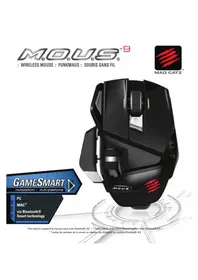
M.O.U.S 9 - Mouse MAD CATZ - Free user manual and instructions
Find the device manual for free M.O.U.S 9 MAD CATZ in PDF.



| Product type | Wireless mouse |
| Brand | Mad Catz |
| Model | M.O.U.S 9 |
| Connection technology | Bluetooth Smart and USB dongle |
| Power supply | 1 AA battery |
| Main functions | Vertical and horizontal scrolling, Magnifier button, Precision Control button, LED status indicators |
| Compatibility | Windows 8, Mac (dedicated software) |
| Software | Mad Catz Software (downloadable from madcatz.com) |
| Box contents | Mouse, USB dongle, AA battery |
| Maintenance and cleaning | Clean with a soft, dry cloth |
| Safety | Compliant with FCC and IC (Industry Canada) |
| Spare parts and repairability | Parts not available separately; repair by authorized service center |
| General information | Color not specified, dimensions and weight not provided |
Frequently Asked Questions - M.O.U.S 9 MAD CATZ
User questions about M.O.U.S 9 MAD CATZ
0 question about this device. Answer the ones you know or ask your own.
Ask a new question about this device
Download the instructions for your Mouse in PDF format for free! Find your manual M.O.U.S 9 - MAD CATZ and take your electronic device back in hand. On this page are published all the documents necessary for the use of your device. M.O.U.S 9 by MAD CATZ.
USER MANUAL M.O.U.S 9 MAD CATZ
MAD CATZ

*Any device supporting mouse input over Bluetooth 4.0 :: *Jedes Gerät unterstützt Mauseingaben über Bluetooth 4.0 ::
* Toutes les entrées de la souris au-dessus de dispositif de support Bluetooth 4.0
PACKAGE INCLUDES
ENGLISH
A M.O.U.S. 9 Wireless Mouse
B Dongle
C Pouch
D 1 x AA Battery
DEUTSCH
.D
.C
A M.O.U.S. 9 Rato Sem Fios
B Dongle
C Bolsa
D 1 x pilha AA
CoNtENtS
ENGLISH
Mouse Overview 4
Mouse Status LEDs 6
Setup Instructions 7
DEUTSCH
Mausübersicht 9
LED-Anzeigen 11

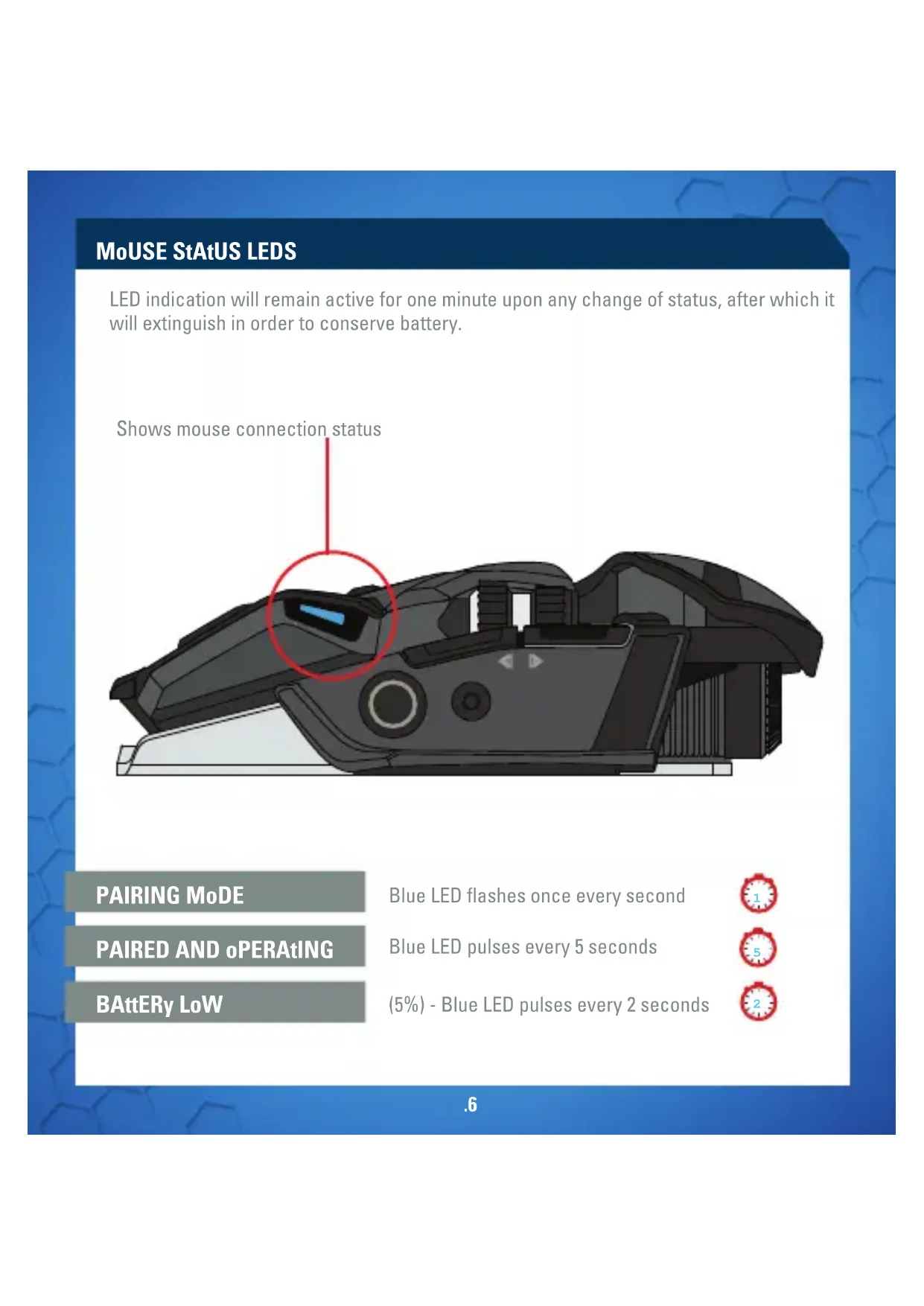
MoUSE StAtUS LEDS
LED indication will remain active for one minute upon any change of status, after which it will extinguish in order to conserve battery.

PAIRING MoDE
PAIRED AND oPERAtING
BAttERy LoW
Blue LED flashes once every second
Blue LED pulses every 5 seconds
(5%) - Blue LED pulses every 2 seconds


SEtUP INStRUCtIoNS
CoNNECtING tHE MoUSE USING tHE DoNGLE
- Insert 1 x AA battery into the mouse
- Plug the USB dongle into an available port
- Turn the mouse ON
CoNNECtING to DEVICES WItH BUILt-IN BLUEtootH ® SMARt tECHNoLoGy (DoNGLE Not REQUIRED)
BLUEtootH SMARt tECHNoLoGy
Bluetooth Smart is a new, power-efficient version of Bluetooth wireless technology and is already being used in many devices. Check with your manufacturer to see if it is Bluetooth Smart ready. Check with your device manufacturer for support for Bluetooth Smart mice and then follow their instructions for pairing.
WINDOWS® 8
- Ensure the USB dongle is unplugged and power the M.O.U.S. 9 on
- Press and hold the Magnifier and Precision Control buttons for 5 seconds until the Blue LED starts flashing.
- Move mouse to bottom right corner of the screen to open the Charms bar
- Click Settings
- Click Change PC Settings
- Click Devices
- Click Add a device
- Select M.O.U.S. 9
SETUP INSTRUCTIONS
SOFTWARE INSTALLATION
SOFTWARE FOR WINDOWS AND MAC
- Go to www.madcatz.com/downloads to download and install the Mad Catz software application
- Use the drag-and-drop interface to customize your mouse
- Go to the Support section of the software for full programming instructions
TROUBLESHOOTING
If your M.O.U.S. 9 does not appear to be working with your device then, with it powered on, press and hold the Magnifier and Precision Control buttons for 5 seconds until the Blue LED starts flashing. If you wish to connect to the USB dongle then ensure that it is connected to your computer. If you wish to connect to another device then follow the Bluetooth pairing procedure for that device to rediscover the M.O.U.S. 9
Information for Customers in the United States
FCC & IC Warning
This device complies with part 15 of the FCC Rules and Industry Canada licence-exempt RSS standard (s). Operation is subject to the following two conditions: (1) This device may not cause harmful interference, and (2) this device must accept any interference received, including interference that may cause undesired operation. Any Changes or modifications not expressly approved by the party responsible for compliance could void the user's authority to operate the equipment.
FCC Radiation Exposure Statement:
This equipment complies with FCC radiation exposure limits set forth for an uncontrolled environment. This transmitter must not be co-located or operating in conjunction with any other antenna or transmitter.
IC RF Exposure Statement:
The device meets the exemption from the routine evaluation limits in section 2.5 of RSS 102 and compliance with RSS-102 RF exposure, users can obtain Canadian information on RF exposure and compliance.
Under Industry Canada regulations, this radio transmitter may only operate using an antenna of a type and maximum (or lesser) gain approved for the transmitter by Industry Canada. To reduce potential radio interference to other users, the antenna type and its gain should be so chosen that, the equivalent isotropically radiated power (e.i.r.p.) is not more than that necessary for successful communication.
MAUSÜBERSICHT
MoDE DE CoUPLAGE
©2013 Mad Catz, Inc. 7480 Mission Valley Road, Suite 101, San Diego, CA 92108 U.S.A. Mad Catz, M.O.U.S., GameSmart, and the Mad Catz logo are trademarks or registered trademarks of Mad Catz Interactive, Inc., its subsidiaries and affiliates. Covered by U.S. Patent No. 6,157,370. The shape and design of this product are a trade dress of Mad Catz Interactive, Inc., its subsidiaries and affiliates. The Bluetooth® word mark and logos are registered trademarks owned by Bluetooth SIG, Inc. and any use of such marks by Mad Catz Interactive Inc. is under license. All other trademarks or registered trademarks are the property of their respective owners. Made in China. All rights reserved. Product features, appearance and specifications may be subject to change without notice. Please retain this information for future reference.
Mad Catz is a publicly traded company on the TSX/NYSE MKT, symbol MCZ.




- Package includes
- English
- Deutsch
- Contents
- Mouse status leds
- Setup instructions
- Connecting the mouse using the dongle
- Connecting to devices with built-in bluetooth ® smart technology (dongle not required)
- Bluetooth smart technology
- Windows® 8
- Software installation
- Software for windows and mac
- Troubleshooting
- Information for customers in the united states
- Fcc & ic warning
- Mausübersicht
Brand : MAD CATZ
Model : M.O.U.S 9
Category : Mouse