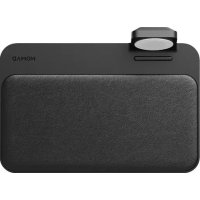
Base Station - Phone charger Nomad - Free user manual and instructions
Find the device manual for free Base Station Nomad in PDF.




| Product type | Wireless and wired phone charger |
| USB-A output power | 10 W |
| USB-C output power | 18 W |
| Wireless charging power | Up to 10 W (depending on device) |
| Power supply | 18 V DC via mains adapter |
| Number of charging ports | 1 USB-A port, 1 USB-C port, 1 wireless charging area |
| LED indicators | Orange (charging), White (charge complete) |
| Ambient light sensor | Yes, automatically adjusts LED brightness |
| Wireless charging compatibility | iPhone 8 and later, AirPods (wireless case), Qi-compatible Android smartphones |
| Wired charging compatibility | Any device with USB-A or USB-C cable |
| Material | Plastic and metal |
| Dimensions (W x D x H) | Approx. 20 x 10 x 1.5 cm |
| Weight | Approx. 250 g |
| Operating temperature | 0°C to 35°C |
| Operating humidity | 10% to 80% RH |
| Care and cleaning | Unplug before cleaning. Use a soft, dry cloth. Do not use abrasive products. |
| Safety | Overvoltage and short-circuit protection |
| Spare parts and repairability | Not user-repairable. Contact Nomad customer service. |
| Warranty | 2 years |
| Box contents | Base Station, mains adapter, international adapter |
Frequently Asked Questions - Base Station Nomad
User questions about Base Station Nomad
0 question about this device. Answer the ones you know or ask your own.
Ask a new question about this device
Download the instructions for your Phone charger in PDF format for free! Find your manual Base Station - Nomad and take your electronic device back in hand. On this page are published all the documents necessary for the use of your device. Base Station by Nomad.
USER MANUAL Base Station Nomad
Base Station Instructions
Plugging in the Base Station
- Plug the power adapter into the circular DC 18V plug on the backside of the Base Station.
- Plug the power adapter into a wall outlet using desired International AC adapter piece.
- Your Base Station is now receiving power and is ready for charging.
Using USB Ports for Charging
- On the backside of the Station, there are two additional ports for charging: you will find one USB-A port and one USB-C port.
- Plug in your USB-A or USB-C cable on the backside of the Station.
- Place your Station on any flat and level surface with the cables coming out of the back away from you.
- You are now ready to charge your devices.
USB Ports and Charging Speed
- As you may have read above, the backside of your Station houses 2 different USB ports.
- The USB-A port has a max output of 10W. The USB-C port has a max output of 18W.
Charging Wirelessly
- Place your Base Station on a flat and level surface.
- Once your Base Station is plugged into the wall outlet, it is ready to charge your devices.
- Simply place your wireless charging compatible device on the center of the Base Station to charge.
- If your device is charging, the Base Station will indicate the power flow with a solid amber LED indicator light. When your device is 100% charged, the LED indicator light will switch to solid white.
LED Indicator Lights
- On the front of the Base Station, there are LED indicator lights that signify when a device is charging.
- When your Base Station is charging a device, the lights will glow solid orange. When that device is fully charged, the light will glow solid white to signal that your device has reached full charge.
- Your Base Station has an ambient light sensor to control the brightness of the indicator lights. In a bright room, the lights will automatically brighten and in a dark room, the lights will automatically dim themselves.
Common User Questions
How can you ensure that the Base Station is "on"?
- The Base Station LED lights will illuminate if a device is placed on the Station, indicating that the device is charged or is charging. The lights will not illuminate unless a device is on the Station.
- The Base Station has no "on" or "off" switch.
What devices are supported by the Base Station?
- Any device that has a USB-A or USB-C charging cord will work for hardwired charging.
- For wireless charging: iPhone models: 8, 8 Plus, 9, and X, AirPods (wireless edition), and wireless enabled Android phones.
What cases can I use with the Base Station?
- All Nomad phone cases are compatible with wireless charging.
- Wireless charging has been known to occasionally interfere with magnetic strips on cards, and as such it is not recommended to wirelessly charge devices with "wallet" cases.
What ports are appropriate to charge specific devices?
- The standard USB ports will charge any mobile device and any other electronic device with a USB charging cable.
- The USB-C port can charge any device with a USB-C cable. It is USB PD 18W output.
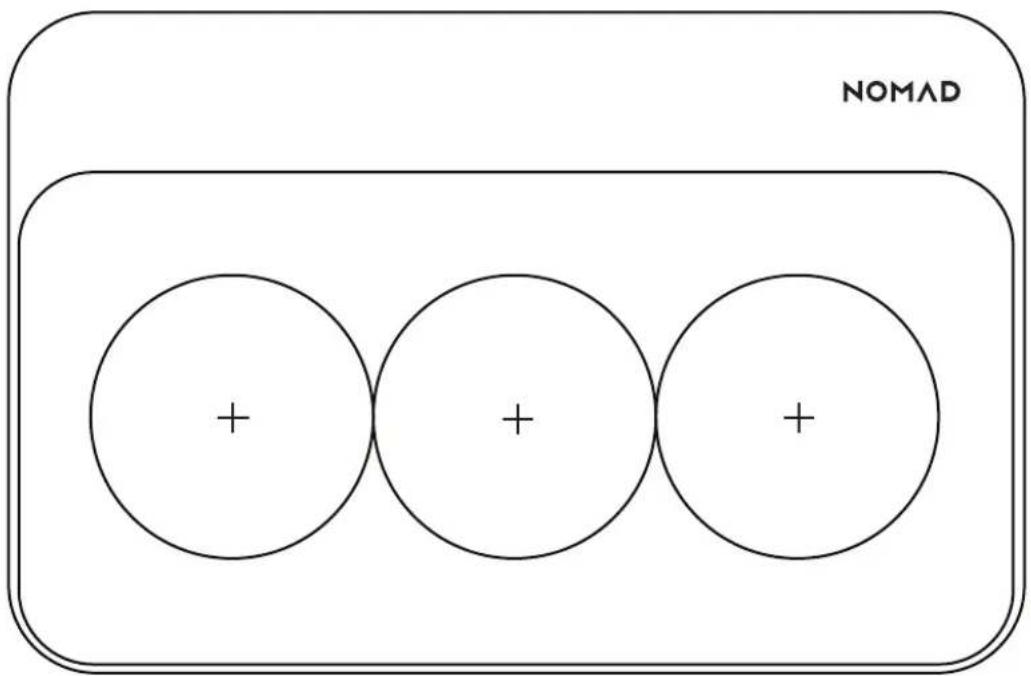
There are coils located inside the Base Station. This will allow you to place and charge your device in multiple orientations.
Designed in California
hellonomad.com
hello@hellonomad.com
nomadgoods