Bus Driver - Audio software Nomad - Free user manual and instructions
Find the device manual for free Bus Driver Nomad in PDF.


User questions about Bus Driver Nomad
0 question about this device. Answer the ones you know or ask your own.
Ask a new question about this device
Download the instructions for your Audio software in PDF format for free! Find your manual Bus Driver - Nomad and take your electronic device back in hand. On this page are published all the documents necessary for the use of your device. Bus Driver by Nomad.
USER MANUAL Bus Driver Nomad
Owner CEO | Vibisoft Inc | Nomad Factory
Bernie Torelli
Co-Founder Nomad Factory | Concept & Development
Software Engineering
Dmitry Sches
Lead Software Developer
Maxence Grandidier
DSP Specialist
Hans Van Even
Interface Design | 3D Rendering
Ashley Smith
Quality Assurance | Beta Testing | Presets | Manual
BUS DRIVER
Bus Driver is an optical compressor that provides a wide range of compression effects, reminiscent of the best vintage compressors made in the '60s.
Compression is one of those studio processes that is all too often taken for granted and not used to its full potential. Today's producers think nothing of inserting compressors on every single channel of their DAW when mixing, but old school engineers had to learn how to make the most of only a few units, and this made us learn them inside out.
Nomad Factory designed an Output Stage Soft-Clipping to eliminate digital clipping at any output level and produce a smoother distortion characteristic. This feature is in addition to the Tube-Driver Saturation Modelling included in Bus-Driver.
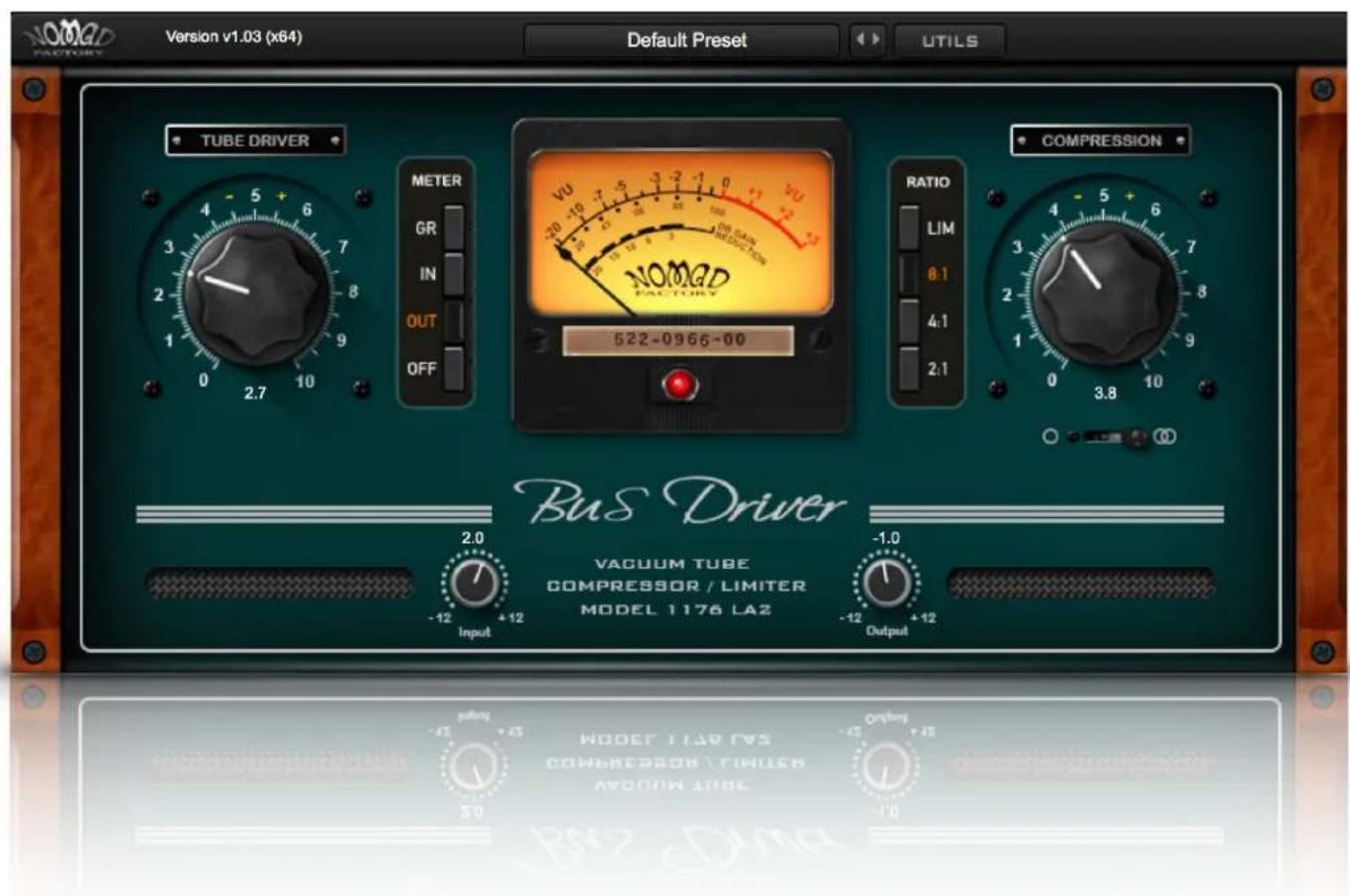
text_image
VOMAD FACTORY Version v1.03 (x64) Default Preset UTILS TUBE DRIVER METER GR IN OUT OFF VOL 70-19-7-5-3-2-1-0-1-2-VU 522-0966-00 RATIO LIM 8.1 4.1 2.1 COMPRESSION Bus Driver VACUUM TUBE COMPRESSOR / LIMITER MODEL 1176 LA2 Input -12 +12 -1.0 -12 +12 Output puting -45 +45 S.D. Compressor / LIMITER AVODUM LIMEOVERVIEW
BUS DRIVER COMPRESSION
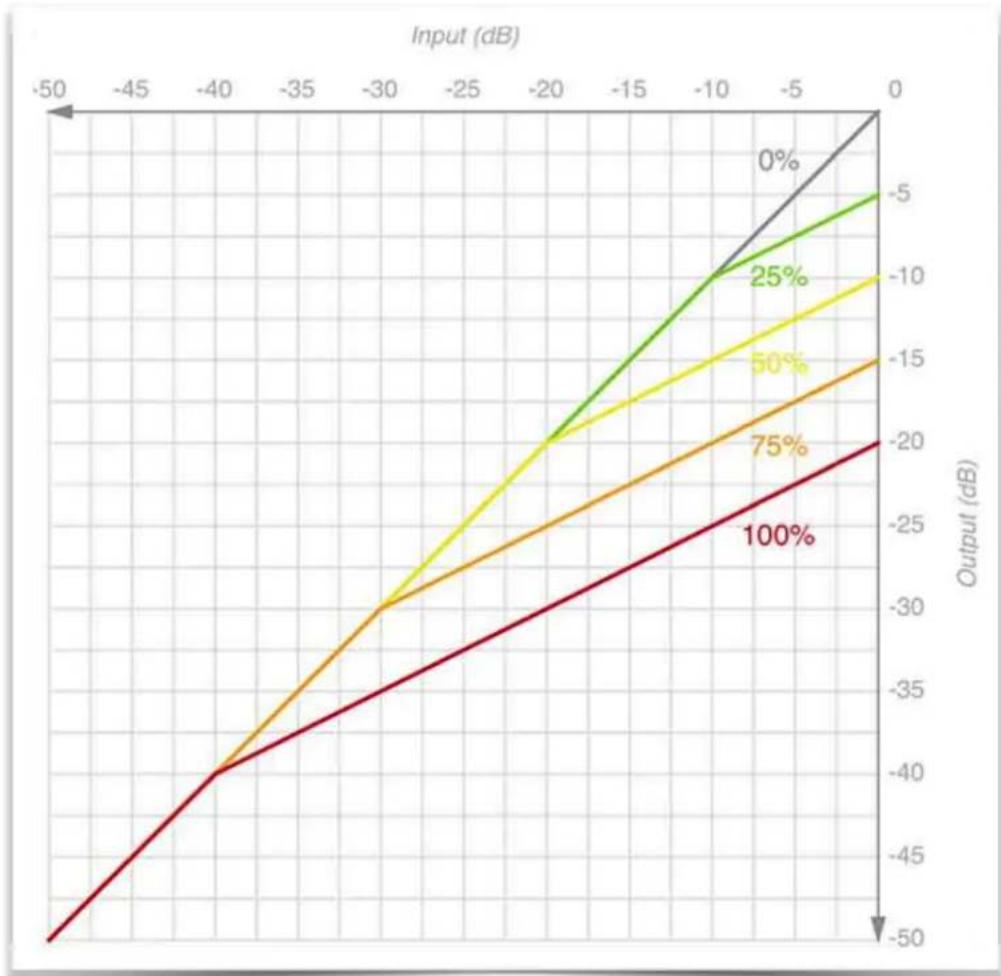
Compression is the process of lessening the dynamic range between the loudest and quietest parts of an audio signal. This is done by boosting the quieter signals and attenuating the louder signals.
line
| Input (dB) | 0% | 25% | 50% | 75% | 100% | | ---------- | ---- | ---- | ---- | ---- | ---- | | -50 | - | - | - | - | -50 | | -45 | - | - | - | - | -45 | | -40 | - | - | - | - | -40 | | -35 | - | - | - | - | -35 | | -30 | - | - | - | - | -30 | | -25 | - | - | - | - | -25 | | -20 | - | - | - | - | -20 | | -15 | - | - | - | - | -15 | | -10 | - | - | - | - | -10 | | -5 | - | - | - | - | -5 | | 0 | 0 | -5 | -10 | -15 | 0 |Fig 1: Bus Driver Compression
Source level Input to Output attenuation from a set Compression Percentage
The controls you are given to set up Bus Driver are:
text_image
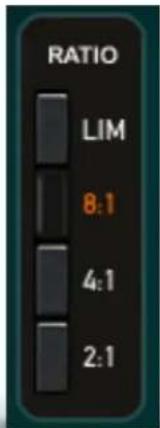
RATIO LIM 8:1 4:1 2:1RATIO SELECTOR :
How much compression is applied. For example, if the compression ratio is set for 6:1, the input signal will have to cross the threshold by 6 dB for the output level to increase by 1dB.
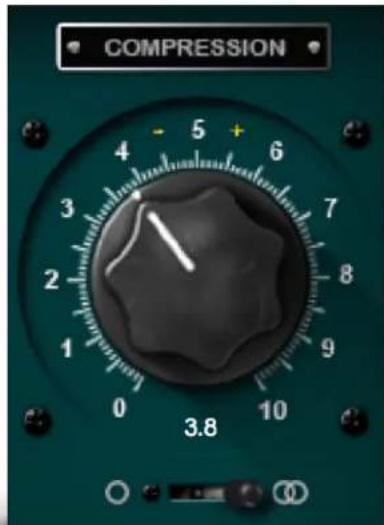
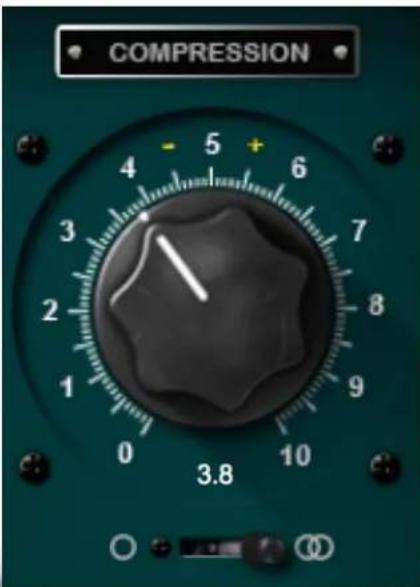
COMPRESSION :
Allows you to boost the compressed signal, as compression often attenuates the signal significantly.
text_image
COMPRESSION 3.8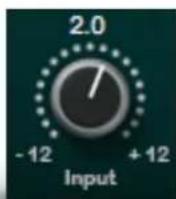
INPUT :
Allows you to boost or attenuate the level of the signal input to the compressor.
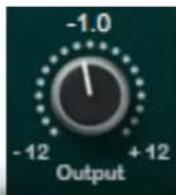
OUTPUT :
Allows you to boost or attenuate the level of the signal output from the compressor.
AUTOMATIC GAIN CONTROL :
Bus Driver uses Auto-Gain-Compensation (AGC) for Compression. (AGC: also called Automatic-Voltage-Gain) is a closed-loop regulating circuit, the purpose of which is to provide a controlled signal amplitude at its output, despite variation of the amplitude in the input signal.
The average or peak output signal level is used to dynamically adjust the input-to-output gain to a suitable value, enabling the circuit to work satisfactorily with a greater range of input signal levels. For example, without AGC the sound emitted from an AM radio receiver would vary to an extreme extent from a weak to a strong signal. The AGC effectively reduces the volume if the signal is strong and raises it when it is weaker.
RATIO SELECTOR
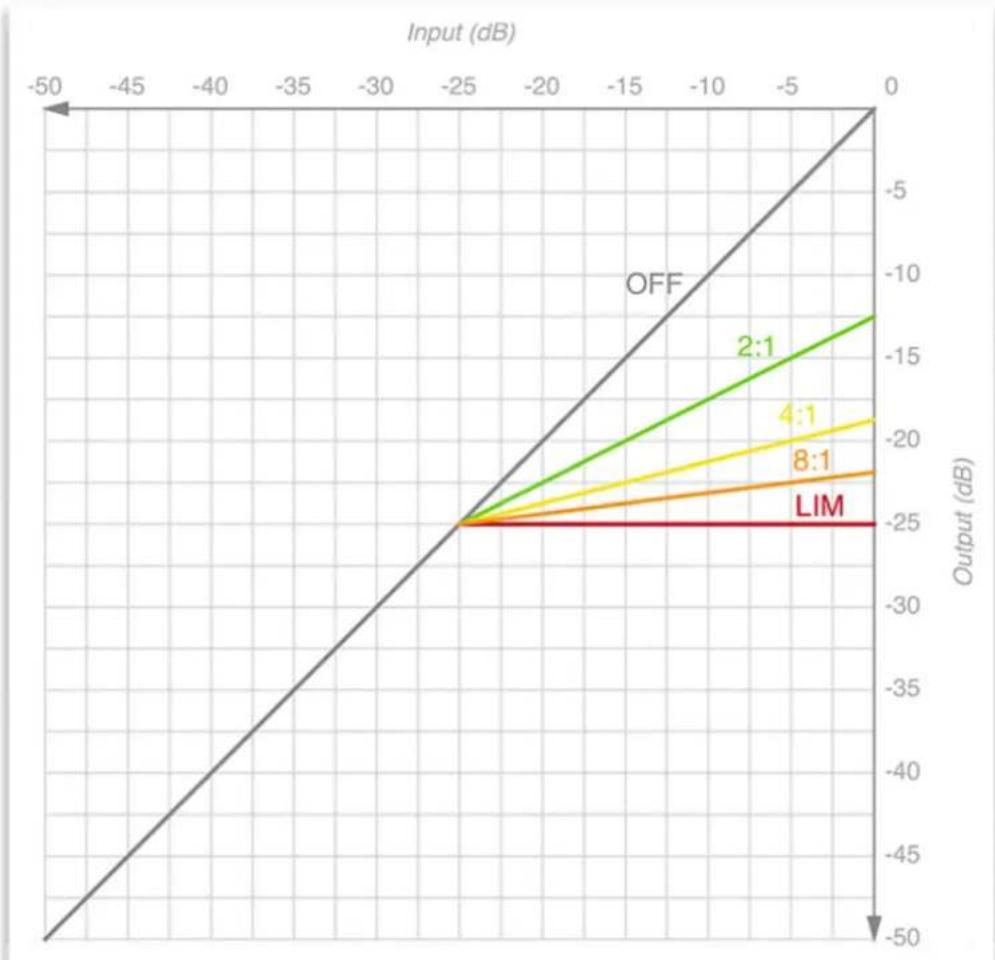
The Ratio selector determines the degree of compression, lower ratios for compression, higher ratios for limiting. These compression ratios are expressed in decibels, so that a ratio of 2:1 indicates that a signal exceeding the threshold by 2 dB will be attenuated down to 1 dB above the threshold, or a signal exceeding the threshold by 8 dB will be attenuated down to 4 dB above it, etc.
A Ratio of 2:1 will ensure that the volume above the Threshold only grows to half its original volume, whereas a Ratio of 4:1 will reduce the volume to a quarter of its original. The greater the Ratio “number”, the greater the volume reduction applied to the compressed section of the audio file.
METERING
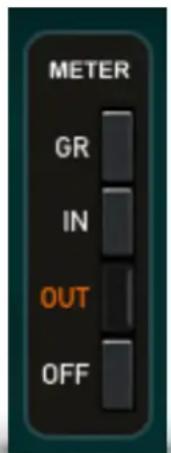
The Meter Selector allows setting display view for:
- GR - Gain Reduction
- IN - Input
- OUT - Output
• OFF - Bypasses the plug-in
text_image
METER GR IN OUT OFFFig 2: Gain Reduction Curves
Input to Output
attenuation
from set Ratio
selection
line
| Input (dB) | OFF | 2:1 | 4:1 | 8:1 | LIM | |------------|-------|-------|-------|-------|-------| | -50 | -50 | -50 | -50 | -50 | -25 | | -45 | -45 | -45 | -45 | -45 | -25 | | -40 | -40 | -40 | -40 | -40 | -25 | | -35 | -35 | -35 | -35 | -35 | -25 | | -30 | -30 | -30 | -30 | -30 | -25 | | -25 | -25 | -25 | -25 | -25 | -25 | | -20 | -20 | -20 | -20 | -20 | -25 | | -15 | -15 | -15 | -15 | -15 | -25 | | -10 | -10 | -10 | -10 | -10 | -25 | | -5 | -5 | -5 | -5 | -5 | -25 | | 0 | 0 | 0 | 0 | 0 | -25 |TUBE DRIVER
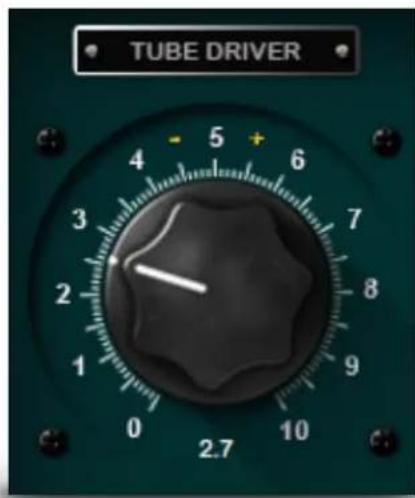
The sound of a tube amplifier is partly a function of the circuit topologies typically used with tubes versus the topologies typically used with transistors, as much as the gain devices themselves. Beyond circuit design, there are other differences such as the differing electronic characteristics of triode, tetrode, and pentode vacuum tubes.
text_image
TUBE DRIVER 4 5 + 3 7 2 8 1 9 0 10 2.7These can be further divided into differences among various models of the said device type (e.g. ECC83, 12AX7, etc..).
In many cases circuit topologies need to account these differences to either homogenize their widely varying characteristics or to establish a certain operating point required by the device.
The low frequency roll-off can be explained by many tube amplifiers having high output impedance compared to transistor designs, due to the combination of both higher device impedance itself and typically reduced feedback margins (more feedback results in a lower output impedance).
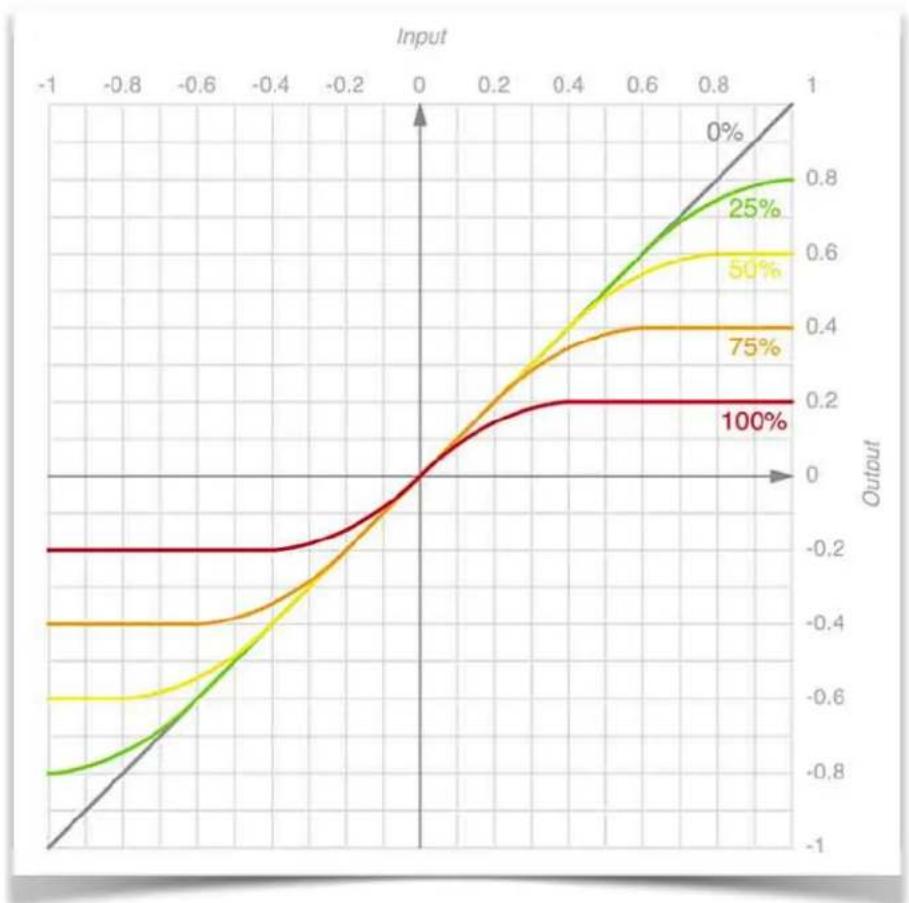
Fig 3: Tube Driver Saturation Curves
Input to Output attenuation from set percentage values
line
| Input | 0% | 25% | 50% | 75% | 100% | |-------|-------|-------|-------|-------|-------| | -1.0 | -1.0 | -0.8 | -0.6 | -0.4 | -0.2 | | -0.8 | -0.8 | -0.6 | -0.4 | -0.2 | -0.1 | | -0.6 | -0.6 | -0.4 | -0.2 | -0.1 | -0.1 | | -0.4 | -0.4 | -0.2 | -0.1 | -0.1 | -0.1 | | -0.2 | -0.2 | -0.1 | -0.1 | -0.1 | -0.1 | | 0.0 | 0.0 | 0.0 | 0.0 | 0.0 | 0.0 | | 0.2 | 0.2 | 0.2 | 0.2 | 0.2 | 0.2 | | 0.4 | 0.4 | 0.4 | 0.4 | 0.4 | 0.2 | | 0.6 | 0.6 | 0.6 | 0.6 | 0.6 | 0.2 | | 0.8 | 0.8 | 0.8 | 0.8 | 0.8 | 0.2 | | 1.0 | 1.0 | 1.0 | 1.0 | 1.0 | 0.2 |TOOL BAR
PRESET OPTIONS PANEL
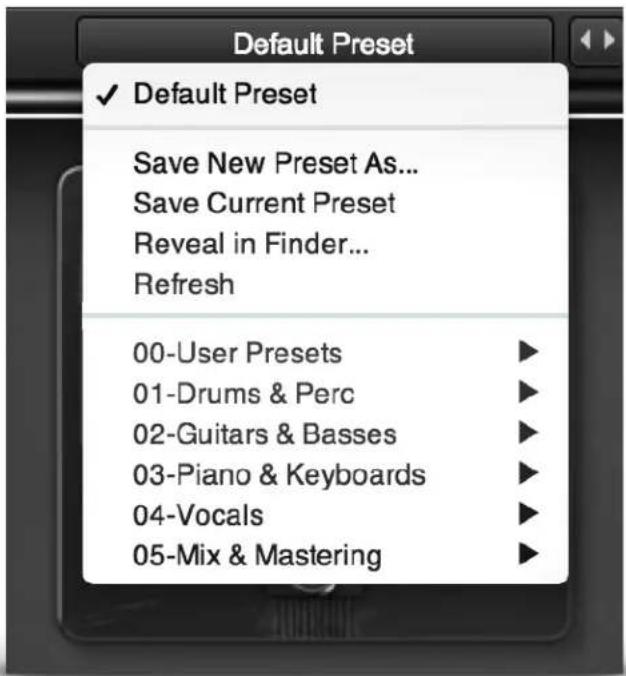
Selecting the preset panel displays the following options: -
- Default Preset
•
- Save New Preset As...
- Save Current Preset
- Reveal in Finder...
- Refresh
●
- 00-User Presets
• 01-Drums & Perc
• 02-Guitars & Basses
• 03-Piano & Keyboards
- 04-Vocals
• 05-Mix & Mastering
IMPORTANT NOTE:
USING THE PRESETS
The included presets, "[AS]" by engineer Ashley Smith, give you a great jumping off point and showcase Bus Driver's intrinsic sounds!
When auditioning, be sure to adjust the Input and Output gain parameters for proper gain staging and application for your mix / source material. Please note, adjusting the Input gain will drive the compressor harder, past the threshold, for increased gain reduction.
NAVIGATING PRESETS

You may navigate presets within a bank using the left/right arrows directly to the right of the Preset selection area.
text_image
Default Preset ✓ Default Preset Save New Preset As... Save Current Preset Reveal in Finder... Refresh 00-User Presets 01-Drums & Perc 02-Guitars & Basses 03-Piano & Keyboards 04-Vocals 05-Mix & MasteringSAVE NEW PRESET AS
Clicking this will open a dialog box, where you may name and save the preset to a location/folder on your system hard drive.
SAVE CURRENT PRESET
Clicking 'Save' will overwrite the current preset state.
REVEAL IN FINDER
Clicking this will open the location of Bus Driver "Plug-In Presets" folder:
Mac :
/Library/Application Support/Nomad Factory/BusDriver
Windows :
x64 : C:\Program Files\Common Files\Nomad Factory\BusDriver
x86 : C:\Program Files (x86)\Common Files\Nomad Factory\BusDriver
REFRESH
Clicking this will refresh your preset list, for if you have made any naming changes to files on your hard drive.
UTILITY PANEL
Clicking the "UTILS" button in the tool bar will display the following contextual menu options... >>>
Nomad Factory Website
Open User Manual
Online Support
Online Store
Check For Updates
KEY COMMANDS
* Double Click also works, for both systems.
Resets parameter to default
SYSTEM REQUIREMENTS
Mac Operating System :
Mac OS X 10.6.8 or above
CPU : Intel Core i3 / i5 / i7 / Xeon
RAM : Minimum 2 GB (4 GB or above recommended)

Screen Resolution :
Minimum : 1024 x 768
Recommended : 1280 x 1024 / 1600 x 1024
Supported formats : AU, VST, AAX (32 & 64-bit)
Windows Operating System :
Windows 7 with SP1, 32 / 64-bit
Windows 8.1, 32 / 64-bit
Windows 10, 32 / 64bit
CPU : Intel Core i3 / i5 / i7 / Xeon
RAM : Minimum 2 GB (4 GB recommended)

Screen Resolution :
Minimum : 1024 x 768
Recommended : 1280 x 1024 / 1600 x 1024
Supported formats : VST, AAX (32 & 64-bit)
INSTALLATION
Installing Bus Driver
Mac :
- Double-Click the DMG and then package file to run the installer.
- Follow the on-screen prompts.
- Choose which format you wish to install (VST/AU/AAX).
The installer creates the following folders and files :
/Library/Application Support/Nomad Factory/BusDriver
Here we have :
- Bus Driver - User Manual.pdf. The path is hardcoded in Bus Driver's UTILS menu, it will open on selection in your default PDF viewer.
- Plug-Ins Presets.
- Main plug-in's binary file.
The Standard plug-in's formats are located here :
VST :
/Library/Audio/Plug-Ins/VST/Nomad Factory
AU :
/Library/Audio/Plug-Ins/Components
AAX :
/Library/Application Support/Avid/Audio/Plug-Ins/Nomad Factory

Windows :
- Extract and run the EXE setup program.
- Follow the on-screen prompts.
- Choose which format you wish to install (VST/AAX).
The installer creates the following folders and files :
My Documents\Nomad Factory\BusDriver
Here we have :
- Bus Driver - User Manual.pdf
- Plug-Ins Presets
The Standard plug-in's formats are located here :
VST 32-bit (Selectable in installer):
C:\Program Files (x86)\VstPlugins\Nomad Factory\
AAX 32-bit :
C:\Program Files (x86)\Common Files\Avid\Audio\Plug-Ins\Nomad Factory\
VST 64-bit (Selectable in installer):
C:\Program Files\VstPlugins\Nomad Factory\
AAX 64-bit :
C:\Program Files\Common Files\Avid\Audio\Plug-Ins\Nomad Factory\
Additional folders in :
C:\Program Files\Common Files\Nomad Factory\
and
C:\Program Files (x86)\Common Files\Nomad Factory\
... to store main binary file for Bus Driver 32 and 64-bit
ACTIVATION
In order to activate your plug-in :
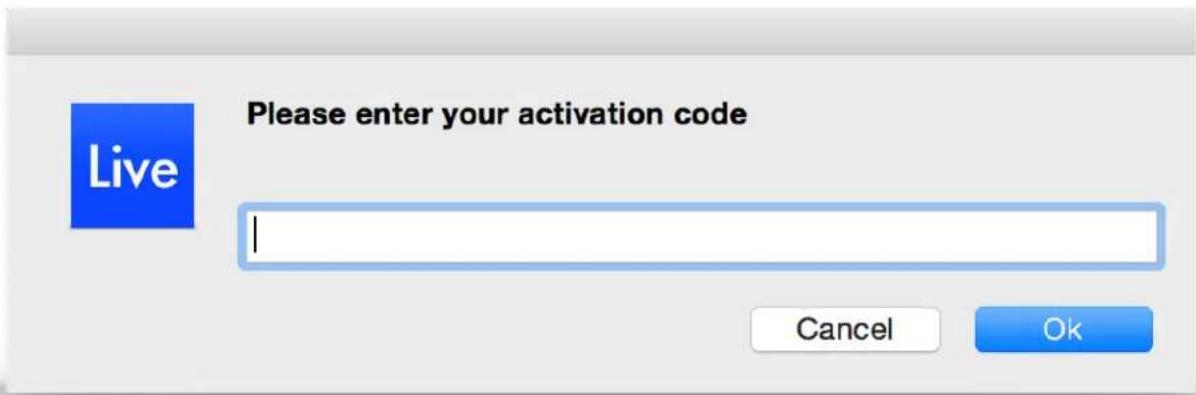
- Open your DAW / Standalone Plug-in host and insert an instance of Bus Driver. If the activation screen (shown overleaf) does not display on first launch...
- Open the 'UTILS' menu.
- Select "Enter your activation code".
| Enter your activation code |
| Nomad Factory Website |
| Open User Manual Online Support Online Store |
| Check For Updates |
- Enter the activation code provided in your order confirmation mail, and click 'Ok'.
text_image
Please enter your activation code Live Cancel OkDEMO MODE AND LIMITATIONS
In 'Demo Mode':
- The activation screen will show randomly for each subsequent/additional 2-5 instantiations of the plug-in.
You are running an unauthorized version of BusDriver
Please select one of the following actions:
TRYOUT
Run BusDriver in trial mode
All features unlocked
10 days (240 hours) evaluation period
TRYOUT
ONLINE STORE
Visit Nomad Factory dealers
ONLINE STORE
ACTIVATE
Enter your activation code
ACTIVATE
You have run BusDriver 217 times
You have been using BusDriver for 0h:12m
You have 10 days (240 hours) left for evaluation
Here, you may trial, purchase, or activate the plug-in. The trial runs for 240 "working" hours / 10 days timed from each run of the plug-in.
- Processing is disabled when the activation screen is shown.
• Demo label is shown next to the Version number / Logo. - "Enter your activation code" is displayed in the 'UTILS' menu.
All features are unlocked in Demo Mode : plug-in session state, settings and presets are saveable / recalled.
SUPPORT
All technical support enquiries must be logged through the support ticket system for attention.
You may access the support portal here : Nomad Factory Support.
Please ensure you read the notices at the site above prior to sending, to ensure you have included all relevant informations.
WHAT'S NEW?
Version 1.03
CENTER/STEREO MODE
Updated for version 1.03, Bus Driver now includes a dual function algorithm for compression.
Center Mode:
This is the original mode and is set 'default' for all instances, for backwards compatibility in your sessions. It detects the center part of the signal (not to be confused with Mid or Stereo summing), a new style "detector algorithm".
text_image
COMPRESSION 3 2 1 0 3.8 5 6 7 8 9 10Note: It does not compress past 99% left/right, so you will not see gain reduction occur at the extremes of the stereo image (100%).
Stereo Mode:
This is the NEW mode for signal detection. It sums both channels to mono before applying compression (this one is “Classic ‘Mid’ Detection”), not to be confused with a dual-mono compressor that compresses one channel at a time.
IN USE
Center mode is for those that want more aggressive attack through compression, as the signal detection focuses on the source and brings it to the forefront of the mix.
Stereo mode is for sources you wish to soften with compression, and sit back a little in the mix with less attack. Great for ballads, synths, and stereo spread acoustic instruments (guitars).