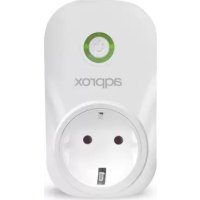
appSP10 - Smart Home Approx - Free user manual and instructions
Find the device manual for free appSP10 Approx in PDF.


| Product type | Wi-Fi smart plug |
| Brand | Approx |
| Model | appSP10 |
| Connectivity | Wi-Fi 2.4 GHz (802.11 b/g/n) |
| Power supply | 90-250 VAC, 50/60 Hz |
| Max power | 2000 W |
| Main features | Remote control via eWeLink app, scheduling, countdown timer, voice control (Amazon Echo, Google Home), physical on/off button |
| LED indicators | Green LED (fast blinking = pairing mode, slow blinking = no connection, solid = connected); Red LED (on = plug activated, off = deactivated) |
| Mobile app | eWeLink (iOS & Android) |
| Dimensions (approx.) | Approx. 5 x 5 x 7 cm |
| Weight (approx.) | Approx. 100 g |
| Care and cleaning | Clean with a soft, dry cloth |
| Safety | Do not open the device, do not use near water, do not insert objects, do not exceed 2000 W, use within 90-250 VAC |
| Spare parts and repairability | Not user-serviceable; no spare parts available |
| General information | Compliant with directives 2014/53/EU, 2014/35/EU, 2011/65/EU; Class B; RF exposure compliant; national restrictions (Bulgaria, France, Italy, etc.); recycling according to WEEE |
Frequently Asked Questions - appSP10 Approx
User questions about appSP10 Approx
0 question about this device. Answer the ones you know or ask your own.
Ask a new question about this device
Download the instructions for your Smart Home in PDF format for free! Find your manual appSP10 - Approx and take your electronic device back in hand. On this page are published all the documents necessary for the use of your device. appSP10 by Approx.
USER MANUAL appSP10 Approx
Thank you for choosing the smart plug Wi-Fi APPSP10
Description
L Home automation is also known as "The Internet of things," it simply means the way devices are connected in a network to provide users with perfect control over their home computers. The APPSP10 is a smart Wi-Fi plug that provides users with intelligent control of their connected devices at home remotely through the eWeLink mobile app.
While your Smartphone has internet connection, users can remotely control the devices by turning them off from anywhere at any time.
Another important feature is that it allows to set timetables for the devices, where it can include activation / deactivation of countdown, programmed on / off and, so it facilitates the absolute control of the devices for the user.
The eWeLink mobile application allows users to easily control the devices. The iOS version of the application can be downloaded in the App Store while the Android version in Google Play.
Join the internet of things and increase the connectivity and control of your devices or appliances!
Chapter 2. Package contents
- APPSP10
- Quick installation guide
Chapter 3. Parts description
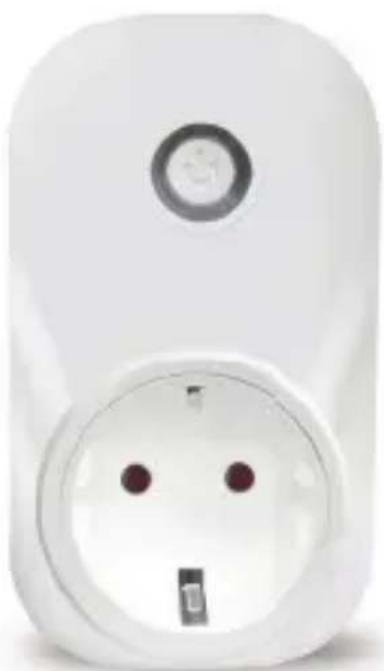
- Control method: Voice / application / button
- Button: Intelligent on / off switch, press and hold (for 7 seconds) until the green LED flashes to start the application configuration process.
- Green LED:
Fast flashing: Start of application configuration mode
Slow flashing: no connection to the network
On: connected to the network
Red LED:
On: the APPSP10 is on.
Off : the APPSP10 is off .
Chapter 4. Installation
1. Download the application "eWeLink".
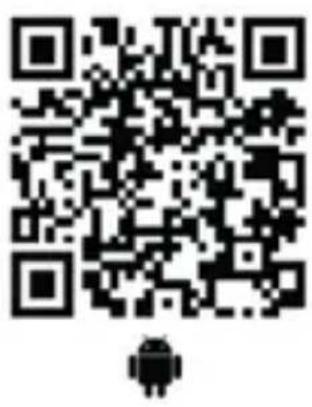
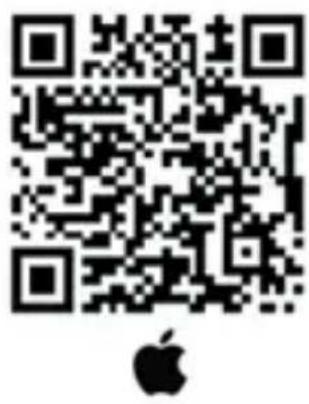
Search for "eWeLink" in APP Store for the iOS or Google play version for the Android version, you can also scan the following QR codes to download the application.
Open the application and register.
2. Add APPSP10
- Connect the APPSP10 to a power outlet.
- Press the button for 7 seconds until the green LED flashes the LED flashes 1 time and repeats.
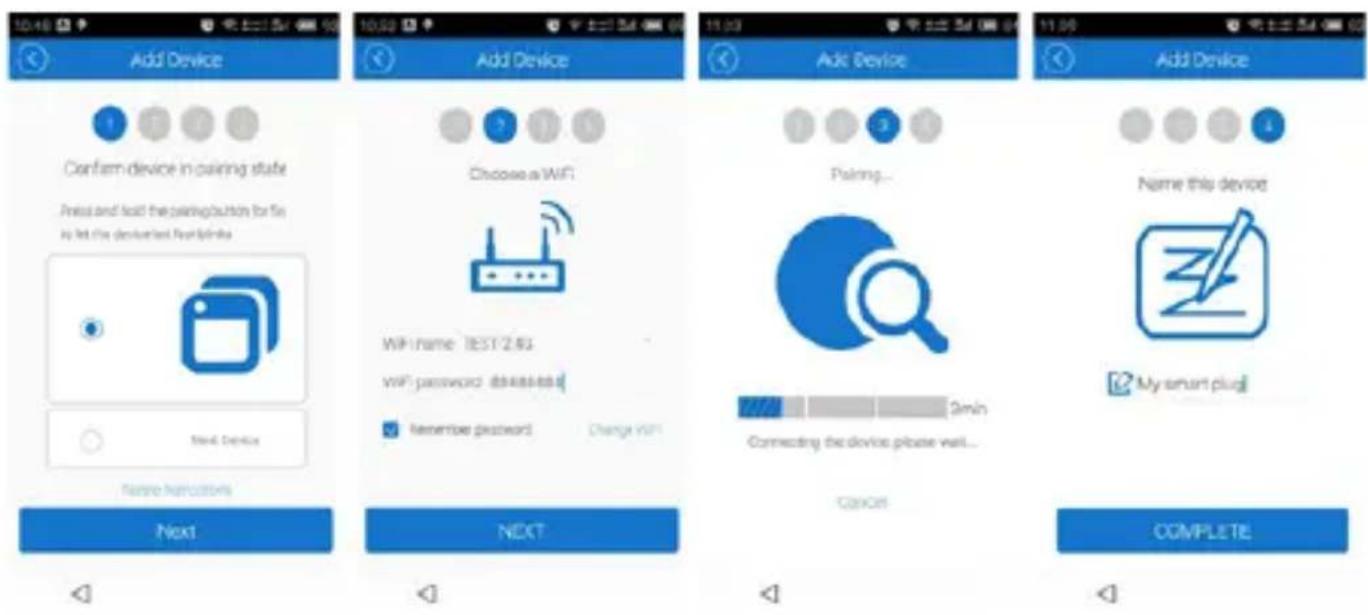
- In the Ewelink application follow the steps of the wizard to add the device to your Wi-Fi network. Remember that your Smartphone has to be connected to the Wifi network where the APPSP10 will connect to perform the configuration process.
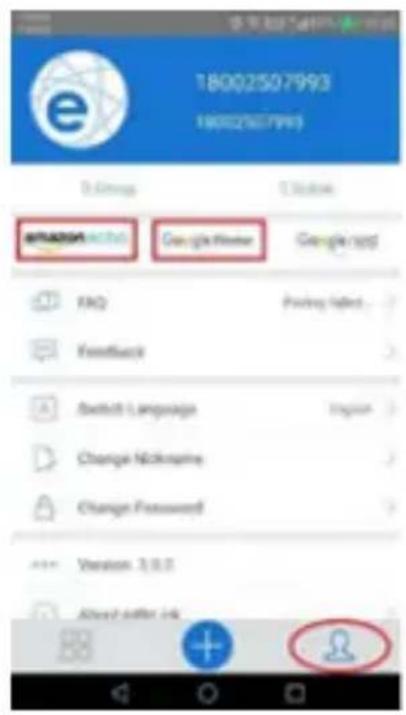
- If you want to control the APPSP10 with amazon echo or Google home please open the eWeLink application and click on the following icon and follow the steps
Chapter 5. Technical Support
For more information about the installation and configuration of this product, please visit our website www.approx.es or send an e-mail to: soporte@approxx.es.
Chapter 6. Wi-Fi specifications
| Network Features | |
| Wi-Fi Support 802.11 b/g/n | |
| Wi-Fi Frequency | Wi-Fi 2,412 – 2,472 GHz |
| Power | < 50mW |
| Network Features | |
| Wi-Fi Support 802.11 b/g/n | |
| Wi-Fi Frequency | Wi-Fi 2,412 – 2,472 GHz |
| Power | < 50mW |
| Network Features | |
| Wi-Fi Support 802.11 b/g/n | |
| Wi-Fi Frequency | Wi-Fi 2,412 – 2,472 GHz |
| Power | < 50mW |
| Network Features | |
| Wi-Fi Support 802.11 b/g/n | |
| Wi-Fi Frequency | Wi-Fi 2,412 – 2,472 GHz |
| Power | < 50mW |
Poglavlje 1.Uvod
Hvala vam što ste odabrali pametni dodatak za Wi-Fi APPSP10.
Opis
Domena se takoeder naziva "Internet stuff", to Jednostavno znači povezivanje urežaja preko mreže kako bi korisnicima pruzila savrsenu kontrolu nad svojim kućnim računalima. APPSP10 je pametna Wi-Fi veza koja korisnicima omogucuje intelligentno upravljanje svojim povezanim urežajima kod kuće putem eWeLink mobilne aplikacije.
Dok vaš smartphone ima internetsku vezu, korisnici mogu daljinski upravljati urežajima bez da ih mogu bilo gdje u bilo kojem trenutku. Druga važna značajka je omoguciti postavljanje rasporeda urežaja, što moze uključivati aktiviranje / deaktiviranje odbrojavanja, programirano uključivanje / isključivanje i time olakšava apsolutnu kontrolu urežaja za korisnika.
EWLink mobilna aplikacja omogości korisnicima jegnostavnogo upravljanje svojim urežajima. IOS verzija aplikacje są preuzeti u App Store dok je verzija Androida na Google Playu.
Povezivanje stvari na mreži i povećanje povezanosti i kontrole vaših uredaja ili uredaja!
Poglavlje 2. Sadržaj paketa
- APPSP10
Vodič za brzi početak
| Network Features | |
| Wi-Fi Support 802.11 b/g/n | |
| Wi-Fi Frequency | Wi-Fi 2,412 – 2,472 GHz |
| Power | < 50mW |
Rozdziat 1. Introduccion
| Network Features | |
| Wi-Fi Support 802.11 b/g/n | |
| Wi-Fi Frequency | Wi-Fi 2,412 – 2,472 GHz |
| Power | < 50mW |
| Network Features | |
| Wi-Fi Support 802.11 b/g/n | |
| Wi-Fi Frequency | Wi-Fi 2,412 – 2,472 GHz |
| Power | < 50mW |
| Network Features | |
| Wi-Fi Support 802.11 b/g/n | |
| Wi-Fi Frequency | Wi-Fi 2,412 – 2,472 GHz |
| Power | < 50mW |
bölüm 1. tanım
| Network Features | |
| Wi-Fi Support 802.11 b/g/n | |
| Wi-Fi Frequency | Wi-Fi 2,412 – 2,472 GHz |
| Power | < 50mW |
| Network Features | |
| Wi-Fi Support 802.11 b/g/n | |
| Wi-Fi Frequency | Wi-Fi 2,412 – 2,472 GHz |
| Power | < 50mW |
Глaba 1. ВъVEDене
| Network Features | |
| Wi-Fi Support 802.11 b/g/n | |
| Wi-Fi Frequency | Wi-Fi 2,412 – 2,472 GHz |
| Power | < 50mW |
capitol1.introducere
Благорам Ви, чь n3брахтewi-Fi APPSP10 smart plug.
Descriere
capitol 5. Support technic
| Network Features | |
| Wi-Fi Support 802.11 b/g/n | |
| Wi-Fi Frequency | Wi-Fi 2,412 – 2,472 GHz |
| Power | < 50mW |
kapitola 1.úvod
Dakujeme, ze ste si vybrali intelligentny konektor APPSP10 Wi-Fi.
Popis
| Network Features | |
| Wi-Fi Support 802.11 b/g/n | |
| Wi-Fi Frequency | Wi-Fi 2,412 – 2,472 GHz |
| Power | < 50mW |
| Network Features | |
| Wi-Fi Support 802.11 b/g/n | |
| Wi-Fi Frequency | Wi-Fi 2,412 – 2,472 GHz |
| Power | < 50mW |
peatükk 1.tutvustus
| Network Features | |
| Wi-Fi Support 802.11 b/g/n | |
| Wi-Fi Frequency | Wi-Fi 2,412 – 2,472 GHz |
| Power | < 50mW |
EU DECLARATION OF CONFORMITY SIMPLIFIED.
Hereby, APPROX IBERIA S.L. declares that the radio equipment type APPSP10 is in compliance with Directives 2014/53/EU, 2014/35/EU and 2011/65/EU.
The full text of the EU declaration of conformity is available at the following internet address: http://www.approx.es/CE/AppPSP10_DEclaration.pdf
Déclaration UE DE CONFORMITE SIMPLIFIÉE.
This is a class B product. In a domestic environment, this product may cause radio interference, in which case the user may be required to take adequate measures.
Information about RF exposure
This device complies with the requirements of the EU (2014/53 / EU) on the limitation of public exposure to electromagnetic fields by means of health protection.
This device has been tested and found to comply with the Exposure Guidelines.
While using the device, keep it at least 0.5cm away from your body to ensure that exposure levels
National Restrictions
This device is designed for home and office use in all EU countries
Without any limitation except for the countries listed below:
| Country Restrictions Reason | |
| Bulgaria Requires authorization for outdoor use and public service | |
| France Outdoor use limited to 10 mW Within the band 2454-2483.5 MHz | Use of Military Radiolocation. |
| Italy Implemented Public use is subject to general authorization | |
| Luxemburg General authorization required for network and service (not for spectrum) | |
| Norway Implemented This subsection does not apply to the geographical area within a radius of 20 km from the center of Ny-Alesund | |
| Russia Can only be used indoors | |
| Ukraine E.i.r.p. ≤100 mW with internal antenna with amplification factor | |
Avertissement CE
AEE REI-RAEE 5548 In this manual, the container (bin) symbol indicates that the product is subject to the European directive 2002/96 / EC, electrical and electronic products, batteries, and batteries and other accessories must necessarily be subject to a selective collection.
At the end of the life of the device, make use of the recycling bins. This gesture will help reduce the health risks and preserve the environment.
Municipalities and distributors, will provide essential details on recycling your old device. If this device carries an internal battery, it must be removed and deposited separately for proper management.
Recyclage
SAFETY, MAINTENANCE AND RECYCLING INSTRUCTIONS
- Caution: Never open the device, the internal parts are danger, electrical shock.
- Do not install this unit near water, for example, in a wet basement, in an unprotected outdoor installation or in any area classified as a wet.
- Do not insert objects of any kind into this unit through openings as they may touch voltage points and short out parts that could result in fire or electric shock. Do not spill any liquid on the unit.
- Always connect it to an electric network between 90 VAC and 250 VAC.
- Do not exceed the maximum power of 2000 W, danger of explosion.
- This product operates in the 2.4 GHz band, take into account the restrictions of the country where it is used.
- Clean the product with a soft and dry cloth.
- Follow local regulations for disposing of the product.
INSTRUCTIONS DE SECURITE, D'ENTRETIEN ET DE RECYCLAGE
The content of this guide is subject to typographical errors
Made in PRC
- Description
- Chapter 2. Package contents
- Chapter 3. Parts description
- Chapter 4. Installation
- Download the application "eWeLink".
- Add APPSP10
- Chapter 5. Technical Support
- Chapter 6. Wi-Fi specifications
- Poglavlje 1.Uvod
- Opis
- Poglavlje 2. Sadržaj paketa
- Rozdziat 1. Introduccion
- bölüm 1. tanım
- Глaba 1. ВъVEDене
- capitol1.introducere
- Descriere
- capitol 5. Support technic
- kapitola 1.úvod
- Popis
- peatükk 1.tutvustus
- EU DECLARATION OF CONFORMITY SIMPLIFIED.
- Déclaration UE DE CONFORMITE SIMPLIFIÉE.
- Information about RF exposure
- National Restrictions
- Avertissement CE
- Recyclage
- SAFETY, MAINTENANCE AND RECYCLING INSTRUCTIONS
- INSTRUCTIONS DE SECURITE, D'ENTRETIEN ET DE RECYCLAGE
Brand : Approx
Model : appSP10
Category : Smart Home